
已儲存
選擇要顯示在你的已儲存選單中的名稱。
完成!
| 開發人員: | Alessandro Sassi (2) | ||
| 價錢: | 免費 | ||
| 評價: | 31,100 白金 | ||
| 排名: | 0 | ||
| 註釋: | 0 發表評論 | ||
| 清單: | 1 + 0 | ||
| 點數: | 3 + 3,708 (4.3) ¡ | ||
| +1 點數 | |||
描述

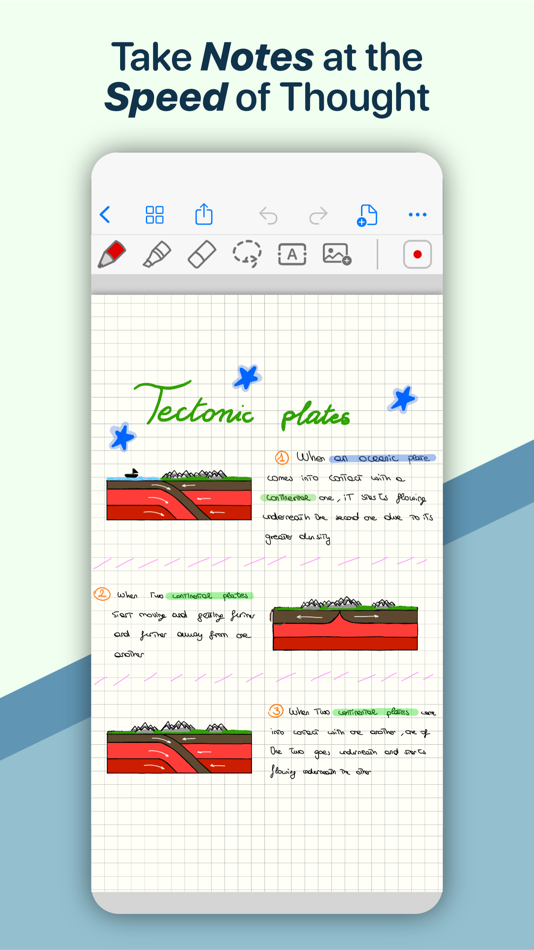
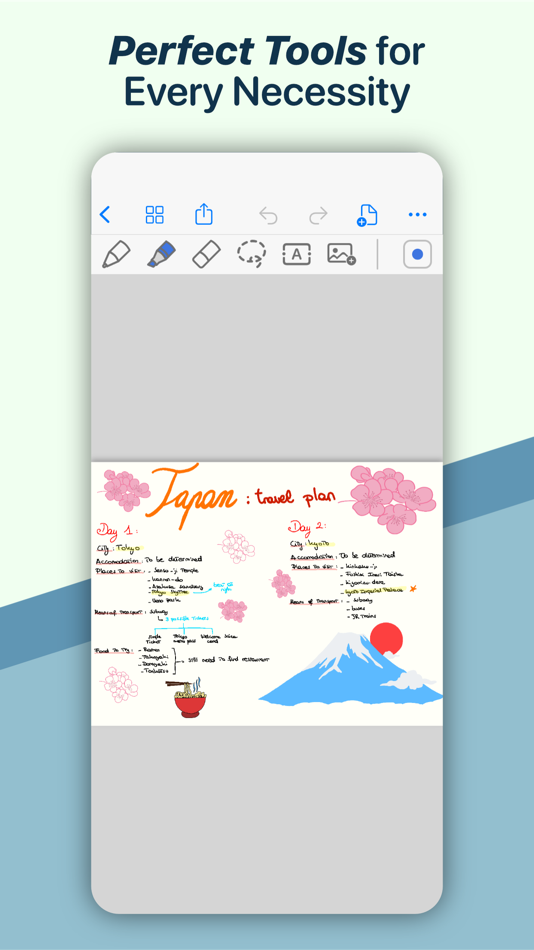
• Experience a fluid, precise and natural note taking experience powered by the unparalleled performance of QuickNotes X custom vector ink engine;
• Choose your drawing style with numerous included tools, such as fountain and ballpoint pen;
• Freely customize your stroke color as well as line thickness and pressure sensitivity;
• Record and play back lectures with Voice Recording: your writing will be synced to the audio!
• Draw perfect shapes and straight lines thanks to automatic, ML-powered shape recognition;
• Move, resize, rotate and zoom your handwriting to take notes like a pro;
• Never run out of paper: swipe to the next page and a new page will be created if needed!
• Take perfect notes with your Apple Pencil, Logitech Crayon or other capacitive styluses.
ORGANIZE & PROTECT YOUR THOUGHTS
• Never lose your notes again thanks to the powerful organization provided by QuickNotes X;
• Create Notebooks to organize your notes;
• Add unlimited Folders & Subfolders to group your Notebooks;
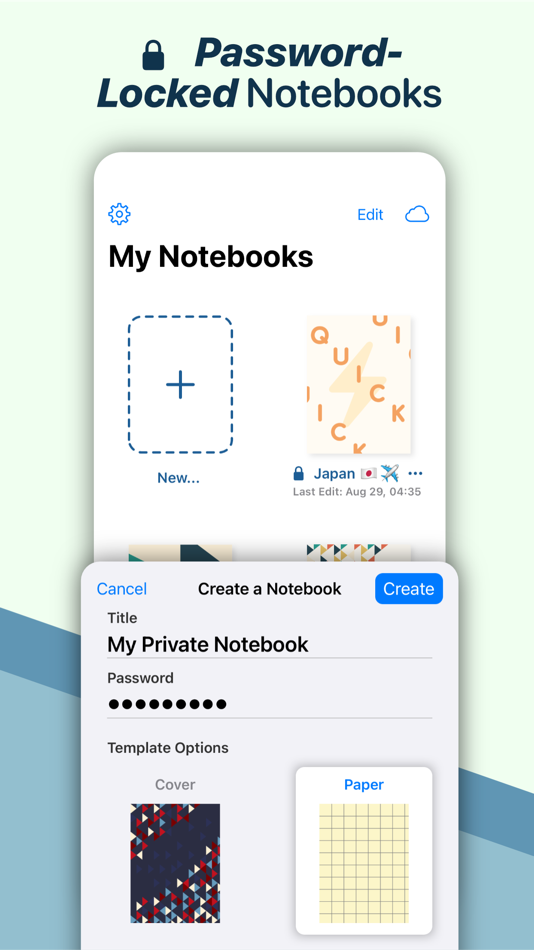
• Lock individual Notebooks and Folders with a Password to protect your thoughts from prying eyes;
• Unlock protected notebooks using Face ID, Touch ID or by entering your Password;
• Rearrange your Notebooks and Folders however you like to make sure they are always in the correct order.
SEAMLESSLY SYNC TO ALL YOUR DEVICES
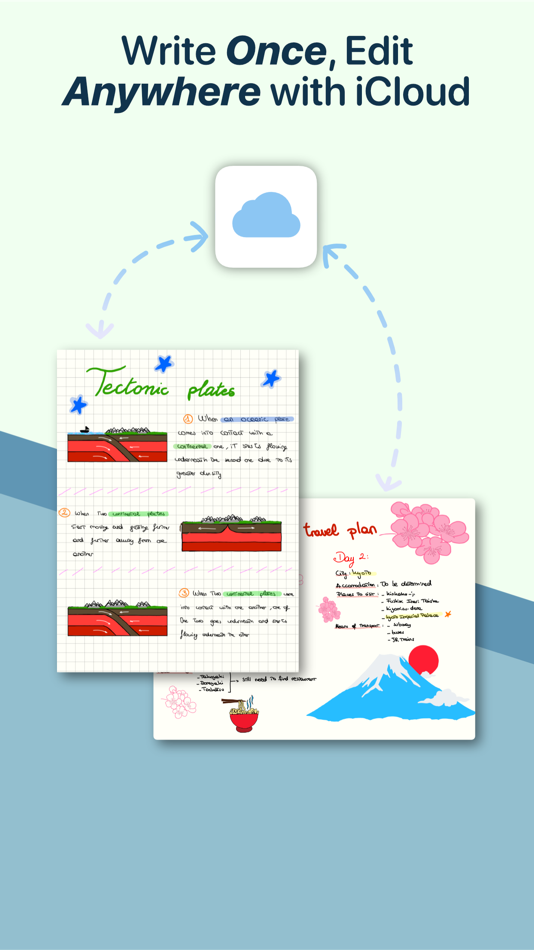
• Seamlessly back up & sync your notebooks and folders to all your devices thanks to iCloud;
• Write once, edit anywhere: when iCloud Sync is active all your content is automatically available on all your devices;
• Use the native Mac app to view your notes on the bigger screen and edit them right on your computer.
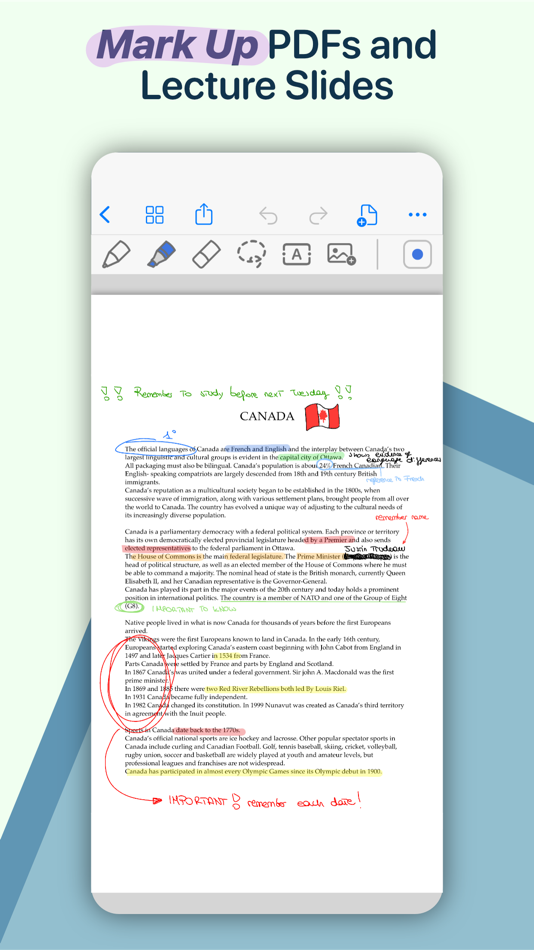
MARK UP & WRITE ON PDFs, SLIDES AND MORE
• Import and edit PDFs, PowerPoint presentations more;
• Annotate documents on your device with all the tools available, including fountain & ballpoint pen, highlighter and shape recognition;
• Open notes and documents side-by-side on your iPad for maximum flexibility;
• Quickly export your notes as images, PDF or QuickNotes X Documents for easy sharing
ENDLESS CUSTOMIZATION FOR YOUR CREATIVITY
• Create an unlimited number of presets for stroke color and line thickness to always have the right one ready at your fingertips;
• Choose between Dual or Single Bar Mode to take notes with the maximum level of flexibility and customizability;
• Choose to erase entire strokes on only some parts thanks to the new Precision and Whole Stroke Erasers;
• Use the Lasso tool to cut, copy, paste or delete groups of strokes or entire pages;
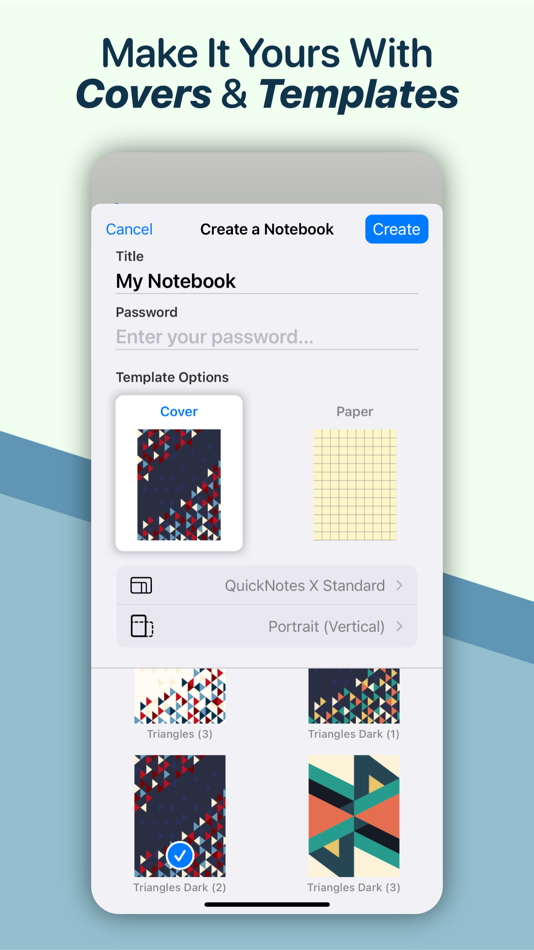
• Customize the look of your Notebooks and Folders by choosing from more than 80 options;
• Make each notebook cover yours: the Notebook cover is now fully editable so you can draw on it!
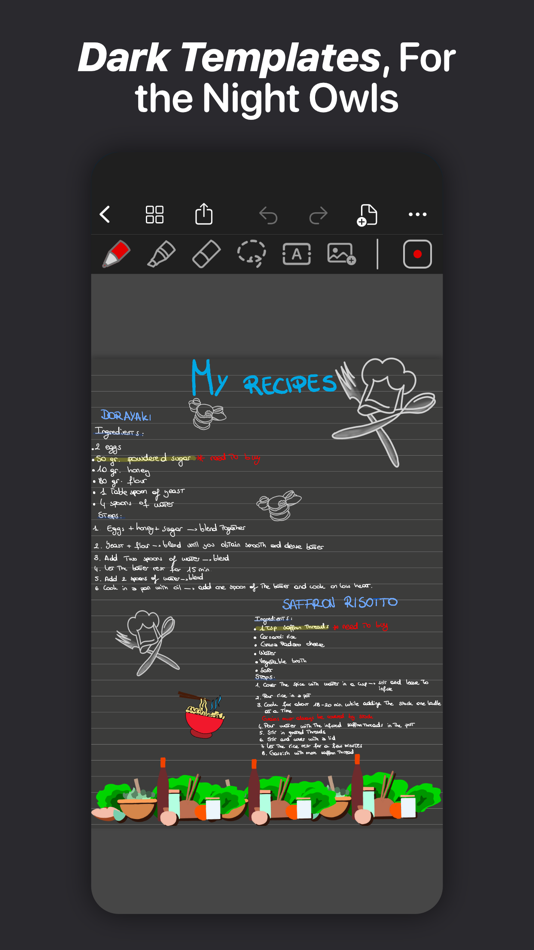
• Choose the right paper template for your Notebooks, such as Blank Paper, Cornell Paper, Chemistry Paper, Engineering Grid Paper, Music Paper and more!
TYPE AND WRITE ANYWHERE
• Add Text Boxes anywhere in a page to start typing, with plenty of customization options for color, font style and size, available right at your fingertips in the new Tool Bar;
• Move, rotate and scale text boxes to never run out of space;
• Combine handwritten notes with typed content and annotate or highlight key words in your Text Boxes;
AND THERE IS EVEN MORE!
• Swipe left or right to quickly move to the previous or next page in the notebook;
• Quickly jump to any page in the Notebook by using the Notes List menu in the Note Editor;
• Customize any new page you create thanks to the new "New Page" menu in the Editor;
• Create a QuickNotebook to always have a fresh new page when you open the app;
• Changing the paper template for a single page or the entire Notebook is only one tap away;
QuickNotes X: Note-Taking, Made Easy.
Website: https://www.quicknotesx.com
Twitter: @QuickNotesX
Instagram: @quicknotesx
-----------
Privacy Policy: https://www.quicknotesx.com/privacy
Terms of Use: https://www.apple.com/legal/internet-services/itunes/dev/stdeula
螢幕擷取畫面
Ad
價格歷史
- 目前價格: 免費
- 最小值: 免費
- 最大值: 免費
追蹤票價
AppAgg 評價
31,100
AppAgg 預估評價:
QuickNotes X: Notes, AI & PDF
31,100 白金
評價越高,通常代表在 AppAgg 上的信號越強。
基於: 人氣 · 使用者評分 · 新鮮度 · 優惠 · 商店資料 · 社群活躍度
根據最新 AppAgg 資料每日重新計算。
縮短網址: 已複製!
新功能
- 版本: 5.5.1
- 最後更新:
- INTRODUCING THE TRASH
• Ever felt like you needed to recover notebooks which you have previously deleted? Introducing the Trash: your deleted notes, notebooks and folders are now all recoverable after you delete them!
• You can open the Trash from any notebook or folder, and from there you will be able to recover notes, notebooks and even entire folders or delete them forever.
• When you choose to delete an item, it will be moved to the Trash for you to optionally recover it later on. If you want to remove it permanently, open the Trash and delete them.
• You can even choose to recover individual items from the Trash. Did you delete a notebook but wanted to keep a few pages? Simply open the Trash, select pages you want to recover, and pick a new Notebook to host them.
• For every item you recover, you have the option to choose where to place it back for maximum flexibility.
OTHER FEATURES AND IMPROVEMENTS
• Introducing a revamped, new file management system, which improves upon the previous system while bringing more flexibility for organizing and interacting with your notes. All notes will be migrated to use the new system after opening the updated app for the first time.
• Fixed a bug which prevented users from inserting new pages using the page adder tool in the note editor
• Fixed password conversion from previous app versions and password verification for converted notebooks and folders
• Fixed crashes when a QuickNotebook was in use and configured
• Fixed a bug which prevented the Bookmark tool in the Note Editor from removing a bookmark after it was set
• Added support for iOS 26 and iPadOS 26 Liquid Glass effects
• Other minor bug fixes and performance improvements
其他資訊
開發人員
- Alessandro Sassi
- 平台: iOS 應用程式 (2)
- 清單: 1 + 0
- 點數: 4 + 3,746 ¡
- 排名: 0
- 註釋: 0
- 折扣: 0
- 影片: 0
- RSS: 訂閱
清單 (1)
- QuickNotes X: Notes, AI & PDF


排名 (0)
0
註釋 (0)
成為第一個發表評論的人
簡要
QuickNotes X: Notes, AI & PDF 縮短網址: 已複製!- 分享
- App Store
«QuickNotes X: Notes, AI & PDF». 平台: iOS. 類別: 生產應用. 開發商: «Alessandro Sassi». 首次發布: . 最後更新: . 目前價格: 免費. 此項目尚未在 AppAgg 上獲得評分或評論。 列表: 公開: 1, 私人: 0. 追蹤點: 已確認: 3, 間接: 3,708. 商店: App Store. 店家評價: 4.3. 投票數: 3,708. 可用語言: Chinese, Dutch, English, French, German, Italian, Japanese, Spanish, Turkish. AppAgg 會追蹤 «QuickNotes X: Notes, AI & PDF»的價格歷史、評分和用戶回饋。 AppAgg 不託管應用程式或分發軟體。 所有商標、標誌和螢幕截圖均屬於其各自所有者。 關注未來折扣和更新: RSS
類似
-
- Quick VPN: AI Fast VPN Proxy
- iOS 應用程式: 生產應用 由: DIGIPROP TECHNOLOGIES LLP
- 免費
- 清單: 1 + 2 0 0
- 點數: 4 + 1,415 26K 版本: 3.1 Welcome to Ai Quick VPN, your AI powered private and safe internet browsing solution. With our simple app, your data and personal information are protected while you surf online. ... ⥯
-
- AI Chat Assistant - ChatAI Bot
- iOS 應用程式: 生產應用 由: AI Creative Studio
- 免費
- 清單: 0 0 0
- 點數: 3 + 5,478 45K 版本: 3.0.1 Welcome to the innovative communication app, powered by cutting-edge technology! With our app, you can easily chat, find information, solve problems, and create content anytime, ... ⥯
-
- Goodnotes: AI Notes, Docs, PDF
- iOS 應用程式: 生產應用 由: Goodnotes Limited
- 免費
- 清單: 42 + 32 0 0
- 點數: 33 + 423,543 176K 版本: 7.0.56 Goodnotes has always been the place to capture your ideas from quick notes to big plans. Now, it goes further. With powerful AI and new ways to capture information, Goodnotes helps you ⥯
-
- Notability: AI Notes & PDF app
- iOS 應用程式: 生產應用 由: Ginger Labs
- 免費
- 清單: 30 + 19 5 (2) 0
- 點數: 28 + 447,475 195K 版本: 16.2.2 From your first lecture to your next big meeting, Notability helps you think, learn, and work better. Take handwritten notes, annotate documents, record audio, and stay organized in ... ⥯
-
- CollaNote: Notes & PDF Markup
- iOS 應用程式: 生產應用 由: Zauberberg Lab Company Limited
- * 免費
- 清單: 6 + 1 0 0
- 點數: 19 + 13,449 47K 版本: 4.1.2 CollaNote: Powerful note-taking app packed with a wide range of tools. Note-taking, PDF markup, digital planning, and flashcards - all in one place! BUILT FOR APPLE PENCIL WITH AN ... ⥯
-
- Noteful: Notes & PDF Markup
- iOS 應用程式: 生產應用 由: Noteful Technologies Ltd
- 免費
- 清單: 1 0 0
- 點數: 2 + 21,911 52K 版本: 1.4.36 Noteful is your one-stop note-taking app to experience the new paperless revolution on iPad. Perfect for annotating documents, taking class notes or even building your personal ... ⥯
-
- AI Chatbot & Design Assistant
- iOS 應用程式: 生產應用 由: SevenSeas AI Studio
- 免費
- 清單: 0 0 0
- 點數: 3 + 4,465 33K 版本: 1.4.4 From AI chatbot conversations to AI-generated content, AI Chat is the ultimate AI assistant for productivity, creativity, and learning. AI Chat is built on GPT-5 & GPT-4o, Grok, ... ⥯
-
- MyScript Notes: AI Handwriting
- iOS 應用程式: 生產應用 由: MyScript
- 免費
- 清單: 11 + 6 0 0
- 點數: 18 + 38,268 82K 版本: 7.3.2 Create stunning notes and professional documents effortlessly by hand, brainstorm ideas on an infinite canvas, and annotate PDFs seamlessly. Powered by the world's leading AI ... ⥯
-
- AI Assistant Ask & Chat
- iOS 應用程式: 生產應用 由: My Ai
- 免費
- 清單: 0 0 0
- 點數: 2 + 2,270 34K 版本: 2.0.17 This #1 AI assistant that helps you get more done, find entertainment, or express yourself and your creativity. Try our FREE plan and see why millions of people love our app! Real ... ⥯
-
- Perplexity - AI Search & Chat
- iOS 應用程式: 生產應用 由: Perplexity AI, Inc.
- * 免費
- 清單: 1 + 2 0 0
- 點數: 2 + 461,857 149K 版本: 26.19.0 Perplexity Where Knowledge Begins. Accurate answers to any question, backed by sources and citations. Cut through the clutter and get straight to credible, up-to-date answers. This ... ⥯
-
- PDF Expert: Editor & Converter
- iOS 應用程式: 生產應用 由: Readdle Technologies Limited
- 免費
- 清單: 6 + 5 0 0
- 點數: 11 + 214,909 148K 版本: 7.25.5 Unlock your potential with a fast and easy PDF Expert app with all the features you need in a well-designed and intuitive user interface. BEST FOR iPHONE, iPAD, MAC & VISION PRO Read ... ⥯
-
- PDF it All Document Converter
- iOS 應用程式: 生產應用 由: DIGISET LLC
- 免費
- 清單: 1 + 3 0 0
- 點數: 3 + 7,858 60K 版本: 6.0.1 PDF it All: Your All-in-One PDF Solution PDF it All is an advanced yet user-friendly tool designed for seamless PDF file editing and conversion. With this application, you can ... ⥯
-
- AI Chatbot: Pixi
- iOS 應用程式: 生產應用 由: 44pixels
- 免費
- 清單: 0 0 0
- 點數: 2 + 13,667 48K 版本: 0.51.48 Welcome to Pixi, your AI toolkit and assistant - Built on GPT-4o and the latest AI models Introducing Pixi, the ultimate AI-powered chat app that integrates cutting-edge artificial ... ⥯