
Könyvjelzők
Válassz címet ennek a könyvjelzőnek.
Könyvjelző mentve
| Fejlesztő: | Cem Olcay (44) | ||
| Ár: | $4.99 | ||
| Pontszám: | 27,200 Platina | ||
| Rangsorok: | 0 | ||
| Hozzászólások: | 0 Hozzászólás közzététele | ||
| Listák: | 6 + 7 | ||
| Pontok: | 2 + 38 (4.4) ¡ | ||
| +1 Pontok | |||
Ismertető

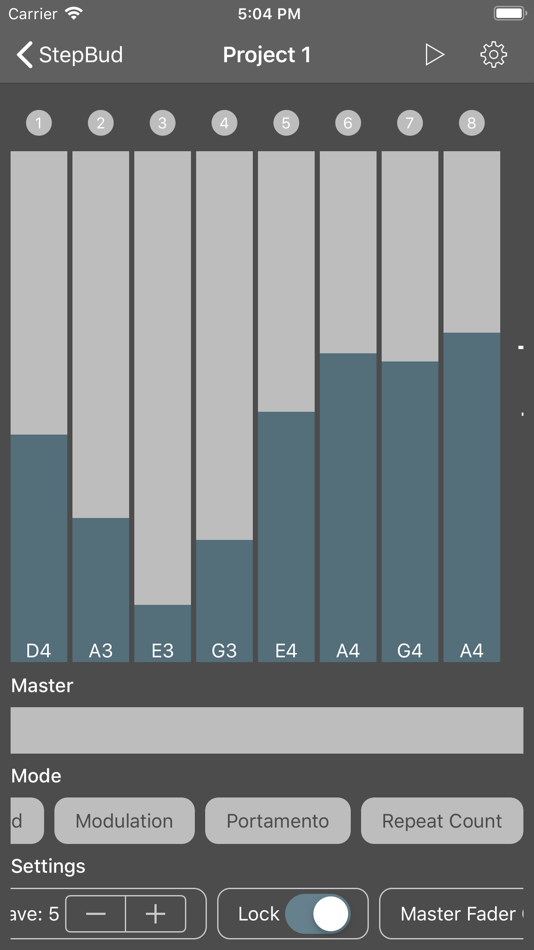
Add an unlimited number of steps to your sequencer.
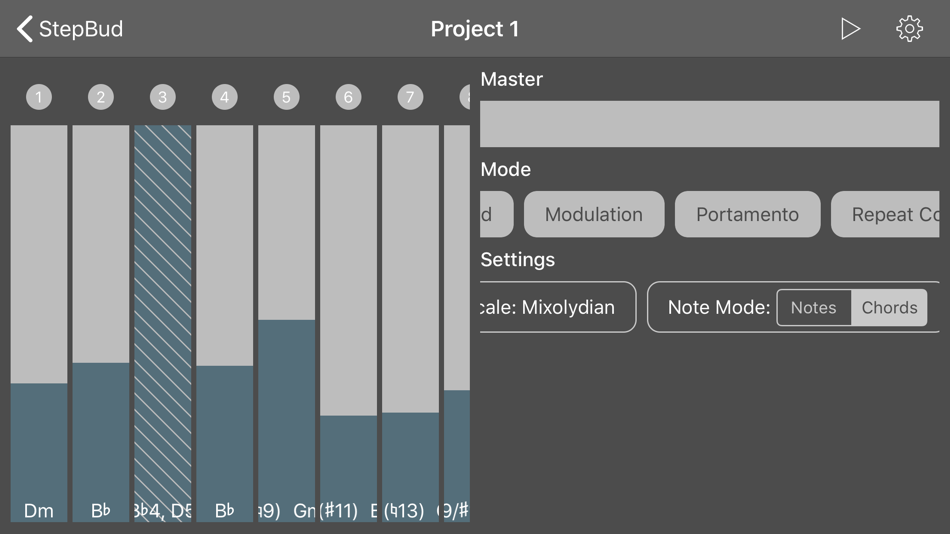
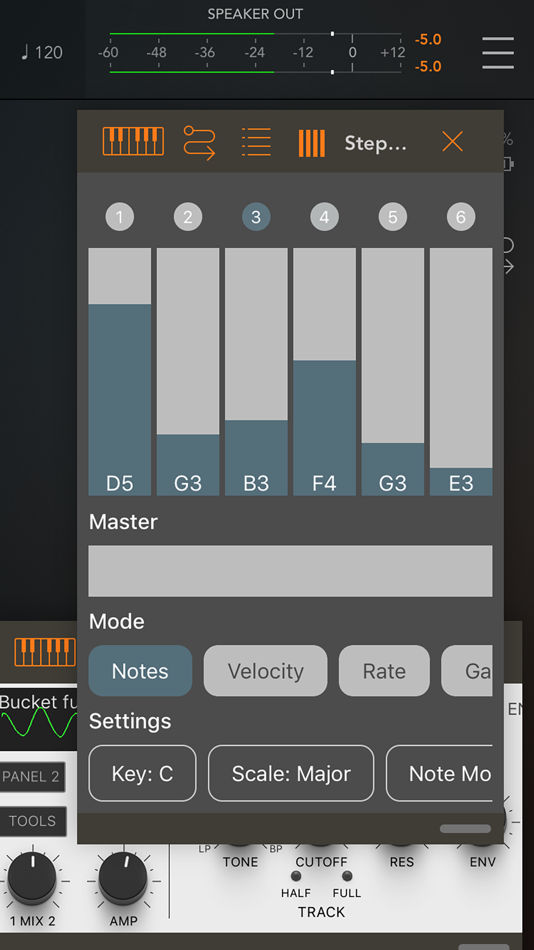
Your steps appear with a LED and a fader on top of your screen.
You can change the active mode that your step faders displaying/controlling.
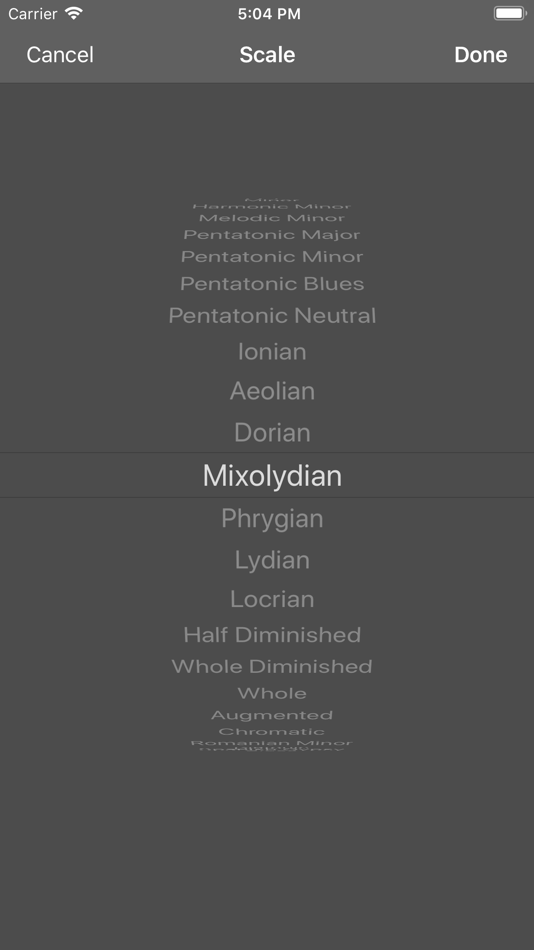
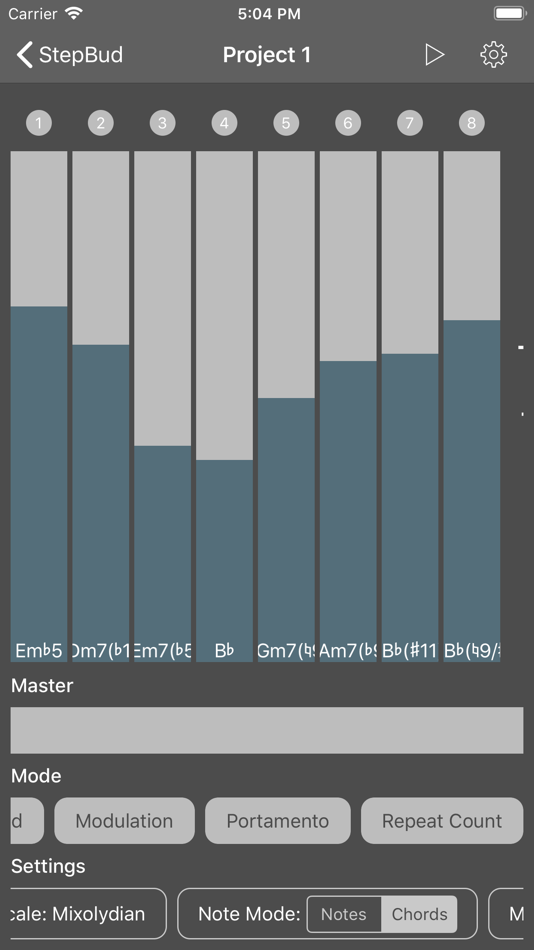
- Set the current note or chord in range of the scale and key you selected with respect the range of the octave you want to focus,
- Set the velocity, rate, gate time, modulation, pitch bend, portamento, probability and swing for each step,
- Try increasing the rate and repeat count your steps if you want to add more flavor.
- Send unlimited custom MIDI CC messages if you want to control your hardware or software synth parameters.
- Lock steps if you don't want them to change their value.
- Skip steps for creating interesting live performances.
Below the step faders, you have a master fader where you can control your entire sequencer. It has two modes which you can change from the settings strip on the bottom of the app.
- In copy mode, it assigns its value to each step.
- In shift mode, it shifts up or down each step.
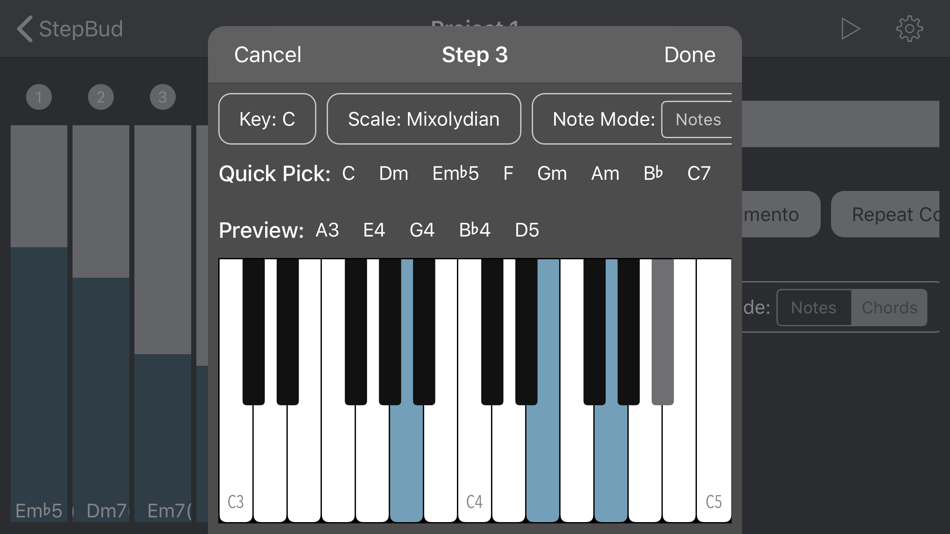
If you want to go off-scale or try some crazy chords on some of your steps, or maybe on all of them, you can go to the Step Editor by double tapping the LED of the step you want to edit.
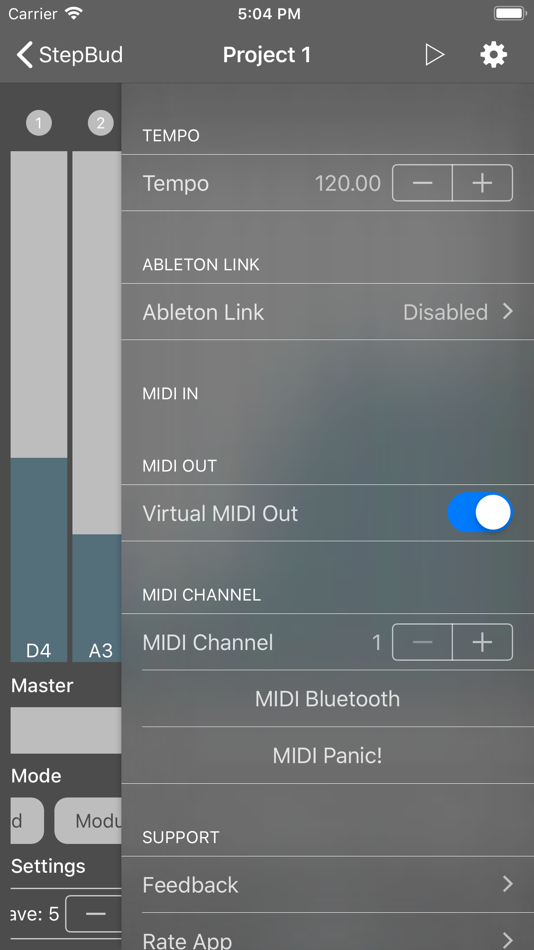
In StepBud's powerful Step Editor, you can set your step's notes either from the virtual keyboard or your connected MIDI keyboard. Don't forget to enable MIDI in port of your MIDI keyboard or the you want to receive MIDI from the settings menu. You may also preview the selected notes by pressing the preview button in Step Editor for making sure you created the perfect sound for your particular step.
You can also toggle the steps you want to disable by tapping its LED.
If you long-press the LED, you can access a menu where you may copy/paste the steps around, remove them or edit them.
If you enable the lock mode from the settings strip on the bottom of the app, you may adjust each visible step fader on the screen by a single swipe gesture without having to lift your finger up.
Try to change your arppegio mode from the settings strip. You can sequence your steps up, down, up-down or random order.
StepBud is a MIDI sequencer app and it does not generate sounds itself. You need to route its MIDI out port in the settings menu to the audio app you want to sequence.
Please note that you need to have an iOS 11+ device and an Audio Unit host application such as AUM, apeMatrix, Cubasis, BeatMaker or Audiobus in order to use the StepBud as an Audio Unit plugin. And don't forget to route StepBud's MIDI out to the app or audio unit you want to sequence.
StepBud's MIDI layer powered by free and open-source project AudioKit
https://github.com/AudioKit/AudioKit
Also, StepBud offers its core components for free on GitHub. Feel free to star, fork or contribute.
https://github.com/cemolcay/MusicTheory
https://github.com/cemolcay/LiveFader
https://github.com/cemolcay/MIDIEventKit
Hirdetés
Képernyőképek
Ártörténet
- Jelenlegi ár: $4.99
- Minimális: $0.99
- Maximális: $4.99
Árak nyomon követése Add egy listához, hogy e-mailben vagy push értesítésben értesülj az akciókról
AppAgg-pontszám
27,200
Becsült AppAgg-pontszám:
StepBud - AUv3 MIDI Sequencer
Fejlesztő: Cem Olcay
27,200 Platina
A magasabb pontszám általában jobb eredményeket tükröz az AppAgg által figyelt mutatókban.
Alapja: népszerűség · felhasználói értékelések · frissesség · akciók · áruházi adatok · közösségi aktivitás
Naponta újraszámítjuk a friss AppAgg-adatok alapján.
Jelvény a weboldaladra:  Másolva!
Újdonságok
- Változat: 2.1
- Utolsó frissítés:
- This version updates the AUv3 state saving.
További információk
- Kiadás dátuma:
- Kategória:
iOS-alkalmazások›Zene - Operációs rendszer:
iPad,iPhone,iOS 13.0 és újabb - Méret:
8 Mb - Támogatott nyelvek:
English,Turkish - Tartalom besorolása:
4+ - App Store Értékelés: ¡
4.4(38) - Weboldal:
 https://keybudapp.com/stepbud
Fejlesztő
- Cem Olcay
- Követők: 1
- Platformok: iOS Alkalmazások (42) macOS Alkalmazások (2)
- Akciók: 0
- Listák: 32 + 26
- Pontok: 166 + 421 ¡
- Rangsorok: 0
- Hozzászólások: 0
- Videók: 0
- RSS: Feliratkozás
Listák (6)
- StepBud - AUv3 MIDI Sequencer





Pontok (2)
-

- 1,062 Marika
- +1
-
- 202 Taban Bovin
- +1
Rangsorok (0)
0
Hozzászólások (0) ¡
Szólj hozzá elsőként
Röviden
StepBud - AUv3 MIDI Sequencer Rövid URL: Másolva!- App Store
Kövesd az AppAggen ezt az alkalmazást: „StepBud - AUv3 MIDI Sequencer”. Fejlesztő: Cem Olcay; platform: iOS; kategória: Zene. AppAgg-pontszám: 27,200 (Platina). Az alkalmazás AppAgg-pontjai: megerősített — 2; közvetett — 38. Az alkalmazást tartalmazó nyilvános listák száma: 6. Felhasználók, akik privát listákra mentették: 7. Az AppAgg felhasználói még nem értékelték az alkalmazást. A megerősített pontok a bejelentkezett AppAgg-felhasználók áruházi átkattintásait rögzítik. A közvetett pontok az áruházak adatain alapulnak. A két számláló a nyilvános listák számát és a privát listára mentő felhasználók számát mutatja. Az alkalmazás első megjelenése: . Az alkalmazás legutóbbi frissítése: . Az alkalmazás jelenlegi ára $4.99. Az alkalmazás legalacsonyabb rögzített ára $0.99 (), legmagasabb ára $4.99 () volt. App Store: az alkalmazás jelenlegi értékelése 4.4, 38 szavazat alapján. Az alkalmazás támogatott nyelvei: English, Turkish. Nézd meg az árelőzményeket, add az alkalmazást egy listához, vagy kövesd a fejlesztőt. Kövesd az alkalmazás jövőbeli akcióit és frissítéseit az RSS-hírcsatornát segítségével. Az AppAgg nem tárolja a szerverein és nem terjeszti ezt az alkalmazást. Az alkalmazáshoz kapcsolódó valamennyi védjegy, logó és képernyőkép a jogos tulajdonosé.
Akár ez is tetszhet
Friss beszélgetésekTöbb →
 AlkalmazásPassport Buddy: AI Translator 10.Oct.26 LIFETIME FREE Download and open the app and go to the subscription/paywall screen. Tab Red...
  CrashTestDanny1,862
  AlkalmazásClip Studio Paint Even considering its manga/anime bias, it still is an excellent drawing app. My only wish is that it...
  Mateusz61
  AlkalmazásMental Math Games: Numbio One of the best apps I have downloaded this year. Super fun and keeps the brain moving :)
  Hans11
  AlkalmazásStockpile: Prepper Pantry Very good app. Possibe to once and forever
  Hanna Banana35
  AlkalmazásPeptideWell I just started using a GLP-1 as recommended by my practitioner. I found this app and I love how it h...
  Paula5
  AlkalmazásTOODL Timer While everyone else is chatting over happy hour, I used to sit there running high-stakes math in my ...
  Social Myndz5
  Alkalmazáskomoot - hike, bike & run Not bad, but their robo-voice during navigation... gosh, it feels it was implemented two decades ago...
  Max Stierlitz21
  AlkalmazásSignFlow BSL 思ってたよりかなり良かった!動画が分かりやすくて、手の動きもちゃんと見える。自分で撮ってお手本と比べられるのもめっちゃ便利。ゲーム感覚で練習できるから、BSL初心者でも続けやすいと思う!
  Rifaat Hassan21
  AlkalmazásPulse: Meet Friends IRL Great app for meeting new friends in your city
  stian hansen5
  AlkalmazásFitCypher: Gym Workout Log I use this app to track my workouts. Very streamlined and its completely free which is nice.
  James Harvey5
