保存済み
保存済みメニューに表示する名前を選択してください。
完了
| デベロッパー: | Matteo Caldari (1) | ||
| 価格: | フリー | ||
| ランキング: | 0 | ||
| コメント: | 0 コメントを投稿する | ||
| リスト: | 5 + 13 | ||
| ポイント: | 15 + 82 (4.6) ¡ | ||
| App Store | |||
説明

Please note: SAND does not generate sound on its own, instead it relies on plugins that you can find on the AppStore.
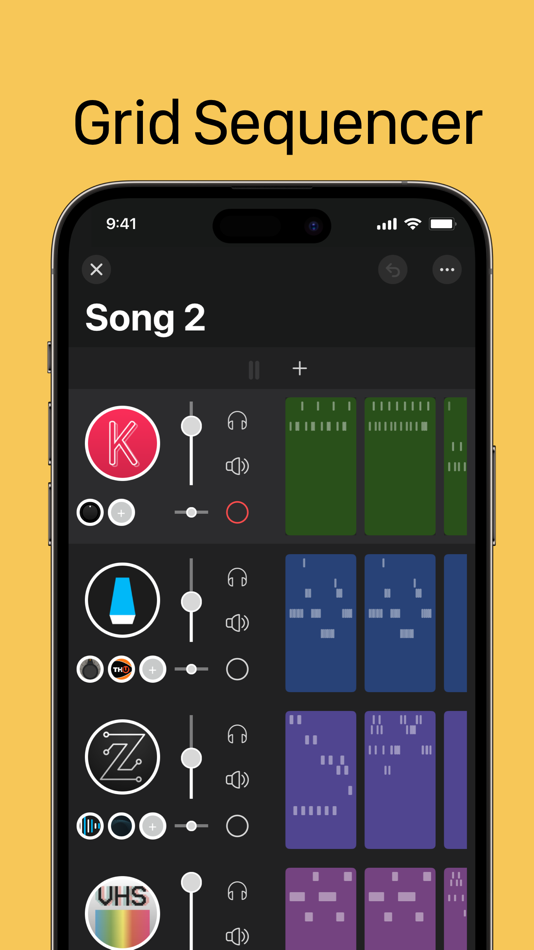
GRID SEQUENCER:
Easily arrange your MIDI clips on the grid to create your compositions.
Manipulate your clips effortlessly through copy, duplicate, merge, combine, and drag-and-drop functions.
Access quick tools, such as quantize, clip length adjustment, legato, and transpose, with a long press on the clip.
TRACKS:
Add one instrument and unlimited audio and MIDI effects to each track.
Save and reuse tracks as templates for future projects, streamlining your workflow.
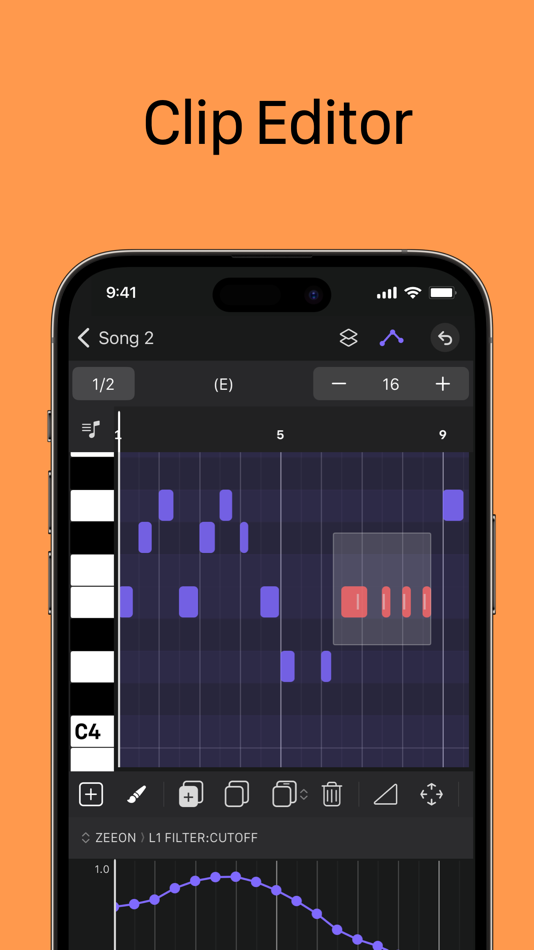
CLIP EDITOR:
The clip editor provides an easy-to-use interface for editing notes.
Refine your compositions using tools such as quantizing, legato, split, duplicate, copy and paste.
Create chords easily with the chord selector.
Change the position, pitch, duration, and velocity of individual notes. Align notes to the adjustable grid or move them freely for complete creative freedom.
Use scale highlighing to keep everything in key.
AUTOMATION:
Create dynamic changes in your tracks by automating parameters like volume, panning, effect values, and MIDI.
MASTER TRACK:
Use effects to be applied globally to the project.
Use the master track's clip to generate bass lines and chord progressions.
SONG MODE:
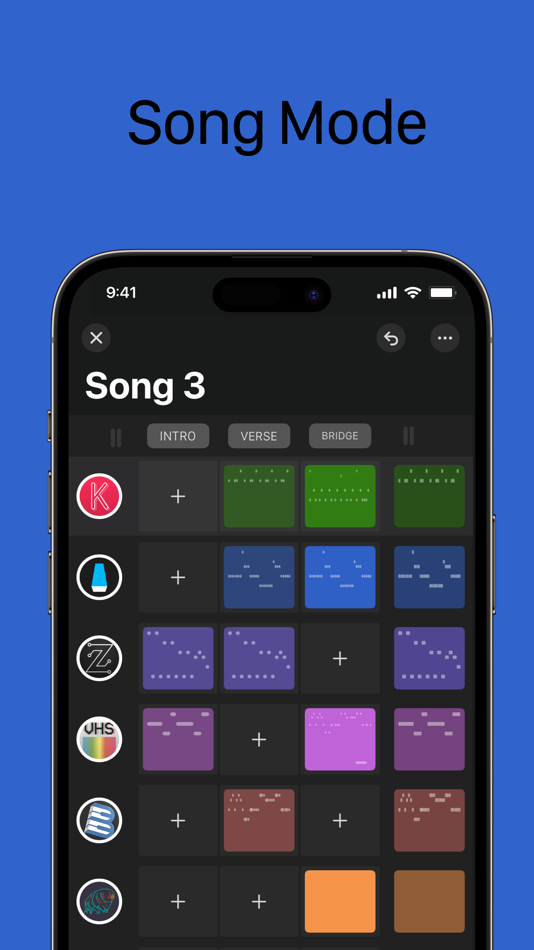
Arrange your clips in sections. Every section has its own length, and will be played back seamlessly in succession.
Sections also double as “scene launcher”: tap on a section name to launch all the clips it contains.
Every section can also override the project's time signature.
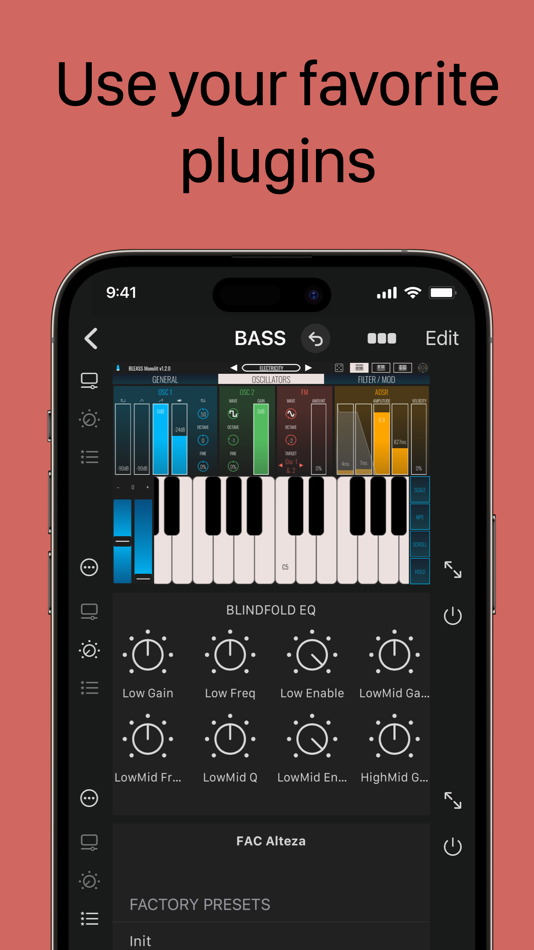
PLUGIN HOST:
SAND acts as a host for your favorite AUv3 plugins, including instruments, audio effects, and MIDI processors.
Take control of their parameters and presets to shape your sound.
Create default states for plugins to ensure that new instances start with your desired settings.
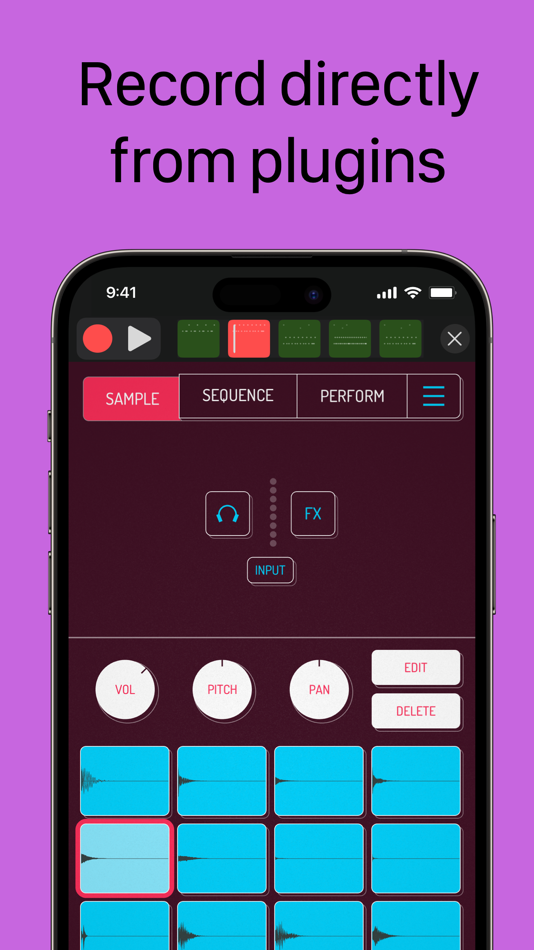
Record notes and MIDI directly from the plugin's user interface.
Capture output from MIDI plugins for more dynamic compositions.
MIDI ROUTING:
Connect and record notes from any external MIDI device, allowing you to incorporate your hardware synthesizers seamlessly.
Send MIDI to your synths for real-time playback.
Route MIDI from one track to another, ensuring the smooth flow of musical ideas.
Utilize SAND as a virtual MIDI input and output, expanding your MIDI capabilities.
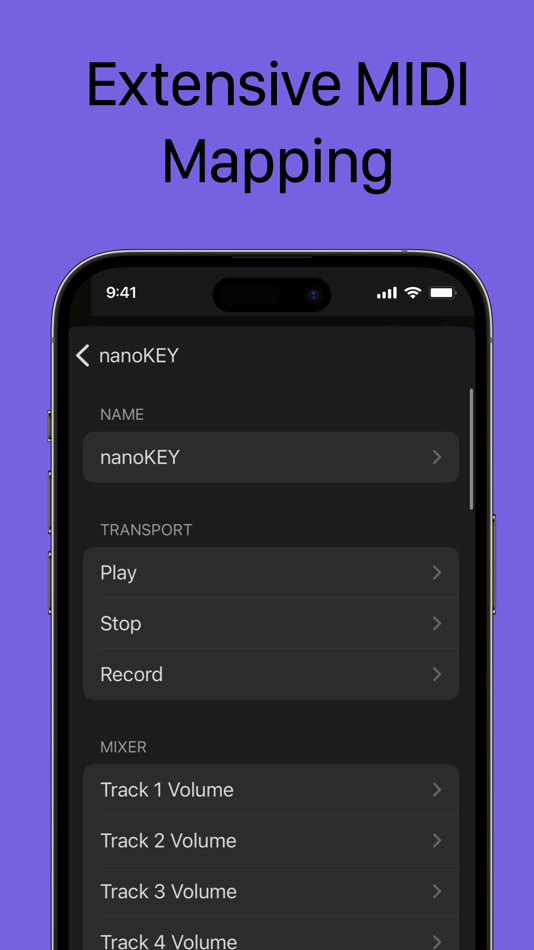
MIDI MAPPING:
Customize your MIDI controller surface to fully control the app.
Connect and map your MIDI surface to SAND for a personalized and efficient workflow.
Mapping is flexible and can be tailored to suit your preferences.
By utilizing buttons mapped as "shift" keys, you can further expand the control capabilities of your MIDI device.
SYNC:
Sync SAND with other music production apps and DAWs using Ableton Link.
ON-SCREEN KEYBOARD:
Record notes using the velocity-sensitive on-screen keyboard.
The lower keys generate higher velocities, while the upper keys result in lower velocities.
Choose a scale and root note to display only the keys that belong to that scale.
Customize the number of visible keys to match your playing style.
IMPORT / EXPORT:
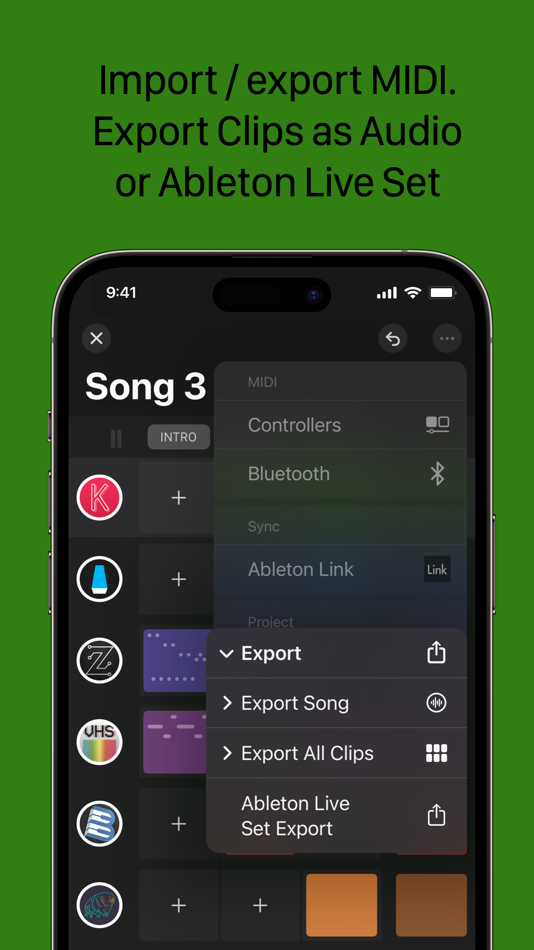
Export your clips as audio or MIDI files for further editing or sharing with collaborators.
Export your project as an Ableton Set for easy integration into your DAW.
Capture your performances and export them as audio files with separate stems for individual processing.
RECORDING OPTIONS:
Choose to start recording with a count-in or begin immediately with the first note.
Quantize your recordings for precise timing and alignment.
OPEN ROADMAP:
If you can't find your favorite feature, check out our roadmap at https://roadmap.getsand.app.
Stay informed about upcoming updates and enhancements for SAND to ensure the best user experience possible.
Ad
スクリーンショット
価格履歴
- 今日: フリー
- 最小値: フリー
- 最大: $9.99
料金のチェック
新機能
- バージョン: 2.1.2
- アップデート:
- Bug fixes and stability improvements:
- fixed MIDI output after renaming a track
- fixed X button some times not enabled after opening a project
- fixed a crash after rendering
情報
- リリース日:
- カテゴリ:
iOS アプリ›ミュージック - オペレーティング システム:
iPad,iPhone,iOS 15.0 以上 - サイズ:
29 Mb - サポートされる言語:
English - コンテンツのレーティング:
4+ - App Store 評価:
4.6(82) - ウェブサイト:
 https://getsand.app
デベロッパー
- Matteo Caldari
- プラットフォーム: iOS アプリ (1)
- リスト: 5 + 13
- ポイント: 15 + 82 ¡
- ランキング: 0
- コメント: 0
- 割引: 0
- 動画: 0
- RSS: 購読する
リスト (5)
- SAND: Sequencer for AUv3, MIDI



ポイント (15)
-

- 18,259 cahiba7911@agenra.com
- +1
-
- 131 James K
- +1
-
- 21 Daniel Crook
- +1
-
- 123 Aleksey Dozhdev
- +1
-
- 94 Tony Shalala
- +1
-
- 99 PK
- +1




ランキング (0)
0 ☹️
コメント (0)
最初にコメントしてください 🌟
«SAND: Sequencer for AUv3, MIDI». プラットフォーム: iOS. カテゴリ: ミュージック. 開発者: «Matteo Caldari». 最初のリリース: . 最終更新日: . 現在の価格: 無料. このタイトルはまだ AppAgg で評価やレビューを受けていません。 リスト: 公開: 5, 非公開: 13. 追跡ポイント: 確認済み: 15, 間接: 82. ストア: App Store. ストア評価: 4.6. 投票: 82. 利用可能な言語: English. AppAgg は «SAND: Sequencer for AUv3, MIDI»の価格履歴、評価、ユーザーフィードバックを追跡します。 今後の値下げと更新をフォロー: RSS で確認できます. AppAgg はアプリケーションをホストしたり、ソフトウェアを配布したりしません。 すべての商標、ロゴ、スクリーンショットはそれぞれの所有者に帰属します。
SAND: Sequencer for AUv3, MIDI 短縮 URL: コピーしました!- 🌟 シェア
- App Store
類似
- -40%
 Helium AUv3 MIDI Sequencer
- iOS アプリ: ミュージック
- 作者: 4Pockets.com
- $8.99
$14.99-40% - 0 0
- リスト: 10 + 9
- ポイント: 16 + 52 (4.4)
- バージョン: 1.58
- Helium is a lightweight AUv3 MIDI sequencer plugin designed specifically for AUM. It supports up to 16 tracks of unlimited length with the ability to direct output to 16 channels on up⥯
-
- Harmonicc Chord Sequencer AUv3
- iOS アプリ: ミュージック
- 作者: Cem Olcay
- $5.99
- 0 0
- リスト: 0 + 8
- ポイント: 13 + 6 (4.7)
- バージョン: 1.4
- Harmonicc Create Inspiring Chord Progressions with Emojis! Dive into harmony without any theory knowledge! Harmonicc s powerful Harmony Engine lets you explore deep chord progressions ...⥯
-
- MIDI Messenger
- iOS アプリ: ミュージック
- 作者: Gleb Valin
- フリー
- 0 0
- リスト: 0
- ポイント: 1 + 9 (4.9)
- バージョン: 3.0
- MIDI Messenger is an AUv3 MIDI plug-in that came to life as an answer to the lack of MIDI processors for iOS. It allows creating an endless list of messages that will be sent after ...⥯
-
- MIDI Producer
- iOS アプリ: ミュージック
- 作者: Freelance IO, LLC
- * フリー
- 0 0
- リスト: 0
- ポイント: 1 + 1 (5.0)
- バージョン: 3.0
- MIDI Producer is a powerful, virtual music-producing companion in and out of the studio. With a simple but effective interface, this app mimics the customization you see in the most ...⥯
-
- Midi Amuser
- iOS アプリ: ミュージック
- 作者: Tilmann Schuepfer
- フリー
- 0 0
- リスト: 0
- ポイント: 3 + 5 (4.8)
- バージョン: 1.8
- Midi Amuser lets you connect, control and record up to 10 instruments on 10 tracks with up to 10 input devices. It will take care of your routing, recall your instruments CC states ...⥯
-
- midi Sampler
- iOS アプリ: ミュージック
- 作者: Gianluca Natalini
- $1.99
- 0 0
- リスト: 0
- ポイント: 4 + 5 (2.6)
- バージョン: 2.2
- "midi Sampler" turns your device into a sampler for professional musicians and / or DJs composers able to: - Create the entire musical instrument from a single sampled sound - Receive ...⥯
-
- MIDI Recorder with E.Piano
- iOS アプリ: ミュージック
- 作者: Ryouta Kira
- * フリー
- 0 0
- リスト: 1
- ポイント: 2 + 61 (4.5)
- バージョン: 2.0.22
- MIDI Recorder with E.Piano simply performs record/playback as you input MIDI signals. You can record your performance completely. As a bonus, the app includes FM E.Piano sounds. Also ...⥯
-
- MIDI Widgets
- iOS アプリ: ミュージック
- 作者: Uwyn, LLC
- $14.99
- 0 0
- リスト: 0
- ポイント: 3
- バージョン: 1.0.1
- MIDI Widgets is the first spatial MIDI designer, fully embracing many new capabilities of Apple Vision Pro. We also created the open-source and free SendMIDI, ReceiveMIDI and ShowMIDI ...⥯
-
- MIDI Patch
- iOS アプリ: ミュージック
- 作者: Stephane Villeneuve
- $9.99
- 0 0
- リスト: 0
- ポイント: 1 + 3 (5.0)
- バージョン: 2.4
- MIDI Patch is a MIDI enabled App that listens for and processes inbound PC, CC or Note On MIDI messages received from bluetooth MIDI devices/apps and translates these messages to SysEx⥯
-
- MIDI Pulse Switcher
- iOS アプリ: ミュージック
- 作者: kohei ikeda
- $9.99
- 0 0
- リスト: 0
- ポイント: 1
- バージョン: 1.0
- MIDI Pulse Switcher is an iOS MIDI controller app that lets you easily control your effects pedals and synthesizers via MIDI signals. [Key Features] - Customizable Button Grid Freely ...⥯
-
- MIDI LIVE Controller
- iOS アプリ: ミュージック
- 作者: Ramazan Ciftci
- $39.99
- 0 0
- リスト: 0
- ポイント: 1
- バージョン: 1.0
- MIDI Live Controller is a powerful and easy-to-use MIDI control surface designed for musicians, performers and producers. Create your own MIDI layouts and control external MIDI devices⥯
-
- MIDI + OSC Monitor Logger Tool
- iOS アプリ: ミュージック
- 作者: Marvin Krueger
- フリー
- 0 0
- リスト: 0
- ポイント: 0
- バージョン: 1.1.1
- MIDI and OSC Monitor app to monitor incoming messages.⥯
-
- MIDI Expressionist
- iOS アプリ: ミュージック
- 作者: Jose Martin
- $19.99
- 0 0
- リスト: 0
- ポイント: 3
- バージョン: 1.0
- Flexible Controller Types Sliders: Vertical faders for precise parameter control with customizable cursor modes Buttons: Two-state switches perfect for sustain, portamento, and ...⥯
-
- MIDI Amp
- iOS アプリ: ミュージック
- 作者: Manicgrin Media Ltd
- $1.99
- 0 0
- リスト: 0
- ポイント: 1
- バージョン: 1.0
- Turn any MIDI keyboard into a practice companion. Hear your chords instantly with 128 General MIDI sounds. No recording, no complexity just plug in and play. A beautifully simple app ...⥯