
| 開發人員: | Mechanistry (4) | ||
| 價錢: | ▼ $20.99 | ||
| 排名: | 0 | ||
| 評測: | 0 寫評論 | ||
| 清單: | 0 + 0 | ||
| 點數: | 0 + 188 (4.6) ¡ | ||
| GOG Store | |||
描述

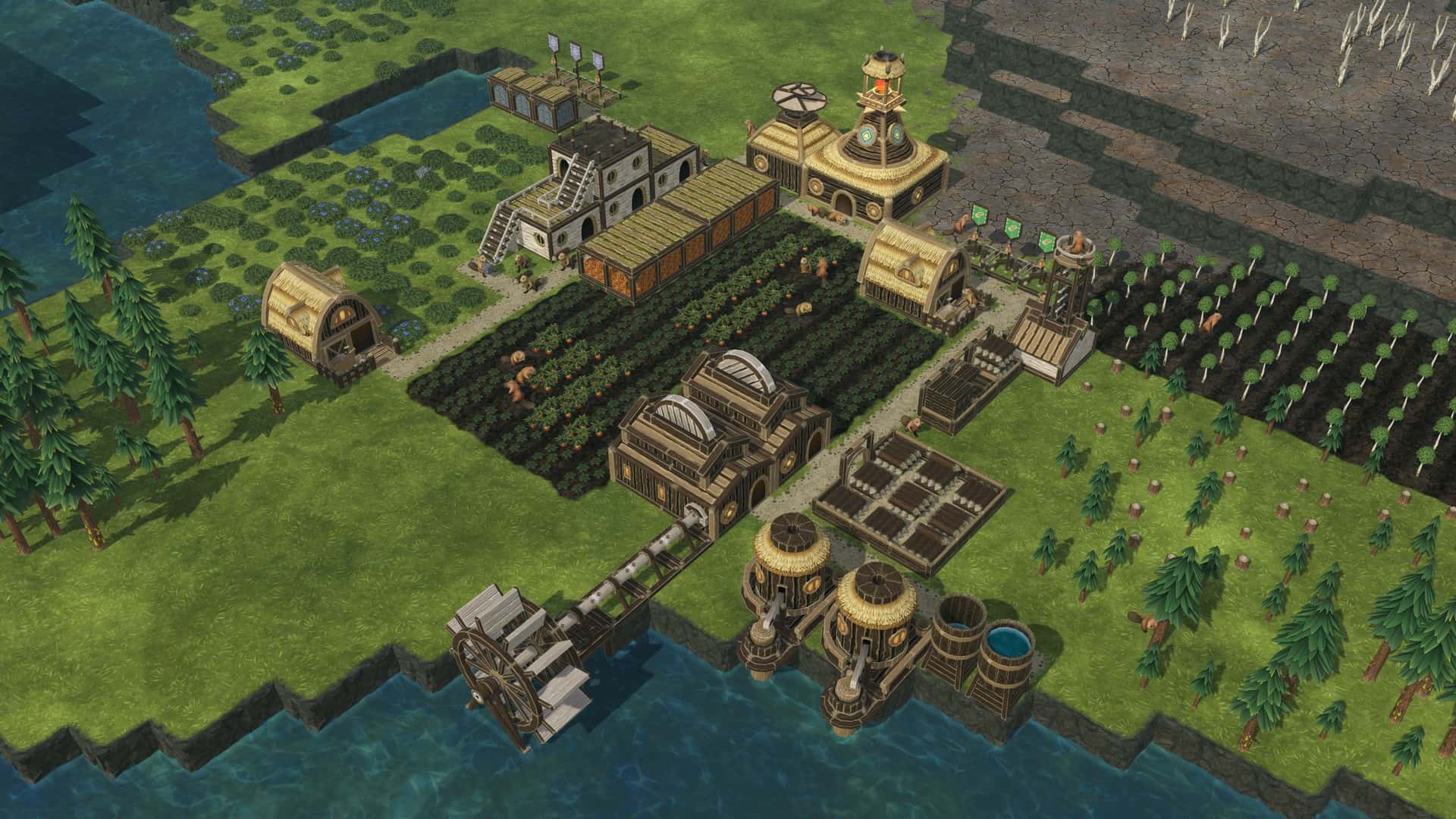
Beaver societies
Control one of two beaver factions: the nature-friendly Folktails or the industrious Iron Teeth. Each faction has unique buildings, technology, and gameplay traits. Choose what fits your playstyle!
Wet, dry, and toxic seasons
Prepare your settlement for recurring droughts and waves of toxic waste. Stockpile on food and keep fields and forests alive even after rivers dry up. Rely on both natural water sources and artificial irrigation to keep the land arable and your beavers safe.
Water physics and terraforming
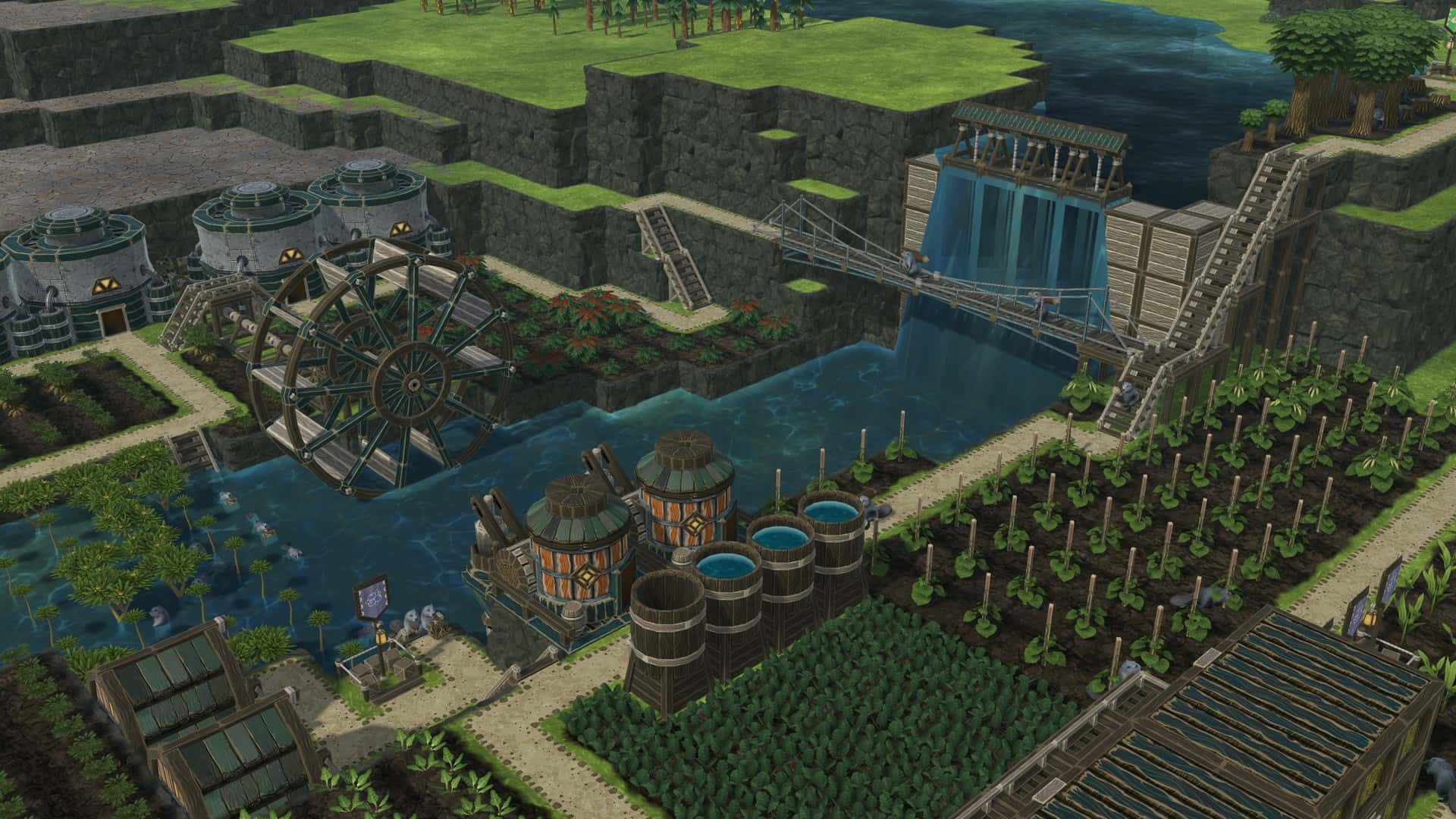
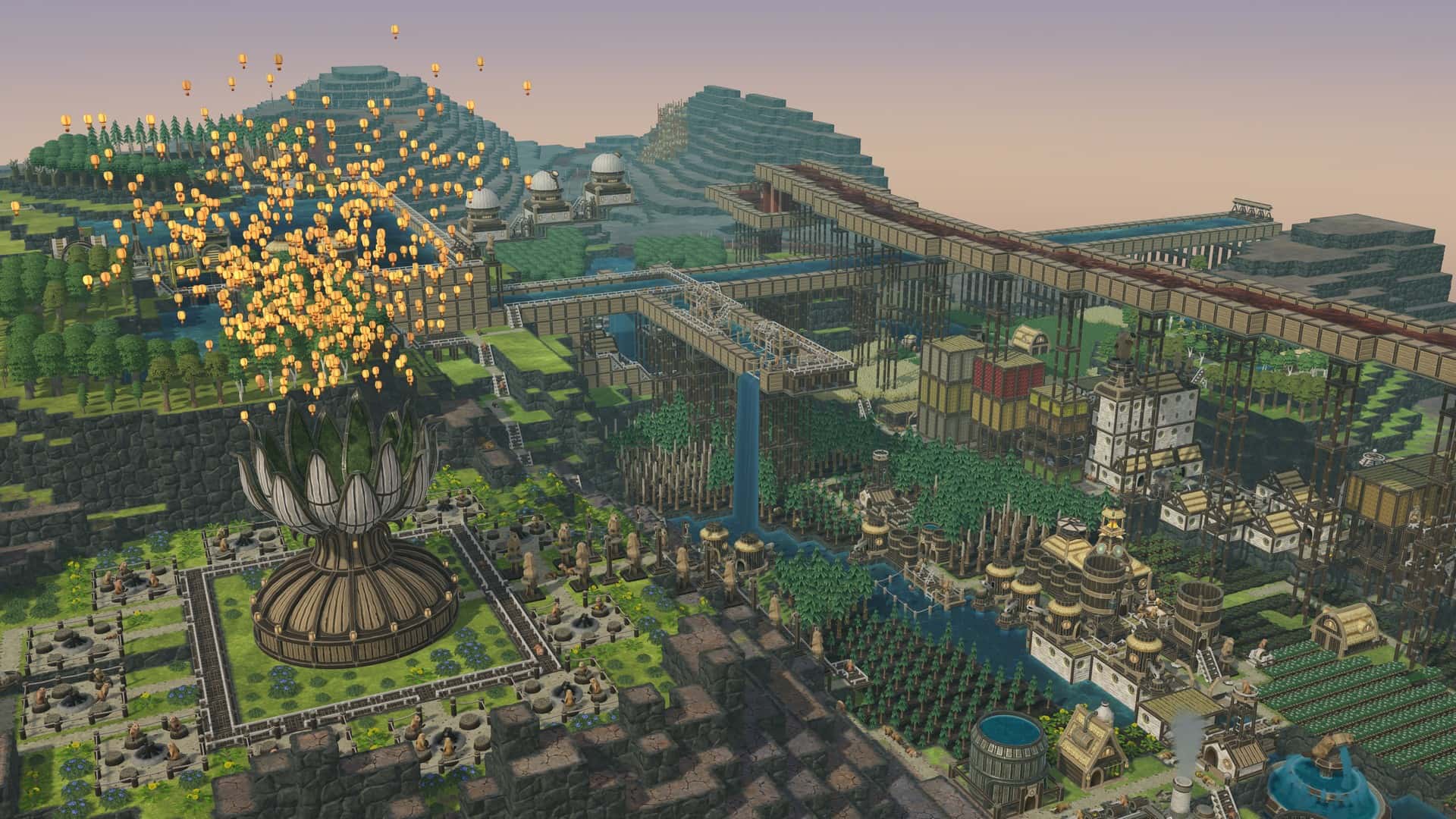
Beavers’ engineering skills are legendary. With Timberborn’s 3D water physics and terraforming, so can be yours. Put up dams and floodgates, erect massive aqueducts, dig canals and tunnels with explosives, and reshape the terrain to your liking.
Vertical architecture
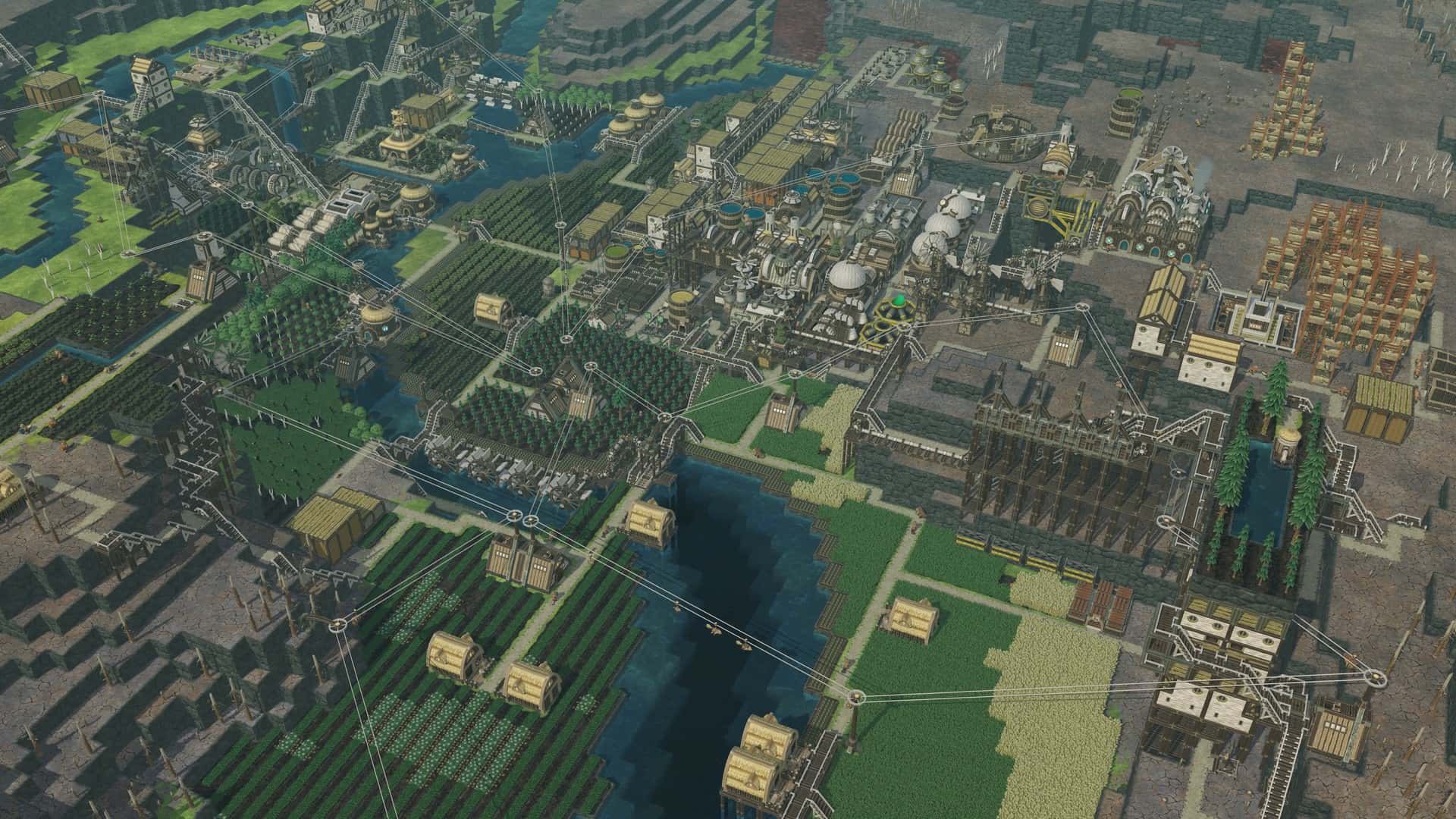
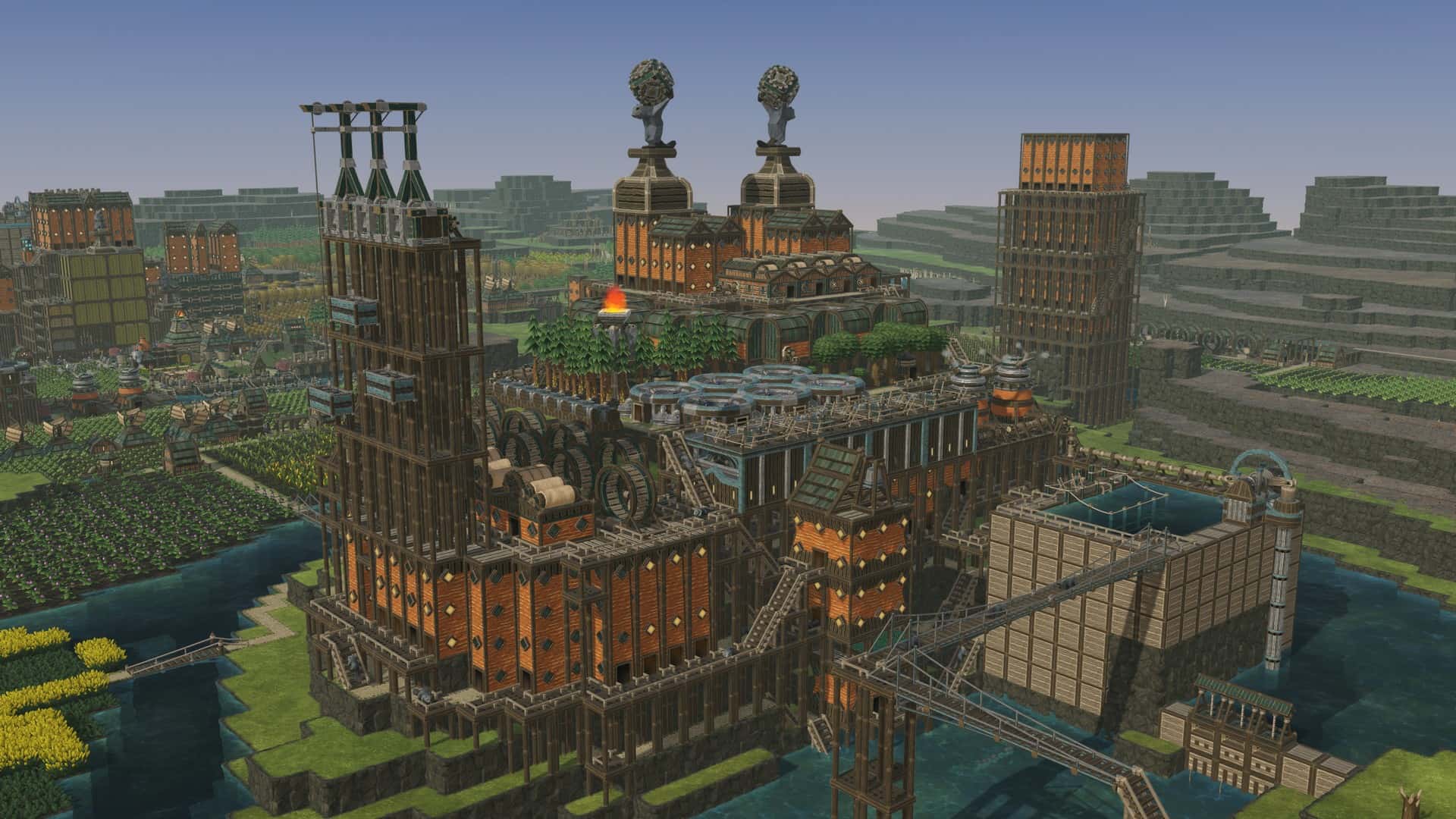
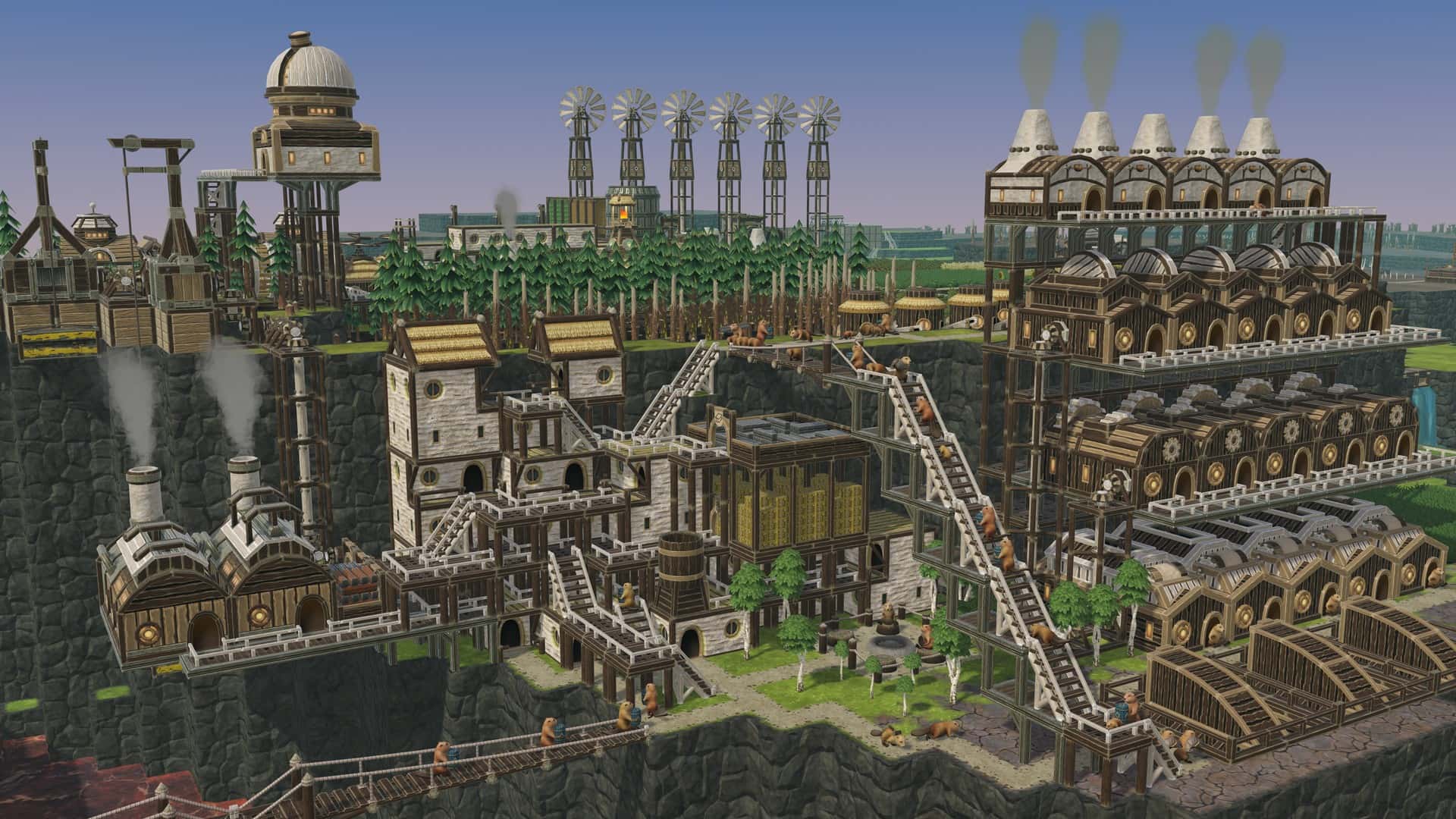
Harness the game’s unique vertical architecture system. Space is limited, so stack lodges and workshops on top of each other. Construct platforms and bridges, set up an elaborate power grid, and let your beavers speed around on ziplines or through tubeways.
Lumberpunk
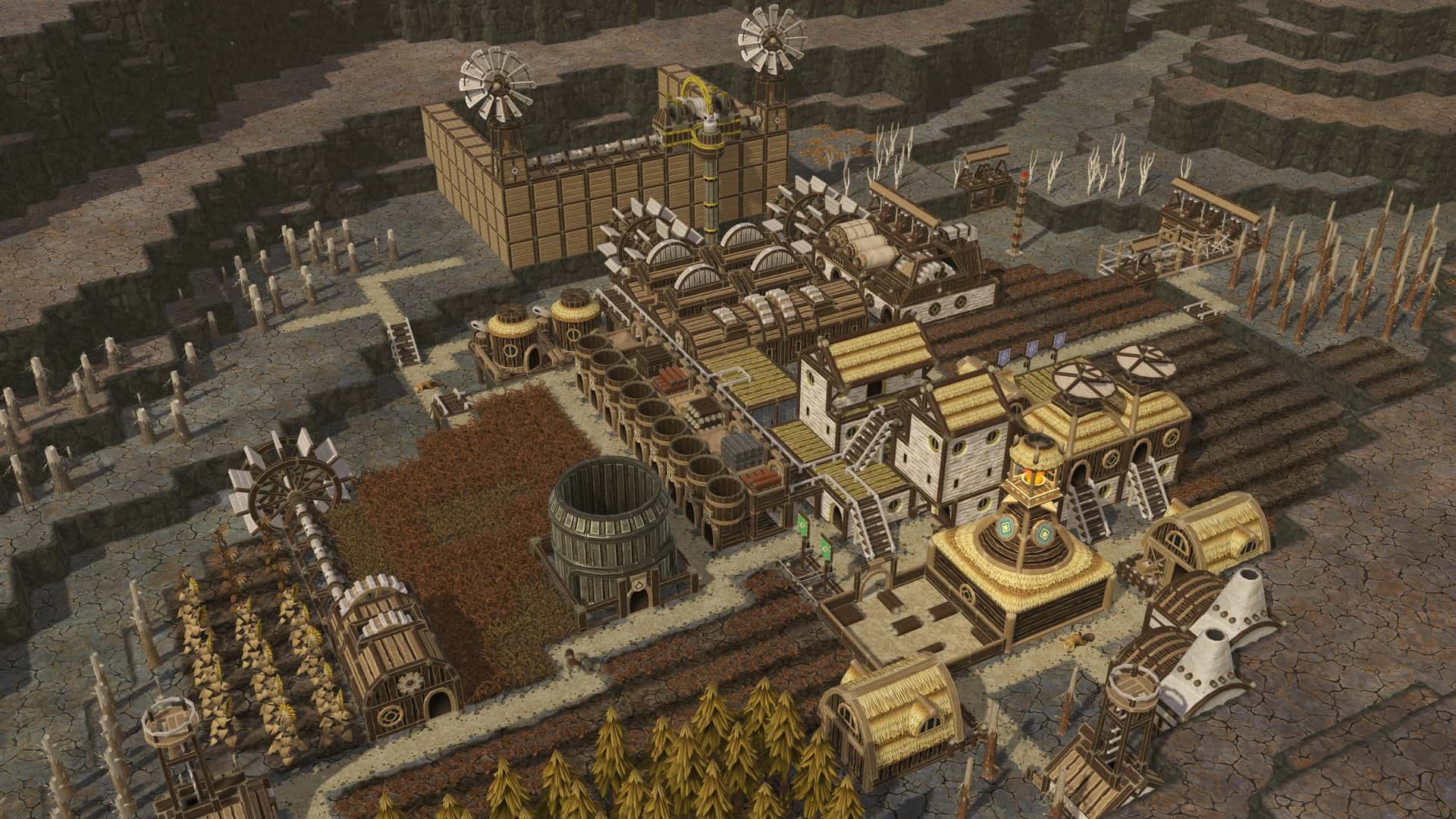
Turn timber into sophisticated machinery – from water wheels and lumber mills to engines and mechanized pumps. Wood is the core resource in Timberborn, but the most advanced structures require metal. To find it, send your scavengers to the ruins of the old world.
Bots
Supercharge your colony with mechanized beavers. Power them up, maintain them, and you'll get extra efficient workers for almost any job. They operate 24/7, and you can send them to the most hazardous areas.
Well-being
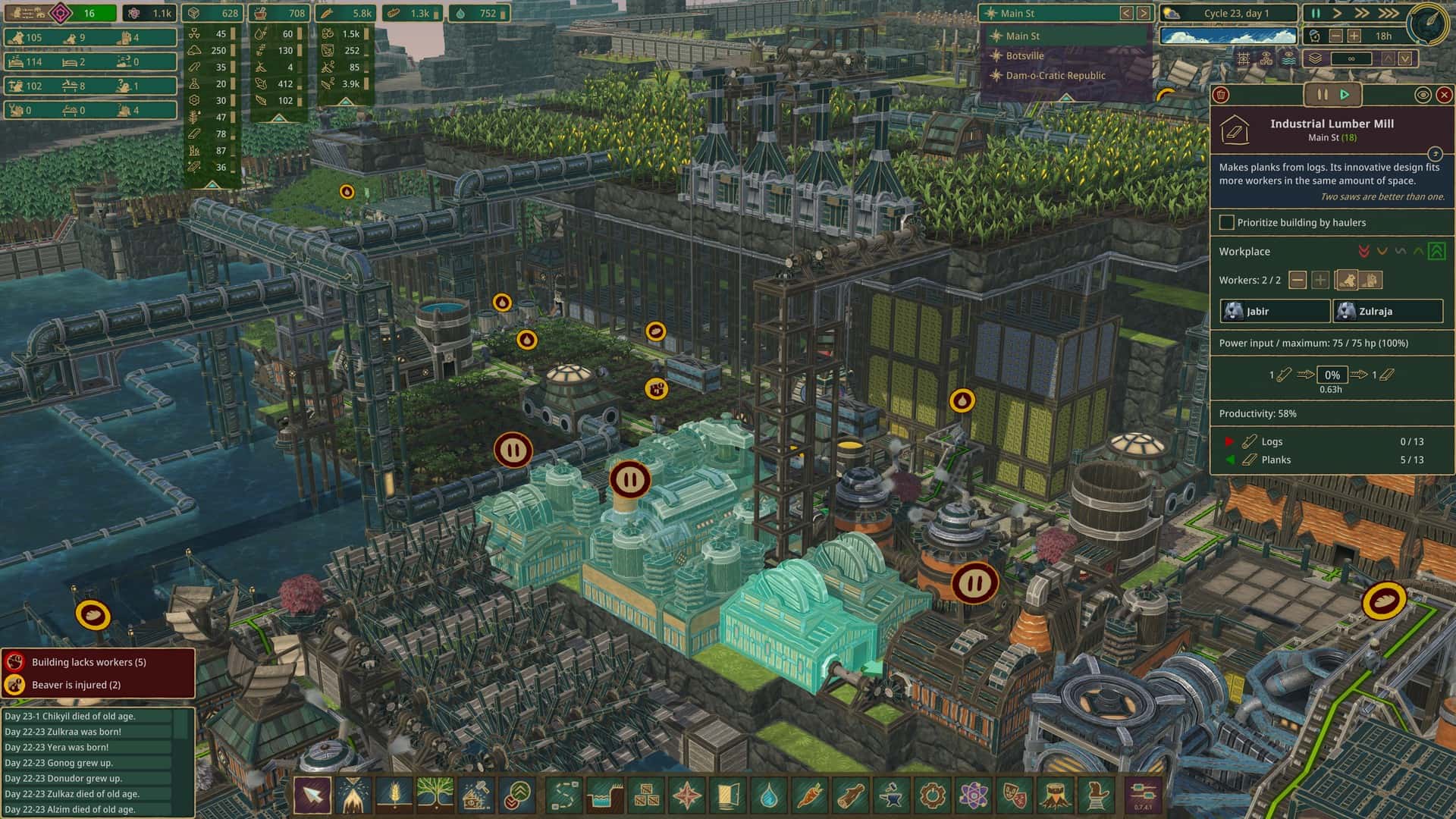
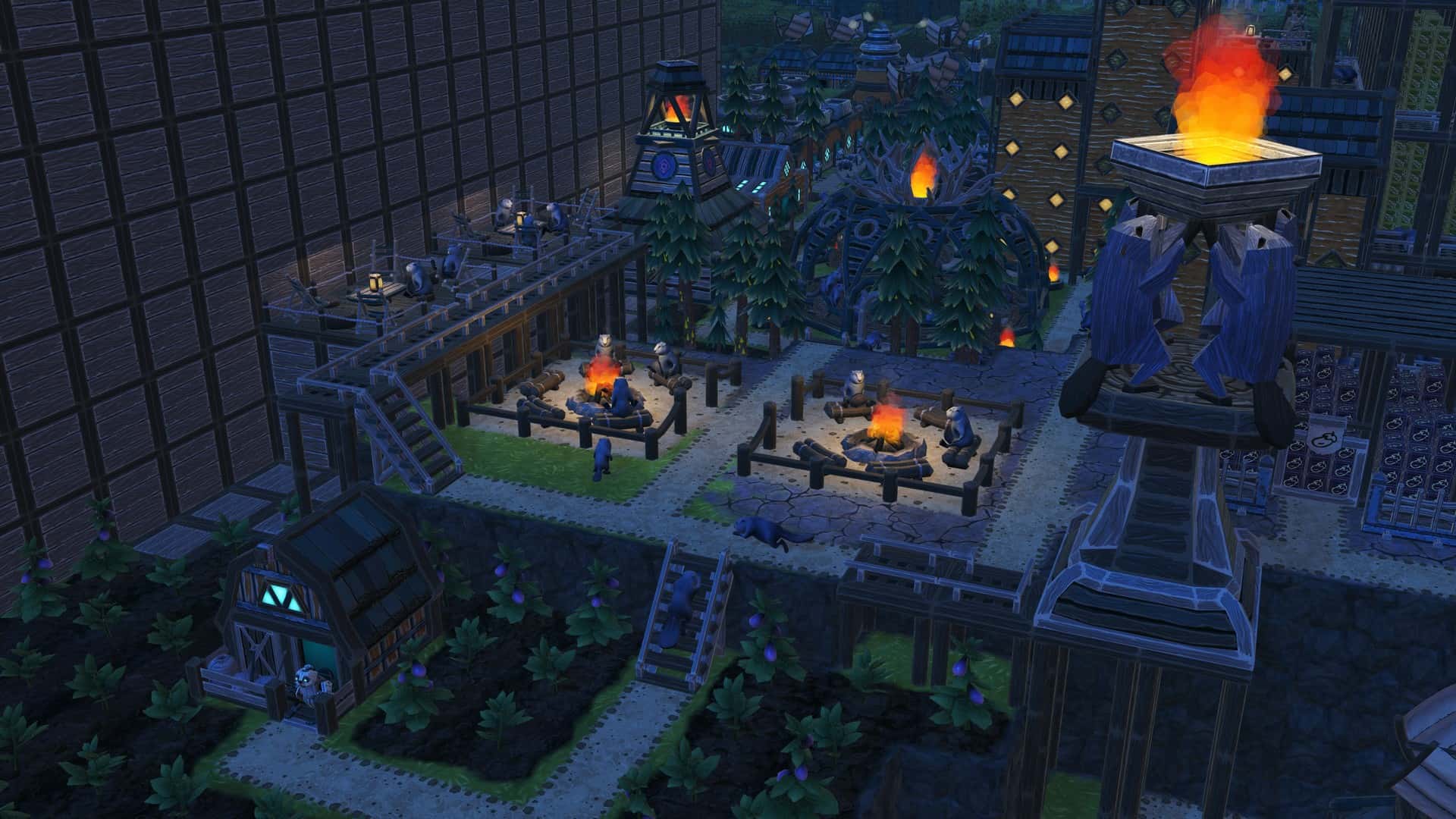
Build a sprawling city with efficient production chains and follow the lives of its inhabitants day and night. As the population grows, satisfy your evolved rodents with a balanced diet, entertainment, decorations, and end-game monuments that help restore the Earth.
Map editor and mods
Play on one of the included maps or create your own and share it with the community. On top of the built-in map editor, Timberborn features official mod support. Tons of extra player-made content and quality-of-life additions are available, with more coming each day.
螢幕擷取畫面
視頻
新功能
- 版本: Windows, MacOS
- 發佈日期:
- 0.7.8.1-6eeaeed-gw (2025-05-08)Patch notes 2025-05-08 (Update 7 - Ziplines & Tubeways)
Note: Saves created on Update 6 or before should load just fine, although due to the addition of 3D terrain, there might be some small quirks and surprises. Maps on older saves are also not updated to their revised versions, so… maybe it’s time for a new playthrough?
Ziplines
As colonies grow, the need for efficient transportation of beavers, bots, and resources also increases. In Update 7, both factions get a speed boost with unique means of mass transit, offering the dwellers several advantages over treading the dirt paths or swimming.
Our nature-friendly Folktails enjoy high-speed thrills and get to ride Ziplines. Created with Stations, Pylons, and Beams, zipline networks easily cover large distances and elevation differences. Setting them up is a matter of choosing the connections with a few clicks.
New feature: Ziplines (Folktails-only). Beavers and bots use Ziplines like paths, except they allow for travel above terrain while moving 2,5 times faster. Each Zipline connection requires at least two Stations, and any number of Pylons and Beams in between.
Each building in the zipline network can be connected to up to two other structures, selected at any time from its panel. All connections are two-way. A single connection can be up to 30 metres long and have a maximum inclination of 50 degrees.
New building: Zipline Station (20x Log, 40x Plank, 20x Metal Block, 700 SP). Bots and beavers use this building to hop onto and off a zipline. Within a single zipline network, all Stations must belong to the same district.
New building: Zipline Pylon (20x Plank, 10x Gear, 10x Metal Block, 500 SP). Use these tall structures to route your ziplines around the settlement without colliding with terrain, buildings, and other ziplines.
New building: Zipline Beam (20x Plank, 10x Gear, 10x Metal Block, 600 SP). The beams' role is similar to that of the Pylons, but since they’re smaller and the zipline is hooked to the side, they help in tight areas with large height differences.
Tubeways
The Iron Teeth’s new transport method requires a little more careful setup than Ziplines but rewards you with extra flexibility and can be integrated into the city as it grows. Our industrious faction builds Tubeway networks, consisting of Stations serving as endpoints, and the 1x1 modules that connect them - Tubeways and Solid Tubeways. Notably, the modules are water- and badwater-proof, and they can be joined just like regular paths… but also vertically.
New feature: Tubeways (Iron Teeth-only). Beavers and bots use Tubeways to travel significantly faster (think: four times as fast) than on paths. Tubeways are built using the two 1x1 adaptive module types that adjust their shape as extra lines are connected. Tubeways can be submerged in water and badwater. Oh, and here’s a tip: it is possible to build things from inside Tubeways.
New building: Tubeway Station (40x Plank, 20x Gear, 20x Metal Block, 700 SP). This is the entrance to the Tubeway network. Tubeways can be connected from the sides or from the bottom.
New building: Tubeway (2x Plank, 1x Metal Block, 500 SP). Use this module to create Tubeway lines. Modules placed next to each other connect automatically.
New building: Solid Tubeway (4x Plank, 1x Metal Block, 600 SP). Use this module to create Tubeway lines that go upwards or are built directly below buildings and terrain. Modules placed next to each other connect automatically. Vertical intersections are also possible.
3D Terrain
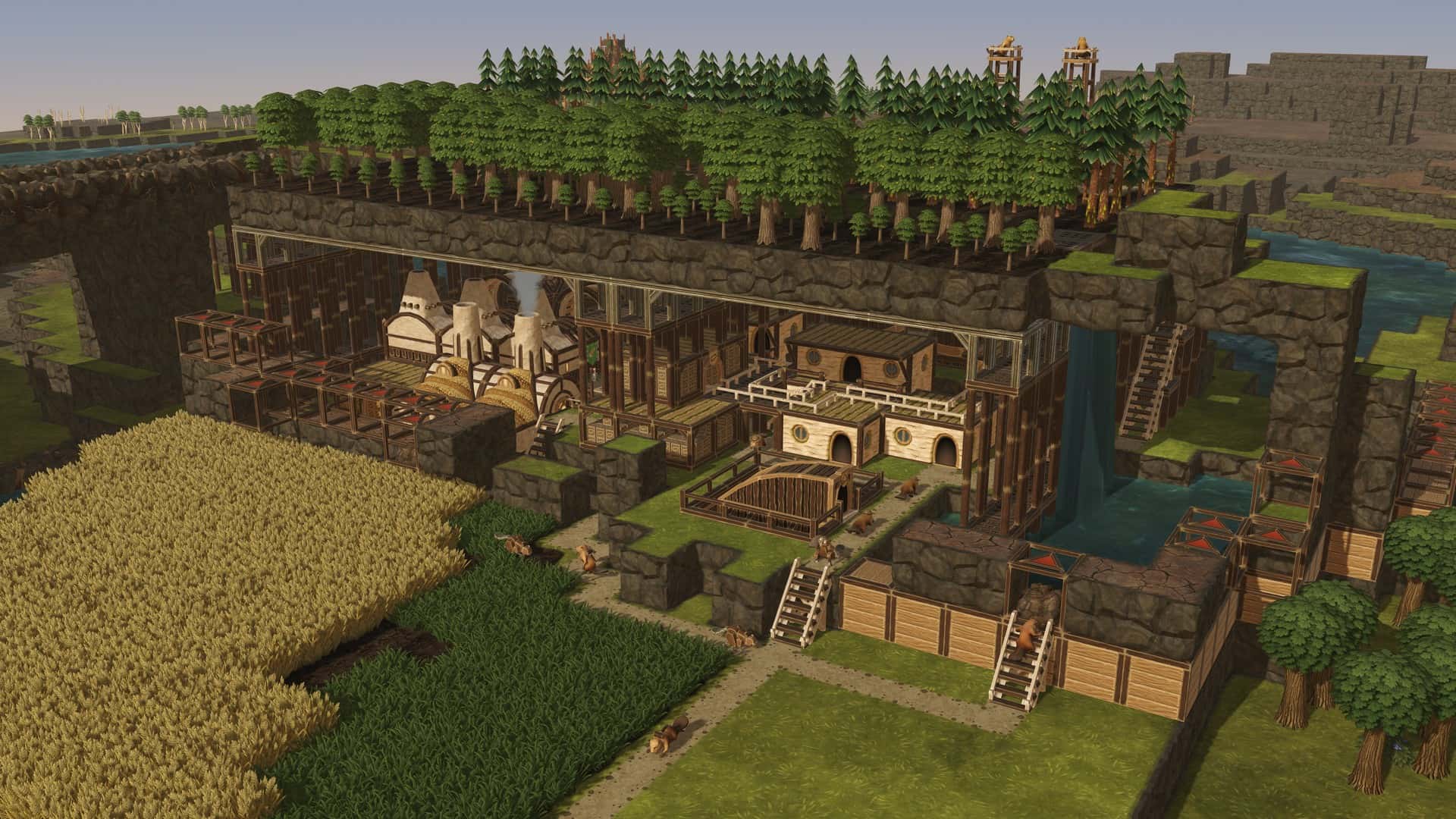
While the in-game terrain has always been made of little 3D cubes, you could only place them one atop another. With Update 7, terrain blocks go on all Solid surfaces - roofs, platforms, and overhangs. This gives you much more flexibility in reshaping maps and choosing where to grow your fields and forests. You can finally cultivate crops on top of lodges and warehouses. You may create extra-compact hanging gardens where plants grow on multiple levels. You might even hide your beavers’ settlement in a cave, with a river irrigating its green dome.
Speaking of caves, it is now also possible to overhang terrain blocks. The overhanging terrain needs to be attached to another terrain block and you cannot have more than three unsupported blocks protruding sideways, but it is still regular terrain that can be irrigated and contaminated.
The terrain system is now truly three-dimensional, allowing you to put terrain blocks on all Solid surfaces.
Added the ability to overhang terrain, up to three blocks to the side. To add overhanging blocks, start dragging the cursor from a vertical surface.
As soon as you remove supporting terrain further than the allowed limit of three overhanging blocks, everything beyond that limit is destroyed. This also applies to buildings. Please be careful.
Tweaked the models for Natural Overhangs.
Tunnels
Your beavers now finally know how to dig into walls, building tunnels of any width. Need to transport something, but there’s a huge landmass in the way? Just cut through. Want to move your beavers into a cave? Find a mountain and dig a hole!
New building: Tunnel (2000 SP; 1x Explosives, 1x Extract, 6x Plank). With the power of explosives, beavers remove a terrain block from the side and install a Platform to support the ceiling. Use the layer tool to easily plan out larger digging areas inside landmasses.
Layer tool
We’re expanding the usability of the layer tool since terrain is now three-dimensional and you can turn your beavers into moles, a.k.a build tunnels.
The layer tool (Alt+mouse wheel, remember?) now uncovers terrain in addition to buildings and water, allowing you to look inside areas like caves, tunnels, and complicated structures.
When using the layer tool, all ground-only objects now display a shadow on the terrain layer they occupy.
Added the ability to select a particular layer by clicking any tile on that layer with a new keybinding (by default: Alt+middle mouse button). Click that layer with the keybinding again, and the layer visibility resets.
When trying to delete buildings in a way that causes objects on layers hidden by the Layer tool to also be deleted, the terrain is temporarily uncovered so that you don’t accidentally delete too much of your beavers’ livelihood.
Adaptive Power Shafts
Similarly to the Tubeways, the good ol’ Power Shafts are now also adaptive. We’ve replaced the existing fixed-shape Power Shafts with two new, adaptive modules - Power Shafts and Solid Power Shafts. As you expand and update your power grid, you no longer need to delete old connections, causing outages for entire districts. The new Power Shafts simply change their shape as new connections are added or removed. And yes, that also enables vertical junctions!
New building: Power Shaft (No SP cost; 1x Log)
New building: Solid Power Shaft (40 SP; 2x Log, 2x Plank, 1x Gear; Solid)
Removed old, fixed-shape Power Shafts from the game. Setups on existing saves are still compatible - the old shafts have been automatically converted to Power Shafts and Solid Power Shafts.
Removed the "Blocked power connection" status displayed while placing Power Shafts, as it was not very helpful.
Quality-of-life
One cannot argue Adaptive Power Shafts are a big W here, but it’s also the smaller things!
When using most area selection tools - to plant trees, build multiple platforms, plan out a tunnel etc. - the size of the selected area is now displayed in the middle of the screen (for example "5x5").
Plants’ drought resistance is now displayed in their description.
Maps
With the addition of 3D terrain, Ziplines, and Tubeways, we’ve reviewed all built-in maps to incorporate, and give you opportunities to play with, the new features.
Revised 12 out of 13 in-game maps to a varying degree. The only unchanged map is Diorama (yes, it’s that perfect).
Map Editor
The map editor itself now also has more tools toys to play with.
In the map editor, it is possible to use the terrain brush on Natural Overhangs.
Added a new tool for sculpting overhanging terrain to the map editor.
Added the layer tool to the map editor.
Underground Ruins, Water Sources, and Badwater Sources now require continuous support from the bottom of the map. In other words, you can't dig tunnels under them, or place them on a terrain that has some gaps on lower layers. All that water and metal has to come from somewhere, right?
In the map editor, brushes now only spawn and delete resources on the initial level.
In the map editor, the relative terrain brush shows grayed out tiles if they’d end up outside of the map’s limit.
The terrain tools are no longer blocked by objects like trees, ruins, or water sources. They now simply replace them with terrain blocks or, if the terrain is lowered, remove them outright.
Balance
With Update 7, we’re reducing the amount of downtime the players experience, and that - paired with the new content - required a significant rebalancing. This includes changes to mines and metal production, platforms, and tweaks to the effects of well-being. Also, Birches should now be better in the early game.
Changed Mine’s and Efficient Mine’s basic recipe. The input is now Treated Plank 1x, the output is now Scrap Metal x5.
Folktails’ Mine no longer has an extra recipe for Science Points.
Iron Teeth’s Efficient Mine’s second recipe now has an input of 1x Treated Plank, 2x Extract, and an output of Scrap Metal x10.
Mines and Efficient Mines now have 10 workers enabled by default, up from 5.
Smelter now produces Metal Blocks twice as fast.
For a small fee of 7500 SP, bots can now work in the Observatory. Just don’t come to us when they revolt.
Power Wheel - lowered the cost from 40 Logs to 20 Logs.
Large Power Wheel - lowered the cost from 100 Logs to 50 Logs.
Mechanical Fluid Pump and Deep Mechanical Fluid Pump - lowered the cost from 100 Gears, 50 Treated Planks, and 50 Metal Blocks to 50 Gears, 25 Treated Planks, and 25 Metal Blocks. Lowered the SP cost from 5000 SP to 2500 SP.
Lowered the unlock cost of Forester from 70 SP to 30 SP.
Lowered Birch growth time from 9 days to 7 days.
Slightly decreased planting and harvesting times for Birches and Oaks.
Slightly increased harvesting times for Pines.
Lowered Underground Pile’s capacity from 1800 to 1000 to make it less OP when combined with 3D terrain. But don’t fret, we also lowered its cost from 20x Logs, 80x Planks, 40x Gears to 20 Logs, 40x Planks, 20x Gears.
Updated Platform’s cost from 2x Log, 4x Plank to 6x Plank.
Updated Double Platform’s cost from 4x Log, 4x Plank to 8x Plank.
Updated Triple Platform’s cost from 6x Log, 4x Plank to 10x Plank.
Work speed now always increases by 20% with each well-being milestone.
The work speed bonus at maximum well-being is now 260%, up from 170%.
The base work speed bonus for bots is now 65%, up from 45%.
Bots' Condition 1 work speed bonus is now 110%, up from 90%.
Bots' Condition 2 work speed bonus is now 170%, up from 120%.
Increased all attractions’ need gains to 0.6 per hour.
Beaver Statue (Iron Teeth) - lowered the cost from 30 Metal Blocks to 20 Metal Blocks.
Tweaked how much the needs satisfied by decorations and attractions deplete each day. For advanced attractions, their needs go down by 0.1, and for basic ones, by 0.2. For advanced decorations, their needs go down by 0.3, and for basic ones, by 0.4.
Slopes’ and Stairs’ effect on range lines is now significantly lower.
Excavator no longer needs Extract to operate.
Visuals and audio
Everyone likes pretty shadows. No RTX needed!
On the Ultra preset, in-game shadows now use 8K resolution.
As the above affects the game’s performance, the default graphics quality is now set to High rather than Ultra. If you have never changed anything and are on Ultra by default, the game will switch to High which is the equivalent of the old Ultra.
Changed the maximum number of objects affected by light sources to 6 on Ultra and to 4 on High.
Updated the collider system for beavers and bots to make them easier to select.
Cleaned up some unit animations.
Buildings’ ambient sounds now fade out at larger distances.
Optimized explosion particles.
Performance
Made tweaks to save files to make them smaller and improve saving times. We expect savefiles to be about 20% smaller and saving times to be about 20% shorter.
The loading process no longer gets suspended in the middle if the Run in background checkbox is unchecked when the game is out of focus. So when you Alt-Tab back to the game, the loading process should now be 100% complete instead of taking a few more seconds to wrap up.
The loading screen now always disappears after loading, even if the Run in background checkbox is unchecked.
The game now loads 1 second faster.
Misc.
Barriers placed next to each other now form a more seamless, larger structure, similar to how in-game fences work.
Barriers no longer block relevant ground effects when placed in a diagonal line. This is communicated by the new visuals, as the corners of the barriers aren’t connected.
Water Source is now Ground-only.
On the toolbar, Spadderdock now comes before Cattail.
Decluttered the bottom right corner of the screen by moving the version number to the game menu and removing the Bug report button. And no, that does not mean the game won’t have any bugs anymore. You can still send bug reports at logs@mechanistry.com, report them on Steam, Discord, and Feature Upvote, and use the post-crash screen.
Capped the number of entries in the in-game console to 20,000 characters.
Added a keybinding to switch worker type in workshops (not assigned by default).
Added a keybinding to reset the camera (Shift-Z).
The game no longer displays a game over pop-up right after loading if there are no live beavers in that saved file to begin with. Press F to pay respect without interruptions.
Units now calculate the time needed to reach their destinations more accurately.
On macOS, in keybindings, renamed Alt to Option.
In key bindings, removed localizations for Shift/Ctrl/Alt/Cmd.
Tweaked the format of descriptions for bonuses provided by buildings, such as carrying speed.
Added the Build-a-Map Contest #4 winners to the in-game credits.
Moved the tutorial’s window higher so that it doesn’t overlap with the looongest of toolbars.
Changed the tree planted as part of the tutorial from Pine to Birch. This change is sponsored by the Balance section somewhere above.
Cleaned up building tooltips to be more consistent.
Removed the “Click a single tile or hold the button to select an area.” bit from several tooltips, as it cluttered them too much.
Slightly shrunk that Hauling Post’s thingamabob at the top to fit the building under Overhangs.
Replaced "Water-dependent" with "Badwater-dependent" in badwater buildings' descriptions.
Underground Pile now informs about its underground depth (2).
Keybindings used to control in-game speed are now correctly distinguishable on the key bindings screen.
Renamed the "Pause/unpause selected building" to simpler "Pause selected building".
Made some tweaks to the Polish translation.
Added the new Update 7 key art to the main menu.
Made minor tweaks to the tutorial’s text.
Modding
We are continuing our efforts to make creating mods for Timberborn easier and today’s release brings a few important changes.
New features were added to our mods repository, such as: built-in code publicizer, zip files builder, and directory browsing controls.
Added the Bootstrapper (global) context for the purpose of configurator installation.
Removed PrefabConfigurators support which is now replaced with [Context] attributes and blueprints.
Numpad Enter can now be used as a confirmation button in the Mod Manager.
The Timbermesh plugin now supports newer Blender versions.
In Update 7, we continue the changes you could see in the last patches of Update 6. The remaining prefab components have been simplified and renamed to "Spec". There is still a "Fix prefab components" button inside our modding tools, which should help with the rename slightly (remember to make a backup, though). On top of that, Specifications are now called Blueprints and can have multiple components, also called Specs.
Our example mods - including Shanty Speaker - are now fully compatible with Update 7.
Workplaces no longer softlock themselves if a mod adds a new recipe and then you remove that mod.
Crash reports are no longer sent when the game is modded. Broken mods have always been the most common crash cause, making it harder to identify the issues broken on our end that we can actually fix.
Bug fixes
Fixed units breakdancing when traversing and rotating multiple sets of stairs.
Fixed Alt-Tab and Shift-Tab (Steam Overlay) breaking keyboard input.
Fixed the incorrectly looped animations for stranded beavers. They are already in a pickle, why make it worse?
Fixed range indicators overlapping incorrectly.
Fixed character attachments (such as builders’ hammers) not highlighting upon selection.
Fixed a bug with most workshops animating too fast at higher game speeds.
Fixed a rare situation with rubble disappearing after reloading the game.
In the map editor, the “Relative height" brush no longer displays a green preview after reaching the map’s height limit.
In the map editor, the irrigation now correctly reaches its final state without reloading.
Selecting a construction site for a bridge or stairs now displays the range lines, similar to when selecting a building in construction.
In the construction mode, warehouses’ and tanks’ entrances no longer light up.
You no longer need to press Enter twice in dialog boxes with input fields, for example when renaming units or districts.
Buildings that cut out terrain - such as Motivatorium - no longer also cut out shadows when being placed.
Fixed beavers disappearing randomly while moving the camera.
Key bindings in the map editor tools are now displayed correctly.
Restored sounds to buildings placed on high elevations.
All area selection tools should correctly select objects on the layer chosen initially.
Settlement Panel now correctly updates its numbers as new buildings are added.
Fixed the Farmhouse’s prioritized action working only on the prioritized resource.
Fixed floodable buildings that were becoming flooded even if their entrances were above water.
Fixed the incorrectly calculated building ranges.
Impermeable Floor now correctly blocks contamination and moisture.
Removed the random shining pixels from some models. Beavers like it fancy but come on.
Fixed the Scarecrow’s crooked base.
Fixed the too-deep entrance to the Hauling Post.
Fixed the incorrect shading on ropes in Double and Triple Floodgates.
Range previews for buildings in construction are now correctly displayed on the preview of unfinished terrain.
Rubble no longer loses its assigned priority after moving to another tile.
Selecting Lido while it’s in the construction phase now works correctly.
Bases for the Lido and Swimming Pool no longer clip through terrain and objects below.
Fixed some carried goods clipping with the entrance to the Underground Warehouse.
Key bindings that cannot be changed are now displayed as such.
Impermeable Floors no longer become invisible in certain situations.
Added the missing contamination reminder to the Deep Water Pump’s description.
Beavers who lost their jobs upon loading the game due to backward incompatibility no longer keep their outfits.
Fixed the lag occurring when drawing paths, connecting new buildings to existing paths, and selecting such buildings.
Fixed beavers’ models stuttering when moving along paths.
Beavers under platforms should no longer block their construction.
Contaminated beavers are now correctly cleared from the Bee sting condition, and the poor victim’s model reflects that.
Fixed a bug with Water Wheels’ direction not affecting how connected Power Shafts rotated.
Ruin models no longer stick outside of their tiles.
Fixed a bug with crops being dry or contaminated when they shouldn't be, after loading the save.
It's now possible to build Teeth Grindstones under overhangs.
The district-wide beaver/bot setting is now correctly applied to workplaces that were not connected to a built path (but were connected via stairs in construction, for example).
Fixed a tiny typo in the Maple Pastry need.
Fixed the game hanging around in Processes when closed with Alt+F4.
Limited the number of used threads to 8 to prevent crashes and stuttering. We keep working on this.
On Apple Silicon, the game no longer uses halved amount of threads for physics simulation.
Fixed the flickering Ruins preview in the map editor.
Fixed terrain texturing at low camera angles.
Fixed the incorrectly looping building animation.
In the map editor, some objects - such as Berry Bushes - can no longer be overridden by other objects - such as Water Sources.
In Windowed mode, the cursor's tooltip no longer clips with the cursor itself.
Pressing RMB while selecting an area with a tool no longer exits that tool as it should only cancel the current action. The Demolish tool was the worst offender here, as it also broke in half when you did that.
With the Flexible Start unlocked, the starting district's default name is now always District 1 rather than increasing by 1 with each new start location. Just imagine what would happen after getting to "9".
Fixed the map editor's relative terrain brush showing terrain blocks even if they’d end up outside of the map’s limit.
Added the missing “of” to the Metal Fence’s description.
Some panels in the map editor no longer open twice, doubling the number of clicks needed to save a map.
Fixed the crash upon deleting a settlement.
Fixed the crash upon uploading a map to Steam Workshop.
Fixed a crash caused by deleting a District Center in an unfortunate moment.
Fixed a crash caused by placing a District Center in an unfortunate moment.
Fixed a crash caused by Badwater Sources vanishing due to compatibility reasons.
Fixed a crash occurring when you removed mechanical buildings from really big networks. Like really, really, really big networks.
Fixed a crash caused by loading a save with a District Crossing that wasn’t backward compatible.
Known issues
We’re aware of some persistent issues related to multi-threading, especially on the i9 CPUs. These issues are experienced only by a small percentage of players, and range in severity. We’re working on a fix but in the meantime, should you experience serious crashing even after disabling all mods, consider switching back to the Update 6 branch.
0.7.8.1-6eeaeed-gm (2025-05-08)Patch notes 2025-05-08 (Update 7 - Ziplines & Tubeways)
Note: Saves created on Update 6 or before should load just fine, although due to the addition of 3D terrain, there might be some small quirks and surprises. Maps on older saves are also not updated to their revised versions, so… maybe it’s time for a new playthrough?
Ziplines
As colonies grow, the need for efficient transportation of beavers, bots, and resources also increases. In Update 7, both factions get a speed boost with unique means of mass transit, offering the dwellers several advantages over treading the dirt paths or swimming.
Our nature-friendly Folktails enjoy high-speed thrills and get to ride Ziplines. Created with Stations, Pylons, and Beams, zipline networks easily cover large distances and elevation differences. Setting them up is a matter of choosing the connections with a few clicks.
New feature: Ziplines (Folktails-only). Beavers and bots use Ziplines like paths, except they allow for travel above terrain while moving 2,5 times faster. Each Zipline connection requires at least two Stations, and any number of Pylons and Beams in between.
Each building in the zipline network can be connected to up to two other structures, selected at any time from its panel. All connections are two-way. A single connection can be up to 30 metres long and have a maximum inclination of 50 degrees.
New building: Zipline Station (20x Log, 40x Plank, 20x Metal Block, 700 SP). Bots and beavers use this building to hop onto and off a zipline. Within a single zipline network, all Stations must belong to the same district.
New building: Zipline Pylon (20x Plank, 10x Gear, 10x Metal Block, 500 SP). Use these tall structures to route your ziplines around the settlement without colliding with terrain, buildings, and other ziplines.
New building: Zipline Beam (20x Plank, 10x Gear, 10x Metal Block, 600 SP). The beams' role is similar to that of the Pylons, but since they’re smaller and the zipline is hooked to the side, they help in tight areas with large height differences.
Tubeways
The Iron Teeth’s new transport method requires a little more careful setup than Ziplines but rewards you with extra flexibility and can be integrated into the city as it grows. Our industrious faction builds Tubeway networks, consisting of Stations serving as endpoints, and the 1x1 modules that connect them - Tubeways and Solid Tubeways. Notably, the modules are water- and badwater-proof, and they can be joined just like regular paths… but also vertically.
New feature: Tubeways (Iron Teeth-only). Beavers and bots use Tubeways to travel significantly faster (think: four times as fast) than on paths. Tubeways are built using the two 1x1 adaptive module types that adjust their shape as extra lines are connected. Tubeways can be submerged in water and badwater. Oh, and here’s a tip: it is possible to build things from inside Tubeways.
New building: Tubeway Station (40x Plank, 20x Gear, 20x Metal Block, 700 SP). This is the entrance to the Tubeway network. Tubeways can be connected from the sides or from the bottom.
New building: Tubeway (2x Plank, 1x Metal Block, 500 SP). Use this module to create Tubeway lines. Modules placed next to each other connect automatically.
New building: Solid Tubeway (4x Plank, 1x Metal Block, 600 SP). Use this module to create Tubeway lines that go upwards or are built directly below buildings and terrain. Modules placed next to each other connect automatically. Vertical intersections are also possible.
3D Terrain
While the in-game terrain has always been made of little 3D cubes, you could only place them one atop another. With Update 7, terrain blocks go on all Solid surfaces - roofs, platforms, and overhangs. This gives you much more flexibility in reshaping maps and choosing where to grow your fields and forests. You can finally cultivate crops on top of lodges and warehouses. You may create extra-compact hanging gardens where plants grow on multiple levels. You might even hide your beavers’ settlement in a cave, with a river irrigating its green dome.
Speaking of caves, it is now also possible to overhang terrain blocks. The overhanging terrain needs to be attached to another terrain block and you cannot have more than three unsupported blocks protruding sideways, but it is still regular terrain that can be irrigated and contaminated.
The terrain system is now truly three-dimensional, allowing you to put terrain blocks on all Solid surfaces.
Added the ability to overhang terrain, up to three blocks to the side. To add overhanging blocks, start dragging the cursor from a vertical surface.
As soon as you remove supporting terrain further than the allowed limit of three overhanging blocks, everything beyond that limit is destroyed. This also applies to buildings. Please be careful.
Tweaked the models for Natural Overhangs.
Tunnels
Your beavers now finally know how to dig into walls, building tunnels of any width. Need to transport something, but there’s a huge landmass in the way? Just cut through. Want to move your beavers into a cave? Find a mountain and dig a hole!
New building: Tunnel (2000 SP; 1x Explosives, 1x Extract, 6x Plank). With the power of explosives, beavers remove a terrain block from the side and install a Platform to support the ceiling. Use the layer tool to easily plan out larger digging areas inside landmasses.
Layer tool
We’re expanding the usability of the layer tool since terrain is now three-dimensional and you can turn your beavers into moles, a.k.a build tunnels.
The layer tool (Alt+mouse wheel, remember?) now uncovers terrain in addition to buildings and water, allowing you to look inside areas like caves, tunnels, and complicated structures.
When using the layer tool, all ground-only objects now display a shadow on the terrain layer they occupy.
Added the ability to select a particular layer by clicking any tile on that layer with a new keybinding (by default: Alt+middle mouse button). Click that layer with the keybinding again, and the layer visibility resets.
When trying to delete buildings in a way that causes objects on layers hidden by the Layer tool to also be deleted, the terrain is temporarily uncovered so that you don’t accidentally delete too much of your beavers’ livelihood.
Adaptive Power Shafts
Similarly to the Tubeways, the good ol’ Power Shafts are now also adaptive. We’ve replaced the existing fixed-shape Power Shafts with two new, adaptive modules - Power Shafts and Solid Power Shafts. As you expand and update your power grid, you no longer need to delete old connections, causing outages for entire districts. The new Power Shafts simply change their shape as new connections are added or removed. And yes, that also enables vertical junctions!
New building: Power Shaft (No SP cost; 1x Log)
New building: Solid Power Shaft (40 SP; 2x Log, 2x Plank, 1x Gear; Solid)
Removed old, fixed-shape Power Shafts from the game. Setups on existing saves are still compatible - the old shafts have been automatically converted to Power Shafts and Solid Power Shafts.
Removed the "Blocked power connection" status displayed while placing Power Shafts, as it was not very helpful.
Quality-of-life
One cannot argue Adaptive Power Shafts are a big W here, but it’s also the smaller things!
When using most area selection tools - to plant trees, build multiple platforms, plan out a tunnel etc. - the size of the selected area is now displayed in the middle of the screen (for example "5x5").
Plants’ drought resistance is now displayed in their description.
Maps
With the addition of 3D terrain, Ziplines, and Tubeways, we’ve reviewed all built-in maps to incorporate, and give you opportunities to play with, the new features.
Revised 12 out of 13 in-game maps to a varying degree. The only unchanged map is Diorama (yes, it’s that perfect).
Map Editor
The map editor itself now also has more tools toys to play with.
In the map editor, it is possible to use the terrain brush on Natural Overhangs.
Added a new tool for sculpting overhanging terrain to the map editor.
Added the layer tool to the map editor.
Underground Ruins, Water Sources, and Badwater Sources now require continuous support from the bottom of the map. In other words, you can't dig tunnels under them, or place them on a terrain that has some gaps on lower layers. All that water and metal has to come from somewhere, right?
In the map editor, brushes now only spawn and delete resources on the initial level.
In the map editor, the relative terrain brush shows grayed out tiles if they’d end up outside of the map’s limit.
The terrain tools are no longer blocked by objects like trees, ruins, or water sources. They now simply replace them with terrain blocks or, if the terrain is lowered, remove them outright.
Balance
With Update 7, we’re reducing the amount of downtime the players experience, and that - paired with the new content - required a significant rebalancing. This includes changes to mines and metal production, platforms, and tweaks to the effects of well-being. Also, Birches should now be better in the early game.
Changed Mine’s and Efficient Mine’s basic recipe. The input is now Treated Plank 1x, the output is now Scrap Metal x5.
Folktails’ Mine no longer has an extra recipe for Science Points.
Iron Teeth’s Efficient Mine’s second recipe now has an input of 1x Treated Plank, 2x Extract, and an output of Scrap Metal x10.
Mines and Efficient Mines now have 10 workers enabled by default, up from 5.
Smelter now produces Metal Blocks twice as fast.
For a small fee of 7500 SP, bots can now work in the Observatory. Just don’t come to us when they revolt.
Power Wheel - lowered the cost from 40 Logs to 20 Logs.
Large Power Wheel - lowered the cost from 100 Logs to 50 Logs.
Mechanical Fluid Pump and Deep Mechanical Fluid Pump - lowered the cost from 100 Gears, 50 Treated Planks, and 50 Metal Blocks to 50 Gears, 25 Treated Planks, and 25 Metal Blocks. Lowered the SP cost from 5000 SP to 2500 SP.
Lowered the unlock cost of Forester from 70 SP to 30 SP.
Lowered Birch growth time from 9 days to 7 days.
Slightly decreased planting and harvesting times for Birches and Oaks.
Slightly increased harvesting times for Pines.
Lowered Underground Pile’s capacity from 1800 to 1000 to make it less OP when combined with 3D terrain. But don’t fret, we also lowered its cost from 20x Logs, 80x Planks, 40x Gears to 20 Logs, 40x Planks, 20x Gears.
Updated Platform’s cost from 2x Log, 4x Plank to 6x Plank.
Updated Double Platform’s cost from 4x Log, 4x Plank to 8x Plank.
Updated Triple Platform’s cost from 6x Log, 4x Plank to 10x Plank.
Work speed now always increases by 20% with each well-being milestone.
The work speed bonus at maximum well-being is now 260%, up from 170%.
The base work speed bonus for bots is now 65%, up from 45%.
Bots' Condition 1 work speed bonus is now 110%, up from 90%.
Bots' Condition 2 work speed bonus is now 170%, up from 120%.
Increased all attractions’ need gains to 0.6 per hour.
Beaver Statue (Iron Teeth) - lowered the cost from 30 Metal Blocks to 20 Metal Blocks.
Tweaked how much the needs satisfied by decorations and attractions deplete each day. For advanced attractions, their needs go down by 0.1, and for basic ones, by 0.2. For advanced decorations, their needs go down by 0.3, and for basic ones, by 0.4.
Slopes’ and Stairs’ effect on range lines is now significantly lower.
Excavator no longer needs Extract to operate.
Visuals and audio
Everyone likes pretty shadows. No RTX needed!
On the Ultra preset, in-game shadows now use 8K resolution.
As the above affects the game’s performance, the default graphics quality is now set to High rather than Ultra. If you have never changed anything and are on Ultra by default, the game will switch to High which is the equivalent of the old Ultra.
Changed the maximum number of objects affected by light sources to 6 on Ultra and to 4 on High.
Updated the collider system for beavers and bots to make them easier to select.
Cleaned up some unit animations.
Buildings’ ambient sounds now fade out at larger distances.
Optimized explosion particles.
Performance
Made tweaks to save files to make them smaller and improve saving times. We expect savefiles to be about 20% smaller and saving times to be about 20% shorter.
The loading process no longer gets suspended in the middle if the Run in background checkbox is unchecked when the game is out of focus. So when you Alt-Tab back to the game, the loading process should now be 100% complete instead of taking a few more seconds to wrap up.
The loading screen now always disappears after loading, even if the Run in background checkbox is unchecked.
The game now loads 1 second faster.
Misc.
Barriers placed next to each other now form a more seamless, larger structure, similar to how in-game fences work.
Barriers no longer block relevant ground effects when placed in a diagonal line. This is communicated by the new visuals, as the corners of the barriers aren’t connected.
Water Source is now Ground-only.
On the toolbar, Spadderdock now comes before Cattail.
Decluttered the bottom right corner of the screen by moving the version number to the game menu and removing the Bug report button. And no, that does not mean the game won’t have any bugs anymore. You can still send bug reports at logs@mechanistry.com, report them on Steam, Discord, and Feature Upvote, and use the post-crash screen.
Capped the number of entries in the in-game console to 20,000 characters.
Added a keybinding to switch worker type in workshops (not assigned by default).
Added a keybinding to reset the camera (Shift-Z).
The game no longer displays a game over pop-up right after loading if there are no live beavers in that saved file to begin with. Press F to pay respect without interruptions.
Units now calculate the time needed to reach their destinations more accurately.
On macOS, in keybindings, renamed Alt to Option.
In key bindings, removed localizations for Shift/Ctrl/Alt/Cmd.
Tweaked the format of descriptions for bonuses provided by buildings, such as carrying speed.
Added the Build-a-Map Contest #4 winners to the in-game credits.
Moved the tutorial’s window higher so that it doesn’t overlap with the looongest of toolbars.
Changed the tree planted as part of the tutorial from Pine to Birch. This change is sponsored by the Balance section somewhere above.
Cleaned up building tooltips to be more consistent.
Removed the “Click a single tile or hold the button to select an area.” bit from several tooltips, as it cluttered them too much.
Slightly shrunk that Hauling Post’s thingamabob at the top to fit the building under Overhangs.
Replaced "Water-dependent" with "Badwater-dependent" in badwater buildings' descriptions.
Underground Pile now informs about its underground depth (2).
Keybindings used to control in-game speed are now correctly distinguishable on the key bindings screen.
Renamed the "Pause/unpause selected building" to simpler "Pause selected building".
Made some tweaks to the Polish translation.
Added the new Update 7 key art to the main menu.
Made minor tweaks to the tutorial’s text.
Modding
We are continuing our efforts to make creating mods for Timberborn easier and today’s release brings a few important changes.
New features were added to our mods repository, such as: built-in code publicizer, zip files builder, and directory browsing controls.
Added the Bootstrapper (global) context for the purpose of configurator installation.
Removed PrefabConfigurators support which is now replaced with [Context] attributes and blueprints.
Numpad Enter can now be used as a confirmation button in the Mod Manager.
The Timbermesh plugin now supports newer Blender versions.
In Update 7, we continue the changes you could see in the last patches of Update 6. The remaining prefab components have been simplified and renamed to "Spec". There is still a "Fix prefab components" button inside our modding tools, which should help with the rename slightly (remember to make a backup, though). On top of that, Specifications are now called Blueprints and can have multiple components, also called Specs.
Our example mods - including Shanty Speaker - are now fully compatible with Update 7.
Workplaces no longer softlock themselves if a mod adds a new recipe and then you remove that mod.
Crash reports are no longer sent when the game is modded. Broken mods have always been the most common crash cause, making it harder to identify the issues broken on our end that we can actually fix.
Bug fixes
Fixed units breakdancing when traversing and rotating multiple sets of stairs.
Fixed Alt-Tab and Shift-Tab (Steam Overlay) breaking keyboard input.
Fixed the incorrectly looped animations for stranded beavers. They are already in a pickle, why make it worse?
Fixed range indicators overlapping incorrectly.
Fixed character attachments (such as builders’ hammers) not highlighting upon selection.
Fixed a bug with most workshops animating too fast at higher game speeds.
Fixed a rare situation with rubble disappearing after reloading the game.
In the map editor, the “Relative height" brush no longer displays a green preview after reaching the map’s height limit.
In the map editor, the irrigation now correctly reaches its final state without reloading.
Selecting a construction site for a bridge or stairs now displays the range lines, similar to when selecting a building in construction.
In the construction mode, warehouses’ and tanks’ entrances no longer light up.
You no longer need to press Enter twice in dialog boxes with input fields, for example when renaming units or districts.
Buildings that cut out terrain - such as Motivatorium - no longer also cut out shadows when being placed.
Fixed beavers disappearing randomly while moving the camera.
Key bindings in the map editor tools are now displayed correctly.
Restored sounds to buildings placed on high elevations.
All area selection tools should correctly select objects on the layer chosen initially.
Settlement Panel now correctly updates its numbers as new buildings are added.
Fixed the Farmhouse’s prioritized action working only on the prioritized resource.
Fixed floodable buildings that were becoming flooded even if their entrances were above water.
Fixed the incorrectly calculated building ranges.
Impermeable Floor now correctly blocks contamination and moisture.
Removed the random shining pixels from some models. Beavers like it fancy but come on.
Fixed the Scarecrow’s crooked base.
Fixed the too-deep entrance to the Hauling Post.
Fixed the incorrect shading on ropes in Double and Triple Floodgates.
Range previews for buildings in construction are now correctly displayed on the preview of unfinished terrain.
Rubble no longer loses its assigned priority after moving to another tile.
Selecting Lido while it’s in the construction phase now works correctly.
Bases for the Lido and Swimming Pool no longer clip through terrain and objects below.
Fixed some carried goods clipping with the entrance to the Underground Warehouse.
Key bindings that cannot be changed are now displayed as such.
Impermeable Floors no longer become invisible in certain situations.
Added the missing contamination reminder to the Deep Water Pump’s description.
Beavers who lost their jobs upon loading the game due to backward incompatibility no longer keep their outfits.
Fixed the lag occurring when drawing paths, connecting new buildings to existing paths, and selecting such buildings.
Fixed beavers’ models stuttering when moving along paths.
Beavers under platforms should no longer block their construction.
Contaminated beavers are now correctly cleared from the Bee sting condition, and the poor victim’s model reflects that.
Fixed a bug with Water Wheels’ direction not affecting how connected Power Shafts rotated.
Ruin models no longer stick outside of their tiles.
Fixed a bug with crops being dry or contaminated when they shouldn't be, after loading the save.
It's now possible to build Teeth Grindstones under overhangs.
The district-wide beaver/bot setting is now correctly applied to workplaces that were not connected to a built path (but were connected via stairs in construction, for example).
Fixed a tiny typo in the Maple Pastry need.
Fixed the game hanging around in Processes when closed with Alt+F4.
Limited the number of used threads to 8 to prevent crashes and stuttering. We keep working on this.
On Apple Silicon, the game no longer uses halved amount of threads for physics simulation.
Fixed the flickering Ruins preview in the map editor.
Fixed terrain texturing at low camera angles.
Fixed the incorrectly looping building animation.
In the map editor, some objects - such as Berry Bushes - can no longer be overridden by other objects - such as Water Sources.
In Windowed mode, the cursor's tooltip no longer clips with the cursor itself.
Pressing RMB while selecting an area with a tool no longer exits that tool as it should only cancel the current action. The Demolish tool was the worst offender here, as it also broke in half when you did that.
With the Flexible Start unlocked, the starting district's default name is now always District 1 rather than increasing by 1 with each new start location. Just imagine what would happen after getting to "9".
Fixed the map editor's relative terrain brush showing terrain blocks even if they’d end up outside of the map’s limit.
Added the missing “ov” “of” to the Metal Fence’s description.
Some panels in the map editor no longer open twice, doubling the number of clicks needed to save a map.
Fixed the crash upon deleting a settlement.
Fixed the crash upon uploading a map to Steam Workshop.
Fixed a crash caused by deleting a District Center in an unfortunate moment.
Fixed a crash caused by placing a District Center in an unfortunate moment.
Fixed a crash caused by Badwater Sources vanishing due to compatibility reasons.
Fixed a crash occurring when you removed mechanical buildings from really big networks. Like really, really, really big networks.
Fixed a crash caused by loading a save with a District Crossing that wasn’t backward compatible.
Known issues
We’re aware of some persistent issues related to multi-threading, especially on the i9 CPUs. These issues are experienced only by a small percentage of players, and range in severity. We’re working on a fix but in the meantime, should you experience serious crashing even after disabling all mods, consider switching back to the Update 6 branch.
0.6.8.4-e18214b-gw (2024-10-10)Patch notes: 2024-10-10 (Update 6)
NOTE: Saves created on Update 5 will load fine. However, Update 6 replaces some buildings. This includes the old Metal Platforms or the deprecated High Power Shaft. If you load a save with those, they will be there, but you won’t be able to add more. The map you played on will not be updated. Also, if you started the save before the February hotfix, the flexible start won’t unlock.
Three-dimensional water physics
One of Timberborn’s hallmark features is water physics. Yet, until now, we’ve used a cleverly designed 2.5-dimensional system. Our water had variable depths and formed waterfalls, but it was like a sheet thrown over the map’s topography. With Update 6, we’re finally implementing the real, three-dimensional system, which allows way more complex interactions with fluids.
Under the new physics, it is possible to run layers of fluids atop one another and over buildings. As Levees and Dams can now be placed everywhere, the most obvious application is the long-requested ability to build aqueducts. Thanks to the newly added Impermeable Floor, water can also flow over platforms or the roofs of all Solid buildings. Pair that with the new ways of building vertically, and you may even build an entire underwater city!
Fluids now use three-dimensional physics. This, among other things, means it is possible to have horizontal layers of water or badwater atop one another, with buildings in between. Also, the new water physics respects the laws of communicating vessels.
New building: Impermeable Floor (200 SP; 1 Metal Block). Put this on any Solid surface (could be a platform, a lodge’s roof etc.) and water will not pour through. You can still run your paths on the Impermeable Floor.
It is now possible to build and stack Dams and Levees anywhere, for example on platforms or on top of buildings (think: aqueduct walls). This also means you can now form a wall with lots of Levees and a Dam block in the middle.
Reworked the way water is rendered. Fluids now spill over more fluidly, and no longer look like their edges could cut through one’s tail. Falling water now looks better. We also removed these visible but not real “leaks” in the corners of dams and terrain.
The layer tool now uncovers layers of water in addition to buildings.
Water Wheels no longer slow the water flow. While this seemed a little more immersive, the water wheels would sometimes stop working as a result. This was causing way too much confusion.
Automated sluices
The new water physics system finally allowed us to add one of the most often-requested building blocks to Timberborn, the Sluice. And it’s automated!
New building: Sluice (400 SP; 5 Planks, 5 Metal Blocks; Solid). This 1x1 building passes water through in one - unchangeable - direction. Notably, sluices may be used at the bottom or in the middle of a larger dam. Adjacent sluices can be synchronized, just like floodgates.
Sluices can be set to be open, closed, or automatically operated. The automation opens or closes the sluice depending on contamination levels and downstream water levels picked by the player. This should remove lots of typical micromanagement headaches!
New platforms
Three-dimensional water physics just asked for cool new toys! So, we’ve remade the existing Metal Platforms and added Overhangs - including natural ones available in the map editor. Use these tools to raise multi-layered airborne cities and save space on the ground.
New buildings: Overhangs (available variants: 2x1, 3x1, 4x1, 5x1, 6x1; costs include increasing amounts of SP, logs, planks, and metal blocks). These platforms need to be supported from one side, similar to suspension bridges. You can build on them, and they’re not ground-only, which means you could chain them almost ad infinitum.
Updated buildings: Metal Platforms. These are now equally available to both factions, and available in two sizes (3x3, 5x5; costs updated to 1000/2000 SP and 30/90 Metal Blocks, respectively). They now have much shorter “legs” but are no longer ground-only, so you could put them on platforms or even pile them one atop another, up to the map’s height limit. Just do not ask us how this doesn’t collapse. That’s beaver engineering!
Updated buildings: Suspension Bridges. Because of the addition of overhangs, we’ve rebalanced costs for all six bridge sizes. In short, they’re all much cheaper than before, and they no longer use metal.
Updated buildings: Mechanical Water Pump and Deep Mechanical Water Pump: max pipe length increased to 5 and 8 tiles, respectively. With all the aqueduct shenanigans now possible, it made sense to give beavers more freedom in creating their water transportation setups.
New objects: Natural Overhangs (2x1, 3x1, 4x1). These are available in the map editor. It is possible to build on them, but crops won’t grow on them, and they do not transfer irrigation and contamination. Builders can destroy them, just like the Blockages.
Vertical Power Shafts
No beaver city is complete without an efficient power grid. With the Vertical Power Shafts we’re adding today, you’ll save lots of space when connecting areas on different elevations. For extra efficiency points, you can even a building directly on top of them.
New building: Vertical Power Shaft (40 SP; 2 logs, 2 planks, 1 gear; Solid; must be placed above ground). Use this shaft to build vertical power lines and, thanks to its integrated platform, to power up buildings through the floor.
New buildings: Upward Power Shaft and Downward Power Shaft (20 SP; 2 logs, 2 planks, 1 gear each). These are used in connection with Vertical Power Shafts but since they’re separate buildings, power lines now turn in any direction without wasting space.
Updated buildings: Mechanical Fluid Pump and Deep Mechanical Fluid Pump. Power shafts can now connect from front and back (or even bottom!), and not just from the sides. Also, the Pump’s lower part now acts like a three-block levee, blocking water.
Updated buildings: Windmill, Large Windmill, Engine, Large Power Wheel. When placed on Vertical Power Shafts, their power output is transferred directly downwards. They can also directly power up Solid buildings placed below.
Wonders
Timberborn is a highly replayable sandbox experience with self-imposed goals - and we stick to that! However, we’ve also heard your requests for more clearly defined end-game objectives. Hence the addition of faction-specific wonders - large, expensive buildings that can be activated to “complete” the run if you wish. Launching a wonder comes with a reward, too.
New feature: wonders. These very advanced structures are larger and more expensive than anything else in the game, and because of that they even go through five visible construction stages. A finished wonder can be activated for an extra cost, resulting in “completing” the map. You can build multiple wonders on the map.
After the first activation of the wonder on the map, the game displays a congratulatory pop-up with statistics of the current playthrough. After that, you can continue playing.
When a wonder is activated for the first time, a faction badge is added to the current map on the map selection screen. The flexible start is also unlocked - see below.
New building: Earth Recultivator. (20 000 SP; 2000 gears, 2000 treated planks, 1500 metal blocks; Folktails-only). Our expert farmers’ primary goal is to turn the entire planet green again - and this huge seed bank helps achieve that!
Earth Recultivator can be activated for 500 Extract and 500 Paper. When activated, it sends out balloons with extra-durable tree seeds. This effect is visual and lore-bound only. On top of that, a huge boost to well-being is added to all beavers in a large area.
New building: Earth Repopulator (20 000 SP; 1500 Gears, 2000 Treated Planks, 2000 Metal Blocks; Iron Teeth-only). Our industrious faction uses this mechanized beaver ejector to rebuild civilization across the troubled globe.
Earth Repopulator can be activated for 500 Treated Planks and 500 Berries. The building’s workers hop into gliders and fly away to start new settlements elsewhere in the world. This effect is visual and lore-bound only… but the pioneers are not coming back. There’s also a huge boost to the well-being of all beavers in a large area.
Flexible start
Your playing experience on a map may differ vastly depending on where you start. Now, after you complete a wonder, you can change the starting location for future runs on the map.
Activating the wonder for the first time on a map on any faction unlocks a flexible start for both factions. Further playthroughs on that map will allow picking a different location for the initial District Center.
Modding support
We’ve also remade the modding system to make the most common modding tasks easier to accomplish, less prone to errors, less prone to compatibility issues, and overall, make the game more fun to experiment with. If you’re a mod creator, read the documentation on Timberborn Wiki and check out the GitHub repository with some sample mods and tools.
Added new tools and made multiple changes to the game's architecture to make modding easier. If you're a modder, you can find the details in the documentation and the GitHub repository.
Added a built-in mod manager accessed via the main menu that allows you to turn mods on and off, and to rearrange their launch order. If you have any compatible mods installed, the manager also launches before the game.
Added an in-game console. By default, it’s accessed with Alt+`.
Added an official sample mod, available from Mod.io. This is a simple, not-very-serious Iron Teeth building that continuously plays “Shores of Beaver Bay”, the song we recorded with our community back in 2022. Find it here.
Tail customization, a.k.a. detailing
High fashion finally arrives at Timberborn thanks to the most punny building, the Detailer! You can pick from a few default faction-specific designs and have them temporarily tattooed on the visitors’ tails. Or, you can add your own custom images! (Just the SFW stuff, please).
New building: Detailer (1000 SP; 15 gears, 5 treated planks, 10 metal blocks). This new attraction satisfies Fun while making your beavers’ tails prettier with floral-ish designs.
Custom images can also be used in Detailer. Transparent 1024x1024 PNGs are preferred, but the game also accepts JPGs and lower resolutions.
Mud Pit and other changes to buildings
Beavers like mud, but some more than others. We’re giving Folktails a larger new building, the Mud Pit. The Iron Teeth retain the old Mud Bath. There are also quite a few other changes to buildings and their construction.
New building: Mud Pit (1800 SP; 60 logs; 40 treated planks, 20 wheat; Folktails-only). This 3x3 building allows Folktails to chill out even more, with a larger leisure area and several comfy spots to choose from.
Updated building: Mud Bath. This building is now Iron Teeth-exclusive. They just don’t mind being squeezed in like that.
When synchronizing Floodgates, all neighbors will synchronize to the same height.
Floodgates’ height can now be adjusted accurately, with 0.05 increases.
Beehive is no longer a Ground-only building.
It is now possible to build dynamite on paths. This is a quality-of-life feature, and NOT a way to play whack-a-beaver, you psychos.
When placing multiple Levees at once, you can now draw rectangles rather than just lines. Go crazy with the aqueducts!
Updated the Large Windmill’s model so that it now actually uses the Paper it was built with. Conversely, the (small) Windmill no longer uses Paper in its model.
Updated terrain blocks to look better with the new water.
Updated buildings: Mine, Efficient Mine, and Underground Pile. These buildings’ entrances are now at the ground level.
Tweaked the Blockage’s model to be a little more rockish, less contrasting, and using fewer polygons. We now expect them to be used in higher numbers, for example when placing “natural aqueducts” on Natural Overhangs.
Pines no longer scale up to the point where they clip through bridges etc.
Simplified the model for crop leftovers (a.k.a. these little crates sometimes left next to harvested crops).
Slope now needs to be demolished by builders rather than with a single click.
Added a warning text when trying to build something beyond the map’s height limit.
Removed tile highlights under selected buildings.
Some small textures are no longer compressed, resulting in better looks on Low graphical settings.
Construction stages
Each building in the game uses a custom construction model, with monuments getting extra construction stages!
Added construction stages to all in-game buildings. A building-specific construction model appears after materials have been brought to an empty construction site. All non-wonder, non-monument buildings in the game receive one such extra construction stage before they’re finished. The regular monuments have two.
Updated the initial construction site for Dynamite (all types) so that it doesn’t cover the path underneath as much.
Extended building times for most buildings a little so that you can enjoy the view of beavers hammering away a little more often.
Construction guidelines
With the addition of overhangs, aqueducts, and increased focus on vertical building, it was time to implement a new quality-of-life feature. When constructing new buildings, it is now possible to toggle the construction guidelines view. This view helps you align new buildings correctly despite height differences or large distances.
New feature: construction guidelines. This view can be toggled with a new button added to the top right corner of the screen (default key binding: Shift+X) or by holding X.
New animations
Beavers, bots, and their animations have received extra love from us!
Farmers (both beavers and bots) now don cute little hats.
Farmers now use new farming animations.
Builders (both beavers and bots) now carry hammers.
Builders now use new, hammer-y building animations.
Builders and Foresters now also use hammers to demolish, um, whatever they demolish.
Kits are now slightly smaller compared to adults.
Backpack straps now use textures rather than 3D models.
Spadderdock now has a smaller range of possible height so that it looks better at certain depths.
Maps and map editor
Timberborn now has 13 built-in maps! In addition to the pretty new map, Cliffside, all previously available maps have been updated to better work with the features of Update 6.
New map: Cliffside (100x50). Do you like the challenge of growing a settlement on a narrow scrap of land? This one is for you.
Updated all other 12 maps to a varying degree to make them work with 3D water physics better, use the Natural Overhangs, and accommodate more flexible start options. While at it, we also solved many minor issues with their older layout.
Added faction badges to the map selection screen to show the “completed” maps.
Added separate tabs for official and custom maps to the map selection screen.
With the Natural Overhangs added to the map editor, it is possible to put Ruins on them.
In the map editor, hidden plantlife no longer reappears when it changes its state, for example when irrigation reaches it.
In the map editor, it is now possible to flip Blockages and Water Sources. By default, these objects are now randomly flipped and rotated upon placing, but you can disable that behavior with a checkbox.
Performance
Our water physics rework as well as several other optimizations resulted in more gains on the performance front.
Added support for VSync and the ability to set a frame rate limit.
Decreased loading times thanks to fixing a certain well-hidden bug.
Reduced VRAM usage, especially on larger maps.
Revised all in-game particles to improve the game’s performance.
Optimized water and beaver simulations to slightly increase the game’s performance.
Optimized textures for some crops and buildings.
Significantly lowered saving times, especially on larger settlements.
Analytics
We want to better understand how you play the game, and descriptive feedback is much more useful when paired with some hard data. That’s why when you open the game after the update, we will ask you to agree to the collection of data from your playthroughs. This helps us a lot but it is optional - and if you change your mind, you can always withdraw your consent and delete your data via the in-game settings. You can review our updated privacy policy here.
Added optional analytics to the game. The first time you launch the game after the update, a prompt is displayed asking you to agree to data collection.
Added a checkbox to settings that enables analytics.
Added a button to settings that deletes all your collected data.
Localization
Timberborn is now available in a whopping 15 languages - and the original localizations should be improved. Let us know if you find any gaffes!
Added Traditional Chinese, Turkish, and Thai language versions.
Made a quality pass across all existing in-game translations, fixing multiple errors and inconsistencies across all languages.
Updated the fonts in Simplified Chinese, Japanese and Korean to make them always legible.
Misc.
Added a game over screen, displayed after the population dies.
Decreased the tolerance for slight mouse movements with the RMB pressed down before the camera moves. This is to eliminate the annoying camera delay while also avoiding the equally annoying camera jerk with the tiniest of movements.
Information such as unlocked factions or completed maps is now synchronized with the cloud.
Removed the Unlock camera checkbox from settings. The camera is now always unlocked.
The camera now also follows units vertically.
Updated the default clipping plane to reduce the camera’s clipping through objects and terrain.
The layer-switching tool’s UI is now more prominent when the tool is in use.
When using the layer hiding tool, hidden layers of terrain are now covered with a diagonal pattern so that it's easier to notice the tool is active.
Beavers are now granted a slightly randomized life expectancy at birth.
Forward compatibility for saves was limited. This is mostly to prevent a surge of crashes when players try to load their new experimental saves on the older main branch build.
Marking an area with a tool no longer marks areas at different levels.
Dandelions swapped places with Blueberries on the toolbar.
Icons in the Power category on the toolbar are now more consistent color-wise.
Made some other minor UI tweaks.
Added mouse wheel zoom speed slider to the settings.
Floodgates’ key binds can now be held so that changing the height values doesn’t take forever!
Added a tooltip to the grayed-out “Delete” icon in the building that can’t be removed that way because of other buildings placed on top of it.
Tweaked the way the game state and maps are saved. We hope it will result in fewer broken save files.
To prevent some possible crashes, only a single instance of the game can now run at the same time.
Changing key bindings no longer triggers related actions (for example, changing a screenshot key binding no longer takes a screenshot).
Added the winners of the Build-a-Map Contest 3 to the credits.
Added new Eager Beavers to the credits.
Added the game’s translators to the credits.
Added the new studio member to the credits. Hi, Scott and Michal!
Added new names to the game, chosen in cooperation with content creators who finished our toughest DareD
價錢
- 今天: $20.99
$34.99-40% - 最小值: ▼ $20.99
- 最大值: $34.99
追蹤票價
開發人員
點數
0 ☹️
排名
0 ☹️
清單
0 ☹️
評測
成為第一個評論 🌟
其他資訊
Timberborn 縮短網址: 已複製!- 🌟 分享
- GOG Store
你可能還喜歡
- -40%
- Timberborn + Soundtrack
- GOG 遊戲: 模擬 由: Mechanistry
- ▼ $25.18
$41.98-40% - 清單: 0 + 0 排名: 0 評測: 0
- 點數: 0 + 0 (3.7) 版本: Windows/MacOS Timberborn + Soundtrack includes: Timberborn - The Game Timberborn Soundtrack ⥯
- -40%
- Timberborn Soundtrack
- GOG 遊戲: 模擬 由: Mechanistry
- ▼ $4.19
$6.99-40% - 清單: 0 + 0 排名: 0 評測: 0
- 點數: 0 + 0 (4.0) 版本: Windows/MacOS Timberborn Official Game Soundtrack by Zofia Domaradzka. Tracklist: [3:09] We Are Timberborn [2:17] Water That Gives Life [2:16] Fruitful Hardship [2:25] Thirsty Lands [2:10] The Cycle ⥯