
Tersimpan
Pilih nama yang akan ditampilkan di menu Tersimpan Anda.
Selesai!
| Pengembang: | Devashy Rangpariya (5) | ||
| Harga: | Gratis | ||
| Penilaian: | 1,150 Perak | ||
| Peringkat: | 0 | ||
| Komentar: | 0 Kirimkan komentar | ||
| Daftar: | 0 + 0 | ||
| Poin: | 3 + 0 ¡ | ||
| +1 Poin | |||
Deskripsi

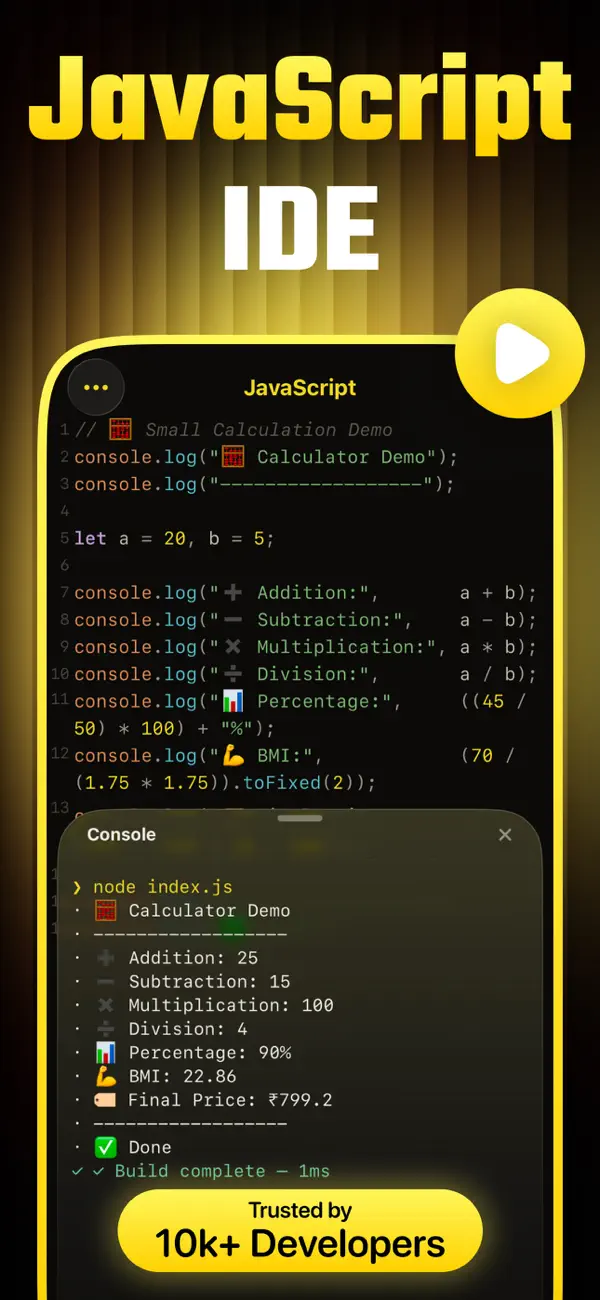
Whether you're testing snippets, learning JavaScript, or working on real projects, JavaScript IDE provides the tools you need in a clean and developer-focused workspace.
FEATURES
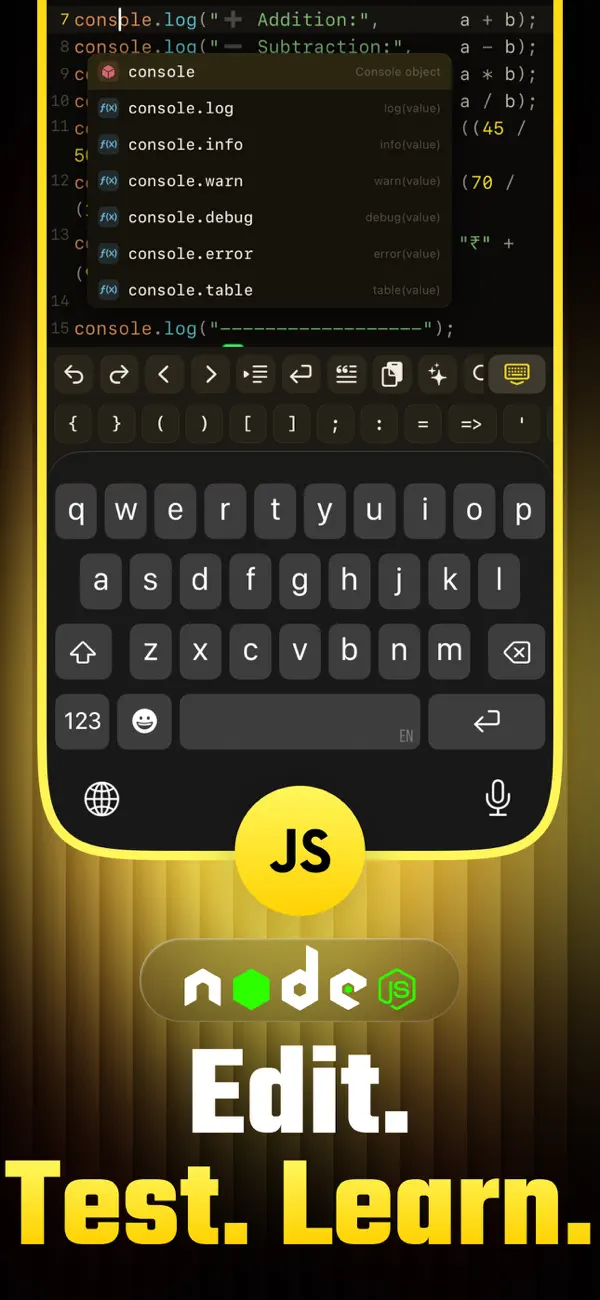
- Advanced JavaScript code editor
- Syntax highlighting
- Auto indentation and formatting
- Run and test JavaScript code
- Project and file management
- Support for HTML, CSS, and JavaScript files
- Fast search and editing tools
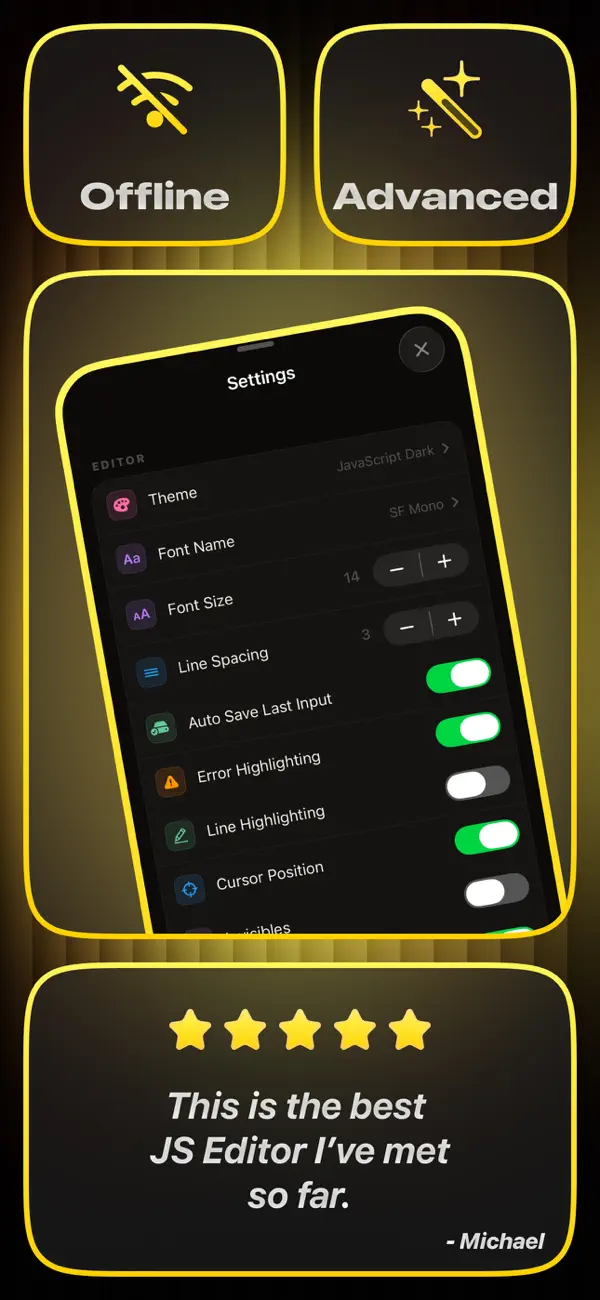
- Multiple Editing themes
- Customized Editor
- Offline coding support
PERFECT FOR
- JavaScript developers
- Web development practice
- Testing code snippets
- Student coding projects
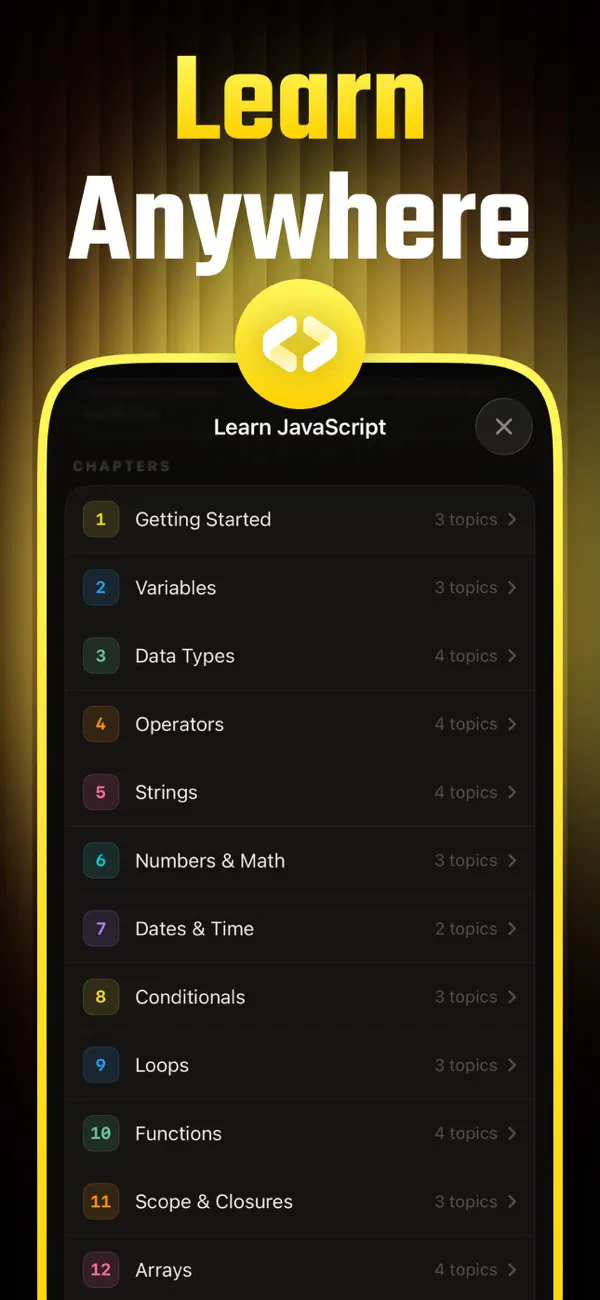
- Learning frontend development
- Coding on the go
WHY CHOOSE JAVASCRIPT IDE
- Clean and responsive interface
- Optimized for mobile coding
- Fast editing experience
- Easy project organization
- Built for developers and learners
JavaScript IDE gives you a flexible and portable workspace for writing and managing JavaScript code anytime, anywhere.
Ad
Jepretan layar
Sejarah Harga
- Harga saat ini: Gratis
- Minimal: Gratis
- Maksimum: Gratis
Pantau harga
Penilaian AppAgg
1,150
Penilaian AppAgg estimasi untuk
JavaScript Code Editor & IDE
1,150 Perak
Penilaian yang lebih tinggi biasanya berarti sinyal yang lebih kuat di AppAgg.
Berdasarkan: popularitas · rating pengguna · kebaruan · promo · data toko · aktivitas komunitas
Dihitung ulang setiap hari dari data AppAgg terbaru.
URL singkat: Disalin!
Yang Baru
- Versi: 1.0.1
- Terakhir diperbarui:
- • Optimized for iPad — code and console side by side
• Now available in 30+ languages
• Smarter, context-aware autocomplete
• Ready-to-use snippets for HTML, CSS, JS & JSON
• Redesigned keyboard toolbar for faster coding
• Cleaner, easier-to-read console output
• Bug fixes and better performance
Info tambahan
- Tanggal rilis:
- Kategori:
iOS Aplikasi›Alat - OS:
iPad,iPhone,iOS 17.0 dan yang lebih tinggi - Ukuran:
16 Mb - Bahasa yang didukung:
Arabic,Catalan,Chinese,Croatian,Czech,Danish,Dutch,English,Finnish,French,German,Greek,Hebrew,Hindi,Hungarian,Indonesian,Italian,Japanese,Korean,Malay,Norwegian,Polish,Portuguese,Romanian,Russian,Slovak,Spanish,Swedish,Thai,Turkish,Ukrainian,Vietnamese - Rating Konten:
4+ - App Store Peringkat:
0
Pengembang
- Devashy Rangpariya
- Platform: iOS Aplikasi (5)
- Daftar: 0 + 2
- Poin: 12 + 24 ¡
- Peringkat: 0
- Komentar: 0
- Diskon: 0
- Video: 0
- RSS: Berlangganan
Daftar (0)
0
- JavaScript Code Editor & IDE
Poin (3)
-

- 170 Charles Star
- +1
-
- 4,581 Sam
- +1
-
- 10,958 Aglinea
- +1


Peringkat (0)
0
Komentar (0)
Jadilah yang pertama berkomentar
Ringkasan
JavaScript Code Editor & IDE URL singkat: Disalin!- Bagikan
- App Store
«JavaScript Code Editor & IDE». Platform: iOS. Kategori: Alat. Pengembang: «Devashy Rangpariya». Rilis pertama: . Pembaruan terakhir: . Harga saat ini: gratis. Judul ini belum mendapat rating atau ulasan di AppAgg. Poin yang dilacak: dikonfirmasi 3, tidak langsung 0. Bahasa yang tersedia: Arabic, Catalan, Chinese, Croatian, Czech, Danish, Dutch, English, Finnish, French, German, Greek, Hebrew, Hindi, Hungarian, Indonesian, Italian, Japanese, Korean, Malay, Norwegian, Polish, Portuguese, Romanian, Russian, Slovak, Spanish, Swedish, Thai, Turkish, Ukrainian, Vietnamese. AppAgg melacak riwayat harga, peringkat, dan umpan balik pengguna «JavaScript Code Editor & IDE». AppAgg tidak menghosting aplikasi atau mendistribusikan perangkat lunak. Semua merek dagang, logo, dan tangkapan layar adalah milik pemiliknya masing-masing. Ikuti diskon dan pembaruan di masa mendatang melalui RSS
Serupa
-
- Code Editor
- iOS Aplikasi: Alat Oleh: Rainbow Factory LTD - Sticky Notes
- Gratis
- Daftar: 1 + 1 0 0
- Poin: 2 + 92 5K · Perak Versi: 26.0.2 Introducing the Visual Code Editor for iOS, the ultimate solution for coding on-the-go. This powerful app is designed to provide you with a seamless coding experience that is both ...
-
- Code Editor – HTML & Preview
- iOS Aplikasi: Alat Oleh: cherish each co ltd.
- Gratis
- Daftar: 0 0 0
- Poin: 2 + 2 1K · Perak Versi: 1.2.0 Code Editor HTML & Preview is a fast and lightweight code editor that lets you write and preview HTML instantly. Build and test web pages with real-time preview, right on your device. ...
-
- Code Editor - Compiler & IDE
- iOS Aplikasi: Alat Oleh: Rhythm Software
- Gratis
- Daftar: 0 0 0
- Poin: 1 + 42 4K · Perak Versi: 1.1.7 Code editor is optimized text editor focused on coding. It contains necessary features including syntax highlight, code assist, auto-complete, compile and execute, etc. Features: - ...
-
- Code - Editor Git and Terminal
- iOS Aplikasi: Alat Oleh: Morella Folesani
- Gratis
- Daftar: 0 0 0
- Poin: 0 + 33 2K · Perak Versi: 1.0.1 Code, Work Anywhere! This app has an entire developer suite embedded in this app, and it's fully native! ## Code Editor - Various Themes - Colored Syntax - Autocompletion - Minimap - ...
-
- Code Develop IDE
- iOS Aplikasi: Alat Oleh: 铖 邢
- $0.99
- Daftar: 0 + 2 0 0
- Poin: 2 + 5 8K · Emas Versi: 2.0 -- Support code auto completion; -- Compile, Run Offline C++ (with STL support) Python, and terminal support; -- Support multiply window and split screen (For iPad); An IDE for iPad, ...
-
- Text Editor : Code Editor
- iOS Aplikasi: Alat Oleh: Devashy Rangpariya
- Gratis
- Daftar: 0 + 2 0 0
- Poin: 2 + 10 2K · Perak Versi: 1.0.1 Text Editor is a fast, modern, and powerful code editor built for developers, students, and creators who want a professional coding experience on iPhone, iPad, Mac, and Vision Pro. ...
-
- Textastic Code Editor
- iOS Aplikasi: Alat Oleh: Alexander Blach
- Gratis
- Daftar: 14 + 12 0 0
- Poin: 20 + 2,478 13K · Emas Versi: 10.9.4 Textastic is a comprehensive and versatile text and code editor for iPad and iPhone. It supports syntax highlighting for more than 80 programming and markup languages. Connect to SFTP,
-
- AI Code Editor & Compiler
- iOS Aplikasi: Alat Oleh: MEHMET CANKER (TR)
- * Gratis
- Daftar: 0 0 0
- Poin: 0 + 0 810 · Perak Versi: 70.14.0 In today s fast-paced digital era, coding on-the-go is essential for developers. AI Code Editor is your ultimate solution for mobile coding, offering a seamless and intuitive ...
-
- Web IDE - AI Code Editor
- iOS Aplikasi: Alat Oleh: Tahmiez Sandaim
- * Gratis
- Daftar: 0 + 1 0 0
- Poin: 3 + 12 10K · Emas Versi: 8.5.65 Web IDE turns your iPhone or iPad into a full-featured, portable code editor, powered by AI. Whether you're learning to code or shipping real projects, Web IDE gives you a ...
-
- Pad Code AI - Code Editor
- iOS Aplikasi: Alat Oleh: Hung Tien Pham
- Gratis
- Daftar: 0 + 2 0 0
- Poin: 2 + 1 1K · Perak Versi: 1.0 Pad Code AI is a powerful, local-first code editor and IDE designed specifically for iPad and iPhone. Built to deliver a desktop-class VS Code-style experience, it allows developers, ...
-
- QuickCode: Code Editor
- iOS Aplikasi: Alat Oleh: Mark Howard
- Gratis
- Daftar: 0 0 0
- Poin: 3 + 4 1K · Perak Versi: 1.1 Welcome to QuickCode, the ultimate code editor designed for users who want to code on the go with power and ease. Featuring a sleek and intuitive interface, QuickCode offers a ...
-
- Combine - Code Editor & Git
- iOS Aplikasi: Alat Oleh: Margins Technologies LLC
- Gratis
- Daftar: 0 0 0
- Poin: 1 + 7 2K · Perak Versi: 1.4.15 Professional coding with zero compromises. Turn your iPhone or iPad into a professional development studio. Code offline anywhere, run code, preview web projects live, seamlessly ...
- Baru
- Carets - Code Editor
- iOS Aplikasi: Alat Oleh: Echo Persona LLC
- Gratis
- Daftar: 0 0 0
- Poin: 1 + 1 2K · Perak Versi: 1.0 Carets is two great apps in one: a genuinely capable pocket code editor and a fast, beautiful notes and lists app. Built for speed, minimalism, and a monospace-clean aesthetic reshaped
-
- MobileCode Code Editor
- iOS Aplikasi: Alat Oleh: Mark Mendell
- Gratis
- Daftar: 0 + 1 0 0
- Poin: 0 + 5 1K · Perak Versi: 1.5 MobileCode is a code editor that completely rethinks how coding should work. Why are we tapping around on lines way too long for our screen? Why are we punished severely for typos? Why