
기술
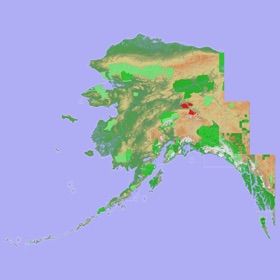
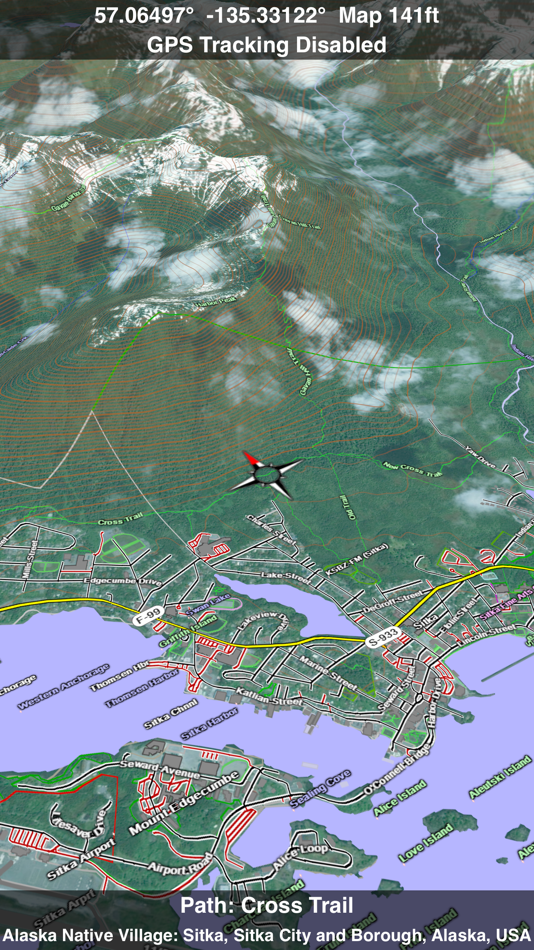
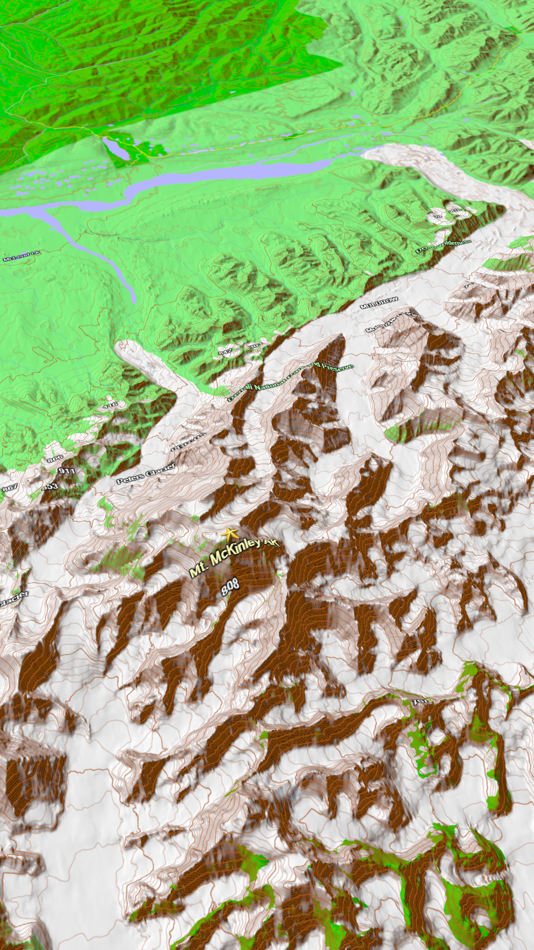
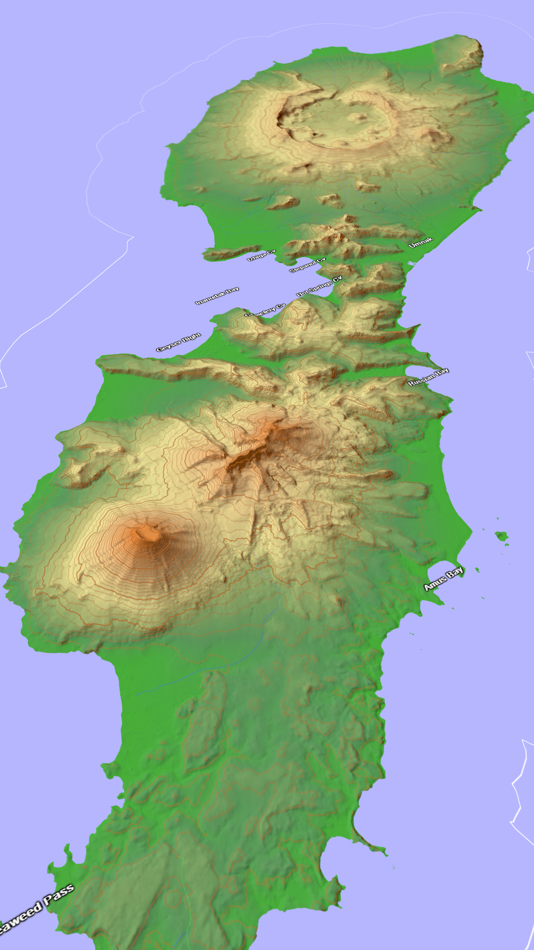
Scenic Map now covers the entire world via online maps. The maps are cached automatically so they can still be used when there is no cell coverage. Turn on Online Map in the Settings menu and you can then scroll or go to any location on the planet. Satellite image overlays add breathtaking detail and realism to the maps (tap preset 2 or 4 when Online Map is enabled). You can use them as you travel to see what is hidden from view at ground level. This takes moving maps to a whole new level.
Use the two finger vertical swipe gesture to tilt the map for a 3D view. Scroll like a map or fly like a flight simulator. Enable Joystick Gestures in the Settings menu and then fly around the terrain using a virtual joystick. Prefer only 2D maps? Enable the 2D Map option in the Settings menu.
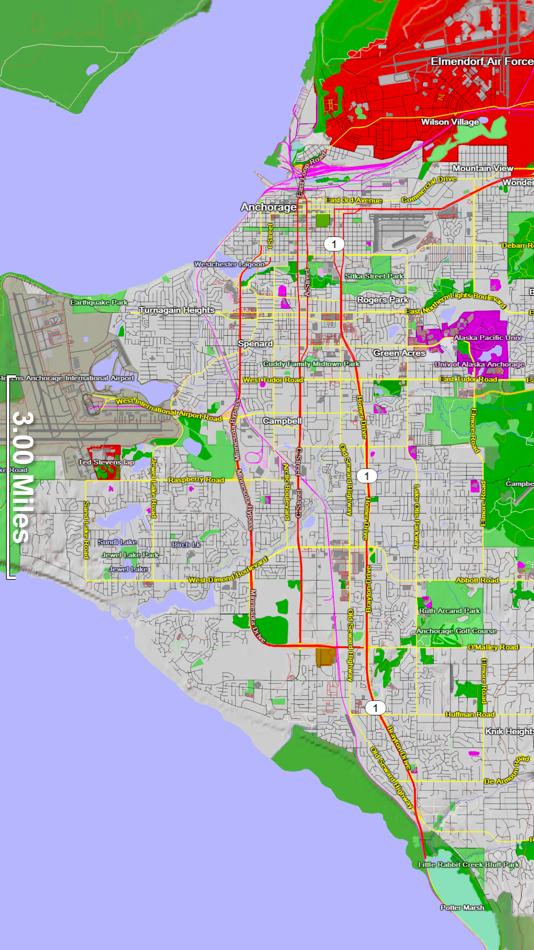
Scenic Map is simply the best 3D topo map available for a mobile device. You will see incredible detail while scrolling, rotating and zooming perfectly smoothly. You will see every road even if you zoom out to the altitude of a satellite. As you zoom in, you will see every small bump and hollow of the Earth and terrain features as small as ten meters. Unlike old fashioned topo maps, Scenic Map’s roads and trails are up to date thanks to OpenStreetMap.org. It contains polygons for urban areas, shopping malls, an ever growing number of buildings and many other features, The best lake, pond, stream and rivers from the USGS and Canadian public databases are also included.
Tap the GPS center button to begin tracking your location. As you move, you will generate a track file. Tracks can be replayed with video like controls to speed up, slow down, pause, restart or skip to the end. You can display existing tracks while recording another if you want to retrace your route. When online, you can automatically create a route from your current GPS location to any other point on the map. Tracks can be received from or sent to other apps in GPX format. GPS recording stops automatically after you have remained stationary for some time or you can choose to manually stop tracking by tapping on the top track in the Tracks view.
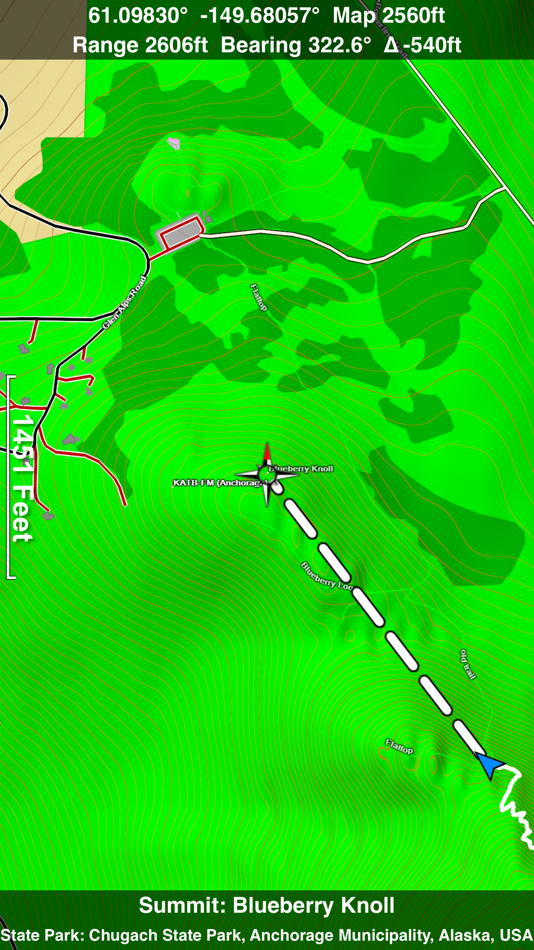
Never before have maps been this customizable. For example, you can turn on or off the roads. You can change the lighting direction or remove terrain shading entirely. You can display contour lines even over satellite images. There are five presets which let you quickly switch between map styles. Use Metric, English or Nautical units and choose one of four different coordinate displays including UTM.
Want to learn more about a map feature? Tap the target icon and center the feature under the compass rose to display its name, type, urban area, county, state, elevation and coordinates. You will also see a bearing line back to your current GPS location or from your location to a selected waypoint. The status bar shows the bearing direction and distance along with the map and GPS elevation, the track length, and your current speed and direction of travel.
In-app documentation is provided in the Help section at the top of the Settings menu. Links are provided in the documentation to detailed coverage maps, tutorial videos, installation guide and blog at ScenicMap.com
Map data © OpenStreetMap and contributors under the Open Database License
Scenic Map supports GPS tracking while the app is in the background.
Caution: Continued use of GPS running in the background can dramatically decrease battery life.
스크린샷
새로운 기능
- 버전: 1.9.2
- 업데이트:
- Fast initial download. Maps are then dowloaded automatically.
Fixed track recording in iOS 17.
Fixed the settings menu in landscape mode on iPhone.
Fixed low frame rate when the information bar is enabled.
The map's highest detail is now displayed while scrolling.
가격
- 오늘: $1.99
- 최소: $1.99
- 최대: $4.99
가격 추적
포인트
0 ☹️
순위
0 ☹️
목록
0 ☹️
리뷰
첫 번째 리뷰를 남겨보세요 🌟
추가 정보
주소록
 http://scenicmap.blogspot.com/Scenic Map Alaska 단축 URL: 복사됨!
- 🌟 공유하기
- App Store
당신은 또한 같은 수 있습니다
-
- Scenic Map Grand Canyon
- iOS 앱: 내비게이션 게시자: GrangerFX
- 무료
- 목록: 0 + 0 순위: 0 리뷰: 0
- 포인트: 1 + 2 (5.0) 버전: 1.9.2 Explore the rich landscapes around the Grand Canyon and Arizona while you discover Scenic Map, the best 3D topo map for the iPad and iPhone. The vector map data is contained within the ⥯
-
- MineAR: Augmented Reality Map
- iOS 앱: 내비게이션 게시자: Map Life, LLC
- * 무료
- 목록: 0 + 0 순위: 0 리뷰: 0
- 포인트: 0 + 5 (5.0) 버전: 2.40.15 Data you can grasp. As a geoscience professional, we know you want an easier way to see your GIS data while you re in the field. MineAR allows you to do exactly that. Our app ... ⥯
-
- Map LT
- iOS 앱: 내비게이션 게시자: Taylan Atasoy
- 무료
- 목록: 0 + 0 순위: 0 리뷰: 0
- 포인트: 0 + 0 버전: 4.0 Map LT is a cutting-edge navigation and mapping application designed for users who want to easily find their way around World. With its user-friendly interface and comprehensive ... ⥯
-
- Scenic Motorcycle Navigation
- iOS 앱: 내비게이션 게시자: Applified Life Ltd.
- 무료
- 목록: 0 + 0 순위: 0 리뷰: 0
- 포인트: 2 + 7,096 (4.7) 버전: 4.26 TAKE THE SCENIC ROUTE - Plan, ride, track and share your adventures with the #1 rated motorbike navigation app. 200,000 public routes, 20 million hours ridden, 130 million miles ... ⥯
-
- Map Map - Your Map on a Map
- iOS 앱: 내비게이션 게시자: Ben Roberts
- * 무료
- 목록: 0 + 0 순위: 0 리뷰: 0
- 포인트: 0 + 2 (5.0) 버전: 2.3 Welcome to Map Map Your Personal Cartographer! Ever wished you could see where you were on a trail map, building diagram, or any other visual reference? How about knowing where a trail ⥯
-
- Memory-Map for All
- iOS 앱: 내비게이션 게시자: Memory-Map
- 무료
- 목록: 0 + 0 순위: 0 리뷰: 0
- 포인트: 0 + 9 (4.9) 버전: 2.0.5 Download maps for Offline GPS Navigation. No mobile data connection required. Your favorite maps and charts from OS, Hema, NOAA, and many more. Immersive 3D World map view Fully ... ⥯
-
- Map MateAI- Navigate with Chat
- iOS 앱: 내비게이션 게시자: Ahmet Erkin Arıkan
- 무료
- 목록: 0 + 0 순위: 0 리뷰: 0
- 포인트: 0 + 0 버전: 1.0.3 Struggling to decide where to go? Let our app guide you! Whether you're searching for a cozy café, an exciting spot to explore, or a pharmacy on duty, we ve got you covered. Simply ... ⥯
-
- Map Tells...!
- iOS 앱: 내비게이션 게시자: Yuriko Kimura
- 무료
- 목록: 0 + 0 순위: 0 리뷰: 0
- 포인트: 0 + 0 버전: 3.4 "Map Tells...! is an app that shares your location with your companion by providing a Google Maps link and photo. The mail receiver follows the directions (on the map or through a ... ⥯
-
- Map It Realtour
- iOS 앱: 내비게이션 게시자: DKP Productions LLC
- 무료
- 목록: 0 + 0 순위: 0 리뷰: 0
- 포인트: 0 + 3 (5.0) 버전: 2.0.2 Map It Realtour® / Mobile Application for Realtors With New Map It Client Version for Their Clients Map It Realtour® is a new and unique Real Estate App for Agents worldwide, that was ... ⥯
-
- Map Tools
- iOS 앱: 내비게이션 게시자: Modular Machines LLC
- $1.99
- 목록: 0 + 0 순위: 0 리뷰: 0
- 포인트: 0 + 1 (5.0) 버전: 6.1 Map Tools supports coordinate systems and map projections for 232 datums, including WGS84, NAD27, NAD83, ED50, OSGB36, EGSA87, AGD66, AGD84, GDA94, NZGD2000, NZGD1949, and many more. ... ⥯
-
- Map Points
- iOS 앱: 내비게이션 게시자: Sachin Deshpande
- $0.99
- 목록: 0 + 0 순위: 0 리뷰: 0
- 포인트: 0 + 0 버전: 1.2 Map Points is an app to store your favorite map locations. You can use it while hiking to mark pinpoint locations that you want to remember. Or you can drop a pin to mark the secret ... ⥯
-
- Map Snapper
- iOS 앱: 내비게이션 게시자: Mark Malone
- * 무료
- 목록: 0 + 0 순위: 0 리뷰: 0
- 포인트: 0 + 0 버전: 2.1 Plan orienteering events by placing and fine tuning control locations in the field. Create your own instant offline maps. Create geolocated maps from photos and pictures, either with ... ⥯
-
- Map Link Converter
- iOS 앱: 내비게이션 게시자: POORNA S JAYASINGHE
- $4.99
- 목록: 0 + 0 순위: 0 리뷰: 0
- 포인트: 0 + 0 버전: 1.0 Seamlessly open any map link in your preferred navigation app. Map Link Converter is the ultimate tool for converting and opening map URLs across different mapping platforms. Whether ... ⥯
-
- Map Plus
- iOS 앱: 내비게이션 게시자: Miocool Inc.
- 무료
- 목록: 1 + 1 순위: 0 리뷰: 0
- 포인트: 0 + 615 (4.6) 버전: 2.9.0 The most powerful and versatile tool for viewing and editing custom maps, surveying, editing or managing mass of your geography data. You can use Map Plus as a professional GIS tool ... ⥯