
説明

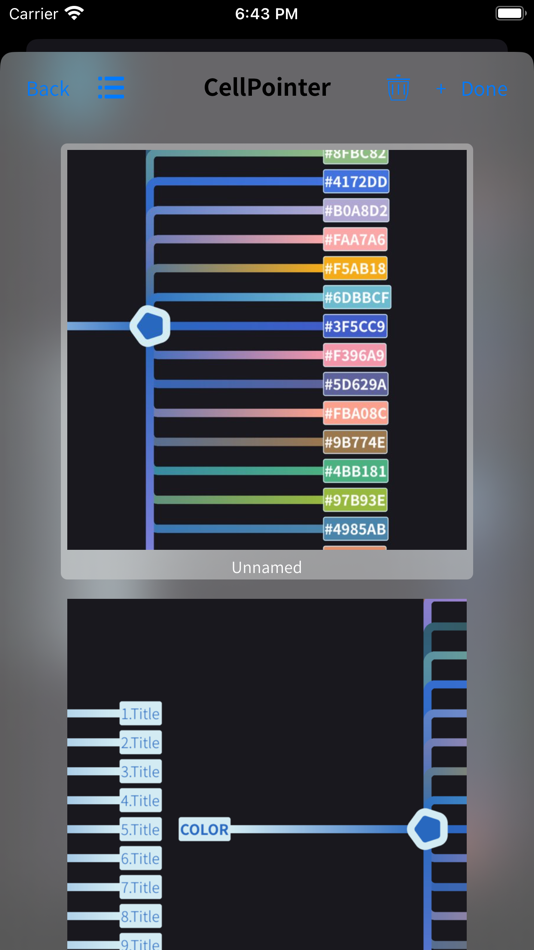
Every day, there are a lot of new ideas and scenes come to mind and inadvertently become fragments of information, sprinkled in an unknown corner of the deep sea of memory, and quickly forgotten as if they had never appeared. Letting these small fragments leave traces in the real world so that they can be quickly recovered is one of the daily tasks of the little pointer.
In the fantasy stage, remember it casually. When a new idea appears, it should be converted into a text record through voice, keyboard, scanning, etc. and placed on a branch line of the small pointer. This conversion process should run like a sketch of painting. Fast-generated transcript can retrieve the meaning which you’ve known.
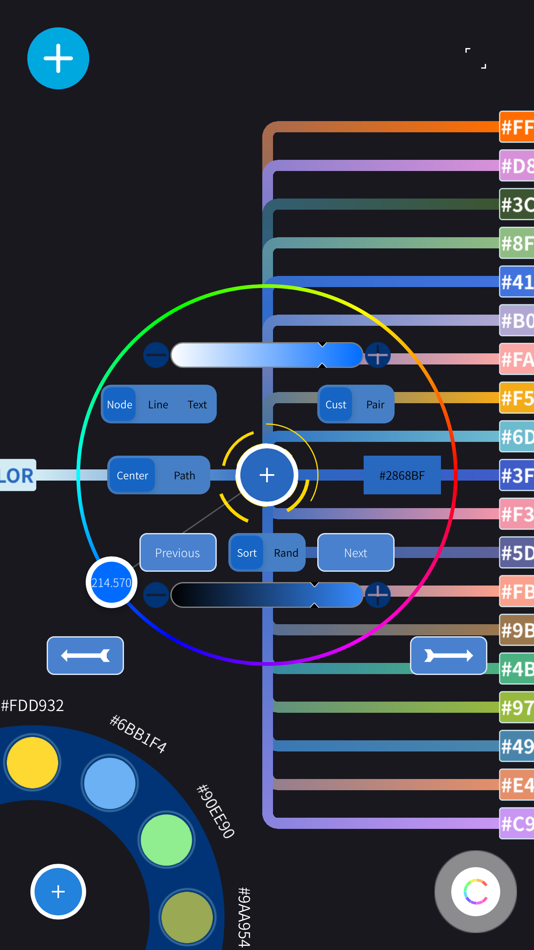
→ The little pointer can switch between different branches through the previous button and the next button of the text input menu. In order to speed up this progress, a large number of backup branches can be generated in advance on a node.
It is time to enter the carefully selected stage after a large number of ideas, scenes leaving a fast-generated transcript in the small pointer.
→ The synthetic speech of branch text can be set through the voice setting menu. The text label in the cellpointer supports attribute text.
→ In the setting text menu, click the corresponding switch to switch between plain text and attribute text.
→ The menu in the upper left corner can insert a picture for the node, and you can search for the corresponding node by specifying content.
→ In the settings menu, you can set whether the background is follow mode or fixed mode.
→ In setting mode, you can change the size of the background. The corresponding sliding bar can be pulled to the end, which can double its sliding range. The background can be two gradient colors or three gradient colors.
→ The sliding page can also be set to browsing mode, normal mode and compound mode. There are other setup functions, and I look forward to your attempt.
In the dynamic presentation stage, the small pointer automatically shuttles through the traces left in the small pointer of memory fragments, helping you quickly retrieve ideas or situations that fall in an unknown corner of the deep memory.
→ In the small pointer browsing state, click the full-screen button in the upper right corner to enter the dynamic rendering stage.
→ The dynamic graphics in the center can be set as text or emoji in the dynamic rendering settings menu, and the emoji is recommended.
→ Select the node or slide the node to the center of the screen, and click the startup button in the upper left corner to automatically shuttle through the traces left by the small fragments in the cellpointer.
Regarding the selection status of the node, one is to click the corresponding node, and the other is to slide the node to the center of the screen. Click the button to automatically select the node. Click on the blank area to deselect the status.
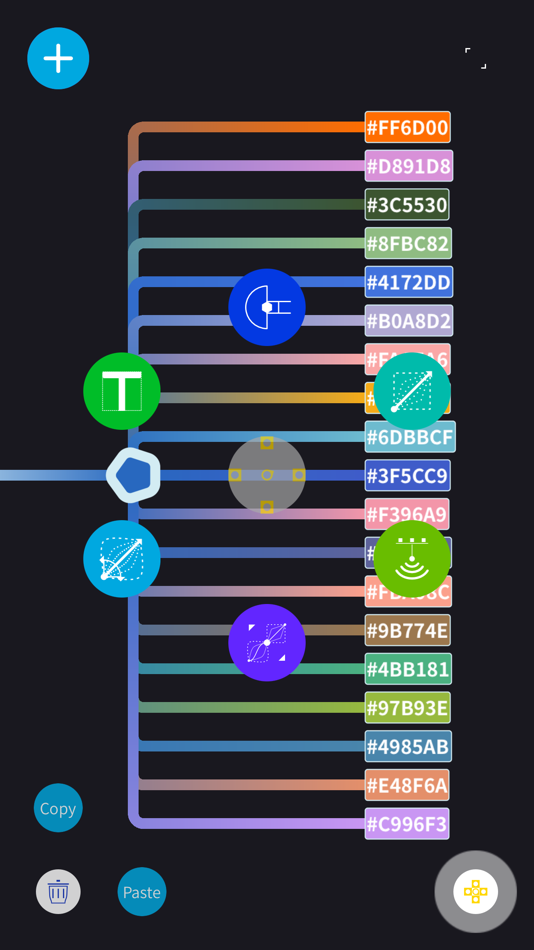
→ In the edit curve state, double-click the screen to enter the state selected by the previous node.
For gestures, long press can restore the default size of the page and the angle of rotation.
→ One-finger or two-finger sliding, two-finger zoom, two-finger rotation.
→ Move the node, touch the screen with two fingers, the other finger can move the node on the horizontal axis, three fingers touch the screen, and the other finger can move the node on the vertical axis.
Regarding the sliding bar of the menu, click the area where the sliding bar is located, and the numeric input menu can pop up and set the relevant properties.
Support iCloud and can automatically synchronize between different Apple devices.
Ad
スクリーンショット
新機能
- バージョン: 1.0.195
- アップデート:
- 1. The function of editing the slider has been added
2. Improve the user interaction experience
価格
- 今日: $1.99
- 最小値: $1.99
- 最大: $4.99
料金のチェック
Ad
ポイント
0 ☹️
ランキング
0 ☹️
リスト
0 ☹️
- CellPointerPro
レビュー
最初のクチコミを書こう 🌟
情報
CellPointerPro 短縮 URL: コピーしました!- 🌟 シェア
- App Store
あなたも好きかも
-
- Pro Referral
- iOS アプリ: 仕事効率化 作者: Pro Referral
- フリー
- リスト: 0 + 2 ランキング: 0 レビュー: 0
- ポイント: 0 + 437 (4.2) バージョン: 4.11.21 The Pro Referral mobile app, powered by the Home Depot, helps you grow your business by connecting you with Home Depot customers in your area who need your expertise. Handy features ... ⥯
-
- Pro Certs
- iOS アプリ: 仕事効率化 作者: Pro Certs Software Ltd
- * フリー
- リスト: 0 + 0 ランキング: 0 レビュー: 0
- ポイント: 0 + 0 バージョン: 5.1.7 Electrical certification software testing and inspecting app for the iPad. Produce BS 7671 18th edition Electrical Installation Certificates, Electrical Installation Condition Reports ... ⥯
-
- PRO Everything on Time
- iOS アプリ: 仕事効率化 作者: PRO Everything on Time B.V.
- フリー
- リスト: 0 + 0 ランキング: 0 レビュー: 0
- ポイント: 0 + 0 バージョン: 1.6.4 Alibi reduces stress and increases productivity through planning. Automatically. Alibi contains an algorithm that changes your planned projects into one integral hourly planning, ... ⥯
-
- IAFF Foundation Pro-Calendar
- iOS アプリ: 仕事効率化 作者: Pro-Calendar
- フリー
- リスト: 0 + 0 ランキング: 0 レビュー: 0
- ポイント: 0 + 5,913 (4.7) バージョン: 7.1 IAFF Foundation Pro-Calendar: Shift Calendar/Organizer - Designed by a firefighter for firefighters Pro-Calendar® and the International Association of Fire Fighters and have teamed up ... ⥯
-
- eValuer Pro: AI Property Price
- iOS アプリ: 仕事効率化 作者: POINTER PROPERTY COMPANY LIMITED
- フリー
- リスト: 0 + 0 ランキング: 0 レビュー: 0
- ポイント: 0 + 0 バージョン: 0.1.0 eValuer Pro, proudly developed by POINTER, empowers real estate professionals across Cambodia with instant, data-driven property price estimates powered by advanced AI technology. ... ⥯
-
- Validity Pro
- iOS アプリ: 仕事効率化 作者: Pro-Teck
- フリー
- リスト: 0 + 0 ランキング: 0 レビュー: 0
- ポイント: 0 + 2 (5.0) バージョン: 1.26 Stewart Valuation Intelligence is now offering Validity Pro to satisfy the property inspection and data collection requirements of Fannie Mae and Freddie Mac's Uniform Property Dataset ⥯
-
- Pro-face Remote HMI
- iOS アプリ: 仕事効率化 作者: Schneider Electric SAS
- $29.99
- リスト: 0 + 0 ランキング: 0 レビュー: 0
- ポイント: 0 + 2 (4.5) バージョン: 1.70.000 Pro-face Remote HMI Price Revision! Pro-face Remote HMI software allows operators to check status of HMI screens on multiple applications remotely, and assist HMI operation as a ... ⥯
-
- Debugged Pro - Suite
- iOS アプリ: 仕事効率化 作者: Debugged Pro Private Limited
- フリー
- リスト: 0 + 0 ランキング: 0 レビュー: 0
- ポイント: 0 + 0 バージョン: 1.0.1 Debugged Pro Suite is an all-in-one project management app built exclusively for Debugged Pro clients and internal teams. It gives you complete visibility into your projects, tasks, ... ⥯
-
- Cell Counter & Calculator
- iOS アプリ: 仕事効率化 作者: Yutaka Yasui
- * フリー
- リスト: 0 + 0 ランキング: 0 レビュー: 0
- ポイント: 0 + 0 バージョン: 1.1 Simple Cell Counting App! With this app, you can count cells using your iPhone and display real-time data on cell concentration and cell count. The app also features a calculator for ... ⥯
-
- Pro Launderer
- iOS アプリ: 仕事効率化 作者: Laundry On App
- フリー
- リスト: 0 + 0 ランキング: 0 レビュー: 0
- ポイント: 0 + 0 バージョン: 1.21 Sign up to become a Pro Launderer for laundry on app customers. Pro Launderers provides quality laundry service using their household appliances like washer, dryer and iron. It's an ... ⥯
-
- Pro Voice Recorder: AI Memos
- iOS アプリ: 仕事効率化 作者: Nedjat Nuhi
- * フリー
- リスト: 0 + 0 ランキング: 0 レビュー: 0
- ポイント: 1 + 0 バージョン: 1.0 Stop listening to hours of recordings. Start reading them. Pro Voice Recorder is the ultimate AI-powered audio tool for professionals, students, and journalists. It doesn t just record ⥯
-
- I&C Pro
- iOS アプリ: 仕事効率化 作者: I&C Pro
- $1.99
- リスト: 0 + 0 ランキング: 0 レビュー: 0
- ポイント: 0 + 0 バージョン: 1.4 (1) I&C Pro is a specialized calculator toolkit for engineers working in power plant instrumentation and control (I&C). It includes key utilities such as: mA ↔ Set Value Converter ... ⥯
-
- Piatto Pro POS
- iOS アプリ: 仕事効率化 作者: Piatto Pro
- フリー
- リスト: 0 + 0 ランキング: 0 レビュー: 0
- ポイント: 0 + 0 バージョン: 1.0.96 Piatto Pro POS Restaurant Point-of-Sale Made Simple Streamline Your Restaurant Operations Piatto Pro POS is a full-featured, offline-capable Point-of-Sale system designed for ... ⥯
-
- Pro txt Editor
- iOS アプリ: 仕事効率化 作者: Julian Lau
- $3.99
- リスト: 0 + 0 ランキング: 0 レビュー: 0
- ポイント: 0 + 0 バージョン: 1.0 This is the ad-free Pro-version of the popular txt Editor. txt Editor is a simple and easy-to-use app for creating, editing, and saving txt files on your device. With its intuitive ... ⥯