
| Nhà phát triển: | Readwise, Inc (4) | ||
| Giá bán: | Miễn phí | ||
| Xếp hạng: | 0 | ||
| Đánh giá: | 0 Viết đánh giá | ||
| Danh sách: | 2 + 2 | ||
| Điểm: | 6 + 497 (4.6) ¡ | ||
| App Store | |||
Mô tả

______________________
“Reader has completely redesigned the read-it-later app. It’s gorgeous and blazingly fast. In many ways, it’s the Superhuman of reading — you won’t want to read anywhere else.”
Rahul Vohra (Founder of Superhuman)
“I spend my entire day reading, researching, & writing and Readwise is the reading tool I’ve been waiting for. The perfect complement to my writing workflow. Absolute game changer.”
Packy Mccormick (Author of Not Boring)
“The Readwise reading app is the first read-it-later app that enables a true workflow for serious readers. As an ex-Pocket /Instapaper power user, it's hard to imagine ever going back.”
Fitz Maro (Creative Technology Lead at Pinterest)
______________________
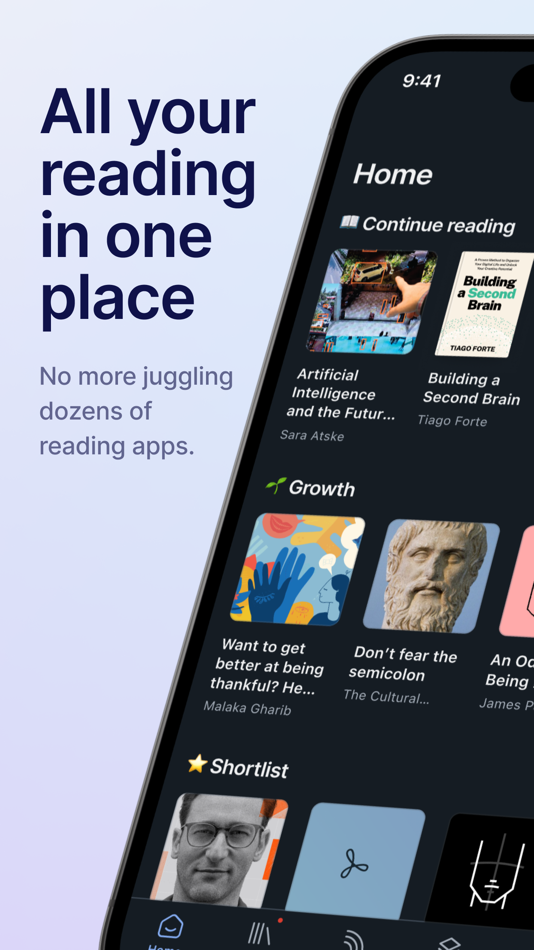
ALL YOUR READING IN ONE PLACE
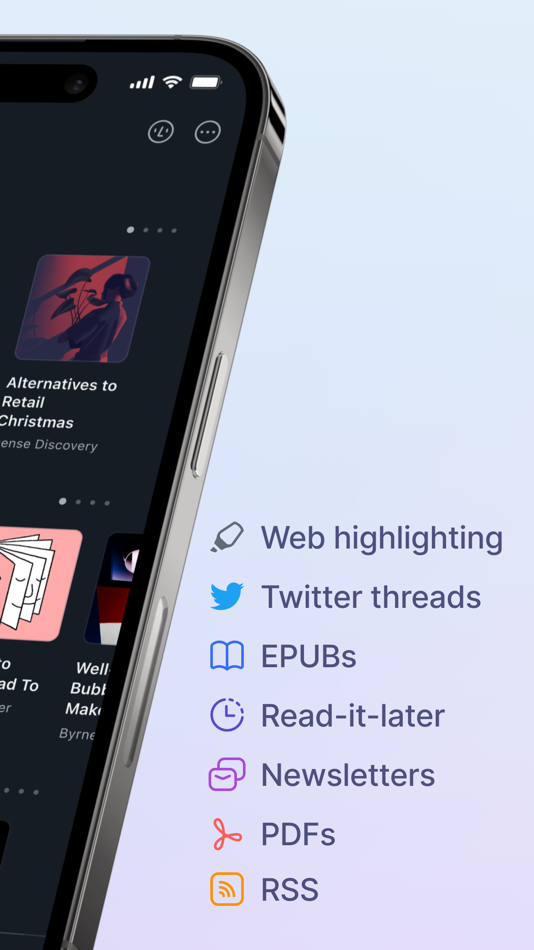
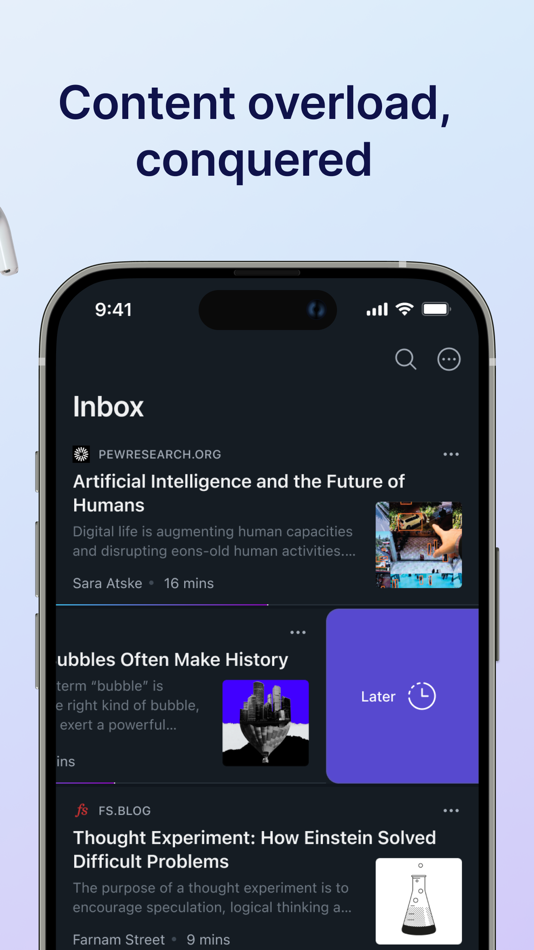
Stop juggling half a dozen reading apps. Reader brings all your content into one place including:
• Web articles
• Email newsletters
• RSS feeds
• Twitter threads
• PDFs
• EPUBs
You can even import your existing library from Pocket and Instapaper and RSS feeds from Feedly, Inoreader, Feedbin, etc.
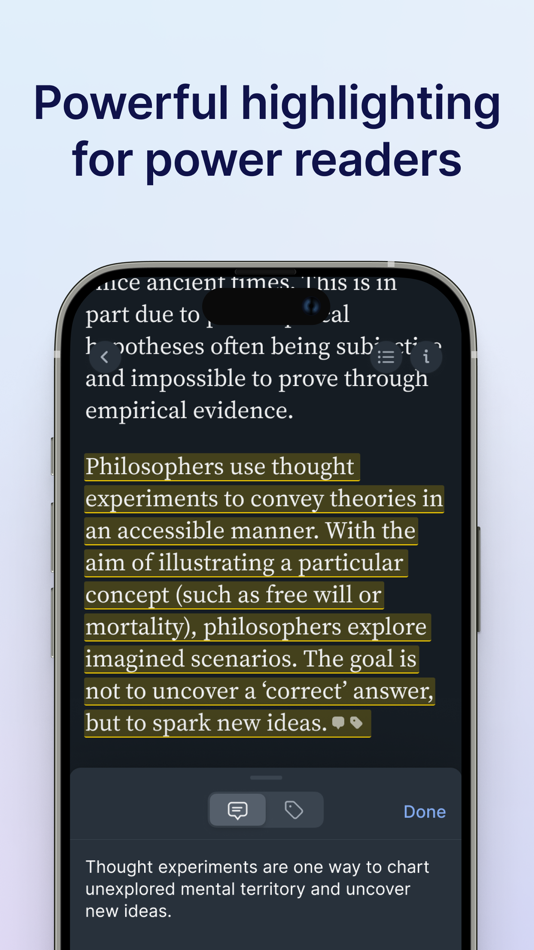
POWERFUL HIGHLIGHTING FOR POWER READERS
We believe that annotations are the key to getting more out of what you read. So we’ve developed highlighting as a first-class feature inside Reader. Highlight images, links, rich text, and more. On any device.
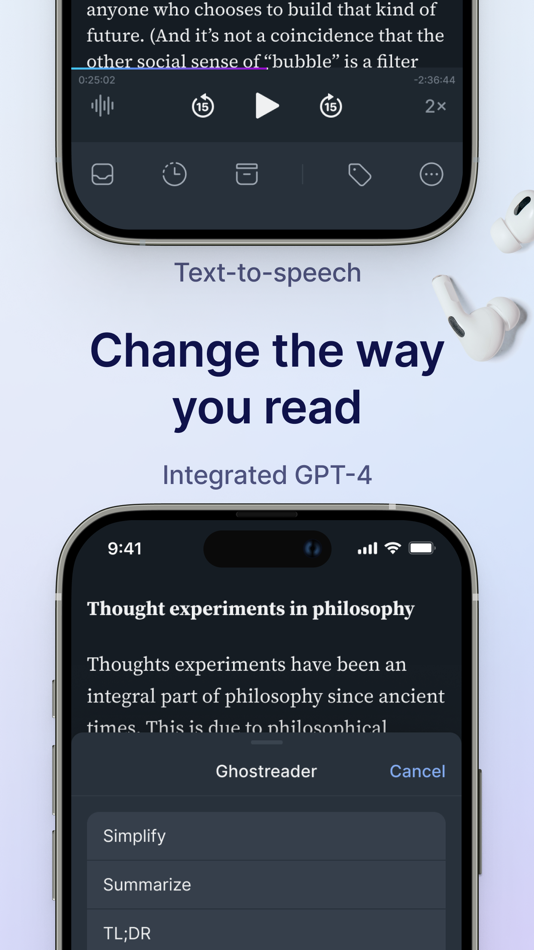
READER WILL CHANGE THE WAY YOU READ
We’ve reinvented the digital reading experience to apply the power of software to the printed word. This includes TEXT-TO-SPEECH (listen to any document narrated with the lifelike voice of a real human), GHOSTREADER (your integrated copilot of reading enabling you to ask questions, define terms, simplify complex language, and more), and FULL-TEXT SEARCH (find whatever you’re looking for, even if you only remember a single word).
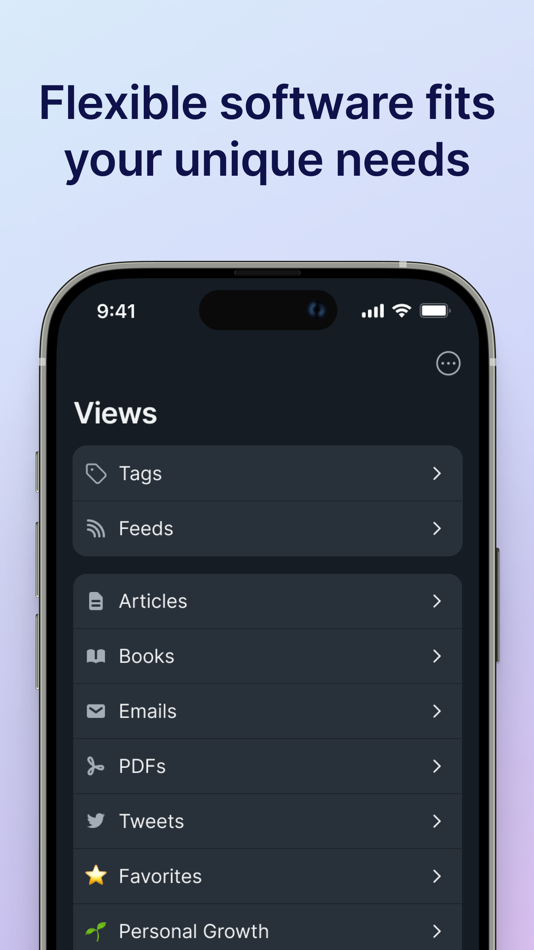
FLEXIBLE SOFTWARE TO FIT YOUR UNIQUE NEEDS
Your personal interests, your professional projects, your way of doing things — they’re unique. Reader is your home base for the varied documents in your life, customizable to match the way your brain works.
PDFs for work, articles for your newsletter, and ebooks for pleasure all live comfortably side-by-side. No more juggling dozens of apps.
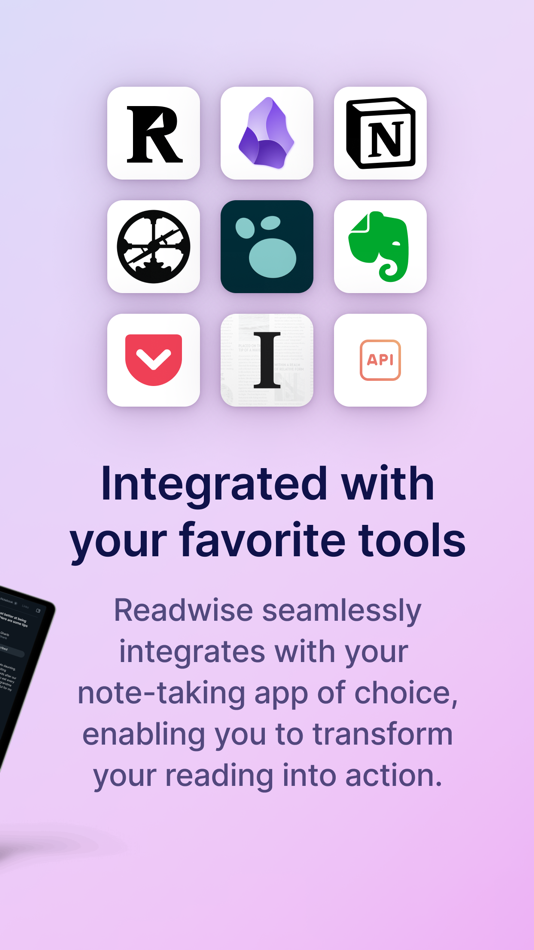
INTEGRATED WITH YOUR FAVORITE TOOLS
Your annotations should flow effortlessly from your reading app into your writing tool of choice. Instead you waste hours reformatting, reorganizing, and repeating. Reader eliminates this hassle. Reader seamlessly connects to Readwise which exports to Obsidian, Notion, Roam Research, Evernote, Logseq, and more
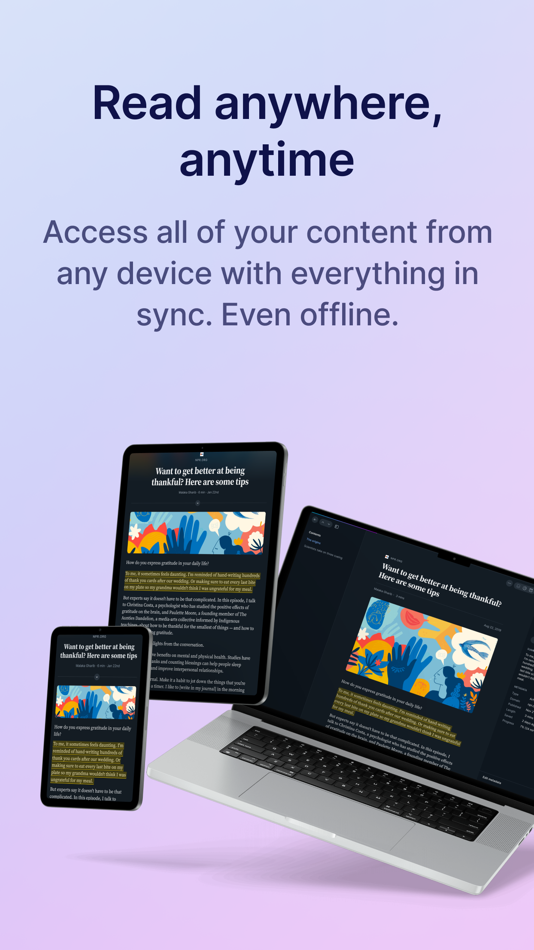
READ ANYWHERE, ANYTIME
Access all of your content from any of your devices with everything in sync. Even offline. Reader syncs across all platforms, including a powerful, local-first web app and iOS. You can even highlight the open web with the Reader browser extensions.
______________________
If you’re not already a Readwise subscriber, you can get a free 30-day trial with no credit card upfront. At the end of the trial, you will not be charged unless you choose to subscribe.
Support: Check out readwise.io/faq or email us at hello@readwise.io
Terms of Use: https://www.apple.com/legal/internet-services/itunes/dev/stdeula/
Privacy Policy: https://readwise.io/privacy
Ảnh chụp màn hình
Tính năng mới
- Phiên bản: 7.31.1
- Cập nhật:
- Podcast Transcripts — share any podcast episode from Apple Podcasts, Spotify, or Overcast into Reader, and it will be saved as a permanent, highlightable transcript.
Horizontal Pagination — Tablets have an experimental new two-column reading mode. Horizontal pagination also allows you to highlight onto the next page going to the right or left, instead of up or down like continuous and paged scroll modes.
Sticky Tablet Sidebars — You can now keep sidebars open while using Reader on tablets. In documents, opening the table of contents or notebook sidebar shrinks the reading view, so you can still scroll and highlight text. In your Library and Feed, the sidebar stays open so you can browse documents with the same context you’d see on the web version of the app.
Better Offline Control — Choose which categories of documents to keep available offline from the offline documents section of the Account screen. A new status shows whether a location is currently downloading. Documents also now have more informative messages if they aren't available, which should be rare as long as you open the app for a few seconds to give everything time to download. Johannes also fixed a bug where the experimental offline caching feature could freeze interactive elements in the app.
Fixed Touch Navigation — Mati resolved an issue where navigation taps weren’t registering in the bottom third of the screen. Mati also fixed a glitch causing highlights to be created from taps when they shouldn't be. You should now be able to advance pages without accidentally creating highlights. Arek fixed a bug where tapping the top-right icons on iPad (like the appearance settings or highlights view) could cause the page to unexpectedly scroll to the top of the chapter.
Fixed Highlight Menus — Lior fixed a bug where the highlight menu sometimes continued showing up after turning a page in long-form reading mode. Mati improved the reliability of the highlight menu appearing when you select single words on iOS. You should now see the menu more consistently after making a selection.
Fixed Note Flashing — Arek fixed a visual glitch where text would briefly flash on the left side of the input box when you finished writing a note.
Fixed Article Layout — Arek fixed a bug where article text was extending too far to the right on some RSS feeds, making them difficult to read.
Fixed Delete Scroll — Arek fixed a bug where using "Delete All Above" in your Feed kept you at the same scroll position instead of returning you to the top of the list
Fixed PDF Highlights — Arek fixed a bug where PDF highlight overlays would sometimes duplicate, especially after switching between light and dark mode or returning to the document.
Previously:
Improved Action Sheets — Action sheets should now float nicely in the center of tablet screens, instead of at the bottom. Mati also got to the bottom of a glitch preventing highlight deletion and the action menu from working properly on PDFs. Artem fixed a glitch that caused some other action sheets not to show all their options. Arek fixed a bug where multiple bottom sheets could stay open at the same time. Using “find in document” and similar options should be easier now.
Fixed iOS Interface — Mati addressed an issue where new iOS window controls were overlapping with Reader buttons, making them difficult to tap. The interface now properly accommodates iOS26 system elements. Arek fixed a glitch where if you opened the app on iPhone in landscape mode, it could sometimes cause documents and lists to become misaligned and overflow the screen. Mati fixed a glitch caused by PDFs triggering landscape mode on regular phones.
Our full ePubs v2 feature includes 10x+ better performance on books, a dedicated long-form reading UI, and so much more. Our goal is to have Reader be the best app in the world for reading books (in addition to other formats), and this project is a big step towards that.
Giá bán
- Hôm nay: Miễn phí
- Tối thiểu: Miễn phí
- Tối đa: Miễn phí
Theo dõi giá
Nhà phát triển
- Readwise, Inc
- Nền tảng: iOS Ứng dụng (3) macOS Ứng dụng (1)
- Danh sách: 2 + 3
- Điểm: 12 + 9,836 ¡
- Xếp hạng: 0
- Đánh giá: 0
- Giảm giá: 0
- Video: 0
- RSS: Đăng ký
Điểm
-

- 1,501 sam
- +1
-
- 12,792 Lance Eliakim Sotto
- +1
-
- 3,618 Jojo Gillera
- +1
-
- 2,302 Kras-s-savchiK
- +1
-
- 1 catty88 BL
- +1
-
- 2,097 Luciole
- +1


Xếp hạng
0 ☹️
Danh sách


Đánh giá
Hãy là người đầu tiên đánh giá 🌟
Thông tin bổ sung
- Phiên bản: 7.31.1
- Danh mục:
iOS Ứng dụng›Năng suất - HĐH:
iPad,iPhone,iOS 13.4 trở lên - Kích thước:
151 Mb - Ngôn ngữ được hỗ trợ:
English - Xếp hạng nội dung:
4+ - App Store Xêp hạng:
4.6(497) - Cập nhật:
- Ngày phát hành:
Danh bạ
- Trang web:
 https://readwise.io/read
Readwise Reader URL ngắn: Đã sao chép!- 🌟 Chia sẻ
- App Store
Bạn cũng có thể thích
-
- Reader's Bench: PDF & Notes
- iOS Ứng dụng: Năng suất Bởi: Rohmiapps Inc.
- Miễn phí
- Danh sách: 1 + 0 Xếp hạng: 0 Đánh giá: 0
- Điểm: 2 + 2 (3.5) Phiên bản: 1.6.3 After reading, we must review what we have learned to assimilate it. Jotting down notes is essential during reading. We require not only handwriting capabilities on PDF documents but ... ⥯
-
- Reader With Voice AI
- iOS Ứng dụng: Năng suất Bởi: Oleksandr Oliinyk
- * Miễn phí
- Danh sách: 0 + 0 Xếp hạng: 0 Đánh giá: 0
- Điểm: 0 + 0 Phiên bản: 1.13 Transform any book or text into captivating audio experiences with Reader With Voice AI the smart speech app designed to read aloud anything you love! Whether you're diving into an ... ⥯
-
- Reader AI: Audio & Video Notes
- iOS Ứng dụng: Năng suất Bởi: Bo Ming Chen
- * Miễn phí
- Danh sách: 0 + 0 Xếp hạng: 0 Đánh giá: 0
- Điểm: 0 + 0 Phiên bản: 1.1.3 Transform the way you interact with video and audio content. Our app is designed to help you extract meaningful insights from YouTube videos and recorded audio with ease. Summarize ... ⥯
-
- PDF Expert - Editor and Reader
- iOS Ứng dụng: Năng suất Bởi: Readdle Technologies Limited
- Miễn phí
- Danh sách: 6 + 5 Xếp hạng: 0 Đánh giá: 0
- Điểm: 11 + 212,279 (4.7) Phiên bản: 7.25 Unlock your potential with a fast and easy PDF Expert app with all the features you need in a well-designed and intuitive user interface. BEST FOR iPHONE, iPAD, MAC & VISION PRO Read ... ⥯
-
- QR Code Reader: Quick Scan
- iOS Ứng dụng: Năng suất Bởi: Komorebi Inc.
- Miễn phí
- Danh sách: 0 + 0 Xếp hạng: 0 Đánh giá: 0
- Điểm: 1 + 151,326 (4.7) Phiên bản: 4.0.0 QR Code Reader for iPhone is a free and handy QR code scanner and reader app. [Features] - The camera starts automatically when you launch the app. - Scan images directly from your ... ⥯
- mới
- PDF Reader · Document Reader
- iOS Ứng dụng: Năng suất Bởi: Sagar Rudani
- Miễn phí
- Danh sách: 0 + 0 Xếp hạng: 0 Đánh giá: 0
- Điểm: 0 + 1 (5.0) Phiên bản: 1.1 PDF Reader : Document Reader is a fast and simple way to open, read, and manage all your PDF files and office documents in one place. This powerful PDF reader and document reader can ... ⥯
-
- Code Reader & Creator
- iOS Ứng dụng: Năng suất Bởi: Hong Kong Delightful Limited
- Miễn phí
- Danh sách: 0 + 0 Xếp hạng: 0 Đánh giá: 0
- Điểm: 1 + 0 Phiên bản: 1.0.1 Unlock the power of QR codes and barcodes with Code Reader & Creator! Whether you need to scan a QR code for quick access or generate a custom barcode for your business, this app has ... ⥯
-
- Speedy Reader - RSVP
- iOS Ứng dụng: Năng suất Bởi: Tran Duc Thu
- * Miễn phí
- Danh sách: 0 + 0 Xếp hạng: 0 Đánh giá: 0
- Điểm: 1 + 0 Phiên bản: 2.0.1 Speedy Reader Read Faster, Focus Better, Learn More Do you want to read faster and retain more? Speedy Reader uses RSVP (Rapid Serial Visual Presentation) technology to help you boost ... ⥯
-
- WPD Reader - for WordPerfect
- iOS Ứng dụng: Năng suất Bởi: RootRise Technologies Pvt. Ltd.
- $4.99
- Danh sách: 0 + 0 Xếp hạng: 0 Đánh giá: 0
- Điểm: 0 + 118 (4.6) Phiên bản: 2.1 Do you receive Corel® WordPerfect® documents (.wpd, .wpt, .wp, .wp4, .wp5, .wp6) as email attachments on you iPhone and iPad? Are you having plenty of WordPerfect files that no decent ... ⥯
-
- Spotxel® Reader
- iOS Ứng dụng: Năng suất Bởi: Sicasys Software GmbH
- Miễn phí
- Danh sách: 0 + 0 Xếp hạng: 0 Đánh giá: 0
- Điểm: 0 + 7 (2.4) Phiên bản: 2.2.2 Spotxel® Reader enables reading and analysis of multiple samples in parallel in plate formats: + Capturing: Take picture of the microplate. + Reading: Detect and measure color signal ... ⥯
-
- PDF & Document Reader
- iOS Ứng dụng: Năng suất Bởi: Radhika Sanghani
- Miễn phí
- Danh sách: 1 + 0 Xếp hạng: 0 Đánh giá: 0
- Điểm: 0 + 1 (5.0) Phiên bản: 1.3 PDF Reader - All media reader Looking for a simple and easy-to-use document reading app? PDF Reader is exactly what you need! It can auto scan, find, and list all PDF files on your ... ⥯
-
- All Document Reader Pro
- iOS Ứng dụng: Năng suất Bởi: BRINDER SINGH
- Miễn phí
- Danh sách: 0 + 0 Xếp hạng: 0 Đánh giá: 0
- Điểm: 0 + 4 (4.8) Phiên bản: 1.8 All Document Reader Pro is your complete file opener, cleaner, organizer and converter for iPhone and iPad. Quickly view, manage, clean and convert documents, archives, spreadsheets, ... ⥯
-
- OpenDocument Reader - view ODT
- iOS Ứng dụng: Năng suất Bởi: Stefl und Taschauer OG
- Miễn phí
- Danh sách: 0 + 0 Xếp hạng: 0 Đánh giá: 0
- Điểm: 0 + 859 (4.5) Phiên bản: 1.35 View and modify documents created using LibreOffice or OpenOffice on the go using the Document Reader & Document Editor! The file reader & document editor allows you to open files like ⥯
-
- OneStep Reader
- iOS Ứng dụng: Năng suất Bởi: Sensotec nv
- $99.99
- Danh sách: 0 + 0 Xếp hạng: 0 Đánh giá: 0
- Điểm: 0 + 214 (3.6) Phiên bản: 3.6 OneStep Reader gives you instant access to print anytime and anywhere. OneStep Reader 3.0 is a rapid and efficient text recognition app. Its text-to-speech, text-to-Braille, and text ... ⥯