
| Nhà phát triển: | i-Xp (2) | ||
| Giá bán: | $0.99 | ||
| Xếp hạng: | 0 | ||
| Đánh giá: | 0 Viết đánh giá | ||
| Danh sách: | 0 + 0 | ||
| Điểm: | 0 + 1 (1.0) ¡ | ||
| App Store | |||
Mô tả

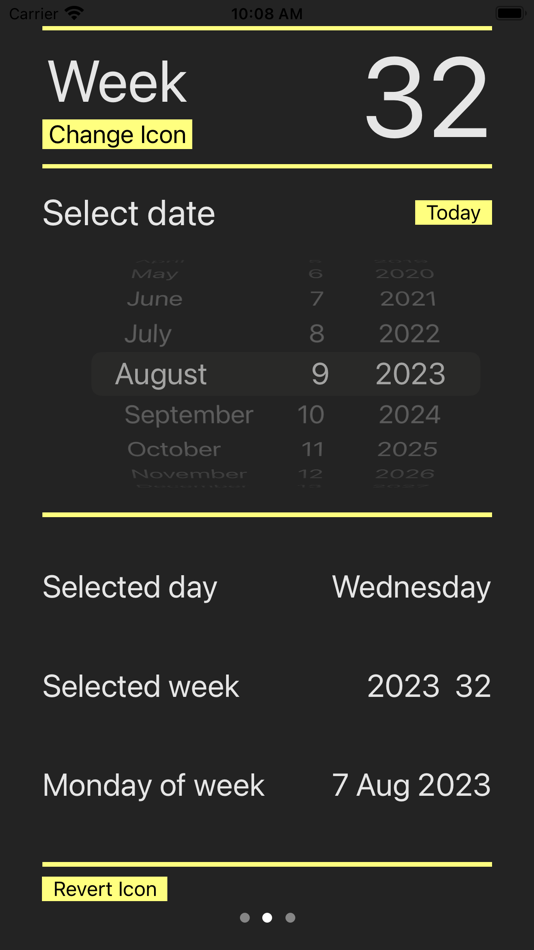
In the page shown at startup, is the Week page and shows the current date and week and user van select a different date and new week number is calculated.
The current week can be shown in the icon of the app.
The page to the right (accessible by swiping to the left) is the Planning page. This is intended for simple planning calculations. The page to the left (accessible by swiping to the right) is the Setup page.
Week page
The Week page shows on the top right the Current week number.
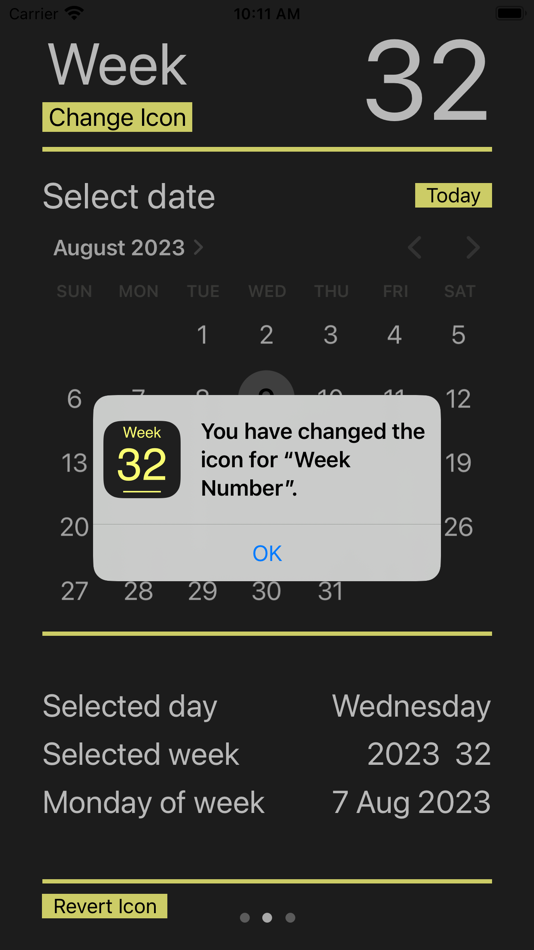
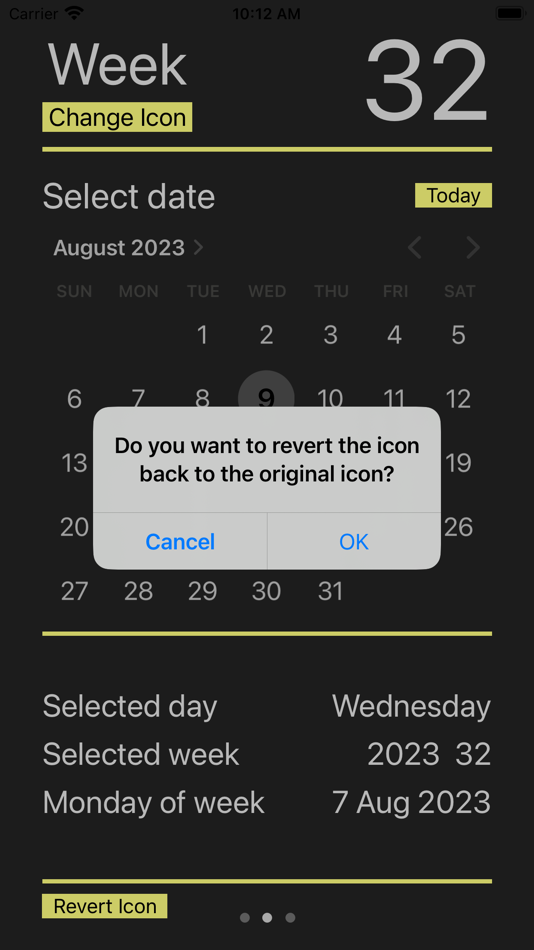
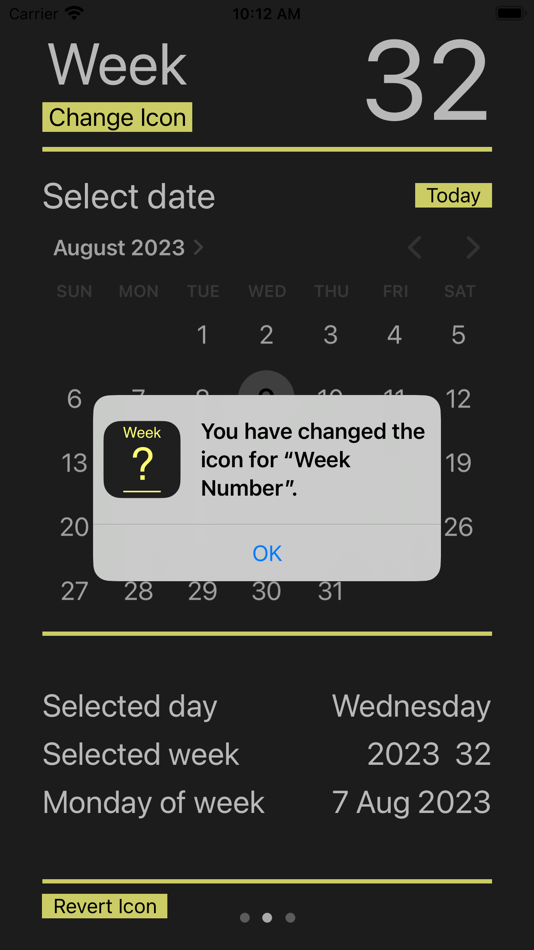
The current week can be shown in the icon of the app, this is done by a manual icon change.
Start Week Number app and press the yellow 'Change Icon' button, it show a popup with the new icon and click ok 'OK'. Then the icon of the app will show the current week number.
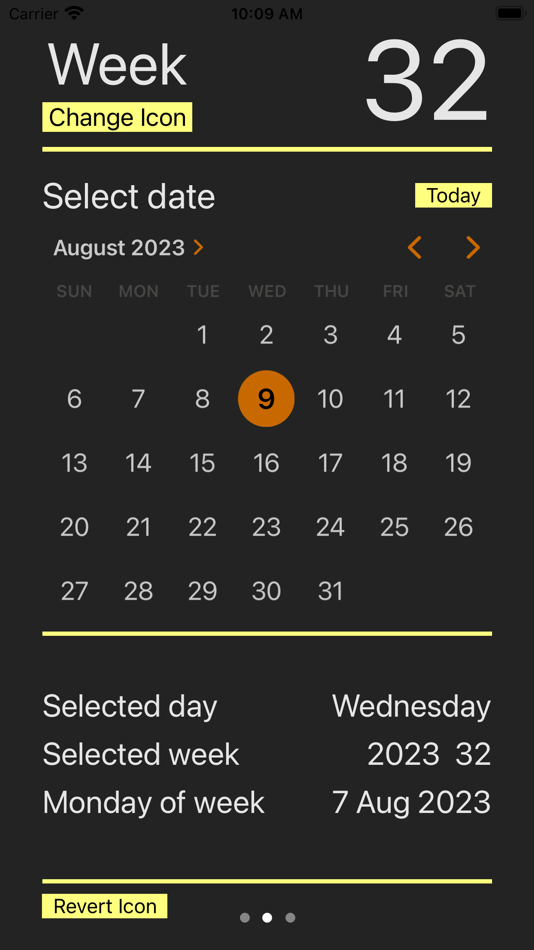
With the datepicker user can select a new dater. Select a date with the datepicker and it automatically shows the week number belonging to that date. There are two datepicker styles available, one with the wheel and one with the graphical calendar type of view. To change between them go to the Setup page.
A Today button is added to go back to current date quickly.
Planning page
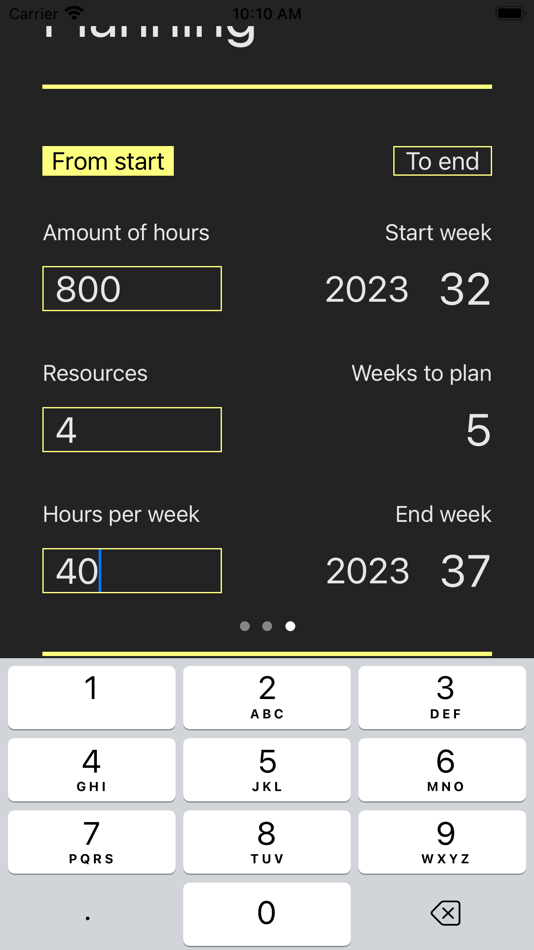
The Planning page is on the right. By swiping to the left the app will show the planning view. Here you can enter the amount of hours the project needs, the amount of persons (resources) that will work on the project and the hours per week these persons can work on the project.
The planning calculation works with the week number you have selected in the Week page. User has two to options:
- Start from the week you have previously selected, then it will calculate the end week, or
- End on the week you have previously selected, then it will calculate the start week.
The values that are entered at Amount of hours, Resources and Hours per week are stored and remain available after stopping the app. The next time the app is started the last values of these parameters are show again.
By swiping to the right one can return to the screen of Week page.
Setup page
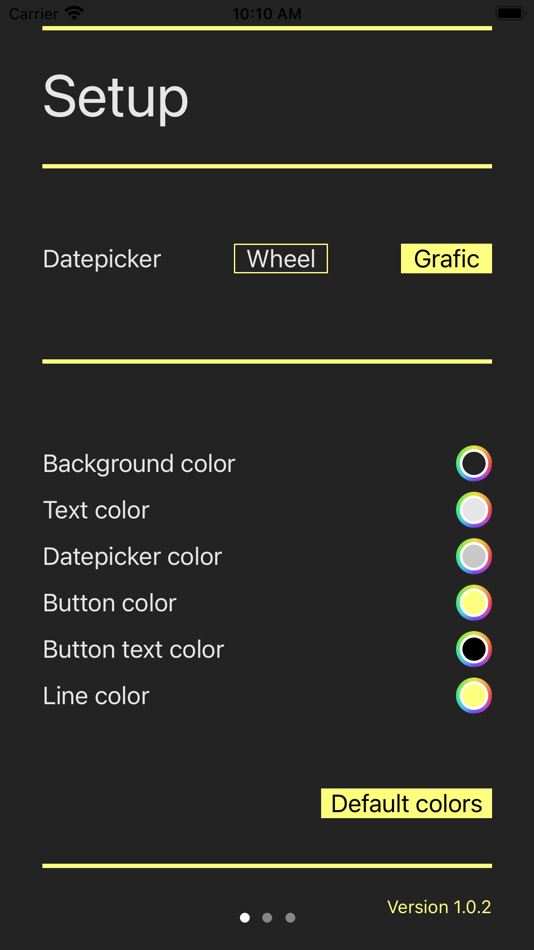
In the Setup page there are several settings that can be changed.
For the preferred type of datepicker user can make selection between a wheel or a graphical calendar type of view.
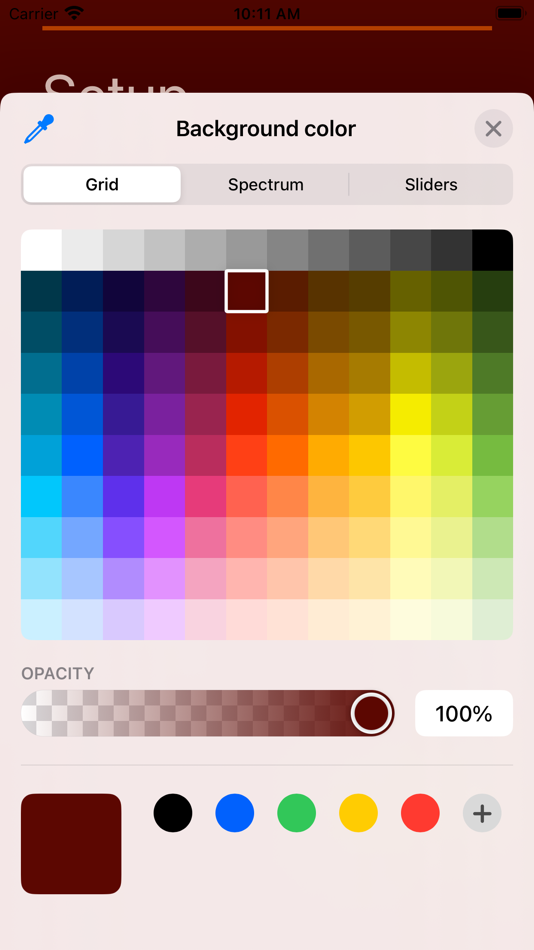
The different colors, like background, text, button and lines can be selected by user. With every color the selection can be done either with a grid containing pre defined colors, a color spectrum or with color sliders.
The colors and the type of Date picker are stored and remain available after stopping app. To store the settings user has to go back to the Week page. The next time the app is started the last values of these parameters are show again.
There is also a Defaults colors button available to restore the colors to the original setting.
Ảnh chụp màn hình
Tính năng mới
- Phiên bản: 1.0.2
- Cập nhật:
- Two types of datepicker are available, one can chose between a Wheel of a Graphical date picker. The Graphical date picker is a calendar style date picker.
A Setup page is added where you can select the Datepicker style.
In the Current week page a Today button is added. When changing the date to the future or past, with the Today button the date is set to the current date.
In the Setup page also the color can be customized to ones personal taste. When leaving the Setup page and going to the Current week page (by swiping to the left) all settings are memorized. So when closing the app and starting the app again the settings are retrieved. There is also a button Default colors added to change the colors to de original settings.
At the Planning page all the entered values are memorized. So when closing the app and starting the app again all the previously entered values are retrieved and shown.
Giá bán
- Hôm nay: $0.99
- Tối thiểu: $0.99
- Tối đa: $0.99
Theo dõi giá
Nhà phát triển
- i-Xp
- Nền tảng: iOS Ứng dụng (2)
- Danh sách: 0 + 0
- Điểm: 0 + 5 ¡
- Xếp hạng: 0
- Đánh giá: 0
- Giảm giá: 0
- Video: 0
- RSS: Đăng ký
Điểm
0 ☹️
Xếp hạng
0 ☹️
Danh sách
0 ☹️
Đánh giá
Hãy là người đầu tiên đánh giá 🌟
Thông tin bổ sung
- Phiên bản: 1.0.2
- Danh mục:
iOS Ứng dụng›Năng suất - HĐH:
iPad,iPhone,iOS 16.1 trở lên - Kích thước:
2 Mb - Ngôn ngữ được hỗ trợ:
English - Xếp hạng nội dung:
4+ - App Store Xêp hạng:
1.0(1) - Cập nhật:
- Ngày phát hành:
Week Number # URL ngắn: Đã sao chép!- 🌟 Chia sẻ
- App Store
Bạn cũng có thể thích
-
- Week Number Calendar
- iOS Ứng dụng: Năng suất Bởi: Maksim Efremov
- Miễn phí
- Danh sách: 0 + 0 Xếp hạng: 0 Đánh giá: 0
- Điểm: 0 + 0 Phiên bản: 1.0.1 Week Number Calendar - ISO 8601 Standard View week numbers for any year with this simple, clean calendar app. Perfect for business planning, project management, and international ... ⥯
-
- Week Number Pro
- iOS Ứng dụng: Năng suất Bởi: Daniel Mensch
- $0.99
- Danh sách: 0 + 0 Xếp hạng: 0 Đánh giá: 0
- Điểm: 0 + 3 (3.0) Phiên bản: 2.6 App which displays the current week number as a stylish complication on your Apple Watch. The app's search function makes it easy to find out the week number of a specific date. You ... ⥯
-
- Number Analytics
- iOS Ứng dụng: Năng suất Bởi: Number Analytics LLC
- * Miễn phí
- Danh sách: 0 + 0 Xếp hạng: 0 Đánh giá: 0
- Điểm: 0 + 3 (5.0) Phiên bản: 1.0.7 Number Analytics is a statistical software for advanced statistical tests, regression analysis, text analysis, and survival analysis. It supports multiple data formats like SPSS, ... ⥯
-
- Week Numbers - Calendar Weeks
- iOS Ứng dụng: Năng suất Bởi: Emoji Apps GmbH
- Miễn phí
- Danh sách: 0 + 0 Xếp hạng: 0 Đánh giá: 0
- Điểm: 5 + 0 Phiên bản: 1.6 This App adds calendar week numbers (week 1, week 2, ...) to the standard iPhone or iPad calendar You can choose the calendar, where the calendar week numbers should be displayed. ... ⥯
-
- Week View Calendar
- iOS Ứng dụng: Năng suất Bởi: Apptown Studio AB
- Miễn phí
- Danh sách: 0 + 0 Xếp hạng: 0 Đánh giá: 0
- Điểm: 1 + 1 (5.0) Phiên bản: 2.9 Need a calendar with a really good overview of your week? Want to get rid of unnecessary features and graphics? Prefer a clear and simple overview of your content? Then Week View ... ⥯
-
- Week Agenda Ultimate
- iOS Ứng dụng: Năng suất Bởi: Johan Burgler
- $1.99
- Danh sách: 1 + 1 Xếp hạng: 0 Đánh giá: 0
- Điểm: 10 + 2,170 (4.7) Phiên bản: 1.44 Take control of your weekly schedule and make the best use of your time. Plan your week/day efficiently with the "Week Agenda Ultimate" app - your personal weekly managing calendar. It ⥯
-
- Week Tally
- iOS Ứng dụng: Năng suất Bởi: Andrew Stelmach
- Miễn phí
- Danh sách: 0 + 0 Xếp hạng: 0 Đánh giá: 0
- Điểm: 0 + 0 Phiên bản: 1.1.0 Ever feel like you lose track of what you get done in your week? Get a daily nudge to update your running totals and see your weekly progress at a glance - no more guesswork, just ... ⥯
-
- Week Plan: Weekly Tasks, Goals
- iOS Ứng dụng: Năng suất Bởi: Wiseplan Inc
- * Miễn phí
- Danh sách: 1 + 0 Xếp hạng: 0 Đánh giá: 0
- Điểm: 7 + 375 (4.3) Phiên bản: 4.6.2 Week Plan is a Task Management app that makes entrepreneurs and teams more effective in their tasks and in achieving their goals. Rather than focusing on completing all the tasks and ... ⥯
-
- Week Calendar - Event Manager
- iOS Ứng dụng: Năng suất Bởi: Kuldeep Ghoghari
- * Miễn phí
- Danh sách: 0 + 0 Xếp hạng: 0 Đánh giá: 0
- Điểm: 0 + 0 Phiên bản: 1.0 Week Calendar - Event Manager The Ultimate Smart Planner! Stay organized and manage your schedule effortlessly with Week Calendar - Event Manager, the ultimate app for planning, ... ⥯
-
- Week 53
- iOS Ứng dụng: Năng suất Bởi: Jackson Holbrook
- Miễn phí
- Danh sách: 0 + 0 Xếp hạng: 0 Đánh giá: 0
- Điểm: 0 + 0 Phiên bản: 1.0.3 Week 53 is a fiscal calendar utility that allows you to quickly access your fiscal calendar in digital form. It supports various types of fiscal calendars (4-4-5, 4-5-4, and 5-4-4) and ⥯
-
- Number To Words & Denomination
- iOS Ứng dụng: Năng suất Bởi: 8Queens Software
- Miễn phí
- Danh sách: 0 + 0 Xếp hạng: 0 Đánh giá: 0
- Điểm: 0 + 0 Phiên bản: 1.0.9 Number To Words Converter, Words To Number Converter, Denominations for Indian Rupees, US Dollars, Euros and London Pound. ⥯
-
- Week Calendar Pro
- iOS Ứng dụng: Năng suất Bởi: Crater Tech LLC
- Miễn phí
- Danh sách: 1 + 3 Xếp hạng: 0 Đánh giá: 0
- Điểm: 24 + 60 (3.9) Phiên bản: 2.1.1 Take control of your schedule and customize your calendar views to fit your lifestyle with Week Calendar Pro. This powerful weekly planner app allows you to create unlimited ... ⥯
-
- Week Planner - Weekly Schedule
- iOS Ứng dụng: Năng suất Bởi: Andrey Russkin
- Miễn phí
- Danh sách: 1 + 0 Xếp hạng: 0 Đánh giá: 0
- Điểm: 0 + 6 (4.7) Phiên bản: 1.6.1 A sleek and user-friendly app designed to help you plan and manage your weekly schedule with ease. With Week Planner, you can track your daily activities. It features a clear and ... ⥯
-
- Week Calendar +
- iOS Ứng dụng: Năng suất Bởi: MobilePioneers
- Miễn phí
- Danh sách: 0 + 0 Xếp hạng: 0 Đánh giá: 0
- Điểm: 2 + 14 (4.4) Phiên bản: 1.1.4 With Week Calendar you swiftly swipe your way through your calendar. All you need to enter is the name and time of your event. Other default settings are easily set in the app. That s ... ⥯