
| 開發人員: | Habeeb Mohamed (4) | ||
| 價錢: | 免費 | ||
| 排名: | 0 | ||
| 評測: | 0 寫評論 | ||
| 清單: | 0 + 0 | ||
| 點數: | 0 + 0 ¡ | ||
| App Store | |||
描述

Main intention of ‘FileSnap AI’ app is to scan and store images of documents, reports, invoices etc. It is purposely built in such a way so that our valuable image files can be preserved safely as it is. E-receipts, E-invoices and screenshots of documents, reports can also be saved into the app.
Acceptable images
- Reports (Technical report, Medical report, Progress report, Incident report etc.)
- Documents (Bond documents, Legal agreements, Contract documents etc.)
- Invoices (Purchase bill, Cash receipt, Payment receipt etc.)
- E-receipts, E-reports etc.
- Handwritten notes
- Application forms
- Book pages
Features
- Simple user interface
- Easy to create new file
- Can save unlimited number of images in a file
- Camera and Photo gallery options available to import images
- Backup all files in iCloud Drive
- Data loss will be prevented
- Easy to delete and replace image in a file
- Easy to share image
- Easy to search files
- Screenshots files can be saved
- Long press to delete saved files
HOW FILESNAP AI WORKS:
TO CREATE NEW FILE
To create a new file, click the ‘+’ button on the top right corner it will show the new view called ‘Create new file’. There are two options available to take photo or getting images from gallery 1. Camera button 2. Photo gallery button. Click ‘Camera’ button to take photo using camera and focus on the object, once the photo is taken click the ‘use photo’ to save the image.
Here Artificial intelligence (AI) starts to work, In which it scans the photo and check whether the photo is belongs to acceptable images category or not. If the photo is belongs to acceptable images category, photo will be added automatically to the list and preview image will be shown else photo will be rejected to add, alert message will be pop up and preview image will not be shown. Same process will be handled when Photo gallery button is clicked. Once all the images added, enter the file name and click ‘Save’ button to save file.
VIEW SAVED FILE
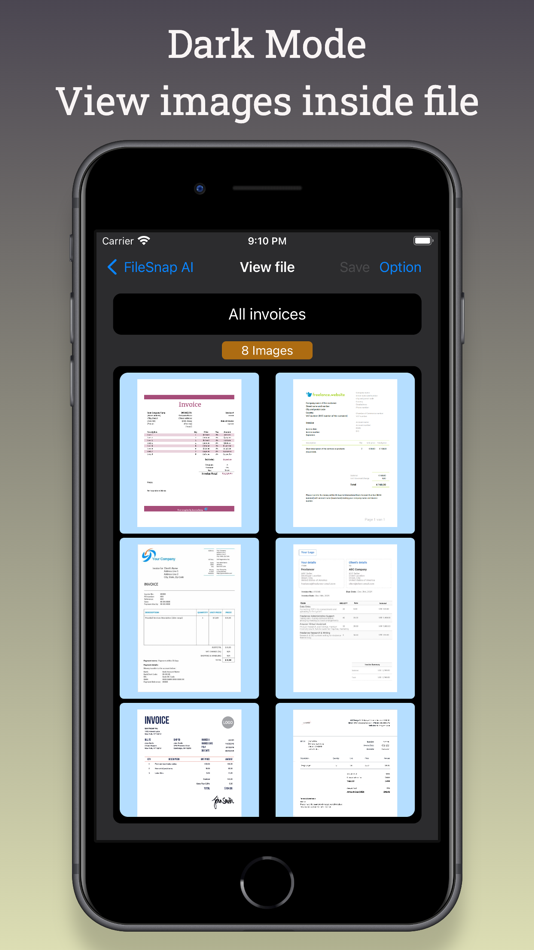
In ‘FileSnap AI’ view all the saved files will be displayed. Click on file name to view the images stored. A new view will be opened called ‘View file’ view. Here all the image files of a file will be displayed.
Add more images
In ‘View file’ view click the option button on the top right corner and select ‘Add images’. A new view will be opened called ‘Add image’ view. Click Camera or Photo gallery button to add more images.
View image
In ‘View file’ view click on the image to open a new view called ‘View image’. Here image can be viewed and also can do zoomed in and out.
Replace image
In ‘View image’ view, there is an ‘option’ button on the top right corner. Choose the options to retake photo (or) select image from photo gallery to replace image.
Delete image
In ‘View image’ view, there is an ‘option’ button on the top right corner. Choose the option ‘Delete this image’ to delete it.
RENAME FILE
In ‘View file’ view, click the option button on the top right corner and select ‘Rename file’. After done rename ‘Save’ button must be clicked.
DELETE FILE
Deleting the file is very simple. In ‘FileSnap AI’ view, do long press on the file to get an option to delete the file.
To know more about ‘FileSnap AI’ App
Please visit: https://www.hpapp.org/filesnap-ai
To know about ‘FileSnap AI’ Privacy Policy
Please visit: https://www.hpapp.org/filesnap-ai/privacy-policy
螢幕擷取畫面




價錢
- 今天: 免費
- 最小值: 免費
- 最大值: 免費
追蹤票價
開發人員
- Habeeb Mohamed
- 平台: iOS 應用程式 (4)
- 清單: 0 + 0
- 點數: 0 + 0 ¡
- 排名: 0
- 評測: 0
- 折扣: 0
- 影片: 0
- RSS: 訂閱
點數
0 ☹️
排名
0 ☹️
清單
0 ☹️
評測
成為第一個評論 🌟
其他資訊
FileSnap AI 縮短網址: 已複製!- 🌟 分享
- App Store
你可能還喜歡
-
- AI Home Inspection
- iOS 應用程式: 公用程式與工具 由: AI Home Inspection
- 免費
- 清單: 0 + 0 排名: 0 評測: 0
- 點數: 0 + 0 版本: 3.0.0 InspectAI: Decode Your Home Inspection Stop guessing. Start knowing. InspectAI uses AI to instantly analyze your home inspection photos and reports, turning confusion into clarity. Key ⥯
-
- AI CleanUpper
- iOS 應用程式: 公用程式與工具 由: AI CleanUpper
- 免費
- 清單: 0 + 0 排名: 0 評測: 0
- 點數: 1 + 42 (4.1) 版本: 1.9.5 AI CleanUpper Smart Memory Cleaner & Device Booster Description: AI CleanUpper is an innovative memory cleaning app that uses artificial intelligence to optimize and speed up your ... ⥯
-
- AI item identifier
- iOS 應用程式: 公用程式與工具 由: AI APPS SRL
- * 免費
- 清單: 0 + 0 排名: 0 評測: 0
- 點數: 2 + 185 (4.0) 版本: 1.7 AI item identifier is your smart app for finding anything. With this app, you can take a photo or pick one from your gallery and find it online. AI item identifier uses Artificial ... ⥯
-
- Ai Shortcuts - Smart Actions
- iOS 應用程式: 公用程式與工具 由: Snap Web Studios
- $4.99
- 清單: 2 + 0 排名: 0 評測: 0
- 點數: 13 + 2 (3.5) 版本: 1.0.1 Elevate your shortcuts to the next level with Ai Shortcuts! Tailored for power users, this app integrates seamlessly with a range of Large Language Model (LLM) providers, boosting your ⥯
-
- AI Plant Identifier & Care ㅤㅤ
- iOS 應用程式: 公用程式與工具 由: AI Tools AI Bots
- 免費
- 清單: 0 + 0 排名: 0 評測: 0
- 點數: 1 + 4 (4.0) 版本: 1.0.1 Meet the Best Plant Disease Identifier App Your Personal Gardening Assistant Do you love plants, are passionate about gardening, or just want to keep your plants healthy and thriving? ... ⥯
-
- AI Chat: Ask Chat AI Assistant
- iOS 應用程式: 公用程式與工具 由: AI Chat AI Assistant Ltd
- * 免費
- 清單: 0 + 0 排名: 0 評測: 0
- 點數: 0 + 9 (5.0) 版本: 1.0 Discover the future of digital assistance with AI Chat Assistant, your all-in-one app powered by AI technology Revolutionize Your Productivity - AI Chat leverages the AI API to ... ⥯
-
- Ai VisionStream
- iOS 應用程式: 公用程式與工具 由: Ai VisionStream
- 免費
- 清單: 0 + 0 排名: 0 評測: 0
- 點數: 0 + 0 版本: 1.0 Discover AI VisionStream, the next-generation cloud-based Video Management System (VMS) designed to enhance your surveillance capabilities with advanced technology and intuitive ... ⥯
-
- AI Mechanic & Assistant: FIXR
- iOS 應用程式: 公用程式與工具 由: AI App Ventures LTD
- 免費
- 清單: 0 + 0 排名: 0 評測: 0
- 點數: 0 + 1 (5.0) 版本: 1.0.1 FIXR: Your AI-Powered Car Maintenance Assistant FIXR is your intelligent companion for vehicle maintenance, repair, and diagnostics. Powered by advanced AI, FIXR helps you understand ... ⥯
-
- AI Manager
- iOS 應用程式: 公用程式與工具 由: AI Solutions Incorporated
- 免費
- 清單: 0 + 0 排名: 0 評測: 0
- 點數: 0 + 0 版本: 1.0.25 This app is for forklift drivers. an AI device will attach to the forklift, it will give a signal to this mobile app & drivers can get the idea where they have to do the work. the ... ⥯
-
- AI Sticker Maker - Funny Memes
- iOS 應用程式: 公用程式與工具 由: AI Tools Apps SRL
- 免費
- 清單: 0 + 0 排名: 0 評測: 0
- 點數: 0 + 23,954 (4.6) 版本: 3.5.1 #BRAND NEW App that leverages best in class technology to create and share ANIMATED STICKERS! - DOWNLOAD dozens of stickers packs already created; new packs are constantly updated! - ... ⥯
- 全新
- AI Car Tire Scanner
- iOS 應用程式: 公用程式與工具 由: COCONUT AI LLP
- * 免費
- 清單: 0 + 0 排名: 0 評測: 0
- 點數: 0 + 0 版本: 1.1 AI Tire Scanner helps you understand your tire condition using advanced AI image analysis. Simply take a photo of your tire and get instant insights: wear level, estimated tread depth, ⥯
- 全新
- Code Snap: AI ADA Guide
- iOS 應用程式: 公用程式與工具 由: Magnitude LLC
- * 免費
- 清單: 0 + 0 排名: 0 評測: 0
- 點數: 0 + 1 (5.0) 版本: 1.0.1 Get fast, accurate ADA accessibility guidance powered by AI explained clearly for real-world use. Whether you re an inspector, contractor, architect, designer, tradesperson, or ... ⥯
-
- Price Snap - Ai Price Estimate
- iOS 應用程式: 公用程式與工具 由: Adem Cilgin
- * 免費
- 清單: 0 + 0 排名: 0 評測: 0
- 點數: 0 + 3 (5.0) 版本: 1.3 Price Snap is your personal AI price scanner and chat assistant it estimates the real market value of any product or property instantly. Snap a photo or enter details, and our smart AI ⥯
-
- AI Cleaner Pro: Clean Storage
- iOS 應用程式: 公用程式與工具 由: HOMEX AND AI PTE. LTD.
- 免費
- 清單: 0 + 0 排名: 0 評測: 0
- 點數: 0 + 3,909 (4.5) 版本: 3.6.0 Tired of limited storage and clutter on your phone? AI Cleaner Pro is here to help! KEY FEATURES » Delete Duplicate Photo & Video » Contact Organization » Calendar Cleanup » Charging ... ⥯