
| Pengembang: | Osamu Chiba (3) | ||
| Harga: | Gratis | ||
| Peringkat: | 0 | ||
| Ulasan: | 0 Menulis review | ||
| Daftar: | 0 + 0 | ||
| Poin: | 0 + 0 ¡ | ||
| Mac App Store | |||
Deskripsi

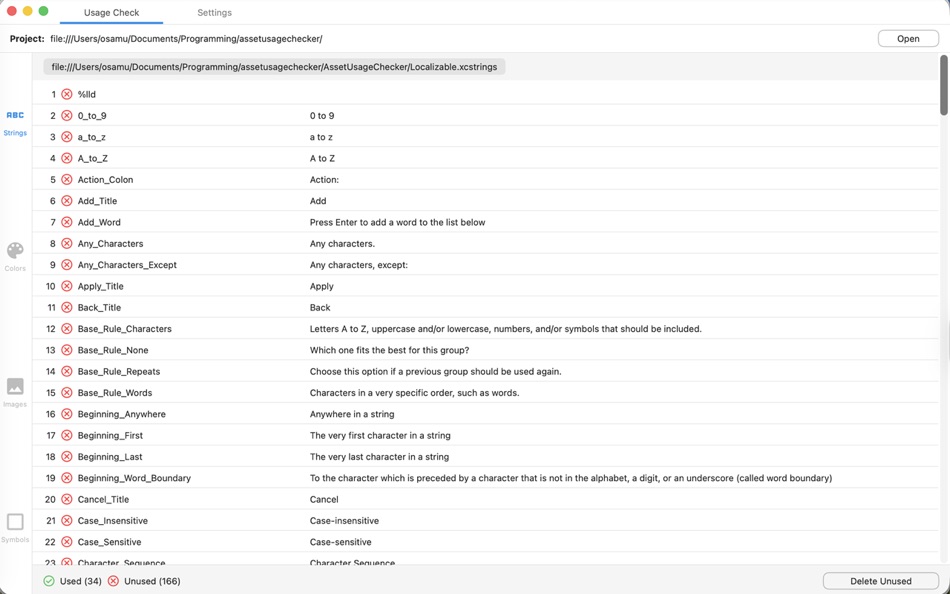
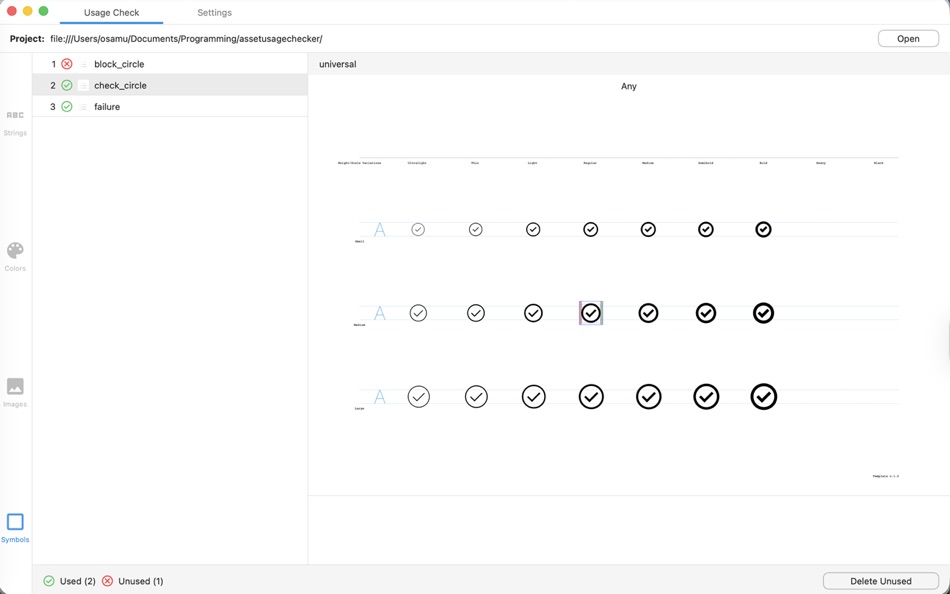
1) Please select the top-level folder of your Xcode project. The app will look for the project.pbxproj, .xcstrings, and .xcassets files to construct a list of each asset type.
2) The app looks for "assetName" only in .swift files. For the best results, ensure each asset name is unique within your Xcode project.
3) If an asset name is changed from snake_case to camelCase, for example, this app will not be able to detect that yet.
4) Swift files that are not part of the project (but exist in the project folder) will be ignored.
5) .strings is NOT supported. Only .xcstrings.
6) Ignored files:
- AccentColor.colorset
- InfoPlist.xcstrings
7) Suggestions? Please email to opixapps@gmail.com.
Ad
Jepretan layar


Yang Baru
- Versi: 1.4.0
- Diperbarui:
- The camelCase option in .xcstrings is now supported. i.e. Text(.someString).
Harga
- Hari ini: Gratis
- Minimal: Gratis
- Maksimum: Gratis
Pantau harga
Pengembang
- Osamu Chiba
- Platform: iOS Aplikasi (1) macOS Aplikasi (2)
- Daftar: 0 + 2
- Poin: 6 + 0 ¡
- Peringkat: 0
- Ulasan: 0
- Diskon: 0
- Video: 0
- RSS: Berlangganan
Poin
0 ☹️
Peringkat
0 ☹️
Daftar
0 ☹️
- AssetUsageChecker
Ulasan
Jadilah yang pertama mengulas 🌟
Info tambahan
- Versi: 1.4.0
- Kategori:
macOS Aplikasi›Alat - OS:
macOS,macOS 14.6 dan yang lebih tinggi - Ukuran:
2 Mb - Bahasa yang didukung:
English - Rating Konten:
4+ - Mac App Store Peringkat:
0 - Diperbarui:
- Tanggal rilis:
AssetUsageChecker URL singkat: Disalin!- 🌟 Bagikan
- Mac App Store
Anda mungkin juga suka
-
- Asset Catalog Creator
- macOS Aplikasi: Alat Oleh: BRIDGETECH SOLUTIONS LIMITED
- * Gratis
- Daftar: 2 + 1 Peringkat: 0 Ulasan: 0
- Poin: 0 + 0 Versi: 3.13 Asset Catalog Creator takes any image & turns it into a complete & ready-to-use app icon. It supports every type of icon you'll ever need for any of Apple's platforms; iOS, iPadOS, ... ⥯
-
- Asset Tools
- macOS Aplikasi: Alat Oleh: Suayip Tavus
- Gratis
- Daftar: 0 + 0 Peringkat: 0 Ulasan: 0
- Poin: 0 + 0 Versi: 1.0 Asset tools takes any image and creates a full set of icons, ios icons or pretty much any other type of image that you ll need to make an app on any of Apple and Android platforms. ... ⥯
-
- Asset Exporter
- macOS Aplikasi: Alat Oleh: Aryaman Sharda
- Gratis
- Daftar: 0 + 1 Peringkat: 0 Ulasan: 0
- Poin: 5 + 0 Versi: 1.0 Introducing the ultimate tool for macOS and iOS developers looking to streamline their workflow and simplify the process of creating app assets. Our app allows you to easily generate ... ⥯
-
- Asset Resizer for Android Devs
- macOS Aplikasi: Alat Oleh: Armchair Engineering
- $2.99
- Daftar: 0 + 0 Peringkat: 0 Ulasan: 0
- Poin: 0 + 0 Versi: 1.2.3 Easily resize your Android image assets! Asset Resizer quickly scales your Android app artwork to the targeted resolution sizes (ldpi, tvdpi, mdpi, hdpi, xhdpi, xxhdpi, xxxhpi). To ... ⥯
-
- Usage Battery for Cluade Code
- macOS Aplikasi: Alat Oleh: Kseniia Ramm
- $0.99
- Daftar: 0 + 0 Peringkat: 0 Ulasan: 0
- Poin: 0 + 0 Versi: 2.1 Claude Usage Battery is a macOS menu bar app that tracks your Anthropic Claude Code usage limits in real time. It securely reads credentials from the macOS Keychain and displays usage ... ⥯
-
- Asset Generator
- macOS Aplikasi: Alat Oleh: hyeonsu jeong
- * Gratis
- Daftar: 0 + 0 Peringkat: 0 Ulasan: 0
- Poin: 0 + 0 Versi: 1.0.0 Image Generator: Game Item Design Create your unique game items quickly and easily! Key Features: AI-powered image generation: Create high-quality item images in various styles from ... ⥯
-
- Iconic Asset Studio
- macOS Aplikasi: Alat Oleh: Anton Belousov
- $0.99
- Daftar: 0 + 1 Peringkat: 0 Ulasan: 0
- Poin: 2 + 0 Versi: 1.0.1 Iconic Asset Studio turns a single image into a complete, ready-to-use app icon set for your apps. Stop manually exporting dozens of sizes and focus on building your product instead. ... ⥯
-
- Icon Maker (Asset Catalog for App Store Icons) for Mac OS X
- macOS Aplikasi: Alat Oleh: Nirmala T V
- Gratis
- Daftar: 1 + 0 Peringkat: 0 Ulasan: 0
- Poin: 0 + 0 Versi: 1.5 Easy way to resize iOS, OS X, Android, Watch App icons and Asset Catalogs in just two clicks. Features: - iOS & Android App Icons - OS X App - Watch App - Custom size Icons Drag and ... ⥯
-
- Editor Usage for Cursor AI
- macOS Aplikasi: Alat Oleh: Inside Internet
- $3.99
- Daftar: 0 + 0 Peringkat: 0 Ulasan: 0
- Poin: 0 + 0 Versi: 1.3.2 Effortlessly track your Cursor AI editor usage with our powerful menubar app, designed to keep you informed and in control of your requests. Whether you re a heavy user or just want to ⥯
-
- CPU Usage Monitor - Top Bar
- macOS Aplikasi: Alat Oleh: Pawel Brewczynski
- $0.99
- Daftar: 0 + 0 Peringkat: 0 Ulasan: 0
- Poin: 0 + 0 Versi: 1.2 Simple CPU Usage monitor place in the top bar of your system ⥯
-
- Comment Spell Checker
- macOS Aplikasi: Alat Oleh: Velislava Yanchina
- Gratis
- Daftar: 0 + 0 Peringkat: 0 Ulasan: 0
- Poin: 0 + 0 Versi: 1.0 An Xcode Source Editor extension that runs spell check and auto correct on your code comments. ## Features - Supports mutliple comments styles (eg. `//`, `///`, `/*...*/`, `/**...*/`) ... ⥯
-
- MetaPeek - Open Graph Checker
- macOS Aplikasi: Alat Oleh: Dor Pascal
- $0.99
- Daftar: 0 + 0 Peringkat: 0 Ulasan: 0
- Poin: 0 + 0 Versi: 1.4 MetaPeek is your essential Safari companion for validating Open Graph meta tags and inspecting webpage source code. Perfect for developers, marketers, and content creators who need to ... ⥯
-
- Chopping Block - Asset Creator
- macOS Aplikasi: Alat Oleh: Jonathan Gillman
- $0.99
- Daftar: 0 + 2 Peringkat: 0 Ulasan: 0
- Poin: 5 + 0 Versi: 1.11 Speed up your development workflow with Chopping Block the fastest way to generate perfectly sized app icons. Just drag and drop your artwork, and Chopping Block instantly resizes your ⥯
-
- GenIcon: Asset Resizer
- macOS Aplikasi: Alat Oleh: Logan Voss
- * Gratis
- Daftar: 0 + 1 Peringkat: 0 Ulasan: 0
- Poin: 1 + 0 Versi: 1.2 GenIcon makes it easy to produce icon assets for iOS, macOS, and watchOS. Simply drag and drop your 1024x1024 icon into the drop zone, select the platform you're building for, and ... ⥯