
書籤
為此書籤設定標題。
書籤已儲存
首頁專屬動態 ¡
為「最新與更新」選擇平台,首頁就只會顯示你需要的 App 和遊戲。
螢幕擷取畫面 10


廣告
描述

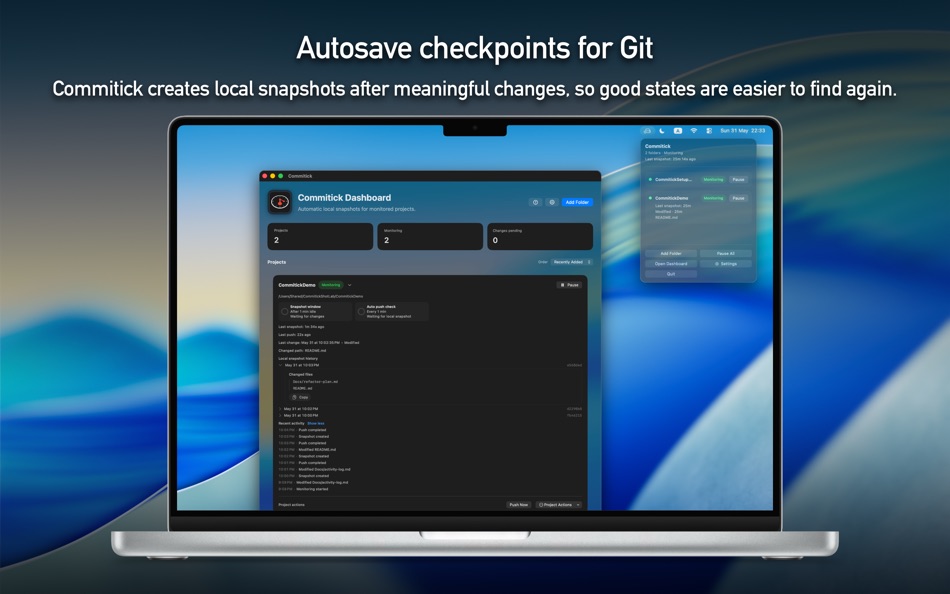
When you are experimenting, refactoring, debugging, or getting ready for a demo, it is easy to forget to make a clean checkpoint before the next risky change. Commitick watches selected folders on your Mac and creates local snapshot history in the background, so good states stay easier to find again.
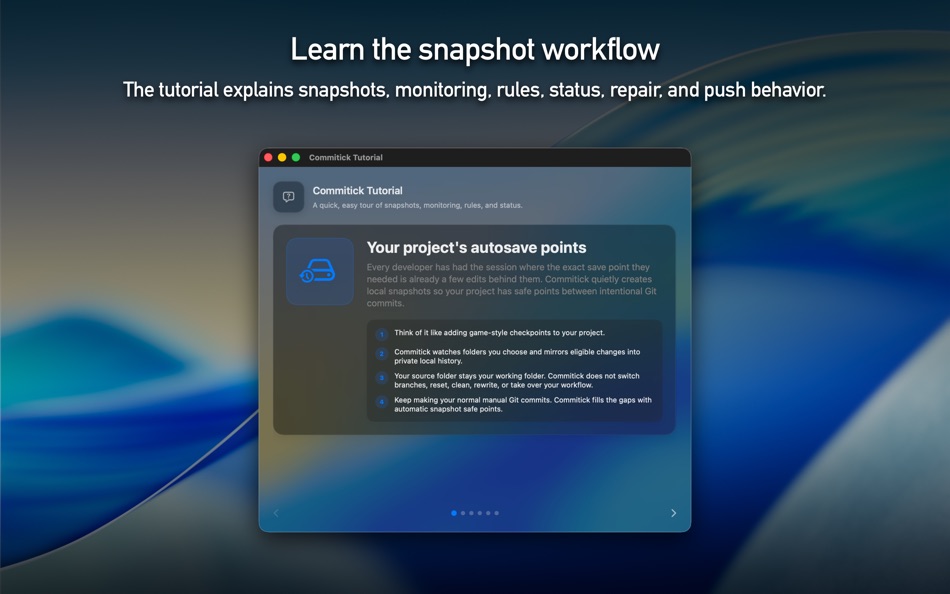
Think of it as a quiet safety net for active Mac projects: local first, low-noise, and designed not to take over your normal Git workflow.
◼ How to use
• Add a folder
Open Commitick
Choose Add Folder
Select the project folder you want Commitick to monitor
Review folder access, repository status, local history, and rules
Click Start Monitoring
• Keep working normally
Edit your project in your usual apps, editor, or terminal
Commitick watches for meaningful file changes
After the folder is quiet, Commitick creates a local snapshot
The dashboard shows monitoring status, recent activity, last snapshot, and push status
• Use manual controls when needed
Click Snapshot Now to create a safe point immediately
Click Push Now when snapshot history is ready to push
Pause or resume monitoring for a project at any time
Re-authorize folder access if macOS asks for permission again
• Adjust rules
Set snapshot delay and automatic push cadence
Review built-in ignores for common noisy folders
Use your source .gitignore rules where available
Add your own ignore rules for files or folders that should not be monitored
◼ Highlights
• Automatic local snapshots for monitored Mac project folders
• Dashboard for project status, recent activity, and snapshot health
• Snapshot Now for immediate safe points
• Push Now for user-triggered remote updates
• Pause and Resume controls for each monitored project
• Rules for snapshot timing, push cadence, and ignore patterns
• Access repair flow when a folder permission needs review
• Local-first behavior that keeps protection running even when push is not available
• In-app language selection with Follow System, English, Korean, Japanese, German, French, Spanish, Simplified Chinese, Traditional Chinese, Brazilian Portuguese, and Italian
◼ Safe by design
Commitick is designed to protect project history without surprising your working folder.
It does not switch your active branch behind your back.
It does not rewrite your source working tree as part of normal monitoring.
It keeps source-folder work separate from Commitick-managed snapshot history.
Commitick does not upload source files or diffs to Commitick-operated services. If you choose to push, snapshot history goes to the Git remote you configure.
◼ Official website
Product information, support, privacy details, and terms are available here:
https://hazybyte.studio/commitick/
Terms of Use:
https://hazybyte.studio/commitick/terms-of-use/
來自開發者 ¡
你是開發者嗎?
你的動態顯示在頁面頂部,並透過電子郵件寄給追蹤者
其他平台 0
| CommitickMac App Store1K 黃金macOS | $14.99最小值: $9.99 |
目前僅在此商店提供。
價格紀錄 2
- 目前價格: $14.99
- 最小值: $9.99
- 最大值: $14.99
清單 0
-
 Commitick
點數 0
-

- +1 點

排名 0
-
- 您的評分
留言 0 ¡
搶先留下第一則留言
開發者 9
新功能
- 版本: 1.0
- 最後更新:
其他資訊
 https://hazybyte.studio/commitick/
AppAgg 評分
1,170
AppAgg 預估評分:
Commitick
開發者: Iri You
1,170 黃金
評分越高,通常代表其在 AppAgg 上的各項指標表現越好。
基於: 人氣 · 使用者評分 · 新鮮度 · 優惠 · 商店資料 · 社群活躍度
根據最新 AppAgg 資料每日重新計算。
網站徽章:  已複製!
摘要
Commitick 短網址: 已複製!- Mac App Store
在 AppAgg 上,您可以追蹤由 Iri You 開發的「Commitick」應用程式。適用平台:macOS;分類:開發者工具。 AppAgg 評分:1,170(黃金)。 AppAgg 為此應用程式記錄的點數:已確認 0,間接 0。 收錄此應用程式的公開清單:0 個。將其儲存至私人清單的使用者:0 人。 AppAgg 使用者尚未對此應用程式評分。 已確認點數記錄已登入 AppAgg 的使用者前往商店的操作,間接點數則以商店資料為依據。 兩個計數分別表示公開清單數量,以及將應用程式或遊戲存入私人清單的使用者人數。 此應用程式首次發布於。 此應用程式最近更新於。 此應用程式目前售價為$14.99。 此應用程式的最低價格為$9.99 (),最高價格為$14.99 ()。 此應用程式支援以下語言:中文, 德文, 日文, 法文, 義大利文, 英文, 葡萄牙文, 西班牙文, 韓文。 查看價格紀錄、將應用程式加入清單,或追蹤開發者。 透過RSS 訂閱來源追蹤此應用程式日後的優惠和更新。 AppAgg 不代管或散布此應用程式。 與此應用程式相關的所有商標、標誌和螢幕截圖均屬於其各自的所有者。

