
| デベロッパー: | Lovre Crncevic (1) | ||
| 価格: | * フリー | ||
| ランキング: | 0 | ||
| レビュー: | 0 レビューを書く | ||
| リスト: | 0 + 0 | ||
| ポイント: | 0 + 0 ¡ | ||
| Mac App Store | |||
説明

MARKDOWN PREVIEW
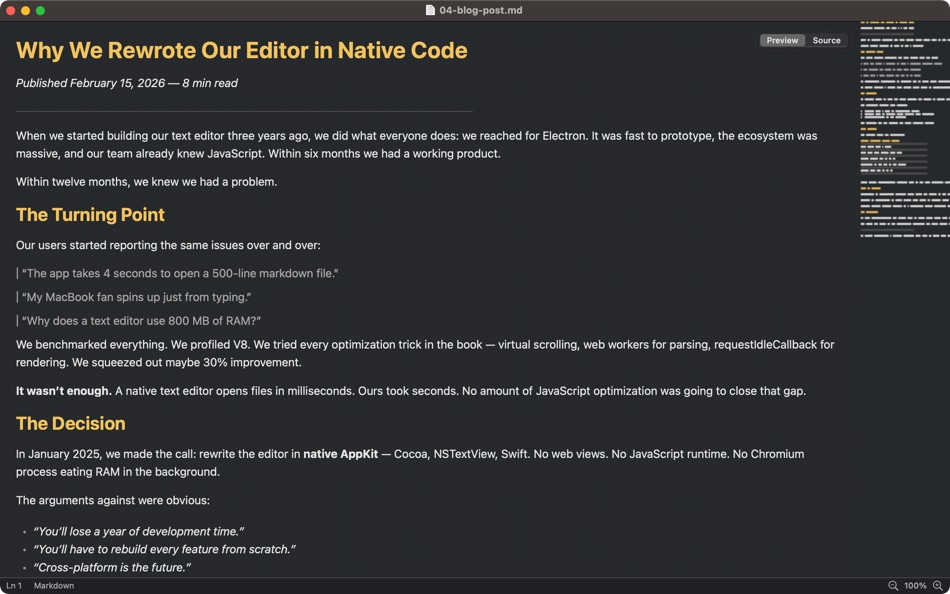
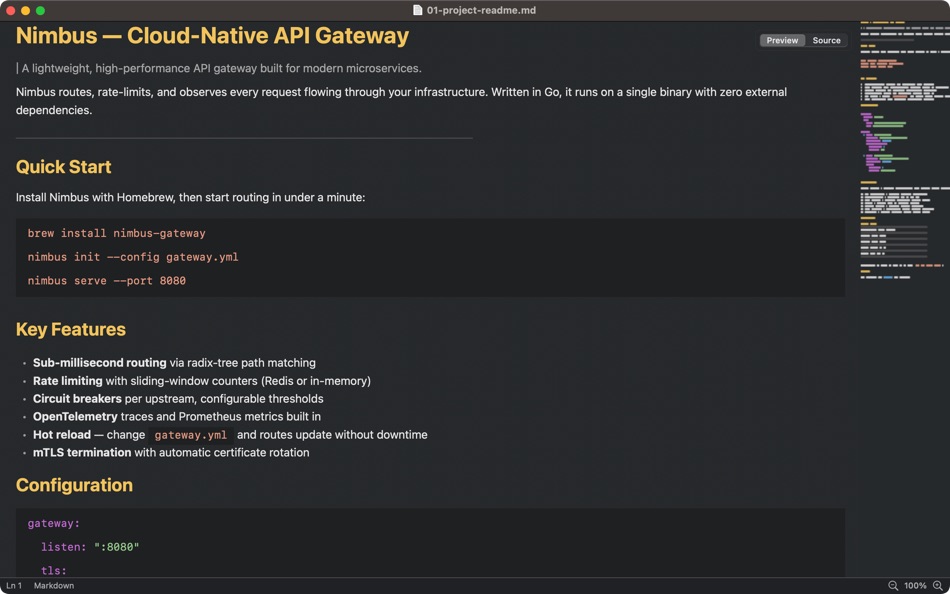
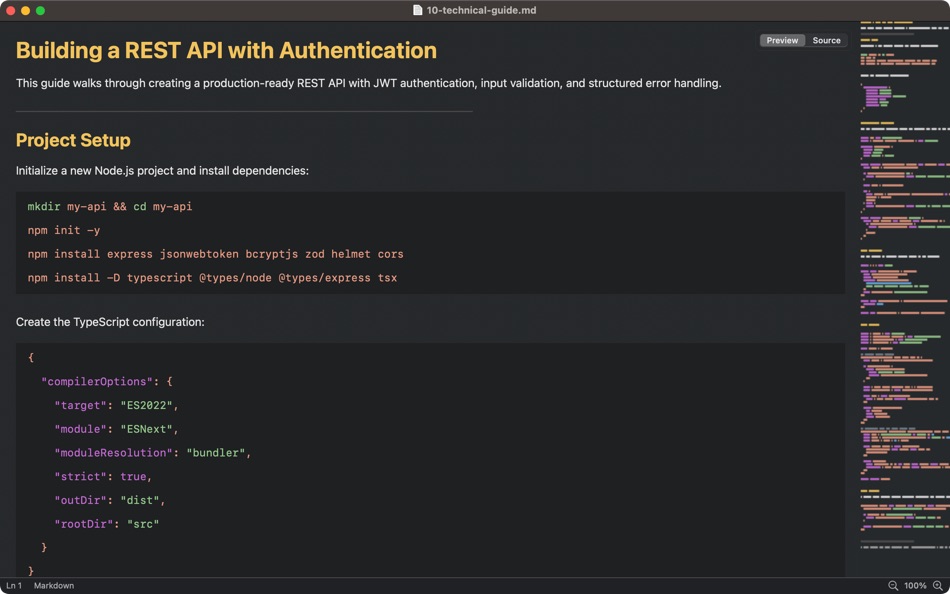
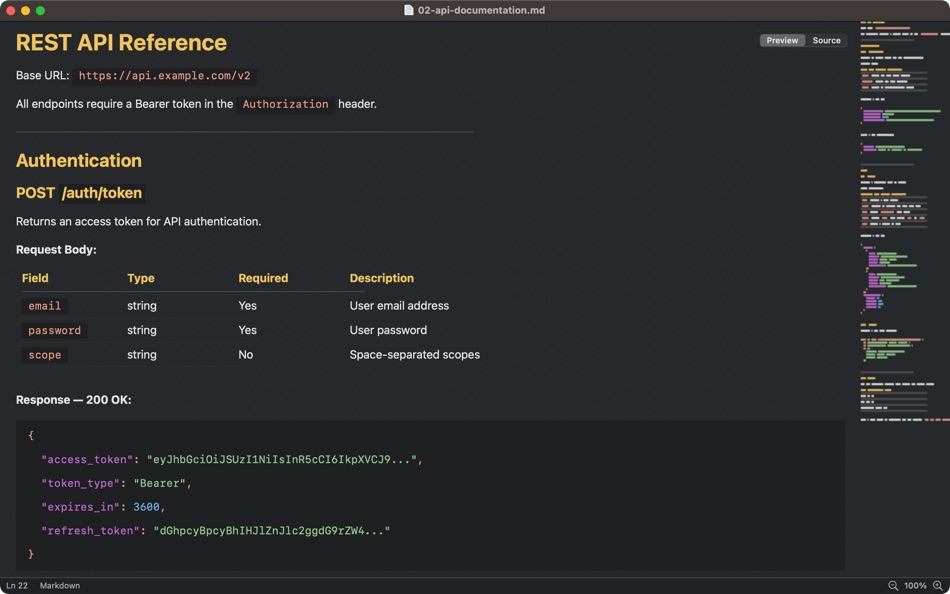
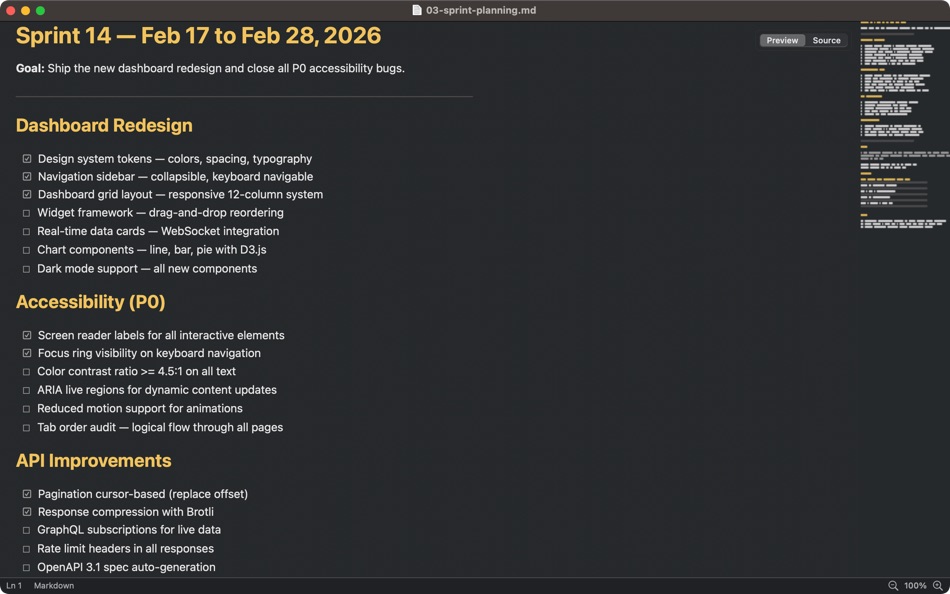
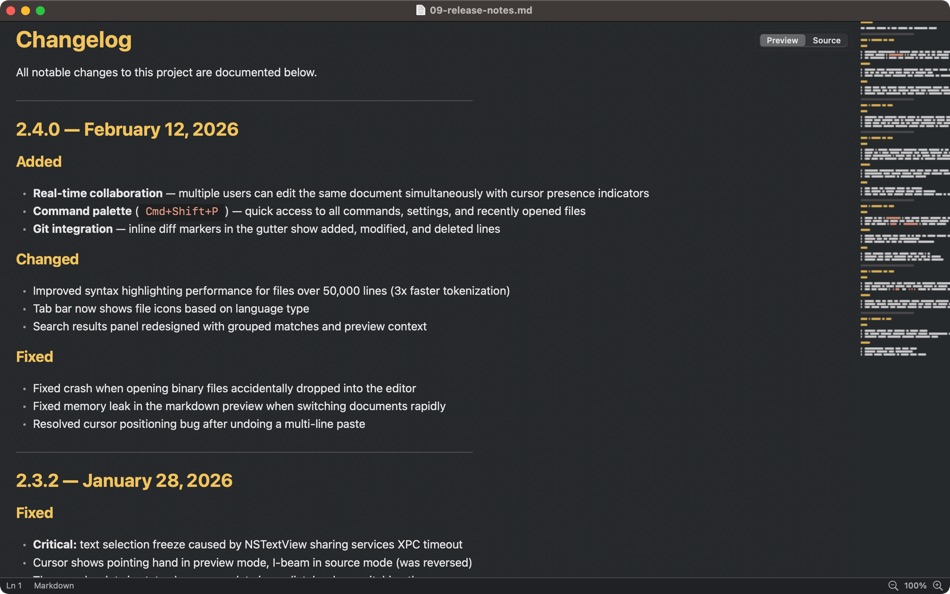
Open any markdown file and see it rendered instantly with styled headings, formatted code blocks, clickable links, tables, task lists with checkboxes, blockquotes, and footnotes. Full support for CommonMark and GitHub Flavored Markdown (GFM).
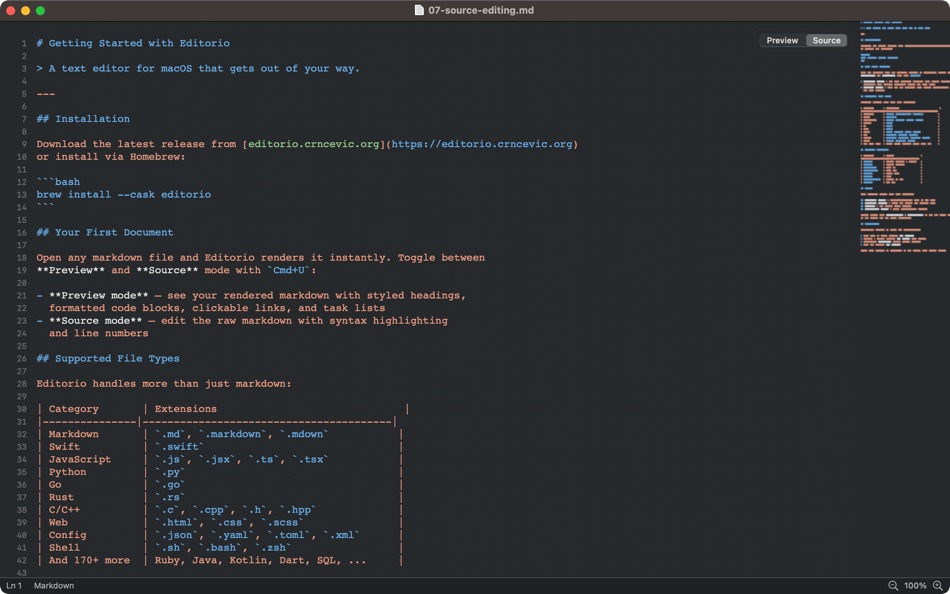
Toggle between Preview and Source mode with Cmd+U. Preview shows your rendered document. Source shows the raw markdown with syntax highlighting and line numbers. The switch takes less than 16 milliseconds — one frame.
SYNTAX HIGHLIGHTING FOR 180+ LANGUAGES
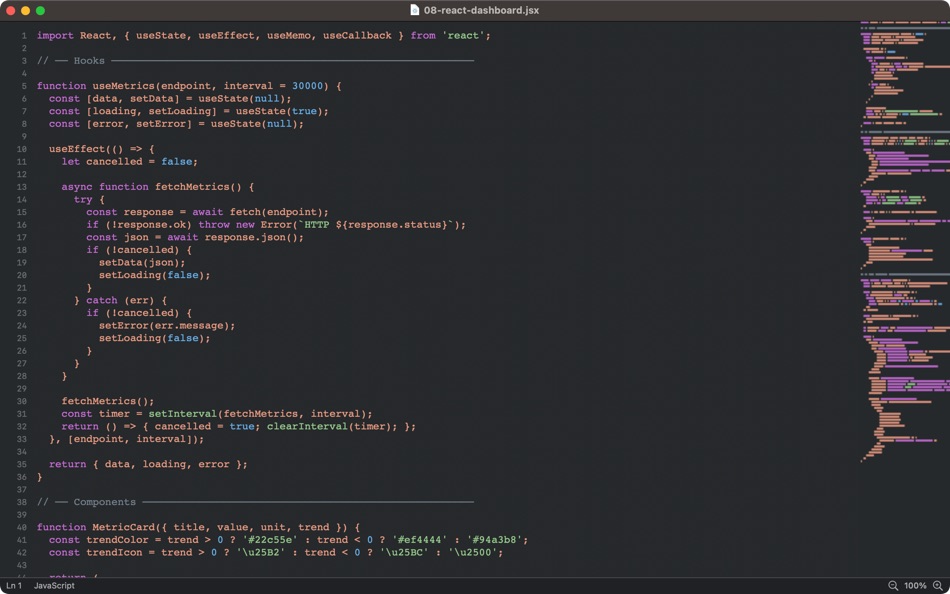
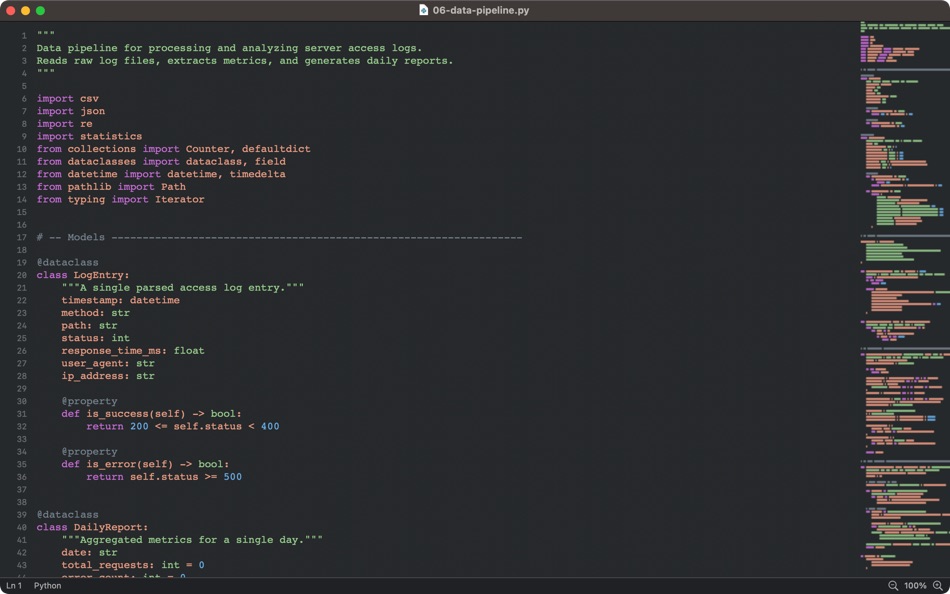
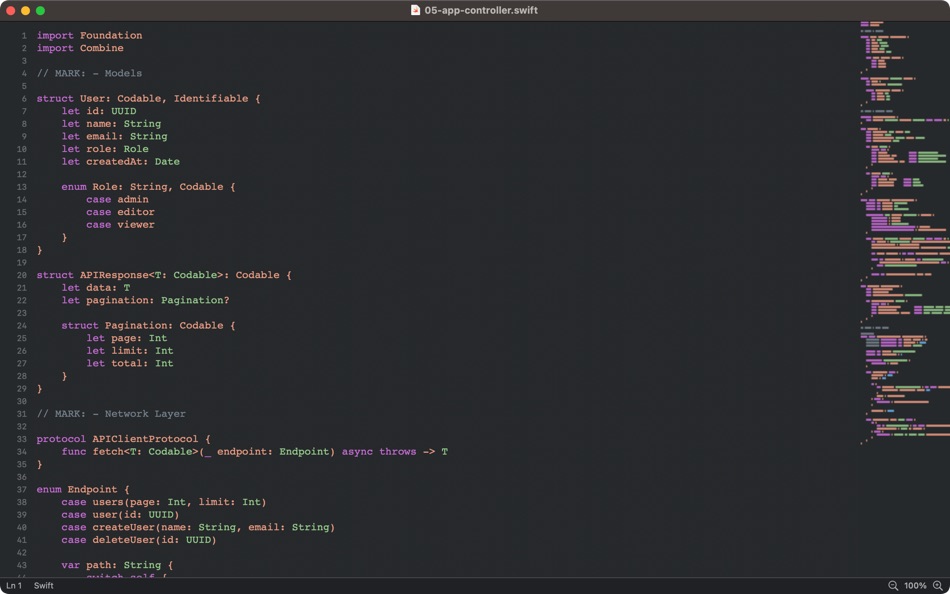
Editorio highlights Swift, Python, JavaScript, TypeScript, Go, Rust, C, C++, Java, Kotlin, Ruby, PHP, HTML, CSS, SQL, Bash, YAML, JSON, and over 170 more languages. Open any source file and the correct grammar is detected automatically.
BUILT FOR SPEED
Files open in under 100 milliseconds. Scrolling runs at 60 frames per second with native scroll physics — no frame drops. The app launches in under 500 milliseconds. Memory usage stays around 35 MB. These aren't marketing numbers. This is what happens when an editor is built with native frameworks instead of a web browser.
THEMES
Four built-in themes: Default Dark (Monokai-inspired), Default Light (Sublime-inspired), Nord (Arctic palette), and Solarized Dark. Switch themes instantly from the status bar or from Preferences. Editorio can also follow your system appearance and switch between light and dark automatically.
MINIMAP
A Sublime Text-style scrollable minimap on the right side of the editor gives you a bird's-eye view of your document. Click or drag to navigate anywhere instantly. Toggle it with Cmd+M.
DETAILS THAT MATTER
• Native macOS tabs — open multiple files in one window with Cmd+T
• Window state persistence — size, position, and zoom level are remembered
• Export to PDF with Shift+Cmd+E
• Print support with proper page breaks
• Full-screen mode
• Zoom in/out with Cmd+Plus/Minus
• Line numbers in source mode
• Status bar showing language, word count, encoding, and editing mode
• File type associations — double-click .md files to open in Editorio
SUPPORTED FILE TYPES
Markdown (.md, .markdown, .mdown), Swift, Python, JavaScript, TypeScript, Go, Rust, C/C++, Java, Kotlin, Ruby, PHP, HTML, CSS, SCSS, JSON, YAML, TOML, XML, SQL, Shell scripts, and plain text files (.txt, .log, .conf, .ini, .env).
COMPLETELY FREE
Editorio is free with no trial, no feature gates, and no time limits. Every feature works from day one. An optional one-time purchase removes a small label at the bottom of the window and supports continued development. No subscriptions.
Ad
スクリーンショット
新機能
- バージョン: 1.0
- アップデート:
価格
-
* アプリ内購入あり - 今日: フリー
- 最小値: フリー
- 最大: フリー
料金のチェック
デベロッパー
- Lovre Crncevic
- プラットフォーム: macOS アプリ (1)
- リスト: 0 + 0
- ポイント: 0 + 0 ¡
- ランキング: 0
- レビュー: 0
- 割引: 0
- 動画: 0
- RSS: 購読する
ポイント
0 ☹️
ランキング
0 ☹️
リスト
0 ☹️
- Editorio
レビュー
最初のクチコミを書こう 🌟
情報
Editorio 短縮 URL: コピーしました!- 🌟 シェア
- Mac App Store
あなたも好きかも
-
- Sitemap Plus
- macOS アプリ: 開発ツール 作者: OurBigAdventure, LLC
- フリー
- リスト: 1 + 1 ランキング: 0 レビュー: 0
- ポイント: 26 + 0 バージョン: 2.2.3 Sitemap Plus is designed for web developers, to build a list of pages on their sites, the server status at the time of the crawl and the download time for each page. Sitemap Plus also ... ⥯
-
- DevTools - Smarter coding
- macOS アプリ: 開発ツール 作者: Anh Nguyen
- * フリー
- リスト: 2 + 3 ランキング: 0 レビュー: 0
- ポイント: 22 + 0 バージョン: 1.2.3 DevTools is an all-in-one offline application that provides developers with essential tools for daily tasks and ensures data security. The app has been trusted by over 15,000 ... ⥯
-
- Klipped
- macOS アプリ: 開発ツール 作者: Andrew Drake
- フリー
- リスト: 0 + 2 ランキング: 0 レビュー: 0
- ポイント: 19 + 0 バージョン: 3.0.2 Beauty in simplicity. Klipped is a minimalist scratch pad that is a buddy for all your other apps. Write ideas down. Paste text and use as a clipboard; delete when you re done. No ... ⥯
-
- 18 Strings
- macOS アプリ: 開発ツール 作者: Remote Sunrise LTD
- フリー
- リスト: 0 + 1 ランキング: 0 レビュー: 0
- ポイント: 17 + 0 バージョン: 2022.6 Hate doing localization for your project? Now you can hate it a little less: Save tons of money by doing automatic translation using strings from your other projects you have already ... ⥯
-
- SnippetsLab
- macOS アプリ: 開発ツール 作者: Renfei Song
- フリー
- リスト: 6 + 8 ランキング: 5 (1) レビュー: 0
- ポイント: 13 + 0 バージョン: 2.6.4 Mac App Store Best of 2015 Featured in App Store editorial All Your Code, Brilliantly Organized , Keep Your Code at Your Fingertips and Welcome to the Mac App Store! Featured app in ... ⥯
-
- Anycode: Code Snippet to Image
- macOS アプリ: 開発ツール 作者: 宏旭 朱
- フリー
- リスト: 0 + 2 ランキング: 0 レビュー: 0
- ポイント: 10 + 0 バージョン: 0.7.0 Anycode is a document-based app that helps you manage your code snippets. - Supports syntax highlighting for Bash, C, C++, C#, Clojure, Dart, Go, Java, JavaScript, JSON, Kotlin, ... ⥯
-
- Network Debugger
- macOS アプリ: 開発ツール 作者: 志健 袁
- * フリー
- リスト: 0 + 1 ランキング: 0 レビュー: 0
- ポイント: 10 + 0 バージョン: 1.2.0 Professional network debugging tool for macOS Network Debugger helps developers and testers quickly build TCP and UDP connections, send and inspect messages, and automate repetitive ... ⥯
-
- Eplist - convert data to plist
- macOS アプリ: 開発ツール 作者: HuMinghua
- * フリー
- リスト: 1 + 2 ランキング: 0 レビュー: 0
- ポイント: 10 + 0 バージョン: 2.0.1 Eplist for Excel is a lightweight conversion tool to help developers to improve development efficiency. You can convert your datas or configuration from excel(.xls and .xlsx) document ... ⥯
-
- LocalizApp: Translate your app
- macOS アプリ: 開発ツール 作者: Dimitri Giani
- * フリー
- リスト: 0 + 3 ランキング: 0 レビュー: 0
- ポイント: 9 + 0 バージョン: 3.1 Make app localization effortless with LocalizApp. Harness the power of AI and smart translation tools to transform your development workflow. Key features: AI-Powered Translation with ... ⥯
-
- KeyPad - Keyboard and Remote
- macOS アプリ: 開発ツール 作者: Toolbunch LLC
- * フリー
- リスト: 0 + 0 ランキング: 0 レビュー: 0
- ポイント: 9 + 0 バージョン: 1.99.15 Use your Mac keyboard to control all your devices. From smartphones and tablets to TVs and even the raspberry pi, KeyPad turns your Mac into a powerful universal Bluetooth keyboard, ... ⥯
-
- RocketSim for Xcode Simulator
- macOS アプリ: 開発ツール 作者: SwiftLee
- * フリー
- リスト: 1 + 3 ランキング: 0 レビュー: 0
- ポイント: 9 + 0 バージョン: 14.5.0 Join thousands of iOS developers who build, test, and debug apps up to 2x faster with RocketSim. Supercharge your Xcode Simulator with 30+ powerful tools designed to boost ... ⥯
-
- FrameBuddy - Screenshot Frames
- macOS アプリ: 開発ツール 作者: Florian Schweizer
- フリー
- リスト: 0 + 4 ランキング: 0 レビュー: 0
- ポイント: 9 + 0 バージョン: 1.3 Quickly add a device frame to your screenshots. FrameBuddy is a super simple utility that automatically adds iPhone frames to your (Simulator) screenshots. Iphone icon created by ... ⥯
-
- Application Localizer
- macOS アプリ: 開発ツール 作者: Serhii Tal
- フリー
- リスト: 0 + 1 ランキング: 0 レビュー: 0
- ポイント: 9 + 0 バージョン: 2.0.1 What this app does? It's a powerful tool for macOS designed to help developers easily localize their apps. So you can translate your SwiftUI app's text strings into any language using ... ⥯