
Kaydedilenler
Kaydedilenler menünüzde görünecek adı seçin.
Tamamlandı!
| Geliştirici: | Lovre Crncevic (1) | ||
| Fiyat: | Ücretsiz | ||
| Değerlendirme: | 1,400 Altın | ||
| Sıralamalar: | 0 | ||
| Yorumlar: | 0 Yorum gönderin | ||
| Listeler: | 0 + 0 | ||
| Puanlar: | 1 + 0 ¡ | ||
| +1 Puanlar | |||
Açıklama

MARKDOWN PREVIEW
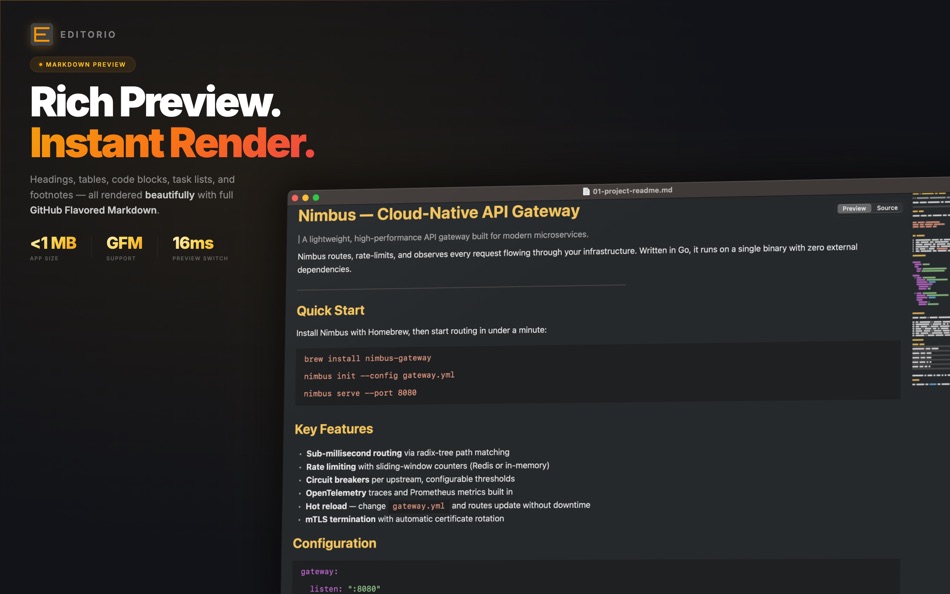
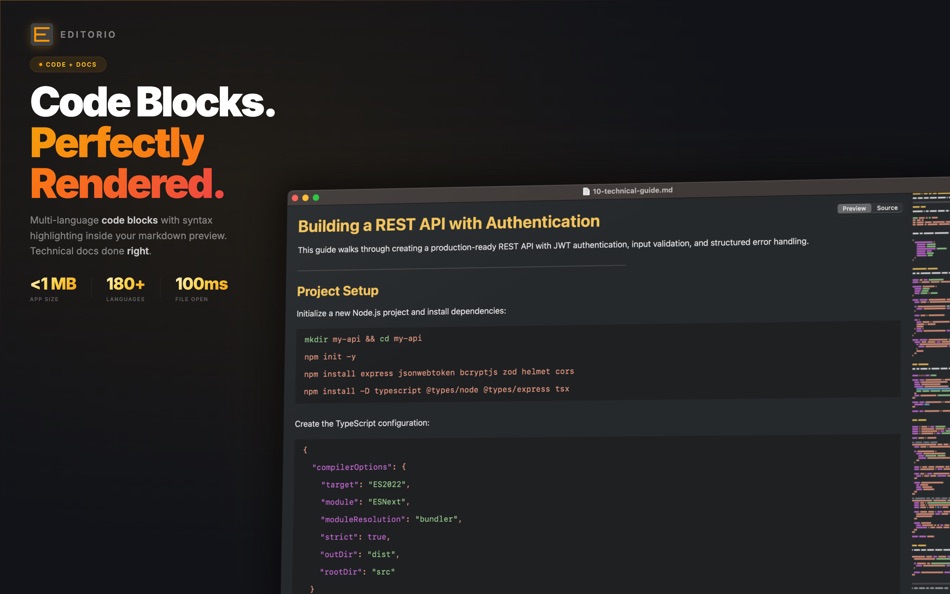
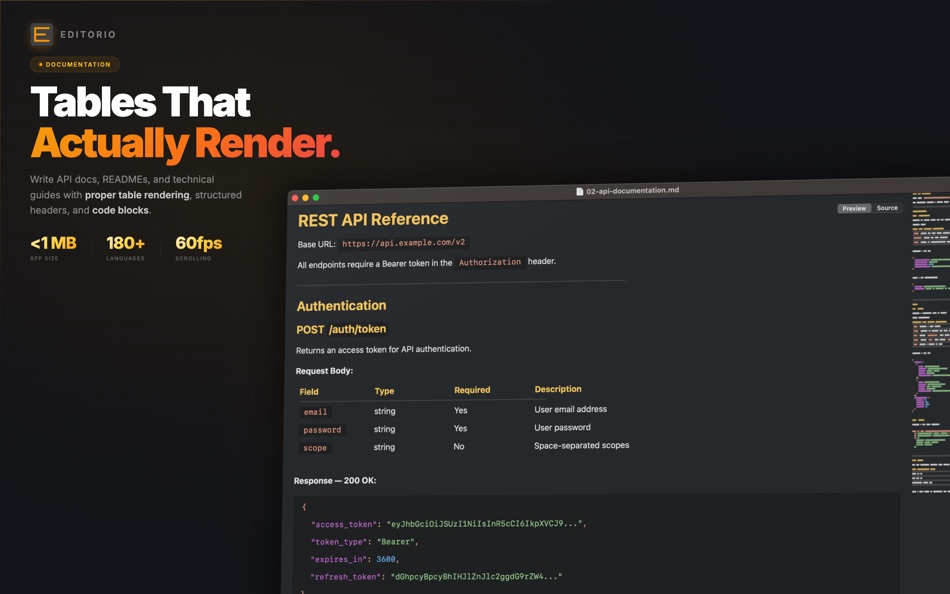
Open any markdown file and see it rendered instantly with styled headings, formatted code blocks, clickable links, tables, task lists with checkboxes, blockquotes, and footnotes. Full support for CommonMark and GitHub Flavored Markdown (GFM).
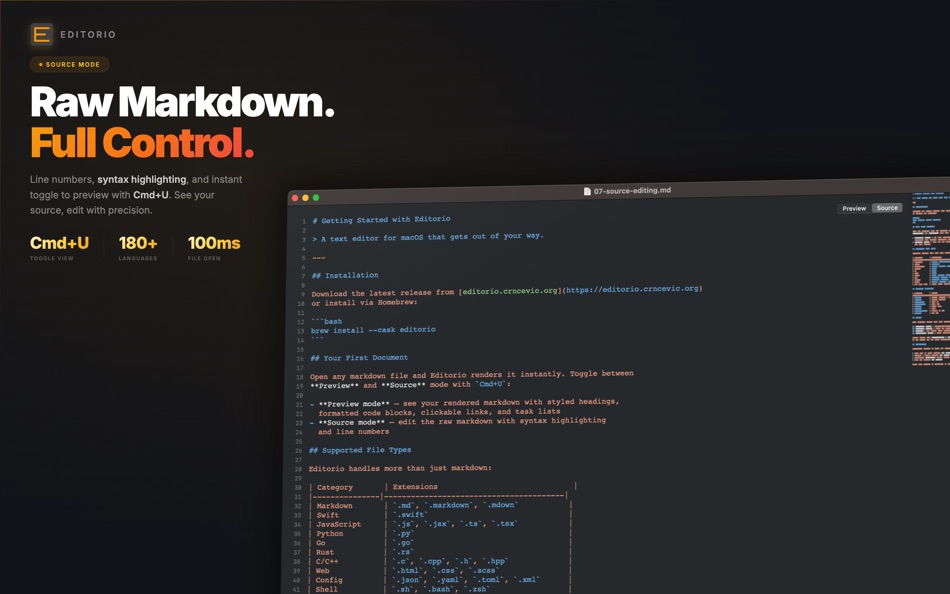
Toggle between Preview and Source mode with Cmd+U. Preview shows your rendered document. Source shows the raw markdown with syntax highlighting and line numbers. The switch takes less than 16 milliseconds — one frame.
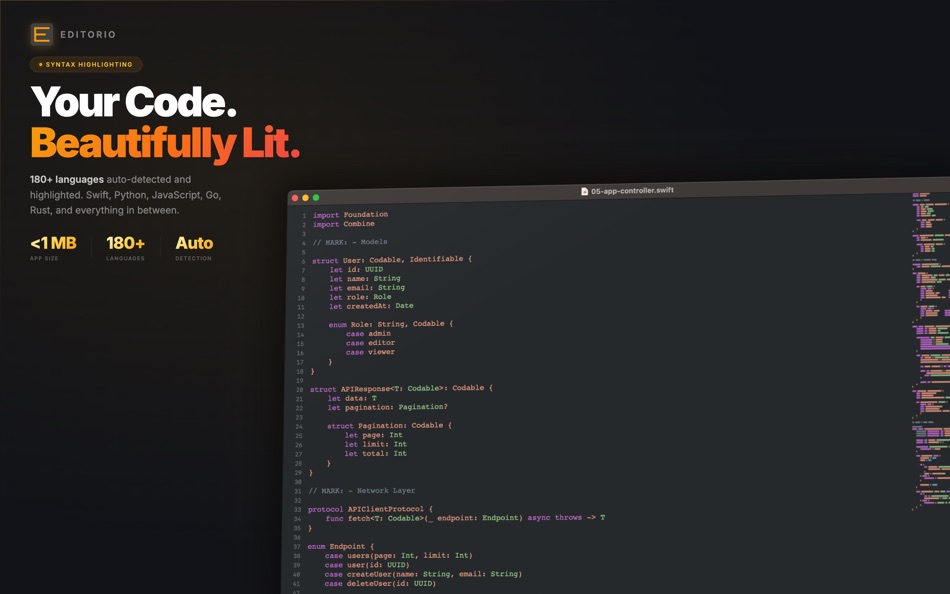
SYNTAX HIGHLIGHTING FOR 180+ LANGUAGES
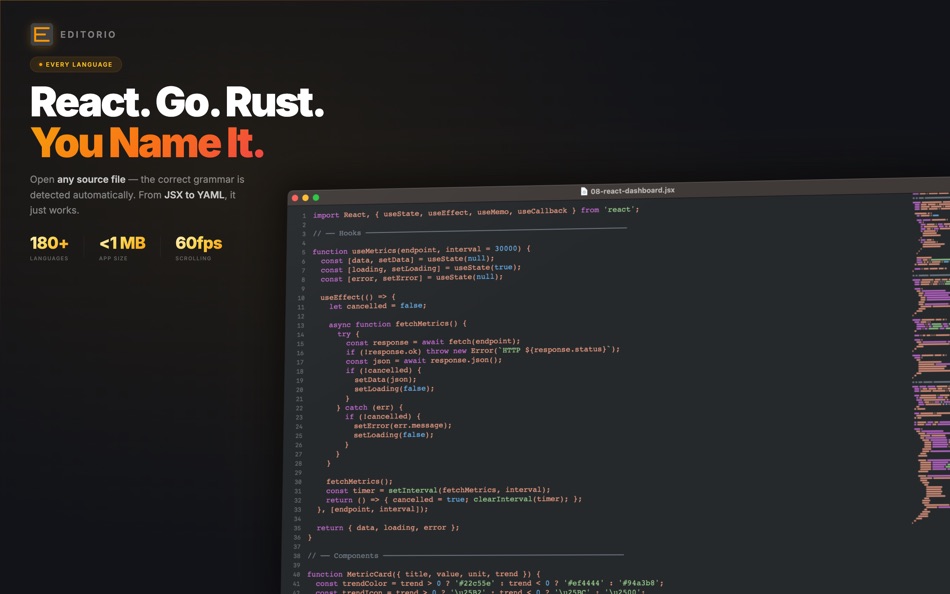
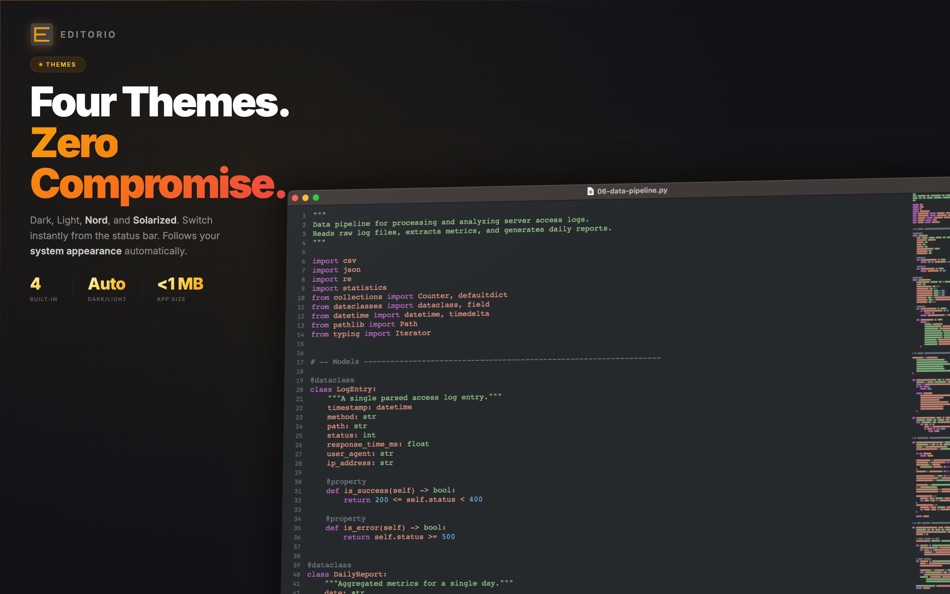
Editorio highlights Swift, Python, JavaScript, TypeScript, Go, Rust, C, C++, Java, Kotlin, Ruby, PHP, HTML, CSS, SQL, Bash, YAML, JSON, and over 170 more languages. Open any source file and the correct grammar is detected automatically.
BUILT FOR SPEED
Files open in under 100 milliseconds. Scrolling runs at 60 frames per second with native scroll physics — no frame drops. The app launches in under 500 milliseconds. Memory usage stays around 35 MB. These aren't marketing numbers. This is what happens when an editor is built with native frameworks instead of a web browser.
THEMES
Four built-in themes: Default Dark (Monokai-inspired), Default Light (Sublime-inspired), Nord (Arctic palette), and Solarized Dark. Switch themes instantly from the status bar or from Preferences. Editorio can also follow your system appearance and switch between light and dark automatically.
MINIMAP
A Sublime Text-style scrollable minimap on the right side of the editor gives you a bird's-eye view of your document. Click or drag to navigate anywhere instantly. Toggle it with Cmd+M.
DETAILS THAT MATTER
• Native macOS tabs — open multiple files in one window with Cmd+T
• Window state persistence — size, position, and zoom level are remembered
• Export to PDF with Shift+Cmd+E
• Print support with proper page breaks
• Full-screen mode
• Zoom in/out with Cmd+Plus/Minus
• Line numbers in source mode
• Status bar showing language, word count, encoding, and editing mode
• File type associations — double-click .md files to open in Editorio
SUPPORTED FILE TYPES
Markdown (.md, .markdown, .mdown), Swift, Python, JavaScript, TypeScript, Go, Rust, C/C++, Java, Kotlin, Ruby, PHP, HTML, CSS, SCSS, JSON, YAML, TOML, XML, SQL, Shell scripts, and plain text files (.txt, .log, .conf, .ini, .env).
COMPLETELY FREE
Editorio is free with no trial, no feature gates, no time limits, and no in-app purchases. Every feature works from day one. No subscriptions, no upgrades, no paywalls.
Ekran görüntüleri



Ad
Fiyat Geçmişi
- Güncel fiyat: Ücretsiz
- En az: Ücretsiz
- Maksimum: Ücretsiz
Fiyatları takip et
AppAgg Değerlendirmesi
1,400
Tahmini AppAgg değerlendirmesi:
Editorio
1,400 Altın
Daha yüksek değerlendirmeler genellikle AppAgg üzerinde daha güçlü sinyaller anlamına gelir.
Şunlara göre: popülerlik · kullanıcı puanları · güncellik · fırsatlar · mağaza verileri · topluluk etkinliği
Güncel AppAgg verileriyle her gün yeniden hesaplanır.
Kısa URL: Kopyalandı!
Yenilikler
- Sürüm: 4.4
- Son güncelleme:
- Fixed the bug where the app crashed while scrolling in markdown preview mode.
Ek Bilgi
- Satışa çıkış tarihi:
- Kategori:
macOS Uygulamalar›Araçlar - İşletim Sistemleri:
macOS,macOS 13.0 ve sonrası - Boyut:
2 Mb - Desteklenen diller:
English - İçerik Derecelendirmesi:
4+ - Mac App Store Kullanıcı Oyu:
0
Geliştirici
- Lovre Crncevic
- Platformlar: macOS Uygulamalar (1)
- Listeler: 0 + 0
- Puanlar: 1 + 0 ¡
- Sıralamalar: 0
- Yorumlar: 0
- İndirimler: 0
- Video: 0
- RSS: Abone ol
Listeler (0)
0
- Editorio
Puanlar (1)
-

- 19,736 cahiba7911@agenra.com
- +1

Sıralamalar (0)
0
Yorumlar (0)
İlk yorum yapan siz olun
Özet
Editorio Kısa URL: Kopyalandı!- Paylaş
- Mac App Store
«Editorio». Platform: macOS. Kategori: Araçlar. Geliştirici: «Lovre Crncevic». İlk sürüm: . Son güncelleme: . Güncel fiyat: ücretsiz. Bu başlık henüz AppAgg'de derecelendirme veya inceleme almadı. Takip edilen noktalar: onaylandı 1, dolaylı 0. Mevcut diller: English. AppAgg, «Editorio» için fiyat geçmişini, derecelendirmeleri ve kullanıcı geri bildirimlerini takip eder. AppAgg uygulamaları barındırmaz veya yazılım dağıtmaz. Tüm ticari markalar, logolar ve ekran görüntüleri ilgili sahiplerine aittir. Gelecekteki indirimler ve güncellemeler: RSS
Benzerleri
-
- Sitemap Plus
- macOS Uygulamalar: Araçlar Göre: OurBigAdventure, LLC
- Ücretsiz
- Listeler: 1 + 1 0 0
- Puanlar: 26 + 0 2K · Altın Sürüm: 2.4 Sitemap Plus is designed for web developers, to build a list of pages on websites that they own, the server status at the time of the crawl and the download time for each page. Sitemap
-
- DevTools - Smarter coding
- macOS Uygulamalar: Araçlar Göre: Anh Nguyen
- * Ücretsiz
- Listeler: 2 + 3 0 0
- Puanlar: 22 + 0 15K · Efsane Sürüm: 1.2.3 DevTools is an all-in-one offline application that provides developers with essential tools for daily tasks and ensures data security. The app has been trusted by over 15,000 ...
-
- Klipped
- macOS Uygulamalar: Araçlar Göre: Andrew Drake
- Ücretsiz
- Listeler: 0 + 2 0 0
- Puanlar: 19 + 0 1K · Altın Sürüm: 3.0.2 Beauty in simplicity. Klipped is a minimalist scratch pad that is a buddy for all your other apps. Write ideas down. Paste text and use as a clipboard; delete when you re done. No ...
-
- 18 Strings
- macOS Uygulamalar: Araçlar Göre: Remote Sunrise LTD
- Ücretsiz
- Listeler: 0 + 1 0 0
- Puanlar: 17 + 0 1K · Altın Sürüm: 2022.6 Hate doing localization for your project? Now you can hate it a little less: Save tons of money by doing automatic translation using strings from your other projects you have already ...
-
- SnippetsLab
- macOS Uygulamalar: Araçlar Göre: Renfei Song
- Ücretsiz
- Listeler: 6 + 8 5 (1) 0
- Puanlar: 13 + 0 3K · Altın Sürüm: 2.6.4 Mac App Store Best of 2015 Featured in App Store editorial All Your Code, Brilliantly Organized , Keep Your Code at Your Fingertips and Welcome to the Mac App Store! Featured app in ...
- -100%
- Storyteller TTS Voice Studio
- macOS Uygulamalar: Araçlar Göre: BuildLoop
- ▼ * Ücretsiz
$8.99-100% - Listeler: 0 + 1 0 0
- Puanlar: 11 + 0 10K · Efsane Sürüm: 1.4.21 Storyteller App brings your text to life! Storyteller's artificial intelligence helps you create and share stories with style and an authentic voice, making it the perfect solution for
-
- Xcode
- macOS Uygulamalar: Araçlar Göre: Apple
- Ücretsiz
- Listeler: 22 + 8 5 (1) 0
- Puanlar: 11 + 0 13K · Efsane Sürüm: 26.5 Xcode offers the tools you need to develop, test, and distribute apps for Apple platforms, including predictive code completion, generative intelligence powered by the best coding ...
-
- Eplist - convert data to plist
- macOS Uygulamalar: Araçlar Göre: HuMinghua
- * Ücretsiz
- Listeler: 1 + 2 0 0
- Puanlar: 10 + 0 5K · Platin Sürüm: 2.0.1 Eplist for Excel is a lightweight conversion tool to help developers to improve development efficiency. You can convert your datas or configuration from excel(.xls and .xlsx) document ...
-
- Network Debugger
- macOS Uygulamalar: Araçlar Göre: 志健 袁
- * Ücretsiz
- Listeler: 0 + 1 0 0
- Puanlar: 10 + 0 6K · Platin Sürüm: 1.2.0 Professional network debugging tool for macOS Network Debugger helps developers and testers quickly build TCP and UDP connections, send and inspect messages, and automate repetitive ...
-
- Anycode: Code Snippet to Image
- macOS Uygulamalar: Araçlar Göre: 宏旭 朱
- Ücretsiz
- Listeler: 0 + 2 0 0
- Puanlar: 10 + 0 1K · Altın Sürüm: 0.7.0 Anycode is a document-based app that helps you manage your code snippets. - Supports syntax highlighting for Bash, C, C++, C#, Clojure, Dart, Go, Java, JavaScript, JSON, Kotlin, ...
-
- LocalizApp: Translate your app
- macOS Uygulamalar: Araçlar Göre: Dimitri Giani
- * Ücretsiz
- Listeler: 0 + 3 0 0
- Puanlar: 9 + 0 9K · Efsane Sürüm: 3.2.1 Make app localization effortless with LocalizApp. Harness the power of AI and smart translation tools to transform your development workflow. Key features: AI-Powered Translation with ...
-
- FrameBuddy - Screenshot Frames
- macOS Uygulamalar: Araçlar Göre: Florian Schweizer
- Ücretsiz
- Listeler: 0 + 4 0 0
- Puanlar: 9 + 0 1K · Altın Sürüm: 1.3 Quickly add a device frame to your screenshots. FrameBuddy is a super simple utility that automatically adds iPhone frames to your (Simulator) screenshots. Iphone icon created by ...
-
- Netutilus: Network Utility
- macOS Uygulamalar: Araçlar Göre: Oleksandr Kozlovskyi
- * Ücretsiz
- Listeler: 0 + 1 0 0
- Puanlar: 9 + 0 7K · Platin Sürüm: 1.5.2 12 essential network tools in one streamlined app: Ping, Traceroute, Visual Traceroute, Speed Test, DNS Lookup, DNS Propagation, WHOIS, SSL Certificate, Port Scanner, GeoIP, Path ...
-
- KeyPad - Keyboard and Remote
- macOS Uygulamalar: Araçlar Göre: Toolbunch LLC
- * Ücretsiz
- Listeler: 0 0 0
- Puanlar: 9 + 0 6K · Platin Sürüm: 2.20 Use your Mac keyboard to control all your devices. From smartphones and tablets to TVs and even the raspberry pi, KeyPad turns your Mac into a powerful universal Bluetooth keyboard, ...