
保存済み
保存済みメニューに表示する名前を選択してください。
完了
説明

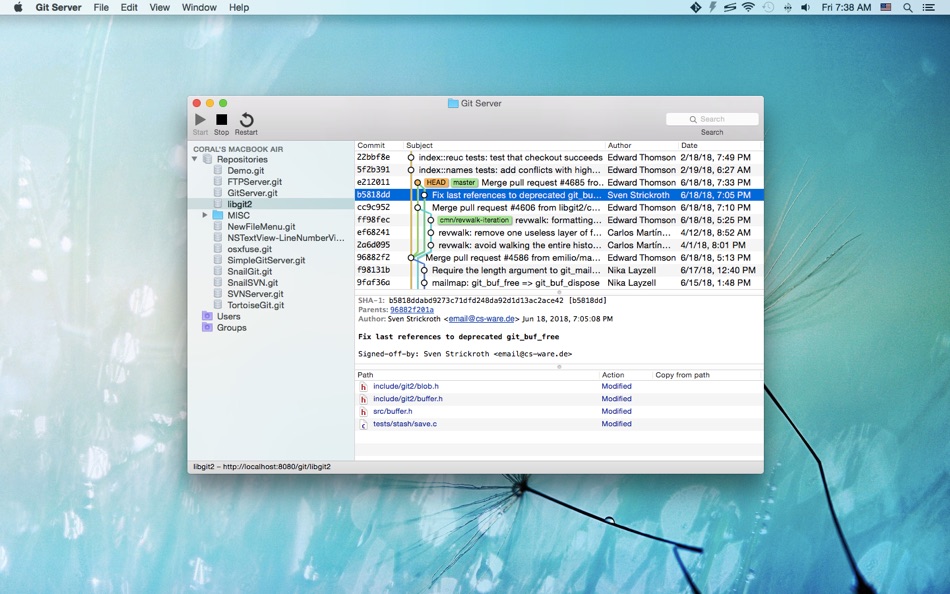
Host Git repositories on your own Mac computer, and you have the max control over your source code. No source code leak, no monthly fee, no long-haul network links, everything is right beside you!
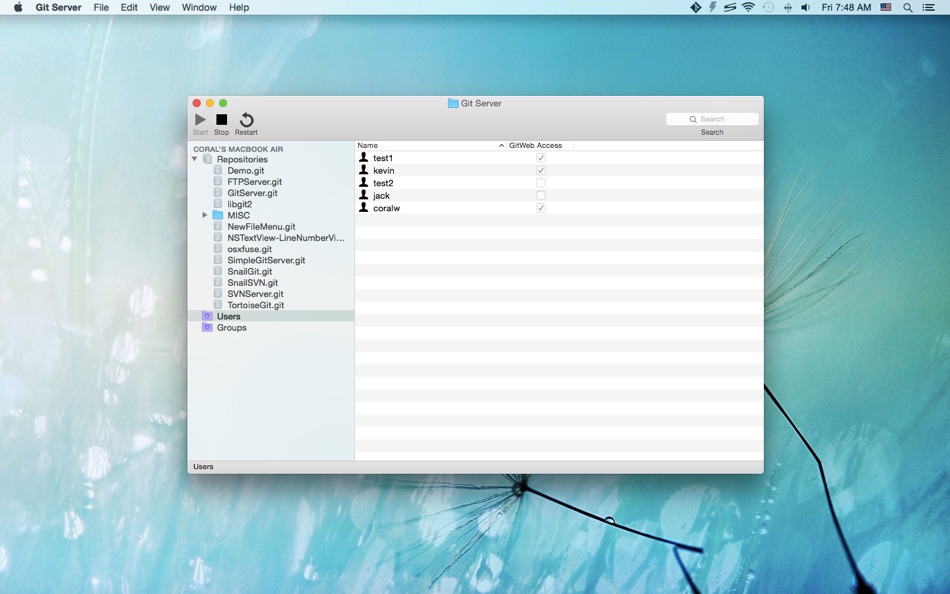
Git Server uses HTTP basic authentication to password protect your Git repositories, you can create arbitrary Git users without touching your system accounts.
Git Server acts as a central server where you can push your local changes to and share your code with other people / devices.
You can finish the setup process in minutes:
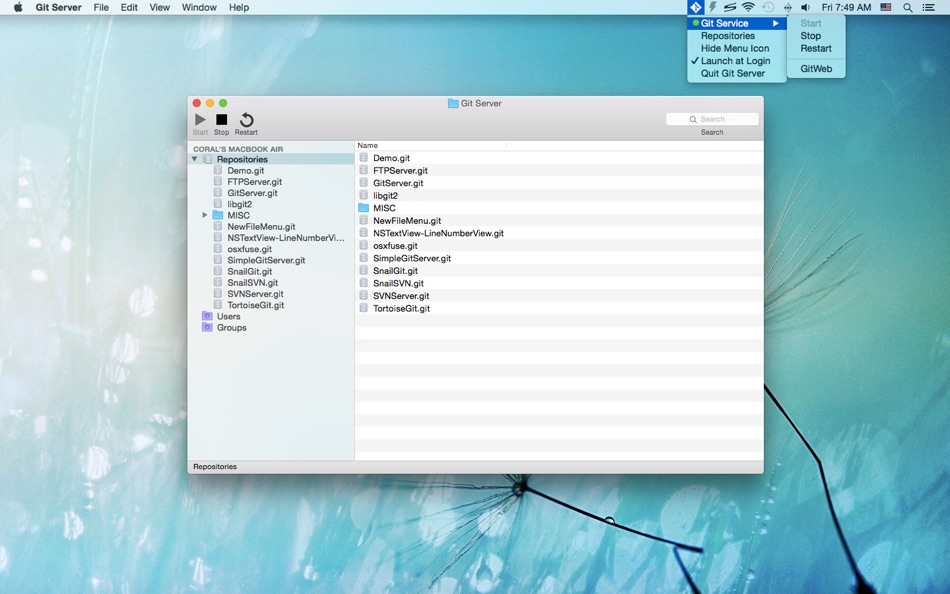
1. Create a Git repository
2. Create a Git user account
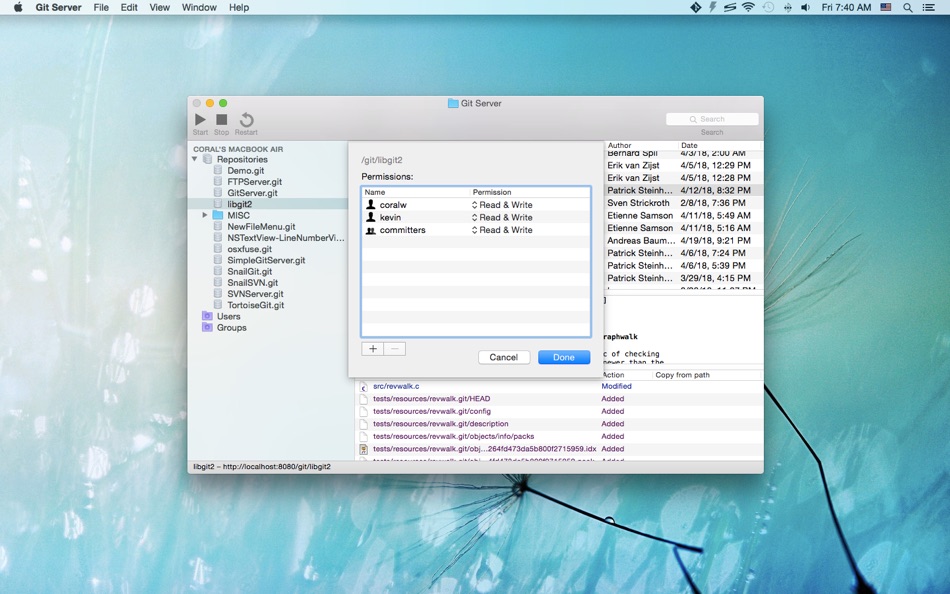
3. Set permissions for the repository
4. Start the Git service
5. You can access the Git repository now
Setup your own Git Server, and start creating great stuffs now!
* FAQ
Q: What kind of protocols does Git Server support?
A: Git Server provides Git service over the "http://"/"https://" protocols and it listens on port 8181 by default.
Q: I'm getting the 403 error?
A: Please make sure that you've assigned a user/group to the repository and that the current Git user account has read/write access to the repository.
Q: Can I use the 80/443 ports in Git Server?
A: You can use these ports on macOS Mojave(10.14) or later.
Q: I'm getting "SSL certificate problem: self signed certificate" error?
A: Please turn off SSL verification via `git config --global http.sslVerify false` or run the git command with the `-c http.sslVerify=false` option (e.g., `git -c http.sslVerify=false clone https://hostname/git/repo.git`).
Ad
スクリーンショット
価格履歴
- 現在の価格: $9.99
- 最小値: $6.99
- 最大: $9.99
料金のチェック
情報
デベロッパー
リスト (1)
- Git Server

ポイント (1)
-

- 217 Carlos V
- +1

ランキング (0)
0 ☹️
コメント (0)
最初にコメントしてください 🌟
«Git Server». プラットフォーム: macOS. カテゴリ: 開発ツール. 開発者: «兰桂 吴». 最初のリリース: . 最終更新日: . 現在の価格: $9.99. 記録された最低価格: $6.99 (). 記録された最高価格: $9.99 (). このタイトルはまだ AppAgg で評価やレビューを受けていません。 リスト: 公開: 1, 非公開: 0. 追跡ポイント: 確認済み: 1, 間接: 0. 利用可能な言語: Chinese, English. AppAgg は «Git Server»の価格履歴、評価、ユーザーフィードバックを追跡します。 今後の値下げと更新をフォロー: RSS で確認できます. AppAgg はアプリケーションをホストしたり、ソフトウェアを配布したりしません。 すべての商標、ロゴ、スクリーンショットはそれぞれの所有者に帰属します。
Git Server 短縮 URL: コピーしました!- 🌟 シェア
- Mac App Store
類似
-
- Simple Git Server
- macOS アプリ: 開発ツール 作者: 兰桂 吴
- フリー
- リスト: 0 + 2 0 0
- ポイント: 3 バージョン: 1.3.3 Simple Git Server is a simple app that lets you setup and run your own Git service instantly. With Simple Git Server, you can setup a Git server in one minute! Here are the steps: 1. ... ⥯
-
- Git Ignore Generator
- macOS アプリ: 開発ツール 作者: Konstantin Adamov
- フリー
- リスト: 0 0 0
- ポイント: 0 バージョン: 1.0.12 Git ignore generator is an app that helps you create .gitignore files for your projects. You can choose from over 500 templates based on the programming languages, operating systems ... ⥯
-
- Git Streaks for GitHub
- macOS アプリ: 開発ツール 作者: Honghao Zhang
- フリー
- リスト: 0 + 3 0 0
- ポイント: 3 バージョン: 1.2.6 Git Streaks: A sleek Mac menu bar app for GitHub enthusiasts Stay motivated and on top of your GitHub contributions with Git Streaks, a minimalist app designed to seamlessly integrate ... ⥯
-
- Git Reaper
- macOS アプリ: 開発ツール 作者: Daniel Allsopp
- $2.99
- リスト: 0 0 0
- ポイント: 0 バージョン: 1.0 Git Reaper helps you quickly identify local branches that no longer have a matching remote branch, making it simple to spot and safely delete orphaned branches with a single click. In ... ⥯
-
- Server for Home Assistant
- macOS アプリ: 開発ツール 作者: Kenneth Kao
- $12.99
- リスト: 0 0 0
- ポイント: 0 バージョン: 1.4 Set up and run Home Assistant OS on your Mac effortlessly. Turn your Mac into a powerful smart home automation hub with just one click. Easily set up a server that runs Home Assistant ... ⥯
- 新着
- Git Meter App
- macOS アプリ: 開発ツール 作者: Quartet Labo LLC.
- フリー
- リスト: 0 0 0
- ポイント: 0 バージョン: 0.1 GitMeter は、GitHub のコントリビューション状況を macOS で素早く確認できる開発者向けアプリです。GitHub アカウントでサインインすると、その日の contribution をメニューバーからすぐに確認できます。日々の開発活動を見える化したいユーザーに適しています。 ⥯
- 新着
- Git Glance: Menu Bar Git PRs
- macOS アプリ: 開発ツール 作者: sovio
- フリー
- リスト: 0 0 0
- ポイント: 0 バージョン: 1.1.0 A simple macOS menu bar app which shows GitHub PRs and GitLab MRs. View: - items awaiting your review - items you created There is the option to show green / orange / red based on how ... ⥯
-
- TCP Server for Mac OS X
- macOS アプリ: 開発ツール 作者: Marvin Wagner
- $0.99
- リスト: 0 0 0
- ポイント: 0 バージョン: 1.0 Sie brauchen einen einfachen TCP-Server? Dann ist dieser TCP-Server genau das Richtige für Sie! In wenigen Sekunden ist der TCP Server eingerichtet und startbereit. Es können sich ... ⥯
-
- Jeeves - local HTTP server
- macOS アプリ: 開発ツール 作者: Alexander Zats
- フリー
- リスト: 1 0 0
- ポイント: 1 バージョン: 1.1 Extremely flexible, efficient and simple local server. Did you ever get stuck on the train or in the plain with no connectivity and burning desire to work? I know I did! When I want to ⥯
-
- Gitonium Git Client
- macOS アプリ: 開発ツール 作者: Allsidium AS
- $39.99
- リスト: 0 + 2 0 0
- ポイント: 2 バージョン: 2026.4.1 The staging first macOS Git client, for developers who care about clean commits. Build atomic commits with surgical precision. Stop shipping drive by changes. Earn a reputation for ... ⥯
-
- DiffStudio – File Git History
- macOS アプリ: 開発ツール 作者: Krishna Varshney
- フリー
- リスト: 0 0 0
- ポイント: 0 バージョン: 1.0.0 DiffStudio is a Git history viewer for macOS that allows developers to explore file changes in Git repositories. The app displays commit history, file differences, and repository ... ⥯
-
- Simple Web Server
- macOS アプリ: 開発ツール 作者: Terren Gurule
- フリー
- リスト: 2 + 1 0 0
- ポイント: 6 バージョン: 1.2.17 Create local web servers in just a few clicks with an easy to use interface. Easy to configure: Change server options with just a few clicks. Run multiple & in the background: Run ... ⥯
-
- QuickHTTP Server
- macOS アプリ: 開発ツール 作者: Leszek Szary
- $2.99
- リスト: 0 + 1 0 0
- ポイント: 7 バージョン: 1.0.4 QuickHTTP Server is a simple web server that allows you to share files stored on your Mac with other devices over HTTP. HTTP is a standard network protocol used by many applications ... ⥯
-
- Tracks for Git
- macOS アプリ: 開発ツール 作者: The Del Mar Code Company LLC
- $4.99
- リスト: 0 0 0
- ポイント: 0 バージョン: 1.0 Tracks is a clean, focused Git graph viewer for macOS. See your branch history at a glance with commits, tags, and branch labels displayed inline alongside a visual graph. ## FEATURES ... ⥯