
기술

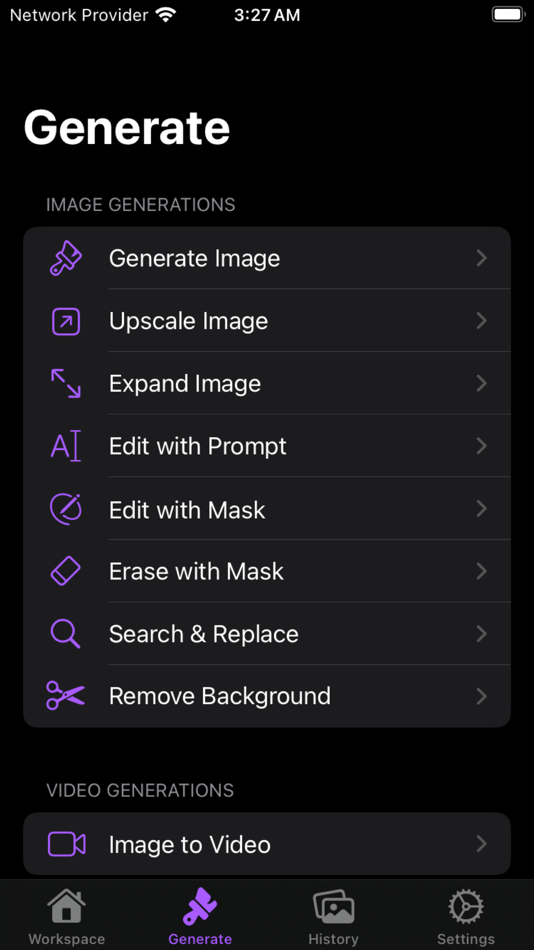
Multiple AI Models:
• Connect to various AI image generation models.
• Choose from a wide range of artistic styles and capabilities.
Intuitive Image Creation:
• Simple text-to-image interface.
• Customize dimensions, quality, and style.
• Fine-tune with negative prompts for precise results.
Advanced Options:
• Auto-enhance feature for optimized prompts.
• Adjust art variants and color styles.
• Select from multiple quality settings.
Multi-Image Generation:
• Create multiple images from a single prompt.
• Compare and choose your favorite outputs.
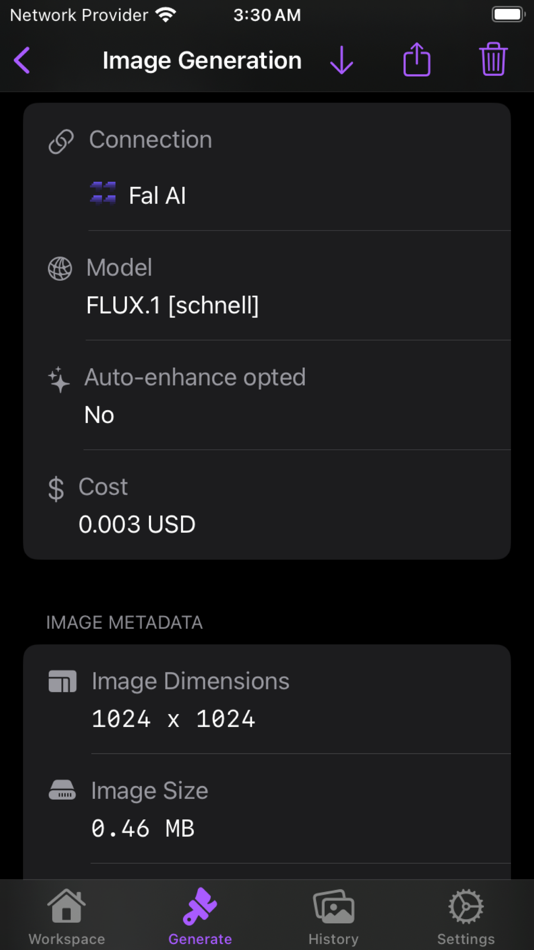
Detailed Metadata:
• View comprehensive information about each generated image.
• Track creation date, dimensions, file size, and more.
Cost Tracking:
• Monitor credit usage for each generation.
• Supports multiple currency types.
Easy Sharing and Exporting:
• One-tap sharing to social media and messaging apps.
• Export high-quality images to your device.
Mask Visualization:
• View and toggle image masks for supported models.
• Understand the AI's focus areas.
Prompt History:
• Access your original, enhanced, and AI-revised prompts.
• Learn from successful generations.
iCloud Integration:
• Seamless sync across your Apple devices.
• Secure storage of your generated masterpieces.
User-Friendly Interface:
• Clean, intuitive design for effortless navigation.
• Dark mode support for comfortable use in any lighting.
Privacy-Focused:
• Your prompts and images remain private and secure.
• Usage data not shared with third parties.
Whether you're an artist seeking inspiration, a designer needing quick mockups, or just someone who loves to create, Illustrate puts the power of AI-generated art at your fingertips. Transform your ideas into visual reality, explore new artistic horizons, and let your imagination soar with Illustrate.
스크린샷





새로운 기능
- 버전: 1.0
- 업데이트:
가격
- 오늘: $8.99
- 최소: $8.99
- 최대: $8.99
가격 추적
포인트
0 ☹️
순위
0 ☹️
목록
0 ☹️
리뷰
첫 번째 리뷰를 남겨보세요 🌟
추가 정보
주소록
- 웹사이트:
 https://illustrate.help
Illustrate: GenAI Sandbox 단축 URL: 복사됨!- 🌟 공유하기
- Mac App Store
당신은 또한 같은 수 있습니다
-
- Magic Sandbox
- macOS 앱: 개발자 도구 게시자: 畅 刘
- $1.99
- 목록: 0 + 0 순위: 0 리뷰: 0
- 포인트: 0 + 0 버전: 1.7 Magic Sandbox is an useful and excellent tool for ios developer.You can simply open sandbox for your Xcode project. There is two ways help you open your project sandbox folder: 1. ... ⥯
-
- PHP Code Tester
- macOS 앱: 개발자 도구 게시자: Sandbox s.r.o.
- $0.99
- 목록: 1 + 0 순위: 0 리뷰: 0
- 포인트: 0 + 0 버전: 1.0.8 1 Top Paid 'Developer Tools' App in couple of countries for more than 2 days. Users Wrote 'Great for when I'm not connected to a network and wish to test my PHP code, or for learning ... ⥯
-
- Mini仮想マシン
- macOS 앱: 개발자 도구 게시자: AsterKit
- 무료
- 목록: 1 + 2 순위: 0 리뷰: 0
- 포인트: 5 + 0 버전: 7.2 A sleek, efficient virtual machine app for MacOS that allows you to run Linux and MacOS systems seamlessly within Mac environment. Enjoy the ease of running Linux distributions like ... ⥯
-
- Compare
- macOS 앱: 개발자 도구 게시자: Amsterdamsoft LLC
- * 무료
- 목록: 1 + 0 순위: 0 리뷰: 0
- 포인트: 7 + 0 버전: 2.21 A tool needed by all developers, AmSo Compare lets you perform side-by-side comparison and merge of your directories, files, and their content. It lets you see changes down to the ... ⥯
-
- EasyGit
- macOS 앱: 개발자 도구 게시자: Georgios Verigakis
- 무료
- 목록: 1 + 0 순위: 0 리뷰: 0
- 포인트: 7 + 0 버전: 1.9 EasyGit is your personal Git server on iCloud. Use your favorite git client to pull and push as usual and everything will be stored safely on iCloud, available on all your computers. ... ⥯
-
- Reporting for RevenueCat
- macOS 앱: 개발자 도구 게시자: Furkan Simsir
- 무료
- 목록: 1 + 0 순위: 0 리뷰: 0
- 포인트: 5 + 1 (5.0) 버전: 1.0.5 Reporting for RevenueCat allows you to track your App Store revenue in a native and great user interface. Features you will love: All your transactions sorted by date An overview of ... ⥯
-
- Send Push Notification
- macOS 앱: 개발자 도구 게시자: Harshad Jadav
- $0.99
- 목록: 0 + 1 순위: 5 (1) 리뷰: 0
- 포인트: 0 + 0 버전: 1.1 [Introduction] Push Notification is most use to Send Push, VOIP notifications very easily. Just use device token, notification type and certificate provided via the keychain. ... ⥯
-
- WorldWideWeb – Desktop
- macOS 앱: 개발자 도구 게시자: The Iconfactory
- * 무료
- 목록: 1 + 0 순위: 0 리뷰: 0
- 포인트: 3 + 0 버전: 2.2 This app s name is an homage to the world s first web server. Back in 1989, Tim Berners-Lee started the web on his NeXT computer. On that computer was an app named WorldWideWeb. This ... ⥯
-
- Code Runner for Python
- macOS 앱: 개발자 도구 게시자: Omer UCEL
- $0.99
- 목록: 1 + 0 순위: 0 리뷰: 0
- 포인트: 3 + 0 버전: 4.0 Code Runner for Python is your personal Python sandbox, perfect for learning, experimenting, and quickly testing code snippets wherever you are. Ditch the complex server setup for ... ⥯
-
- RevenueCat Sales: RCReporting
- macOS 앱: 개발자 도구 게시자: INNOVATIVE DIGITAL TECHNOLOGIES LIMITED
- * $9.99
- 목록: 0 + 1 순위: 0 리뷰: 0
- 포인트: 2 + 37 (4.6) 버전: 8.0.0 RCReporting is the most powerful reporting tool for RevenueCat, providing all the features from the website in a native, dark mode supported, beautiful interface. RCReporting is ... ⥯
-
- Push Notification Debugger
- macOS 앱: 개발자 도구 게시자: Jan-Hendrik Damerau
- 무료
- 목록: 1 + 0 순위: 0 리뷰: 0
- 포인트: 2 + 0 버전: 2.0.1 Debug APNS & FCM Push Notifications Effortlessly This app is designed to simplify debugging issues with push notifications for iOS devices, allowing you to send and test push ... ⥯
-
- Py Editor for Python
- macOS 앱: 개발자 도구 게시자: Andromeda Corp LTD
- 무료
- 목록: 1 + 0 순위: 0 리뷰: 0
- 포인트: 2 + 0 버전: 26.0.0 Python Editor is a native macOS application that lets you write and run Python code instantly, with no installation or configuration required. Python 3.11 is embedded directly in the ... ⥯
-
- CoreDiagram
- macOS 앱: 개발자 도구 게시자: Joylord Systems Ltd
- * 무료
- 목록: 0 + 1 순위: 0 리뷰: 0
- 포인트: 0 + 0 버전: 1.2.0 CoreDiagram is the essential tool for iOS and macOS developers using CoreData who want to quickly and easily visualise their data models. With its straightforward and user-friendly ... ⥯
-
- Plist Extractor
- macOS 앱: 개발자 도구 게시자: hong chen
- 무료
- 목록: 1 + 0 순위: 0 리뷰: 0
- 포인트: 1 + 0 버전: 1.2 This tool can extract png image files from sprite sheet(.pvr.ccz or .pvr or .png and plist). Make sure you have both the image and plist files in the same directory and open both the ... ⥯