
| 開發人員: | JAGRAJ SINGH (6) | ||
| 價錢: | $9.99 | ||
| 排名: | 0 | ||
| 評測: | 0 寫評論 | ||
| 註釋: | 0 發表評論 | ||
| 清單: | 0 + 1 | ||
| 點數: | 0 + 0 ¡ | ||
| Mac App Store | |||
描述

# Built Specifically for Mac
jEditor leverages the power and performance of Swift to deliver a seamless, responsive experience. Designed to take full advantage of macOS features, it integrates perfectly with the system, ensuring smooth performance and reliability. jEditor feels right at home on your Mac, with optimized features like quick startup, fluid interface, and native support for Mac gestures. Enjoy a fully optimized coding experience that’s fast, intuitive, and designed exclusively for Mac users.
# Syntax Highlighting
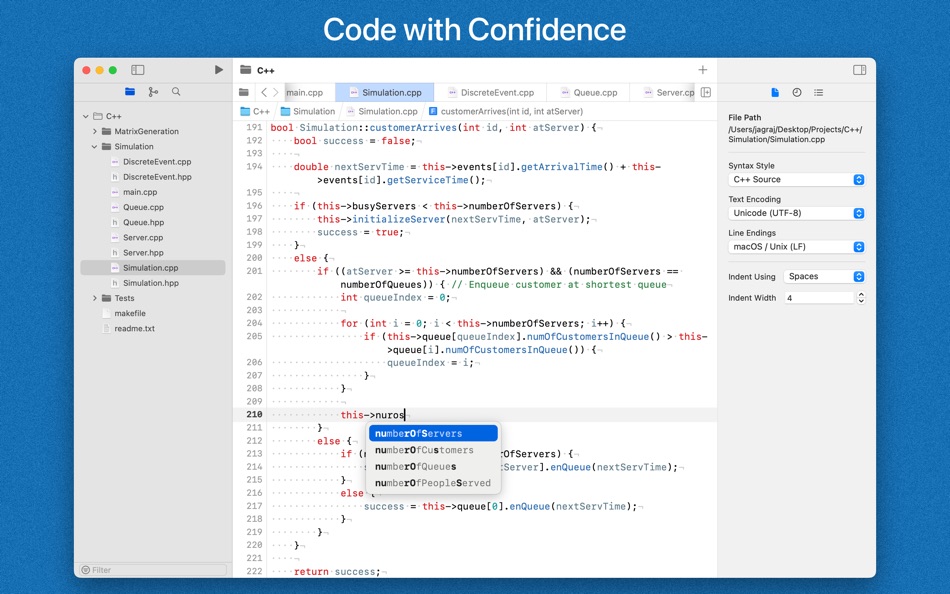
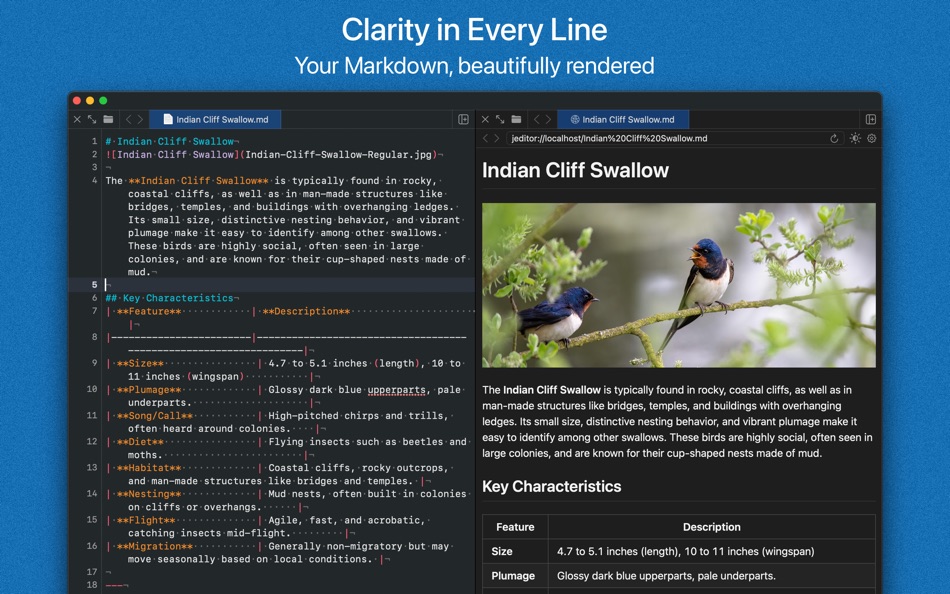
Supports 60+ languages including HTML, CSS, JavaScript, PHP, Markdown, C, CPP, C#, Swift, Java, XML, JSON, SQL, Python, Fortran, Go, Ruby, Perl, Rust, Shell Scripts and more. Enjoy visually appealing code with easy-to-read syntax highlighting.
# Smart Code Completion
Write code faster with ranked code completions. It automatically recognizes variables, types, functions, and more across multiple languages, offering suggestions to accelerate your coding. With intelligent auto-suggestions, you’ll reduce errors and boost productivity, ideal for both beginners and experts.
# Built-in Git Integration
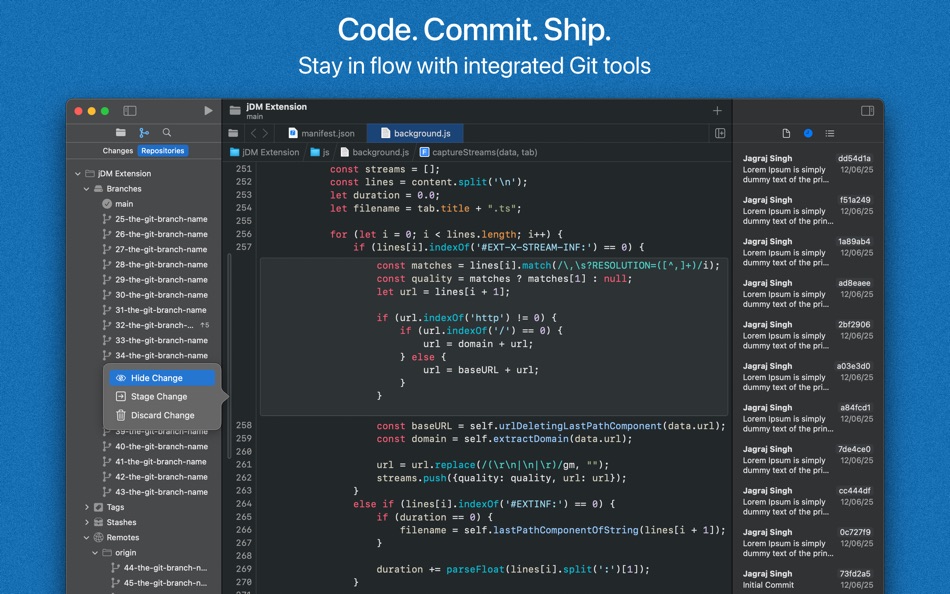
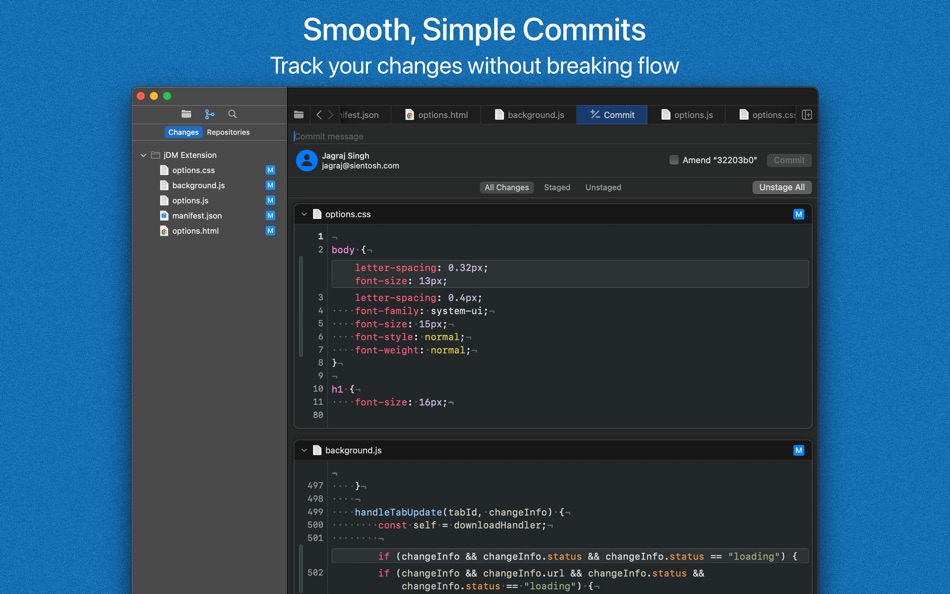
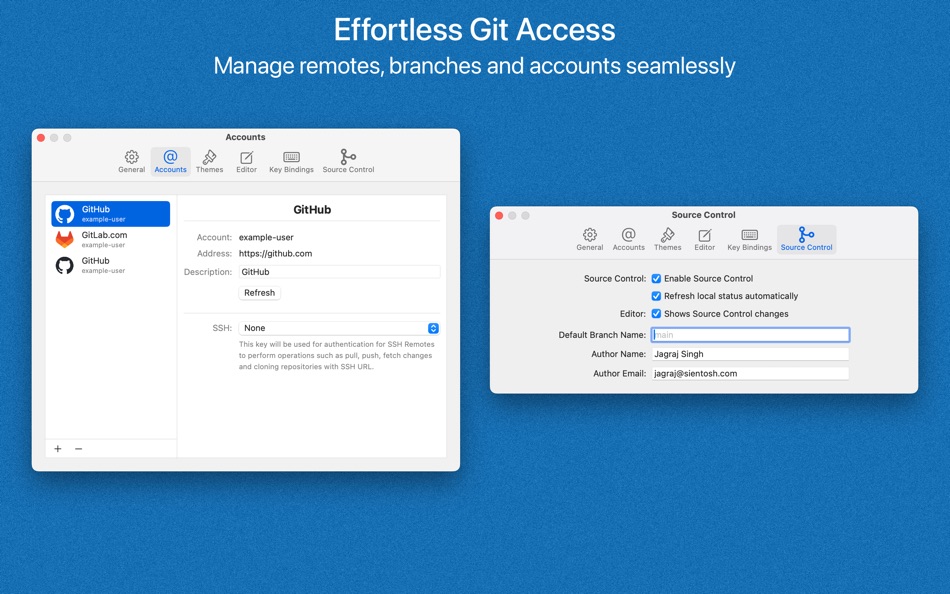
Seamlessly integrate version control into your workflow with the built-in Git support in jEditor. Effortlessly manage your repositories, commit changes, and track revisions—all from within the app. With an intuitive interface, you can quickly stage, commit, push, and pull updates, making collaboration with teams smoother and more efficient. View diffs, resolve conflicts, and keep your projects organized without ever leaving the app. Whether you’re working solo or in a team, our Git integration simplifies version control, so you can focus on writing great code.
# Customizable and User-Friendly Interface
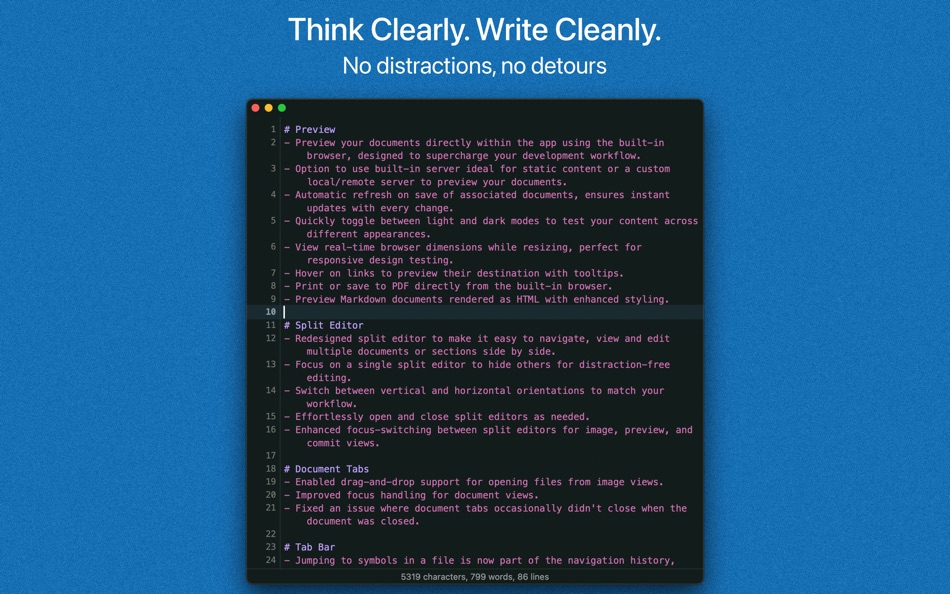
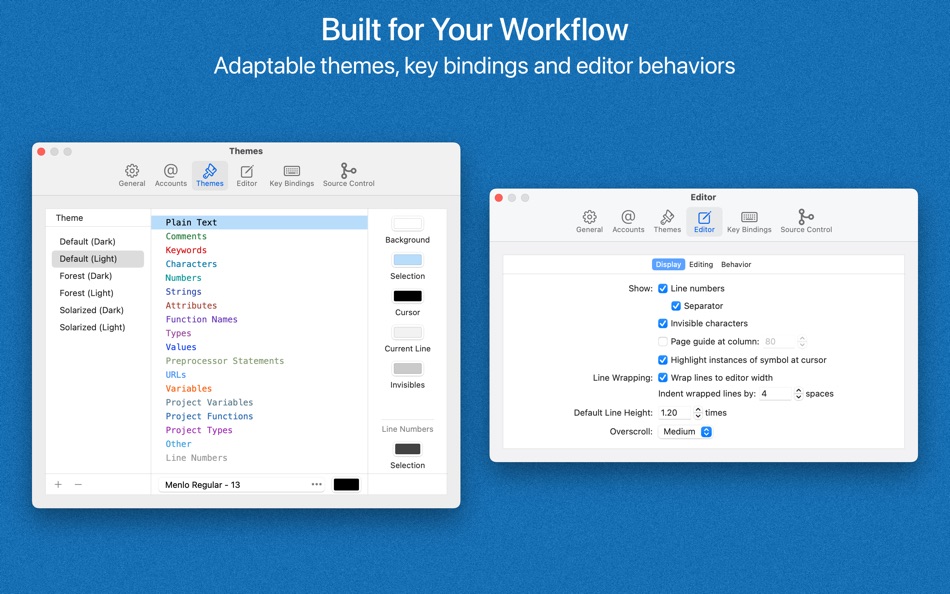
jEditor offers a highly customizable interface, letting you tailor your workspace to fit your preferences. From themes and color schemes to keyboard shortcuts and layout configurations, you can design an environment that works best for you. Choose from a variety of themes, adjust fonts, colors, and layouts, and create a workspace that feels just right for your style.
# Multi-Tab and Split Editor Support
Work on multiple projects at once with full multi-tab functionality. Switch between files effortlessly and keep your workflow organized.
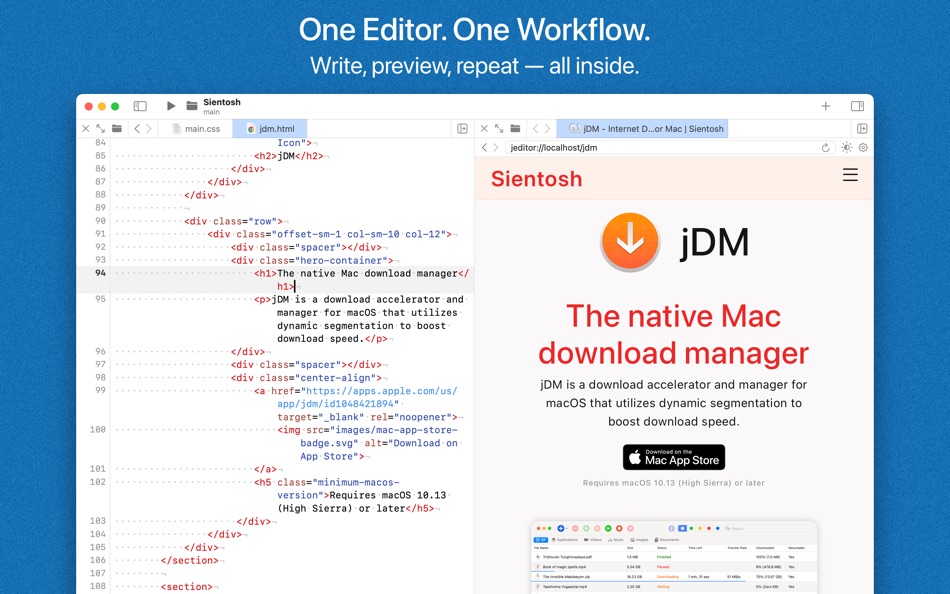
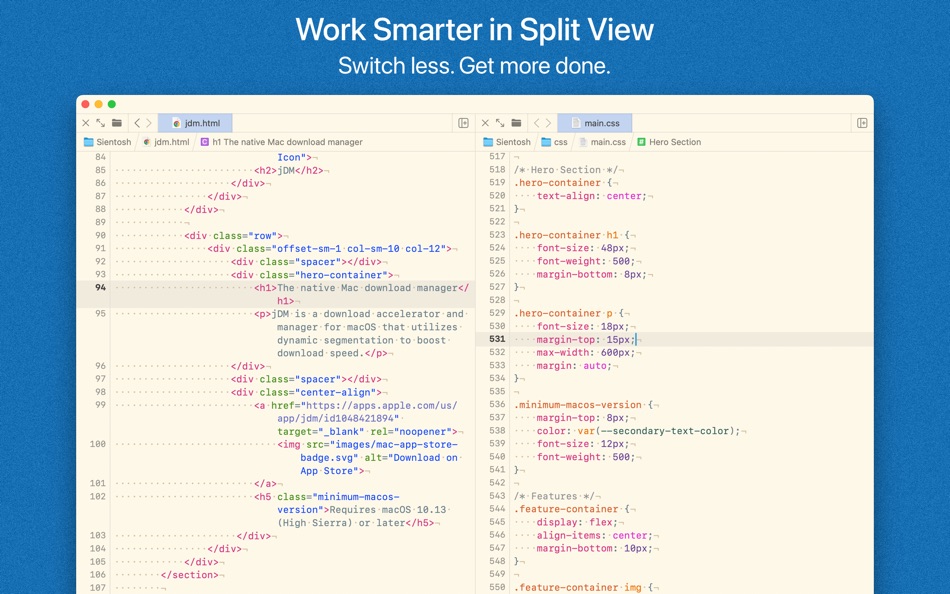
Use split editor to view and edit multiple files side by side in the same window. This feature lets you compare code, reference documentation, or work on different parts of your project simultaneously, eliminating the need to switch between tabs.
# File Management
Organize your code with an intuitive file navigator. Easily create, delete, or manage directories and files within your project. With our intuitive drag-and-drop functionality, you can open your files directly by simply dragging them into the editor window.
# Find and Replace
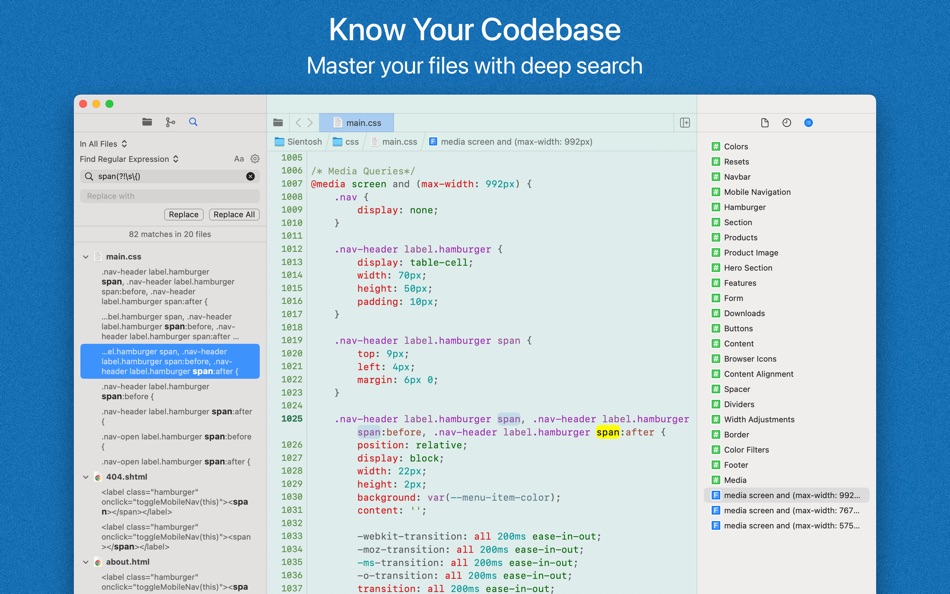
Effortlessly search and modify your code with the powerful find and replace feature. Quickly locate specific lines, variables, or functions within your project, and replace them with just a few clicks. With support for regular expressions, you can perform advanced searches, making it easier to refactor your code or fix multiple instances at once.
Ad
螢幕擷取畫面
新功能
- 版本: 5.3
- 發佈日期:
- # File Navigator
- Added support for aliases and symbolic links.
- Improved project startup performance by optimizing file tree construction.
- Enhanced file tree updates in response to document URL changes.
- Fixed an occasional crash caused by reloading, removing, or collapsing items.
# Find Navigator
- Smoothed scrolling behavior when navigating through results.
- Added new context menu options to quickly expand or collapse all search results.
- Improved reliability when applying search selections in the editor.
- Fixed a crash when selecting search results.
- Resolved an issue where search results occasionally failed to expand or collapse.
# Editor
- Improved re-indenting of pasted text to better match the surrounding code and context.
- Re-indenting now works across all supported languages, including nested code like JavaScript inside HTML.
- Refined indentation behavior in several supported languages for improved consistency.
# Commit View (Git)
- Author name and email are now taken from your Git configuration by default, taking precedence over settings within the app.
- Source Control navigator now automatically switches to the Changes tab when committing.
- Fixed an issue where staging or unstaging files didn’t update row actions or header view controls.
# Tab Bar
- Added a context menu for easier document closing and tab management.
# Find Bar
- Search is now more responsive and less disruptive while typing.
# Main Menu
- Added “Show in File Navigator” to reveal the current document in the File Navigator.
- Added “Show in Changes Navigator” to reveal the current document in the Changes Navigator.
# Application
- The default window no longer appears at launch when opening the app with a document.
- Several other bug fixes and enhancements have been made across the app.
- Thank you for your continued feedback!
價格歷史
- 今天: $9.99
- 最小值: $1.99
- 最大值: $9.99
追蹤票價
Ad
開發人員
- JAGRAJ SINGH
- 平台: Android 應用程式 (2) iOS 應用程式 (1) macOS 應用程式 (3)
- 清單: 1 + 2
- 點數: 4 + 2 ¡
- 排名: 0
- 評測: 0
- 註釋: 0
- 折扣: 0
- 影片: 0
- RSS: 訂閱
點數 (0)
0 ☹️
排名 (0)
0 ☹️
清單 (0)
0 ☹️
- jEditor
評測 (0)
成為第一個評論 🌟
註釋 (0)
成為第一個發表評論的人 🌟
其他資訊
- 版本: 5.3
- 類別 :
macOS 應用程式›工具 - OS:
macOS,macOS 11.0 以上版本 - 大小:
7 Mb - 支援的語言 :
English - 內容分級:
4+ - Mac App Store 評分:
0 - 發佈日期:
- 發行日期:
聯絡人
 https://sientosh.com/jeditor
 «jEditor». 平台: macOS. 類別: 工具. 開發商: «JAGRAJ SINGH». 首次發布: . 最後更新: . 目前價格: $9.99. 最低記錄價格: $1.99 (). 最高記錄價格: $9.99 (). 此項目尚未在 AppAgg 上獲得評分或評論。 可用語言: English. AppAgg 會追蹤 «jEditor»的價格歷史、評分和用戶回饋。 關注未來折扣和更新: RSS. AppAgg 不託管應用程式或分發軟體。 所有商標、標誌和螢幕截圖均屬於其各自所有者。
jEditor 縮短網址: 已複製!- 🌟 分享
- Mac App Store
你可能還喜歡
-
- Sitemap Plus
- macOS 應用程式: 工具 由: OurBigAdventure, LLC
- 免費
- 清單: 1 + 1 排名: 0 評測: 0
- 點數: 26 + 0 註釋: 0 版本: 2.3 Sitemap Plus is designed for web developers, to build a list of pages on websites that they own, the server status at the time of the crawl and the download time for each page. Sitemap ⥯
-
- DevTools - Smarter coding
- macOS 應用程式: 工具 由: Anh Nguyen
- * 免費
- 清單: 2 + 3 排名: 0 評測: 0
- 點數: 22 + 0 註釋: 0 版本: 1.2.3 DevTools is an all-in-one offline application that provides developers with essential tools for daily tasks and ensures data security. The app has been trusted by over 15,000 ... ⥯
-
- Klipped
- macOS 應用程式: 工具 由: Andrew Drake
- 免費
- 清單: 0 + 2 排名: 0 評測: 0
- 點數: 19 + 0 註釋: 0 版本: 3.0.2 Beauty in simplicity. Klipped is a minimalist scratch pad that is a buddy for all your other apps. Write ideas down. Paste text and use as a clipboard; delete when you re done. No ... ⥯
-
- 18 Strings
- macOS 應用程式: 工具 由: Remote Sunrise LTD
- 免費
- 清單: 0 + 1 排名: 0 評測: 0
- 點數: 17 + 0 註釋: 0 版本: 2022.6 Hate doing localization for your project? Now you can hate it a little less: Save tons of money by doing automatic translation using strings from your other projects you have already ... ⥯
- -100%
- Base64 Coder
- macOS 應用程式: 工具 由: Pavel Kosykh
- ▼ 免費
$1.79-100% - 清單: 0 + 2 排名: 0 評測: 0
- 點數: 14 + 0 註釋: 0 版本: 2.1.0 Base64 Coder is a fast and easy converter files to a Base64 format. Features: Fast work; Automatically string copy; Drag & Drop; MIME prefix support; Save result to file; Result ... ⥯
-
- SnippetsLab
- macOS 應用程式: 工具 由: Renfei Song
- 免費
- 清單: 6 + 8 排名: 5 (1) 評測: 0
- 點數: 13 + 0 註釋: 0 版本: 2.6.4 Mac App Store Best of 2015 Featured in App Store editorial All Your Code, Brilliantly Organized , Keep Your Code at Your Fingertips and Welcome to the Mac App Store! Featured app in ... ⥯
-
- Network Debugger
- macOS 應用程式: 工具 由: 志健 袁
- * 免費
- 清單: 0 + 1 排名: 0 評測: 0
- 點數: 10 + 0 註釋: 0 版本: 1.2.0 Professional network debugging tool for macOS Network Debugger helps developers and testers quickly build TCP and UDP connections, send and inspect messages, and automate repetitive ... ⥯
-
- Anycode: Code Snippet to Image
- macOS 應用程式: 工具 由: 宏旭 朱
- 免費
- 清單: 0 + 2 排名: 0 評測: 0
- 點數: 10 + 0 註釋: 0 版本: 0.7.0 Anycode is a document-based app that helps you manage your code snippets. - Supports syntax highlighting for Bash, C, C++, C#, Clojure, Dart, Go, Java, JavaScript, JSON, Kotlin, ... ⥯
-
- Eplist - convert data to plist
- macOS 應用程式: 工具 由: HuMinghua
- * 免費
- 清單: 1 + 2 排名: 0 評測: 0
- 點數: 10 + 0 註釋: 0 版本: 2.0.1 Eplist for Excel is a lightweight conversion tool to help developers to improve development efficiency. You can convert your datas or configuration from excel(.xls and .xlsx) document ... ⥯
-
- KeyPad - Keyboard and Remote
- macOS 應用程式: 工具 由: Toolbunch LLC
- * 免費
- 清單: 0 + 0 排名: 0 評測: 0
- 點數: 9 + 0 註釋: 0 版本: 1.99.15 Use your Mac keyboard to control all your devices. From smartphones and tablets to TVs and even the raspberry pi, KeyPad turns your Mac into a powerful universal Bluetooth keyboard, ... ⥯
-
- Application Localizer
- macOS 應用程式: 工具 由: Serhii Tal
- 免費
- 清單: 0 + 1 排名: 0 評測: 0
- 點數: 9 + 0 註釋: 0 版本: 2.0.1 What this app does? It's a powerful tool for macOS designed to help developers easily localize their apps. So you can translate your SwiftUI app's text strings into any language using ... ⥯
-
- RocketSim for Xcode Simulator
- macOS 應用程式: 工具 由: SwiftLee
- * 免費
- 清單: 1 + 3 排名: 0 評測: 0
- 點數: 9 + 0 註釋: 0 版本: 14.5.0 Join thousands of iOS developers who build, test, and debug apps up to 2x faster with RocketSim. Supercharge your Xcode Simulator with 30+ powerful tools designed to boost ... ⥯
-
- FrameBuddy - Screenshot Frames
- macOS 應用程式: 工具 由: Florian Schweizer
- 免費
- 清單: 0 + 4 排名: 0 評測: 0
- 點數: 9 + 0 註釋: 0 版本: 1.3 Quickly add a device frame to your screenshots. FrameBuddy is a super simple utility that automatically adds iPhone frames to your (Simulator) screenshots. Iphone icon created by ... ⥯