
Yer imleri
| Geliştirici: | Tuan Truong (4) | ||
| Fiyat: | * Ücretsiz | ||
| Skor: | 6.120 Platin | ||
| Sıralamalar: | 0 | ||
| Yorumlar: | 0 Yorum gönder | ||
| Listeler: | 0 1 | ||
| Puanlar: | 5 | ||
| +1 Puan | |||
Özet
Karşında LineSmith for Xcode, Tuan Truong imzalı, Geliştirici araçları kategorisinde bir uygulama.
çıktı, güncellemeler ise hâlâ geliyor (en yenisi geldi). İşte buna sadakat denir.
İndirmesi ücretsiz. Sonrası sana kalmış, uygulama içi satın alma var.
macOS 14.0 ve üzeri sürümlerde çalışıyor. Sendeki sürüme bir bakmakta fayda var.
AppAgg skoru 6.120. Bu, Platin seviyesi. Üstünde sadece Efsane var.
Sadece 2 megabayt, dolu bir diske bile sığar.
Yaş sınırı “4+”, yani çocuklar için de uygun.
Tek bir dil konuşuyor, o da Türkçe değil.
5 kişi buradan mağazaya gitti bile. Bunlar da AppAgg’deki Puanları.
Geliştiricinin AppAgg’de 1 oyunu ve 2 uygulaması daha var. Bir göz at.
Bu arada, bu geliştiricide şu an 1 indirim var.
Güncellemeleri ve yeni uygulamaları ilk sen mi duymak istiyorsun? Hemen geliştiriciyi takip et ya da RSS akışı ile haberdar ol. Push bildirimleri Android ve iOS için AppAgg Alerts uygulamasıyla gelir.
Diğer platformlar 0
 | LineSmith for XcodeMac App Store6K PlatinmacOSUygulama içi satın almalar $1.99 – $9.99 | Ücretsiz |
Şu anda yalnızca bu mağazada.
Fiyat Geçmişi 0
- Güncel fiyat: Ücretsiz
- En az: Ücretsiz
- En fazla: Ücretsiz
Ana sayfada kendi akışınız
Ekran görüntüleri 6

Açıklama
Formerly TextPlus. Your existing shortcuts still work.
COMMANDS
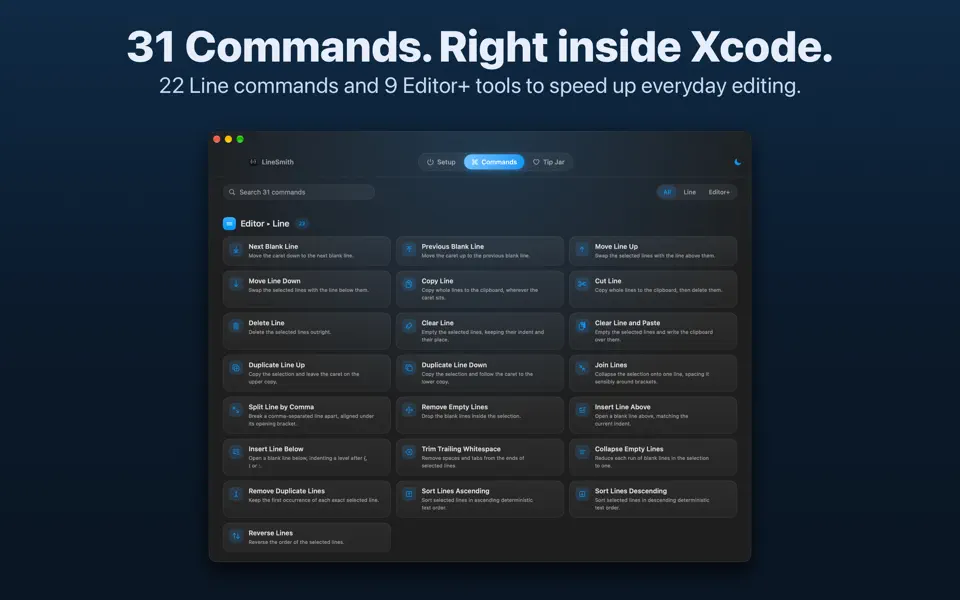
Editor > Line
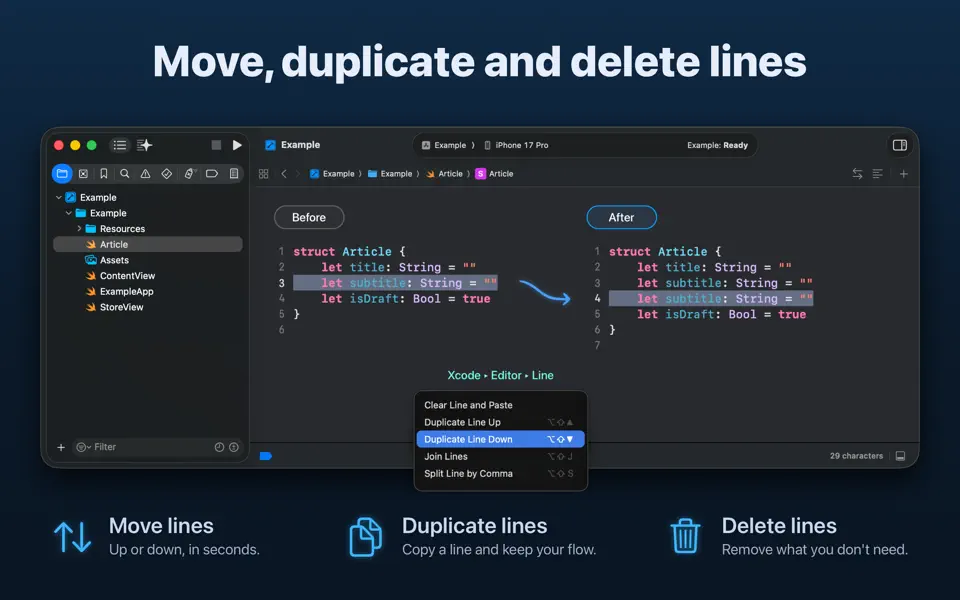
• Move Line Up / Move Line Down — swap the selection with the line above or below
• Duplicate Line Up / Duplicate Line Down — copy the selection and choose which copy keeps the caret
• Delete Line — delete whole lines wherever the caret sits
• Clear Line — empty the lines but keep their indentation and position
• Clear Line and Paste — replace the selected lines with the clipboard
• Copy Line / Cut Line — put whole lines on the clipboard, no selecting first
• Insert Line Above / Insert Line Below — open a blank line at the right indent
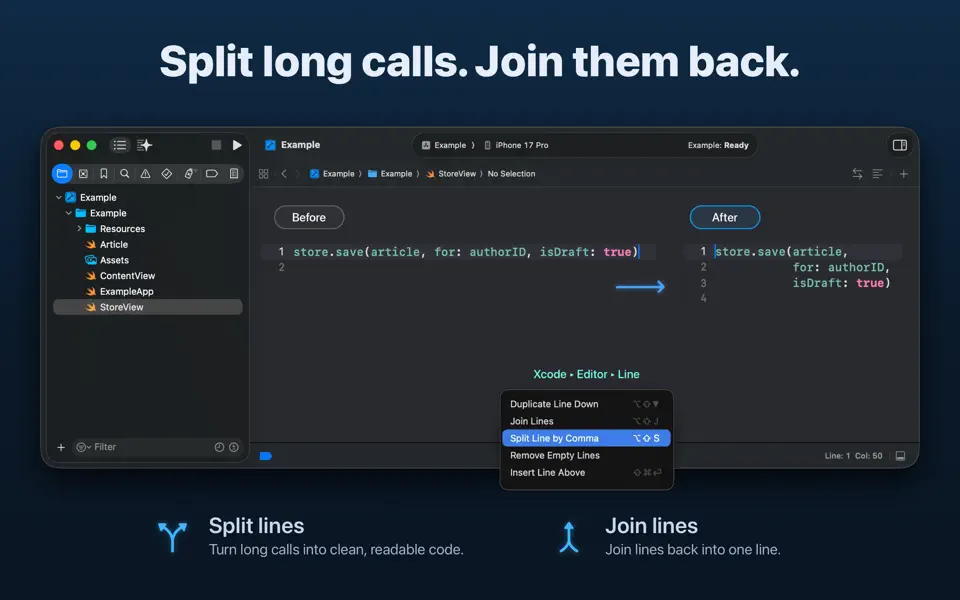
• Join Lines — collapse a selection onto one line, spacing it sensibly around brackets
• Split Line by Comma — break a comma-separated line apart, aligned under its bracket
• Remove Empty Lines — drop the blank lines inside a selection
• Next Blank Line / Previous Blank Line — move the caret between blocks
• Trim Trailing Whitespace — remove spaces and tabs from selected line endings
• Collapse Empty Lines — reduce each run of blank lines to one
• Remove Duplicate Lines — keep the first occurrence of each exact selected line
• Sort Lines Ascending / Sort Lines Descending — sort selected lines deterministically
• Reverse Lines — reverse the order of the selected lines
Editor > Editor+
• Remove Comment — strip // comments, leaving code and string or regex literals alone
• Add Type Extension — write an extension on the first type declared in the file
• Add Type Delegate — write a delegate protocol for it
• Insert MARK Section — insert a // MARK: section placeholder
• Wrap in #if DEBUG — wrap selected lines in a conditional compilation block
• Organize Imports — sort and de-duplicate safe, contiguous Swift import blocks
• Wrap in Task — wrap and indent selected lines in Task { }
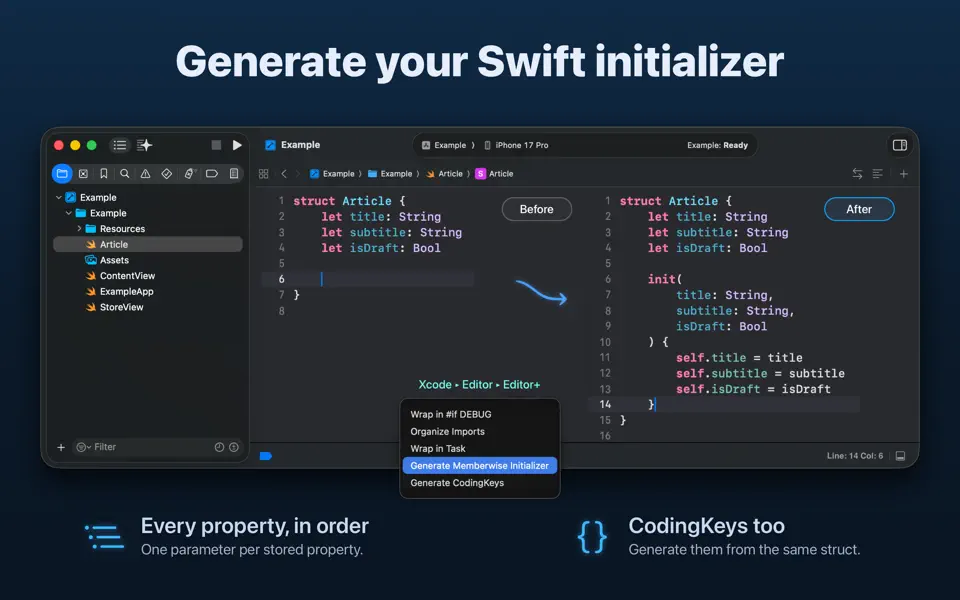
• Generate Memberwise Initializer — create an initializer from a struct's stored properties, and decline rather than guess on syntax it cannot handle
• Generate CodingKeys — create CodingKeys from direct stored properties
FREE, AND STAYING FREE
All 31 commands are free. There is no paid tier, no account, no ads and no tracking. LineSmith collects nothing about you or your code. If LineSmith saves you time, there is a tip jar in the app; a tip unlocks nothing, because there is nothing to unlock.
SETTING IT UP
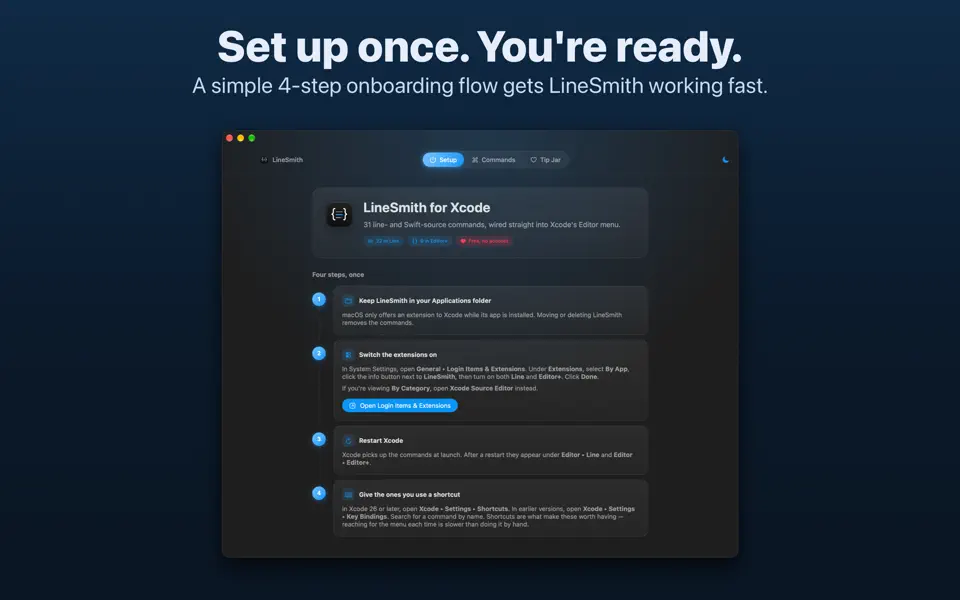
1. Keep LineSmith in your Applications folder.
2. In System Settings, find Xcode Source Editor and enable both Line and Editor+.
3. Restart Xcode.
4. Assign shortcuts in Xcode > Settings > Shortcuts (Key Bindings in earlier Xcode versions).
Requires macOS 14 or later and Xcode.
UPGRADING FROM TEXTPLUS
The 19 command identifiers inherited from TextPlus are unchanged, so existing keyboard shortcuts carry over. Version 2.0 also brings reliability fixes and 12 new commands, for 31 in total.
Geliştiriciden
Listeler 0
-
 LineSmith for Xcode
Puanlar 5
-

- +1 Puan
-
- 2.002 Dragon
- +1
-
- 17 Kai Lee
- +1
-
- 1.249 바람처어럼
- +1
-
- 18.989 Simon Chan
- +1
-
- 173 upto
- +1






Sıralamalar 0
-
- Puanınız
Geliştirici 4
- Tuan Truong
- Takipçiler: 0
- Platformlar: iOS Uygulamalar (2) macOS Uygulamalar (1) macOS Oyunlar (1)
- İndirimler: 1
- Listeler: 0 1
- Puanlar: 7
- Sıralamalar: 0
- Yorumlar: 0
- Video: 0
- RSS: Abone ol
Yenilikler
- Sürüm: 2.0.2
- Son güncelleme:
- LineSmith 2.0.2
• Undo after a command now restores only the lines that changed, without selecting the whole file or jumping to the top.
• Generate Memberwise Initializer and Generate CodingKeys handle trailing comments, property wrappers, property observers, and class methods correctly, and no longer guess wrong types.
• Join Lines keeps trailing comments intact and handles blank lines better.
• Split Line by Comma aligns under the innermost open bracket.
• Clear Line and Paste keeps indentation when the clipboard is empty.
• Files with mixed LF/CRLF line endings keep the endings of untouched lines.
• All 31 editing commands remain free.
Ek Bilgi
- Çıkış tarihi:
- Kategori:
macOS uygulamaları›Geliştirici araçları - İşletim Sistemleri:
macOSmacOS 14.0 ve üzeri - Boyut:
2 Mb - Desteklenen diller:
İngilizce - İçerik Derecelendirmesi:
4+ - Mac App Store Puan: ¡
0 - Web sitesi:
 https://leafworkstudio.com/linesmith
AppAgg Skoru
Tahmini AppAgg skoru:
LineSmith for Xcode
Geliştirici: Tuan Truong
Daha yüksek skorlar genellikle AppAgg’deki göstergelerin daha güçlü olduğunu belirtir.
Şunlara göre: popülerlik · kullanıcı puanları · güncellik · fırsatlar · mağaza verileri · topluluk etkinliği
Güncel AppAgg verileriyle her gün yeniden hesaplanır.
Yorumlar 0 ¡
Paylaş
LineSmith for Xcode Kısa URL: Kopyalandı!- Mac App Store

