
| デベロッパー: | Noel Geren (7) | ||
| 価格: | ▼ $5.99 | ||
| ランキング: | 0 | ||
| レビュー: | 0 レビューを書く | ||
| リスト: | 0 + 0 | ||
| ポイント: | 0 + 0 ¡ | ||
| Mac App Store | |||
説明

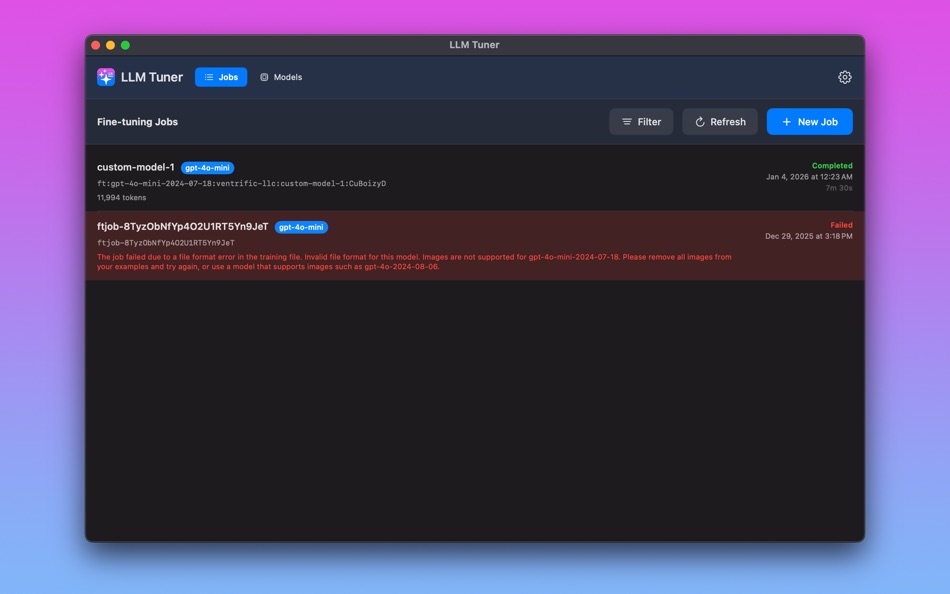
Manage OpenAI fine‑tuning jobs and custom (fine‑tuned) models from one place:
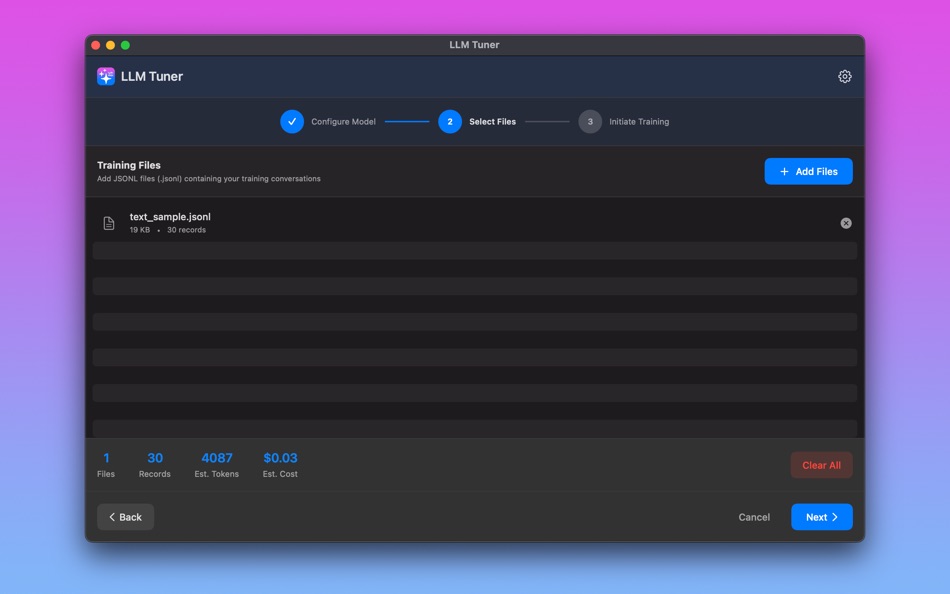
* Create fine‑tuning jobs by uploading training (and optional validation) files
* Track status updates automatically with background polling
* Get macOS notifications when jobs are completed or failed
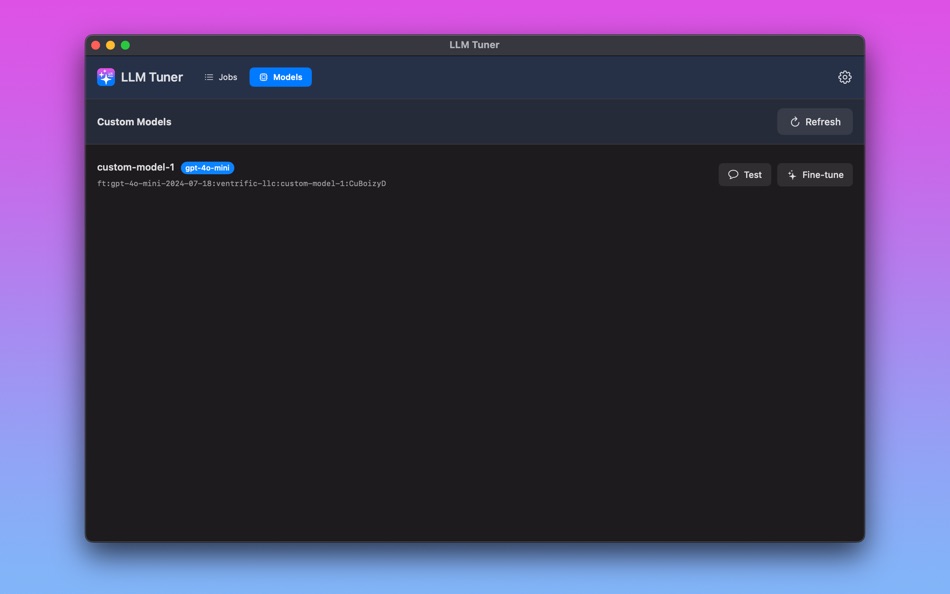
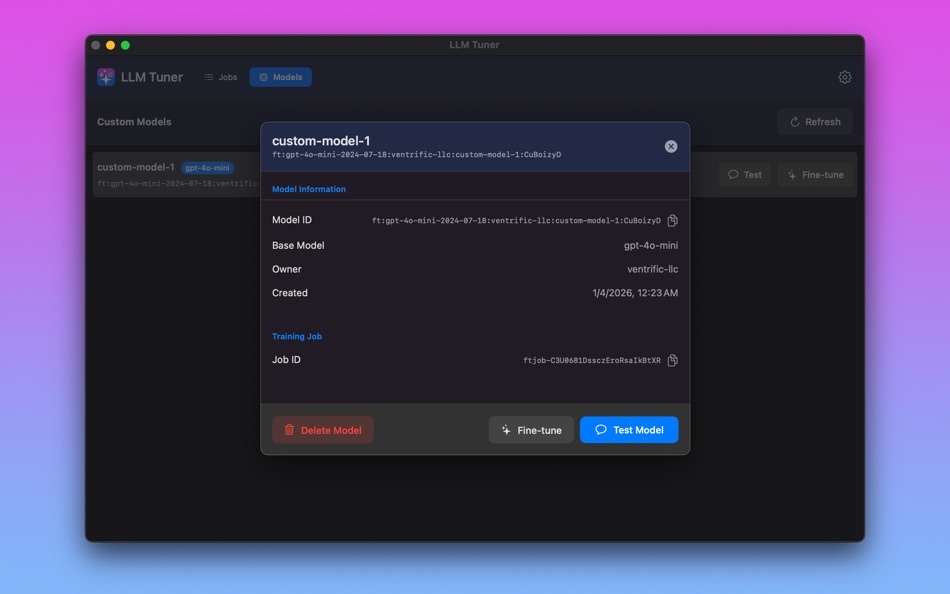
* View and manage your fine‑tuned models (including deleting models you no longer need)
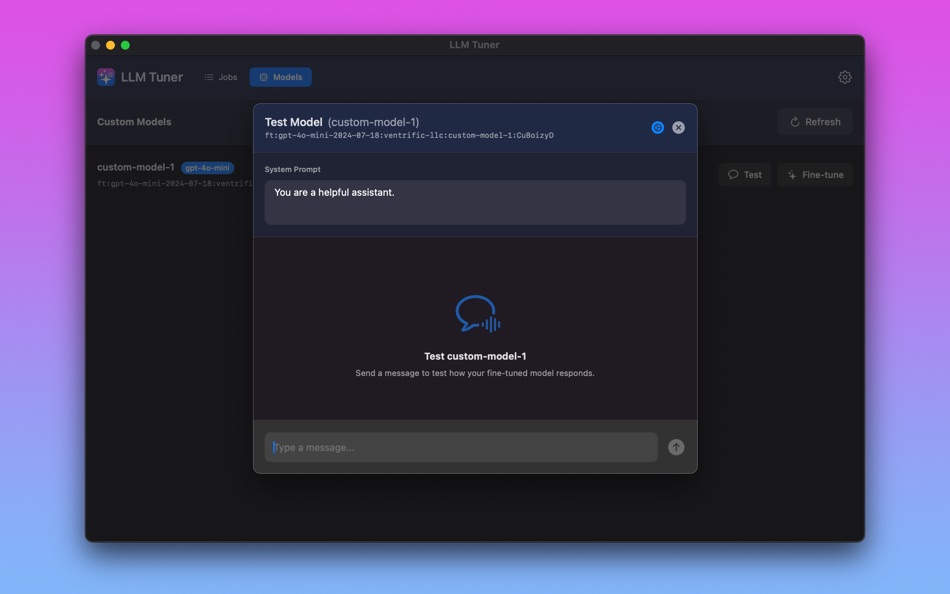
* Test fine‑tuned models with a lightweight chat playground (system prompt supported)
Supports both Text and Vision Model Tuning:
* Validate JSONL training files for required roles/messages and common issues
* Vision fine‑tuning JSONL validation (multimodal content + embedded/base64 image checks)
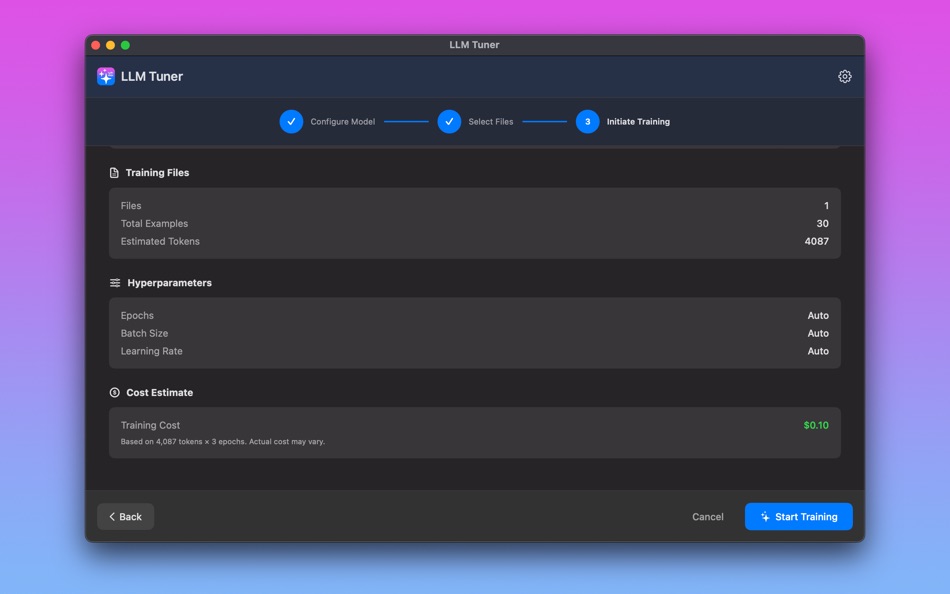
* Provides basic stats like counts, estimated tokens, and rough cost estimates
Designed for macOS:
* Dark Mode + Light Mode + System appearance support
* Your OpenAI API key is stored securely in macOS Keychain
Important notes:
* LLM Tuner requires your own OpenAI API key and OpenAI account.
* The app sends your requests (including any training/validation file contents you choose to upload) directly to the OpenAI API.
LLM Tuner is an independent application and is not affiliated with, endorsed by, or sponsored by OpenAI. OpenAI and related marks are trademarks of OpenAI. OpenAI APIs and model names are provided under OpenAI’s terms and policies.
Ad
スクリーンショット

新機能
- バージョン: 1.0
- アップデート:
価格
- 今日: $5.99
$7.99-25% - 最小値: ▼ $5.99
- 最大: $7.99
料金のチェック
Ad
デベロッパー
- Noel Geren
- プラットフォーム: macOS アプリ (7)
- リスト: 0 + 0
- ポイント: 0 + 0 ¡
- ランキング: 0
- レビュー: 0
- 割引: 2
- 動画: 0
- RSS: 購読する
ポイント
0 ☹️
ランキング
0 ☹️
リスト
0 ☹️
- LLM Tuner
レビュー
最初のクチコミを書こう 🌟
情報
連絡先
- ウェブサイト:
 https://x.com/ngeren
LLM Tuner 短縮 URL: コピーしました!- 🌟 シェア
- Mac App Store
あなたも好きかも
-
- LLM Batch
- macOS アプリ: 開発ツール 作者: Noel Geren
- $7.99
- リスト: 0 + 0 ランキング: 0 レビュー: 0
- ポイント: 0 + 0 バージョン: 1.0 LLM Batch is a native macOS client for the OpenAI Batch API, designed for developers who need to process large volumes of inference and embedding requests efficiently. Perfect for bulk ⥯
-
- RadostLLM
- macOS アプリ: 開発ツール 作者: RADOST IT j.d.o.o.
- フリー
- リスト: 0 + 0 ランキング: 0 レビュー: 0
- ポイント: 1 + 0 バージョン: 1.0 RadostLLM is a cutting-edge, web-based user interface designed specifically for the Ollama Large Language Model (LLM) runner. This intuitive platform empowers you to unlock your full ... ⥯
-
- AI Vibe Coding for Xcode
- macOS アプリ: 開発ツール 作者: Dmitry Suvorov
- * フリー
- リスト: 0 + 1 ランキング: 0 レビュー: 0
- ポイント: 8 + 0 バージョン: 2.0.2 Boost your Swift development with an AI-powered assistant inside Xcode. AI Vibe Coding Assistant for Xcode brings advanced LLM capabilities into your workflow with a seamless sidebar ... ⥯
-
- Auto Localize
- macOS アプリ: 開発ツール 作者: Muharrem Ozkan
- * フリー
- リスト: 0 + 2 ランキング: 0 レビュー: 0
- ポイント: 3 + 0 バージョン: 6.0 Auto Localize is the ultimate, comprehensive localization tool for developers, supporting Xcode, App Store Connect, Android Studio, Java, .NET, Unity, Flutter applications, and XLIFF ... ⥯
-
- Chat PPT
- macOS アプリ: 開発ツール 作者: Harry Daniel Gurth
- フリー
- リスト: 0 + 0 ランキング: 0 レビュー: 0
- ポイント: 0 + 0 バージョン: 1.0 Instant, reliable, pretty & optimized for LLMs. Transform .md files into slides instantly, 100% local & free. Side project I fell in love with & decided to share for free as it's saved ⥯
-
- CodeFusion - Merge into one
- macOS アプリ: 開発ツール 作者: Arnaud Dupuy
- フリー
- リスト: 0 + 0 ランキング: 0 レビュー: 0
- ポイント: 1 + 0 バージョン: 1.0.3 CodeFusion is a powerful Open Source macOS application designed to simplify the process of merging multiple files into a single consolidated copy, making it effortless to send content ... ⥯
-
- VibeCode Studio
- macOS アプリ: 開発ツール 作者: Tomas Klinger
- フリー
- リスト: 0 + 0 ランキング: 0 レビュー: 0
- ポイント: 0 + 0 バージョン: 1.01 # Supercharge Your AI Coding Workflow VibeCode Studio is the essential tool for Swift developers working with AI language models. In large codebases, pasting your entire project wastes ⥯
-
- Codebase Assistant For AI
- macOS アプリ: 開発ツール 作者: Beijiou Ltd
- * フリー
- リスト: 0 + 0 ランキング: 0 レビュー: 0
- ポイント: 0 + 0 バージョン: 1.9 Codebase Assistant is a coding tool that automating coding with LLM models such as Gemini, Claude, ChatGPT. Workflow: Generate Codebase File -> Send To AI -> Wait For AI -> Auto Apply ... ⥯
-
- Prompt Helper: AI Coding Tool
- macOS アプリ: 開発ツール 作者: ProductiveTap
- $19.99
- リスト: 0 + 0 ランキング: 0 レビュー: 0
- ポイント: 0 + 0 バージョン: 1.1 Prompt Helper takes the pain out of crafting coding prompts for tools like ChatGPT especially when you need to include file contents as context. Instead of manually copy-pasting files ... ⥯
-
- Project Ingest
- macOS アプリ: 開発ツール 作者: Bregas Wicaksono
- フリー
- リスト: 0 + 0 ランキング: 0 レビュー: 0
- ポイント: 0 + 0 バージョン: 1.0.0 Project Ingest streamlines the process of providing code to LLMs. It scans a project directory, lets you filter out irrelevant files, and consolidates all the code into a single, clean ⥯
-
- LocalizeIt - AI App Translate
- macOS アプリ: 開発ツール 作者: RanduSoft SRL
- $9.99
- リスト: 0 + 0 ランキング: 0 レビュー: 0
- ポイント: 0 + 0 バージョン: 1.0.2 LocalizeIt is a native macOS app that translates Xcode string catalogs (.xcstrings) using AI. Built for Apple developers who want fast, accurate localization without the hassle. NO ... ⥯
-
- PromptTree: AI File Context
- macOS アプリ: 開発ツール 作者: URSACORP, LLC
- $4.99
- リスト: 0 + 0 ランキング: 0 レビュー: 0
- ポイント: 0 + 0 バージョン: 1.0.2 Turn your files into precise AI context instantly. PromptTree transforms any folder you want into a clean, token-counted XML prompt ready for your favourite LLM. Drag entire ... ⥯
-
- VibeCleaner
- macOS アプリ: 開発ツール 作者: Selcuk Dolapci
- フリー
- リスト: 0 + 0 ランキング: 0 レビュー: 0
- ポイント: 0 + 0 バージョン: 1.0.1 Xcode Extension for cleaning // vibecoding comments and print("gpt gaslighting") and also removes /* I added because, I don't know, am just hallucinating LLM */ AI code assistants ruin ⥯
- 新着
- Stash – Clipboard, Evolved
- macOS アプリ: 開発ツール 作者: Derek Lucas
- $2.99
- リスト: 0 + 0 ランキング: 0 レビュー: 0
- ポイント: 0 + 0 バージョン: 1.0.4 Stop juggling context. Stash is a clipboard manager built for developers working with LLMs. You're copying error logs from the terminal, stack traces from your browser, code snippets ... ⥯