
保存済み
保存済みメニューに表示する名前を選択してください。
完了
| デベロッパー: | Robin Ellingsen (4) | ||
| 価格: | フリー | ||
| ランキング: | 0 | ||
| コメント: | 0 コメントを投稿する | ||
| リスト: | 0 + 0 | ||
| ポイント: | 0 + 0 ¡ | ||
| +1 ポイント | |||
説明

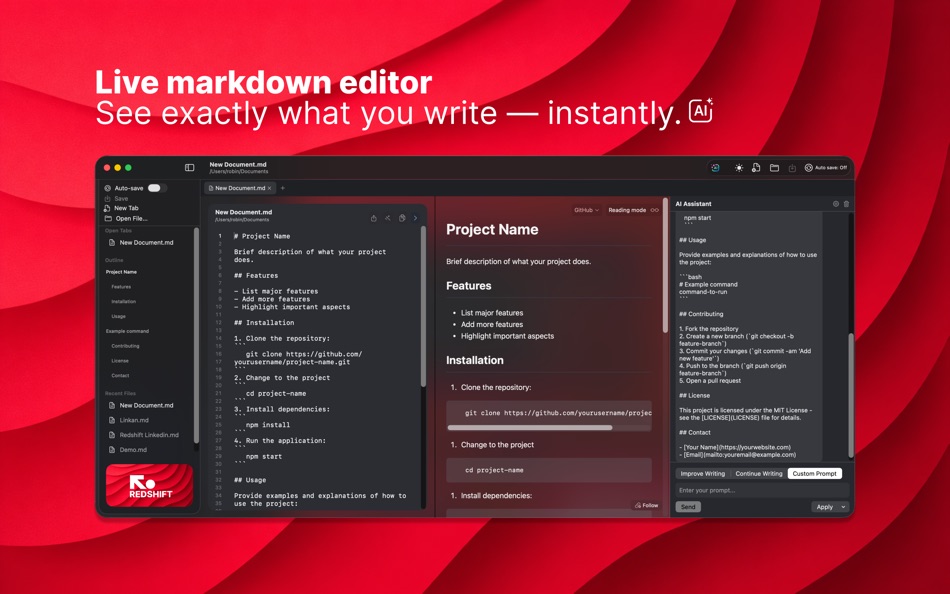
- Real-time preview as you type
- Native macOS app — no browser layer
- Multiple preview styles (GitHub and more)
- Mermaid diagrams supported
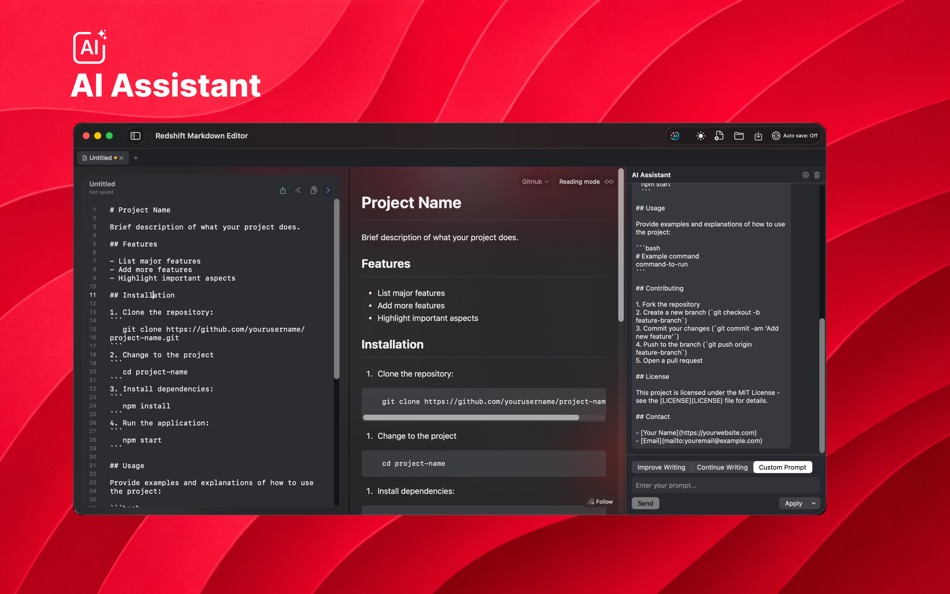
AI Assistant
- Connect your ChatGPT or Claude account
- Per‑tab chat panel with streaming responses
Focused Writing
- Clean, distraction‑free editor
- Read mode and preview toggle
- Designed to keep you in flow
Scroll Sync
- Editor and preview stay in sync
- Follow your writing automatically
Snippets & Templates
- Insert common Markdown blocks instantly
- Speed up writing with reusable templates
- Built‑in README and project note templates
Tables
- Visual Table Builder (rows, columns, alignment)
- Live Markdown preview while editing
Images
- Paste or drag‑drop images into the editor
- Auto‑saved asset library with optional compression
Native File Handling
- Open, save, and rename files like Finder
- Autosave with safety checks
- Open files from Finder and recent list
Tabs & Quick Switcher
- Work across multiple documents in tabs
- Quick Switcher for fast navigation
Version History
- Automatic snapshots with restore
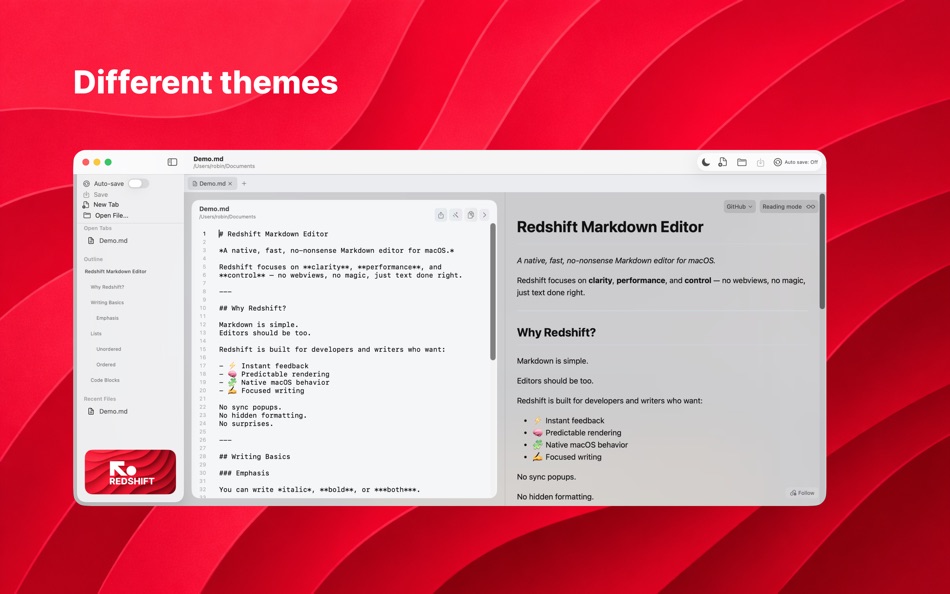
Themes
- Multiple built‑in themes
- Light and dark options
Export
- Export HTML or PDF
- Copy rendered HTML
スクリーンショット
価格履歴
- 現在の価格: フリー
- 最小値: フリー
- 最大: フリー
料金のチェック
Ad
情報
新機能
- バージョン: 1.1.2
- アップデート:
- Fixed a critical crash when hiding the preview pane, and resolved a bug where tabs shared state — editing or saving in one tab could overwrite content and filenames across all open tabs.
デベロッパー
- Robin Ellingsen
- プラットフォーム: iOS アプリ (1) iOS ゲーム (1) macOS アプリ (2)
- リスト: 0 + 0
- ポイント: 0 + 0 ¡
- ランキング: 0
- コメント: 0
- 割引: 0
- 動画: 0
- RSS: 購読する
リスト (0)
0 ☹️
- Redshift Markdown
ポイント (0)
0 ☹️
ランキング (0)
0 ☹️
コメント (0)
最初にコメントしてください 🌟
«Redshift Markdown». プラットフォーム: macOS. カテゴリ: 開発ツール. 開発者: «Robin Ellingsen». 最初のリリース: . 最終更新日: . 現在の価格: 無料. このタイトルはまだ AppAgg で評価やレビューを受けていません。 利用可能な言語: English. AppAgg は «Redshift Markdown»の価格履歴、評価、ユーザーフィードバックを追跡します。 今後の値下げと更新をフォロー: RSS で確認できます. AppAgg はアプリケーションをホストしたり、ソフトウェアを配布したりしません。 すべての商標、ロゴ、スクリーンショットはそれぞれの所有者に帰属します。
Redshift Markdown 短縮 URL: コピーしました!- 🌟 シェア
- Mac App Store
類似
-
- Markdown Browser
- macOS アプリ: 開発ツール 作者: Shaun Hirst
- $1.99
- リスト: 0 0 0
- ポイント: 0 バージョン: 1.0.0 Markdown Browser is a powerful yet elegant native Mac application designed for reading, browsing, and navigating Markdown documents with ease. Whether you're reviewing documentation, ... ⥯
-
- Markdown Workbench
- macOS アプリ: 開発ツール 作者: David Page
- $2.99
- リスト: 0 + 1 0 0
- ポイント: 4 バージョン: 1.0.4 Markdown Workbench is a fast, focused document viewer and editor built for people who work with Markdown and code files every day. Open any Markdown file and see it beautifully ... ⥯
-
- Markdown Buddy
- macOS アプリ: 開発ツール 作者: Jan Tumpach
- $0.99
- リスト: 0 0 0
- ポイント: 0 バージョン: 1.1 Markdown Buddy is a native macOS app that lets you preview Markdown files beautifully, right from your code editor or Finder. Source Editor Extension Integrates directly into your ... ⥯
-
- Markdown EditPad
- macOS アプリ: 開発ツール 作者: Damian Pieszczynski
- $4.99
- リスト: 0 0 0
- ポイント: 0 バージョン: 1.0 Markdown editor with support for GitHub flavor. Features: - live preview - outline - bookmarks - markdown docs and interface to add markdown tags - export to HTML and RTF ⥯
-
- Markdown Export
- macOS アプリ: 開発ツール 作者: Tanvir N Hasan
- * フリー
- リスト: 0 0 0
- ポイント: 0 バージョン: 1.2 A Professional Markdown-to-Document Converter Transform your markdown into beautifully formatted PDFs, Word documents, and PNG images with just a click. Markdown Export combines a ... ⥯
-
- Markdown Quick Look
- macOS アプリ: 開発ツール 作者: Bitfield AB
- $4.99
- リスト: 0 0 0
- ポイント: 0 バージョン: 1.0 Stop opening files just to peek. Markdown Quick Look adds instant, beautifully rendered Markdown previews to Finder. Press the spacebar on any .md, .markdown, or .mdown file and see ... ⥯
-
- Ohai Markdown Viewer
- macOS アプリ: 開発ツール 作者: Verbari LLC
- $14.99
- リスト: 0 0 0
- ポイント: 0 バージョン: 1.0 Stop reading raw text in your terminal. Ohai is a native macOS markdown viewer built for the age of AI. It acts as a real-time canvas for tools like Claude Code, Cursor, and Copilot. ... ⥯
-
- Meva - Markdown Viewer
- macOS アプリ: 開発ツール 作者: Shuchi Muley
- * フリー
- リスト: 0 0 0
- ポイント: 0 バージョン: 1.3.0 Markdown files deserve a better reader. Meva is a fast, native markdown viewer built specifically for consuming documentation generated by tools like Claude, ChatGPT, Cursor, and ... ⥯
-
- Telescopo: Markdown Viewer
- macOS アプリ: 開発ツール 作者: Bad Command AI
- * フリー
- リスト: 0 + 2 0 0
- ポイント: 6 バージョン: 6.1.0 Telescopo: Markdown Viewer is a lightning-fast, native Markdown viewer for macOS featuring an integrated AI Assistant, builtin Mermaid diagrams, LaTeX math, and pro-grade PDF exports. ... ⥯
-
- Pixley Markdown
- macOS アプリ: 開発ツール 作者: Jose Duarte
- フリー
- リスト: 0 + 1 0 0
- ポイント: 1 バージョン: 3.1 AI tools generate markdown. Pixley makes it interactive. Open a file or browse a folder of markdown documents in a clean sidebar. Pixley converts plain text into interactive controls ... ⥯
-
- Easy Markdown
- macOS アプリ: 開発ツール 作者: Roberto Panetta
- $7.99
- リスト: 0 + 1 0 0
- ポイント: 0 バージョン: 1.9.3 Easy Markdown lets you create Web pages just writing plain text with Markdown syntax. It's simply and powerful. We are sure you will love it. A text written in Markdown is a plain text ⥯
-
- BetterLocale MarkDown
- macOS アプリ: 開発ツール 作者: Christian Drapatz
- $3.99
- リスト: 0 0 0
- ポイント: 1 バージョン: 1.0 BetterLocale MarkDown is a powerful Markdown editor for macOS. It combines a clear writing interface with a direct HTML live preview. As you write your Markdown text on the left, you ... ⥯
-
- Markdown2PDF: Convert Markdown
- macOS アプリ: 開発ツール 作者: Haplo, LLC
- $1.99
- リスト: 0 0 0
- ポイント: 0 バージョン: 1.2 Easily Convert Markdown to PDF with Markdown2PDF Markdown2PDF is the fastest way to turn your Markdown files into high-quality PDFs. Whether you re writing notes, documentation, or ... ⥯
-
- Markdowny - Markdown Viewer
- macOS アプリ: 開発ツール 作者: RanduSoft SRL
- $1.99
- リスト: 0 0 0
- ポイント: 0 バージョン: 2.0.0 The Perfect Companion for Your Writing Workflow Do you prefer writing in Vim, Emacs, Sublime Text, or a simple text editor? Do you need a crisp, rendered preview of your work without ... ⥯