
| Nhà phát triển: | Ahmad Tibi (1) | ||
| Giá bán: | Miễn phí | ||
| Xếp hạng: | 0 | ||
| Đánh giá: | 0 Viết đánh giá | ||
| Danh sách: | 0 + 0 | ||
| Điểm: | 0 + 0 ¡ | ||
| Mac App Store | |||
Mô tả

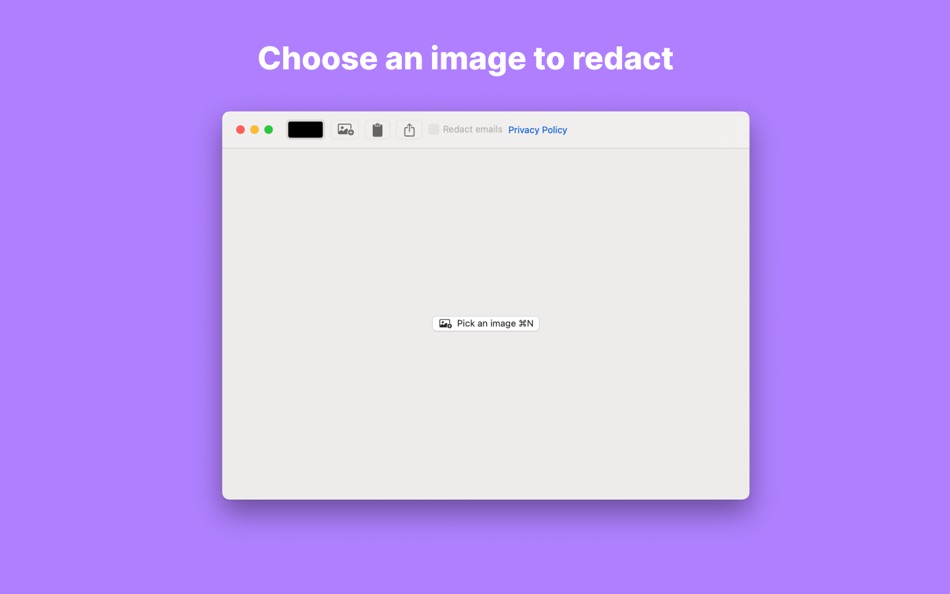
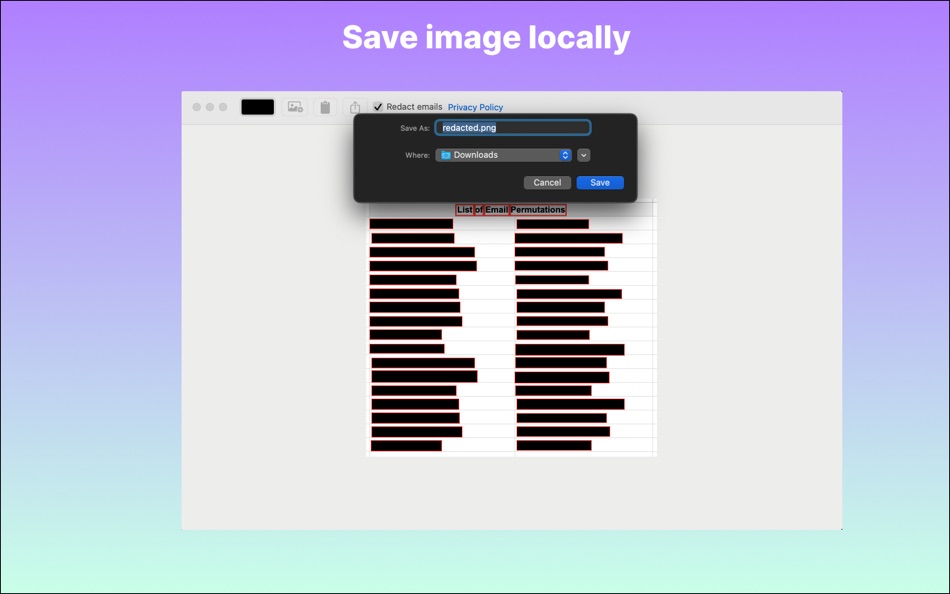
Just click on the box and redact, you can then save the image as a png file.
Ảnh chụp màn hình


Tính năng mới
- Phiên bản: 1.2
- Cập nhật:
- Added functioning MenuBar item "Image" that allows you to choose an image or save one if you redacted an image.
Fixed a bug where the save image and save to clipboard buttons were not disabled if you didn't have an image.
Saved images now have the same dimensions as the original ones.
You can now copy an image by right-clicking the image and clicking copy image to clipboard.
Added new screenshots.
Giá bán
- Hôm nay: Miễn phí
- Tối thiểu: Miễn phí
- Tối đa: Miễn phí
Theo dõi giá
Nhà phát triển
- Ahmad Tibi
- Nền tảng: macOS Ứng dụng (1)
- Danh sách: 0 + 0
- Điểm: 0 + 0 ¡
- Xếp hạng: 0
- Đánh giá: 0
- Giảm giá: 0
- Video: 0
- RSS: Đăng ký
Điểm
0 ☹️
Xếp hạng
0 ☹️
Danh sách
0 ☹️
Đánh giá
Hãy là người đầu tiên đánh giá 🌟
Thông tin bổ sung
- Phiên bản: 1.2
- Danh mục:
macOS Ứng dụng›Công cụ - HĐH:
macOS,macOS 14.0 trở lên - Kích thước:
220 Kb - Ngôn ngữ được hỗ trợ:
English - Xếp hạng nội dung:
17+ - Mac App Store Xêp hạng:
0 - Cập nhật:
- Ngày phát hành:
ScreenRedact URL ngắn: Đã sao chép!- 🌟 Chia sẻ
- Mac App Store
Bạn cũng có thể thích
-
- Pixeur - Screen Color Picker
- macOS Ứng dụng: Công cụ Bởi: 海峰 陈
- Miễn phí
- Danh sách: 0 + 0 Xếp hạng: 0 Đánh giá: 0
- Điểm: 1 + 2 (3.0) Phiên bản: 1.1 Pixeur is a color management tool specially designed for designers and developers, which is convenient for collecting APP design colors. Features # Color code format: covers mainstream ⥯
-
- Echo: Easy Screen Mirroring
- macOS Ứng dụng: Công cụ Bởi: Alexis Rondeau
- Miễn phí
- Danh sách: 0 + 0 Xếp hạng: 0 Đánh giá: 0
- Điểm: 0 + 0 Phiên bản: 1.6.1 Tired of configuring your external displays every time? Echo makes it effortless instantly sync all your displays with just one click. - One-Click Mirroring: Mirror the largest, ... ⥯
-
- SSH Client - Secure ShellFish
- macOS Ứng dụng: Công cụ Bởi: Anders Borum
- * Miễn phí
- Danh sách: 4 + 2 Xếp hạng: 0 Đánh giá: 0
- Điểm: 12 + 1,206 (4.8) Phiên bản: 2026.5 Lightning fast SSH terminal with remote file access. No other app fuses your SSH servers and iOS devices as well as Secure ShellFish. Tap Get and see for yourself. Terminal supports ... ⥯
- -100%
- Klipped
- macOS Ứng dụng: Công cụ Bởi: Andrew Drake
- ▼ Miễn phí
$3.99-100% - Danh sách: 0 + 2 Xếp hạng: 0 Đánh giá: 0
- Điểm: 19 + 0 Phiên bản: 3.0.1 Beauty in simplicity. Klipped is a minimalist scratch pad that is a buddy for all your other apps. Write ideas down. Paste text and use as a clipboard; delete when you re done. No ... ⥯
-
- xScope 4
- macOS Ứng dụng: Công cụ Bởi: The Iconfactory
- $49.99
- Danh sách: 3 + 3 Xếp hạng: 0 Đánh giá: 0
- Điểm: 0 + 0 Phiên bản: 4.7.2 Created specifically for designers & developers, xScope is a powerful set of tools that are ideal for measuring, inspecting & testing on-screen graphics and layouts. xScope s tools ... ⥯
-
- SSH Client - Terminal, Telnet
- macOS Ứng dụng: Công cụ Bởi: Moon Technolabs Pvt Ltd
- Miễn phí
- Danh sách: 1 + 2 Xếp hạng: 0 Đánh giá: 0
- Điểm: 5 + 395 (3.5) Phiên bản: 4.9.4 Here is one of the most intelligent & advanced SSH Client apps to manage and connect remote servers for your iOS and Mac devices About SSH Client: SSH Client is an on-the-go SSH-Telnet ⥯
-
- iTerminus: SSH Client Terminal
- macOS Ứng dụng: Công cụ Bởi: Ravi Kakadiya
- Miễn phí
- Danh sách: 1 + 0 Xếp hạng: 0 Đánh giá: 0
- Điểm: 12 + 14 (4.7) Phiên bản: 1.8.2 QuickSSH - SSH Terminal & Shell Fast, Secure, & Powerful SSH Client QuickSSH is a lightning-fast, secure, and feature-rich SSH terminal app designed for developers, system admins, and ... ⥯
-
- Color Picker - Pikka
- macOS Ứng dụng: Công cụ Bởi: Ruslan Sayfutdinov
- * Miễn phí
- Danh sách: 2 + 1 Xếp hạng: 0 Đánh giá: 0
- Điểm: 6 + 0 Phiên bản: 4.0.4 ** Apple's pick for Apps And Games We Love Right Now ** Pikka - Color Picker is an easy-to-use color picker and palette generator for developers and designers that works well with ... ⥯
-
- Adaptivity (A)
- macOS Ứng dụng: Công cụ Bởi: Geoff Hackworth
- $7.99
- Danh sách: 2 + 5 Xếp hạng: 0 Đánh giá: 0
- Điểm: 0 + 91 (5.0) Phiên bản: 9.5 Adaptivity is an invaluable tool for developers and designers. Use it to visualize how Size Classes and margins for layout, readable content and the safe area look on real devices and ... ⥯
-
- Pastel
- macOS Ứng dụng: Công cụ Bởi: Steven Troughton-Smith
- Miễn phí
- Danh sách: 3 + 1 Xếp hạng: 0 Đánh giá: 0
- Điểm: 2 + 1,375 (4.7) Phiên bản: 2.4.1 Capture and collect color palettes with Pastel! Pastel is an app for amateur developers & artists (like us!) that lets you build up a library of color palettes to use in your projects. ⥯
-
- Expressions
- macOS Ứng dụng: Công cụ Bởi: Apptorium
- $7.99
- Danh sách: 2 + 3 Xếp hạng: 1 (1) Đánh giá: 0
- Điểm: 1 + 0 Phiên bản: 1.3.9 Expressions allows to play with regular expressions*. Just type your pattern and some text to test it. All the changes are updated while you're typing text or pattern. App highlights ... ⥯
-
- Store Switch
- macOS Ứng dụng: Công cụ Bởi: Pearce Media Limited
- Miễn phí
- Danh sách: 1 + 3 Xếp hạng: 0 Đánh giá: 0
- Điểm: 4 + 29 (4.4) Phiên bản: 2.1.4 Store Switch is the best way for developers to view their apps in multiple regions. Easily check for features, ranks and more. - Quickly switch regions to view ranks and features ... ⥯
-
- Vulcan: generator for SwiftUI
- macOS Ứng dụng: Công cụ Bởi: Pure Creek
- * Miễn phí
- Danh sách: 0 + 2 Xếp hạng: 0 Đánh giá: 0
- Điểm: 7 + 0 Phiên bản: 2.14 Vulcan allows developers to generate the SwiftUI code for an entire iOS app in minutes. Vulcan is not a design tool. It's objective is to generate all the tedious bolierplate for the ... ⥯
-
- Pixera
- macOS Ứng dụng: Công cụ Bởi: Parth Antala
- * Miễn phí
- Danh sách: 0 + 0 Xếp hạng: 0 Đánh giá: 0
- Điểm: 0 + 0 Phiên bản: 1.6 Pixera Stylish Screenshots, Instantly Pixera transforms ordinary screenshots into beautifully framed, share-ready visuals. Automatically! With a single shortcut, Pixera opens an ... ⥯