
| Desarrollador: | kosuke konuma (5) | ||
| Precio: | * Gratis | ||
| Clasificaciones: | 0 | ||
| Opiniones: | 0 Escribir una opinión | ||
| Listas: | 0 + 0 | ||
| Puntos: | 0 + 0 ¡ | ||
| Mac App Store | |||
Descripción

Transform your presentations, online meetings, and screen recordings with Annota - the professional annotation tool designed specifically for Mac users. Whether you're teaching online, giving presentations, or creating tutorials, Annota makes it easy to draw attention to what matters most.
Key Features:
Real-time Screen Annotation
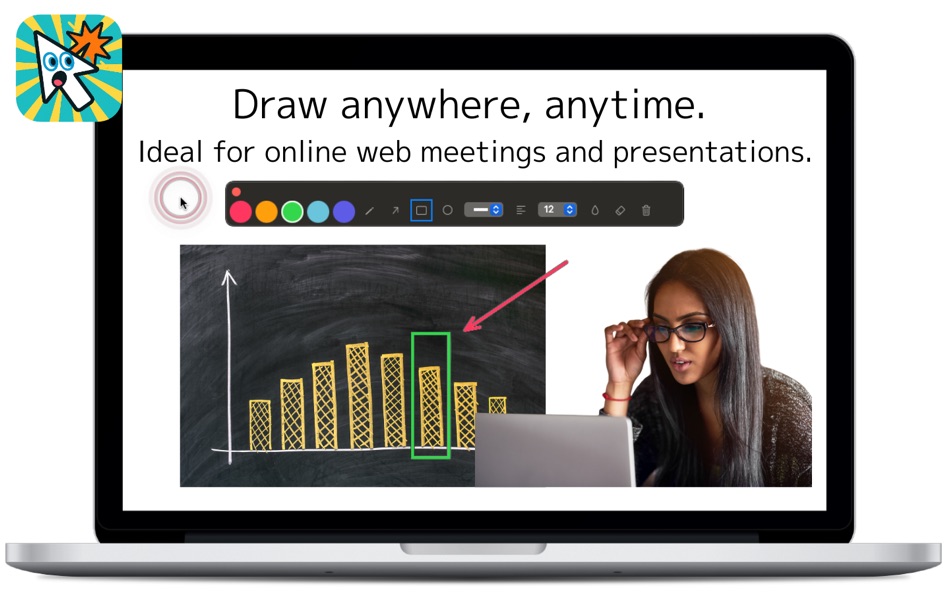
Draw directly on your screen during Zoom, Teams, Google Meet, or any other application. Your annotations appear as an overlay, making it perfect for live demonstrations and explanations.
Comprehensive Drawing Tools
- Freehand drawing for natural annotations
- Arrows to point out important elements
- Rectangles and circles for highlighting areas
- Text tool for adding notes and labels
- Eraser for quick corrections
- Blur tool to hide sensitive information
- Quick clear function to start fresh
Professional Color Palette
Choose from 5 carefully selected colors (Pink, Orange, Green, Teal, Indigo) that stand out clearly on any background.
Cursor Enhancement
Add animated ripple effects to your cursor movements, making it easier for viewers to follow your actions. Perfect for tutorials and demonstrations where cursor visibility is crucial.
Built-in Screenshot Capture
Capture your annotated screens with the integrated screenshot tool (Ctrl+S). Select specific areas to save and share your visual explanations.
Global Hotkeys
- Ctrl+W: Start/Stop annotation mode
- Ctrl+Q: Toggle cursor highlight
- Ctrl+S: Take screenshot
- Esc: Exit annotation mode
All hotkeys work system-wide, even when Annota isn't the active application.
Customizable Settings
- Adjust blur intensity for privacy protection
- Choose cursor highlight colors
- Configure ripple animation direction
- Multi-language support (English, Japanese, French, German)
Perfect for:
- Online educators and trainers
- Business professionals giving presentations
- Content creators making tutorials
- Technical support staff
- Anyone who needs to explain things visually
Pricing:
- 30-day free trial for all features
- $0.99/month subscription after trial
- Cancel anytime through your Apple ID settings
Why Choose Annota?
Unlike basic annotation tools, Annota is built specifically for Mac with native performance and seamless integration. The floating overlay technology ensures your annotations appear above all applications without interfering with your workflow.
Start your free trial today and discover how Annota can enhance your communication and make your explanations more effective!
Terms of Use: https://techback.info/terms-of-use-for-annotify/
Capturas...


Novedades
- Versión: 1.8
- Actualizado:
- What's New in v1.8
- Select, move, resize & rotate annotations directly in drawing mode
- Delete annotations with the Delete key
- Auto-confirm text when switching tools
- Bug fixes and stability improvements
Precio
-
* Compras en la aplicación - Hoy: Gratis
- Mínimo: Gratis
- Máximo: Gratis
Realizar un seguimiento de los precios
Desarrollador
- kosuke konuma
- Plataformas: iOS Aplicaciones (2) macOS Aplicaciones (3)
- Listas: 0 + 0
- Puntos: 0 + 0 ¡
- Clasificaciones: 0
- Opiniones: 0
- Descuentos: 0
- Vídeos: 0
- RSS: Suscribirse
Puntos
0 ☹️
Clasificaciones
0 ☹️
Listas
0 ☹️
- Annotify
Opiniones
Sé el primero en escribir una reseña 🌟
Información adicional
- Versión: 1.8
- Categoría:
macOS Aplicaciones›Productividad - Sistemas operativos:
macOS,macOS 15.3 y versiones posteriores - Tamaño:
3 Mb - Clasificación de contenido:
4+ - Mac App Store Puntuación:
0 - Actualizado:
- Fecha de lanzamiento:
Contactos
 https://techback.info/annotify/index.htmlAnnotify URL corta: Copiado!
- 🌟 Compartir
- Mac App Store
También te puede interesar
-
- Pages: Create Documents
- macOS Aplicaciones: Productividad De: Apple
- * Gratis
- Listas: 8 + 1 Clasificaciones: 0 Opiniones: 0
- Puntos: 3 + 477,566 (4.7) Versión: 15.1.1 Create beautiful documents with Pages on iPhone, iPad and Mac. Start with an Apple-designed template for a report, resume, poster, or digital book. Easily add images, movies, audio, ... ⥯
-
- Notability: AI Notes & PDF app
- macOS Aplicaciones: Productividad De: Ginger Labs
- * Gratis
- Listas: 30 + 19 Clasificaciones: 5 (2) Opiniones: 0
- Puntos: 28 + 438,625 (4.8) Versión: 15.3.8 From your first lecture to your next big meeting, Notability helps you think, learn, and work better. Take handwritten notes, annotate documents, record audio, and stay organized in ... ⥯
-
- Goodnotes: AI Notes, Docs, PDF
- macOS Aplicaciones: Productividad De: Goodnotes Limited
- * Gratis
- Listas: 42 + 32 Clasificaciones: 0 Opiniones: 0
- Puntos: 33 + 397,862 (4.7) Versión: 7.0.34 Goodnotes has always been the place to capture your ideas from quick notes to big plans. Now, it goes further. With powerful AI and new ways to capture information, Goodnotes helps you ⥯
-
- Structured - Daily Planner
- macOS Aplicaciones: Productividad De: unorderly GmbH
- Gratis
- Listas: 4 + 2 Clasificaciones: 0 Opiniones: 0
- Puntos: 6 + 153,799 (4.8) Versión: 4.4.3 Finally take control of your day. Plan with a clear visual timeline that brings your calendar, to-dos, routines, and habits together. Join over 1.5 million active planners who feel ... ⥯
-
- AI Chat Assistant – ChatNow
- macOS Aplicaciones: Productividad De: tappz
- Gratis
- Listas: 0 + 0 Clasificaciones: 0 Opiniones: 0
- Puntos: 5 + 125,412 (4.8) Versión: 5.5.0 ChatNow - Make AI Your Advantage Get more done with ChatNow, the #1 AI assistant designed for busy people. Write emails and reports, check facts, compare products, create images or ... ⥯
-
- Best VPN : Unlimited VPN Proxy
- macOS Aplicaciones: Productividad De: VPN LLC US
- Gratis
- Listas: 4 + 1 Clasificaciones: 0 Opiniones: 0
- Puntos: 14 + 122,137 (4.6) Versión: 4.042 Best VPN - Unlimited VPN Proxy: Your Privacy Companion Protect your privacy, secure your connection, and surf the internet freely with Best VPN. No sign ups. No logins. One tap to ... ⥯
-
- Calendars: Schedule Planner
- macOS Aplicaciones: Productividad De: Readdle Technologies Limited
- Gratis
- Listas: 2 + 0 Clasificaciones: 0 Opiniones: 0
- Puntos: 7 + 117,351 (4.7) Versión: 5.37.19 Calendars by Readdle is the all-in-one calendar, task manager, daily planner, and habit tracker seamlessly working across all your Apple devices: Mac, iPhone, iPad, and Apple Watch. ... ⥯
-
- Dashlane Password Manager
- macOS Aplicaciones: Productividad De: Dashlane
- Gratis
- Listas: 1 + 1 Clasificaciones: 0 Opiniones: 0
- Puntos: 4 + 101,650 (4.8) Versión: 6.2605.1 Dashlane is more than just a password manager. It s automated protection that stays on guard, so you don't have to. Dashlane actively monitors for password leaks and scams so you can ... ⥯
-
- iLovePDF - PDF Editor & Scan
- macOS Aplicaciones: Productividad De: iLovePDF
- Gratis
- Listas: 1 + 0 Clasificaciones: 0 Opiniones: 0
- Puntos: 1 + 47,183 (4.8) Versión: 3.13.0 Read, convert, annotate and sign PDF in just a few seconds with this handy document scanner and editor. Boost your productivity with every tool you need to work on the go. PHONE ... ⥯
-
- Authenticator App
- macOS Aplicaciones: Productividad De: 2Stable
- * Gratis
- Listas: 0 + 0 Clasificaciones: 0 Opiniones: 0
- Puntos: 0 + 43,906 (4.6) Versión: 3.40.2 Authenticator App helps you keep your online accounts safe by giving you secure two-factor authentication codes for all your accounts. Key Features of the Authenticator App: - Secure & ⥯