
Guardados
Elige el nombre que se mostrará en tu menú Guardados.
Hecho!
| Desarrollador: | Rocketware Limited (7) | ||
| Precio: | Gratis | ||
| Evaluación: | 500 Bronce | ||
| Clasificaciones: | 0 | ||
| Comentarios: | 0 Publicar comentario | ||
| Listas: | 0 + 0 | ||
| Puntos: | 0 + 0 ¡ | ||
| +1 Puntos | |||
Descripción

---
**Highlights & Features**
## Your Notes, Your Data
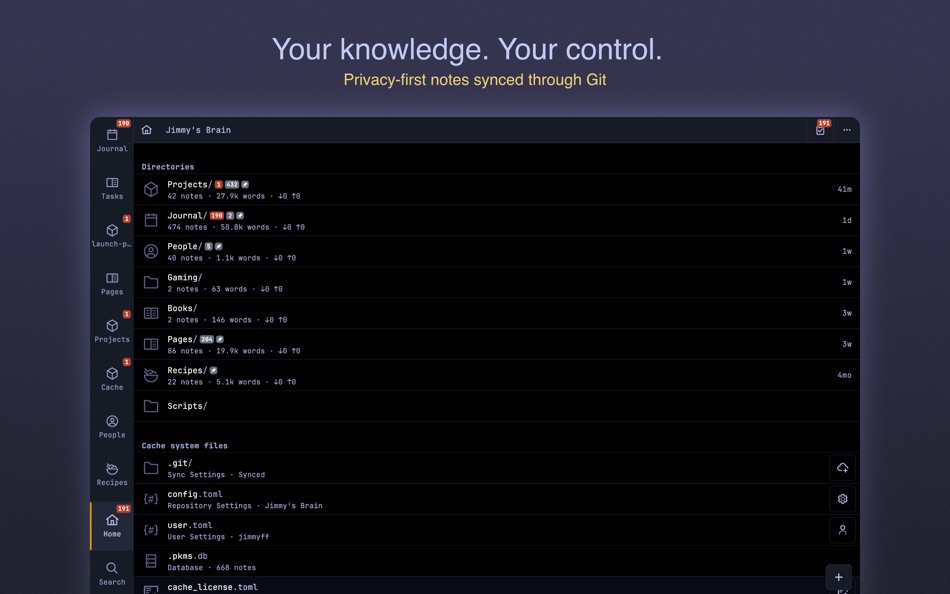
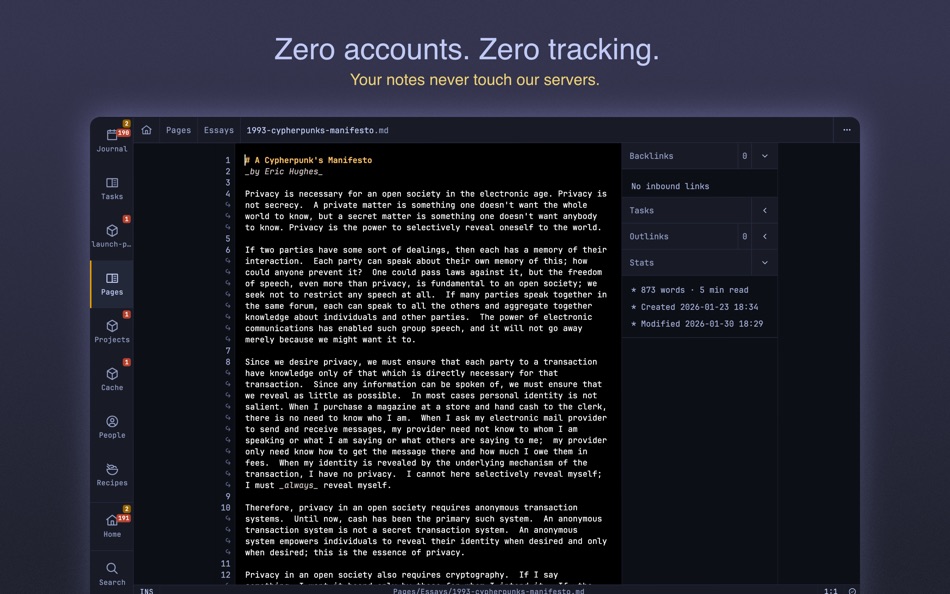
You are in total control of your notes and privacy. Your notes never touch our servers - everything stays on your devices, synced through your own git server. Complete privacy. No tracking. No exceptions.
## Beautiful Markdown
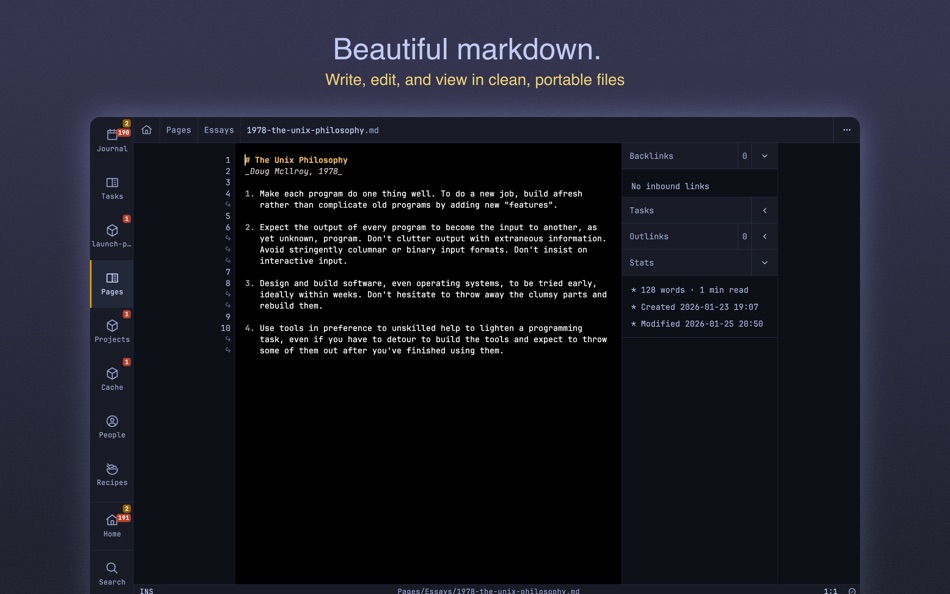
Your notes are stored, viewed and edited as clean portable markdown. No proprietary formats, no lock-in. Your knowledge remains accessible forever in files you own, readable in any text editor.
## Git Sync
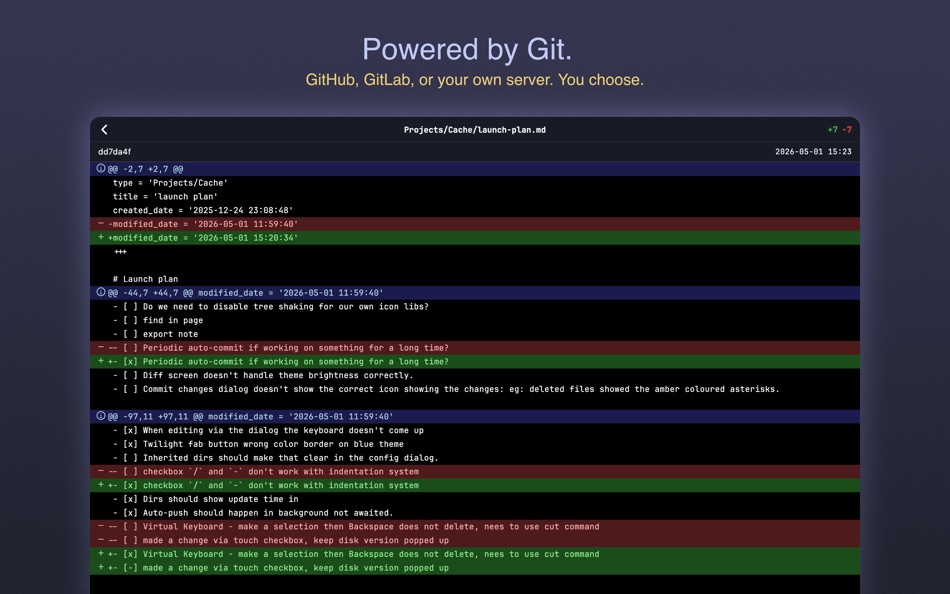
Cache is a Git client - use GitHub, GitLab, Gitea, your own server, or any Git service. Version control built-in means you never lose your work and you control who has access.
## Every Task, Tracked
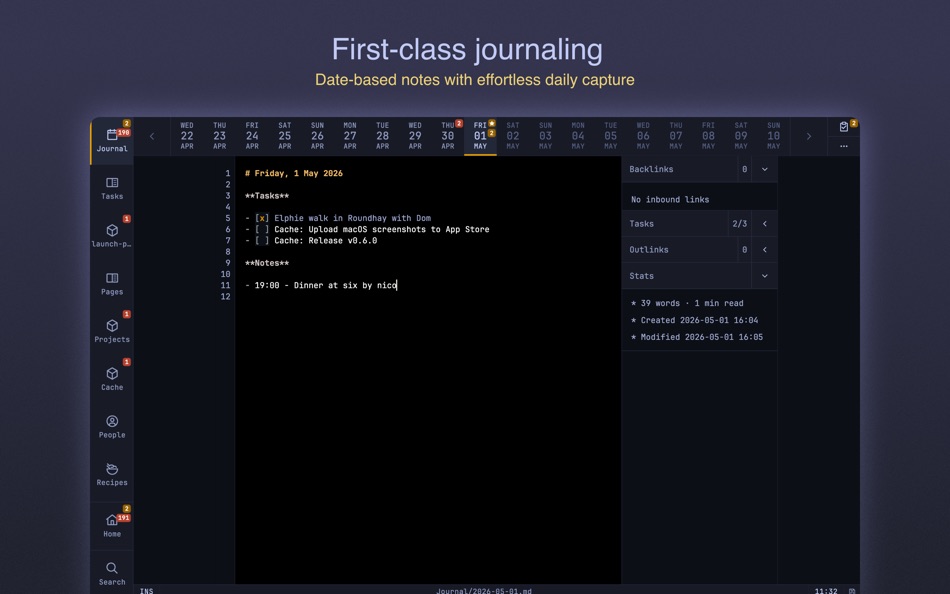
Every checkbox across every note, individually tracked with due dates and priorities. Cache surfaces what's overdue, due today, or coming soon — so nothing slips through the cracks.
## Lightning Fast
Built around speed to get ideas out of your head quickly. Fluid touch gestures or comprehensive keyboard shortcuts, minimal interface, instant search - nothing slows you down on any device.
## Instant Search
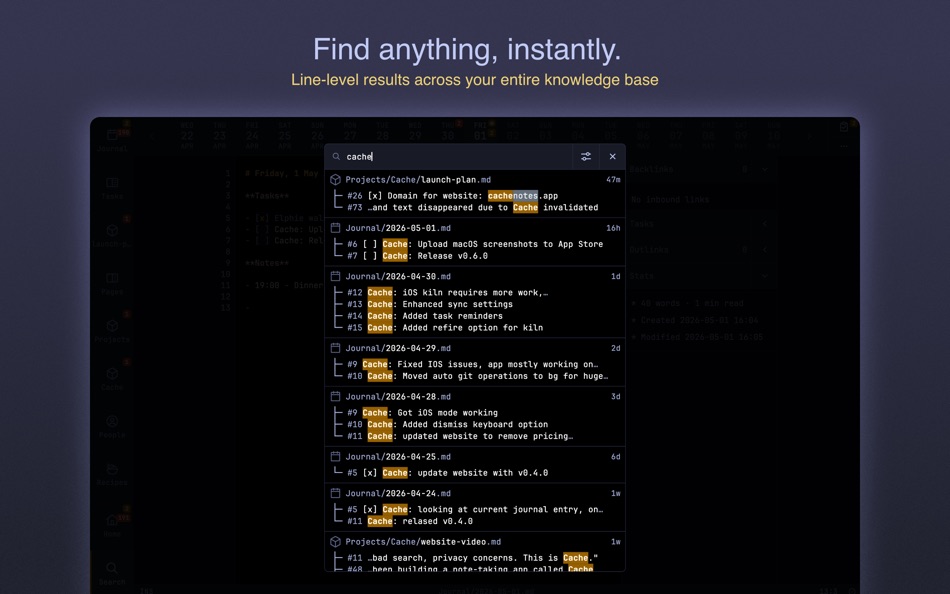
Find anything instantly across your entire knowledge base. Line-level results show context immediately and feel magical. No waiting, no indexing delays, no network requests, just results.
## First-Class Journaling
Date-based notes with first-class support for effortless journaling. Browse, search, and edit your daily entries seamlessly. Journals and reference notes coexist with fully configurable categories.
## Modal Editing (Alpha)
Optionally use powerful modal editing with Vim and Helix motions. For power users who want maximum efficiency, or stick with simple mode for traditional editing.
## Offline First
Carry your notes with you. Your devices always have your full notes repository. Work anywhere, anytime, without depending on internet connectivity.
## Seamless on Mac
Optimized for macOS with native keyboard shortcuts, window management, and a minimal interface that feels right at home. Your notes sync across all your Apple devices through Git.
## Opinionated Minimalism
Every feature serves one purpose: managing your markdown notes faster and better. No plugins means no bloat, no distractions, no performance compromises. Just powerful note-taking, nothing more.
---
Terms of service:
https://www.cachenotes.app/docs/terms-of-service/
Privacy policy:
https://www.cachenotes.app/docs/privacy-policy/
Capturas...

Ad
Historial de precios
- Precio actual: Gratis
- Mínimo: Gratis
- Máximo: Gratis
Realizar un seguimiento de los precios
Evaluación AppAgg
500
Evaluación AppAgg estimada de
Cache - Markdown Notes
500 Bronce
Las evaluaciones más altas suelen indicar señales más fuertes en AppAgg.
Basado en: popularidad · valoraciones de usuarios · actualidad · ofertas · datos de tiendas · actividad de la comunidad
Se recalcula a diario con datos actualizados de AppAgg.
URL corta: Copiado!
Novedades
- Versión: 0.7.1
- Última actualización:
Información adicional
- Fecha de lanzamiento:
- Categoría:
macOS Aplicaciones›Productividad - Sistemas operativos:
macOS,macOS 14.0 y versiones posteriores - Tamaño:
26 Mb - Idiomas admitidos:
English - Clasificación de contenido:
4+ - Mac App Store Puntuación:
0 - Sitio:
 https://www.cachenotes.app/
Desarrollador
- Rocketware Limited
- Plataformas: iOS Aplicaciones (6) macOS Aplicaciones (1)
- Listas: 0 + 0
- Puntos: 3 + 116 ¡
- Clasificaciones: 0
- Comentarios: 0
- Descuentos: 0
- Vídeos: 0
- RSS: Suscribirse
Listas (0)
0
- Cache - Markdown Notes
Puntos (0)
0
Clasificaciones (0)
0
Comentarios (0)
Sé el primero en comentar
Resumen
Cache - Markdown Notes URL corta: Copiado!- Compartir
- Mac App Store
«Cache - Markdown Notes». Plataforma: macOS. Categoría: Productividad. Desarrollador: «Rocketware Limited». Primer lanzamiento: . Última actualización: . Precio actual: gratis. Este título aún no ha recibido calificaciones ni reseñas en AppAgg. Idiomas disponibles: English. AppAgg rastrea el historial de precios, las calificaciones y los comentarios de los usuarios para «Cache - Markdown Notes». AppAgg no aloja aplicaciones ni distribuye software. Todas las marcas comerciales, logotipos y capturas de pantalla pertenecen a sus respectivos propietarios. Siga futuros descuentos y actualizaciones a través de RSS
Similares
-
- Bear: Markdown Notes
- macOS Aplicaciones: Productividad De: Shiny Frog Ltd.
- * Gratis
- Listas: 0 + 2 0 0
- Puntos: 2 + 0 570 Versión: 2.8.1 Bear is a beautiful, powerfully simple Markdown app to capture, write, and organize your life. Take notes, plan your day, journal thoughts, organize tables, create lists and tasks, ... ⥯
-
- Quick Capture - Markdown notes
- macOS Aplicaciones: Productividad De: Pradeep Burugu
- * Gratis
- Listas: 0 0 0
- Puntos: 0 + 0 500 Versión: 1.6 Quick Capture - Markdown Notes It's an app designed for taking notes throughout your day in markdown files, allowing you to capture notes instantly from anywhere on macOS. You don't ... ⥯
-
- Markdown Inbox
- macOS Aplicaciones: Productividad De: Solutions Cay LLC
- $14.99
- Listas: 0 0 0
- Puntos: 0 + 0 500 Versión: 1.2 Markdown Inbox is a clean, focused markdown reader designed for people who work with lots of markdown files. Whether you re managing AI-generated documentation, personal notes, or ... ⥯
-
- Markdown Pro
- macOS Aplicaciones: Productividad De: RADSense Software
- $5.99
- Listas: 1 0 0
- Puntos: 0 + 0 540 Versión: 1.0.9 Best Markdown Syntax Editor With Markdown PRO you can write beautiful documentation, notes, essays, term papers all by using plain text to tag your formatting such as bold, italic, ... ⥯
-
- Markdown - Enjoy writing
- macOS Aplicaciones: Productividad De: 潇 罗
- $7.99
- Listas: 1 0 0
- Puntos: 0 + 0 540 Versión: 1.3.3 I'm Markdown, the Markdown editor for OS X. This is a powerful Markdown editor, very design, UI simple and user-friendly interactive experience, let us focus more on writing. Markdown ... ⥯
-
- Markdown Peek
- macOS Aplicaciones: Productividad De: Michael Thingmand
- Gratis
- Listas: 0 0 0
- Puntos: 1 + 0 520 Versión: 1.0 Description: Markdown Peek is a simple, elegant markdown viewer for macOS. Set it as your default app for .md files and enjoy instant, beautiful rendering. Features: Instant Preview ... ⥯
- Nueva
- Markdown to PDF - Pro Editor
- macOS Aplicaciones: Productividad De: Zain Aaban
- $9.99
- Listas: 0 0 0
- Puntos: 0 + 0 500 Versión: 2.3 Turn your Markdown files into polished, print-ready PDFs, all without your files leaving your desktop. This is app provides a powerful markdown editor with live-rendered preview, and ... ⥯
-
- Markdown Web Writer
- macOS Aplicaciones: Productividad De: Eric Kampman
- Gratis
- Listas: 0 + 1 0 0
- Puntos: 9 + 0 1K Versión: 1.1.0 Markdown Web Writer is a macOS application for converting Markdown into clean HTML and PDF output. It s designed as a single-purpose tool, without plugins, build steps, or ... ⥯
- Nueva
- Markdown Viewer Lite
- macOS Aplicaciones: Productividad De: Kodama
- $2.99
- Listas: 0 0 0
- Puntos: 0 + 0 500 Versión: 1.0.4 Markdown Viewer Lite is a lightweight, read-only Markdown viewer for macOS. Double-click any .md file to instantly see a GitHub-flavored preview no editor to launch, no clutter, no ... ⥯
-
- Notes Hub & Tasks
- macOS Aplicaciones: Productividad De: ALEKSANDR KOFMAN
- $1.99
- Listas: 0 0 0
- Puntos: 0 + 0 500 Versión: 1.0 Notes Hub is a beautifully designed, clutter-free productivity app that combines note-taking and task management in one seamless experience. Perfect for professionals, students, and ... ⥯
-
- Markdown Book Compiler
- macOS Aplicaciones: Productividad De: Lotus Core
- $34.99
- Listas: 0 0 0
- Puntos: 0 + 0 500 Versión: 1.1.2 Markdown Book Compiler makes it easy for self-publishers, authors, bloggers, and educators to turn plain-text .md files into fully formatted, beautifully styled eBooks without using ... ⥯
-
- Markdown Editor
- macOS Aplicaciones: Productividad De: Satoshi Iwaki
- Gratis
- Listas: 0 0 0
- Puntos: 1 + 0 520 Versión: 1.5.0 Markdown Editor is a lightweight markdown editor. MAIN FEATURES - Syntax highlighting - Display line numbers - Auto preview - Export to HTML ⥯
- Nueva
- Markdown Master
- macOS Aplicaciones: Productividad De: Simon Kanapka
- Gratis
- Listas: 0 0 0
- Puntos: 0 + 0 500 Versión: 1.0 Markdown Master opens your .md files and renders them beautifully clean typography, syntax-highlighted code, tables, task lists, and more. Press ⌘E to edit. Press it again to read. ... ⥯