
| デベロッパー: | Joel Kraehemann (1) | ||
| 価格: | $19.99 | ||
| ランキング: | 0 | ||
| レビュー: | 0 レビューを書く | ||
| リスト: | 0 + 0 | ||
| ポイント: | 0 + 0 ¡ | ||
| Mac App Store | |||
説明

* WAV
* FLAC
* and others
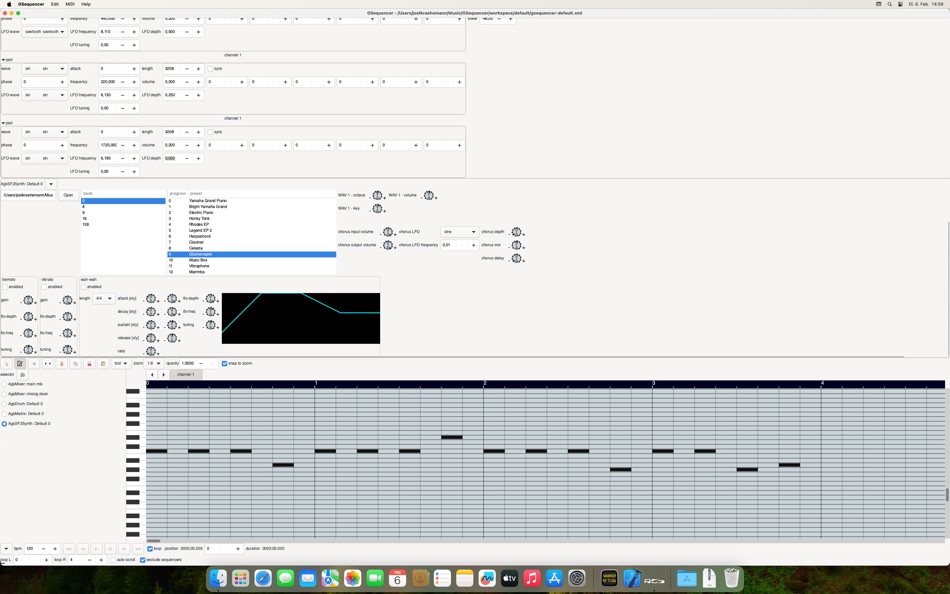
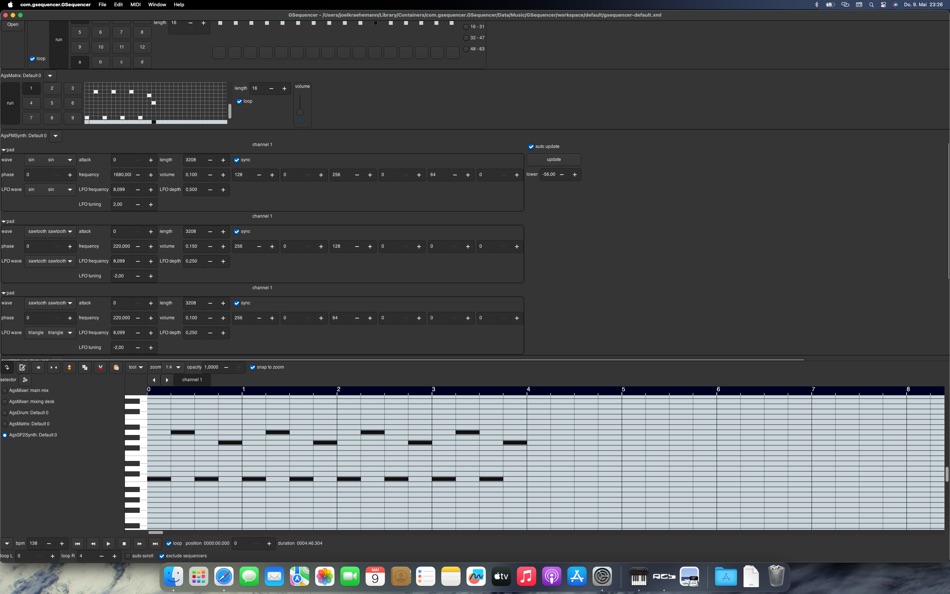
Connect your MIDI version 2 compatible sequencer to GSequencer provided instruments and play your keyboard or other MIDI controller by assigning it by context menu MIDI connection. After configuration you may click play and perform keyboard recording applying to your piano roll. You might want to assign MIDI 2 control change to synth's adjustment, too.
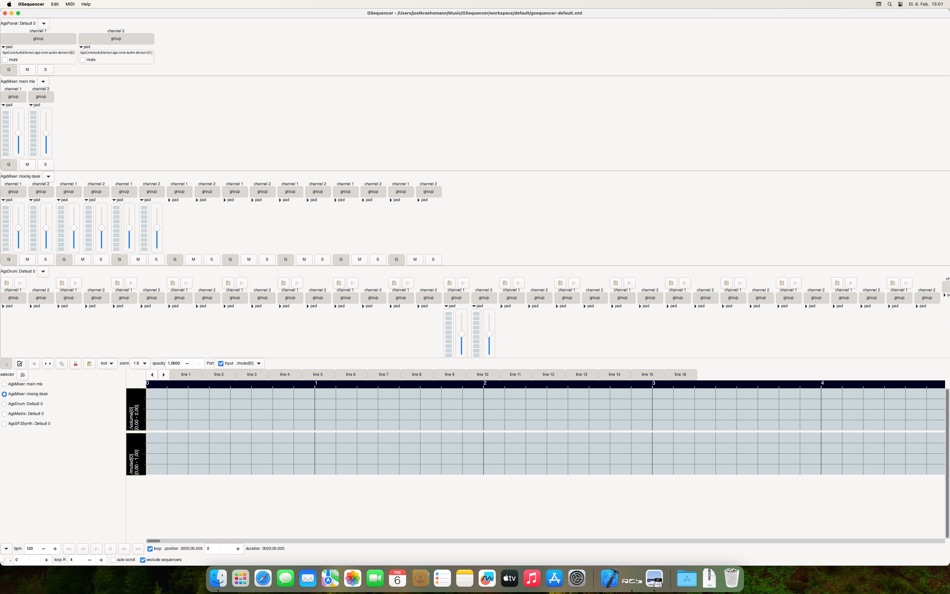
Add or remove mixers, instruments and audio recorder. Adjustable audio channels and input/output pads. Set custom sampling rate or sample format of instruments with just in time resampling and sample format conversion to output format. Supported sample format types:
* 8 bit integer
* 16 bit integer
* 24 bit integer
* 32 bit integer
* 64 bit integer
* single precision floating point number
* double precision floating point number
* complex numbers
Common sampling rates:
* 44100 Hz
* 48000 Hz
* 96000 Hz
* 192000 Hz
Default output configuration is stereo, the number of soundcard output audio channels are configurable. Included builtin instruments mixers:
* Mixer
* Drum
* Matrix
* Legacy Synth/FM Synth
* Audio recorder
* Legacy FFPlayer
* Legacy PitchSampler
* Synth
* FM Synth
* Stargazer Synth
* Quantum Synth
* Raven Synth
* Modular Synth
* SFZ Synth
* SF2 Synth
* and a set of extensions as plugins
Host Audio Unit plugins as instruments or effect processors. Use the plugins with notation or automation editor.
スクリーンショット


新機能
- バージョン: 8.2.4
- アップデート:
- New since version 8.0.0
* MIDI 2.0 control change editor
New since version 8.1.23
* Audio Unit support
New since version 8.2.0
* modular synth available
New since version 8.2.1
* improved SFZ synth pitch mode and read ACID from WAV like files
New since version 8.2.3
* fixed composite editor selection
* fixed automation editor drawing bug
価格
- 今日: $19.99
- 最小値: $19.99
- 最大: $19.99
料金のチェック
デベロッパー
- Joel Kraehemann
- プラットフォーム: macOS アプリ (1)
- リスト: 0 + 0
- ポイント: 0 + 0 ¡
- ランキング: 0
- レビュー: 0
- 割引: 0
- 動画: 0
- RSS: 購読する
ポイント
0 ☹️
ランキング
0 ☹️
リスト
0 ☹️
レビュー
最初のクチコミを書こう 🌟
情報
連絡先
- ウェブサイト:
 https://gsequencer.com
com.gsequencer.GSequencer 短縮 URL: コピーしました!- 🌟 シェア
- Mac App Store
あなたも好きかも
-
- Notability: Smarter AI Notes
- macOS アプリ: 仕事効率化 作者: Ginger Labs
- フリー
- リスト: 30 + 19 ランキング: 5 (2) レビュー: 0
- ポイント: 28 + 432,773 (4.8) バージョン: 15.3 Notes that move you forward. The award-winning note-taking app loved by millions is free to download, simple to use, and powerful enough to support your everyday goals. Whether you re ... ⥯
-
- Goodnotes: AI Notes, Docs, PDF
- macOS アプリ: 仕事効率化 作者: Goodnotes Limited
- フリー
- リスト: 42 + 32 ランキング: 0 レビュー: 0
- ポイント: 32 + 375,756 (4.7) バージョン: 7.0.20 Goodnotes has always been the place to capture your ideas from quick notes to big plans. Now, it goes further. With powerful AI and new ways to capture information, Goodnotes helps you ⥯
-
- Structured - Daily Planner
- macOS アプリ: 仕事効率化 作者: unorderly GmbH
- * フリー
- リスト: 4 + 2 ランキング: 0 レビュー: 0
- ポイント: 5 + 150,115 (4.8) バージョン: 4.4.0 Finally take control of your day. Plan with a clear visual timeline that brings your calendar, to-dos, routines, and habits together. Join over 1.5 million active planners who feel ... ⥯
-
- AI Chat Assistant – ChatNow
- macOS アプリ: 仕事効率化 作者: tappz
- フリー
- リスト: 0 + 0 ランキング: 0 レビュー: 0
- ポイント: 5 + 122,726 (4.8) バージョン: 5.4.0 ChatNow - Make AI Your Advantage Get more done with ChatNow, the #1 AI assistant designed for busy people. Write emails and reports, check facts, compare products, create images or ... ⥯
-
- Best VPN : Unlimited VPN Proxy
- macOS アプリ: 仕事効率化 作者: VPN LLC US
- フリー
- リスト: 4 + 1 ランキング: 0 レビュー: 0
- ポイント: 14 + 121,869 (4.6) バージョン: 4.042 Best VPN - Unlimited VPN Proxy: Your Privacy Companion Protect your privacy, secure your connection, and surf the internet freely with Best VPN. No sign ups. No logins. One tap to ... ⥯
-
- Calendars: Schedule Planner
- macOS アプリ: 仕事効率化 作者: Readdle Technologies Limited
- * フリー
- リスト: 2 + 0 ランキング: 0 レビュー: 0
- ポイント: 7 + 116,343 (4.7) バージョン: 5.37.15 Calendars by Readdle is the all-in-one calendar, task manager, daily planner, and habit tracker seamlessly working across all your Apple devices: Mac, iPhone, iPad, and Apple Watch. ... ⥯
-
- Dashlane Password Manager
- macOS アプリ: 仕事効率化 作者: Dashlane
- フリー
- リスト: 1 + 1 ランキング: 0 レビュー: 0
- ポイント: 3 + 100,761 (4.8) バージョン: 6.2549.0 SECURE YOUR DAILY DIGITAL LIFE - Create a strong, unique password for every account - Share passwords and data securely (instead of over text or email) - Lock down sensitive info and ... ⥯
-
- iLovePDF - PDF Editor & Scan
- macOS アプリ: 仕事効率化 作者: iLovePDF
- フリー
- リスト: 1 + 0 ランキング: 0 レビュー: 0
- ポイント: 1 + 46,065 (4.8) バージョン: 3.13.0 Read, convert, annotate and sign PDF in just a few seconds with this handy document scanner and editor. Boost your productivity with every tool you need to work on the go. PHONE ... ⥯
-
- Authenticator App
- macOS アプリ: 仕事効率化 作者: 2Stable
- フリー
- リスト: 0 + 0 ランキング: 0 レビュー: 0
- ポイント: 0 + 42,411 (4.6) バージョン: 3.40.0 Authenticator App helps you keep your online accounts safe by giving you secure two-factor authentication codes for all your accounts. Key Features of the Authenticator App: - Secure & ⥯
-
- Form for Google Forms
- macOS アプリ: 仕事効率化 作者: Amad Marwat
- フリー
- リスト: 0 + 0 ランキング: 0 レビュー: 0
- ポイント: 0 + 36,952 (4.8) バージョン: 1.8.2 Create, edit, and manage all your Google forms on your iOS, iPhone, iPod or iPad with the free FormApp. With this app you can: Create new forms: Create new forms on your iOS device. ... ⥯
-
- Shapr 3D CAD modeling
- macOS アプリ: 仕事効率化 作者: Shapr3D Zrt
- フリー
- リスト: 2 + 1 ランキング: 0 レビュー: 0
- ポイント: 7 + 32,378 (4.7) バージョン: 5.1012 From design to manufacturing. Teams collaborate with more impact. Instinctive design meets multidevice capability and full interoperability for the ultimate 3D design workflow. All ... ⥯
-
- ScreenZen- Screen Time Control
- macOS アプリ: 仕事効率化 作者: ScreenZen LLC
- フリー
- リスト: 0 + 0 ランキング: 0 レビュー: 0
- ポイント: 2 + 28,601 (4.8) バージョン: 1.2.173 Multiple strategies to reduce your screentime 1. Delay before opening your app: A bit of time before choosing if you need to open your distracting app. You can have the wait time ... ⥯