
| Desarrollador: | 迪飞 施 (3) | ||
| Precio: | $9.99 | ||
| Clasificaciones: | 0 | ||
| Opiniones: | 0 Escribir una opinión | ||
| Listas: | 0 + 0 | ||
| Puntos: | 0 + 0 ¡ | ||
| Mac App Store | |||
Descripción

Main Features
【Rich Color Palette】 20 kinds of predefined colors, also supports defining your own colors.
【Rich icon templates】20 kinds of icon libraries, a total of more than 3,000 kinds of icons to choose from.
【Fast and convenient operation】Dragging into the software interface can color the icons, convenient and fast.
【Lifetime maintenance and update】Update the icon library for a long time.
Capturas...

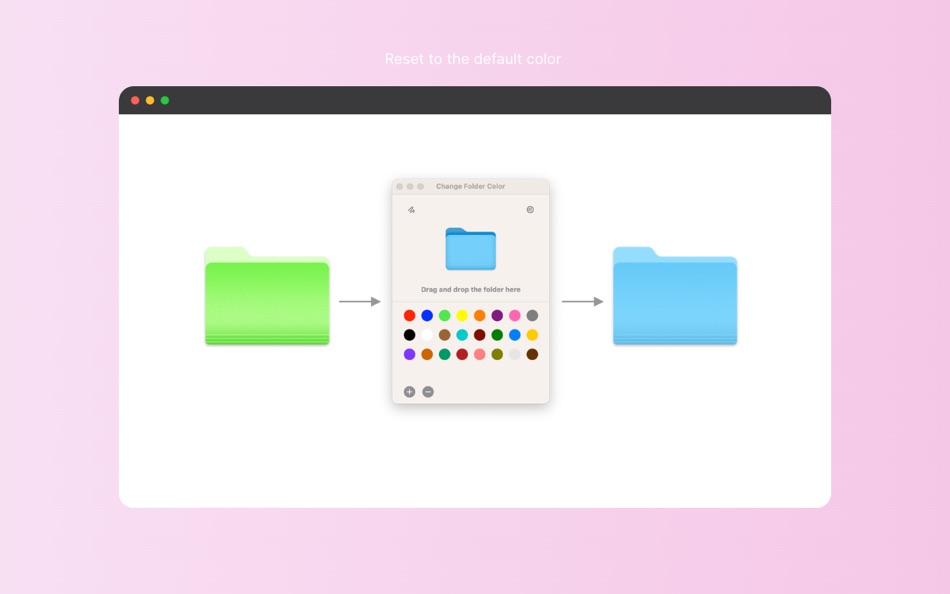
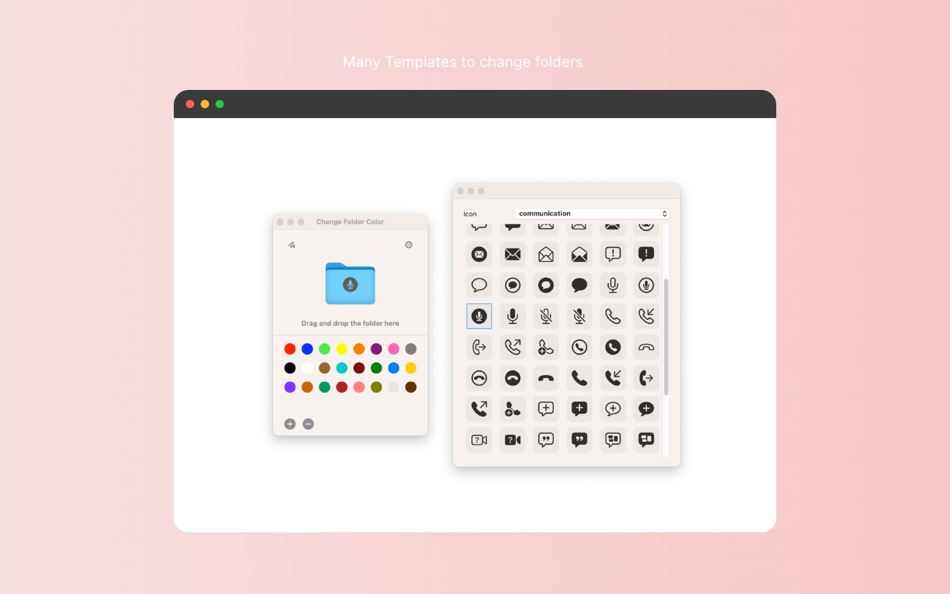
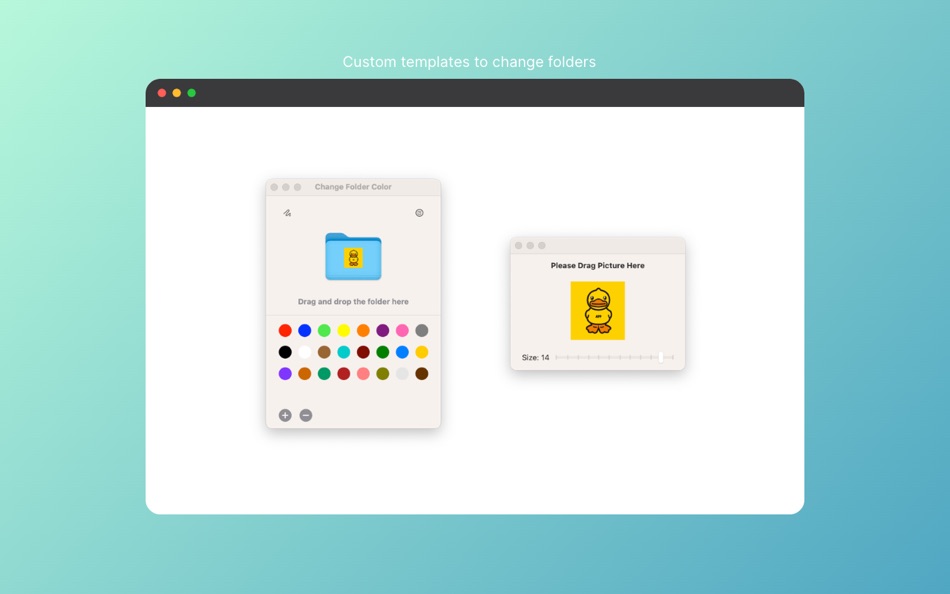
Precio
- Hoy: $9.99
- Mínimo: $9.99
- Máximo: $9.99
Realizar un seguimiento de los precios
Desarrollador
- 迪飞 施
- Plataformas: iOS Aplicaciones (1) macOS Aplicaciones (2)
- Listas: 0 + 0
- Puntos: 0 + 0 ¡
- Clasificaciones: 0
- Opiniones: 0
- Descuentos: 0
- Vídeos: 0
- RSS: Suscribirse
Puntos
0 ☹️
Clasificaciones
0 ☹️
Listas
0 ☹️
Opiniones
Sé el primero en escribir una reseña 🌟
Información adicional
- Versión: 1.1
- Categoría:
macOS Aplicaciones›Utilidades - Sistemas operativos:
macOS,macOS 12.0 y versiones posteriores - Tamaño:
5 Mb - Idiomas admitidos:
Chinese,English - Clasificación de contenido:
4+ - Mac App Store Puntuación:
0 - Actualizado:
- Fecha de lanzamiento:
Contactos
- Sitio:
 https://www.bytesapp.net
Color Folder Pro - Folder Tint URL corta: Copiado!- 🌟 Compartir
- Mac App Store
También te puede interesar
-
- Color Folder - Custom Icons
- macOS Aplicaciones: Utilidades De: 万林 彭
- * Gratis
- Listas: 2 + 0 Clasificaciones: 0 Opiniones: 0
- Puntos: 6 + 0 Versión: 4.3 Color Folder can help you to change the icon of folder quickly, and to manage folders more efficiently Freely customize folder icons with support for multiple templates, arbitrary ... ⥯
-
- Color Folder - Folder Tint
- macOS Aplicaciones: Utilidades De: 迪飞 施
- Gratis
- Listas: 0 + 0 Clasificaciones: 0 Opiniones: 0
- Puntos: 0 + 0 Versión: 1.1 Color Folder is a folder icon design and modification tool Main Features 【Rich Color Palette】 20 kinds of predefined colors, also supports defining your own colors. 【Rich icon ... ⥯
-
- Color Folder - Beautify Folder
- macOS Aplicaciones: Utilidades De: 玉 李
- $0.99
- Listas: 0 + 0 Clasificaciones: 0 Opiniones: 0
- Puntos: 0 + 0 Versión: 1.0.2 Color Folder App is an app for customizing folder colors on macOS. Simply click on your favorite color at the bottom to generate a corresponding folder icon in that color. You can also ⥯
-
- Color Folder Master
- macOS Aplicaciones: Utilidades De: Nanjing Oumi Software Development Co., Ltd.
- $1.99
- Listas: 4 + 0 Clasificaciones: 0 Opiniones: 0
- Puntos: 11 + 0 Versión: 1.1.2 Keeping your files organized and categorized is ideal for efficiency and makes finding folders very easy. Another great feature is it helps you to quickly and visually locate folders ... ⥯
-
- Color Widgets
- macOS Aplicaciones: Utilidades De: MM Apps, Inc.
- Gratis
- Listas: 0 + 2 Clasificaciones: 0 Opiniones: 0
- Puntos: 6 + 495,765 (4.6) Versión: 8.0.5 Color Widgets makes adding aesthetic and handy widgets to your Home Screen and Lock Screen easy. Browse thousands of predesigned widgets or, better yet, design your own with the ... ⥯
-
- Folder by Color - Change color
- macOS Aplicaciones: Utilidades De: 清碧 饶
- Gratis
- Listas: 1 + 1 Clasificaciones: 0 Opiniones: 0
- Puntos: 6 + 0 Versión: 1.7.9 [Folder by Color] is a folder color changing tool. Using different colored folder icons can keep your files well organized, thereby increasing the efficiency of file management. you ... ⥯
-
- Folder Snapshot Utility
- macOS Aplicaciones: Utilidades De: David Gradwell
- $4.99
- Listas: 0 + 0 Clasificaciones: 0 Opiniones: 0
- Puntos: 0 + 0 Versión: 2021.06.11 Folder Snapshot Utility will make a rapid backup copy (a snapshot ) of anything you throw at it. This is much faster than a traditional backup copy (think ~1200x faster) and uses ... ⥯
-
- Folder Dater
- macOS Aplicaciones: Utilidades De: Dalamser
- $2.99
- Listas: 1 + 0 Clasificaciones: 0 Opiniones: 0
- Puntos: 0 + 0 Versión: 2.3.2 Folder Dater sets a folder s modification date or creation date attributes based on the attributes of its descendants. All changes can be previewed in the Finder and undone before ... ⥯
-
- Folder Previewer Pro
- macOS Aplicaciones: Utilidades De: Nikhil Anshuman
- $1.99
- Listas: 0 + 0 Clasificaciones: 0 Opiniones: 0
- Puntos: 0 + 0 Versión: 1.0 Folder Previewer Pro lets you instantly preview the contents of any folder or archive (ZIP) directly in Finder s Quick Look, without opening or extracting files. Just select a folder ... ⥯
-
- Folder Rack
- macOS Aplicaciones: Utilidades De: Ivo Wessel
- * Gratis
- Listas: 0 + 0 Clasificaciones: 0 Opiniones: 0
- Puntos: 0 + 0 Versión: 1.10 FOLDER RACK Bossing your Files and Folders The Finder was always my most-used tool apart from the development environment Xcode, which is of course indispensable for me. However, there ⥯
-
- Folder Peek
- macOS Aplicaciones: Utilidades De: Sindre Sorhus
- Gratis
- Listas: 5 + 2 Clasificaciones: 0 Opiniones: 0
- Puntos: 9 + 0 Versión: 1.12.0 Quickly access documents, files, folders, and apps from the menu bar. Think of it as an alternative to Dock folders, just more powerful and customizable. Each folder you add gets its ... ⥯
-
- Folder - Colorful folder maker
- macOS Aplicaciones: Utilidades De: 余 张
- * Gratis
- Listas: 2 + 0 Clasificaciones: 0 Opiniones: 0
- Puntos: 12 + 0 Versión: 1.3.1 How many folders do you have on your computer? Scores of them? Hundreds? Thousands? Are all of them are alike: default folder, default folder, default folder, default folder... It's so ⥯
-
- Folder Crazy Desktop
- macOS Aplicaciones: Utilidades De: Steve Mills
- $0.99
- Listas: 0 + 0 Clasificaciones: 0 Opiniones: 0
- Puntos: 0 + 0 Versión: 1.5.3 Remember how great the Desktop image feature in macOS was before they removed the Tile option? Just like Folder Crazy vastly improves the screensaver experience, Folder Crazy Desktop ... ⥯
-
- Folder Analyze
- macOS Aplicaciones: Utilidades De: 培基 王
- * Gratis
- Listas: 0 + 0 Clasificaciones: 0 Opiniones: 0
- Puntos: 1 + 0 Versión: 2.0.1 A powerful and easy-to-use folder content analysis tool that displays content as charts, making the size and number of files clearly visible. It also supports an edit mode, where you ... ⥯