
| مطوّر البرامج: | Dalamser (7) | ||
| السعر: | $2.99 | ||
| لتصنيفات: | 0 | ||
| المراجعات: | 0 أكتب مراجعة | ||
| تعليقات: | 0 انشر تعليقًا | ||
| قوائم: | 1 + 0 | ||
| النقاط: | 0 + 0 ¡ | ||
| Mac App Store | |||
الوصف

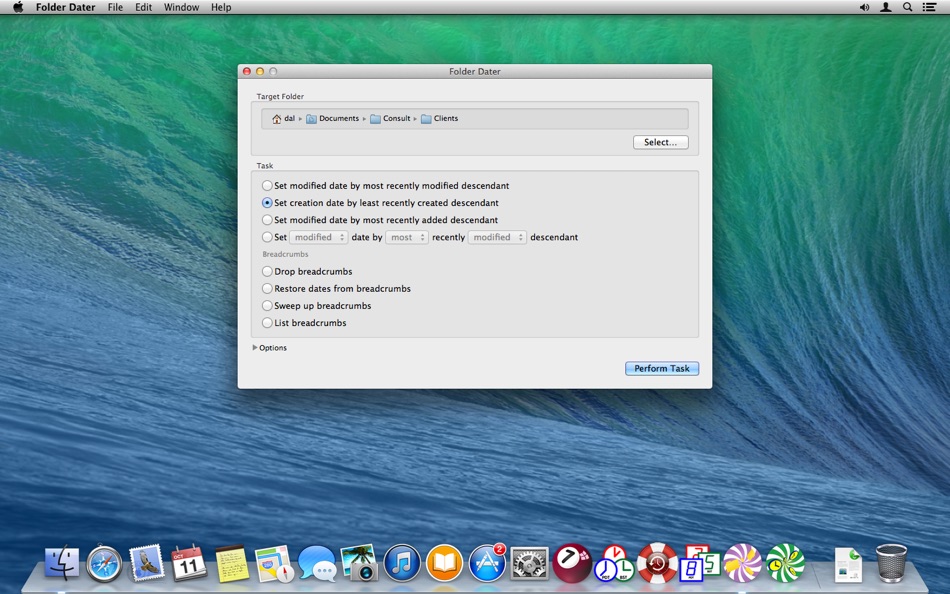
This enables the order folders are sorted in the Finder to be controlled so it reflects some attribute of the items within the folders.
Background
The modification date of a document indicates when it was last changed, and sorting by Date Modified in the Finder lists documents in the order they have been worked on.
For folders the last change is the date an item was added to, or removed from, the folder. Therefore sorting by Date Modified in the Finder lists folders in the order items where added or removed from them. However you cannot sort folders in the order the items within them were most recently modified, e.g. in the order the contents of the folders have been worked on.
Similarly the creation date of a folder is often less interesting than the creation times of the items it contains. For example, if in June you collect all documents worked on in May and create a folder to hold them the creation date of the folder will be in June not May. Therefore when items are sorted by Date Created or Date Modified in the Finder the folder of May items will be ordered with those created in June…
…then later, in October when you are reviewing the May work you discover you left a draft around you don’t need to keep and so trash it; and now the May items folder has a modified date of October, further throwing sorting in the Finder into disarray.
Summary
While sorting in the Finder by Date Modified or Date Created is useful for documents it is less useful for folders; and indeed the order of folders may seem rather random and change substantially as a result of simple housekeeping tasks.
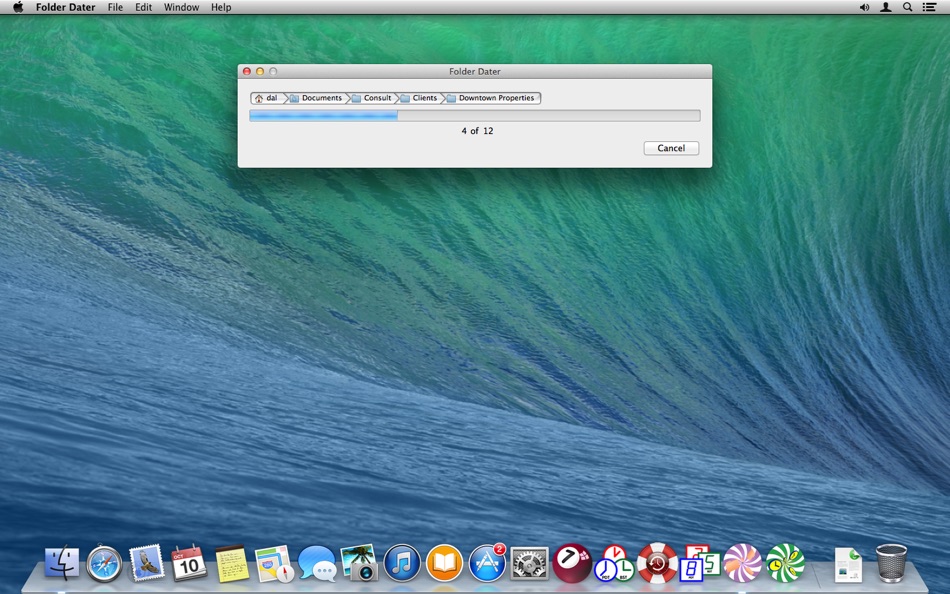
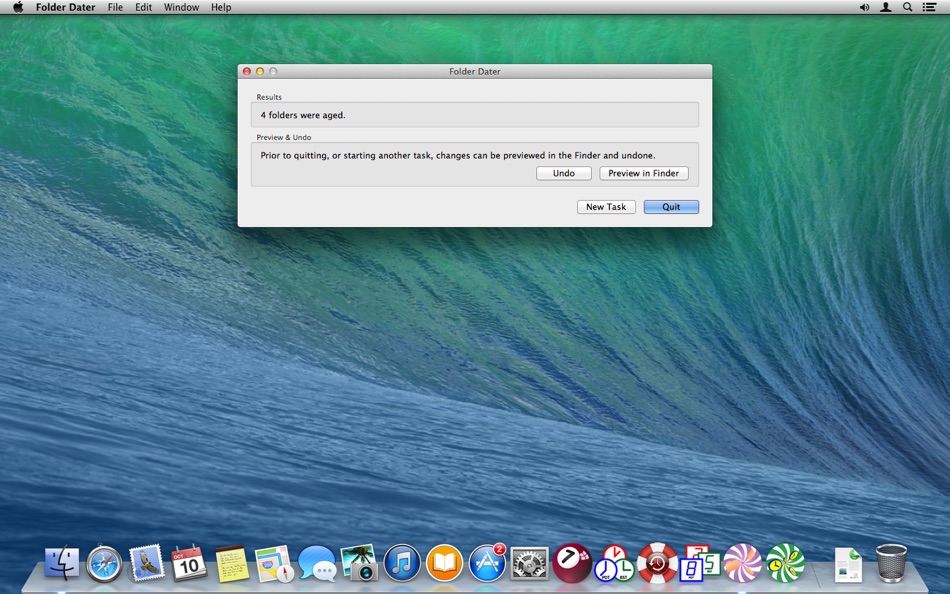
Folder Dater is designed to make the modification, and creation, dates of a folder more useful by setting them based on the attributes of the items it contains; and thus bringing greater order to sorting in the Finder.
Ad
لقطات
تاريخ الأسعار
- اليوم: $2.99
- الحد الأدنى: $2.99
- الحد الأقصى: $2.99
تتبّع الأسعار
Ad
مطوّر البرامج
- Dalamser
- المنصات: macOS تطبيقات (7)
- قوائم: 1 + 1
- النقاط: 0 + 0 ¡
- لتصنيفات: 0
- المراجعات: 0
- تعليقات: 0
- تخفيضات: 0
- أشرطة فيديو: 0
- RSS: اشتراك
النقاط (0)
0 ☹️
لتصنيفات (0)
0 ☹️
قوائم (1)
- Folder Dater

المراجعات (0)
كن الأول لمراجعة هذا المنتج 🌟
تعليقات (0)
كن أول من يعلق 🌟
معلومات إضافية
- الإصدار: 2.3.2
- الفئة:
macOS تطبيقات›الأدوات المساعدة - نظام التشغيل:
macOS,macOS 10.13 والأحدث - الحجم:
1 Mb - اللغة المعتمدة:
English - تقييم المحتوى:
4+ - Mac App Store تقييم:
0 - تم التحديث:
- تاريخ الإصدار:
«Folder Dater». منصة: macOS. الفئة: الأدوات المساعدة. المطور: «Dalamser». الإصدار الأول: . التحديث الأخير: . السعر الحالي: $2.99. أدنى سعر مسجل: $2.99. أعلى سعر مسجل: $2.99. لم يتلق هذا العنوان تقييمات أو مراجعات بعد على AppAgg. القوائم: عامة 1, خاصة 0. اللغات المتاحة: English. يتتبع AppAgg سجل الأسعار والتقييمات وتعليقات المستخدمين «Folder Dater». متابعة الخصومات والتحديثات القادمة: RSS. لا يستضيف AppAgg التطبيقات أو يوزع البرامج. جميع العلامات التجارية والشعارات ولقطات الشاشة مملوكة لأصحابها.
Folder Dater عنوان URL مختصر: تم النسخ!- 🌟 مشاركة
- Mac App Store
قد يعجبك ايضا
-
- Folder by Color - Change color
- macOS تطبيقات: الأدوات المساعدة بواسطة: 清碧 饶
- مجاني
- قوائم: 1 + 1 لتصنيفات: 0 المراجعات: 0
- النقاط: 6 + 0 تعليقات: 0 الإصدار: 1.8.1 [Folder by Color] is a folder color changing tool. Using different colored folder icons can keep your files well organized, thereby increasing the efficiency of file management. you ... ⥯
-
- Folder Snapshot Utility
- macOS تطبيقات: الأدوات المساعدة بواسطة: David Gradwell
- $4.99
- قوائم: 0 + 0 لتصنيفات: 0 المراجعات: 0
- النقاط: 0 + 0 تعليقات: 0 الإصدار: 2021.06.11 Folder Snapshot Utility will make a rapid backup copy (a snapshot ) of anything you throw at it. This is much faster than a traditional backup copy (think ~1200x faster) and uses ... ⥯
-
- Folder - Custom your folder
- macOS تطبيقات: الأدوات المساعدة بواسطة: 玉 李
- $0.99
- قوائم: 0 + 0 لتصنيفات: 0 المراجعات: 0
- النقاط: 1 + 0 تعليقات: 0 الإصدار: 1.0.1 Folder App is an app for customizing folders on macOS. You can set folders to different colors, and you can also add text, emoji, or icons to folders. Of course, the colors of text and ⥯
-
- Folder Previewer Pro
- macOS تطبيقات: الأدوات المساعدة بواسطة: Nikhil Anshuman
- $1.99
- قوائم: 0 + 0 لتصنيفات: 0 المراجعات: 0
- النقاط: 0 + 0 تعليقات: 0 الإصدار: 1.0 Folder Previewer Pro lets you instantly preview the contents of any folder or archive (ZIP) directly in Finder s Quick Look, without opening or extracting files. Just select a folder ... ⥯
-
- Folder Rack – File Manager
- macOS تطبيقات: الأدوات المساعدة بواسطة: Ivo Wessel
- * مجاني
- قوائم: 0 + 0 لتصنيفات: 0 المراجعات: 0
- النقاط: 0 + 0 تعليقات: 0 الإصدار: 1.17 FOLDER RACK Bossing your Files and Folders The Finder was always my most-used tool apart from the development environment Xcode, which is of course indispensable for me. However, there ⥯
-
- Folder Peek
- macOS تطبيقات: الأدوات المساعدة بواسطة: Sindre Sorhus
- مجاني
- قوائم: 4 + 3 لتصنيفات: 0 المراجعات: 0
- النقاط: 9 + 0 تعليقات: 0 الإصدار: 1.12.0 Quickly access documents, files, folders, and apps from the menu bar. Think of it as an alternative to Dock folders, just more powerful and customizable. Each folder you add gets its ... ⥯
-
- Folder - Colorful folder maker
- macOS تطبيقات: الأدوات المساعدة بواسطة: 余 张
- * مجاني
- قوائم: 1 + 1 لتصنيفات: 0 المراجعات: 0
- النقاط: 12 + 0 تعليقات: 0 الإصدار: 1.3.1 How many folders do you have on your computer? Scores of them? Hundreds? Thousands? Are all of them are alike: default folder, default folder, default folder, default folder... It's so ⥯
-
- Folder Analyze
- macOS تطبيقات: الأدوات المساعدة بواسطة: 培基 王
- * مجاني
- قوائم: 0 + 0 لتصنيفات: 0 المراجعات: 0
- النقاط: 1 + 0 تعليقات: 0 الإصدار: 2.0.1 A powerful and easy-to-use folder content analysis tool that displays content as charts, making the size and number of files clearly visible. It also supports an edit mode, where you ... ⥯
-
- Folder Crazy Desktop
- macOS تطبيقات: الأدوات المساعدة بواسطة: Steve Mills
- $0.99
- قوائم: 0 + 0 لتصنيفات: 0 المراجعات: 0
- النقاط: 0 + 0 تعليقات: 0 الإصدار: 1.5.3 Remember how great the Desktop image feature in macOS was before they removed the Tile option? Just like Folder Crazy vastly improves the screensaver experience, Folder Crazy Desktop ... ⥯
-
- Folder Sizes
- macOS تطبيقات: الأدوات المساعدة بواسطة: Roberto Piccirilli
- $2.99
- قوائم: 0 + 0 لتصنيفات: 0 المراجعات: 0
- النقاط: 0 + 0 تعليقات: 0 الإصدار: 2.2.1 Show in easy and intuitive way the space occupied by files and folders . With this app you can immediately identify the space occupied for easy cleaning of their own archives. Now you ... ⥯
-
- Folder Factory
- macOS تطبيقات: الأدوات المساعدة بواسطة: UAB Macmanus
- $3.99
- قوائم: 1 + 1 لتصنيفات: 0 المراجعات: 0
- النقاط: 3 + 0 تعليقات: 0 الإصدار: 4.0 Folder Factory is a neat little app for changing the design of your folder icons. It will help you to match similar folders by the color, text or picture and this will keep your Mac ... ⥯
-
- Folder Color Changer:RightMenu
- macOS تطبيقات: الأدوات المساعدة بواسطة: 奕琦 冯
- مجاني
- قوائم: 1 + 1 لتصنيفات: 0 المراجعات: 0
- النقاط: 4 + 0 تعليقات: 0 الإصدار: 1.4.0 [Folder Icon Customization Artifact] - Right click to replace folder icon Just right-click on the folder to change the icon - Batch operation Multi-select folders can also be quickly ... ⥯
-
- Folder Colorizer
- macOS تطبيقات: الأدوات المساعدة بواسطة: 兰桂 吴
- $1.99
- قوائم: 1 + 1 لتصنيفات: 0 المراجعات: 0
- النقاط: 0 + 0 تعليقات: 0 الإصدار: 1.3.2 Folder Colorizer allows you to customize your folders with just about any color. Would like to make your folders looks cool? Or want to organize your folders to make things easier to ... ⥯
-
- Folder Factory Pro for Mac OS X
- macOS تطبيقات: الأدوات المساعدة بواسطة: xin jin
- $1.99
- قوائم: 1 + 0 لتصنيفات: 0 المراجعات: 0
- النقاط: 0 + 0 تعليقات: 0 الإصدار: 1.0 Folder Factory Pro changes the design of your folder icons. It will help you to match similar folders by the color, text or picture and this will keep your Mac organised. The most ... ⥯