
| Nhà phát triển: | Lun Peng (13) | ||
| Giá bán: | Miễn phí | ||
| Xếp hạng: | 0 | ||
| Đánh giá: | 0 Viết đánh giá | ||
| Danh sách: | 0 + 0 | ||
| Điểm: | 1 + 0 ¡ | ||
| Mac App Store | |||
Mô tả

Main Features:
Simple operation: Supports dragging to add files, and can add multiple files.
Fast conversion: When converting files, it can help you save a lot of time.
Batch conversion: Support for converting multiple files.
Support ePub3: Check the ePub3 button, convert HTML files to ePub3.
If you have any questions or suggestions, please send a message to the mailbox(moonlight_beauty@yeah.net), or leave a message on our website.
If you are enjoying the app, please consider leaving a review or rating.
Ảnh chụp màn hình

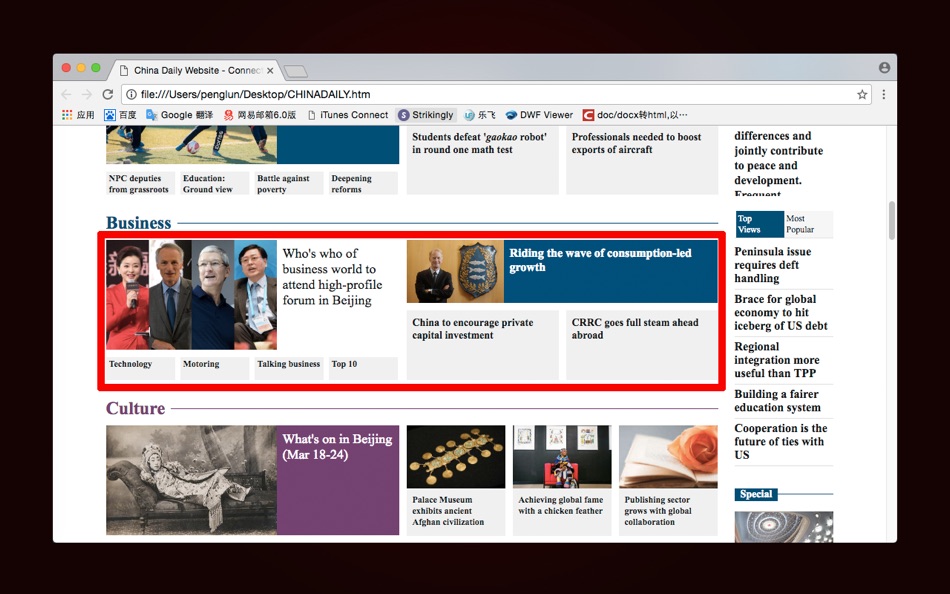

Tính năng mới
- Phiên bản: 2.1
- Cập nhật:
Giá bán
- Hôm nay: Miễn phí
- Tối thiểu: Miễn phí
- Tối đa: Miễn phí
Theo dõi giá
Nhà phát triển
- 沦 彭
- Nền tảng: iOS Ứng dụng (3) macOS Ứng dụng (10)
- Danh sách: 1 + 0
- Điểm: 1 + 8 ¡
- Xếp hạng: 0
- Đánh giá: 0
- Giảm giá: 0
- Video: 0
- RSS: Đăng ký
Điểm
-

- 1 pro2type
- +1

Xếp hạng
0 ☹️
Danh sách
0 ☹️
Đánh giá
Hãy là người đầu tiên đánh giá 🌟
Thông tin bổ sung
- Phiên bản: 2.1
- Danh mục:
macOS Ứng dụng›Tiện ích - HĐH:
macOS,macOS 10.9 trở lên - Kích thước:
29 Mb - Ngôn ngữ được hỗ trợ:
English - Xếp hạng nội dung:
4+ - Mac App Store Xêp hạng:
0 - Cập nhật:
- Ngày phát hành:
HTML to ePub - Support ePub3 URL ngắn: Đã sao chép!- 🌟 Chia sẻ
- Mac App Store
Bạn cũng có thể thích
-
- Epub Files Viewer
- macOS Ứng dụng: Tiện ích Bởi: 万林 彭
- Miễn phí
- Danh sách: 1 + 0 Xếp hạng: 0 Đánh giá: 0
- Điểm: 4 + 0 Phiên bản: 1.7 Epub e-book reader is a powerful e-book reader with simple interface 「Main Features」 Support reading ePub e-books Support single page search and full text search Support bookmarks ... ⥯
-
- ePUB Utility
- macOS Ứng dụng: Tiện ích Bởi: Arjen Broeze
- Miễn phí
- Danh sách: 1 + 0 Xếp hạng: 0 Đánh giá: 0
- Điểm: 0 + 0 Phiên bản: 1.2 ePub Utility is a macOS app that allows you to automatically correct EPUB files. The app is specifically designed to fix known issues in ePUBs created from within Adobe InDesign, but ... ⥯
-
- EPUB Reader
- macOS Ứng dụng: Tiện ích Bởi: 兰桂 吴
- $2.99
- Danh sách: 0 + 0 Xếp hạng: 0 Đánh giá: 0
- Điểm: 0 + 0 Phiên bản: 3.2.3 EPUB Reader is a lightweight EPUB (electronic publication) document/ebook reader. Highlight/annotation/bookmark are now supported! * Features Lightweight and fast ... ⥯
-
- HTML Text Password Lock Free
- macOS Ứng dụng: Tiện ích Bởi: 静俐 张
- Miễn phí
- Danh sách: 0 + 0 Xếp hạng: 0 Đánh giá: 0
- Điểm: 0 + 0 Phiên bản: 1.0 HTML Text Password Lock Free is an easy to use HTML/Text protector that helps you protect your web pages and text with professional algorithms step by step in just a few clicks. You ... ⥯
-
- EPUB & PDF interconverter
- macOS Ứng dụng: Tiện ích Bởi: 跃军 龚
- * Miễn phí
- Danh sách: 0 + 0 Xếp hạng: 0 Đánh giá: 0
- Điểm: 1 + 0 Phiên bản: 5.1 KEY FEATURES: 1. Support convert PDF files to epub files(*.epub). 2. Support convert PDF files to epub files in a batch. 3. Support convert epub files to PDF files. 4. Support convert ... ⥯
-
- HTML WYSIWYG Editor
- macOS Ứng dụng: Tiện ích Bởi: 星翰 朱
- $4.99
- Danh sách: 0 + 0 Xếp hạng: 0 Đánh giá: 0
- Điểm: 0 + 0 Phiên bản: 1.3 - Edit HTML documents in a visual, WYSIWYG interface Work as intuitively as editing an Office Word document, instead of manipulating raw HTML source code. - Seamless Markdown ... ⥯
-
- HTML clip to markdown: hmk
- macOS Ứng dụng: Tiện ích Bởi: Pierre Stanislas
- $1.99
- Danh sách: 0 + 0 Xếp hạng: 0 Đánh giá: 0
- Điểm: 1 + 1 (5.0) Phiên bản: 1.0 hmk is the ultimate Safari extension for anyone who loves Markdown. Whether you're a developer, writer, researcher, or productivity enthusiast, hmk helps you effortlessly capture and ... ⥯
-
- Document Tool - Convert HTML and Docx Files
- macOS Ứng dụng: Tiện ích Bởi: Lun Peng
- Miễn phí
- Danh sách: 0 + 0 Xếp hạng: 0 Đánh giá: 0
- Điểm: 0 + 0 Phiên bản: 2.0 Document Tool is a generic document conversion tool that supports most of the commonly used document formats. If you need to convert HTML documents to different formats, such as Docx, ... ⥯
-
- Colorgen - HTML color search
- macOS Ứng dụng: Tiện ích Bởi: Kazuhisa Asakawa
- Miễn phí
- Danh sách: 0 + 0 Xếp hạng: 0 Đánh giá: 0
- Điểm: 1 + 0 Phiên bản: 25.1 HTML color codes can be searched for or categorized by Standard, Color Name, and Web Safe Color. The search functionality has been enhanced to display color code conversion suggestions ⥯
-
- reBOOK - Automatic tagging & covers for ePub files for Mac OS X
- macOS Ứng dụng: Tiện ích Bởi: Ricardo Mantero
- $0.99
- Danh sách: 0 + 0 Xếp hạng: 0 Đánh giá: 0
- Điểm: 0 + 0 Phiên bản: 1.1.1 reBOOK is the perfect companion for your ebook collection. Using reBOOK you will able to: * Edit current metadata from selected books * Automatically search for proper metadata on the ... ⥯
-
- Ark Reader - TXT, EPUB & More
- macOS Ứng dụng: Tiện ích Bởi: 惠源 赵
- * Miễn phí
- Danh sách: 0 + 0 Xếp hạng: 0 Đánh giá: 0
- Điểm: 1 + 0 Phiên bản: 2.9.6 Ark Reader is a powerful and elegant eBook reader, supporting all your favorite formats including TXT, EPUB, MOBI, and more. # Functional Features - Bookshelves to record the books you ⥯
- mới
- EBook Converter: EPUB to PDF
- macOS Ứng dụng: Tiện ích Bởi: Muhammad Qasim Wali
- * Miễn phí
- Danh sách: 0 + 0 Xếp hạng: 0 Đánh giá: 0
- Điểm: 0 + 0 Phiên bản: 1.2 eBook Converter for All Formats The easiest way to convert your ebooks into any format and read them on Kindle, Kobo, Nook or Mac. Whether you need to turn an EPUB into MOBI, a PDF ... ⥯
-
- Snowflower EPUB Validator
- macOS Ứng dụng: Tiện ích Bởi: Naohiro Yoshimoto
- $29.99
- Danh sách: 0 + 0 Xếp hạng: 0 Đánh giá: 0
- Điểm: 0 + 0 Phiên bản: 3.0.0 The Snowflower EPUB Validator can easily check the problem of EPUB format e-books. Even if you apply for registration of an e-book created by you to the store, even if you do not pass ... ⥯
-
- DropSpotLite Support File Move
- macOS Ứng dụng: Tiện ích Bởi: Reiji Kobayashi
- Miễn phí
- Danh sách: 1 + 1 Xếp hạng: 0 Đánh giá: 0
- Điểm: 3 + 0 Phiên bản: 2.4.10 DropSpotLite supports Drag & Drop. You can share files among Mac, iPhone and iPad with iOS app. # Easy - Stash files in three ways. - Just Drag & Drop files you want to move. - Double ... ⥯