
| Nhà phát triển: | Rozga Wojciech (31) | ||
| Giá bán: | Miễn phí | ||
| Xếp hạng: | 0 | ||
| Đánh giá: | 0 Viết đánh giá | ||
| Danh sách: | 0 + 0 | ||
| Điểm: | 0 + 0 ¡ | ||
| Mac App Store | |||
Mô tả

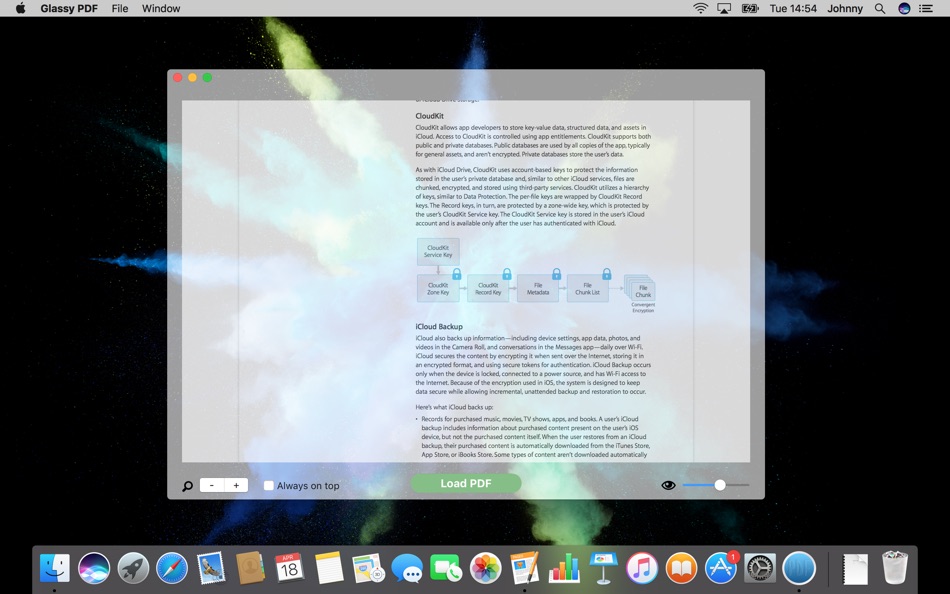
Another great feature is possibility to set Glassy PDF to be alway on top of other windows. So even if you are switching other windows your current PDF will stay on top. This depending on your needs can be very useful however there is always a possibility to turn it off.
Main features:
- possibility to set a level of transparency to see windows below
- option to set a PDF file to be always on top of other windows even when you are switching between them
Terms of use & privacy policy: http://wojciech.rozga.eu/MacApp.html
If you have any suggestions how to improve this app please contact us using this mail address: rozga.wojtek@gmail.com
If you like it please rate it on App Store, thanks!!
Ảnh chụp màn hình


Giá bán
- Hôm nay: Miễn phí
- Tối thiểu: Miễn phí
- Tối đa: Miễn phí
Theo dõi giá
Nhà phát triển
- Rozga Wojciech
- Nền tảng: iOS Ứng dụng (12) macOS Ứng dụng (19)
- Danh sách: 0 + 1
- Điểm: 11 + 5,351 ¡
- Xếp hạng: 0
- Đánh giá: 0
- Giảm giá: 0
- Video: 0
- RSS: Đăng ký
Điểm
0 ☹️
Xếp hạng
0 ☹️
Danh sách
0 ☹️
Đánh giá
Hãy là người đầu tiên đánh giá 🌟
Thông tin bổ sung
- Phiên bản: 1.1
- Danh mục:
macOS Ứng dụng›Tiện ích - HĐH:
macOS,macOS 10.12 trở lên - Kích thước:
4 Mb - Ngôn ngữ được hỗ trợ:
English - Xếp hạng nội dung:
4+ - Mac App Store Xêp hạng:
0 - Cập nhật:
- Ngày phát hành:
Transparent PDF URL ngắn: Đã sao chép!- 🌟 Chia sẻ
- Mac App Store
Bạn cũng có thể thích
-
- PDF Reader Pro: Convert & Edit
- macOS Ứng dụng: Tiện ích Bởi: PDF Technologies, Inc.
- * Miễn phí
- Danh sách: 0 + 0 Xếp hạng: 0 Đánh giá: 0
- Điểm: 2 + 0 Phiên bản: 5.2.1 PDF Reader Pro, available on Mac, iPad, and iPhone, will fulfill all your document needs across all platforms. Building on solid features such as AI tool, comment, text and image edit, ⥯
-
- PDF Split-Page Number Split
- macOS Ứng dụng: Tiện ích Bởi: 崴 杨
- * Miễn phí
- Danh sách: 0 + 0 Xếp hạng: 0 Đánh giá: 0
- Điểm: 0 + 0 Phiên bản: 1.1.5 "PDF Split" can split PDF files in batches. Support splitting all pages of PDF files and save all pages separately. Support page number input, you can input a certain page or ... ⥯
-
- PDF Protector
- macOS Ứng dụng: Tiện ích Bởi: Daniel Witt
- $9.99
- Danh sách: 0 + 2 Xếp hạng: 1 (1) Đánh giá: 0
- Điểm: 0 + 0 Phiên bản: 1.6 PDF Protector is an easy-to-use tool to encrypt or decrypt your PDF documents. Set a password and let PDF Protector encrypt your documents to hinder others from opening it. You can ... ⥯
-
- PDF Lock
- macOS Ứng dụng: Tiện ích Bởi: Joaquin Garcia
- $1.99
- Danh sách: 0 + 0 Xếp hạng: 0 Đánh giá: 0
- Điểm: 0 + 0 Phiên bản: 1.0.4 PDF Lock: Simple and Secure Protection for Your Documents Instant Protection: PDF Lock offers you a quick and hassle-free way to secure your PDF files. With our intuitive drag-and-drop ⥯
-
- PDF Metadata Editor
- macOS Ứng dụng: Tiện ích Bởi: Matusalem Marques
- $3.99
- Danh sách: 0 + 0 Xếp hạng: 0 Đánh giá: 0
- Điểm: 0 + 0 Phiên bản: 1.11 PDF Metadata Editor lets you gain control of the hidden metadata on your PDF files. Metadata helps your computer find documents for you, both in your system and online. Metadata is ... ⥯
-
- PDF Compressor
- macOS Ứng dụng: Tiện ích Bởi: HurryApp LTD
- Miễn phí
- Danh sách: 0 + 0 Xếp hạng: 0 Đánh giá: 0
- Điểm: 1 + 52 (4.2) Phiên bản: 1.9.3 Introducing the ultimate tool for compressing your PDF documents. With this app, you can easily compress, merge and share your PDF files from anywhere, anytime. ⥯
-
- PDF Pro Editor
- macOS Ứng dụng: Tiện ích Bởi: Alex Gameli Heyman
- Miễn phí
- Danh sách: 0 + 0 Xếp hạng: 0 Đánh giá: 0
- Điểm: 3 + 0 Phiên bản: 1.0.2 Introducing our powerful PDF Editor app that lets you edit, annotate, and manage your PDF documents on-the-go! With a user-friendly interface and a wide range of features, our app is ... ⥯
-
- PDF±
- macOS Ứng dụng: Tiện ích Bởi: Ruizheng Liu
- $14.99
- Danh sách: 0 + 0 Xếp hạng: 0 Đánh giá: 0
- Điểm: 0 + 0 Phiên bản: 6.0 SUMMARY 1. PDF± never change your original PDF document. 2. Batch merge multiple PDF files with drag & drop support. 3. Flexible ways to split PDF files: Split to multiple single page ... ⥯
-
- PDF Converter: Reader & Editor
- macOS Ứng dụng: Tiện ích Bởi: Maham Naeem
- * Miễn phí
- Danh sách: 0 + 0 Xếp hạng: 0 Đánh giá: 0
- Điểm: 0 + 0 Phiên bản: 1.8 All-in-One PDF Converter, Reader Easily convert your documents and images with our powerful PDF Converter, Reader app! Supporting a wide range of formats, this app enables seamless ... ⥯
-
- PDF Compressor - ThinPDF
- macOS Ứng dụng: Tiện ích Bởi: Pierre Stanislas
- $2.99
- Danh sách: 0 + 0 Xếp hạng: 0 Đánh giá: 0
- Điểm: 0 + 0 Phiên bản: 1.1 Effortlessly reduce PDF file sizes without compromising quality. ThinPDF is a powerful, lightweight macOS app designed to intelligently compress PDF files by optimizing their embedded ... ⥯
-
- PDF & Doc Image Extractor
- macOS Ứng dụng: Tiện ích Bởi: 论 李
- $0.99
- Danh sách: 0 + 0 Xếp hạng: 0 Đánh giá: 0
- Điểm: 0 + 0 Phiên bản: 1.0 Extract images from your PDF, Word, PPT, and Excel files with ease! Simply click or drag a document into the app, wait for the extraction to finish, and select the images you want to ... ⥯
-
- PDF to Image Converter Expert
- macOS Ứng dụng: Tiện ích Bởi: 路 张
- Miễn phí
- Danh sách: 1 + 0 Xếp hạng: 0 Đánh giá: 0
- Điểm: 1 + 0 Phiên bản: 3.1.0 PDF to Image Converter Expert is a program that is developed for converting PDF to image.The program can convert PDF to JPEG, GIF, PNG, BMP, TIFF. It also supports extract images from ... ⥯
-
- PDF Form Filler
- macOS Ứng dụng: Tiện ích Bởi: 科 姚
- $3.99
- Danh sách: 0 + 0 Xếp hạng: 0 Đánh giá: 0
- Điểm: 0 + 0 Phiên bản: 3.3 PDF Form Filler is an easy app where you can fill out PDF forms effortlessly. Your PDF is not an interactive PDF form? Don't worry. With PDF Form Filler, you can easily fill out forms ... ⥯
-
- PDF Merge+Split
- macOS Ứng dụng: Tiện ích Bởi: 群群 刘
- $1.99
- Danh sách: 0 + 0 Xếp hạng: 0 Đánh giá: 0
- Điểm: 0 + 0 Phiên bản: 1.1.0 PDF Merge+Split: the best tool to merge multiple PDF files into one PDF, split a PDF to multiple PDF files, reorder the pages of a PDF, keep or remove the specified pages of a PDF. KEY ⥯