
| Geliştirici: | Laidman & Katsura (6) | ||
| Fiyat: | $4.99 | ||
| Sıralamalar: | 0 | ||
| Yorumlar: | 0 Yorum Yazın | ||
| Yorumlar: | 0 Yorum gönderin | ||
| Listeler: | 0 + 0 | ||
| Puanlar: | 0 + 0 ¡ | ||
| Mac App Store | |||
Açıklama

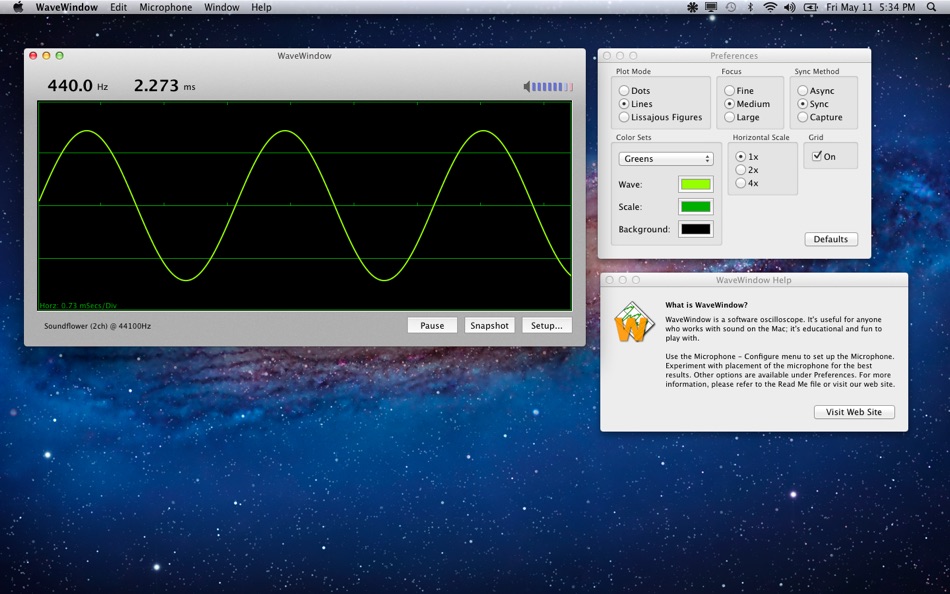
• Grid
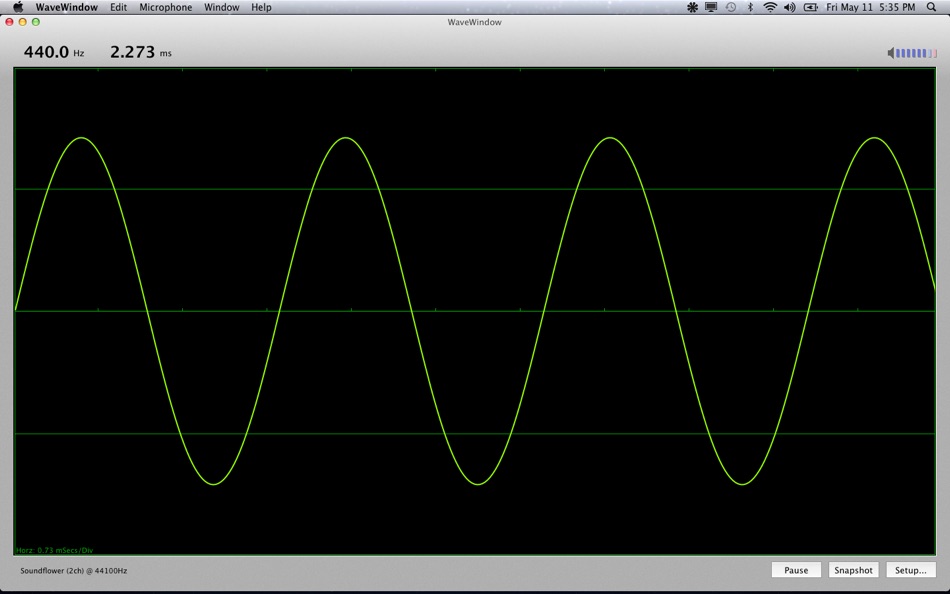
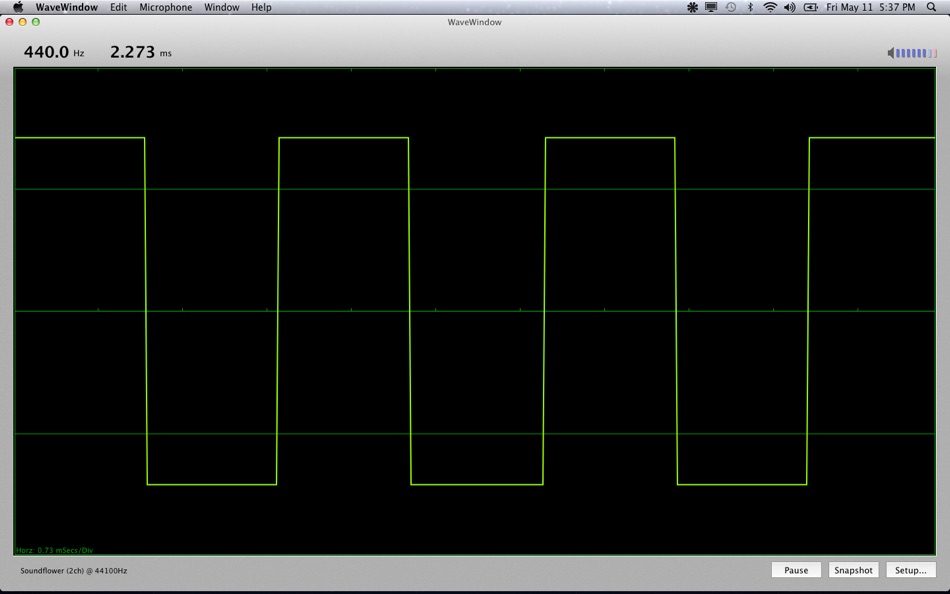
Checking this item places a grid on the display. Tick marks are placed along the horizontal axis. The distance between two tick marks is called a ‘Division’. The unit of time represented by one division is shown on the WaveWindow display. Example: Horz 1.33 mSecs/Div
The vertical axis is represented by a solid line at the midpoint and a dashed line midway between the vertical limits. (Grid lamp is fairly meaningless in Lissajous mode.)
• Plot Mode
Dots - A dot is plotted for each sample data point.
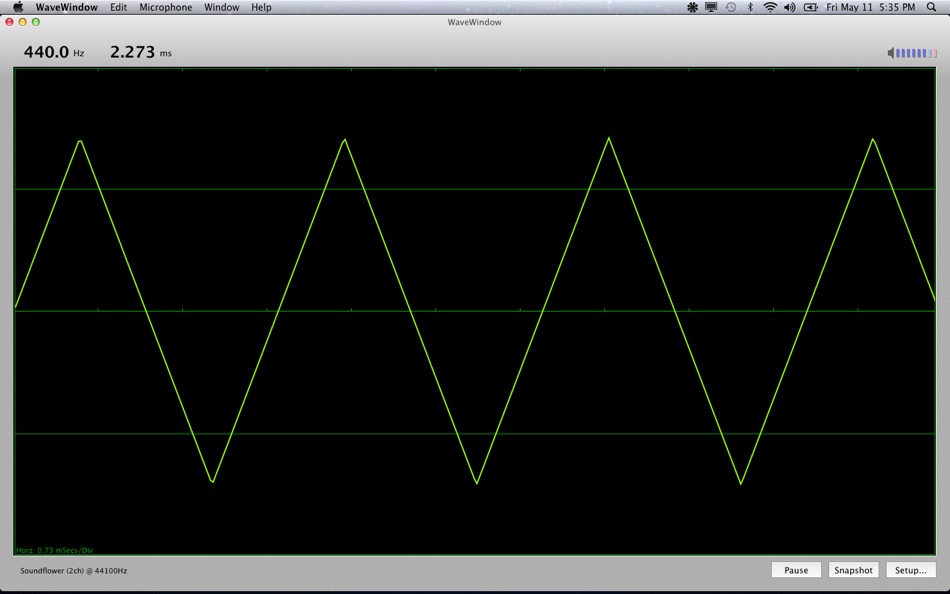
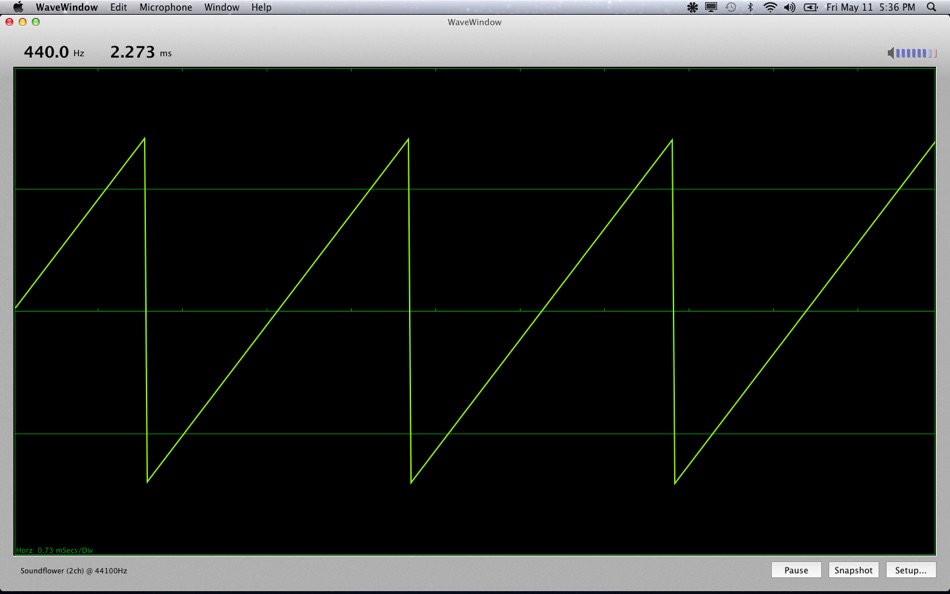
Lines - Sample data points are connected by lines.
Lissajous Figures -
In Lissajous mode, a sine wave is substituted for the standard 'sawtooth' wave applied to the horizontal input. The frequency of the Lissajous horizontal sweep frequency is 220Hz (set Horizontal Scale to 1x when using this mode.)
Lissajous figures are of primary interest in viewing frequencies which are integer ratios to the sweep frequency. The figures thus produced can actually be used to determine the frequency of the input, by looking at the resultant pattern, and comparing it to a table of known patterns for given frequency ratios. For our purposes, it is interesting enough just to play some notes and watch the patterns. Generally, you should be in Async mode when using Lissajous Figures. Play an 'A' on your instrument and observe the resultant pattern.
• Sync Method
'Synchronizing' means 'to get in step with'. Consider what happens when the waveform being displayed does not repeat precisely at the fixed interval... The waveform can appear to 'travel' across the display, either backward or forward. This is a common on all oscilloscopes. To make the waveform appear to stand still, synchronization may be employed.
Async - Async means no synchronization. It can sometimes appear as if there are several waveforms on the screen, even though there are not. This is a result of the screen being erased and redrawn faster than the eye can discriminate.
Sync - There are actually many different ways to synchronize to an incoming signal. No method works in every situation. The sync mode employed here delays the incoming signal until a positive-going, zero-crossing is found. Zero-crossing is where the signal crosses the vertical axis at 0. Positive-going means that the signal is crossing from below the axis to above. Very often this will be a correct place at which the waveform repeats a cycle, but not always.
Capture - This sync method uses a bit of 'fuzzy-logic' to determine if the signal is perhaps a 'pitched' sound. When it finds something that looks like it may be some sort of musical note, it holds it on the display until the next musical note is found. This can be useful for a hands-free operation where you play a note, then be quiet, and the wave will stay on the screen. Of course, the display will not change at all if WaveWindow cannot find a 'musical note', so if the display seems to have 'locked up' make sure you are not in Capture mode.
• Focus
This preference simulates the focus adjustment found on real oscilloscopes. Here, focus merely changes the size of the dot or line (see plot modes).
• Horizontal Scale
This preference changes the horizontal time scale. At the 1x setting, every point of incoming data is displayed. At 2x, every other data point is displayed. At 4x, every fourth point is displayed. This allows you to get more data on the screen at the same time. If the incoming data is periodic, you will see more cycles when the Horizontal Scale is increased.
• Color Sets
A number of different color sets are provided for your viewing pleasure. Experiment to find the best color combination for your monitor.
Ad
Ekran görüntüleri
Fiyat Geçmişi
- Bugün: $4.99
- En az: $4.99
- Maksimum: $5.99
Fiyatları takip et
Geliştirici
- Laidman & Katsura
- Platformlar: macOS Uygulamalar (6)
- Listeler: 0 + 0
- Puanlar: 0 + 0 ¡
- Sıralamalar: 0
- Yorumlar: 0
- Yorumlar: 0
- İndirimler: 0
- Video: 0
- RSS: Abone ol
Puanlar (0)
0 ☹️
Sıralamalar (0)
0 ☹️
Listeler (0)
0 ☹️
- WaveWindow
Yorumlar (0)
İnceleme yazan ilk kişi siz olun 🌟
Ek Bilgi
- Sürüm: 4.0
- Kategori:
macOS Uygulamalar›Kamu hizmetleri - İşletim Sistemleri:
macOS,macOS 10.9 ve sonrası - Boyut:
423 Kb - Desteklenen diller:
English - İçerik Derecelendirmesi:
4+ - Mac App Store Kullanıcı Oyu:
0 - Güncellendi:
- Satışa çıkış tarihi:
Kişiler
- Web sitesi:
 https://www.rustykat.us/
«WaveWindow». Platform: macOS. Kategori: Kamu hizmetleri. Geliştirici: «Laidman & Katsura». İlk sürüm: . Son güncelleme: . Güncel fiyat: $4.99. Kaydedilen en düşük fiyat: $4.99 (). Kaydedilen en yüksek fiyat: $5.99 (). Bu başlık henüz AppAgg'de derecelendirme veya inceleme almadı. Mevcut diller: English. AppAgg, «WaveWindow» için fiyat geçmişini, derecelendirmeleri ve kullanıcı geri bildirimlerini takip eder. Gelecekteki indirimler ve güncellemeler: RSS. AppAgg uygulamaları barındırmaz veya yazılım dağıtmaz. Tüm ticari markalar, logolar ve ekran görüntüleri ilgili sahiplerine aittir.
Yorumlar (0)
İlk yorum yapan siz olun 🌟
WaveWindow Kısa URL: Kopyalandı!- 🌟 Paylaş
- Mac App Store
Ad
Benzerleri
-
- Window Recorder
- macOS Uygulamalar: Kamu hizmetleri Göre: Rene Hansen
- Ücretsiz
- Listeler: 0 + 0 Sıralamalar: 0 Yorumlar: 0
- Puanlar: 1 + 0 Yorumlar: 0 Sürüm: 2.2.0 Window Recorder is the screen recording counterpart, to the macOS screenshot tool. In a similar manner to the screenshot tool, Window Recorder allows you constrain a screen recording ... ⥯
-
- Window Tidy
- macOS Uygulamalar: Kamu hizmetleri Göre: Light Pillar Software Ltd
- $4.99
- Listeler: 0 + 0 Sıralamalar: 0 Yorumlar: 0
- Puanlar: 0 + 0 Yorumlar: 0 Sürüm: 2.1.5 How many times have you had to keep switching between documents when you wished you could just see them all at the same time? For example, composing an email whilst referencing ... ⥯
-
- Window Refresh
- macOS Uygulamalar: Kamu hizmetleri Göre: Workflow Network
- $9.99
- Listeler: 0 + 0 Sıralamalar: 0 Yorumlar: 0
- Puanlar: 0 + 0 Yorumlar: 0 Sürüm: 25.1 We love our SANs, NASes, and all the fun when working with shared / network storage. But! You have probably seen a time or two that you know a file should be in a folder, but don't see ⥯
-
- Window Management: snApp
- macOS Uygulamalar: Kamu hizmetleri Göre: Starlight Apps LLP
- * Ücretsiz
- Listeler: 0 + 0 Sıralamalar: 0 Yorumlar: 0
- Puanlar: 4 + 0 Yorumlar: 0 Sürüm: 1.1.1 snApp is a powerful window management utility, built for the Mac. At its core, it is powered by the award-winning Siri Shortcut, Snap. It lives in your macOS menu bar, and features two ⥯
-
- Window Manager .
- macOS Uygulamalar: Kamu hizmetleri Göre: Emanuele Floris
- $2.99
- Listeler: 0 + 1 Sıralamalar: 0 Yorumlar: 0
- Puanlar: 1 + 0 Yorumlar: 0 Sürüm: 1.4 Try the most effective and simple window manager for mac. Tidy up all the chaotic windows of the various programs. Move and resize applications windows to be able to work on multiple ... ⥯
-
- iDock-Dock Window Preview
- macOS Uygulamalar: Kamu hizmetleri Göre: 宁波上官科技有限公司
- Ücretsiz
- Listeler: 0 + 0 Sıralamalar: 0 Yorumlar: 0
- Puanlar: 13 + 0 Yorumlar: 0 Sürüm: 1.1.7 [The premier application window preview tool for the Dock on Mac] [Efficiently switch and manage application windows to improve the user experience! ] 1. Quickly view windows Move the ... ⥯
-
- Camera Window
- macOS Uygulamalar: Kamu hizmetleri Göre: Jensen Harris
- Ücretsiz
- Listeler: 0 + 1 Sıralamalar: 0 Yorumlar: 0
- Puanlar: 1 + 0 Yorumlar: 0 Sürüm: 1.1.0 Camera Window is the ideal way to see and hear your camera feed in a window on your computer screen. Any physical or virtual device that shows up to macOS as a camera or microphone can ⥯
-
- BorderMe - Where’s My Window?
- macOS Uygulamalar: Kamu hizmetleri Göre: Yalhi Software Solutions Inc.
- Ücretsiz
- Listeler: 1 + 0 Sıralamalar: 0 Yorumlar: 0
- Puanlar: 3 + 0 Yorumlar: 0 Sürüm: 1.5 BorderMe adds a subtle, customizable border around your currently active window; so you always know where your focus is. Whether you're juggling multiple monitors, working in ... ⥯
-
- Divvy - Window Manager
- macOS Uygulamalar: Kamu hizmetleri Göre: Mizage, LLC
- $13.99
- Listeler: 1 + 1 Sıralamalar: 0 Yorumlar: 0
- Puanlar: 0 + 0 Yorumlar: 0 Sürüm: 1.5.2 The Problem: Managing windows can be frustrating, requiring precision control of your mouse or trackpad for clicking, dragging, pushing and pulling your windows to the size and ... ⥯
-
- Print Window 5
- macOS Uygulamalar: Kamu hizmetleri Göre: Searchware Solutions
- $19.99
- Listeler: 0 + 0 Sıralamalar: 0 Yorumlar: 0
- Puanlar: 1 + 0 Yorumlar: 0 Sürüm: 5.5 Print Window 5 is the best tool for printing file listings in macOS! Print Window allows you to create beautiful, professional-looking file listings right from the macOS Finder. No ... ⥯
-
- Pin Window: Rectangle Pro
- macOS Uygulamalar: Kamu hizmetleri Göre: Yaroslav Mykhailov
- $2.99
- Listeler: 0 + 0 Sıralamalar: 0 Yorumlar: 0
- Puanlar: 0 + 0 Yorumlar: 0 Sürüm: 1.0 Pin Window: Rectangle Pro lets you keep any window always visible on top of others. Perfect for watching videos while working, referencing documents, monitoring apps, or keeping notes ... ⥯
-
- Big Window Clock
- macOS Uygulamalar: Kamu hizmetleri Göre: Mobile Geographics
- Ücretsiz
- Listeler: 0 + 0 Sıralamalar: 0 Yorumlar: 0
- Puanlar: 1 + 0 Yorumlar: 0 Sürüm: 1.1.1 Big Window Clock shows the current time, in your Mac's time zone, in the largest possible font for its window. Optionally, it makes a "tick" sound periodically. Use Big Window Clock to ⥯
-
- Moyo Breeze Window 透气窗
- macOS Uygulamalar: Kamu hizmetleri Göre: 永辉 金
- * Ücretsiz
- Listeler: 0 + 0 Sıralamalar: 0 Yorumlar: 0
- Puanlar: 0 + 0 Yorumlar: 0 Sürüm: 1.6 Moyo is a lightweight menu bar browser built for "open fast, hide fast." When you want a quick breather, tap once and browse right away without juggling a pile of windows. What you can ⥯
-
- Screen Recorder:Window Capture
- macOS Uygulamalar: Kamu hizmetleri Göre: Stanislav Duplinskiy
- $1.99
- Listeler: 0 + 0 Sıralamalar: 0 Yorumlar: 0
- Puanlar: 0 + 0 Yorumlar: 0 Sürüm: 0.1 Capture Your Screen with Stunning Clarity. The Easiest Way to Record Any Window or Display on Your Mac. Stop struggling with complex software. The intuitive and powerful screen ... ⥯