
| Desenvolvedor: | Xeption I/O (2) | ||
| Preço: | $0.99 | ||
| Classificações: | 0 | ||
| Resenhas: | 0 Escrever um comentário | ||
| Listas: | 0 + 0 | ||
| Pontos: | 2 + 0 ¡ | ||
| Mac App Store | |||
Descrição

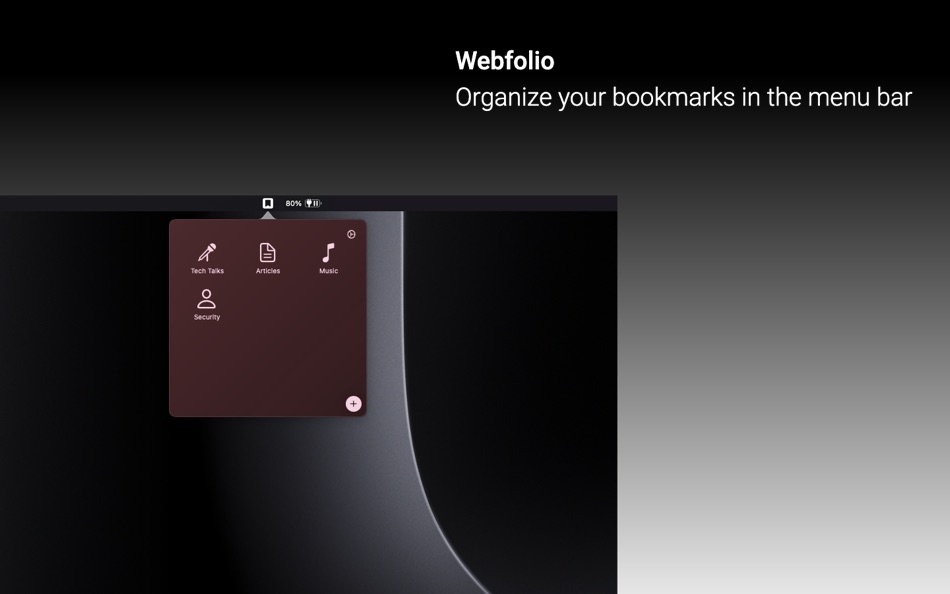
Welcome to Webfolio, the ultimate utility app that transforms how you manage your bookmarks. Designed exclusively for Mac, Webfolio integrates seamlessly into your menu bar, offering a streamlined and intuitive experience.
Key Features:
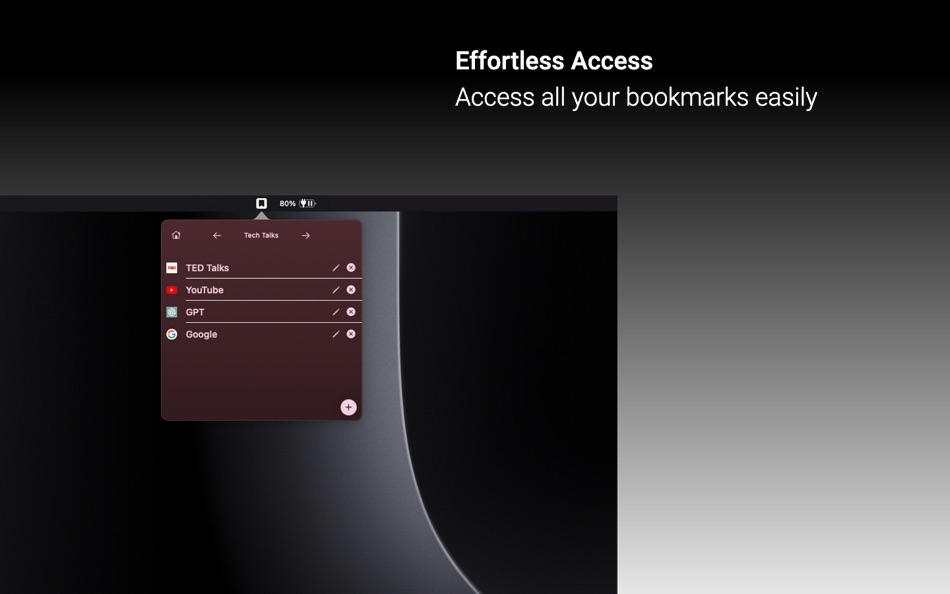
Effortless Access: With a simple click on the menu bar, access all your bookmarks. No more navigating through multiple menus or browser windows.
Organized Bookmarking: Categorize and arrange your bookmarks just the way you like with folders.
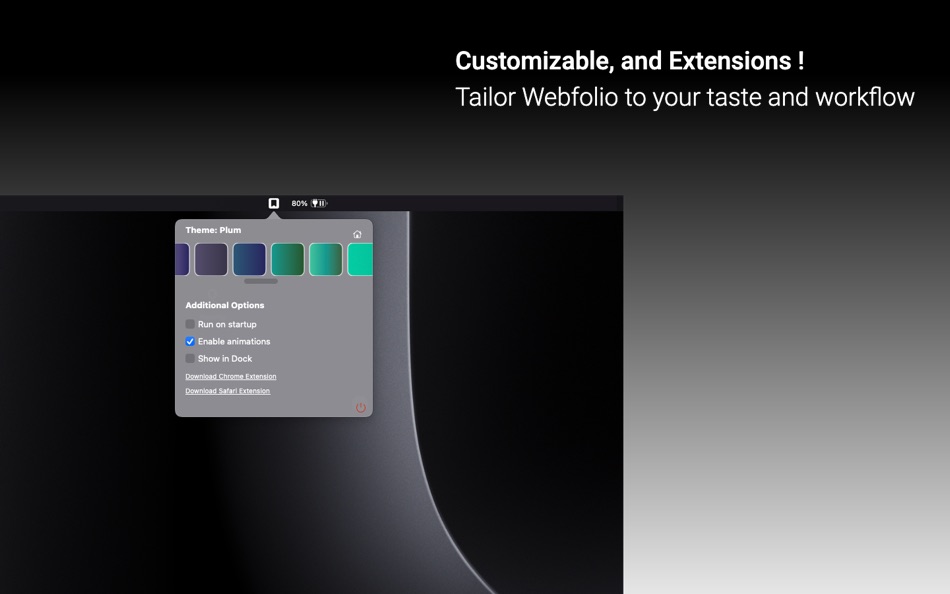
Cross-Browser Extensions: Use multiple browsers? No problem. Webfolio will be rolling out extensions to allow for easy synchronization of bookmarks.
Customizable Interface: Tailor Webfolio's appearance to suit your taste and workflow. Choose from various themes and settings for a personalized touch.
Secure & Reliable: Your bookmarks are stored locally on your device.
Whether you're a professional managing numerous resources or a casual user who loves staying organized, Webfolio is designed to enhance your browsing efficiency and enjoyment in the simplest way possible. Say goodbye to the hassles of traditional bookmark management and welcome a new era of convenience with Webfolio.
HOW TO USE WEBFOLIO
Main Screen
- Click on the add button to create a folder.
- Set the folder name, and image.
- DOUBLE CLICK anywhere to enter/exit edit mode.
- Click & drag to re-organize folders.
Bookmarks Screen
- Click on add button to add a new bookmark.
- Click on a bookmark to open it in your default browser.
- Drag bookmarks to re-organize.
- Click on pen icon to edit bookmark, X icon to delete bookmark.
Extensions will also be downloadable from the app to allow simple adding of bookmarks straight from your browser.
Capturas de ecrã
Novidades
- Versão: 1.0.5
- Atualizado:
- After receiving nice feedback from multiple users, here are some minor fixes for version 1.0.5:
- Added app previews to showcase essential features.
- Added requested import/export feature to allow back up and re-adding bookmarks.
- Made popover size a little bit bigger, with better scrolling on main page.
- Settings icon now available in all pages.
- Home icon is now a uniform “X” icon.
- Home icon is now in a uniform position, on the left of all pages as a standard.
- Bookmark action icons now only show on hover of the bookmark.
- Https scheme enforcing when a URL is input without a scheme.
- Better favicon loading for more website icons.
- Fixing light mode “Add” button, to avoid white on white color.
Preço
- Hoje: $0.99
- Mínimo: $0.99
- Máximo: $0.99
Monitorizar preços
Desenvolvedor
- Xeption I/O
- Plataformas: Android Jogos (1) macOS Apps (1)
- Listas: 0 + 0
- Pontos: 2 + 0 ¡
- Classificações: 0
- Resenhas: 0
- Descontos: 0
- Vídeos: 0
- RSS: Subscrever
Pontos
-

- 672 IMO FUCASHI
- +1
-
- 667 Erin
- +1


Classificações
0 ☹️
Listas
0 ☹️
Resenhas
Seja o primeiro a comentar 🌟
Informações adicionais
- Versão: 1.0.5
- Categoria:
macOS Apps›Utilitários - Sistemas operacionais:
macOS,macOS 13.0 ou superior - Tamanho:
2 Mb - Idioma compatível:
English - Classificação do conteúdo:
4+ - Mac App Store Avaliação:
0 - Atualizado:
- Data de lançamento:
Webfolio: Menu Bar Bookmarks URL abreviado: Copiado!- 🌟 Compartilhar
- Mac App Store
Você também pode gostar de
-
- BarLinks: Menu Bar Bookmarks
- macOS Apps: Utilitários Por: Zuri Apps Limited
- $14.99
- Listas: 2 + 0 Classificações: 0 Resenhas: 0
- Pontos: 6 + 0 Versão: 1.1 Too many bookmarks saved in your browser can be annoying to find and open. It's a pain to find a bookmark you saved before that's now buried along with 100's of other sites. You don't ... ⥯
-
- Menumarks - Menu Bar Bookmarks
- macOS Apps: Utilitários Por: Marcos Morais
- Grátis
- Listas: 1 + 0 Classificações: 0 Resenhas: 0
- Pontos: 4 + 0 Versão: 1.0.1 You can add new links and videos directly on the Menu Bar. Just add a title, the link (URL) and select if it's a simple link or a video. To get started: click on the Menu Bar, you can ... ⥯
-
- Menu Bar Shortcuts
- macOS Apps: Utilitários Por: Present Day Media LLC
- $3.99
- Listas: 0 + 0 Classificações: 0 Resenhas: 0
- Pontos: 0 + 0 Versão: 1.14 Menu Bar Shortcuts brings four everyday productivity tools to the one place you check all day long the macOS menu bar. Instant Calculator A full-featured calculator that supports ... ⥯
-
- Menu Bar UTC
- macOS Apps: Utilitários Por: Steve Foster
- Grátis
- Listas: 0 + 0 Classificações: 0 Resenhas: 0
- Pontos: 1 + 0 Versão: 1.01 Simply displays the UTC in the menu bar. That's it. ⥯
-
- Menu Bar Manager
- macOS Apps: Utilitários Por: 泳诗 陈
- $5.99
- Listas: 1 + 0 Classificações: 0 Resenhas: 0
- Pontos: 14 + 0 Versão: 1.7 With Menu Bar Manager, you can customize the display or hiding of your menu bar to help users solve the problem of cluttered menu bar icons. 1. Drag the Menu Bar Manager icon to the ... ⥯
-
- Menu Bar Quick Links
- macOS Apps: Utilitários Por: Florian Schweizer
- Grátis
- Listas: 3 + 0 Classificações: 0 Resenhas: 0
- Pontos: 4 + 0 Versão: 1.2 Easily access your most important links right in the menu bar. Add a link via the textfields. Copy links with a single button press or directly open it by right clicking the link's ... ⥯
-
- Menu bar AI Browser: One Chat
- macOS Apps: Utilitários Por: 超 程
- $59.99
- Listas: 0 + 0 Classificações: 0 Resenhas: 0
- Pontos: 0 + 0 Versão: 1.3 # Menu bar AI Browser: One Chat: Your Menubar AI Assistant The menu bar AI chatbot browser app is a menu bar AI browser that never defocus your current app. Seamlessly blend AI ... ⥯
-
- Menu Bar Currency Converter
- macOS Apps: Utilitários Por: Verbari LLC
- $3.99
- Listas: 0 + 0 Classificações: 0 Resenhas: 0
- Pontos: 0 + 0 Versão: 1.0 Effortlessly convert between 170+ currencies right from your macOS menubar with Menu Bar Currency Converter. -- KEY FEATURES -- Real-Time Currency Converter: Convert between multiple ... ⥯
-
- Menu Bar Percent Calculator
- macOS Apps: Utilitários Por: Cem Olcay
- Grátis
- Listas: 0 + 0 Classificações: 0 Resenhas: 0
- Pontos: 1 + 0 Versão: 1.0 A tiny menu bar application that calculates percents: - What is something percent of something - Something is what percent of something - Something is something percent of what It's ... ⥯
-
- Menu Bar Calculator
- macOS Apps: Utilitários Por: Caseiro Software LLC
- Grátis
- Listas: 0 + 0 Classificações: 0 Resenhas: 0
- Pontos: 0 + 0 Versão: 1.1.0 Ever wish your calculator was always *right there*? Now it is! This calculator is always just a click or key press away. Bring up the calculator at any time using the customizable ... ⥯
-
- Menu Bar Translator
- macOS Apps: Utilitários Por: Daniel Sadjadian
- $0.99
- Listas: 0 + 0 Classificações: 0 Resenhas: 0
- Pontos: 2 + 0 Versão: 1.0 Make quick translations right from the Mac MenuBar. - Quick translations in 94 different languages. - Save your favorite translations for future reference. - The History tab enables ... ⥯
- Novo
- Menu Bar Countdown Clock
- macOS Apps: Utilitários Por: Arcana Media
- $0.99
- Listas: 0 + 0 Classificações: 0 Resenhas: 0
- Pontos: 0 + 0 Versão: 1.0 Maintain a consistent sleep schedule by tracking time until bedtime. Regular sleep patterns support better health, improved focus, and overall well-being. This gentle reminder helps ... ⥯
-
- Shortcuts in Menu Bar
- macOS Apps: Utilitários Por: Binh Nguyen
- $2.99
- Listas: 1 + 0 Classificações: 0 Resenhas: 0
- Pontos: 0 + 0 Versão: 1.2.5 A small utility that provides links to your frequently used files, folders, websites, applications. Help you to keep your Desktop and Dock bar clean. Help you easier to organize your ... ⥯
-
- Hide Menu Bar
- macOS Apps: Utilitários Por: 仁超 张
- $5.99
- Listas: 0 + 0 Classificações: 0 Resenhas: 0
- Pontos: 0 + 0 Versão: 3.5.8 This is an excellent macOS menu bar management tool that can hide menu bar icons, allowing you to flexibly manage menu bar icons and improve work efficiency. The main functions ... ⥯