
الإشارات المرجعية
اختر عنوانًا لهذه الإشارة المرجعية.
تم حفظ الإشارة المرجعية
| المطوّر: | Fish-Zero (2) | ||
| السعر: | * مجاني جديد | ||
| الدرجة: | 620 فضة | ||
| الترتيب: | 0 | ||
| تعليقات: | 0 انشر تعليقًا | ||
| قوائم: | 0 + 0 | ||
| النقاط: | 0 + 0 ¡ | ||
| +1 النقاط | |||
لقطات الشاشة
الإعلانات
الوصف

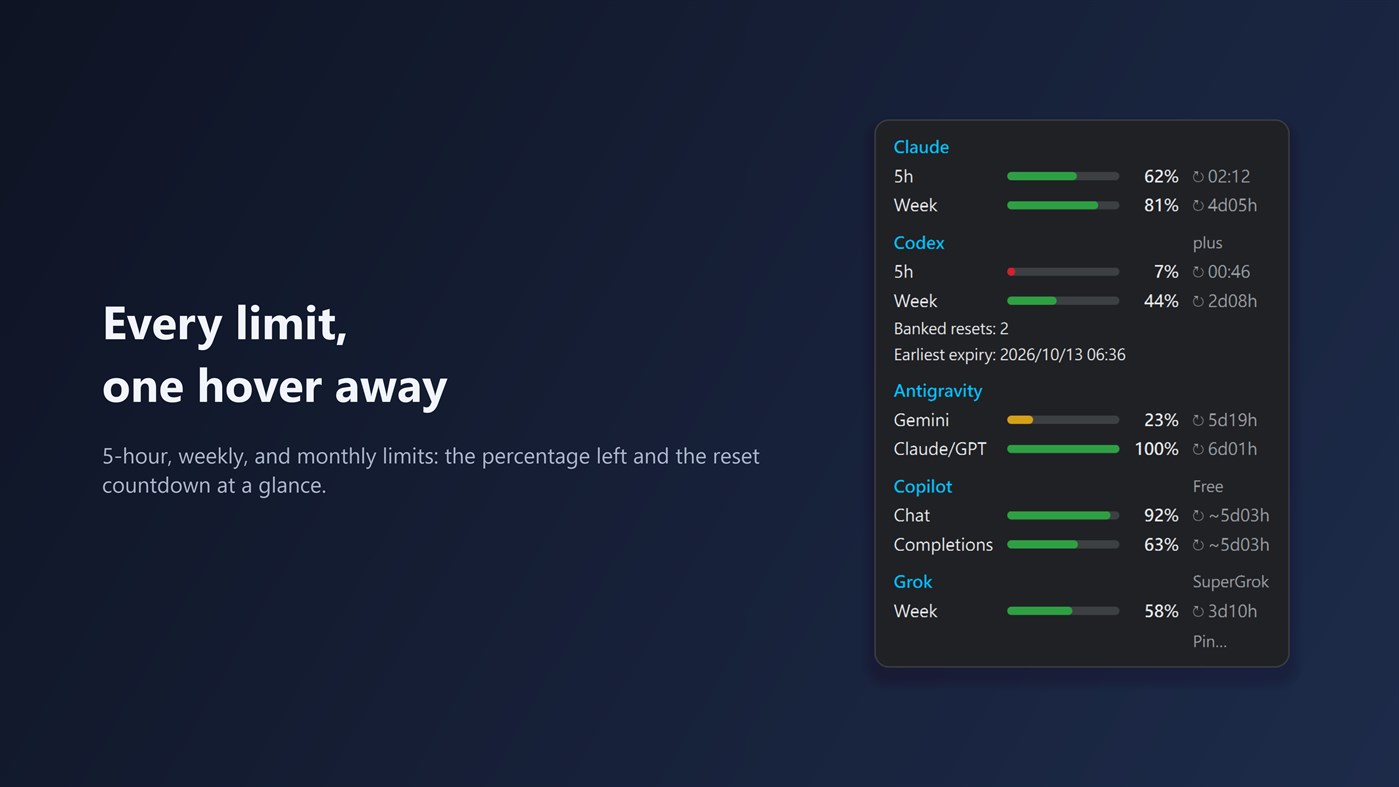
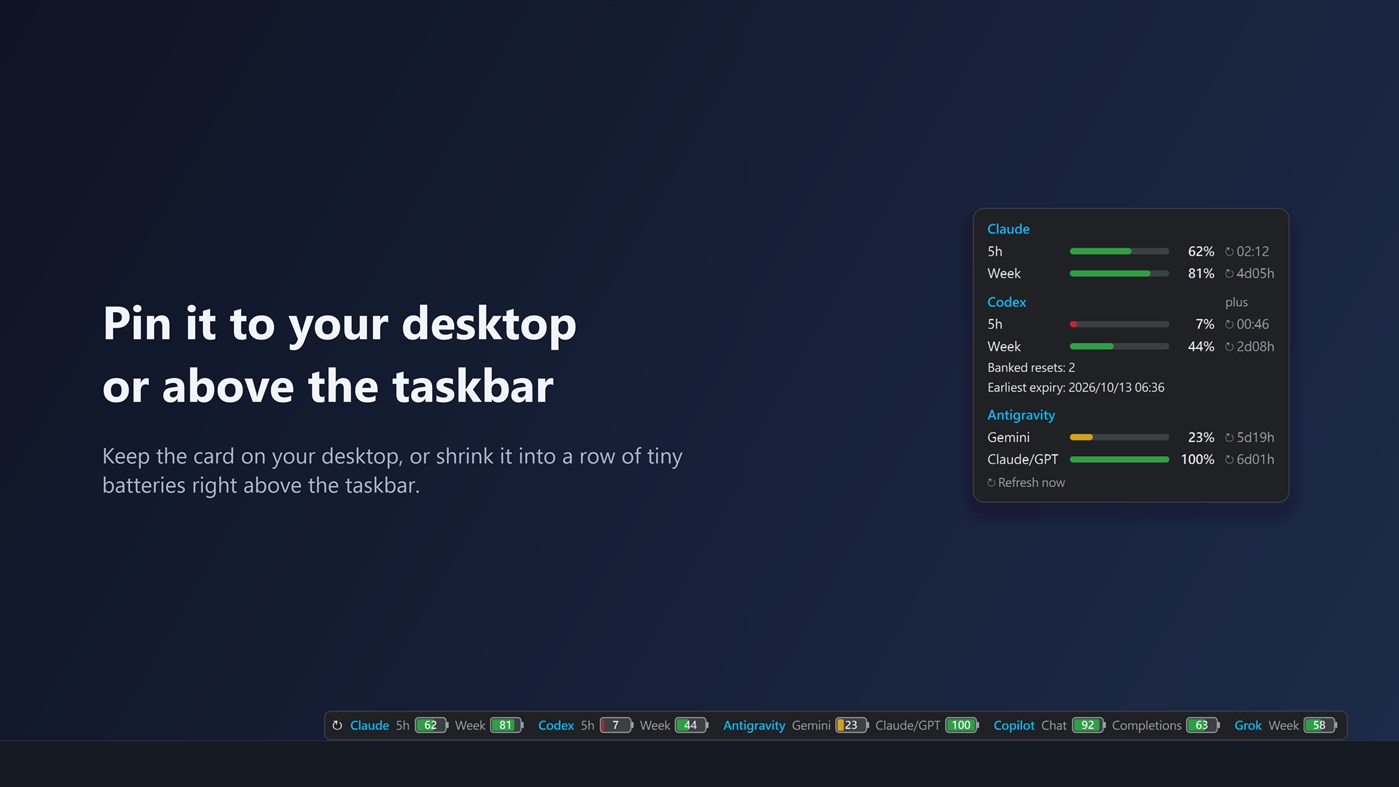
You can also pin the card to your desktop, or shrink it into a strip of small batteries right above the taskbar.
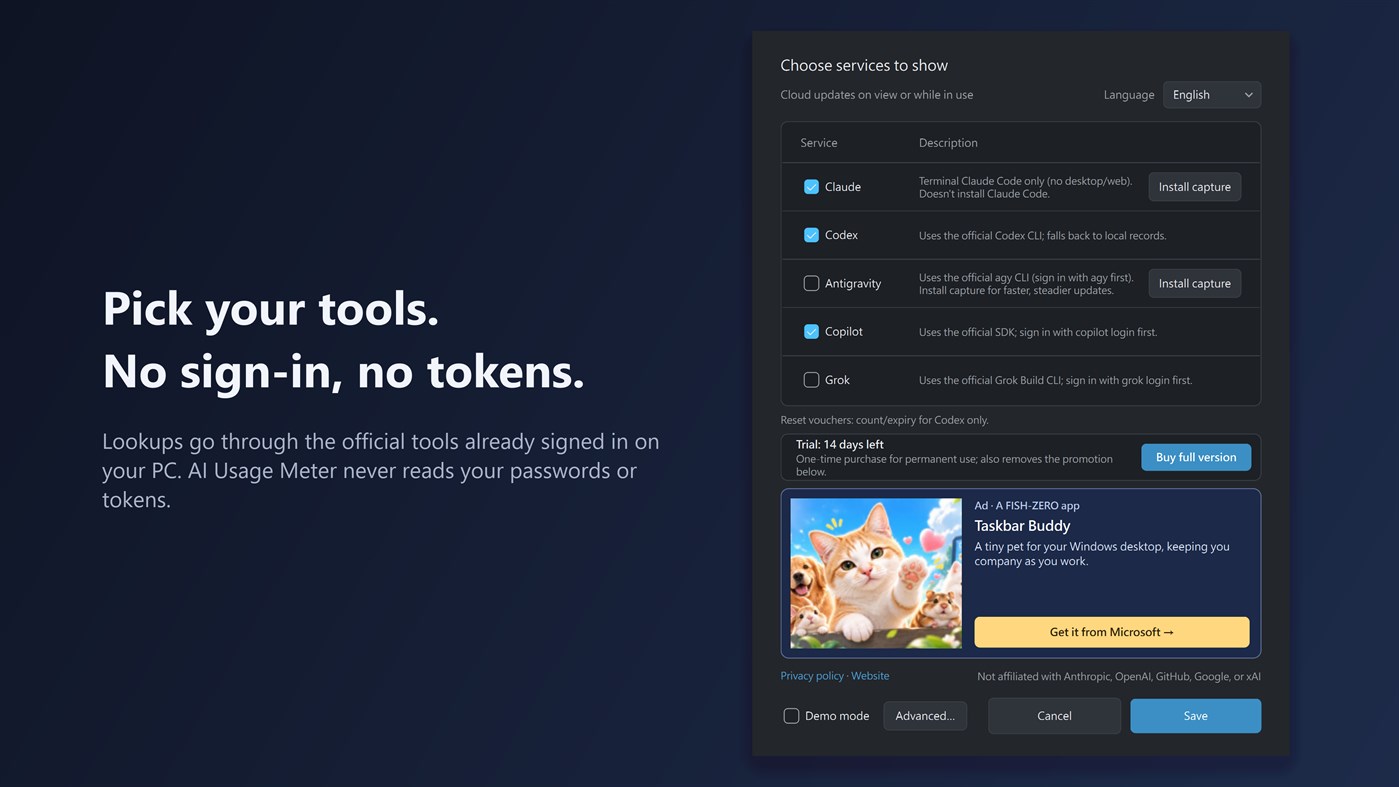
Supported tools: Claude Code, Codex, Antigravity CLI, GitHub Copilot, and Grok Build CLI. Claude Code and Codex are enabled by default. Install and sign in to each tool you want to track on the same PC. For Claude, the app reads the usage that Claude Code passes to its status line, so you need to use Claude Code in a terminal, signed in with a Claude Pro or Max plan. The Claude desktop app, website and mobile app don't provide this data. When you open the card, it also checks the official public status pages of Claude, Codex, GitHub Copilot, and Grok, marks any incident affecting them right on the card, and opens the status page with one click. Try every feature free for 14 days; after that, a one-time in-app purchase of the Full version keeps it working for good and removes the promotion in Settings.
If Codex provides reset-credit details, the card shows how many credits are available and the nearest known expiration date. Reset-credit details currently work with Codex only.
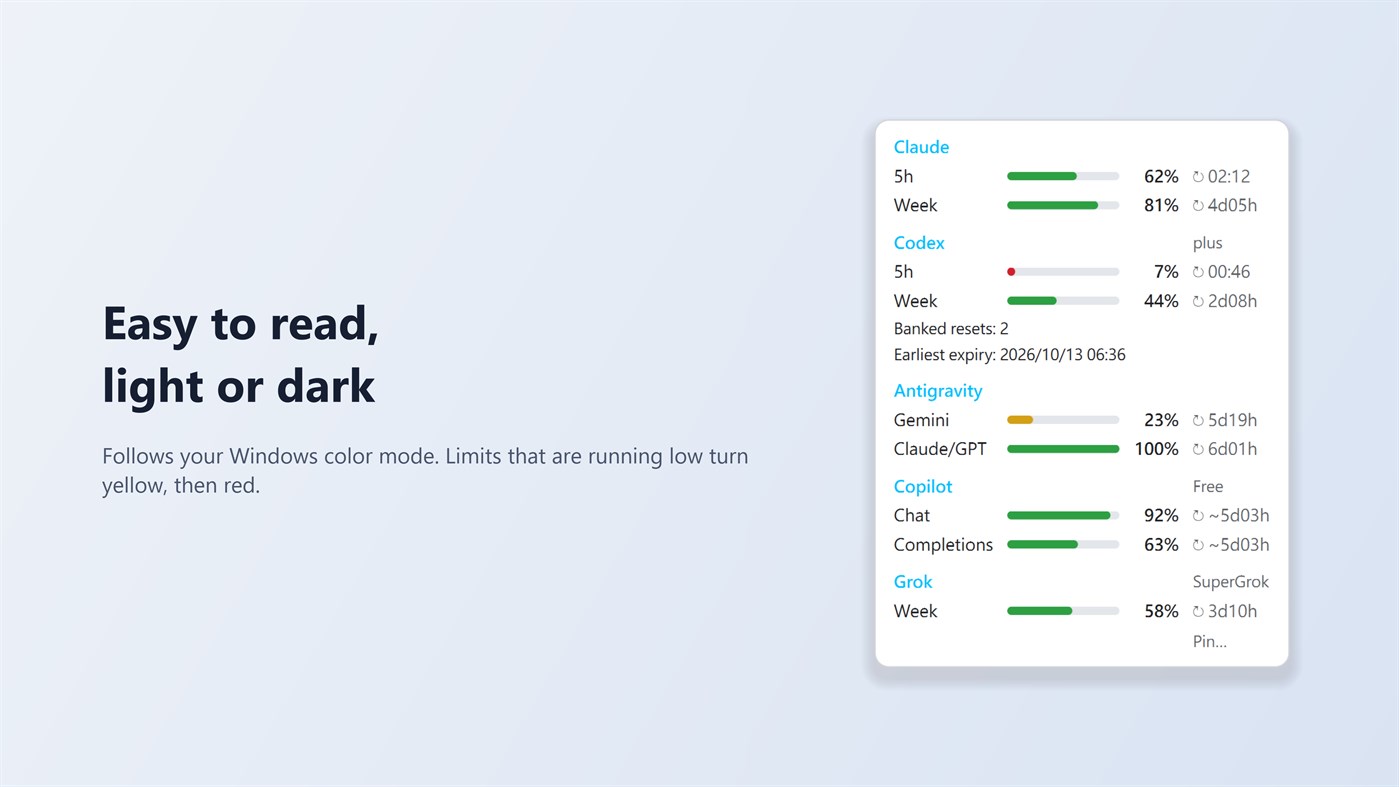
When a limit falls below 10%, the app sends one Windows notification per reset period. Old or unavailable numbers are shown in grey with their age. The tray icon's neon ring slowly rotates and pauses when the screen is locked or off, battery saver is on, or Windows animations are disabled. The app also tells you when a new version is available in the Microsoft Store.
AI Usage Meter does not read or store passwords or sign-in tokens. It has no analytics or third-party ads and sends none of your data to the developer. In the background it reads local usage records; when you open the card, while you are using one of the tools, or while the card is pinned, it asks the official tools already signed in on your PC for updated numbers. The Settings window contains a small banner for another app from the same developer.
Settings offers Traditional Chinese, English, Japanese, German, and Simplified Chinese. The “Install capture” and “Remove capture” buttons for Claude Code and Antigravity CLI manage usage capture; they do not install or remove those tools. The developer's promoted app supports English and Traditional Chinese, so its banner appears in English in the other interface languages.
On Windows 11, the tray icon may initially be under the hidden icons arrow (^). Drag it onto the taskbar for quick access.
AI Usage Meter is an independent app and is not affiliated with Anthropic, OpenAI, GitHub, Google, or xAI. Product names belong to their respective owners.
منصات أخرى (0)
| AI Usage MeterWindows Storeأنت هناعمليات الشراء داخل التطبيق | مجاني |
متاح حاليًا في هذا المتجر فقط.
سجل الأسعار
- السعر الحالي: مجاني
- الحد الأدنى: مجاني
- الحد الأقصى: مجاني
تتبّع الأسعار أضِف إلى قائمة لتلقّي تنبيهات الخصومات عبر البريد الإلكتروني أو الإشعارات الفورية
قوائم (0)
0
- AI Usage Meter
النقاط (0)
0
الترتيب (0)
0
تعليقات (0) ¡
كن أول من يعلق
المطوّر
- Fish-Zero
- المتابعون: 0
- المنصات: Windows تطبيقات (2)
- العروض: 0
- قوائم: 0 + 0
- النقاط: 0 + 0 ¡
- الترتيب: 0
- تعليقات: 0
- الفيديوهات: 0
- RSS: اشتراك
الميزات الجديدة
- الإصدار: PC
- آخر تحديث:
معلومات إضافية
- تاريخ الإصدار:
- الفئة:
تطبيقات لمنصة Windows›أدوات المطور - نظام التشغيل:
PC - الحجم:
49 Mb - اللغات المدعومة:
Chinese,English,German,Japanese - تقييم المحتوى:
EVERYONE - Windows Store تقييم: ¡
0 - الموقع الإلكتروني:
 https://fish-zero.com/aiusagemeter
درجة AppAgg
620
درجة AppAgg التقديرية لـ
AI Usage Meter
المطوّر: Fish-Zero
620 فضة
تشير الدرجة الأعلى عادةً إلى أداء أفضل في مؤشرات AppAgg.
استنادًا إلى: الشعبية · تقييمات المستخدمين · الحداثة · العروض · بيانات المتاجر · نشاط المجتمع
يُعاد حسابها يوميًا بناءً على أحدث بيانات AppAgg.
شارة للمواقع الإلكترونية:  تم النسخ!
ملخص
AI Usage Meter عنوان URL مختصر: تم النسخ!- Windows Store
يمكنك متابعة تطبيق «AI Usage Meter» من Fish-Zero على AppAgg. المنصة: Windows. الفئة: أدوات المطور. درجة AppAgg: 620 (فضة). نقاط AppAgg للتطبيق — المؤكدة: 0؛ غير المباشرة: 0. عدد القوائم العامة التي تضم التطبيق: 0. عدد المستخدمين الذين حفظوه في قوائم خاصة: 0. لم يقيّم مستخدمو AppAgg التطبيق بعد. تسجّل النقاط المؤكدة انتقال المستخدمين الذين سجّلوا الدخول إلى AppAgg إلى المتجر، بينما تستند النقاط غير المباشرة إلى بيانات المتاجر. يعرض العدّادان عدد القوائم العامة وعدد المستخدمين الذين حفظوا التطبيق أو اللعبة في قوائم خاصة. صدر التطبيق لأول مرة في . آخر تحديث للتطبيق: . التطبيق متاح مجانًا حاليًا. يدعم التطبيق اللغات التالية: Chinese, English, German, Japanese. اطّلع على سجل الأسعار، أو أضف التطبيق إلى قائمة، أو تابع المطوّر. تابع خصومات التطبيق وتحديثاته القادمة عبر موجز RSS. لا يستضيف AppAgg التطبيق ولا يوزعه. جميع العلامات التجارية والشعارات ولقطات الشاشة الخاصة بالتطبيق مملوكة لأصحابها.
قد يعجبك أيضًا
أحدث النقاشات
 التطبيقNauticPlayer This app is absolute cinema. Honestly, it’s one of the best media players I’ve ever tried, and I’m s...
  Manuel16
  التطبيقScreen Beings - Desktop Pet & Study Companion This is my app so I’m a little bias but as someone from the ADHD community that teaches ADHD and neu...
  Tarelle Irwin6
  التطبيقAadi vault good it ia a encrypter and good you my work on office
  Aditya Rai5
  التطبيقTyping 365 | Daily Typing Trainer The best typing app ever. With Typing 365 you don’t have to force yourself for couple minutes traini...
  Ahmad Mozaffar5
  التطبيقZefir Calendar — Calendar in the Taskbar excelente app! Superando todas as espectativas!
  Diógenes Magnus5
  التطبيقLockinRa LockinRa 리뷰 LockinRa는 작업 관리, 집중력 도구, AI 코칭을 하나의 데스크톱 앱으로 통합한 무료 Windows 생산성 프로그램입니다. 클라우드 동기화 없이 로컬 ...
  abhilok reddy6
  التطبيقCN Vault I Love this app CN Vault is a user-friendly app that helps keep your passwords safe and secure. If y...
  Marjuk Amin5
