
Marcadores
Elige un título para este marcador.
Marcador guardado
| Desarrollador: | Fish-Zero (2) | ||
| Precio: | * Gratis Nueva | ||
| Puntuación: | 620 Plata | ||
| Clasificaciones: | 0 | ||
| Comentarios: | 0 Publicar comentario | ||
| Listas: | 0 + 0 | ||
| Puntos: | 0 + 0 ¡ | ||
| +1 Puntos | |||
Capturas de pantalla
Anuncio
Descripción

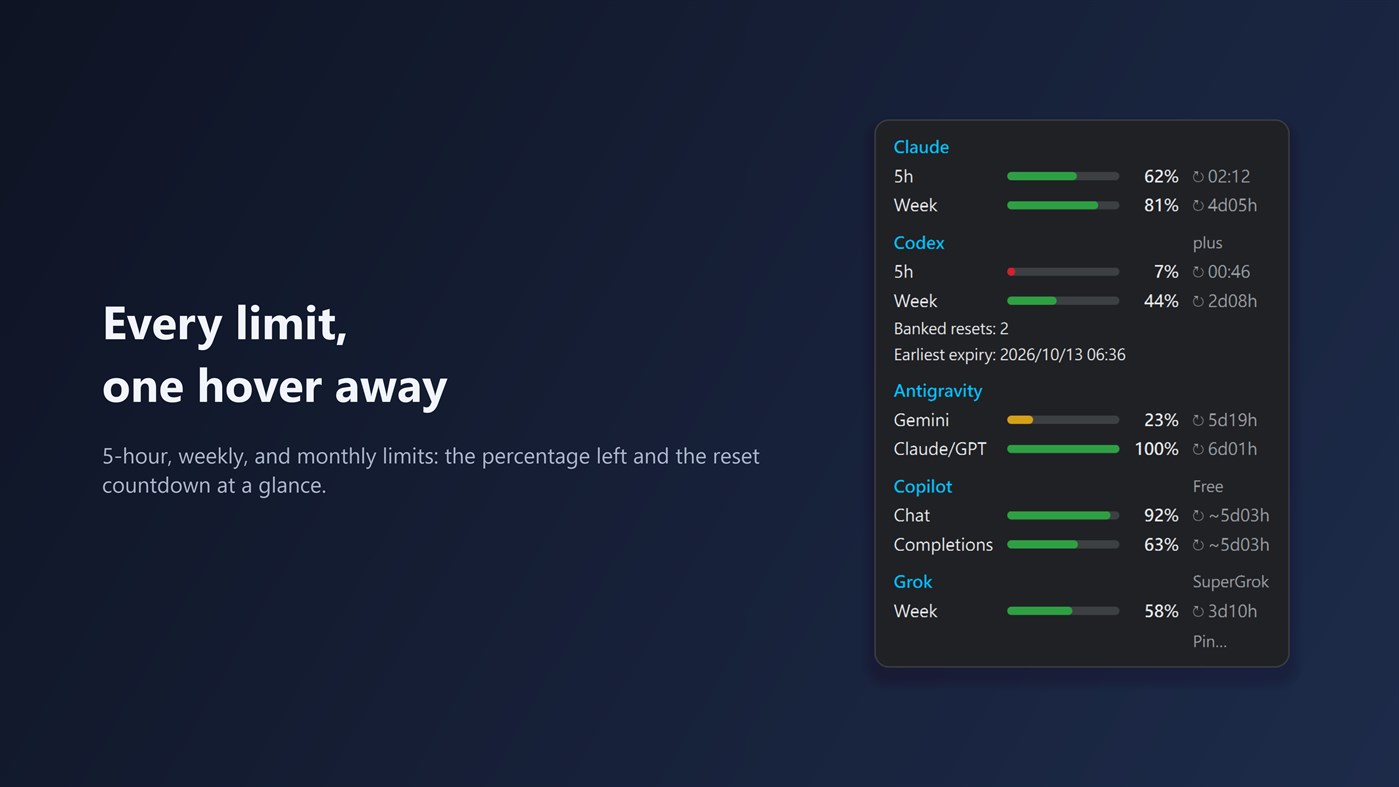
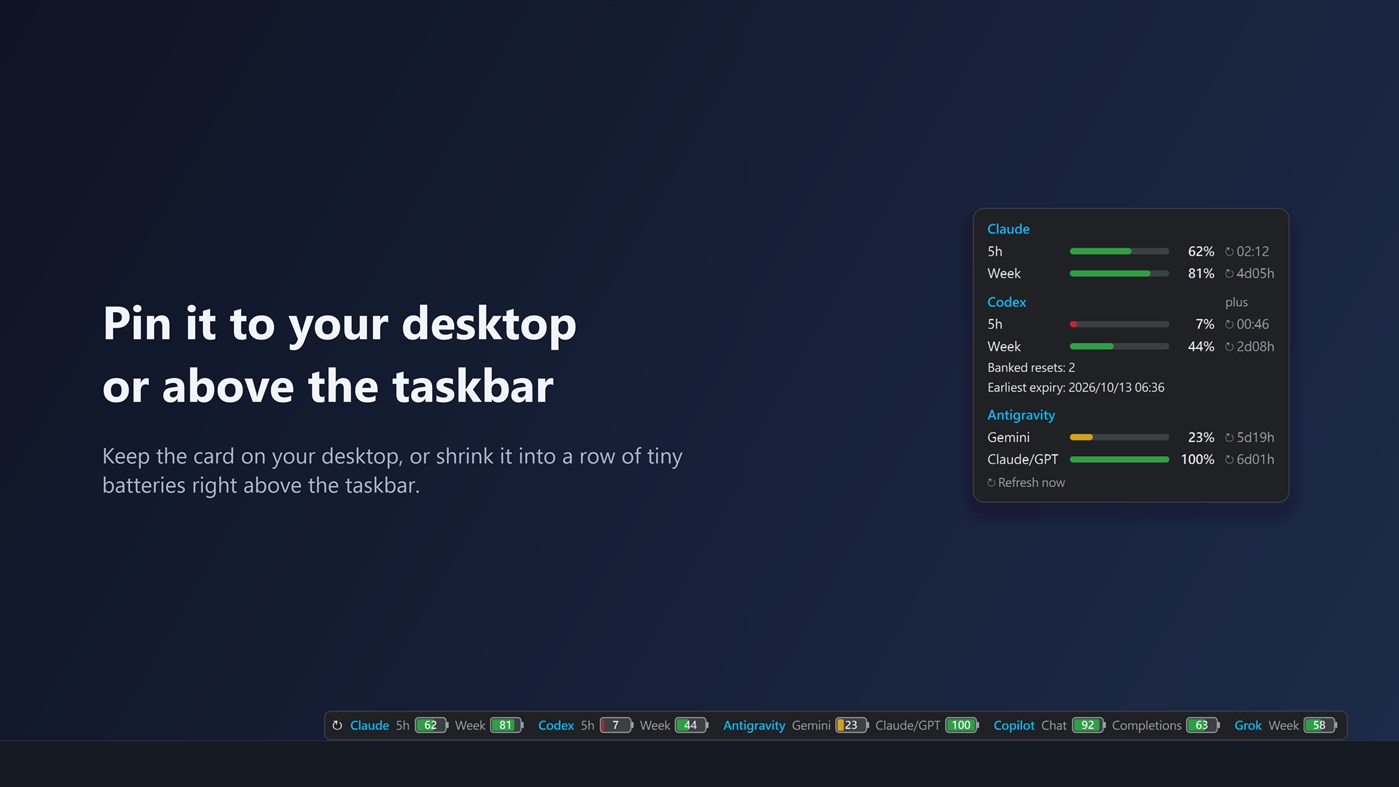
You can also pin the card to your desktop, or shrink it into a strip of small batteries right above the taskbar.
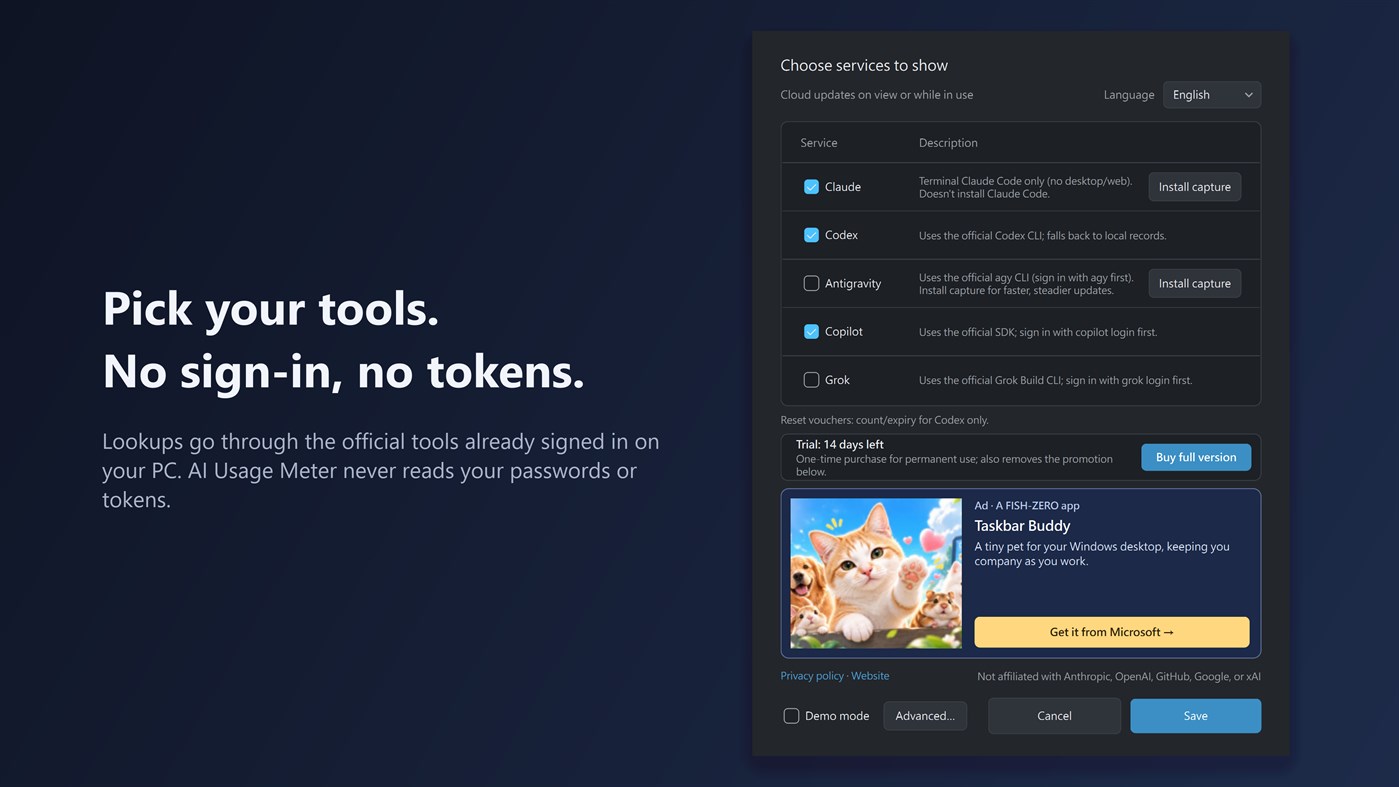
Supported tools: Claude Code, Codex, Antigravity CLI, GitHub Copilot, and Grok Build CLI. Claude Code and Codex are enabled by default. Install and sign in to each tool you want to track on the same PC. For Claude, the app reads the usage that Claude Code passes to its status line, so you need to use Claude Code in a terminal, signed in with a Claude Pro or Max plan. The Claude desktop app, website and mobile app don't provide this data. When you open the card, it also checks the official public status pages of Claude, Codex, GitHub Copilot, and Grok, marks any incident affecting them right on the card, and opens the status page with one click. Try every feature free for 14 days; after that, a one-time in-app purchase of the Full version keeps it working for good and removes the promotion in Settings.
If Codex provides reset-credit details, the card shows how many credits are available and the nearest known expiration date. Reset-credit details currently work with Codex only.
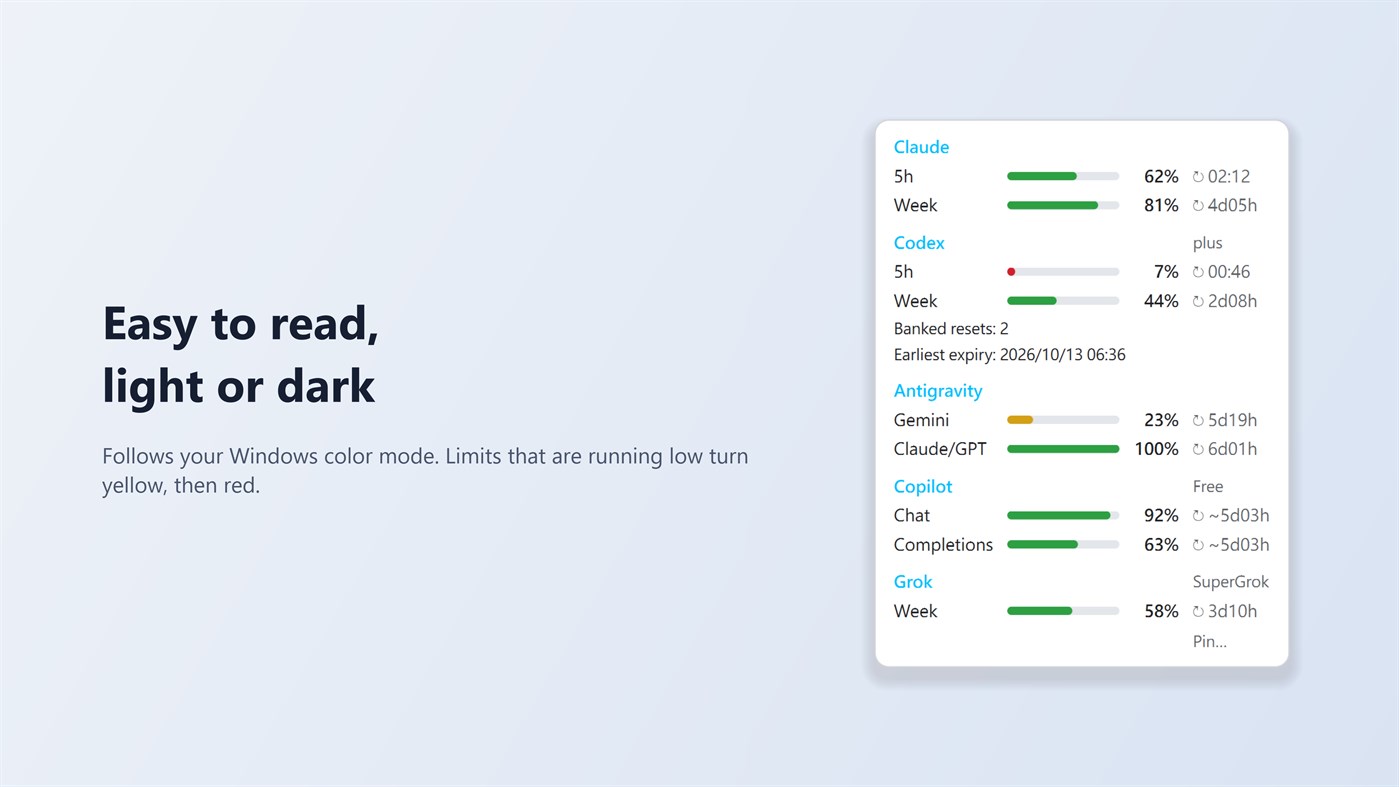
When a limit falls below 10%, the app sends one Windows notification per reset period. Old or unavailable numbers are shown in grey with their age. The tray icon's neon ring slowly rotates and pauses when the screen is locked or off, battery saver is on, or Windows animations are disabled. The app also tells you when a new version is available in the Microsoft Store.
AI Usage Meter does not read or store passwords or sign-in tokens. It has no analytics or third-party ads and sends none of your data to the developer. In the background it reads local usage records; when you open the card, while you are using one of the tools, or while the card is pinned, it asks the official tools already signed in on your PC for updated numbers. The Settings window contains a small banner for another app from the same developer.
Settings offers Traditional Chinese, English, Japanese, German, and Simplified Chinese. The “Install capture” and “Remove capture” buttons for Claude Code and Antigravity CLI manage usage capture; they do not install or remove those tools. The developer's promoted app supports English and Traditional Chinese, so its banner appears in English in the other interface languages.
On Windows 11, the tray icon may initially be under the hidden icons arrow (^). Drag it onto the taskbar for quick access.
AI Usage Meter is an independent app and is not affiliated with Anthropic, OpenAI, GitHub, Google, or xAI. Product names belong to their respective owners.
Otras plataformas (0)
| AI Usage MeterWindows StoreEstás aquíCompras en la aplicación | Gratis |
Por ahora, solo en esta tienda.
Historial de precios
- Precio actual: Gratis
- Mínimo: Gratis
- Máximo: Gratis
Realizar un seguimiento de los precios Añádelo a una lista para recibir alertas de descuentos por email o push
Listas (0)
0
- AI Usage Meter
Puntos (0)
0
Clasificaciones (0)
0
Comentarios (0) ¡
Sé el primero en comentar
Desarrollador
- Fish-Zero
- Seguidores: 0
- Plataformas: Windows Aplicaciones (2)
- Ofertas: 0
- Listas: 0 + 0
- Puntos: 0 + 0 ¡
- Clasificaciones: 0
- Comentarios: 0
- Vídeos: 0
- RSS: Suscribirse
Novedades
- Versión: PC
- Última actualización:
Información adicional
- Fecha de lanzamiento:
- Categoría:
Aplicaciones para Windows›Herramientas de desarrollo - Sistemas operativos:
PC - Tamaño:
49 Mb - Idiomas admitidos:
Chinese,English,German,Japanese - Clasificación de contenido:
EVERYONE - Windows Store Valoración: ¡
0
 https://fish-zero.com/aiusagemeter
Puntuación de AppAgg
620
Puntuación estimada de AppAgg para
AI Usage Meter
Desarrollador: Fish-Zero
620 Plata
Una puntuación más alta suele reflejar mejores resultados en los indicadores de AppAgg.
Basado en: popularidad · valoraciones de usuarios · actualidad · ofertas · datos de tiendas · actividad de la comunidad
Se recalcula a diario con datos actualizados de AppAgg.
Insignia para sitios web:  Copiado!
Resumen
AI Usage Meter URL corta: Copiado!- Windows Store
En AppAgg puedes seguir «AI Usage Meter», una aplicación de Fish-Zero para Windows en la categoría Herramientas de desarrollo. Puntuación de AppAgg: 620 (Plata). Puntos de AppAgg de la aplicación — confirmados: 0; indirectos: 0. Listas públicas que incluyen la aplicación: 0. Usuarios que la han guardado en listas privadas: 0. Los usuarios de AppAgg aún no han valorado esta aplicación. Los puntos confirmados registran las visitas a la tienda de usuarios con sesión iniciada en AppAgg; los indirectos se basan en datos de las tiendas. Los dos contadores muestran las listas públicas y los usuarios que han guardado la aplicación o el juego en listas privadas. La aplicación se publicó por primera vez el . La última actualización de la aplicación fue el . Actualmente, la aplicación está disponible gratis. La aplicación está disponible en estos idiomas: Chinese, English, German, Japanese. Consulta el historial de precios, añade la aplicación a una lista o sigue a su desarrollador. Sigue las próximas ofertas y actualizaciones de la aplicación a través de su Canal RSS. AppAgg no aloja ni distribuye esta aplicación. Todas las marcas comerciales, logotipos y capturas de pantalla relacionados con la aplicación pertenecen a sus respectivos propietarios.
También te puede interesar
Conversaciones recientes
 AplicaciónNauticPlayer This app is absolute cinema. Honestly, it’s one of the best media players I’ve ever tried, and I’m s...
  Manuel16
  AplicaciónScreen Beings - Desktop Pet & Study Companion This is my app so I’m a little bias but as someone from the ADHD community that teaches ADHD and neu...
  Tarelle Irwin6
  AplicaciónAadi vault good it ia a encrypter and good you my work on office
  Aditya Rai5
  AplicaciónTyping 365 | Daily Typing Trainer The best typing app ever. With Typing 365 you don’t have to force yourself for couple minutes traini...
  Ahmad Mozaffar5
  AplicaciónZefir Calendar — Calendar in the Taskbar excelente app! Superando todas as espectativas!
  Diógenes Magnus5
  AplicaciónLockinRa LockinRa 리뷰 LockinRa는 작업 관리, 집중력 도구, AI 코칭을 하나의 데스크톱 앱으로 통합한 무료 Windows 생산성 프로그램입니다. 클라우드 동기화 없이 로컬 ...
  abhilok reddy6
  AplicaciónCN Vault I Love this app CN Vault is a user-friendly app that helps keep your passwords safe and secure. If y...
  Marjuk Amin5
