
북마크
이 북마크의 제목을 입력하세요.
북마크가 저장되었습니다
| 개발자: | David Frucht (5) | ||
| 가격: | $19.99 | ||
| 종합 점수: | 1,100 실버 | ||
| 순위: | 0 | ||
| 댓글: | 0 댓글 게시 | ||
| 목록: | 0 0 | ||
| 포인트: | 0 | ||
| +1 포인트 | |||
요약
소개합니다. David Frucht에서 만든 ‘개발자 도구’ 카테고리 앱, ASM Visualizer.
에 출시됐어요. 아직 꽤 따끈따끈해요.
Mac App Store에도 있어요. 편한 곳을 고르세요.
$19.99, 그리고 AppAgg에서 지금까지 할인이 단 한 번도 없었어요. 만만치 않은 상대네요.
Microsoft Store는 Windows에 기본으로 들어 있어서 클릭 몇 번이면 설치돼요.
AppAgg 점수는 1,100. 실버 등급, 이 정도면 꽤 괜찮아요.
연령 등급은 ‘EVERYONE’, 아이들에게도 괜찮아요.
지원 언어는 딱 하나, 그런데 한국어는 아니에요.
사용해 보셨나요? 여기서 첫 리뷰의 주인공이 되어 주세요.
이 개발자의 앱이 AppAgg에 4개 더 있어요. 한번 둘러보세요.
할인, 업데이트, 새 앱 소식을 가장 먼저 받고 싶나요? 가격 알림을 설정하거나 개발자를 팔로우하거나 RSS 피드를 구독하세요. 푸시 알림은 Android와 iOS용 AppAgg Alerts 앱으로 받을 수 있어요.
광고
다른 플랫폼 1
 | ASM VisualizerWindows Store1K 실버Windows | $19.99 |
 | ASM-VISUALIZERMac App Store750 실버macOS | $19.99 |
가격 기록 0
- 현재 가격: $19.99
- 최소: $19.99
- 최대: $19.99
홈 화면의 나만의 피드
“신규 및 업데이트” 피드의 플랫폼을 선택하면 홈 화면에 필요한 앱과 게임만 표시됩니다.
스크린샷 7
설명
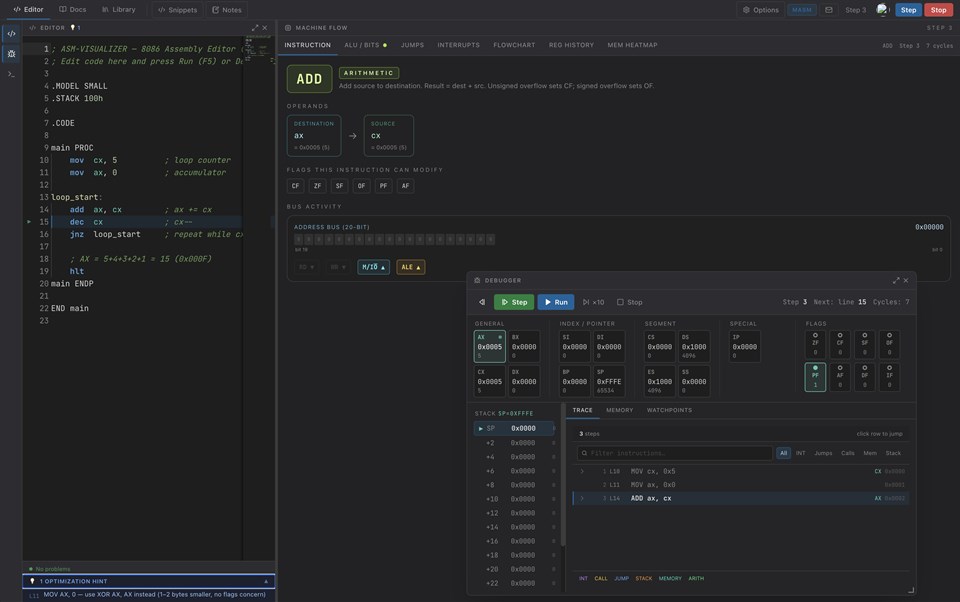
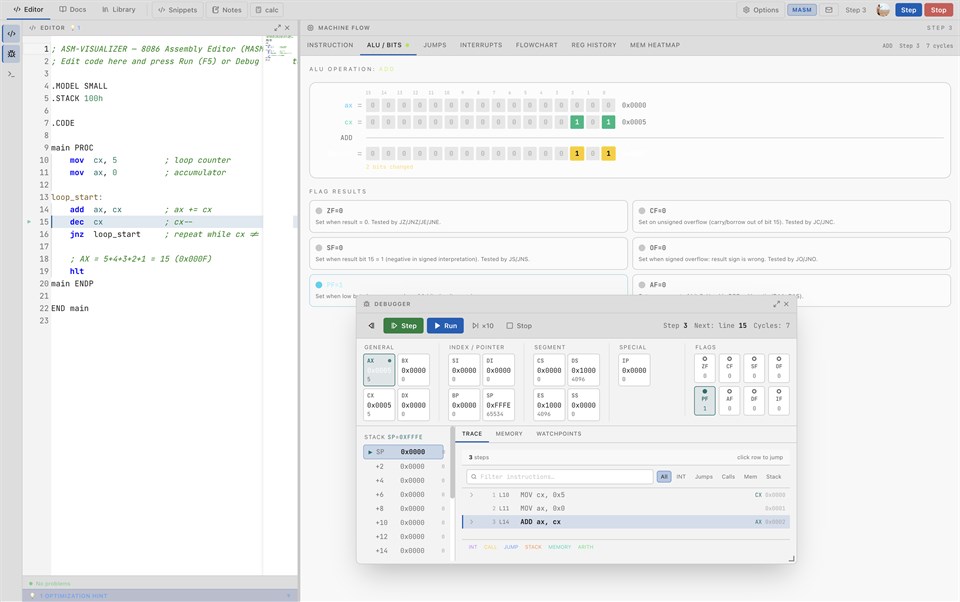
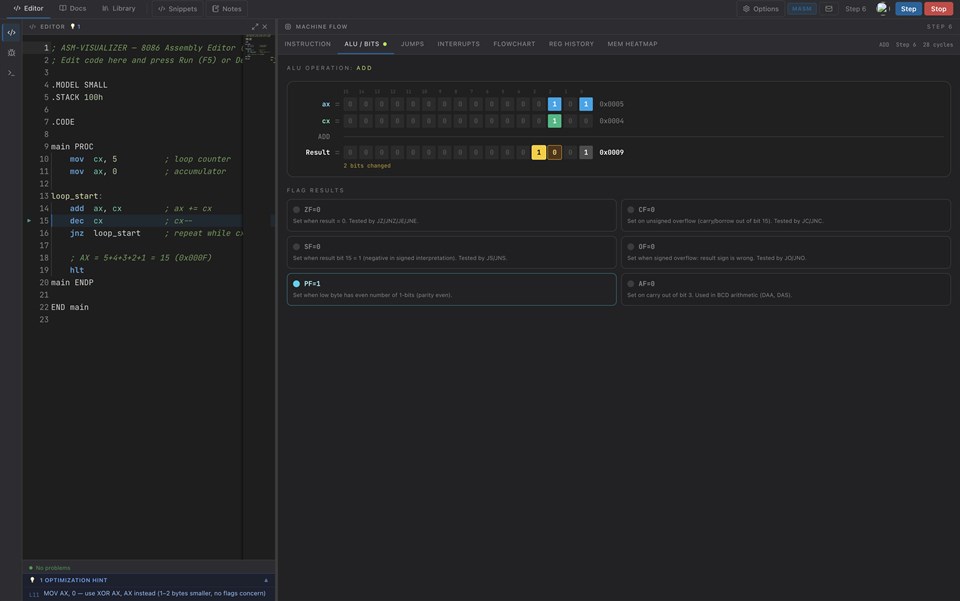
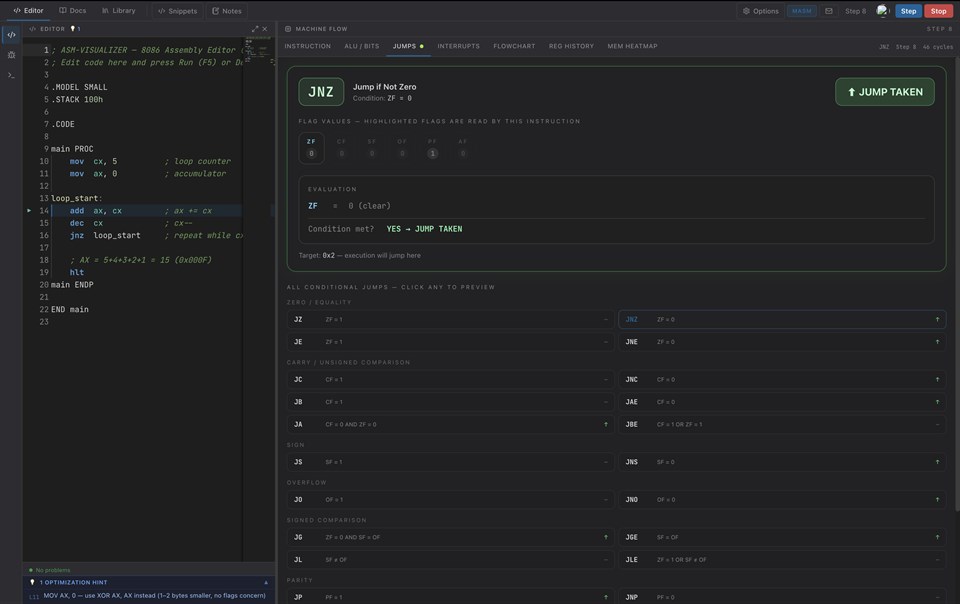
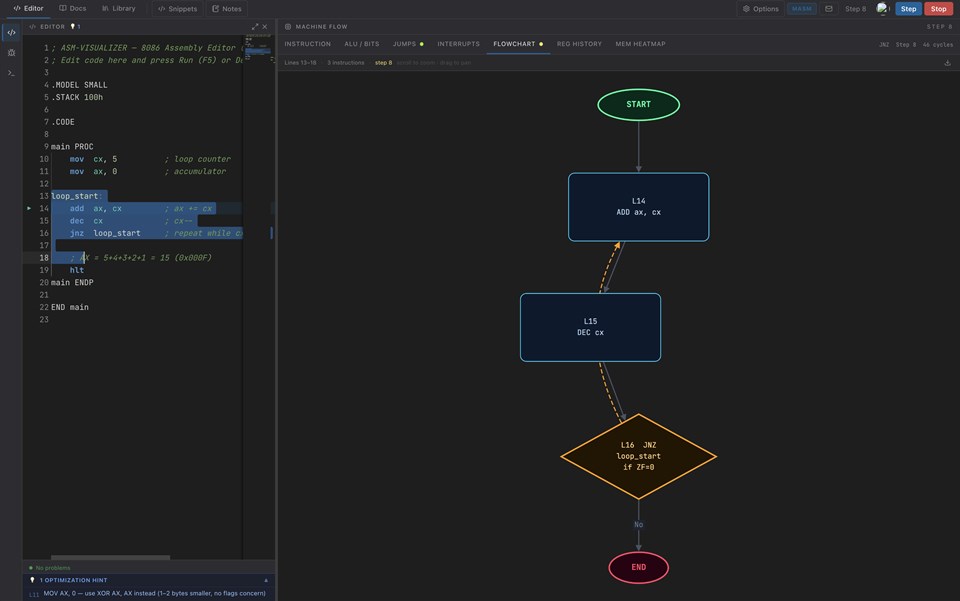
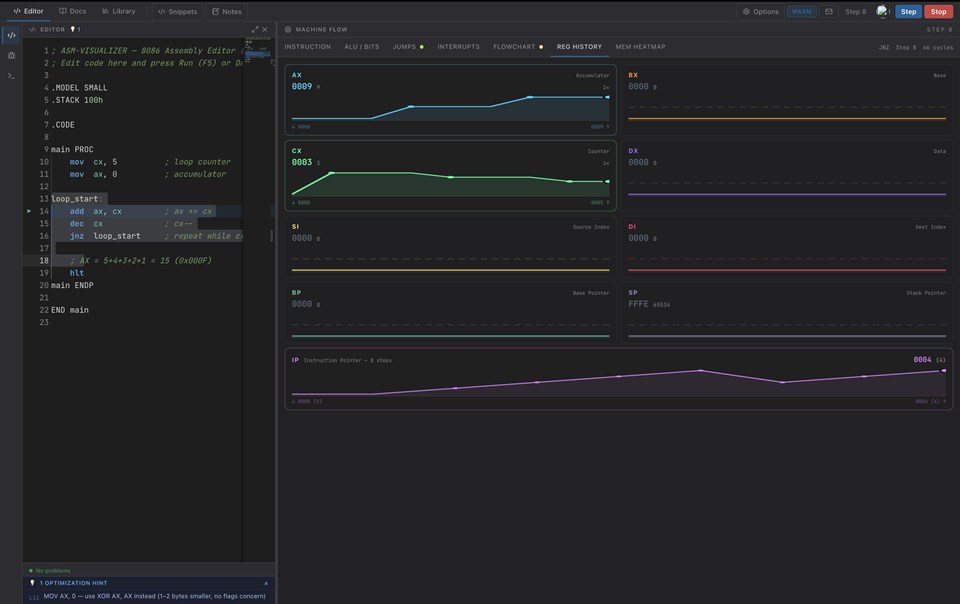
The most complete and beautiful 8086 assembly development environment available on Windows. Whether you're a computer science student, instructor, or hobbyist exploring low-level programming, ASM-VISUALIZER gives you a professional IDE experience built around the classic Intel 8086 processor.
Professional Code Editor
Powered by the same engine as Visual Studio Code (Monaco Editor), with full 8086 assembly syntax highlighting, real-time error detection, auto-indentation, and intelligent bracket matching. Supports NASM/MASM/TASM syntax — load your existing code and it just works.
Full CPU Emulation
Execute real 8086 machine code. All registers, all flags, real-mode segment:offset addressing, 1MB address space. Supports 100+ instructions including string operations, BCD arithmetic, I/O, and full interrupt handling.
Deep Debugger
Step through code instruction by instruction
Set breakpoints and conditional breakpoints
Live register and flag visualization with change animations
Memory inspector (hex/decimal/ASCII view)
Stack visualization with push/pop animations
Full execution trace log
Step backward — replay execution in reverse
Watchpoints on memory addresses
Real Graphics & DOS Output
Run programs that produce real output — INT 21h text mode (80×25), INT 10h graphics mode 13h (320×200, 256 colors). Supports interactive programs with real-time keyboard input.
BIOS & Interrupt Support
Full INT 10h (video), INT 21h (DOS), INT 16h (keyboard), INT 33h (mouse), and more — the same interrupts used in real DOS programs from the 80s and 90s.
Built-in Learning Library
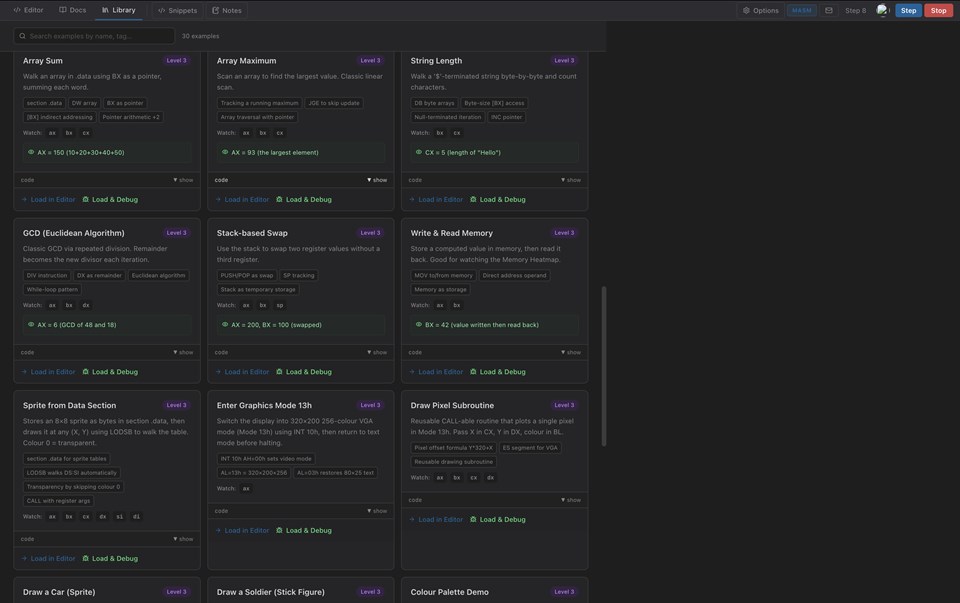
30+ runnable examples organized from beginner to advanced. Each example includes hints on which registers to watch, expected output, and educational notes. Load any example with one click.
Share & Collaborate
Save and load code via GitHub Gist. Generate QR codes to share programs instantly. Load code from URLs.
Beautiful UI
Dark, light, solarized, and high-contrast themes. Smooth animations on every register update, memory write, and stack operation. Designed for long study sessions.
Perfect for computer science students, university courses teaching computer architecture, and anyone who wants to truly understand how a CPU works from the inside.
개발자 소식
개발자이신가요?
페이지 맨 위에 소식을 올리면 팔로워에게 이메일로 전달됩니다. YouTube 동영상을 추가하면 “동영상” 블록 맨 앞에 표시됩니다.
목록 0
-
 ASM Visualizer
포인트 0
-

- +1 포인트

순위 0
-
- 내 평점
개발자 5
- David Frucht
- 팔로워: 0
- 플랫폼: macOS 앱 (2) Windows 앱 (3)
- 할인: 0
- 목록: 0 0
- 포인트: 0
- 순위: 0
- 댓글: 0
- 동영상: 0
- RSS: 구독
새로운 기능
- 버전: PC
- 마지막 업데이트:
추가 정보
 https://cs-visualizer.com
AppAgg 점수
1,100
AppAgg 예상 점수:
ASM Visualizer
개발자: David Frucht
1,100 실버
점수가 높을수록 대체로 AppAgg의 여러 지표에서 좋은 결과를 보인다는 뜻입니다.
기준: 인기 · 사용자 평점 · 최신성 · 할인 · 스토어 데이터 · 커뮤니티 활동
최신 AppAgg 데이터를 바탕으로 매일 다시 계산됩니다.
웹사이트용 배지:  복사됨!
댓글 0 ¡
가장 먼저 댓글을 남겨주세요
공유하기
ASM Visualizer 단축 URL: 복사됨!- Windows Store


