
الإشارات المرجعية
اختر عنوانًا لهذه الإشارة المرجعية.
تم حفظ الإشارة المرجعية
| المطوّر: | Daisuke Takayama (5) | ||
| السعر: | $12.99 جديد | ||
| الدرجة: | 1,010 فضة | ||
| الترتيب: | 0 | ||
| تعليقات: | 0 انشر تعليقًا | ||
| قوائم: | 0 + 0 | ||
| النقاط: | 0 + 0 ¡ | ||
| +1 نقطة | |||
لقطات الشاشة 7
إعلان
الوصف

■ Why AtlasKit
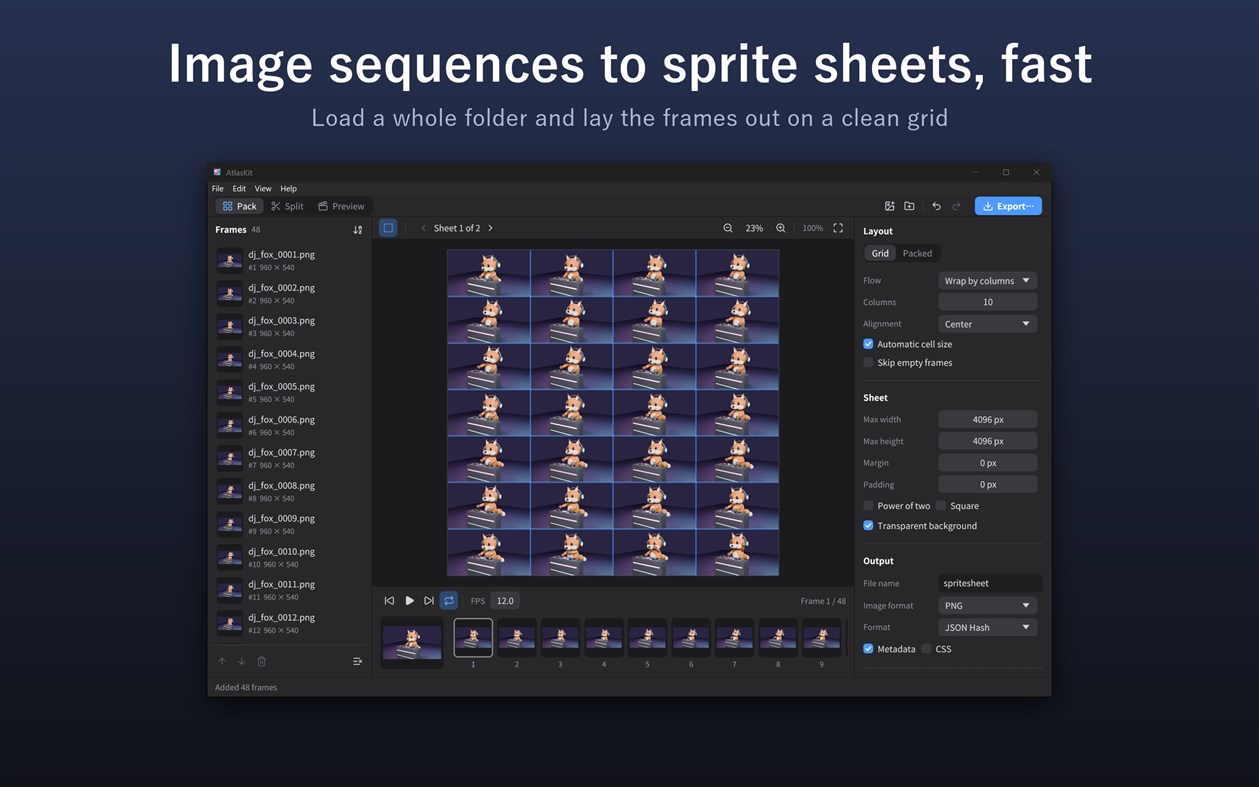
• Load a folder and get a neatly laid-out sprite sheet
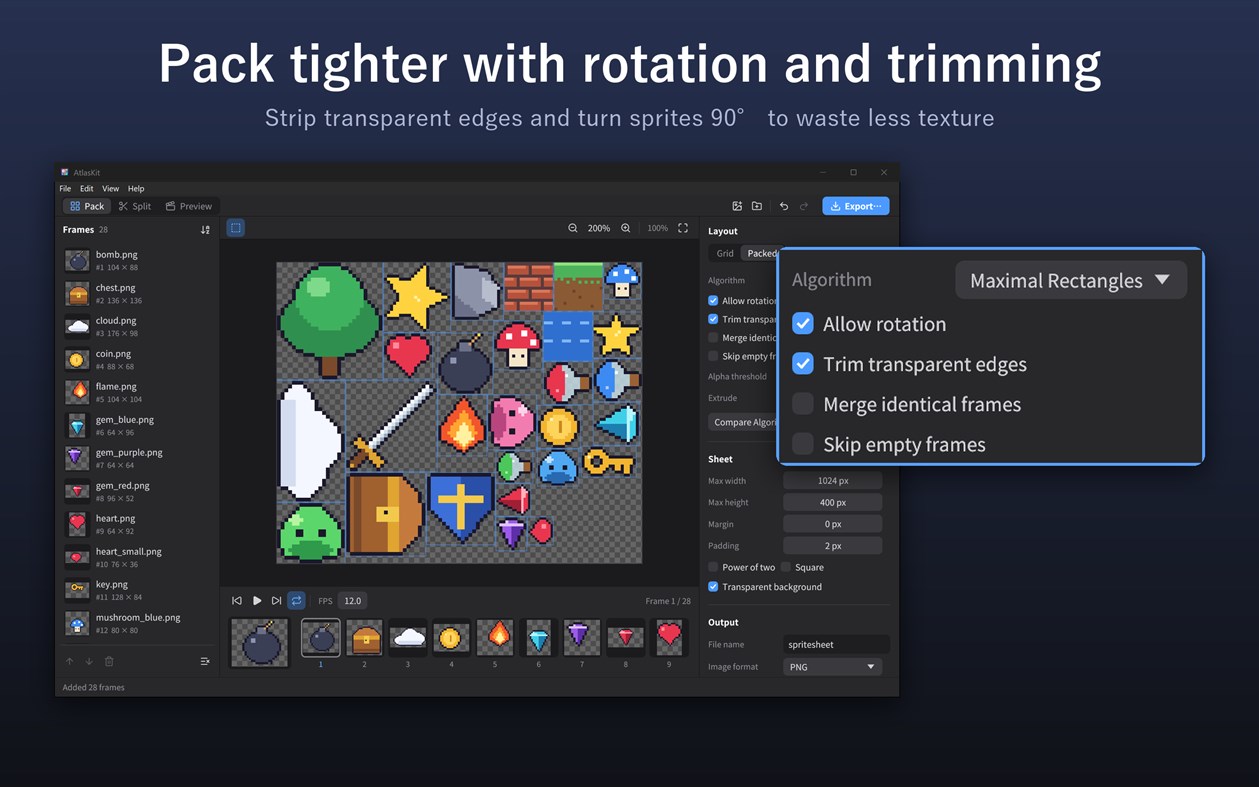
• Rotation and trimming pack sprites tightly and waste less texture
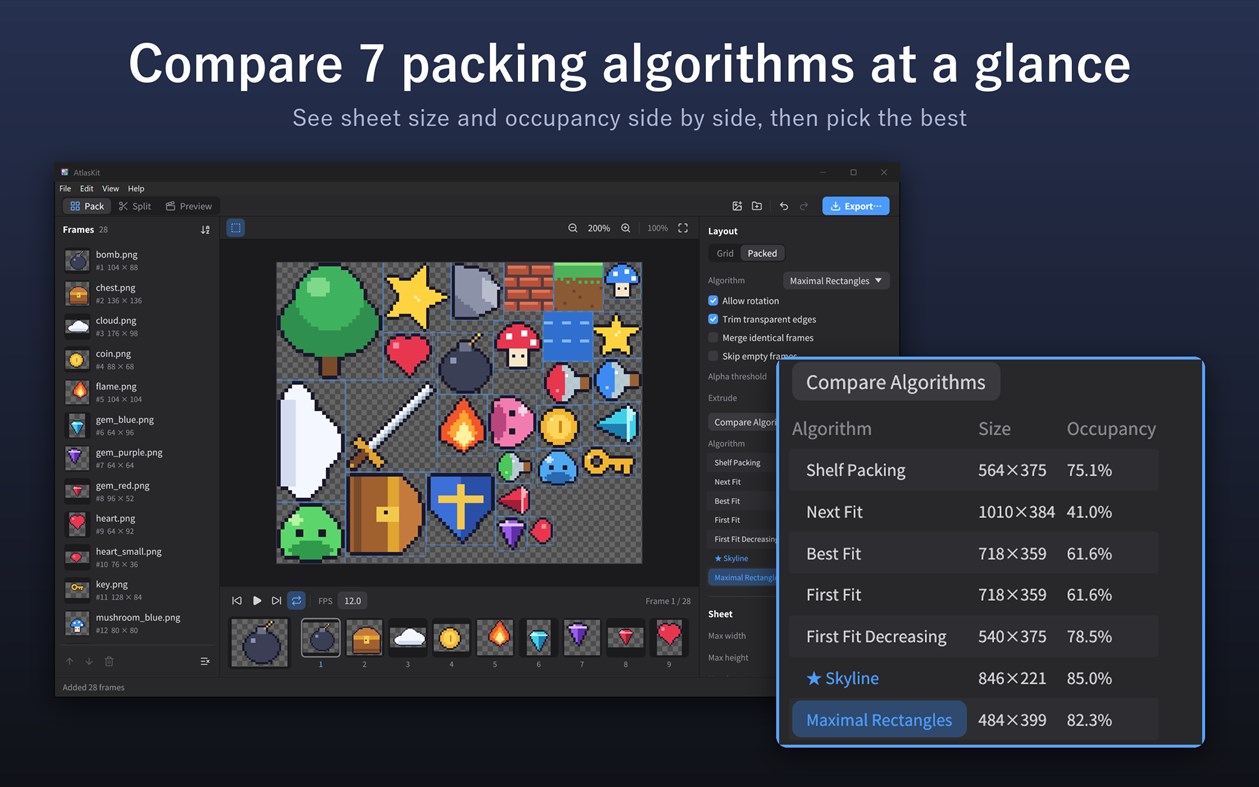
• Compare the results of 7 packing algorithms side by side and pick the smallest sheet
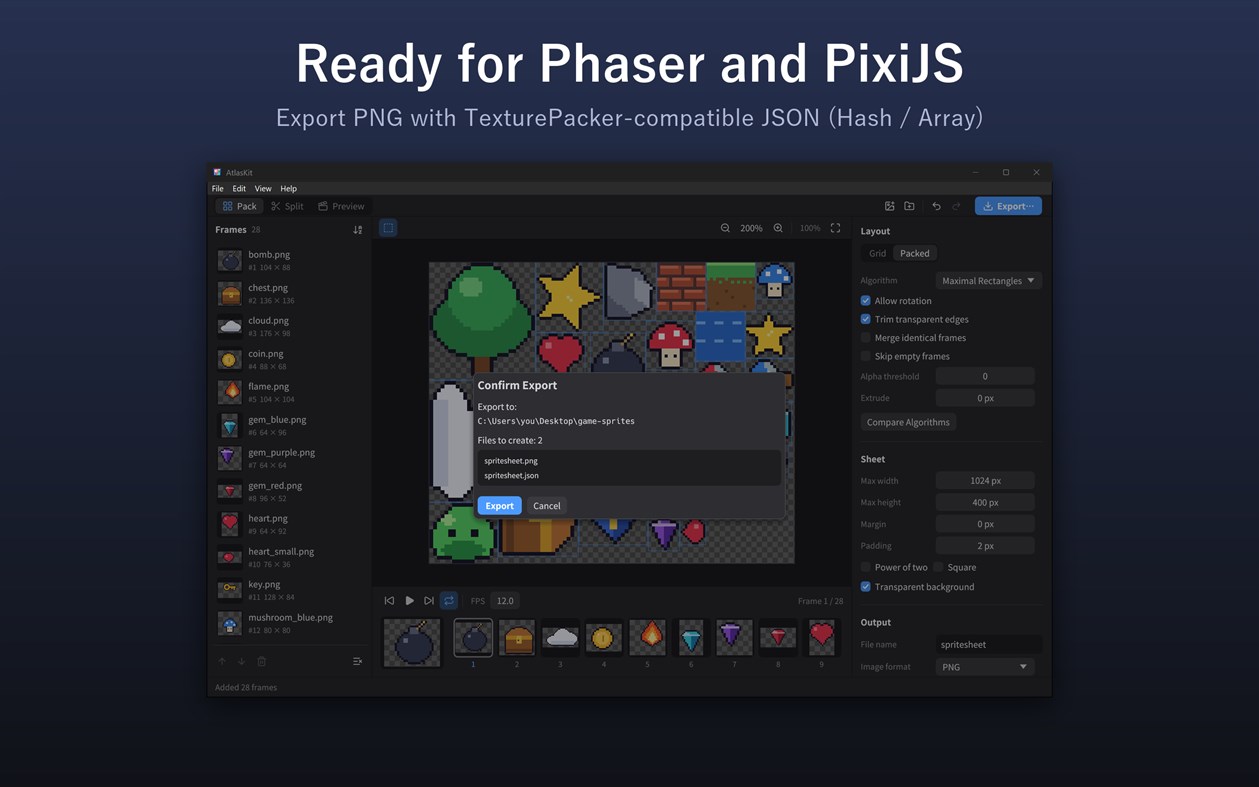
• TexturePacker-compatible JSON and Starling XML, ready for Phaser, PixiJS and more
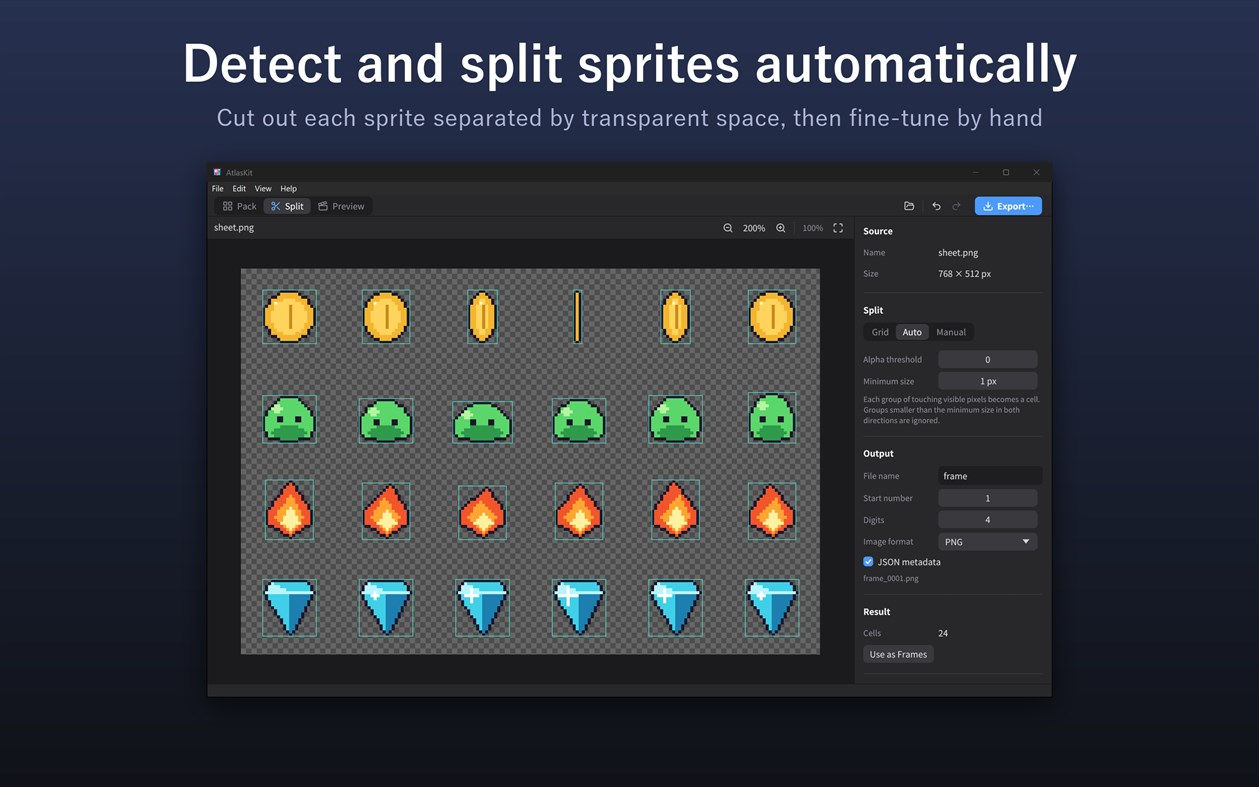
• Split existing sheets by detecting each sprite automatically, or draw the areas yourself
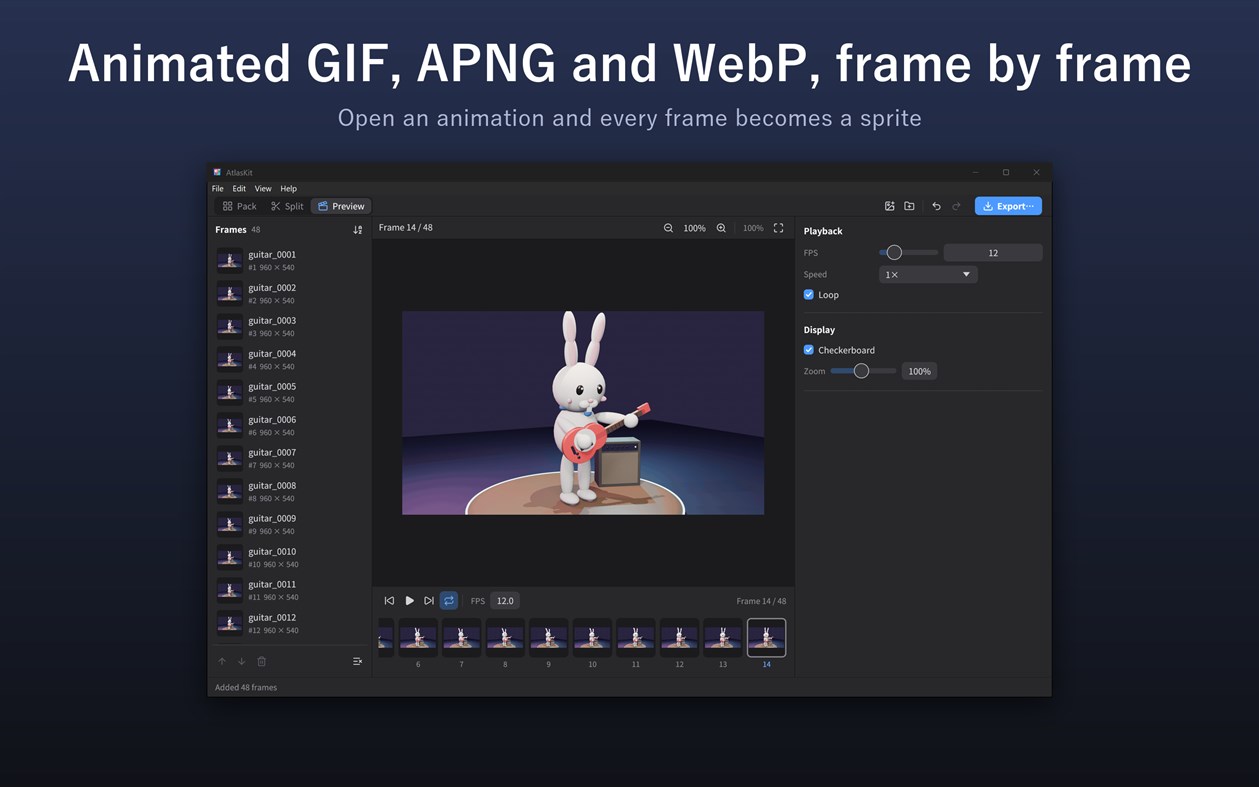
• Animated GIF, APNG and WebP open as one frame per animation frame
• Exported images and coordinates always match, verified for every combination of rotation, trimming and extrude
• Works entirely on your PC, with no internet connection
Pack: build sprite sheets
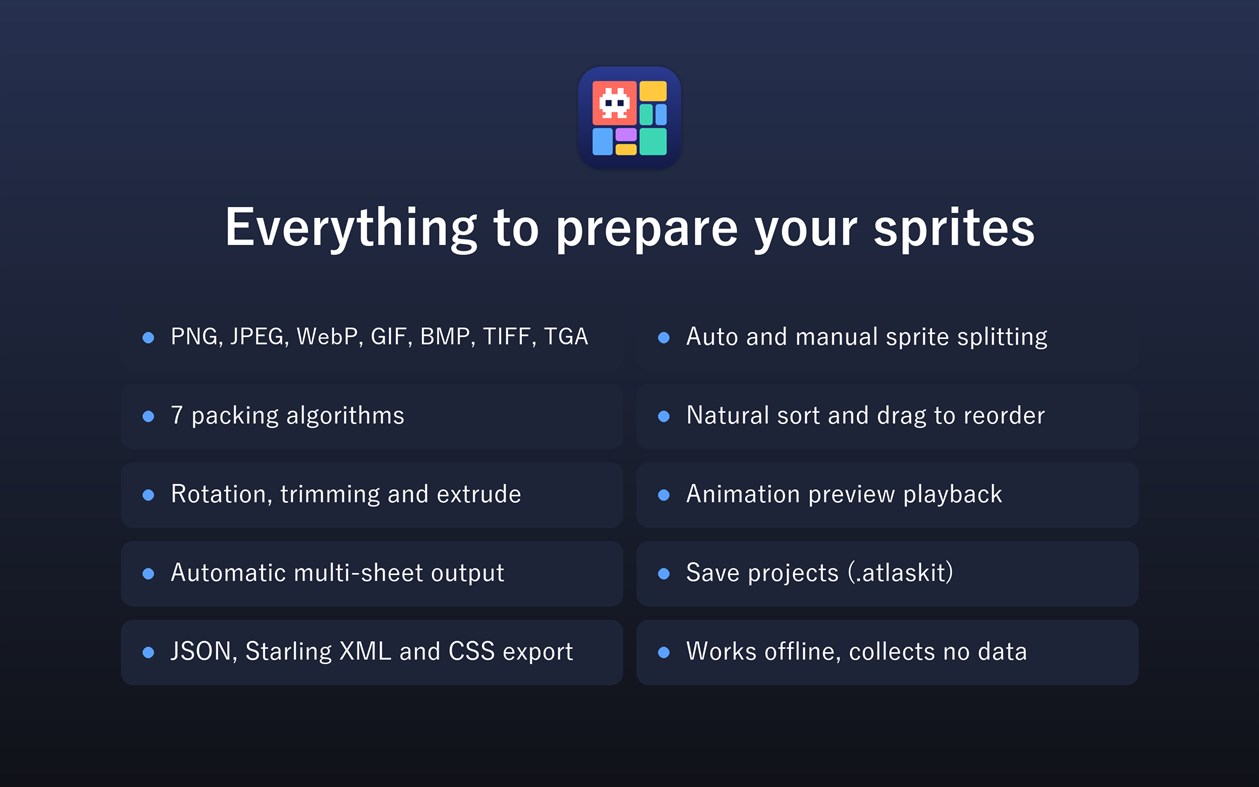
• Load PNG, JPEG, WebP, GIF, BMP, TIFF and TGA from files, folders or drag and drop
• Animated GIF, APNG and WebP become one frame per animation frame
• Natural sort, so frame2 comes before frame10, and manual ordering by dragging
• Rename images, and exclude them from the sheet while keeping them in the list
• Grid: horizontal, vertical, wrap by columns or rows, custom cell size
• Packed: choose from 7 algorithms: Shelf Packing, Next Fit, First Fit, First Fit Decreasing, Best Fit, Skyline and Maximal Rectangles
• Compare the sheet size and occupancy of each algorithm
• 90-degree rotation, trimming of transparent edges with an alpha threshold, and extrude
• Merge identical images and skip empty ones for smaller sheets
• Maximum sheet size, margin, padding, power-of-two and square sizes, background color
• Images that do not fit continue on additional sheets automatically
• Export PNG, JPEG or WebP with TexturePacker-compatible JSON (Hash or Array), Starling XML or CSS, ready for Phaser and PixiJS
Split: cut sheets into frames
• Split by cell size or by number of columns and rows
• Detect each sprite automatically, with an alpha threshold and a minimum size
• Draw the areas to cut by hand
• Margin and spacing, with a live preview of the cells
• Skip empty cells
• Export numbered PNG, JPEG or WebP files and JSON that records the original positions
Preview: check animations
• Play, pause, step through frames and loop
• 1 to 60 FPS and adjustable playback speed
• Checkerboard or any background color
• Zoom, pan and frame numbers
Save your work as a project (.atlaskit) and open it again later.
Transparency is kept as it is, and the exported PNG and JSON always agree. Your source images are never changed or sent anywhere.
من المطوّر ¡
هل أنت المطوّر؟
أخبارك في أعلى الصفحة، ويستلمها المتابعون عبر البريد الإلكتروني
منصات أخرى 0
| AtlasKitWindows Store1K فضةWindows | $12.99 |
متاح حاليًا في هذا المتجر فقط.
سجل الأسعار 0
- السعر الحالي: $12.99
- الحد الأدنى: $12.99
- الحد الأقصى: $12.99
تتبّع الأسعار احصل على تنبيه بالبريد الإلكتروني أو إشعار فوري عند انخفاض السعر
قوائم 0
-
 AtlasKit
النقاط 0
-

- +1 نقطة

الترتيب 0
-
- تقييمك
تعليقات 0 ¡
كن أول من يعلق
المطوّر 5
- daisuke takayama
- المتابعون: 0
- المنصات: iOS تطبيقات (1) macOS تطبيقات (1) Windows تطبيقات (3)
- العروض: 0
- قوائم: 0 + 0
- النقاط: 0 + 0 ¡
- الترتيب: 0
- تعليقات: 0
- الفيديوهات: 0
- RSS: اشتراك
ما الجديد
- الإصدار: PC
- آخر تحديث:
- Split and export get more powerful.
Split
• Auto split detects each sprite separated by transparent space and cuts it out for you
• Manual split: drag on the image to add rectangles, then move and resize them to choose exactly what to cut. You can also start from the auto-detected sprites or the grid and adjust
Pack
• Rename images
• Exclude images from the sheet while keeping them in the list
• Merge identical images into one place on the sheet for smaller sheets
• Skip empty images automatically
Export
• Export JPEG and lossless WebP in addition to PNG
• Export Starling / Sparrow XML, which Phaser's atlasXML loader also reads
Projects saved with version 1.0 open as before.
معلومات إضافية
- تاريخ الإصدار:
- الفئة:
تطبيقات Windows›أدوات المطور - نظام التشغيل:
PC - الحجم:
26 Mb - اللغات المدعومة:
الإنجليزية,اليابانية - تقييم المحتوى:
EVERYONE - Windows Store تقييم: ¡
0 - الموقع الإلكتروني:
 https://app.webcyou.com/atlaskit/
درجة AppAgg
1,010
درجة AppAgg التقديرية لـ
AtlasKit
المطوّر: Daisuke Takayama
1,010 فضة
تشير الدرجة الأعلى عادةً إلى أداء أفضل في مؤشرات AppAgg.
استنادًا إلى: الشعبية · تقييمات المستخدمين · الحداثة · العروض · بيانات المتاجر · نشاط المجتمع
يُعاد حسابها يوميًا بناءً على أحدث بيانات AppAgg.
شارة للمواقع الإلكترونية:  تم النسخ!
ملخص
AtlasKit عنوان URL مختصر: تم النسخ!- Windows Store
يمكنك متابعة تطبيق «AtlasKit» من Daisuke Takayama على AppAgg. المنصة: Windows. الفئة: أدوات المطور. درجة AppAgg: 1,010 (فضة). نقاط AppAgg للتطبيق — المؤكدة: 0؛ غير المباشرة: 0. عدد القوائم العامة التي تضم التطبيق: 0. عدد المستخدمين الذين حفظوه في قوائم خاصة: 0. لم يقيّم مستخدمو AppAgg التطبيق بعد. تسجّل النقاط المؤكدة انتقال المستخدمين الذين سجّلوا الدخول إلى AppAgg إلى المتجر، بينما تستند النقاط غير المباشرة إلى بيانات المتاجر. يعرض العدّادان عدد القوائم العامة وعدد المستخدمين الذين حفظوا التطبيق أو اللعبة في قوائم خاصة. صدر التطبيق لأول مرة في . آخر تحديث للتطبيق: . سعر التطبيق الحالي هو $12.99. يدعم التطبيق اللغات التالية: الإنجليزية, اليابانية. اطّلع على سجل الأسعار، أو أضف التطبيق إلى قائمة، أو تابع المطوّر. تابع خصومات التطبيق وتحديثاته القادمة عبر موجز RSS. لا يستضيف AppAgg التطبيق ولا يوزعه. جميع العلامات التجارية والشعارات ولقطات الشاشة الخاصة بالتطبيق مملوكة لأصحابها.
قد يعجبك أيضًا
شاهدتها مؤخرًا
مستخدمو AppAgg ¡المزيد →
مهام الأسبوعسجّل الدخول لتحصل على 3 مهام كل أسبوع وتكسب XP مقابلها.

