
Σελιδοδείκτες
| Προγραμματιστής: | axKit (1) | ||
| Τιμή: | Δωρεάν Νέα | ||
| Βαθμολογία: | 900 Ασημένιο | ||
| Κατατάξεις: | 0 | ||
| Σχόλια: | 0 Δημοσίευση σχολίου | ||
| Λίστες: | 0 0 | ||
| Πόντοι: | 0 | ||
| +1 Πόντος | |||
Σύνοψη
Το axKit είναι μια εφαρμογή της κατηγορίας «Εργαλεία προγραμματισμού» από axKit.
Νέα κυκλοφορία: βγήκε , οπότε είσαι από τους πρώτους.
Δωρεάν, χωρίς διαφημίσεις, χωρίς αγορές μέσα στην εφαρμογή. Μόνο εσύ και η εφαρμογή.
Το Microsoft Store είναι ενσωματωμένο στα Windows, οπότε η εγκατάσταση γίνεται με δυο κλικ.
Η Βαθμολογία AppAgg είναι 900. «Ασημένιο», και αυτό δεν είναι καθόλου άσχημο.
Μόνο 48 megabyte, χωράει ακόμα και σε γεμάτο δίσκο.
Ηλικιακή κατάταξη «EVERYONE»: ταιριάζει και σε παιδιά.
Μιλάει μόνο μία γλώσσα, και δεν είναι τα ελληνικά.
Τη χρησιμοποίησες; Η κριτική σου θα ήταν η πρώτη εδώ.
Είναι η μοναδική εφαρμογή του προγραμματιστή στο AppAgg. Προς το παρόν.
Μάθε πρώτος για ενημερώσεις και νέες εφαρμογές. Ακολούθησε τον προγραμματιστή ή κάνε εγγραφή στη ροή RSS. Οι ειδοποιήσεις push έρχονται μέσω της εφαρμογής AppAgg Alerts για Android και iOS.
Άλλες πλατφόρμες 0
Ιστορικό τιμών 0
- Τρέχουσα τιμή: Δωρεάν
- Ελάχιστο: Δωρεάν
- Μέγιστο: Δωρεάν
Η δική σας ροή στην αρχική σελίδα
Στιγμιότυπα οθόνης 6

Περιγραφή

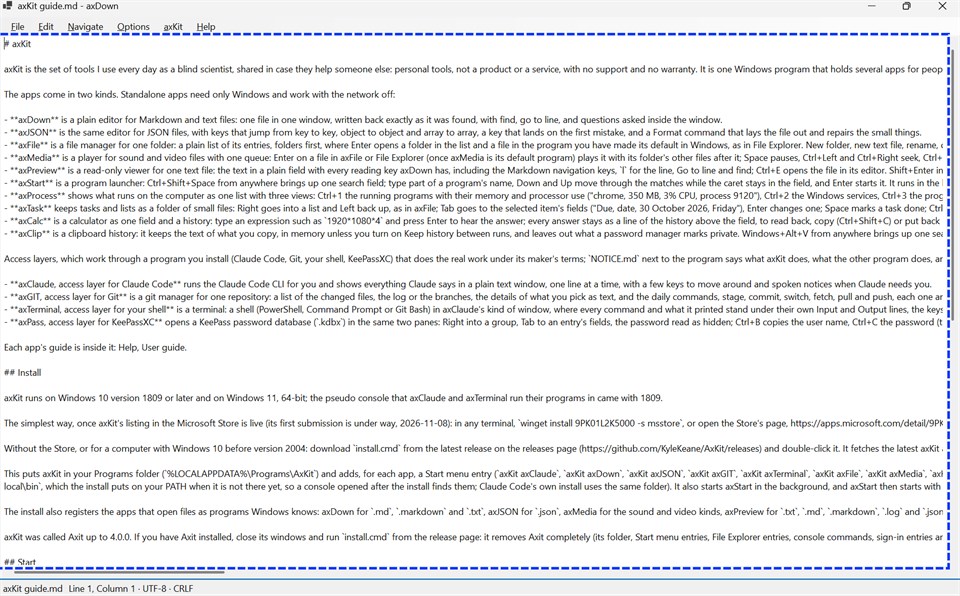
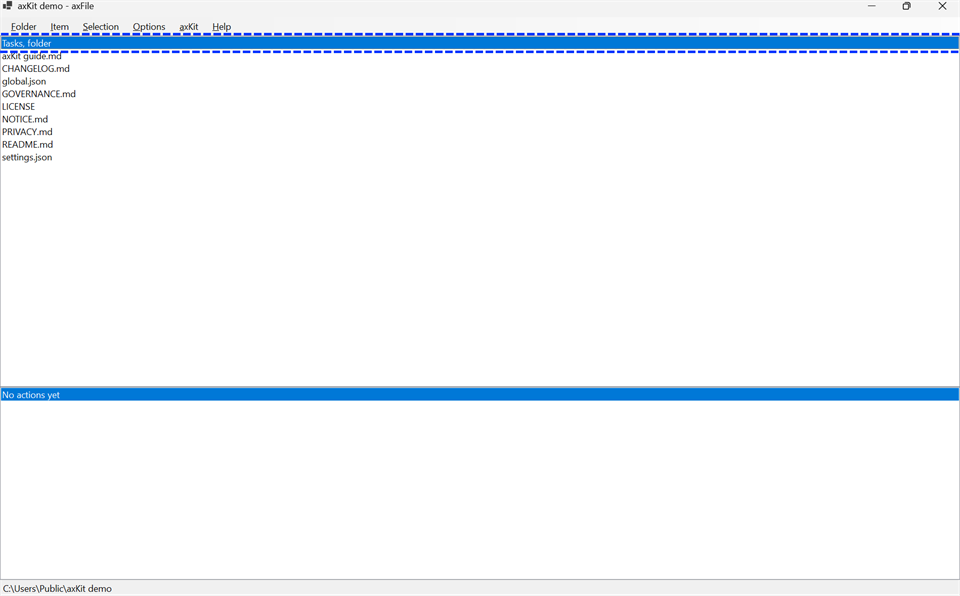
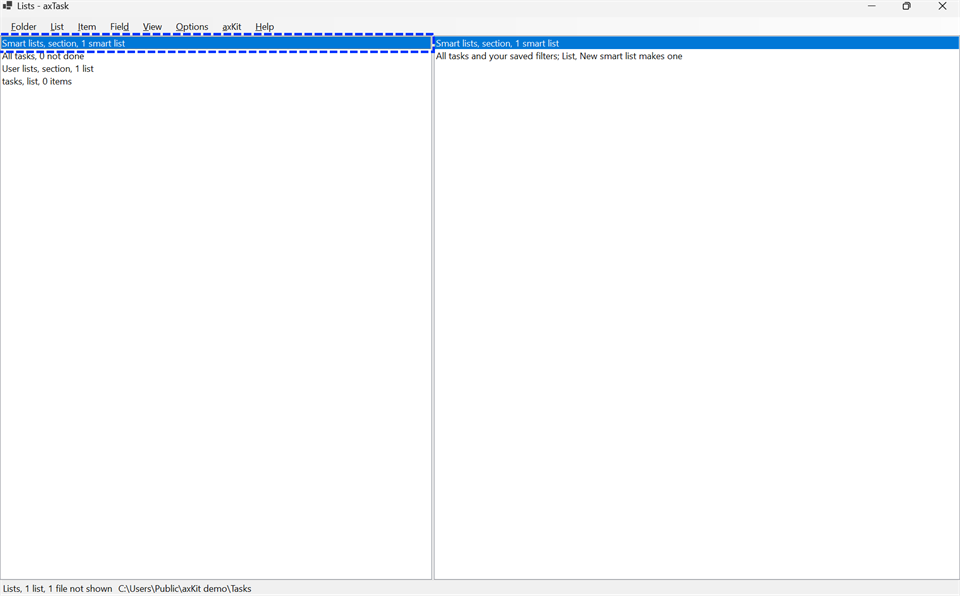
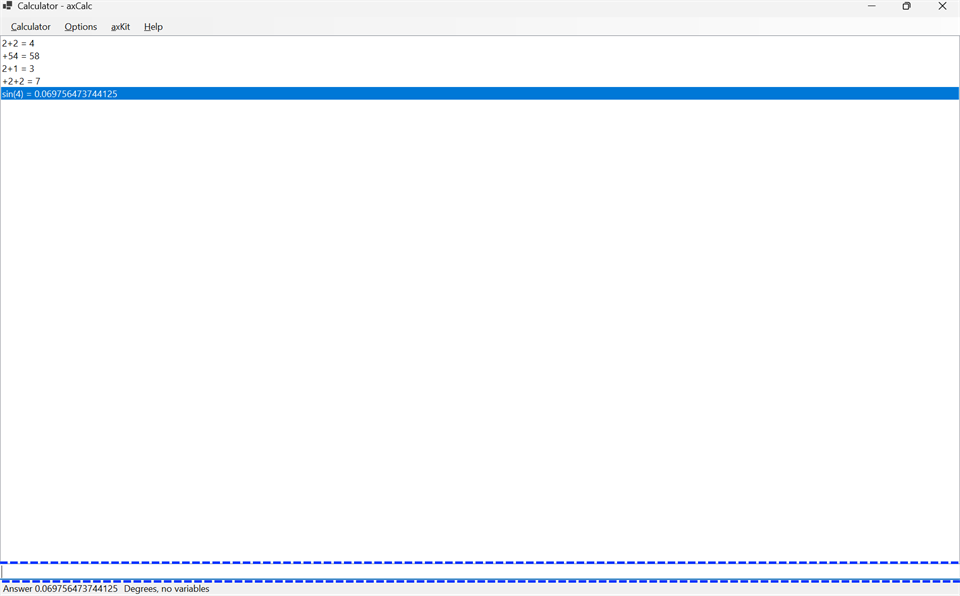
axKit is a set of accessible Windows apps for people who use a screen reader, made for NVDA and working with any screen reader that reads ordinary Windows text fields. They are the tools a blind scientist uses every day, shared as they are: personal tools, not a product or a service, free and open source (AGPL-3.0). Every app is made of native Windows controls, works without a mouse, says the result of each command once, and keeps its questions and errors inside its own window.
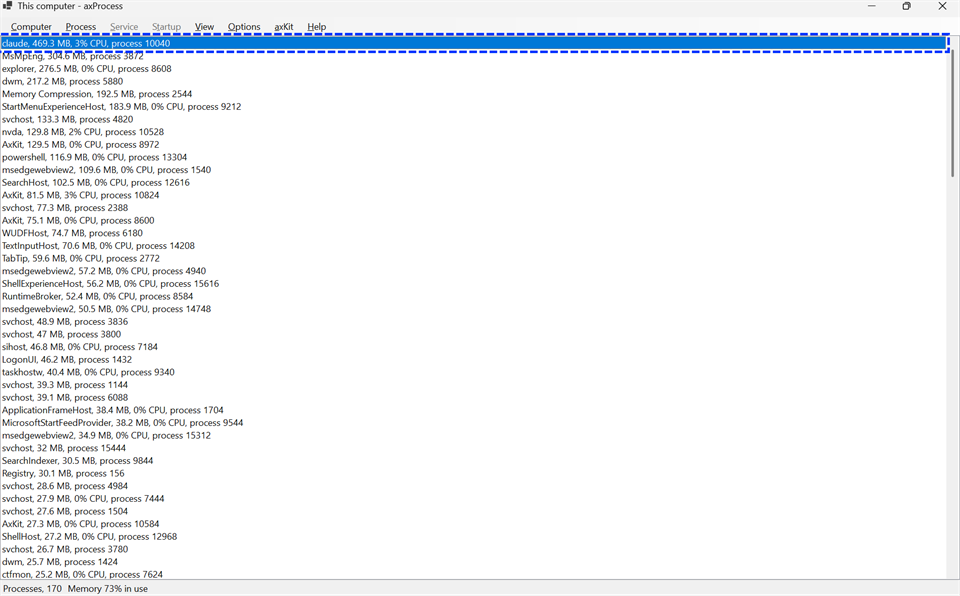
The apps: axClaude, a front end for Claude Code that shows the conversation as plain text you move through line by line; axDown, a plain editor for Markdown and text files with navigation by heading, link and list; axJSON, the same editor for JSON files with a Format command; axGIT, a git manager for one repository; axTerminal, your shell as a transcript; axFile, a file manager for one folder with an Actions list of everything you can undo; axMedia, a player for sound and video files with one queue; axPreview, a read-only viewer for a text file; axStart, a program launcher behind a hotkey; axProcess, the processes, services and startup programs as one list; axTask, tasks and lists as a folder of small files; axPass, a KeePass password database read and changed by ear; axCalc, a calculator with a history; axClip, a clipboard history behind a hotkey.
axClaude shows the output of a live generative AI, Claude Code, with your own Anthropic account; axKit generates nothing itself and never sees that traffic. Press F4 in any window to send a report to the maintainer.
axKit collects nothing and has no telemetry. Its own code makes a network request only when you check for updates (one request to GitHub for the latest release) or send a report; the access layers reach the network only through the programs you installed, as those would without axKit. The privacy policy and the full list of everything the program contacts are in the repository: https://github.com/KyleKeane/AxKit
Updates come from the Store. The source, the guides and the specifications: https://github.com/KyleKeane/AxKit
Από τον προγραμματιστή
Λίστες 0
-
 axKit
Πόντοι 0
-

- +1 Πόντος

Κατατάξεις 0
-
- Η βαθμολογία σας
Προγραμματιστής 1
- axKit
- Ακόλουθοι: 0
- Πλατφόρμες: Windows Εφαρμογές (1)
- Προσφορές: 0
- Λίστες: 0 0
- Πόντοι: 0
- Κατατάξεις: 0
- Σχόλια: 0
- Βίντεο: 0
- RSS: Εγγραφή
Τι νέο υπάρχει
- Έκδοση: PC
- Τελευταία ενημέρωση:
- axKit 5.10.0
- Navigation mode: Ctrl+Space in a text you can type in (axClaude's message field, axDown, axTerminal's command field) reads by headings, links, lists and letters, with a sound for each key.
- Alt+1, Alt+2 and Alt+3 go to a window's three places in axClaude, axTerminal, axGIT and axProcess. Ctrl+Period opens the Context menu. Ctrl+Slash asks Claude about the window you are in.
- axClaude: Claude Code's own settings from the menu. "Done" is said when the reply is in the conversation. "Claude goes on by itself" when a turn starts that you did not send. Background workflows are no longer read out row by row. The permissions screen of Claude Code 2.1.327 is shown again.
- Safer settings: the settings that decide what is run are sealed against changes from outside axKit, two windows of one app no longer lose each other's settings, and a settings file that cannot be saved is said once.
- axHelp: files in Claude's working folder that could make Claude Code run commands are named before a conversation starts, and axKit's own guides there repair themselves.
- axMCP, axPass, axTask, axClip and axGIT: clearer notices and smaller protections.
The full list is in the changelog: github.com/KyleKeane/AxKit/blob/main/CHANGELOG.md
- axKit comes to the Microsoft Store as an MSIX package, so that `winget install 9PK01L2K5000 -s msstore` installs it and the Store keeps it current, signed with Microsoft's certificate, which Smart App Control accepts (`docs/axkit/store-distribution.md`). In the Store's copy every app is an entry of the package: its Start menu entry, its console command (`axdown`, `axkit` and the rest, as Windows' app execution aliases), its Open with file types and, for axStart and axClip, a startup task that Windows lists under Settings, Apps, Startup, which is where Start with Windows is turned on and off in that copy (the item under Options, General opens that page). The Store's copy makes no update check at start and installs nothing itself: Check for updates says where this copy stands against GitHub and offers axKit's Store page, where Update appears when the Store has the release; About, Version names the Store. Its settings, logs and reports live in the package's private AppData and go with the package when it is uninstalled. Not in the Store's copy: File Explorer's Open with axKit submenu on folders and on any file, which a package cannot declare (Windows' own Open with lists axDown, axJSON, axMedia and axPass on their types). The zip and `install.cmd` stay as they are, for developers and for a computer without the Store.
Πρόσθετες πληροφορίες
- Ημερομηνία κυκλοφορίας:
- Κατηγορία:
Εφαρμογές για Windows›Εργαλεία προγραμματισμού - Λειτουργικό σύστημα:
PC - Μέγεθος:
48 Mb - Υποστηριζόμενες γλώσσες:
Αγγλικά - Αξιολόγηση περιεχομένου:
EVERYONE - Windows Store Βαθμολογία: ¡
0 - Ιστοσελίδα:
 https://www.kylekeane.com
Βαθμολογία AppAgg
Εκτιμώμενη βαθμολογία AppAgg για
axKit
Προγραμματιστής: axKit
Η υψηλότερη βαθμολογία συνήθως αντανακλά ισχυρότερους δείκτες στο AppAgg.
Βασισμένο σε: δημοτικότητα · αξιολογήσεις χρηστών · επικαιρότητα · προσφορές · δεδομένα καταστημάτων · δραστηριότητα κοινότητας
Υπολογίζεται εκ νέου καθημερινά με βάση τα πιο πρόσφατα δεδομένα του AppAgg.
Σχόλια 0 ¡
Κοινή χρήση
axKit Σύντομο URL: Αντιγράφηκε!- Windows Store

