
북마크
이 북마크의 제목을 입력하세요.
북마크가 저장되었습니다
| 개발자: | mcp-tool-shop (9) | ||
| 가격: | 무료 | ||
| 종합 점수: | 650 실버 | ||
| 순위: | 0 | ||
| 댓글: | 0 댓글 게시 | ||
| 목록: | 0 0 | ||
| 포인트: | 0 | ||
| +1 포인트 | |||
요약
Backpropagate: mcp-tool-shop에서 만든 ‘개발자 도구’ 카테고리의 앱이에요.
에 출시됐어요. 아직 꽤 따끈따끈해요.
무료. 광고도 인앱 구매도 없어요. 앱에만 집중하면 돼요.
Microsoft Store는 Windows에 기본으로 들어 있어서 클릭 몇 번이면 설치돼요.
AppAgg 점수는 650. 실버 등급, 이 정도면 꽤 괜찮아요.
연령 등급은 ‘EVERYONE’, 아이들에게도 괜찮아요.
지원 언어는 딱 하나, 그런데 한국어는 아니에요.
AppAgg에서는 아직 아무도 평가하지 않았어요. 첫 번째가 될 기회는 바로 지금이에요.
이 개발자의 앱이 AppAgg에 8개 더 있어요. 한번 둘러보세요.
업데이트와 새 앱 소식을 가장 먼저 받고 싶나요? 개발자를 팔로우하거나 RSS 피드를 구독하세요. 푸시 알림은 Android와 iOS용 AppAgg Alerts 앱으로 받을 수 있어요.
광고
다른 플랫폼 0
가격 기록 0
- 현재 가격: 무료
- 최소: 무료
- 최대: 무료
홈 화면의 나만의 피드
“신규 및 업데이트” 피드의 플랫폼을 선택하면 홈 화면에 필요한 앱과 게임만 표시됩니다.
스크린샷 3
설명

It runs as a local web page. Open it from the Start menu: it starts a small server on your computer and opens your browser. Nothing is sent anywhere unless you ask for it. Model files are downloaded from Hugging Face when you train or export; your datasets and trained models stay on your machine.
What you can do
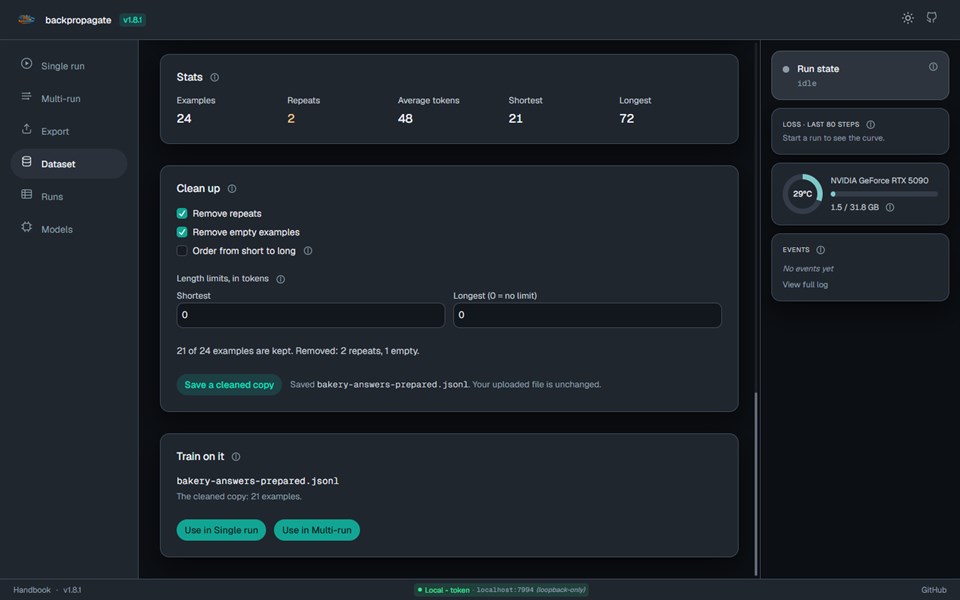
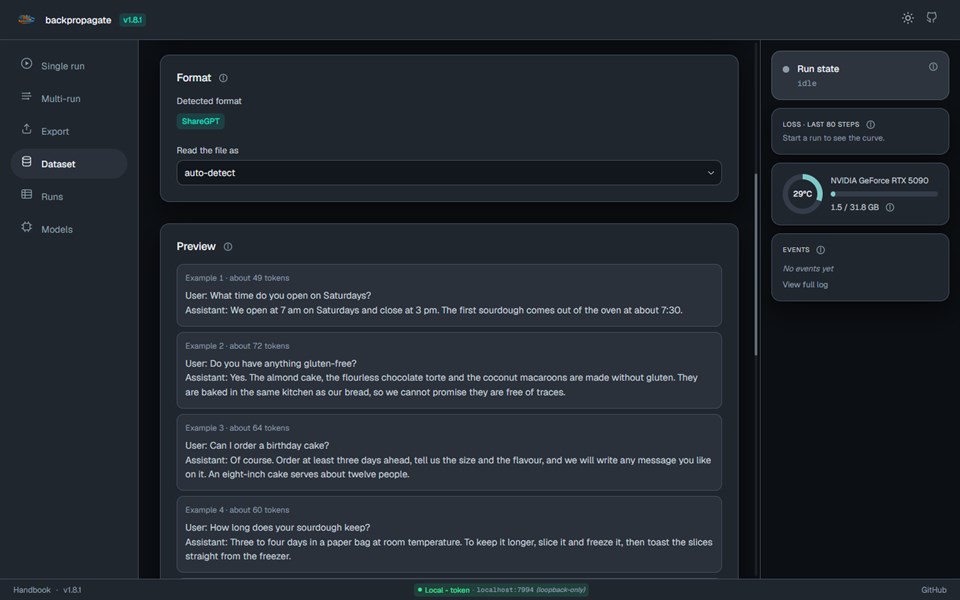
- Bring a dataset (.jsonl, .json, .csv, .txt or .parquet). The Dataset page shows what the trainer will read, finds repeats and empty examples, and saves a cleaned copy.
- Train a single run or a multi-run. Pick a model preset (Qwen 2.5, Llama 3.2, Mistral and more), a method (SFT, ORPO, SimPO or KTO) and a LoRA shape sized for your graphics card. Every setting has an "i" that explains what it does.
- Watch the run live: steps, loss, time left, GPU memory and temperature. Stop and keep the checkpoint at any time. Reloading the page reattaches to a running job.
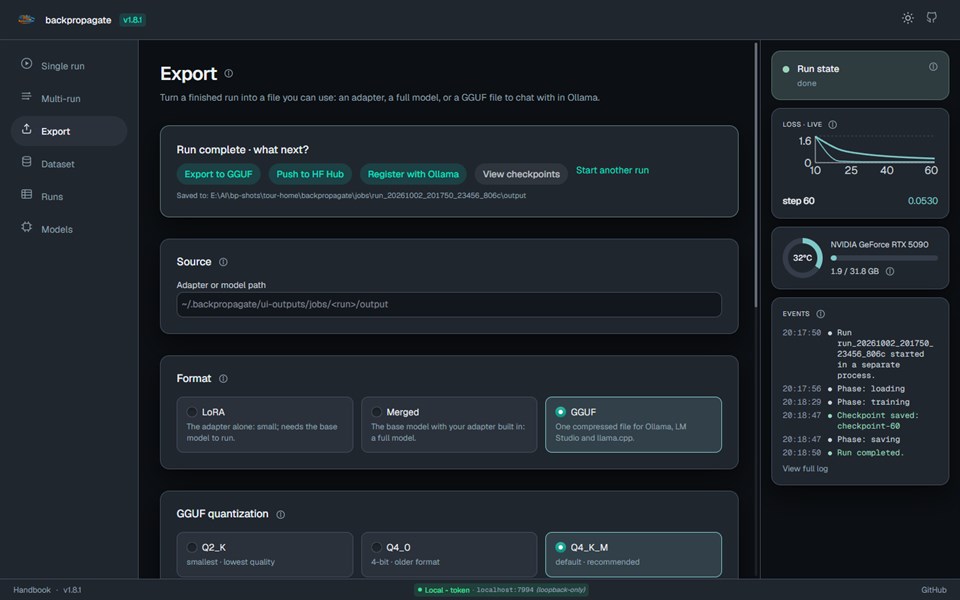
- Export the trained adapter as a merged model or a GGUF file (f16 and q8_0 are built in). With Ollama installed, register it and run it in one step; smaller quantisations also need Ollama's tools.
- Measure what your GPU can do: a short probe tells you which models fit before you start.
What it needs
- An NVIDIA graphics card with CUDA and at least 8 GB of memory for training (16 GB or more recommended; a 32 GB card fits 32B models with QLoRA). Without one it runs on the CPU, slowly.
- A Hugging Face token only for gated models or for pushing to the Hub.
The Microsoft Store edition never runs code that ships inside a model repository, so a model that needs that will not load here; the pip install of backpropagate is the way to use such a model. Everything the app writes stays in your user profile.
Backpropagate is open source under the MIT licence. The code, the handbook and the issue tracker are at github.com/mcp-tool-shop-org/backpropagate.
개발자 소식
개발자이신가요?
페이지 맨 위에 소식을 올리면 팔로워에게 이메일로 전달됩니다. YouTube 동영상을 추가하면 “동영상” 블록 맨 앞에 표시됩니다.
목록 0
-
 Backpropagate
포인트 0
-

- +1 포인트

순위 0
-
- 내 평점
개발자 9
- mcp-tool-shop
- 팔로워: 0
- 플랫폼: Windows 앱 (9)
- 할인: 0
- 목록: 0 0
- 포인트: 0
- 순위: 0
- 댓글: 0
- 동영상: 0
- RSS: 구독
새로운 기능
- 버전: PC
- 마지막 업데이트:
- First Microsoft Store release (1.8.2). The web UI guides a full run: dataset clean-up, training with live charts, export to GGUF and Ollama. This edition ships with its page prebuilt, starts without a network connection, and never runs code from inside a model repository.
추가 정보
 https://mcp-tool-shop-org.github.io/backpropagate/
AppAgg 점수
650
AppAgg 예상 점수:
Backpropagate
개발자: mcp-tool-shop
650 실버
점수가 높을수록 대체로 AppAgg의 여러 지표에서 좋은 결과를 보인다는 뜻입니다.
기준: 인기 · 사용자 평점 · 최신성 · 할인 · 스토어 데이터 · 커뮤니티 활동
최신 AppAgg 데이터를 바탕으로 매일 다시 계산됩니다.
웹사이트용 배지:  복사됨!
댓글 0 ¡
가장 먼저 댓글을 남겨주세요
공유하기
Backpropagate 단축 URL: 복사됨!- Windows Store


