
Bokmerker
| Utvikler: | mcp-tool-shop (9) | ||
| Pris: | Gratis | ||
| Score: | 650 Sølv | ||
| Rangeringer: | 0 | ||
| Kommentarer: | 0 Legg inn kommentar | ||
| Lister: | 0 0 | ||
| Poeng: | 0 | ||
| +1 Poeng | |||
Kort fortalt
Backpropagate er en app fra mcp-tool-shop i kategorien «Utviklerverktøy».
Kom ut og er fortsatt ganske fersk.
Gratis: ingen reklame og ingen kjøp i appen. Bare deg og appen.
Microsoft Store er innebygd i Windows, så installasjonen er unnagjort med et par klikk.
AppAgg-scoren er 650. Sølv, og det er slett ikke verst.
Aldersgrense «EVERYONE»: passer også for barn.
Snakker bare ett språk, og det er ikke norsk.
Ingen på AppAgg har vurdert den ennå. Sjansen til å bli den første er nå.
Utvikleren har 8 apper til på AppAgg. Verdt en titt.
Vil du høre om oppdateringer og nye apper først? Følg utvikleren eller abonner på vår RSS-feed. Push-varsler kommer via appen AppAgg Alerts for Android og iOS.
Andre plattformer 0
Prishistorikk 0
- Gjeldende pris: Gratis
- Minimum: Gratis
- Maksimum: Gratis
Din egen strøm på forsiden
Skjermbilder 3
Beskrivelse

It runs as a local web page. Open it from the Start menu: it starts a small server on your computer and opens your browser. Nothing is sent anywhere unless you ask for it. Model files are downloaded from Hugging Face when you train or export; your datasets and trained models stay on your machine.
What you can do
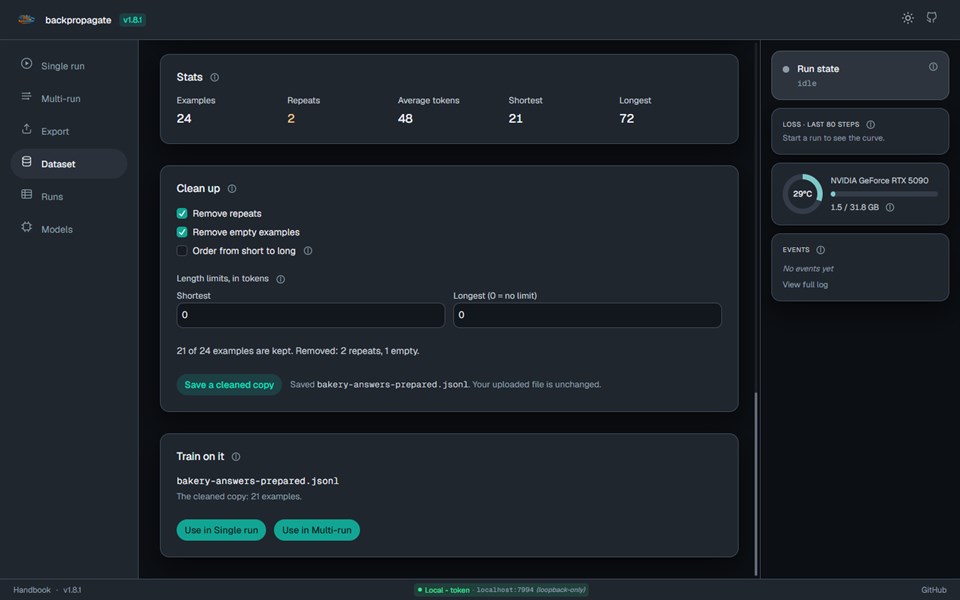
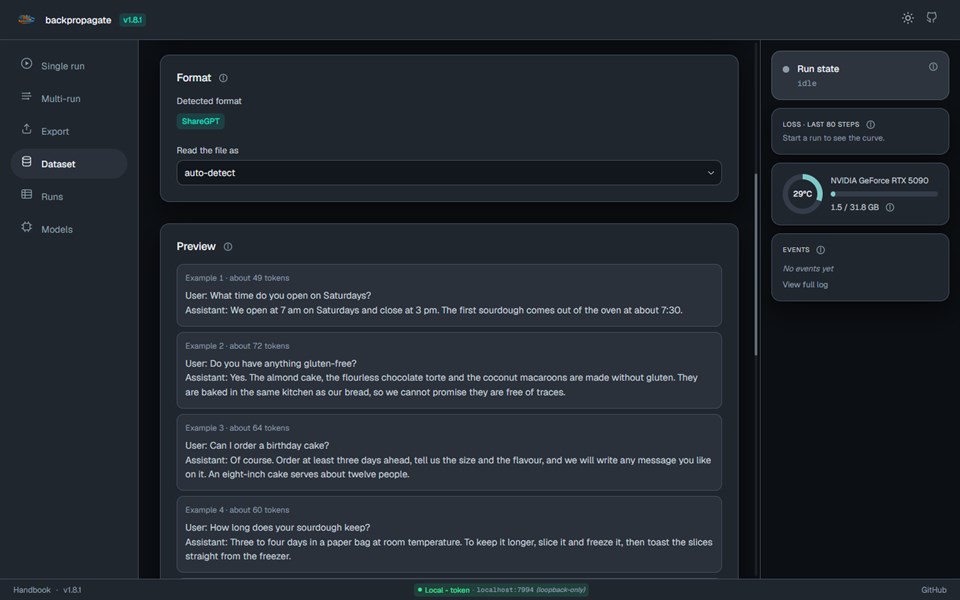
- Bring a dataset (.jsonl, .json, .csv, .txt or .parquet). The Dataset page shows what the trainer will read, finds repeats and empty examples, and saves a cleaned copy.
- Train a single run or a multi-run. Pick a model preset (Qwen 2.5, Llama 3.2, Mistral and more), a method (SFT, ORPO, SimPO or KTO) and a LoRA shape sized for your graphics card. Every setting has an "i" that explains what it does.
- Watch the run live: steps, loss, time left, GPU memory and temperature. Stop and keep the checkpoint at any time. Reloading the page reattaches to a running job.
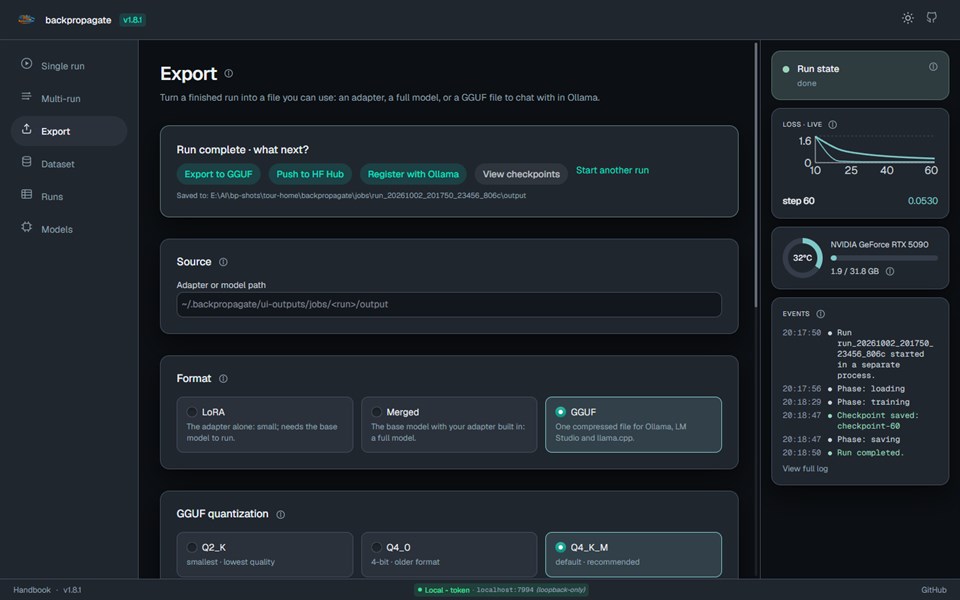
- Export the trained adapter as a merged model or a GGUF file (f16 and q8_0 are built in). With Ollama installed, register it and run it in one step; smaller quantisations also need Ollama's tools.
- Measure what your GPU can do: a short probe tells you which models fit before you start.
What it needs
- An NVIDIA graphics card with CUDA and at least 8 GB of memory for training (16 GB or more recommended; a 32 GB card fits 32B models with QLoRA). Without one it runs on the CPU, slowly.
- A Hugging Face token only for gated models or for pushing to the Hub.
The Microsoft Store edition never runs code that ships inside a model repository, so a model that needs that will not load here; the pip install of backpropagate is the way to use such a model. Everything the app writes stays in your user profile.
Backpropagate is open source under the MIT licence. The code, the handbook and the issue tracker are at github.com/mcp-tool-shop-org/backpropagate.
Fra utvikleren
Lister 0
-
 Backpropagate
Poeng 0
-

- +1 Poeng

Rangeringer 0
-
- Din vurdering
Utvikler 9
- mcp-tool-shop
- Følgere: 0
- Plattformer: Windows Apper (9)
- Tilbud: 0
- Lister: 0 0
- Poeng: 0
- Rangeringer: 0
- Kommentarer: 0
- Videoer: 0
- RSS: Abonner
Dette er nytt
- Versjon: PC
- Sist oppdatert:
- First Microsoft Store release (1.8.2). The web UI guides a full run: dataset clean-up, training with live charts, export to GGUF and Ollama. This edition ships with its page prebuilt, starts without a network connection, and never runs code from inside a model repository.
Tilleggsinformasjon
- Utgivelsesdato:
- Kategori:
Windows-apper›Utviklerverktøy - Operativsystem:
PC - Størrelse:
2 Gb - Språk som støttes:
Engelsk - Aldersgrense:
EVERYONE - Windows Store Vurdering: ¡
0
 https://mcp-tool-shop-org.github.io/backpropagate/
AppAgg-score
Estimert AppAgg-score for
Backpropagate
Utvikler: mcp-tool-shop
En høyere score gjenspeiler vanligvis bedre resultater på områdene AppAgg måler.
Basert på: popularitet · brukervurderinger · aktualitet · tilbud · butikkdata · fellesskapsaktivitet
Beregnes på nytt hver dag med ferske AppAgg-data.
Kommentarer 0 ¡
Del
Backpropagate Kort nettadresse: Kopiert!- Windows Store

