
บุ๊กมาร์ก
| ผู้พัฒนา: | mcp-tool-shop (9) | ||
| ราคา: | ฟรี | ||
| คะแนน: | 650 เงิน | ||
| การจัดอันดับ: | 0 | ||
| ความคิดเห็น: | 0 โพสต์ความคิดเห็น | ||
| รายการ: | 0 0 | ||
| แต้ม: | 0 | ||
| +1 แต้ม | |||
สรุป
Backpropagate เป็นแอปในหมวด “เครื่องมือสำหรับนักพัฒนา” จาก mcp-tool-shop
ออกเมื่อ ยังสดใหม่อยู่เลย
ฟรี ไม่มีโฆษณา ไม่มีการซื้อภายในแอป มีแค่คุณกับแอป
Microsoft Store มีมาในตัว Windows อยู่แล้ว ติดตั้งได้ในไม่กี่คลิก
คะแนน AppAgg คือ 650 ระดับ “เงิน” ถือว่าไม่เลวเลย
จัดเรต “EVERYONE” เหมาะกับเด็ก ๆ ด้วย
รองรับแค่ภาษาเดียว และไม่ใช่ภาษาไทย
ยังไม่มีใครบน AppAgg ให้คะแนนเลย โอกาสเป็นคนแรกอยู่ตรงนี้แล้ว
ผู้พัฒนารายนี้มีแอปอื่นบน AppAgg อีก 8 แอป ลองไปดูกัน
อยากรู้เรื่องอัปเดตและแอปใหม่ก่อนใครไหม? ติดตาม ผู้พัฒนา หรือกดติดตาม ฟีด RSS ได้เลย การแจ้งเตือนแบบพุชส่งผ่านแอป AppAgg Alerts สำหรับ Android และ iOS
แพลตฟอร์มอื่น 0
ประวัติราคา 0
- ราคาปัจจุบัน: ฟรี
- ต่ำสุด: ฟรี
- สูงสุด: ฟรี
ฟีดของคุณเองบนหน้าแรก
ภาพหน้าจอ 3
คำอธิบาย

It runs as a local web page. Open it from the Start menu: it starts a small server on your computer and opens your browser. Nothing is sent anywhere unless you ask for it. Model files are downloaded from Hugging Face when you train or export; your datasets and trained models stay on your machine.
What you can do
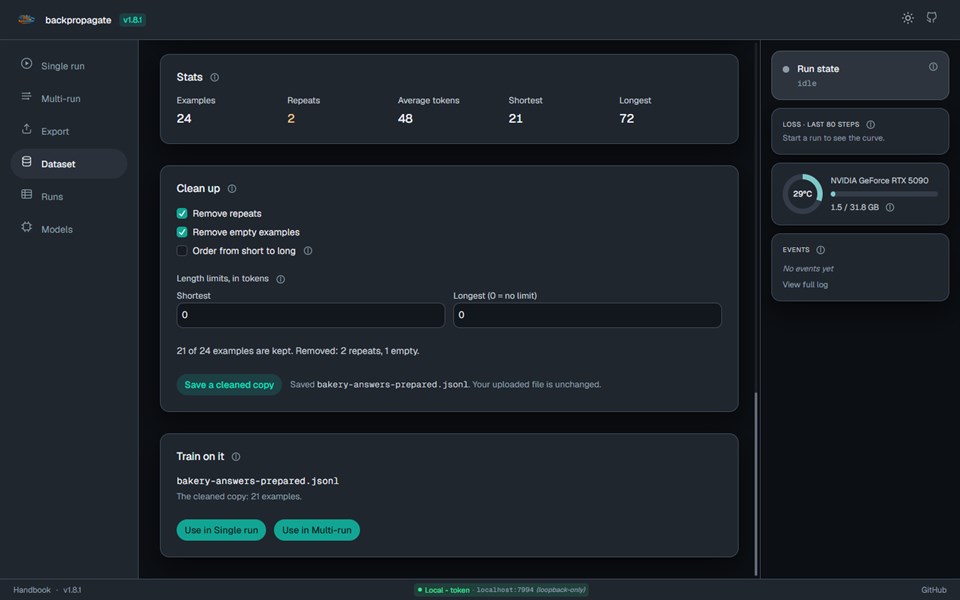
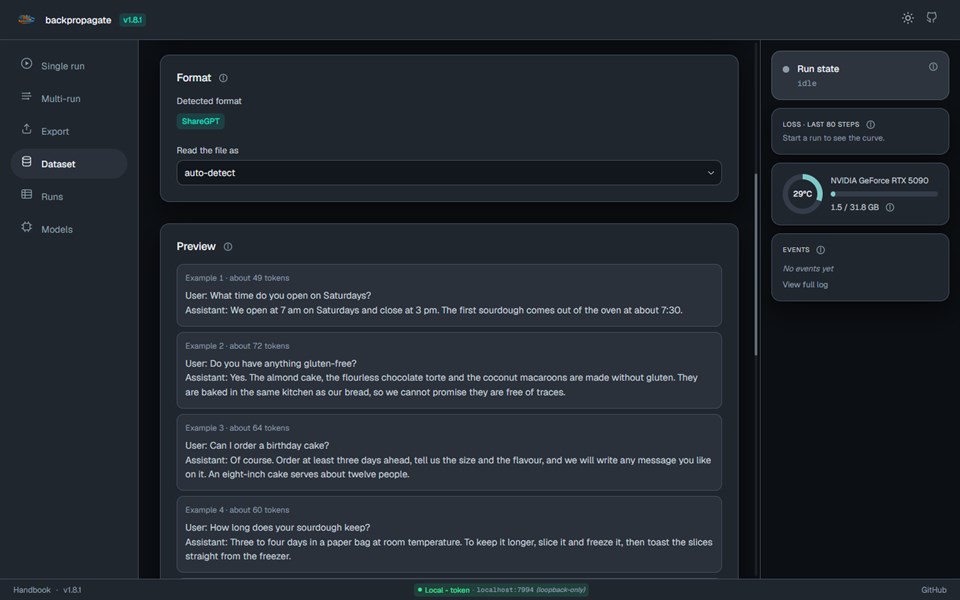
- Bring a dataset (.jsonl, .json, .csv, .txt or .parquet). The Dataset page shows what the trainer will read, finds repeats and empty examples, and saves a cleaned copy.
- Train a single run or a multi-run. Pick a model preset (Qwen 2.5, Llama 3.2, Mistral and more), a method (SFT, ORPO, SimPO or KTO) and a LoRA shape sized for your graphics card. Every setting has an "i" that explains what it does.
- Watch the run live: steps, loss, time left, GPU memory and temperature. Stop and keep the checkpoint at any time. Reloading the page reattaches to a running job.
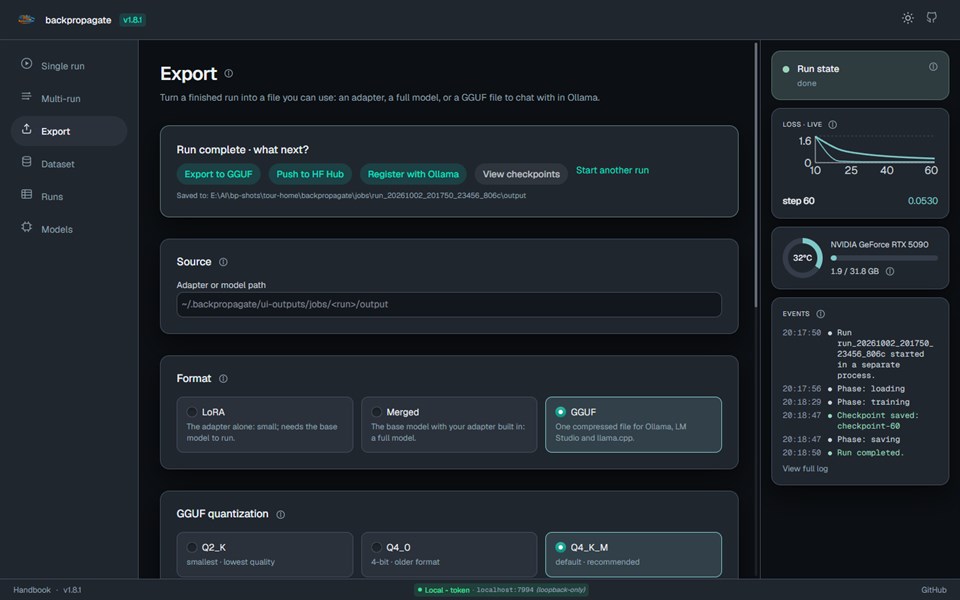
- Export the trained adapter as a merged model or a GGUF file (f16 and q8_0 are built in). With Ollama installed, register it and run it in one step; smaller quantisations also need Ollama's tools.
- Measure what your GPU can do: a short probe tells you which models fit before you start.
What it needs
- An NVIDIA graphics card with CUDA and at least 8 GB of memory for training (16 GB or more recommended; a 32 GB card fits 32B models with QLoRA). Without one it runs on the CPU, slowly.
- A Hugging Face token only for gated models or for pushing to the Hub.
The Microsoft Store edition never runs code that ships inside a model repository, so a model that needs that will not load here; the pip install of backpropagate is the way to use such a model. Everything the app writes stays in your user profile.
Backpropagate is open source under the MIT licence. The code, the handbook and the issue tracker are at github.com/mcp-tool-shop-org/backpropagate.
จากนักพัฒนา
รายการ 0
-
 Backpropagate
แต้ม 0
-

- +1 แต้ม

การจัดอันดับ 0
-
- คะแนนของคุณ
ผู้พัฒนา 9
- mcp-tool-shop
- ผู้ติดตาม: 0
- แพลตฟอร์ม: Windows แอป (9)
- ลดราคา: 0
- รายการ: 0 0
- แต้ม: 0
- การจัดอันดับ: 0
- ความคิดเห็น: 0
- วิดีโอ: 0
- RSS: ติดตาม
มีอะไรใหม่
- เวอร์ชัน: PC
- อัปเดตล่าสุด:
- First Microsoft Store release (1.8.2). The web UI guides a full run: dataset clean-up, training with live charts, export to GGUF and Ollama. This edition ships with its page prebuilt, starts without a network connection, and never runs code from inside a model repository.
ข้อมูลเพิ่มเติม
- วันที่วางจำหน่าย:
- หมวดหมู่:
แอปสำหรับ Windows›เครื่องมือสำหรับนักพัฒนา - ระบบปฏิบัติการ:
PC - ขนาด:
2 Gb - ภาษาที่รองรับ:
อังกฤษ - การจัดประเภทเนื้อหา:
EVERYONE - Windows Store คะแนน: ¡
0
 https://mcp-tool-shop-org.github.io/backpropagate/
คะแนน AppAgg
คะแนน AppAgg โดยประมาณของ
Backpropagate
ผู้พัฒนา: mcp-tool-shop
คะแนนที่สูงขึ้นมักสะท้อนตัวชี้วัดที่ดีกว่าบน AppAgg
อิงจาก: ความนิยม · คะแนนจากผู้ใช้ · ความสดใหม่ · ดีล · ข้อมูลร้านค้า · กิจกรรมชุมชน
คำนวณใหม่ทุกวันจากข้อมูล AppAgg ล่าสุด
ความคิดเห็น 0 ¡
แชร์
Backpropagate URL แบบสั้น: คัดลอกแล้ว!- Windows Store

