
Bookmark
| Pengembang: | Baseplate (1) | ||
| Harga: | * Gratis | ||
| Skor: | 700 Perak | ||
| Peringkat: | 0 | ||
| Komentar: | 0 Kirimkan komentar | ||
| Daftar: | 0 0 | ||
| Poin: | 0 | ||
| +1 Poin | |||
Ringkasan
Kenalan dulu dengan Baseplate, aplikasi buatan Baseplate di kategori Alat pengembang.
Rilis , masih cukup segar.
Gratis diunduh. Selanjutnya terserah kamu, ada pembelian dalam aplikasi.
Microsoft Store sudah jadi bawaan Windows, jadi bisa dipasang dalam beberapa klik.
Skor AppAgg-nya 700. Perak, dan itu sama sekali tidak buruk.
Rating usia “EVERYONE 10+”, untuk anak yang lebih besar ke atas.
Cuma bisa satu bahasa, dan itu bukan bahasa Indonesia.
Belum ada yang menilainya di AppAgg. Kesempatanmu jadi yang pertama ada sekarang.
Ini satu-satunya aplikasi dari pengembang ini di AppAgg. Untuk sekarang.
Mau jadi yang pertama tahu soal pembaruan dan aplikasi baru? Ikuti pengembang atau berlangganan lewat Umpan RSS. Notifikasi push dikirim lewat aplikasi AppAgg Alerts untuk Android dan iOS.
Platform lain 0
 | BaseplateWindows Store700 PerakWindowsPembelian Dalam Aplikasi | Gratis |
Saat ini hanya ada di toko ini.
Riwayat harga 0
- Harga saat ini: Gratis
- Minimum: Gratis
- Maksimum: Gratis
Feed Anda sendiri di beranda
Jepretan layar 4
Deskripsi
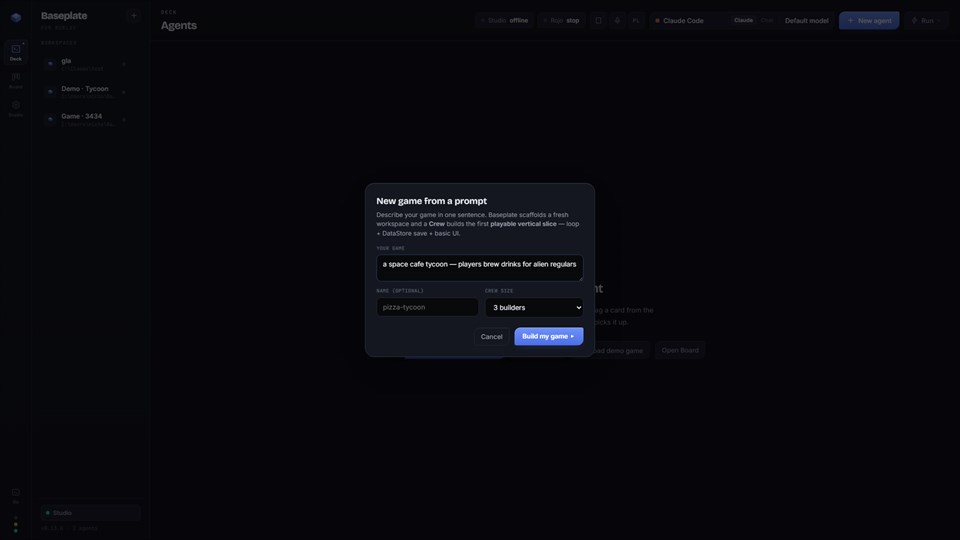
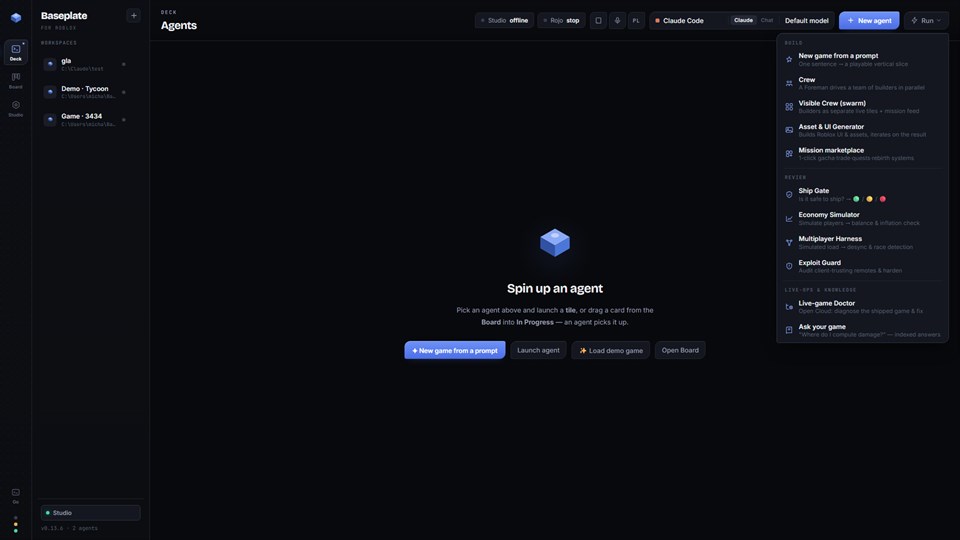
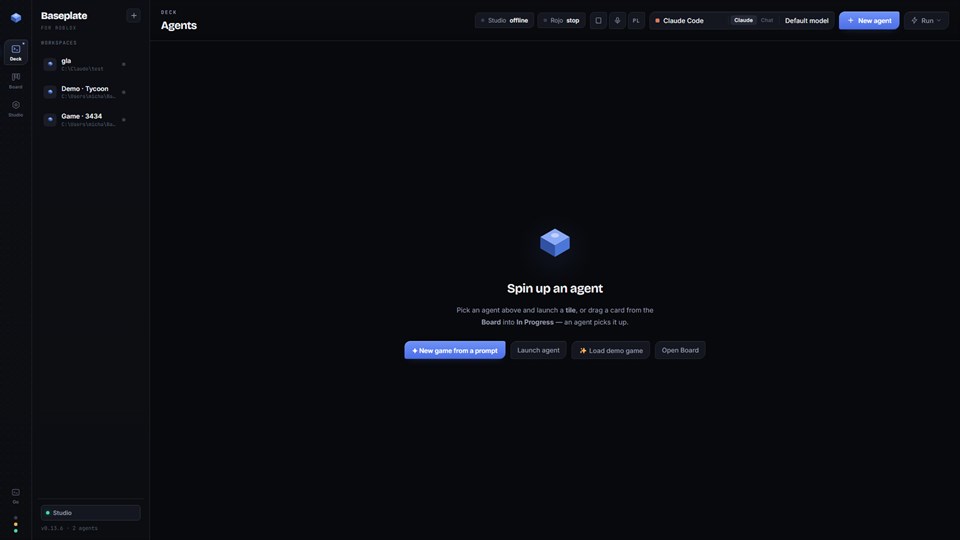
Start with Improve my game: choose a bug fix, a small feature, a free local scan, or guided Open Cloud setup. The guide helps you connect your source folder and AI tool, keeps your task draft, and shows what to do next. Open Cloud is optional; saving a key is separate from verifying access to your game.
Verified Playtest workflows help supported agents run structured checks through Roblox Studio MCP, collect evidence, and distinguish verified results from unverified output. Built-in review tools cover shipping checks, economy simulation, multiplayer scenarios, exploit-focused audits, and project knowledge.
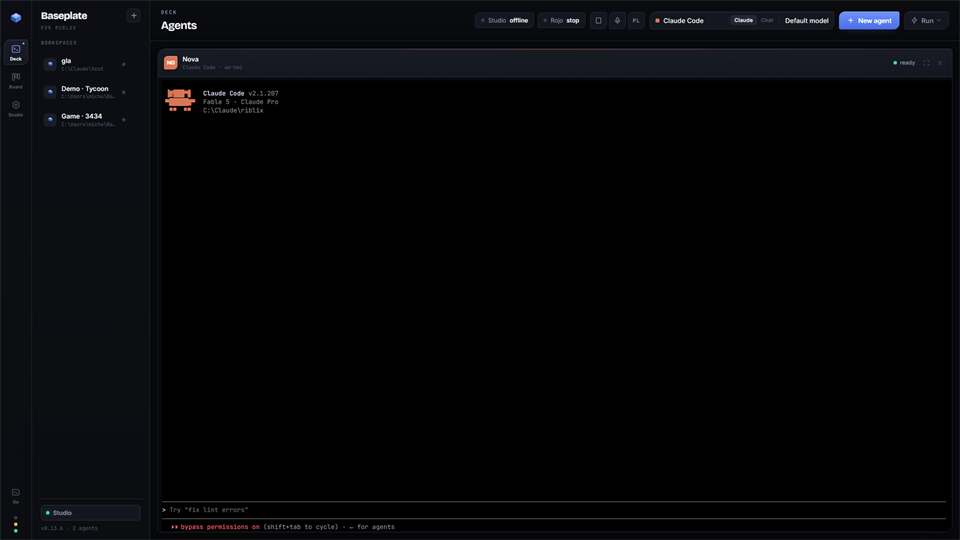
The Free plan can be used without a Baseplate account or paid license. Agent features require a separately installed supported CLI and an eligible provider account; Baseplate does not include AI usage. Live Studio playtesting requires Roblox Studio and the official Roblox Studio MCP. Gemini CLI needs an API key or a supported organization license; Antigravity offers a Native alternative for personal Google accounts. Optional Pro and Studio subscriptions are sold outside Microsoft Store. Your project stays on your computer; when you use an AI provider, the prompts and project context you choose to send are processed under that provider's terms.
Dari developer
Daftar 0
-
 Baseplate
Poin 0
-

- +1 Poin

Peringkat 0
-
- Rating Anda
Pengembang 1
- Baseplate
- Pengikut: 0
- Platform: Windows Aplikasi (1)
- Diskon: 0
- Daftar: 0 0
- Poin: 0
- Peringkat: 0
- Komentar: 0
- Video: 0
- RSS: Berlangganan
Yang Baru
- Versi: PC
- Terakhir diperbarui:
- 0.23.1 — Codex reliability and security maintenance
- Controlled access can inspect the connected Studio, read logs, show a plan and begin a playtest check without unnecessary tool-approval failures.
- Follow-up Codex messages preserve earlier tool results and screenshots instead of overwriting them.
- Compatible dependency updates address published security advisories. MCP tool inputs have a complexity limit before validation.
- Checked upgrades from 0.23.0 preserve projects, settings and encrypted credentials.
Actions that require approval still need it. Store installations update through Microsoft Store. AI features require your own installed CLI and eligible provider account; provider authentication and usage limits still apply.
- 0.23.0 — Turn findings into verified work
- Prepare a Guide task from Verify with context and checks. Baseplate checks that the report, project and sources still match before starting.
- Full access requires confirmation in the desktop app. Recovery into Native CLI keeps your chosen restrictions; denied tool actions remain visible.
- More reliable paid access through signed, time-limited confirmations and server-side device checks. Temporary verification failures keep your key available for recovery.
- Prepared work and successful recorded Studio playtests are separate milestones. A replay is evidence, not a guarantee that every part of a game works.
- Checked upgrades from 0.22 preserve projects, settings and encrypted credentials. Store installations update through Microsoft Store.
AI features require your own installed CLI and eligible provider account. Provider authentication, subscriptions and usage limits still apply. Gemini CLI requires an API key or supported organization access; Antigravity supports Native/MCP rather than structured Chat or Playtest Copilot.
Info tambahan
- Tanggal rilis:
- Kategori:
Aplikasi Windows›Alat pengembang - OS:
PC - Ukuran:
303 Mb - Bahasa yang didukung:
Inggris - Rating Konten:
EVERYONE 10+ - Windows Store Rating: ¡
0 - Situs Web:
 https://baseplatedev.com/
Skor AppAgg
Perkiraan Skor AppAgg untuk
Baseplate
Pengembang: Baseplate
Skor yang lebih tinggi biasanya menunjukkan indikator yang lebih kuat di AppAgg.
Berdasarkan: popularitas · rating pengguna · kebaruan · promo · data toko · aktivitas komunitas
Dihitung ulang setiap hari dari data AppAgg terbaru.
Komentar 0 ¡
Bagikan
Baseplate URL singkat: Disalin!- Windows Store

