
الإشارات المرجعية
| المطوّر: | mindigest (3) | ||
| السعر: | * مجاني جديد | ||
| الدرجة: | 1,110 فضة | ||
| الترتيب: | 0 | ||
| تعليقات: | 0 انشر تعليقًا | ||
| قوائم: | 0 0 | ||
| النقاط: | 0 | ||
| +1 نقطة | |||
ملخص
Beaver Compare تطبيق من mindigest ضمن فئة «أدوات المطور».
إصدار جديد: صدر ، فأنت من الأوائل.
الدخول مجاني، لكن المتجر في الداخل مفتوح.
متجر Microsoft مدمج في Windows، فالتثبيت يتم بنقرتين.
درجة AppAgg هي 1,110. فضة، وهذا ليس سيئًا أبدًا.
التصنيف العمري «EVERYONE»، أي أنه مناسب للأطفال أيضًا.
يعرف 2 لغتين، لكنه لم يتعلم العربية بعد.
لم يقيّمه أحد على AppAgg بعد. فرصتك لتكون الأول الآن.
لدى هذا المطوّر 2 تطبيقان آخران على AppAgg. ألقِ نظرة.
تريد أن تعرف بالتحديثات والتطبيقات الجديدة أولًا؟ تابع المطور أو اشترك في موجز RSS. تصلك الإشعارات عبر تطبيق AppAgg Alerts لنظامي Android وiOS.
منصات أخرى 0
 | Beaver CompareWindows Store1K فضةWindowsعمليات الشراء داخل التطبيق | مجاني |
متاح حاليًا في هذا المتجر فقط.
سجل الأسعار 0
- السعر الحالي: مجاني
- الحد الأدنى: مجاني
- الحد الأقصى: مجاني
خلاصتك الخاصة في الصفحة الرئيسية
لقطات الشاشة 7
الوصف
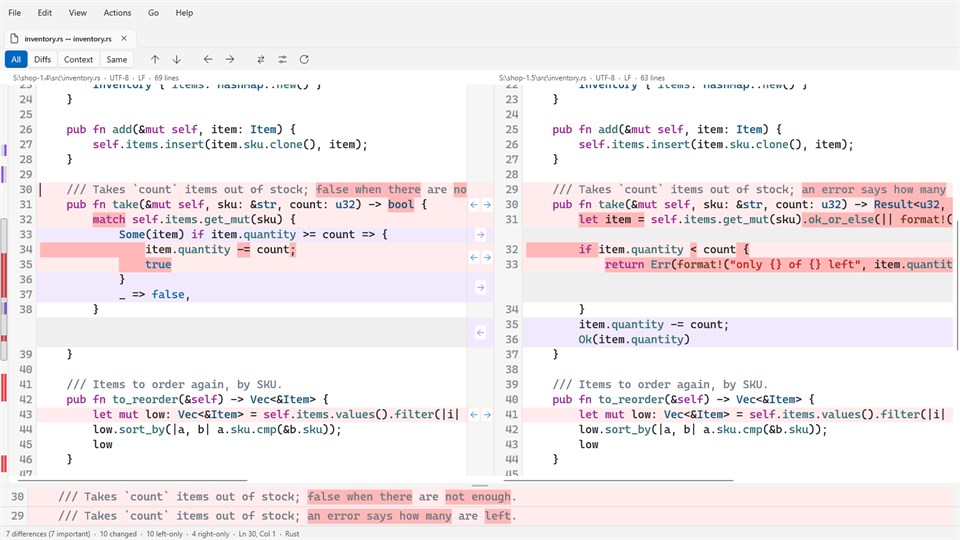
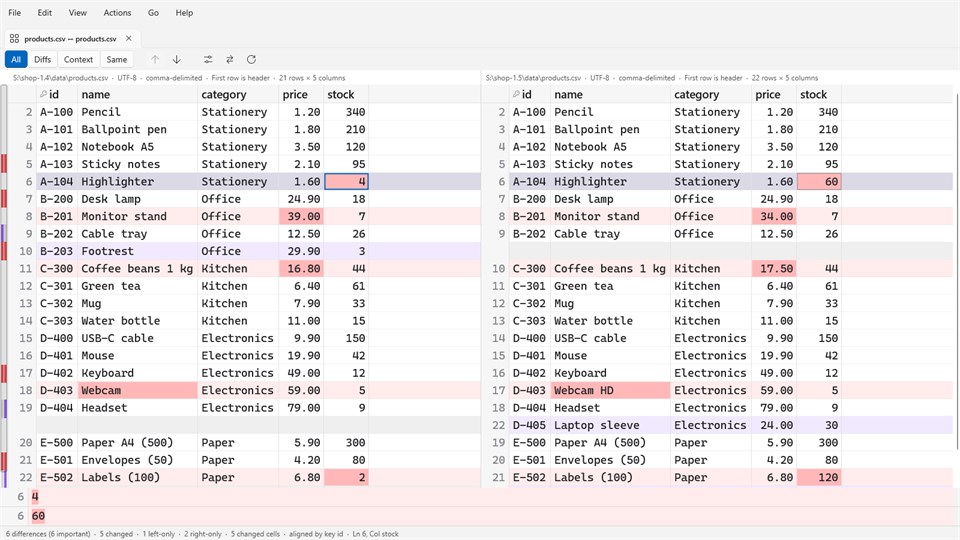
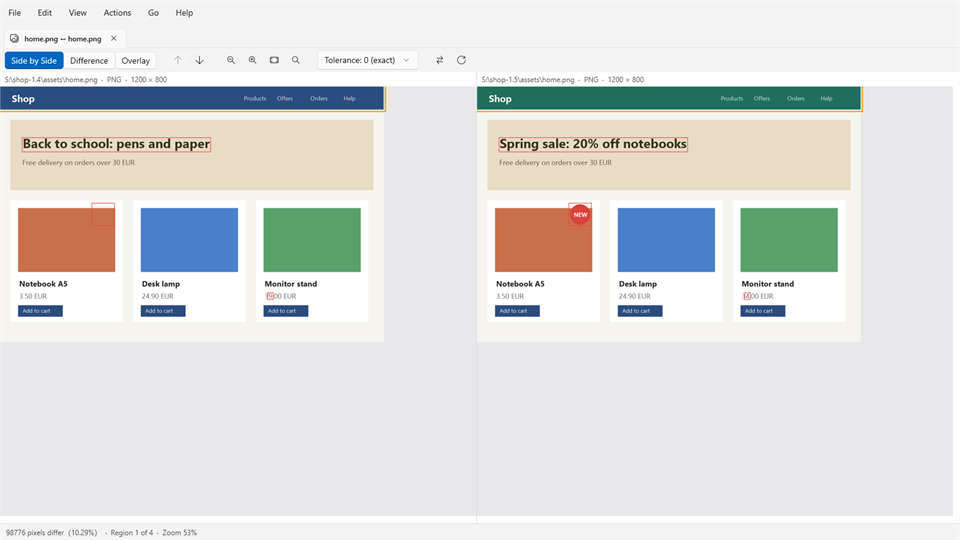
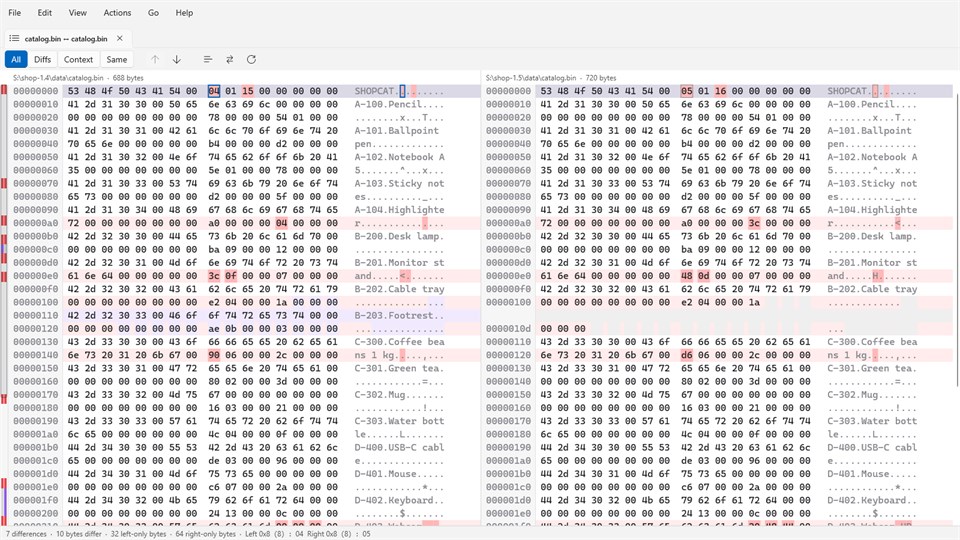
Beaver Compare puts two versions of your work side by side: text files, whole folders, CSV tables, images and binary files. It shows every difference down to the character, lets you copy changes from one side to the other, and merges three versions into one.
TEXT
• Lines line up side by side, and the characters that changed inside each line are marked. A detail pane shows long lines in full.
• Edit either side, copy changes across with one click, undo, and save in the file's own encoding, byte order mark and line endings.
• Syntax highlighting for 26 languages, from C, C#, Java, Python, Rust and Go to JSON, XML, YAML and Markdown.
• Comparison rules: ignore case, white space, line endings or comments; mark text as unimportant with regular expressions.
• Find, go to line, word wrap, and views that show only the differences, with or without context.
• Opens files with millions of lines and stays smooth while you scroll.
FOLDERS
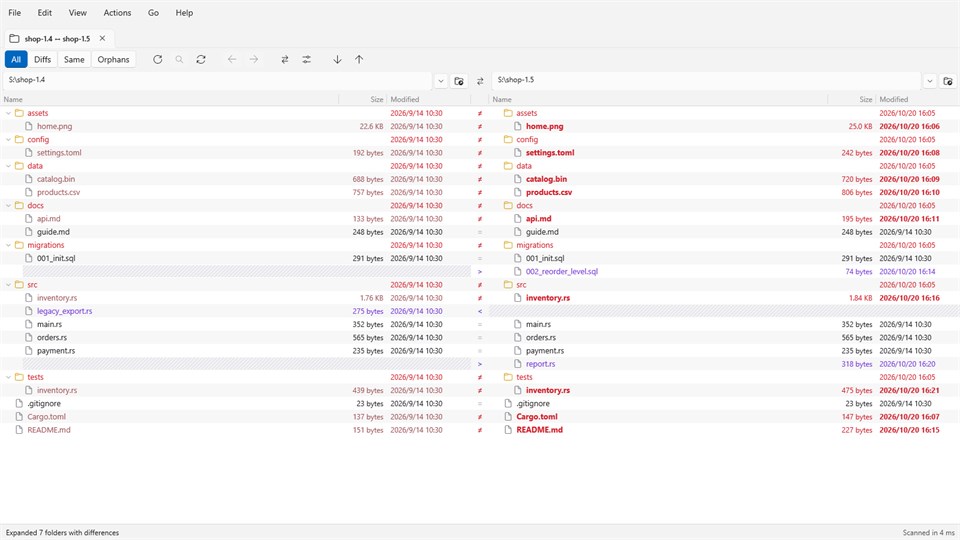
• Compare by size and modification time, or by content. Filter by name, and keep your options as presets.
• Copy, move, rename and delete right in the comparison. Deleted files go to the Recycle Bin.
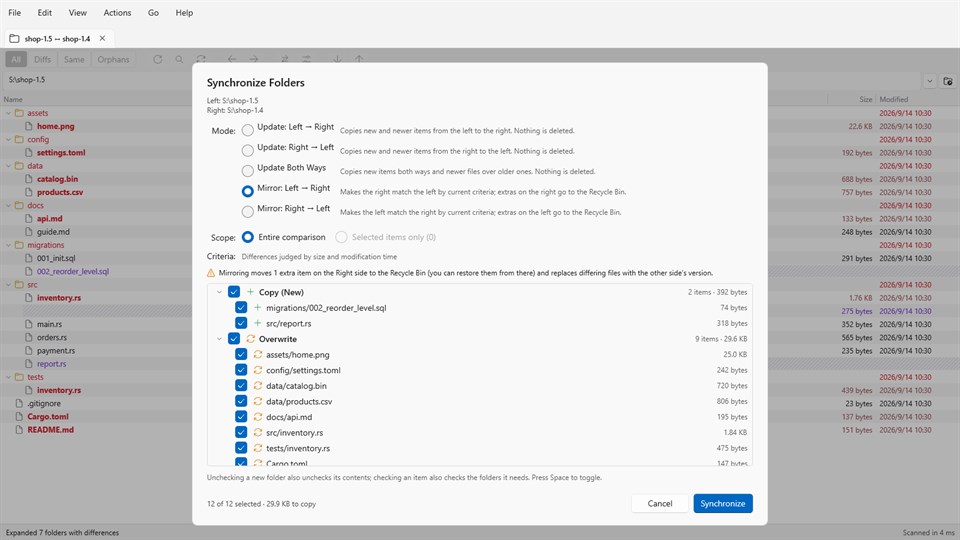
• Synchronize with a preview: update one way, update both ways, or mirror. Only the plan you previewed runs, and every step checks the files again before it touches them.
MERGE
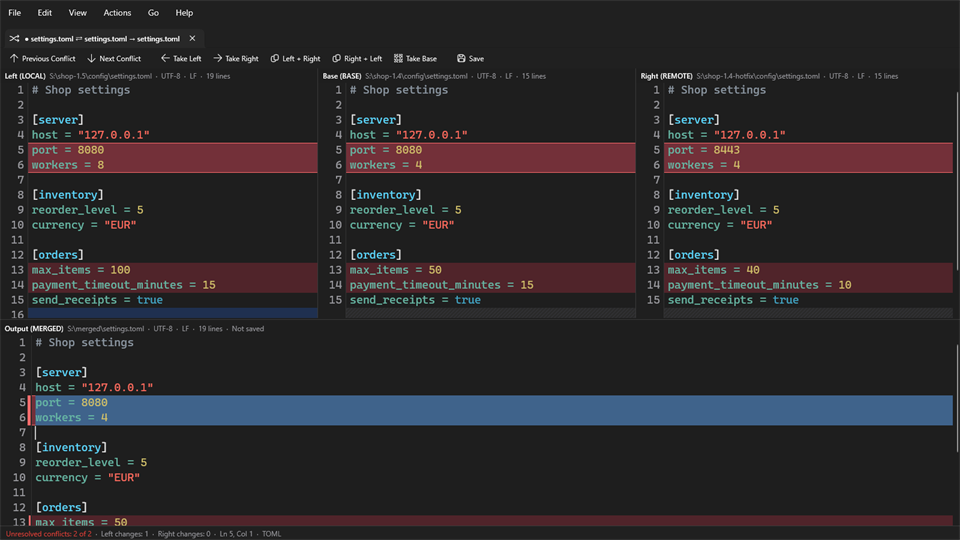
• Three-way merge: your version, their version and the common base, above a result you can edit. Changes that do not conflict are merged for you; step through the conflicts and take left, right, both or the base.
• Works as git difftool and git mergetool. The bvc command opens comparisons and merges from the command line and tells git whether the merge was finished.
MORE COMPARISONS
• Tables: CSV and TSV files cell by cell, with rows matched by key columns, ignored columns and a numeric tolerance.
• Images: side by side, as a difference image or as an overlay, with a colour tolerance.
• Binary files: a hexadecimal comparison that lines up inserted and deleted bytes.
• HTML reports of text and folder comparisons.
AT HOME IN WINDOWS
• Compare from the File Explorer context menu: two selected items at once, or pick a left side first and compare it with something else.
• Files that change on disk are reloaded on their own.
• Tabs, saved sessions, dark and light themes, English and Simplified Chinese.
YOUR FILES STAY ON YOUR PC
No account and no analytics. Beaver Compare never uploads your files. It goes online only to download your license when you activate it with an activation code.
TRY IT FREE, BUY IT ONCE
Every feature is free for 30 days from the first launch. After that, Beaver Compare stays useful for viewing: you can still open comparisons, see the differences and export reports, while saving and file operations need a license. It is a one-time purchase, not a subscription. Licenses are sold on our website; one license is for one person on up to 2 computers, Mac or Windows.
من المطوّر
قوائم 0
-
 Beaver Compare
النقاط 0
-

- +1 نقطة

الترتيب 0
-
- تقييمك
المطوّر 3
- mindigest
- المتابعون: 0
- المنصات: Windows تطبيقات (3)
- العروض: 0
- قوائم: 0 0
- النقاط: 0
- الترتيب: 0
- تعليقات: 0
- الفيديوهات: 0
- RSS: اشتراك
ما الجديد
- الإصدار: PC
- آخر تحديث:
معلومات إضافية
- تاريخ الإصدار:
- الفئة:
تطبيقات Windows›أدوات المطور - نظام التشغيل:
PC - الحجم:
106 Mb - اللغات المدعومة:
الإنجليزية,الصينية - تقييم المحتوى:
EVERYONE - Windows Store تقييم: ¡
0 - الموقع الإلكتروني:
 https://www.mindigest.com/compare
درجة AppAgg
درجة AppAgg التقديرية لـ
Beaver Compare
المطوّر: mindigest
تشير الدرجة الأعلى عادةً إلى أداء أفضل في مؤشرات AppAgg.
استنادًا إلى: الشعبية · تقييمات المستخدمين · الحداثة · العروض · بيانات المتاجر · نشاط المجتمع
يُعاد حسابها يوميًا بناءً على أحدث بيانات AppAgg.
تعليقات 0 ¡
مشاركة
Beaver Compare عنوان URL مختصر: تم النسخ!- Windows Store

