
Marcadores
| Desarrollador: | mindigest (3) | ||
| Precio: | * Gratis Nuevo | ||
| Puntuación: | 1110 Plata | ||
| Clasificaciones: | 0 | ||
| Comentarios: | 0 Publicar comentario | ||
| Listas: | 0 0 | ||
| Puntos: | 0 | ||
| +1 Punto | |||
Resumen
Beaver Compare es una app de mindigest de la categoría «Herramientas de desarrollo».
Novedad: salió , así que estás entre los primeros.
Entrar es gratis, pero la tienda de dentro está abierta.
La Microsoft Store viene integrada en Windows, así que se instala en un par de clics.
Su Puntuación de AppAgg es 1110. Nivel Plata, y eso no está nada mal.
Clasificación «EVERYONE»: sirve también para los más pequeños.
Sabe 2 idiomas, pero el español todavía no.
Nadie en AppAgg la ha valorado todavía. Ahora te toca a ti romper el hielo.
El desarrollador tiene 2 apps más en AppAgg. Vale la pena echar un vistazo.
¿Quieres enterarte antes que nadie de actualizaciones y apps nuevas? Sigue al desarrollador o suscríbete al canal RSS. Las notificaciones push llegan con la app AppAgg Alerts para Android y iOS.
Otras plataformas 0
Historial de precios 0
- Precio actual: Gratis
- Mínimo: Gratis
- Máximo: Gratis
Tu propio feed en la página de inicio
Capturas de pantalla 7
Descripción

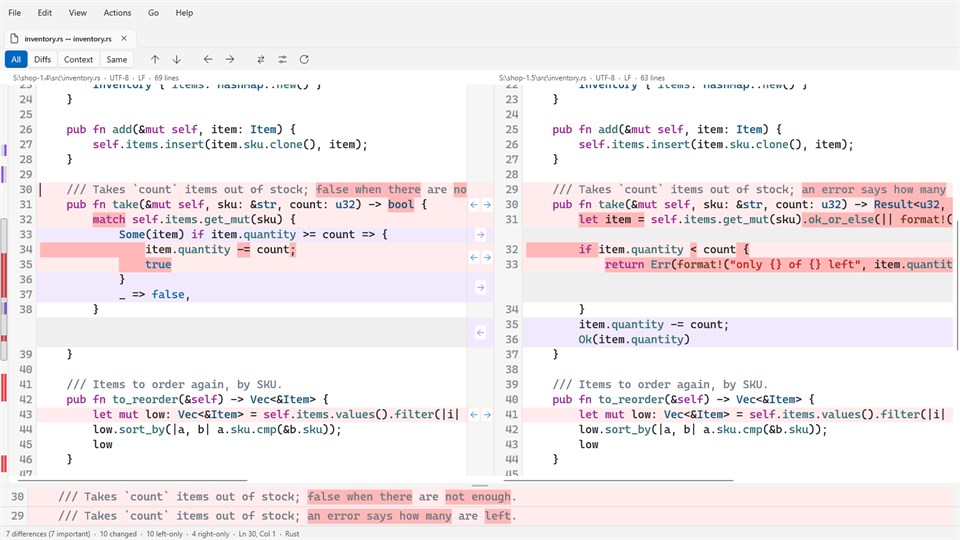
Beaver Compare puts two versions of your work side by side: text files, whole folders, CSV tables, images and binary files. It shows every difference down to the character, lets you copy changes from one side to the other, and merges three versions into one.
TEXT
• Lines line up side by side, and the characters that changed inside each line are marked. A detail pane shows long lines in full.
• Edit either side, copy changes across with one click, undo, and save in the file's own encoding, byte order mark and line endings.
• Syntax highlighting for 26 languages, from C, C#, Java, Python, Rust and Go to JSON, XML, YAML and Markdown.
• Comparison rules: ignore case, white space, line endings or comments; mark text as unimportant with regular expressions.
• Find, go to line, word wrap, and views that show only the differences, with or without context.
• Opens files with millions of lines and stays smooth while you scroll.
FOLDERS
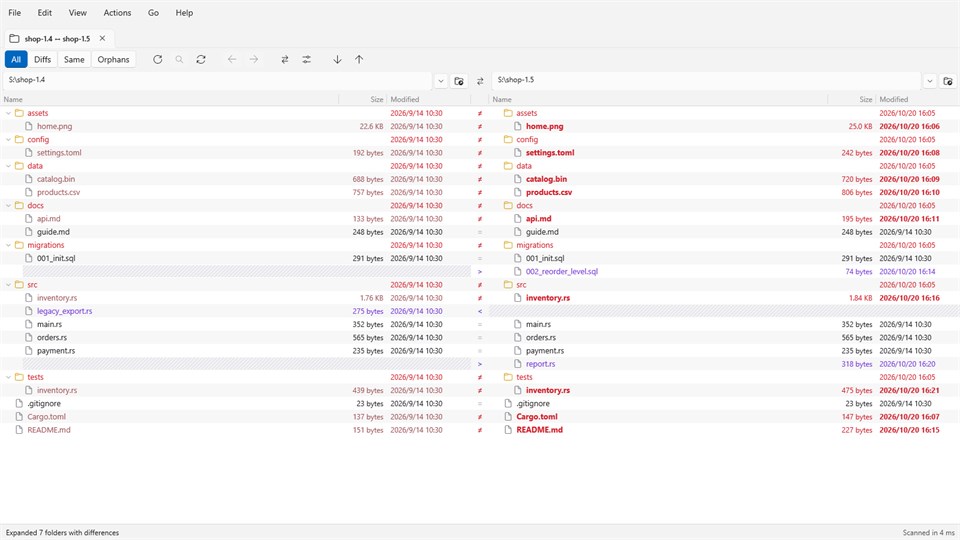
• Compare by size and modification time, or by content. Filter by name, and keep your options as presets.
• Copy, move, rename and delete right in the comparison. Deleted files go to the Recycle Bin.
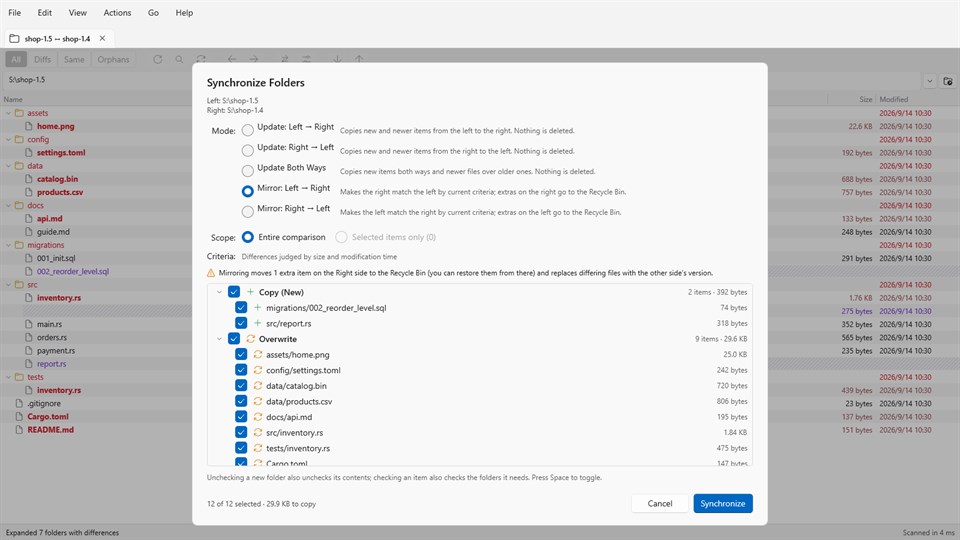
• Synchronize with a preview: update one way, update both ways, or mirror. Only the plan you previewed runs, and every step checks the files again before it touches them.
MERGE
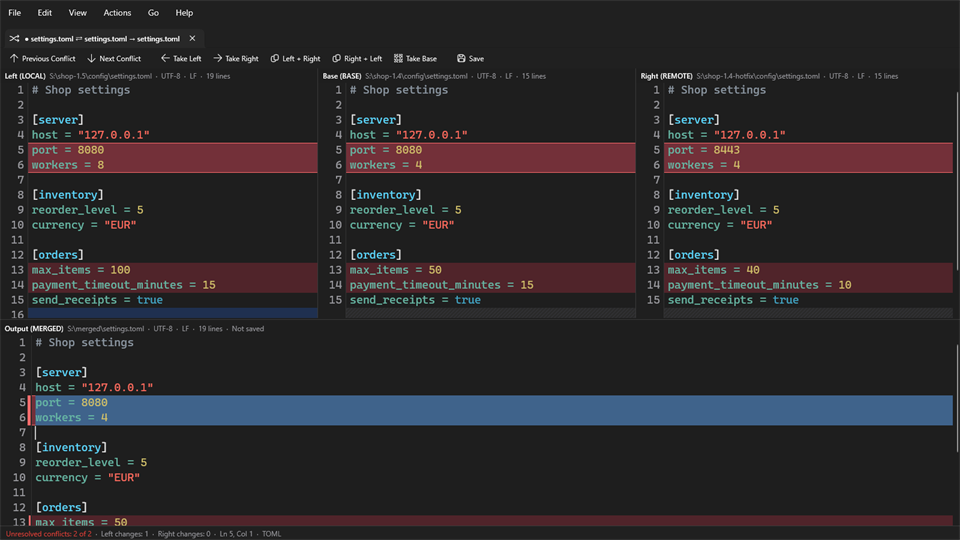
• Three-way merge: your version, their version and the common base, above a result you can edit. Changes that do not conflict are merged for you; step through the conflicts and take left, right, both or the base.
• Works as git difftool and git mergetool. The bvc command opens comparisons and merges from the command line and tells git whether the merge was finished.
MORE COMPARISONS
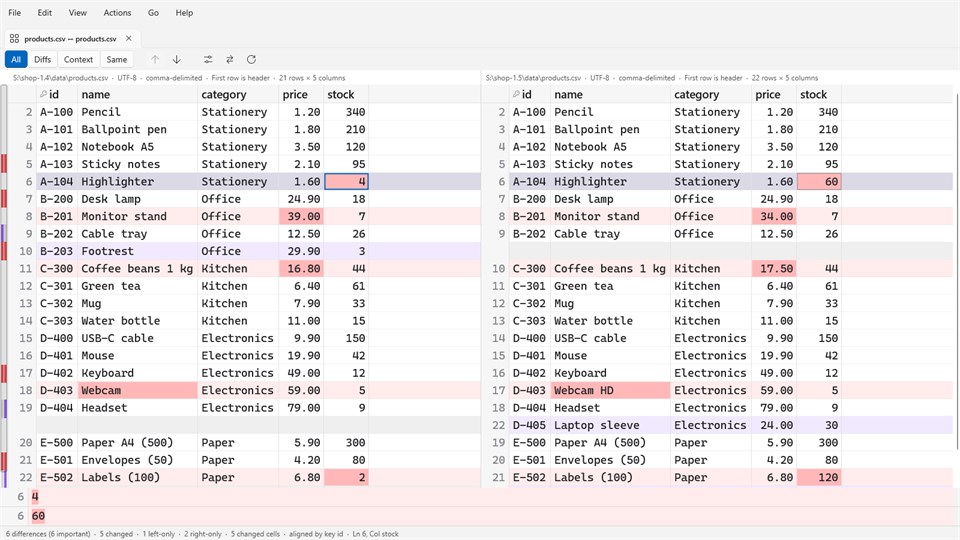
• Tables: CSV and TSV files cell by cell, with rows matched by key columns, ignored columns and a numeric tolerance.
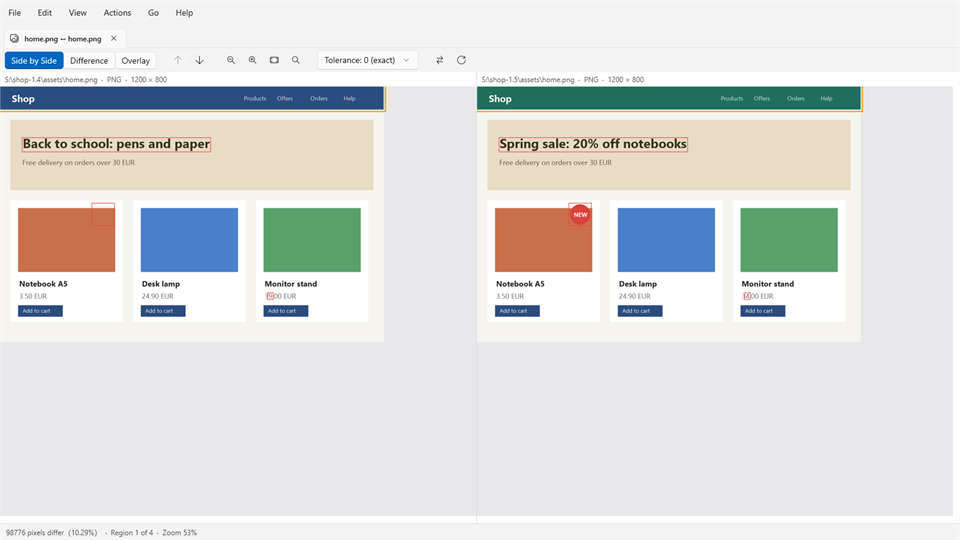
• Images: side by side, as a difference image or as an overlay, with a colour tolerance.
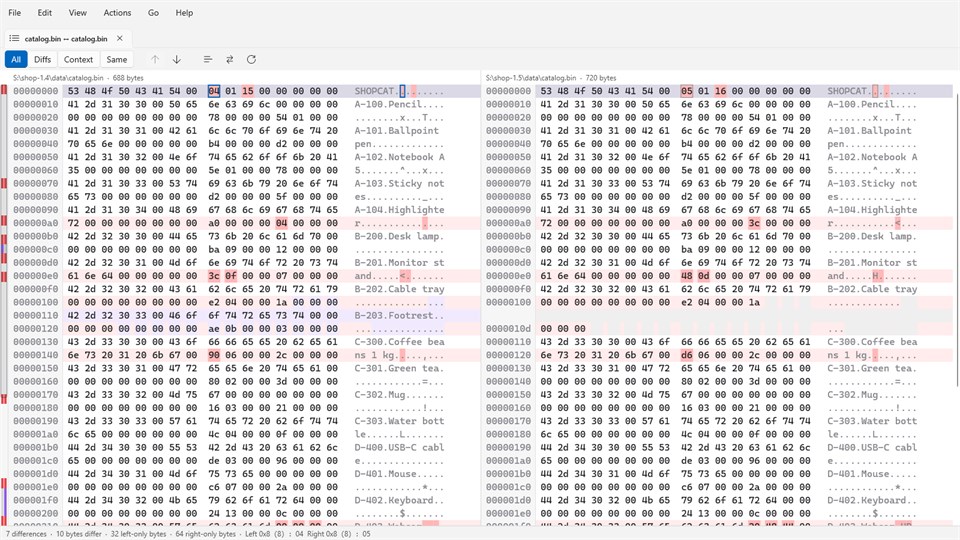
• Binary files: a hexadecimal comparison that lines up inserted and deleted bytes.
• HTML reports of text and folder comparisons.
AT HOME IN WINDOWS
• Compare from the File Explorer context menu: two selected items at once, or pick a left side first and compare it with something else.
• Files that change on disk are reloaded on their own.
• Tabs, saved sessions, dark and light themes, English and Simplified Chinese.
YOUR FILES STAY ON YOUR PC
No account and no analytics. Beaver Compare never uploads your files. It goes online only to download your license when you activate it with an activation code.
TRY IT FREE, BUY IT ONCE
Every feature is free for 30 days from the first launch. After that, Beaver Compare stays useful for viewing: you can still open comparisons, see the differences and export reports, while saving and file operations need a license. It is a one-time purchase, not a subscription. Licenses are sold on our website; one license is for one person on up to 2 computers, Mac or Windows.
Del desarrollador
Listas 0
-
 Beaver Compare
Puntos 0
-

- +1 Punto

Clasificaciones 0
-
- Tu valoración
Desarrollador 3
- mindigest
- Seguidores: 0
- Plataformas: Windows Aplicaciones (3)
- Ofertas: 0
- Listas: 0 0
- Puntos: 0
- Clasificaciones: 0
- Comentarios: 0
- Vídeos: 0
- RSS: Suscribirse
Novedades
- Versión: PC
- Última actualización:
Información adicional
- Fecha de lanzamiento:
- Categoría:
Aplicaciones para Windows›Herramientas de desarrollo - Sistemas operativos:
PC - Tamaño:
106 Mb - Idiomas admitidos:
Chino,Inglés - Clasificación de contenido:
EVERYONE - Windows Store Valoración: ¡
0 - Sitio web:
 https://www.mindigest.com/compare
Puntuación de AppAgg
Puntuación estimada de AppAgg para
Beaver Compare
Desarrollador: mindigest
Una puntuación más alta suele reflejar mejores resultados en los indicadores de AppAgg.
Basado en: popularidad · valoraciones de usuarios · actualidad · ofertas · datos de tiendas · actividad de la comunidad
Se recalcula a diario con datos actualizados de AppAgg.
Comentarios 0 ¡
Compartir
Beaver Compare URL corta: Copiado!- Windows Store

