
Könyvjelzők
Válassz címet ennek a könyvjelzőnek.
Könyvjelző mentve
| Fejlesztő: | mindigest (2) | ||
| Ár: | Ingyenes Új | ||
| Pontszám: | 660 Ezüst | ||
| Rangsorok: | 0 | ||
| Hozzászólások: | 0 Hozzászólás közzététele | ||
| Listák: | 0 + 0 | ||
| Pontok: | 0 + 0 ¡ | ||
| +1 Pontok | |||
Képernyőképek 5
Hirdetés
Ismertető

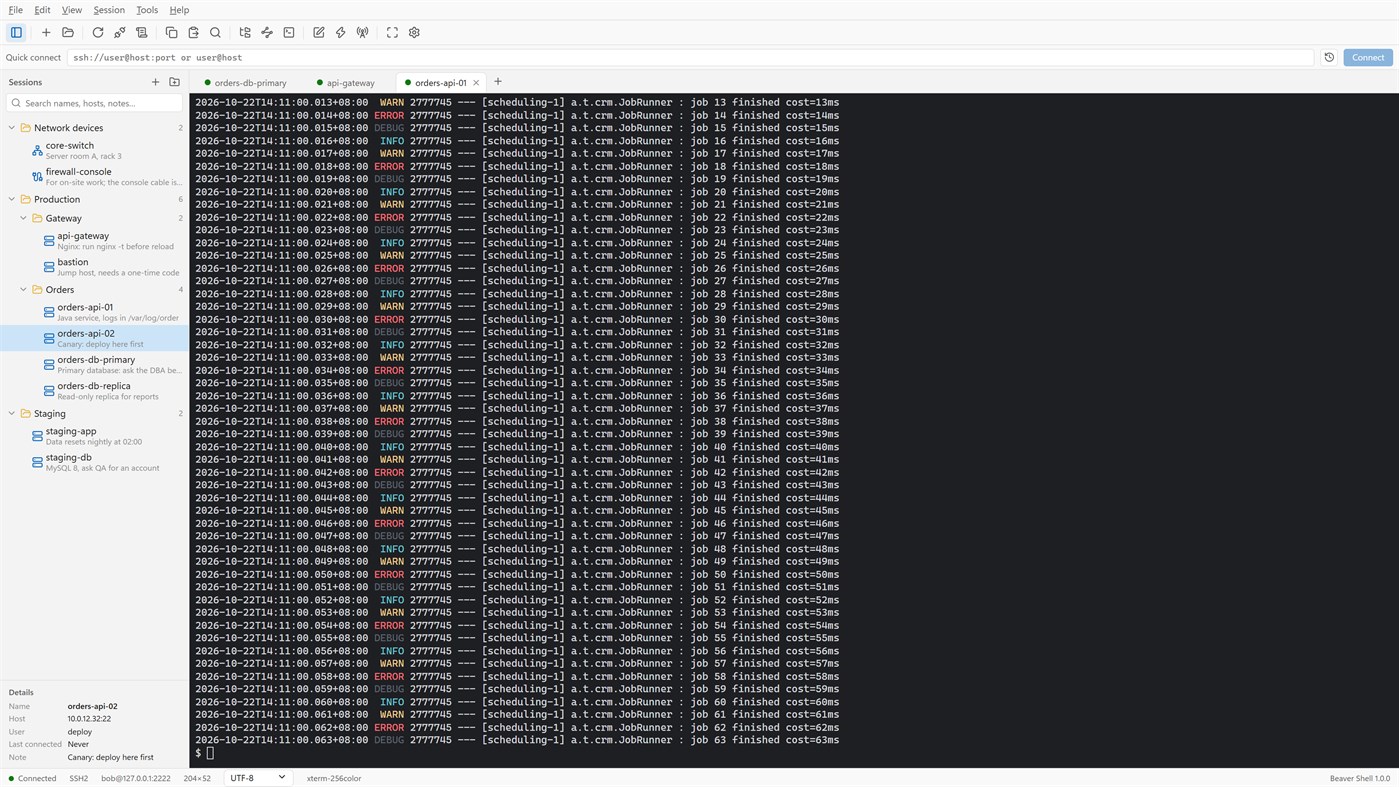
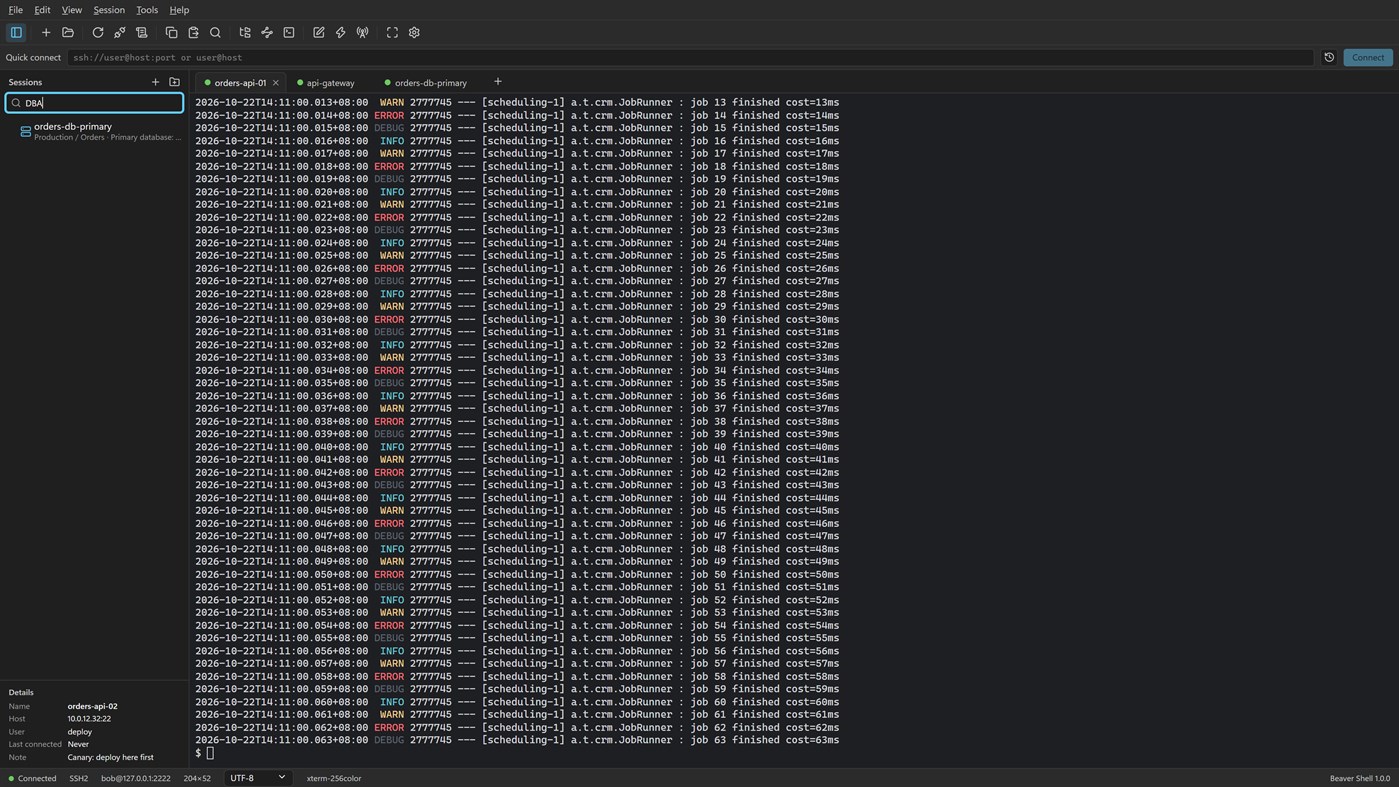
Tabs and sessions
• Connect to many servers at once, or open more tabs on one server over the same connection.
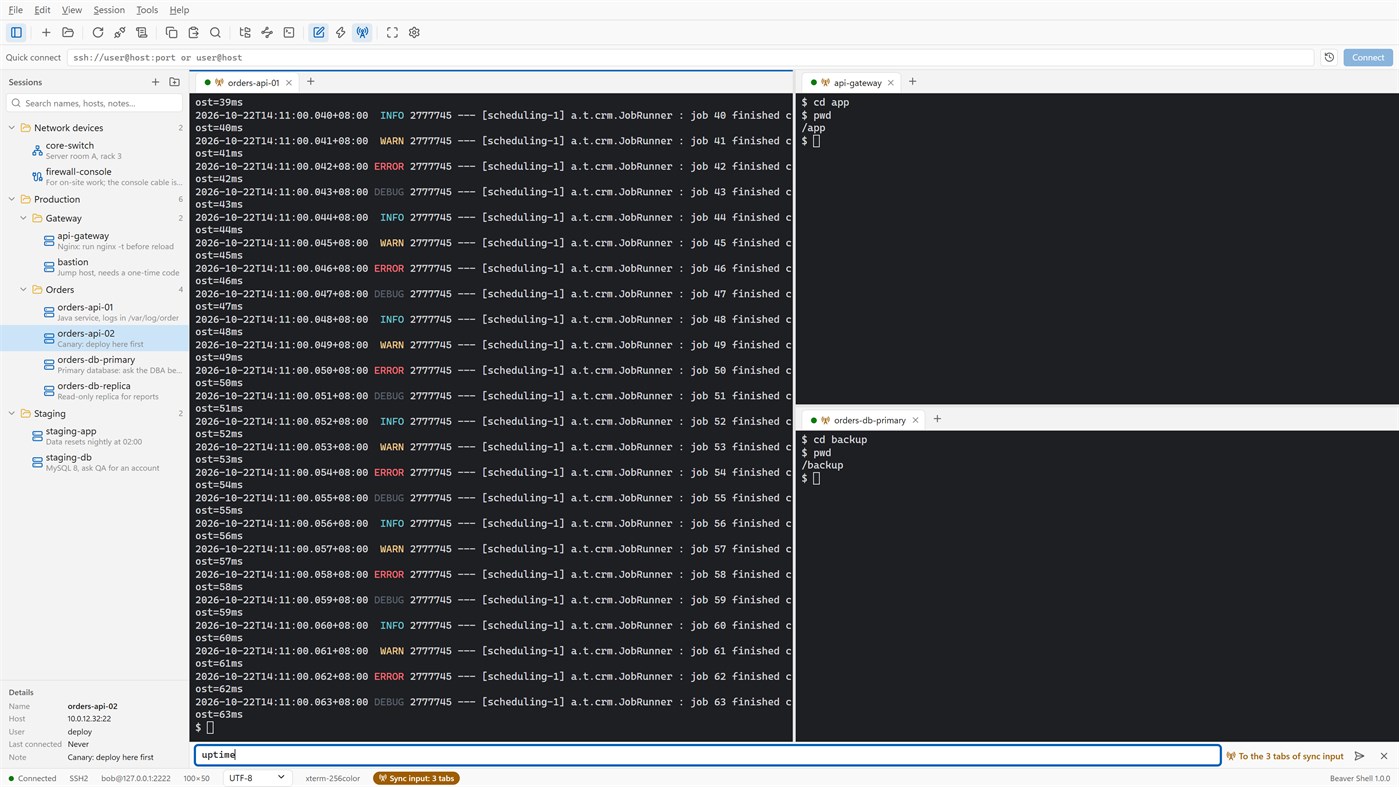
• Split the window into up to six tab groups, side by side or one above the other.
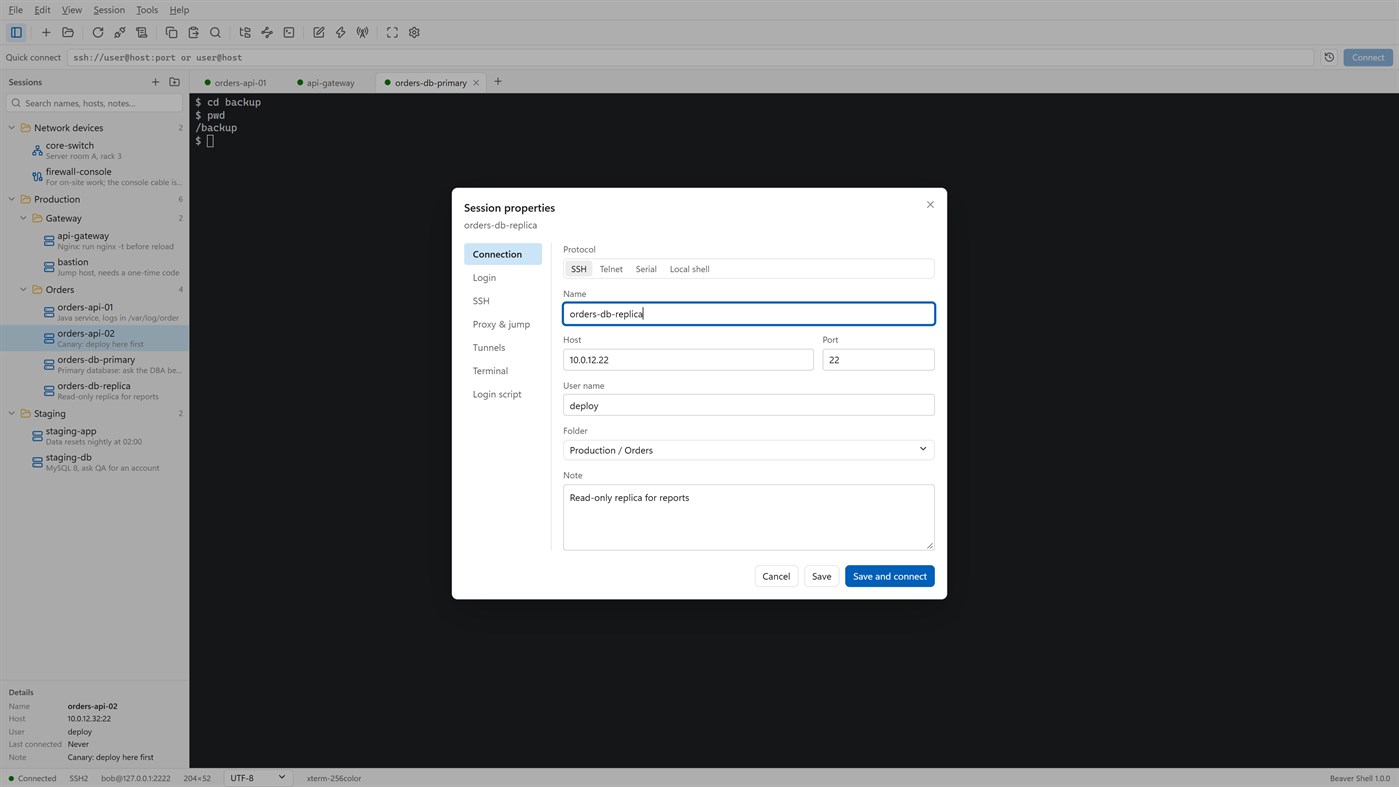
• Keep servers in folders, each with a name and a note; search by name, host, user or note.
• Import sessions from OpenSSH config, PuTTY and Xshell session files; export the library (never with passwords).
• Reconnect automatically after a dropped connection, and reopen last time's tabs at start.
Terminal
• xterm-compatible: 256 colors and true color, mouse, alternate screen; vim, htop and tmux work as they should.
• Chinese, Japanese and Korean wide characters; UTF-8, GBK, GB18030, Big5, Shift_JIS, EUC-KR and more, per session.
• Find with case, whole word and regular expressions; keyword highlighting for logs.
• Built-in color schemes, your own schemes, and import from Windows Terminal and iTerm2.
Files
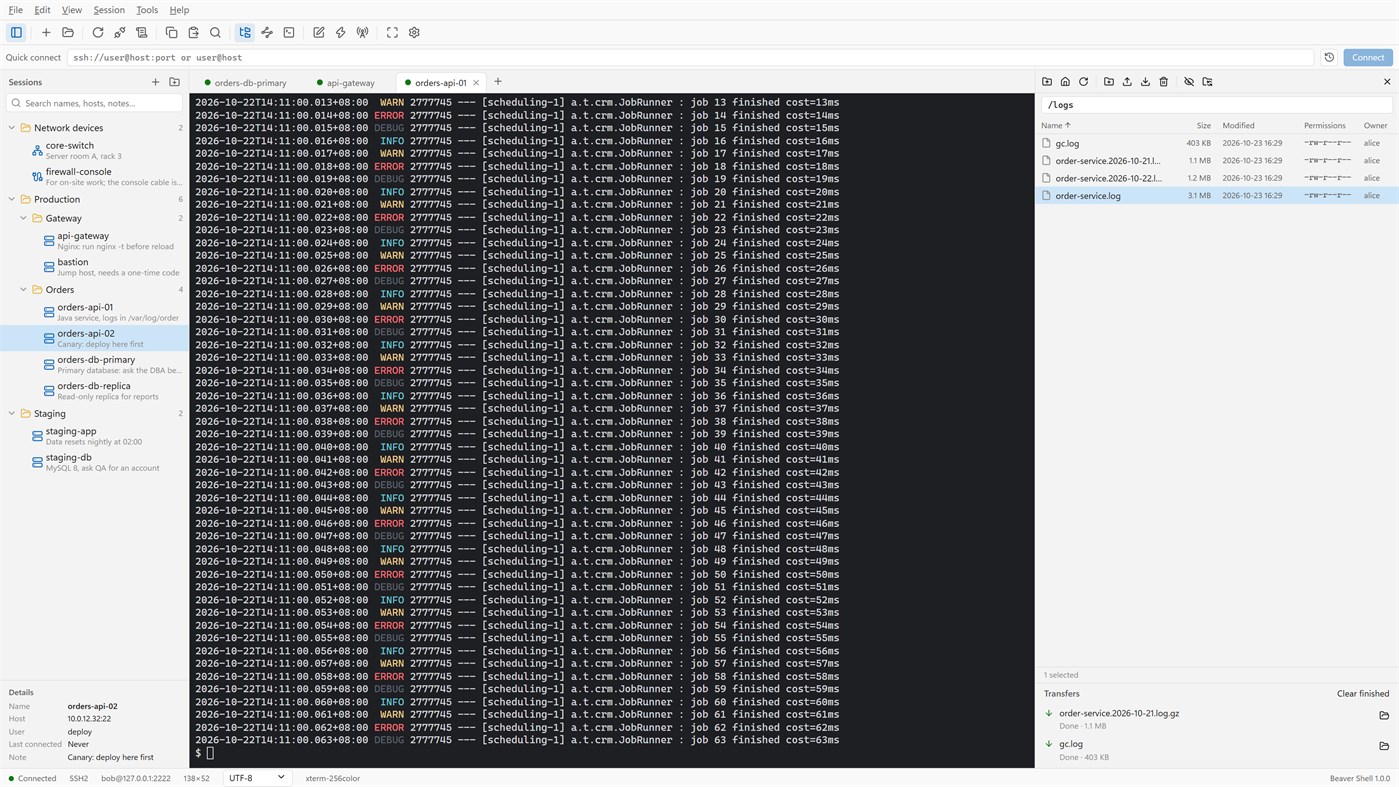
• An SFTP panel next to the terminal: browse, upload, download, rename, delete, change permissions, with a transfer queue.
• The panel can follow the terminal's current folder.
• Edit a remote file in a local editor: it is uploaded again each time you save.
• rz / sz (ZMODEM) in the terminal.
Connections
• Passwords, key files (OpenSSH, PEM, PKCS#8, PuTTY PPK), keyboard-interactive one-time codes, and the SSH agent (OpenSSH agent, Pageant) with agent forwarding.
• Jump hosts, SOCKS5 and HTTP proxies, and local, remote and dynamic port forwarding with a tunnel panel.
• Telnet and serial ports; local PowerShell, cmd and WSL tabs.
Working faster
• Type once and send to all tabs or to the ones you pick; a bar of quick commands.
• Login scripts answer prompts for you after you connect; triggers react to what a server prints.
• Session logs to files, with or without color codes.
Security
• Saved passwords are encrypted for your Windows account; add a master password and lock the window when you step away.
• Host keys are checked, and a changed key is refused unless you accept it.
• Generate Ed25519, ECDSA or RSA keys and install them on a server.
No account, no sign-in, no tracking. The interface is in English and Simplified Chinese.
Licensing
• Free for individuals, families, schools, open-source projects and companies of up to 5 people, with every feature.
• Other companies need a commercial license for each person who uses Beaver Shell at work, bought from Mindigest; see the additional license terms. The app never checks for a license and never limits anything.
Más platformok 0
| Beaver ShellWindows Store660 EzüstItt vagy | Ingyenes |
Jelenleg csak ebben az áruházban.
Ártörténet 0
- Jelenlegi ár: Ingyenes
- Minimális: Ingyenes
- Maximális: Ingyenes
Árak nyomon követése Add egy listához, hogy e-mailben vagy push értesítésben értesülj az akciókról
Listák 0
0
-
 Beaver Shell
Pontok 0
0
Rangsorok 0
-

- Az értékelésed

Hozzászólások 0 ¡
Szólj hozzá elsőként
Fejlesztő 2
- mindigest
- Követők: 0
- Platformok: Windows Alkalmazások (2)
- Akciók: 0
- Listák: 0 + 0
- Pontok: 0 + 0 ¡
- Rangsorok: 0
- Hozzászólások: 0
- Videók: 0
- RSS: Feliratkozás
Újdonságok
- Változat: PC
- Utolsó frissítés:
- The Help menu now opens the Beaver Shell website, the license agreement and the privacy statement, and starts an email to support. About says who may use Beaver Shell free.
További információk
- Kiadás dátuma:
- Kategória:
Windows-alkalmazások›Fejlesztői eszközök - Operációs rendszer:
PC - Méret:
9 Mb - Támogatott nyelvek:
Angol,Kínai - Tartalom besorolása:
EVERYONE - Windows Store Értékelés: ¡
0 - Weboldal:
 https://www.mindigest.com/shell
AppAgg-pontszám
660
Becsült AppAgg-pontszám:
Beaver Shell
Fejlesztő: mindigest
660 Ezüst
A magasabb pontszám általában jobb eredményeket tükröz az AppAgg által figyelt mutatókban.
Alapja: népszerűség · felhasználói értékelések · frissesség · akciók · áruházi adatok · közösségi aktivitás
Naponta újraszámítjuk a friss AppAgg-adatok alapján.
Jelvény weboldalra:  Másolva!
Röviden
Beaver Shell Rövid URL: Másolva!- Windows Store
Kövesd az AppAggen ezt az alkalmazást: „Beaver Shell”. Fejlesztő: mindigest; platform: Windows; kategória: Fejlesztői eszközök. AppAgg-pontszám: 660 (Ezüst). Az alkalmazás AppAgg-pontjai: megerősített — 0; közvetett — 0. Az alkalmazást tartalmazó nyilvános listák száma: 0. Felhasználók, akik privát listákra mentették: 0. Az AppAgg felhasználói még nem értékelték az alkalmazást. A megerősített pontok a bejelentkezett AppAgg-felhasználók áruházi átkattintásait rögzítik. A közvetett pontok az áruházak adatain alapulnak. A két számláló a nyilvános listák számát és a privát listára mentő felhasználók számát mutatja. Az alkalmazás első megjelenése: . Az alkalmazás legutóbbi frissítése: . Az alkalmazás jelenleg ingyenesen érhető el. Az alkalmazás támogatott nyelvei: Angol, Kínai. Nézd meg az árelőzményeket, add az alkalmazást egy listához, vagy kövesd a fejlesztőt. Kövesd az alkalmazás jövőbeli akcióit és frissítéseit az RSS-hírcsatornát segítségével. Az AppAgg nem tárolja a szerverein és nem terjeszti ezt az alkalmazást. Az alkalmazáshoz kapcsolódó valamennyi védjegy, logó és képernyőkép a jogos tulajdonosé.

