
북마크
이 북마크의 제목을 입력하세요.
북마크가 저장되었습니다
홈 화면의 나만의 피드 ¡
“신규 및 업데이트” 피드의 플랫폼을 선택하면 홈 화면에 필요한 앱과 게임만 표시됩니다.
스크린샷 5
광고
설명

With BinEye you can:
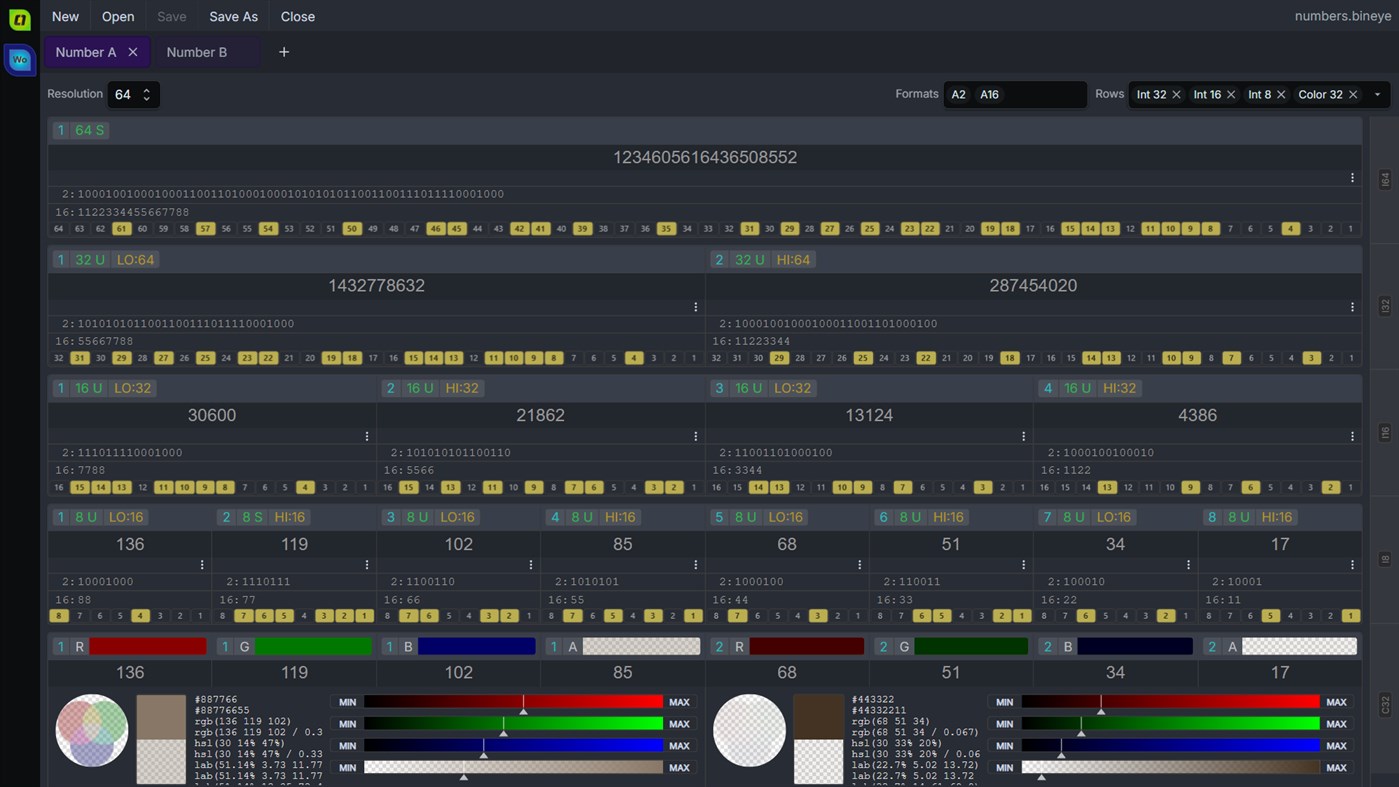
- Inspect and edit integers from 8 to 1024 bits: flip single bits, type a value in any base from 2 to 64 or as a float, and watch every word update.
- Read a value split into rows of 8, 16, 32 and 64-bit words, signed or unsigned, and see 32-bit words as RGBA colors with hex, rgb, hsl and lab values.
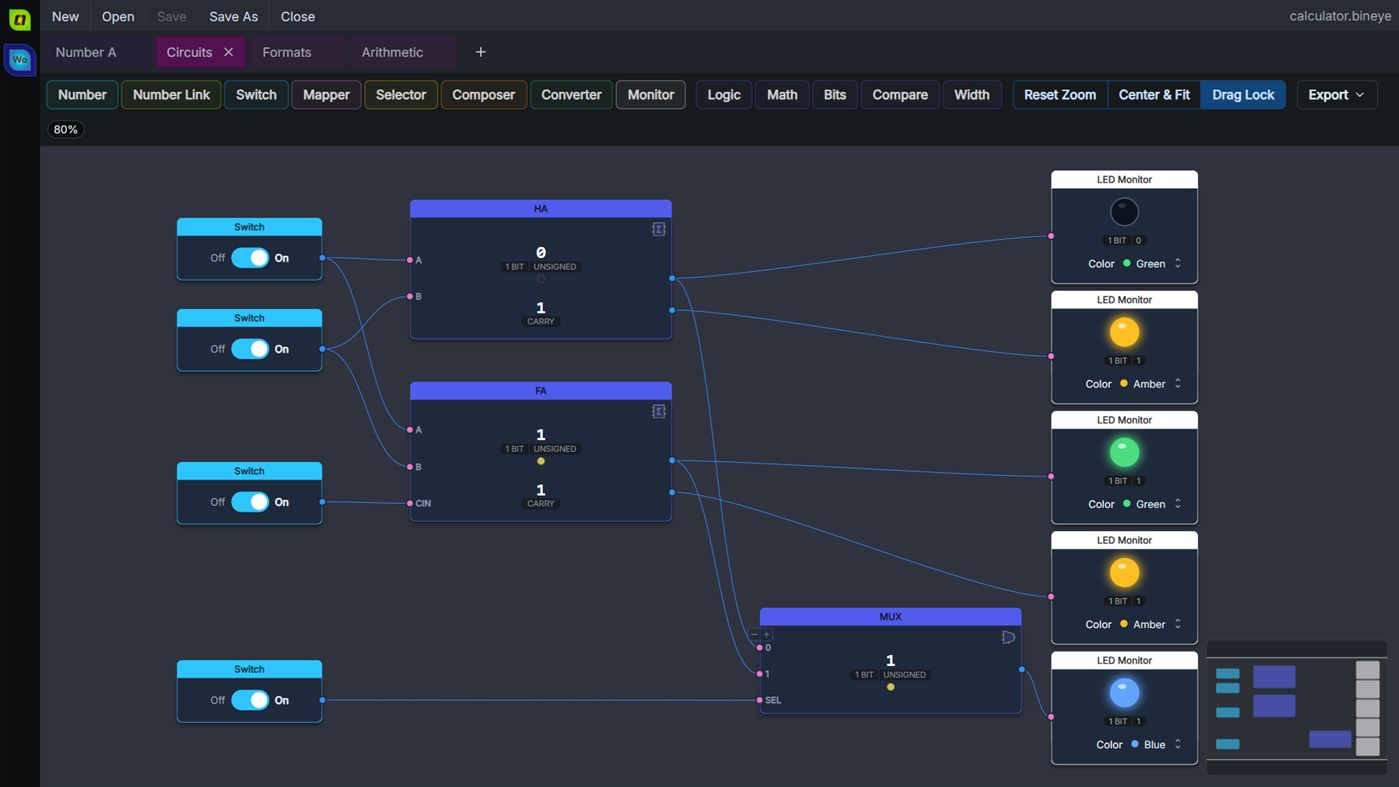
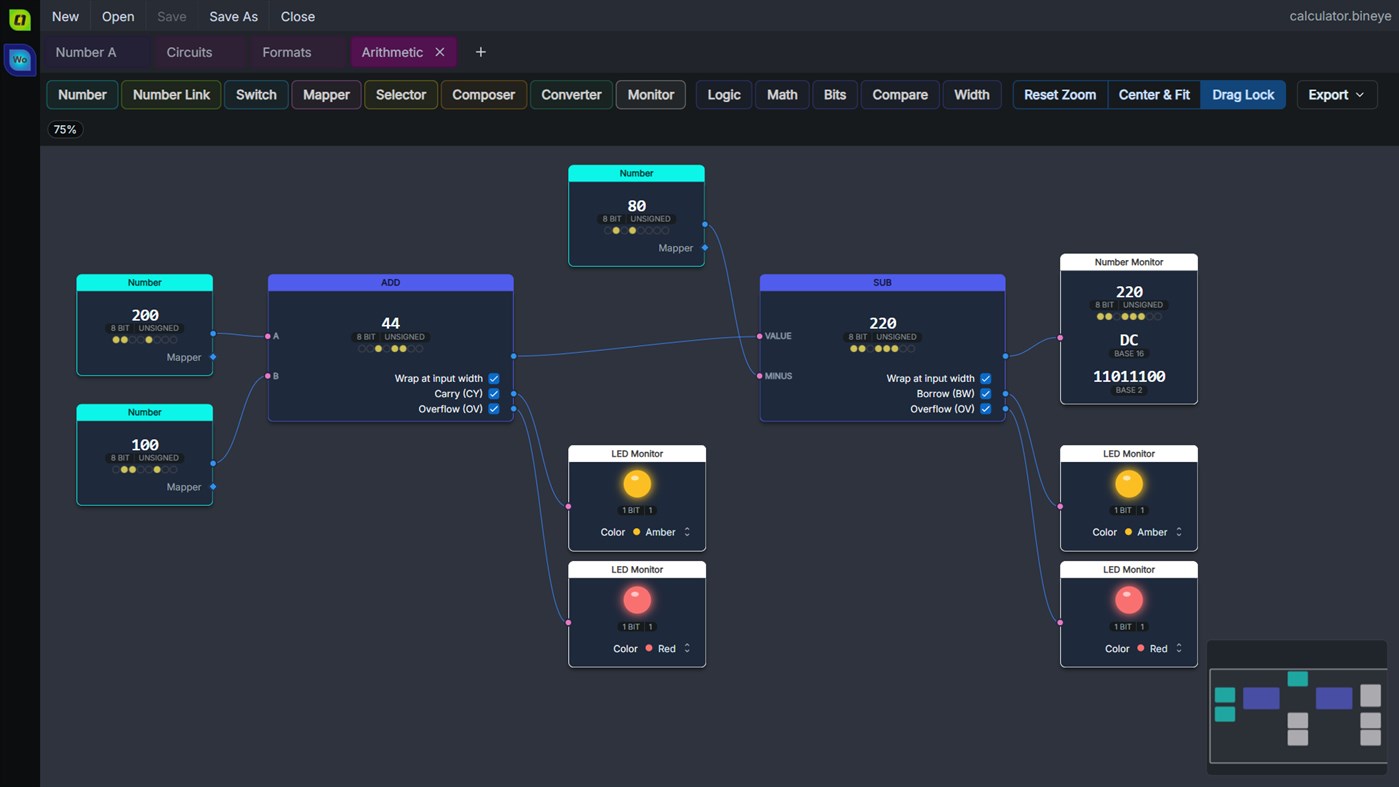
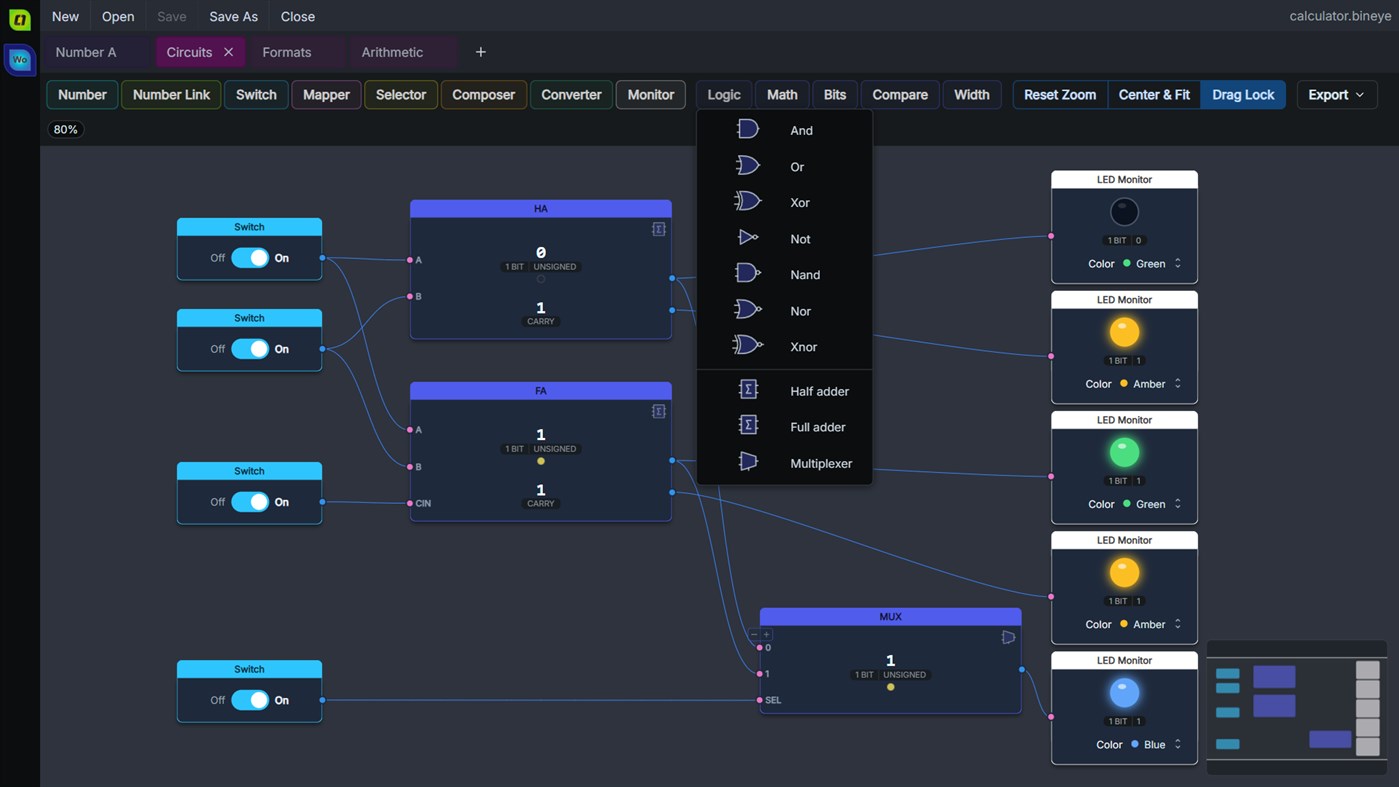
- Build calculator sheets: wire values through logic gates, arithmetic, shifts and rotates, bit counts, compares and width changes, and watch the results update as you edit. Start from ready-made half adders, full adders and multiplexers.
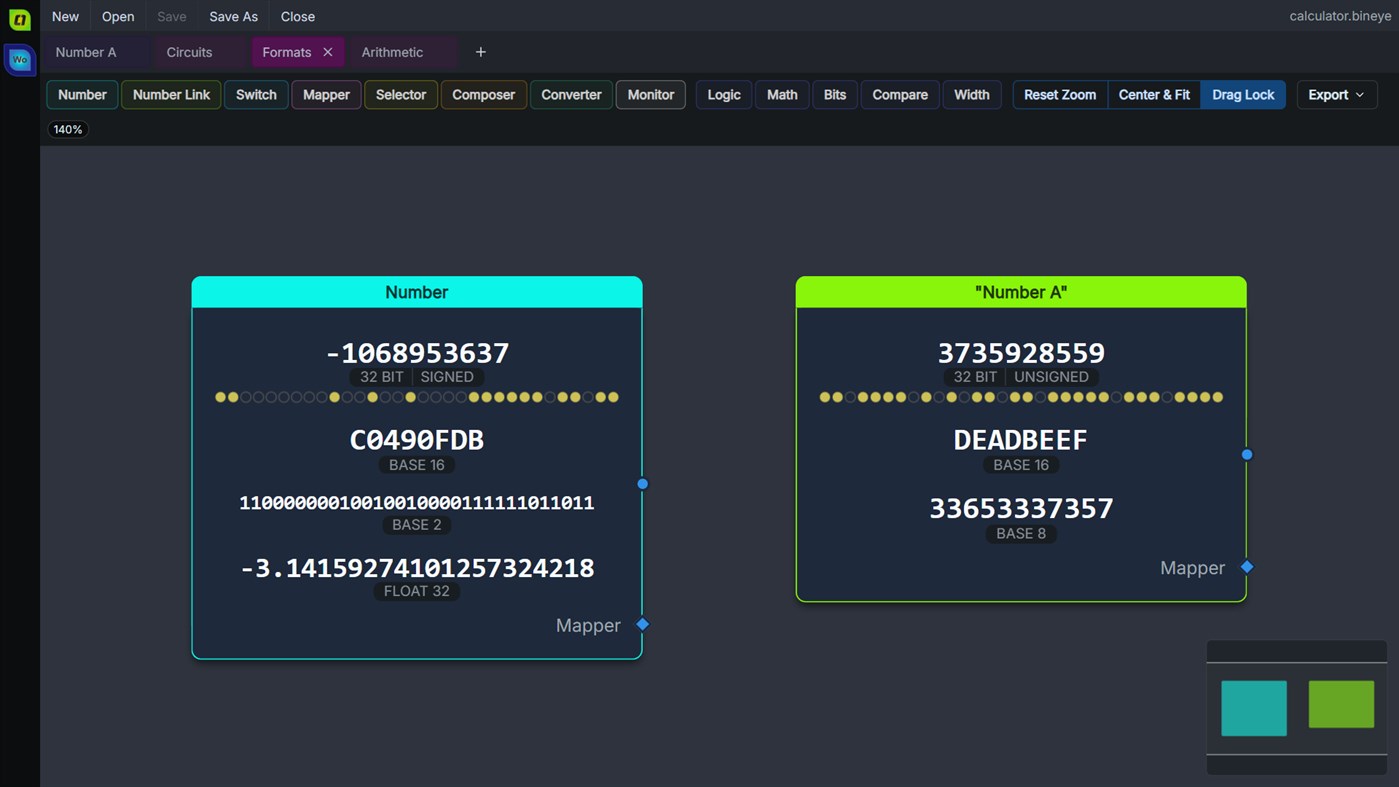
- Type a number in the formats you pick - hexadecimal, octal, binary, float and more - and switch it between signed and unsigned with a click.
- Flip inputs with switches and see results on LED monitors.
- Export a calculator sheet as SVG or PNG.
- Keep several sheets per document. Documents from BinEye 1.x open as before and are upgraded when saved.
BinEye reopens where you left it, copy and paste use the system clipboard, and big files open and scroll smoothly. It runs natively on x64 and ARM PCs. BinEye is free and ad-free.
개발자 소식 ¡
개발자이신가요?
페이지 맨 위에 소식을 올리고 팔로워에게 이메일로 보내기
다른 플랫폼 0
| BinEyeWindows Store560 브론즈Windows | 무료 |
현재 이 스토어에서만 이용할 수 있습니다.
가격 기록 0
- 현재 가격: 무료
- 최소: 무료
- 최대: 무료
목록 0
-
 BinEye
포인트 0
-

- +1 포인트

순위 0
-
- 내 평점
댓글 0 ¡
가장 먼저 댓글을 남겨주세요
새로운 기능
- 버전: PC
- 마지막 업데이트:
- BinEye 4.1.1 - the version numbers now continue BinEye's whole history (BinEye 1 in 1999, BinEye 2 in 2007), so the release after 2.0 is 4.1. Documents are unchanged: 4.1 opens and saves the same files as 2.0.
New:
- Calculator sheet: many new operations - add, subtract, multiply, divide, modulo, min and max, with optional carry, borrow and overflow outputs; rotates, bit counts and parity; compares; sign-extend, zero-extend, truncate and resize.
- NAND, NOR and XNOR gates, and ready-made half adder, full adder and multiplexer circuits.
- The Number node takes other formats (hex, octal, binary, float, ...), each in a row you can type in, and its sign is a toggle.
- The Switch input and the LED monitor.
- Windows on ARM: BinEye runs natively on ARM PCs.
Changed:
- A right shift keeps the sign of a signed value along a chain of operations.
- Starting BinEye without a file reopens the document you had open.
- An exported calculator sheet draws its nodes' options as they look on screen.
- The welcome screen's blog link always opens the latest BinEye post.
Fixed:
- The app's icons have the right size in Start, the taskbar and Settings at every display scaling.
- A link the app can't open no longer closes it.
- Folder and file names with letters outside your language settings work.
- Moving the window between monitors with different scaling resizes it correctly.
- Errors at start-up are shown again.
버전 기록2
- BinEye 2.0 - the biggest BinEye release so far.
New:
- Calculator sheet: compute values from other values by connecting nodes on a canvas - numbers, operations (AND, OR, shifts, ...), selectors, composers, converters and monitors. Results update as you edit, and a minimap keeps big graphs navigable.
- Export: save a calculator sheet as SVG or PNG.
- BinEye reopens where you left it: the document and sheets you had open, and your settings, come back on the next start.
- Copy and paste of values use the system clipboard.
Changed:
- New document format: files from 1.x open as before and are upgraded when saved.
- Big files open and scroll smoothly: the number sheet renders only the blocks in view.
- Runs on a clean Windows 10 or 11 machine with nothing else to install: the package carries the Visual C++ runtime.
Fixed:
- Number sheet settings and calculator sheets could break when opening a document.
- Calculator: losing data when a document was reopened, and several editing glitches.
- Sheet canvases went blurry when zoomed. - Words tool
A utility tool to view and manipulate variable integer resolutions and many basic and advanced binary representations and formats.
- Supports integers from 32 and up to 1024 bit resolution
- View each base integer resolution split words
- Convert each integer to various bases from 2 to 64 and float values
- View and manipulate integer RGBA colors
추가 정보
 https://bineye.lytrax.io
AppAgg 점수
560
AppAgg 예상 점수:
BinEye
개발자: LytraX
560 브론즈
점수가 높을수록 대체로 AppAgg의 여러 지표에서 좋은 결과를 보인다는 뜻입니다.
기준: 인기 · 사용자 평점 · 최신성 · 할인 · 스토어 데이터 · 커뮤니티 활동
최신 AppAgg 데이터를 바탕으로 매일 다시 계산됩니다.
웹사이트용 배지:  복사됨!
요약
BinEye 단축 URL: 복사됨!- Windows Store
AppAgg에서 앱 ‘BinEye’의 정보를 확인할 수 있습니다. 개발자: LytraX. 플랫폼: Windows. 카테고리: 개발자 도구. AppAgg 점수: 560 (브론즈). 이 앱의 AppAgg 포인트: 확인된 포인트 0, 간접 포인트 0. 이 앱이 포함된 공개 목록: 0개. 비공개 목록에 저장한 사용자: 0명. AppAgg 사용자가 아직 이 앱에 별점을 남기지 않았습니다. 확인된 포인트는 로그인한 AppAgg 사용자가 스토어로 이동한 기록을 반영합니다. 간접 포인트는 스토어 데이터를 바탕으로 합니다. 두 숫자는 공개 목록 수와 비공개 목록에 저장한 사용자 수를 나타냅니다. 이 앱의 최초 출시일은 입니다. 이 앱의 마지막 업데이트 날짜는 입니다. 이 앱은 현재 무료로 이용할 수 있습니다. 이 앱은 다음 언어를 지원합니다: 영어. 가격 기록을 확인하거나 앱을 목록에 추가하고 개발자를 팔로우할 수 있습니다. 이 앱의 향후 할인과 업데이트는 RSS 피드에서 확인할 수 있습니다. AppAgg는 이 앱을 호스팅하거나 배포하지 않습니다. 이 앱과 관련된 모든 상표, 로고 및 스크린샷은 각 소유자에게 귀속됩니다.


