
Marcadores
| Desarrollador: | Ctr-L (11) | ||
| Precio: | * Gratis Nuevo | ||
| Puntuación: | 830 Plata | ||
| Clasificaciones: | 0 | ||
| Comentarios: | 0 Publicar comentario | ||
| Listas: | 0 0 | ||
| Puntos: | 0 | ||
| +1 Punto | |||
Resumen
C Ftp es una app de Ctr-L de la categoría «Herramientas de desarrollo».
Recién estrenada, salió . Todavía huele a código nuevo.
Entrar es gratis, pero la tienda de dentro está abierta.
La Microsoft Store viene integrada en Windows, así que se instala en un par de clics.
Su Puntuación de AppAgg es 830. Nivel Plata, y eso no está nada mal.
Clasificación «EVERYONE»: sirve también para los más pequeños.
Habla 54 idiomas, español incluido.
¿Ya la has usado? Tu reseña sería la primera aquí.
El desarrollador tiene 10 apps más en AppAgg. Vale la pena echar un vistazo.
Por cierto, este desarrollador tiene 3 ofertas ahora mismo.
¿Quieres enterarte antes que nadie de actualizaciones y apps nuevas? Sigue al desarrollador o suscríbete al canal RSS. Las notificaciones push llegan con la app AppAgg Alerts para Android y iOS.
Otras plataformas 0
Historial de precios 0
- Precio actual: Gratis
- Mínimo: Gratis
- Máximo: Gratis
Tu propio feed en la página de inicio
Capturas de pantalla 5
Descripción

Take control of your files, servers, and cloud storage with C FTP, a modern file transfer and management application for Windows.
Whether you manage websites, upload project files, maintain remote servers, or organize files across different locations, C FTP gives you the tools you need in one clean, efficient workspace.
ONE APP. MULTIPLE CONNECTIONS.
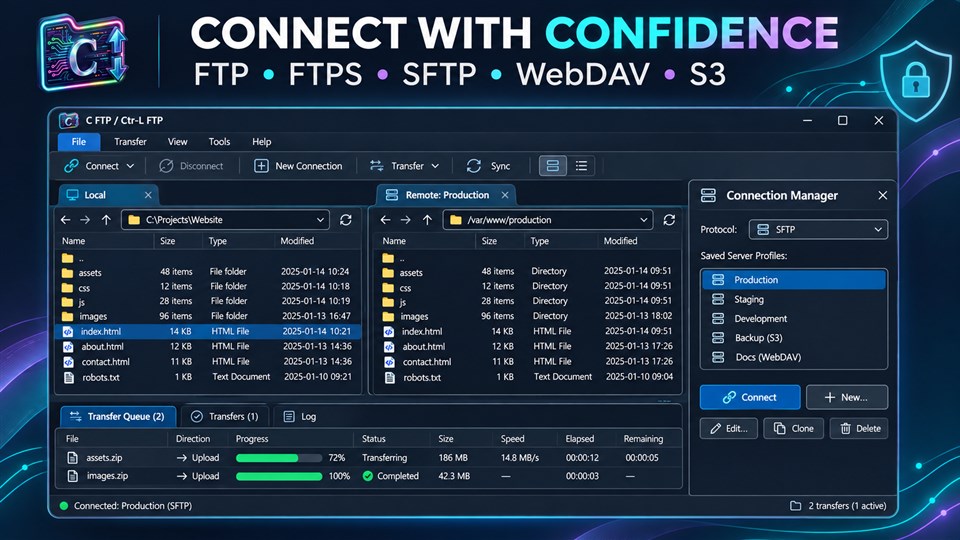
Connect to your files using popular transfer protocols:
• FTP — Standard file transfer connections.
• FTPS — Secure FTP with explicit or implicit TLS.
• SFTP — Secure file transfers over SSH.
• WebDAV — Access compatible remote storage over HTTPS.
• S3 — Work with compatible object storage services.
Choose the connection type that fits your server and manage your files from a single desktop application.
A BETTER WAY TO MANAGE FILES
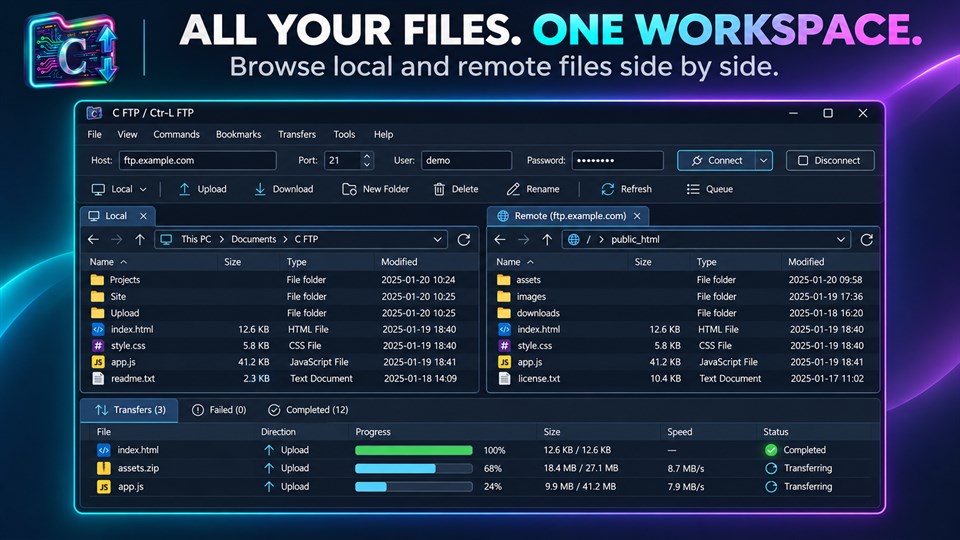
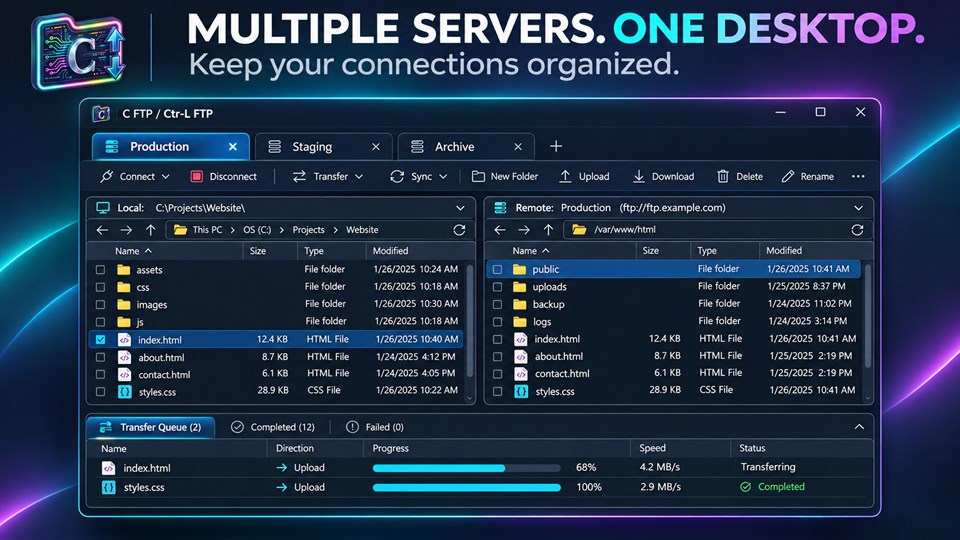
The dual-pane file manager puts your local and remote files side by side, making everyday tasks faster and easier.
Browse folders, upload and download files, create directories, rename items, move files, and organize remote content without constantly switching between windows.
Drag-and-drop support helps simplify transfers, while multiple connection tabs let you work with different servers from one place.
STAY IN CONTROL OF EVERY TRANSFER
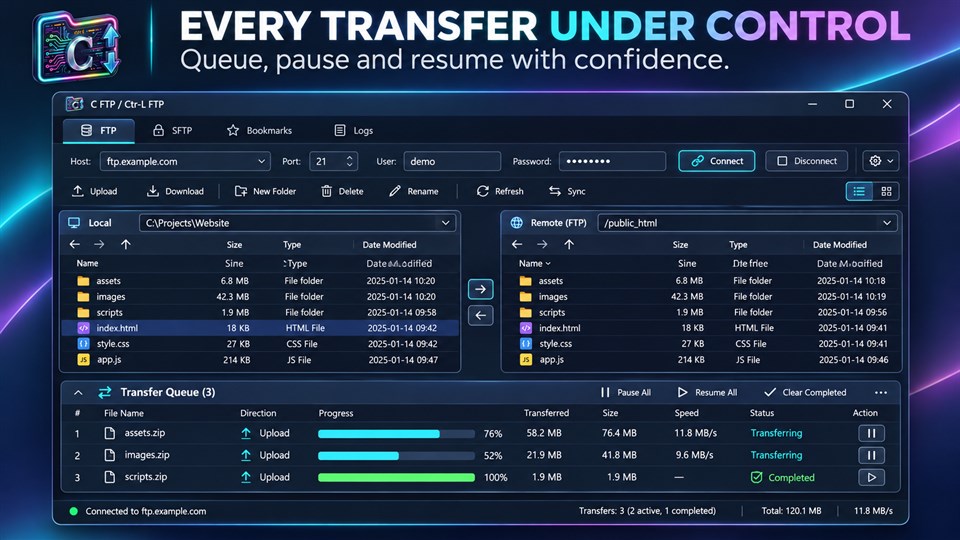
C FTP provides practical tools for managing file transfers:
• Transfer queue with progress information.
• Pause and resume controls for supported operations.
• File conflict handling when destination files already exist.
• Options to overwrite, resume, rename, or skip conflicting transfers.
• Transfer speed controls.
• Support for multiple server connections.
From everyday file uploads to more demanding transfer workflows, C FTP is designed to keep your work organized and manageable.
YOUR CONNECTIONS, READY WHEN YOU ARE
Save server profiles and bookmarks for quicker access to frequently used locations.
Import supported connection configurations from FileZilla, WinSCP, Cyberduck, and OpenSSH to simplify moving to C FTP.
Secure connection options help you choose an appropriate protocol for your server. Supported Windows credential storage helps protect saved authentication details.
DESIGNED FOR EVERYDAY PRODUCTIVITY
C FTP combines essential file management tools with a clean, modern Windows interface.
• Convenient local and remote folder navigation.
• Multiple connection tabs.
• Directory comparison tools.
• File and folder management.
• Flexible transfer controls.
• Multilingual interface.
• A workspace designed for efficient daily use.
FREE TO GET STARTED. PRO WHEN YOU NEED MORE.
Download C FTP for free and access its file management features with BASIC.
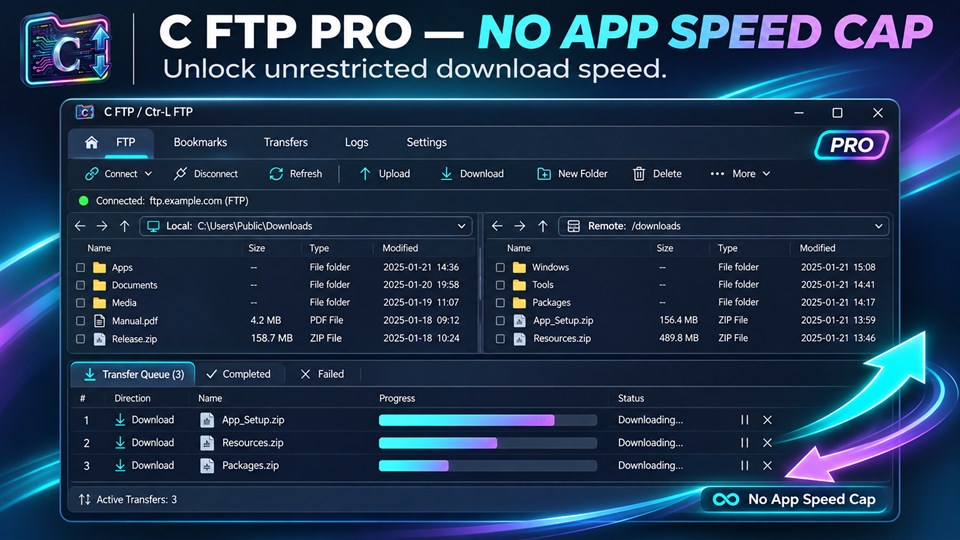
For transfers without an application-imposed download speed limit, choose the optional C FTP PRO annual subscription.
PRO removes the BASIC download speed cap while your subscription remains active. Actual transfer speeds depend on your internet connection, server, and network conditions.
C FTP gives you the flexibility to start free and upgrade when you need faster transfers.
C FTP — Your files. Your servers. Your workspace.
Del desarrollador
Listas 0
-
 C Ftp
Puntos 0
-

- +1 Punto

Clasificaciones 0
-
- Tu valoración
Desarrollador 11
- Ctr-L
- Seguidores: 0
- Plataformas: Windows Aplicaciones (11)
- Ofertas: 3
- Listas: 0 0
- Puntos: 0
- Clasificaciones: 0
- Comentarios: 0
- Vídeos: 1
- RSS: Suscribirse
Novedades
- Versión: PC
- Última actualización:
Información adicional
- Fecha de lanzamiento:
- Categoría:
Aplicaciones para Windows›Herramientas de desarrollo - Sistemas operativos:
PC - Tamaño:
113 Mb - Idiomas admitidos:
Español,Albanés,Alemán,Armenio,Bengalí,Búlgaro,Canarés,Checo,Chino,Coreano,Croata,Danés,Eslovaco,Esloveno,Estonio,Filipino,Finés,Francés,Georgiano,Griego,Guyaratí,Hebreo,Hindi,Húngaro,Indonesio,Inglés,Islandés,Italiano,Japonés,Letón,Lituano,Macedonio,Malayo,Malayálam,Maratí,Neerlandés,Noruego,Persa,Polaco,Portugués,Punyabí,Rumano,Ruso,Serbio,Suajili,Sueco,Tailandés,Tamil,Telugu,Turco,Ucraniano,Urdu,Vietnamita,Árabe - Clasificación de contenido:
EVERYONE - Windows Store Valoración: ¡
0 - Sitio web:
 https://ctr-l.com/
Puntuación de AppAgg
Puntuación estimada de AppAgg para
C Ftp
Desarrollador: Ctr-L
Una puntuación más alta suele reflejar mejores resultados en los indicadores de AppAgg.
Basado en: popularidad · valoraciones de usuarios · actualidad · ofertas · datos de tiendas · actividad de la comunidad
Se recalcula a diario con datos actualizados de AppAgg.
Comentarios 0 ¡
Compartir
C Ftp URL corta: Copiado!- Windows Store

