
Marque-pages
| Développeur: | Ctr-L (11) | ||
| Prix: | * Gratuit Nouveauté | ||
| Score: | 830 Argent | ||
| Classements: | 0 | ||
| Commentaires: | 0 Publier un commentaire | ||
| Listes: | 0 0 | ||
| Points: | 0 | ||
| +1 Point | |||
Résumé
C Ftp est une application de Ctr-L, dans la catégorie « Outils de développement ».
Toute belle, toute neuve, elle est sortie . Elle sent encore le code frais.
L’entrée est gratuite, mais la boutique à l’intérieur est bien ouverte.
Le Microsoft Store est intégré à Windows, ça s’installe en deux clics.
Son Score AppAgg est de 830. Niveau Argent, et c’est déjà pas mal du tout.
Classification « EVERYONE » : ça convient aussi aux enfants.
Parle 54 langues, dont le français.
Vous l’avez utilisée ? Votre avis serait le premier ici.
Ce développeur a encore 10 applications sur AppAgg. Ça vaut le coup d’œil.
Au fait, ce développeur a 3 promotions en ce moment.
Envie de connaître les mises à jour et les nouvelles apps avant tout le monde ? Suivez le développeur ou abonnez-vous au Flux RSS. Les notifications push arrivent via l’app AppAgg Alerts pour Android et iOS.
Autres plateformes 0
 | C FtpWindows Store830 ArgentWindowsAchats intégrés | Gratuit |
Pour l’instant, uniquement dans cette boutique.
Historique des prix 0
- Prix actuel : Gratuit
- Minimum: Gratuit
- Maximum: Gratuit
Votre propre fil sur la page d’accueil
Captures d'écran 5
Description
Take control of your files, servers, and cloud storage with C FTP, a modern file transfer and management application for Windows.
Whether you manage websites, upload project files, maintain remote servers, or organize files across different locations, C FTP gives you the tools you need in one clean, efficient workspace.
ONE APP. MULTIPLE CONNECTIONS.
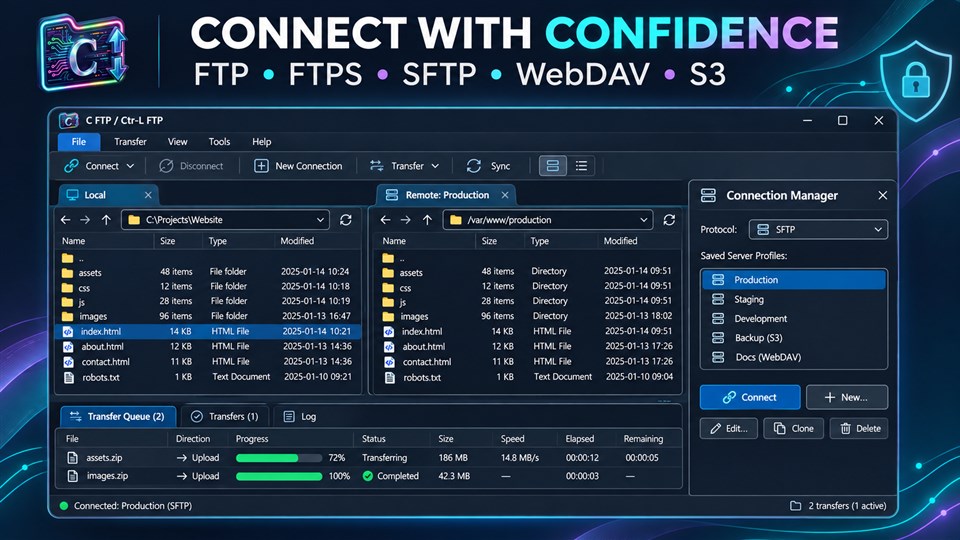
Connect to your files using popular transfer protocols:
• FTP — Standard file transfer connections.
• FTPS — Secure FTP with explicit or implicit TLS.
• SFTP — Secure file transfers over SSH.
• WebDAV — Access compatible remote storage over HTTPS.
• S3 — Work with compatible object storage services.
Choose the connection type that fits your server and manage your files from a single desktop application.
A BETTER WAY TO MANAGE FILES
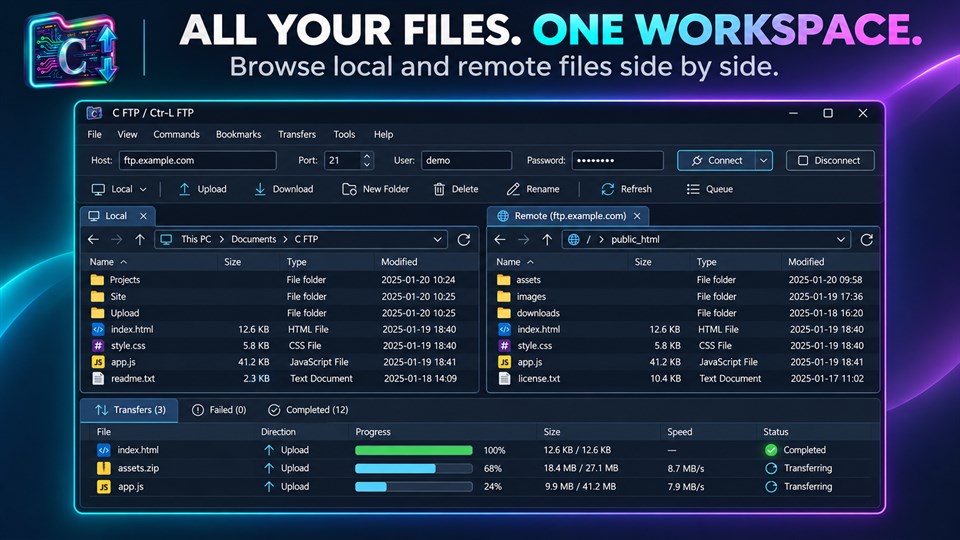
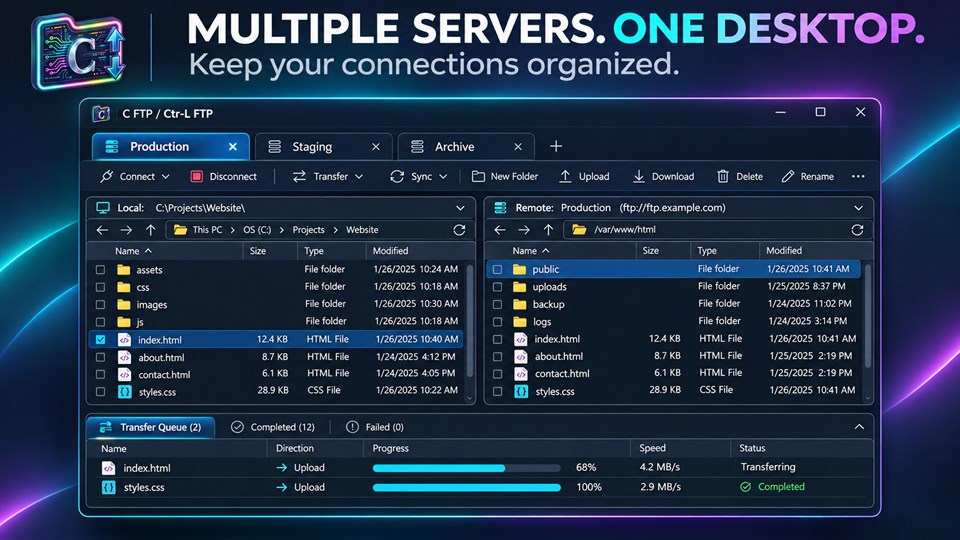
The dual-pane file manager puts your local and remote files side by side, making everyday tasks faster and easier.
Browse folders, upload and download files, create directories, rename items, move files, and organize remote content without constantly switching between windows.
Drag-and-drop support helps simplify transfers, while multiple connection tabs let you work with different servers from one place.
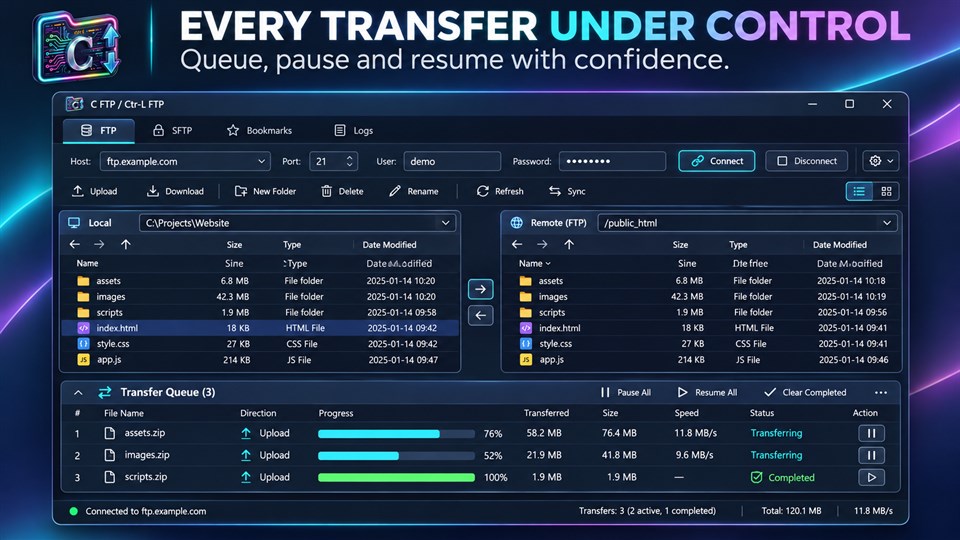
STAY IN CONTROL OF EVERY TRANSFER
C FTP provides practical tools for managing file transfers:
• Transfer queue with progress information.
• Pause and resume controls for supported operations.
• File conflict handling when destination files already exist.
• Options to overwrite, resume, rename, or skip conflicting transfers.
• Transfer speed controls.
• Support for multiple server connections.
From everyday file uploads to more demanding transfer workflows, C FTP is designed to keep your work organized and manageable.
YOUR CONNECTIONS, READY WHEN YOU ARE
Save server profiles and bookmarks for quicker access to frequently used locations.
Import supported connection configurations from FileZilla, WinSCP, Cyberduck, and OpenSSH to simplify moving to C FTP.
Secure connection options help you choose an appropriate protocol for your server. Supported Windows credential storage helps protect saved authentication details.
DESIGNED FOR EVERYDAY PRODUCTIVITY
C FTP combines essential file management tools with a clean, modern Windows interface.
• Convenient local and remote folder navigation.
• Multiple connection tabs.
• Directory comparison tools.
• File and folder management.
• Flexible transfer controls.
• Multilingual interface.
• A workspace designed for efficient daily use.
FREE TO GET STARTED. PRO WHEN YOU NEED MORE.
Download C FTP for free and access its file management features with BASIC.
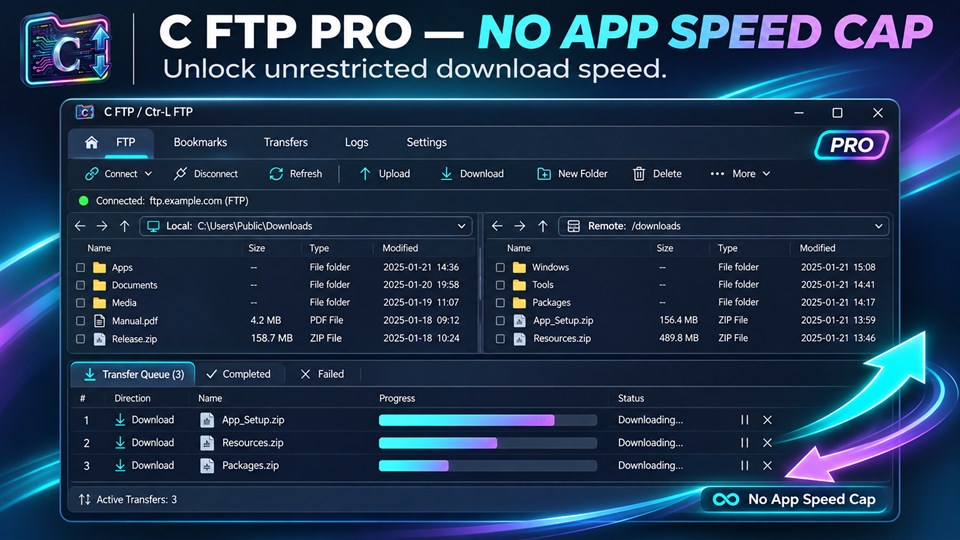
For transfers without an application-imposed download speed limit, choose the optional C FTP PRO annual subscription.
PRO removes the BASIC download speed cap while your subscription remains active. Actual transfer speeds depend on your internet connection, server, and network conditions.
C FTP gives you the flexibility to start free and upgrade when you need faster transfers.
C FTP — Your files. Your servers. Your workspace.
Du développeur
Listes 0
-
 C Ftp
Points 0
-

- +1 Point

Classements 0
-
- Votre note
Développeur 11
- Ctr-L
- Abonnés: 0
- Plateformes: Windows Applications (11)
- Promotions: 3
- Listes: 0 0
- Points: 0
- Classements: 0
- Commentaires: 0
- Vidéos: 1
- RSS: S'abonner
Nouveautés
- Version: PC
- Dernière mise à jour:
Informations supplémentaires
- Date de sortie:
- Catégorie:
Applications pour Windows›Outils de développement - Systèmes d'exploitation:
PC - Taille:
113 Mb - Langues prises en charge:
Français,Albanais,Allemand,Anglais,Arabe,Arménien,Bengali,Bulgare,Chinois,Coréen,Croate,Danois,Espagnol,Estonien,Filipino,Finnois,Goudjarati,Grec,Géorgien,Hindi,Hongrois,Hébreu,Indonésien,Islandais,Italien,Japonais,Kannada,Letton,Lituanien,Macédonien,Malais,Malayalam,Marathi,Norvégien,Néerlandais,Ourdou,Pendjabi,Persan,Polonais,Portugais,Roumain,Russe,Serbe,Slovaque,Slovène,Suédois,Swahili,Tamoul,Tchèque,Thaï,Turc,Télougou,Ukrainien,Vietnamien - Classification du contenu:
EVERYONE - Windows Store Note: ¡
0 - Site Web:
 https://ctr-l.com/
Score AppAgg
Score AppAgg estimé pour
C Ftp
Développeur: Ctr-L
Un score plus élevé reflète généralement de meilleurs résultats selon les indicateurs d’AppAgg.
Basé sur : popularité · notes des utilisateurs · actualité · promos · données des boutiques · activité de la communauté
Recalculé chaque jour à partir des données AppAgg les plus récentes.
Commentaires 0 ¡
Partager
C Ftp URL courte: Copié!- Windows Store

