
Bookmark
| Pengembang: | Ctr-L (11) | ||
| Harga: | * Gratis Baru | ||
| Skor: | 830 Perak | ||
| Peringkat: | 0 | ||
| Komentar: | 0 Kirimkan komentar | ||
| Daftar: | 0 0 | ||
| Poin: | 0 | ||
| +1 Poin | |||
Ringkasan
C Ftp adalah aplikasi buatan Ctr-L di kategori Alat pengembang.
Masih gres, rilis . Aroma kode barunya masih tercium.
Masuknya gratis, tapi toko di dalamnya tetap buka.
Microsoft Store sudah jadi bawaan Windows, jadi bisa dipasang dalam beberapa klik.
Skor AppAgg-nya 830. Perak, dan itu sama sekali tidak buruk.
Rating usia “EVERYONE”, jadi aman juga untuk anak-anak.
Bisa 54 bahasa, termasuk bahasa Indonesia.
Sudah memakainya? Ulasanmu bakal jadi yang pertama di sini.
Pengembang ini punya 10 aplikasi lagi di AppAgg. Layak dilihat.
Omong-omong, pengembang ini sedang punya 3 diskon.
Mau jadi yang pertama tahu soal pembaruan dan aplikasi baru? Ikuti pengembang atau berlangganan lewat Umpan RSS. Notifikasi push dikirim lewat aplikasi AppAgg Alerts untuk Android dan iOS.
Platform lain 0
Riwayat harga 0
- Harga saat ini: Gratis
- Minimum: Gratis
- Maksimum: Gratis
Feed Anda sendiri di beranda
Jepretan layar 5
Deskripsi

Take control of your files, servers, and cloud storage with C FTP, a modern file transfer and management application for Windows.
Whether you manage websites, upload project files, maintain remote servers, or organize files across different locations, C FTP gives you the tools you need in one clean, efficient workspace.
ONE APP. MULTIPLE CONNECTIONS.
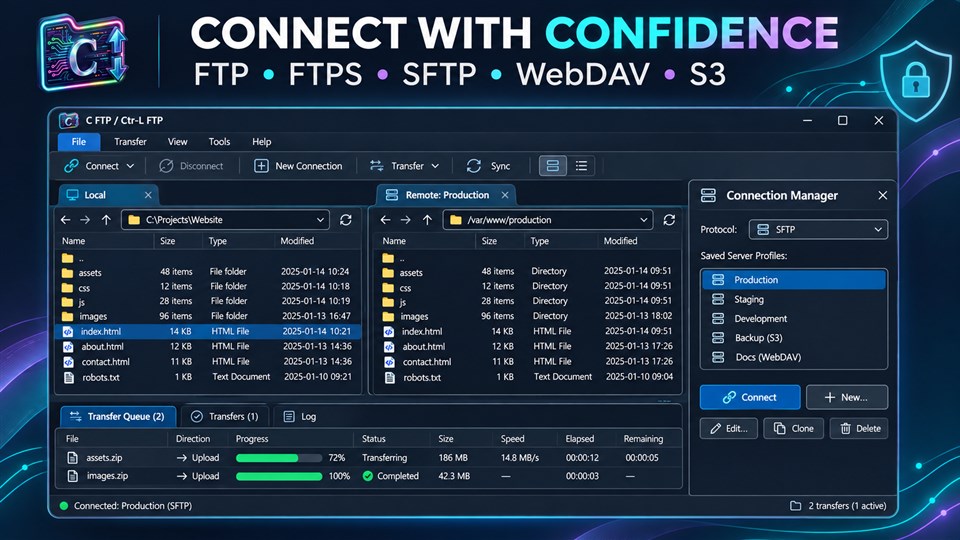
Connect to your files using popular transfer protocols:
• FTP — Standard file transfer connections.
• FTPS — Secure FTP with explicit or implicit TLS.
• SFTP — Secure file transfers over SSH.
• WebDAV — Access compatible remote storage over HTTPS.
• S3 — Work with compatible object storage services.
Choose the connection type that fits your server and manage your files from a single desktop application.
A BETTER WAY TO MANAGE FILES
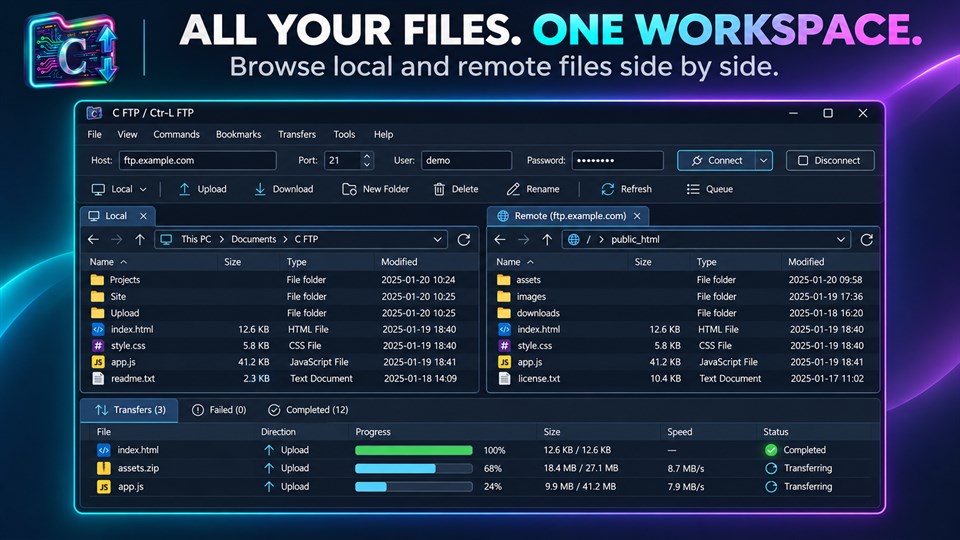
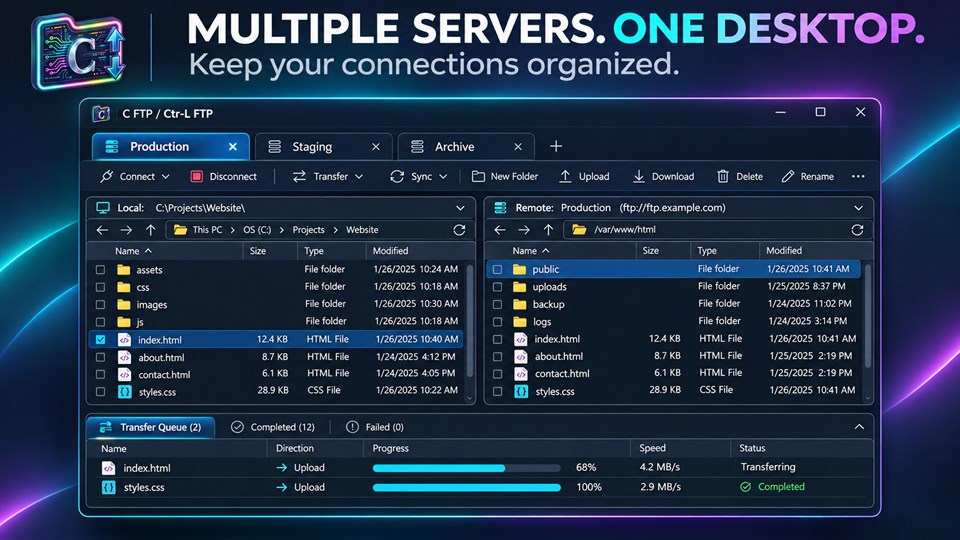
The dual-pane file manager puts your local and remote files side by side, making everyday tasks faster and easier.
Browse folders, upload and download files, create directories, rename items, move files, and organize remote content without constantly switching between windows.
Drag-and-drop support helps simplify transfers, while multiple connection tabs let you work with different servers from one place.
STAY IN CONTROL OF EVERY TRANSFER
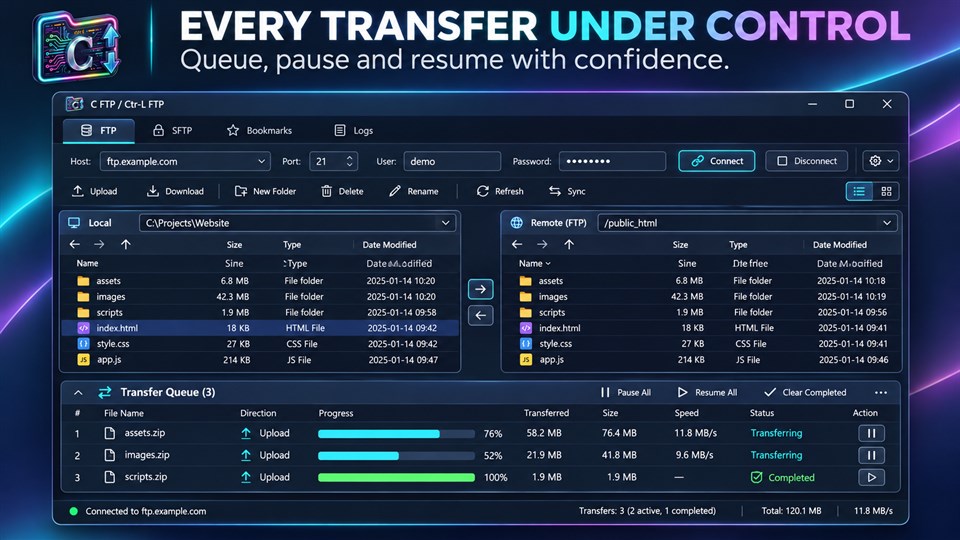
C FTP provides practical tools for managing file transfers:
• Transfer queue with progress information.
• Pause and resume controls for supported operations.
• File conflict handling when destination files already exist.
• Options to overwrite, resume, rename, or skip conflicting transfers.
• Transfer speed controls.
• Support for multiple server connections.
From everyday file uploads to more demanding transfer workflows, C FTP is designed to keep your work organized and manageable.
YOUR CONNECTIONS, READY WHEN YOU ARE
Save server profiles and bookmarks for quicker access to frequently used locations.
Import supported connection configurations from FileZilla, WinSCP, Cyberduck, and OpenSSH to simplify moving to C FTP.
Secure connection options help you choose an appropriate protocol for your server. Supported Windows credential storage helps protect saved authentication details.
DESIGNED FOR EVERYDAY PRODUCTIVITY
C FTP combines essential file management tools with a clean, modern Windows interface.
• Convenient local and remote folder navigation.
• Multiple connection tabs.
• Directory comparison tools.
• File and folder management.
• Flexible transfer controls.
• Multilingual interface.
• A workspace designed for efficient daily use.
FREE TO GET STARTED. PRO WHEN YOU NEED MORE.
Download C FTP for free and access its file management features with BASIC.
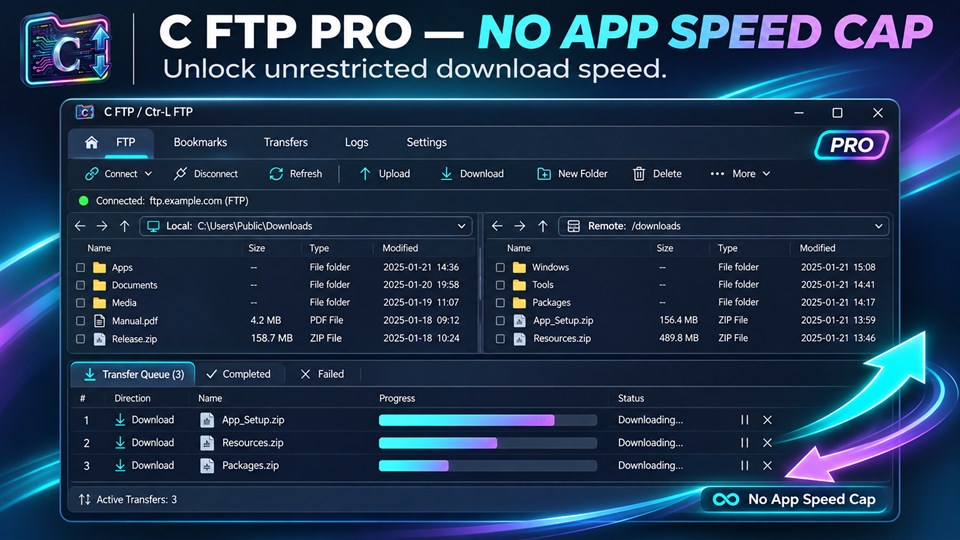
For transfers without an application-imposed download speed limit, choose the optional C FTP PRO annual subscription.
PRO removes the BASIC download speed cap while your subscription remains active. Actual transfer speeds depend on your internet connection, server, and network conditions.
C FTP gives you the flexibility to start free and upgrade when you need faster transfers.
C FTP — Your files. Your servers. Your workspace.
Dari developer
Daftar 0
-
 C Ftp
Poin 0
-

- +1 Poin

Peringkat 0
-
- Rating Anda
Pengembang 11
- Ctr-L
- Pengikut: 0
- Platform: Windows Aplikasi (11)
- Diskon: 3
- Daftar: 0 0
- Poin: 0
- Peringkat: 0
- Komentar: 0
- Video: 1
- RSS: Berlangganan
Yang Baru
- Versi: PC
- Terakhir diperbarui:
Info tambahan
- Tanggal rilis:
- Kategori:
Aplikasi Windows›Alat pengembang - OS:
PC - Ukuran:
113 Mb - Bahasa yang didukung:
Indonesia,Albania,Arab,Armenia,Belanda,Bengali,Bulgaria,Ceko,Dansk,Estonia,Filipino,Georgia,Gujarat,Hindi,Hungaria,Ibrani,Inggris,Islandia,Italia,Jepang,Jerman,Kannada,Korea,Kroasia,Latvia,Lituania,Makedonia,Malayalam,Marathi,Melayu,Norwegia,Persia,Polski,Portugis,Prancis,Punjabi,Rumania,Rusia,Serbia,Slovak,Slovenia,Spanyol,Suomi,Swahili,Swedia,Tamil,Telugu,Thai,Tionghoa,Turki,Ukraina,Urdu,Vietnam,Yunani - Rating Konten:
EVERYONE - Windows Store Rating: ¡
0 - Situs Web:
 https://ctr-l.com/
Skor AppAgg
Perkiraan Skor AppAgg untuk
C Ftp
Pengembang: Ctr-L
Skor yang lebih tinggi biasanya menunjukkan indikator yang lebih kuat di AppAgg.
Berdasarkan: popularitas · rating pengguna · kebaruan · promo · data toko · aktivitas komunitas
Dihitung ulang setiap hari dari data AppAgg terbaru.
Komentar 0 ¡
Bagikan
C Ftp URL singkat: Disalin!- Windows Store

