
북마크
이 북마크의 제목을 입력하세요.
북마크가 저장되었습니다
요약
C Ftp: Ctr-L에서 만든 ‘개발자 도구’ 카테고리의 앱이에요.
따끈따끈한 새 앱, 에 나왔어요. 아직 새 코드 냄새가 솔솔 나요.
입장은 무료지만, 안에 상점이 열려 있어요.
Microsoft Store는 Windows에 기본으로 들어 있어서 클릭 몇 번이면 설치돼요.
AppAgg 점수는 830. 실버 등급, 이 정도면 꽤 괜찮아요.
연령 등급은 ‘EVERYONE’, 아이들에게도 괜찮아요.
54개 언어를 지원하고, 한국어도 있어요.
사용해 보셨나요? 여기서 첫 리뷰의 주인공이 되어 주세요.
이 개발자의 앱이 AppAgg에 10개 더 있어요. 한번 둘러보세요.
참고로, 이 개발자는 지금 할인 3건 진행 중이에요.
업데이트와 새 앱 소식을 가장 먼저 받고 싶나요? 개발자를 팔로우하거나 RSS 피드를 구독하세요. 푸시 알림은 Android와 iOS용 AppAgg Alerts 앱으로 받을 수 있어요.
광고
다른 플랫폼 0
가격 기록 0
- 현재 가격: 무료
- 최소: 무료
- 최대: 무료
홈 화면의 나만의 피드
“신규 및 업데이트” 피드의 플랫폼을 선택하면 홈 화면에 필요한 앱과 게임만 표시됩니다.
스크린샷 5
설명

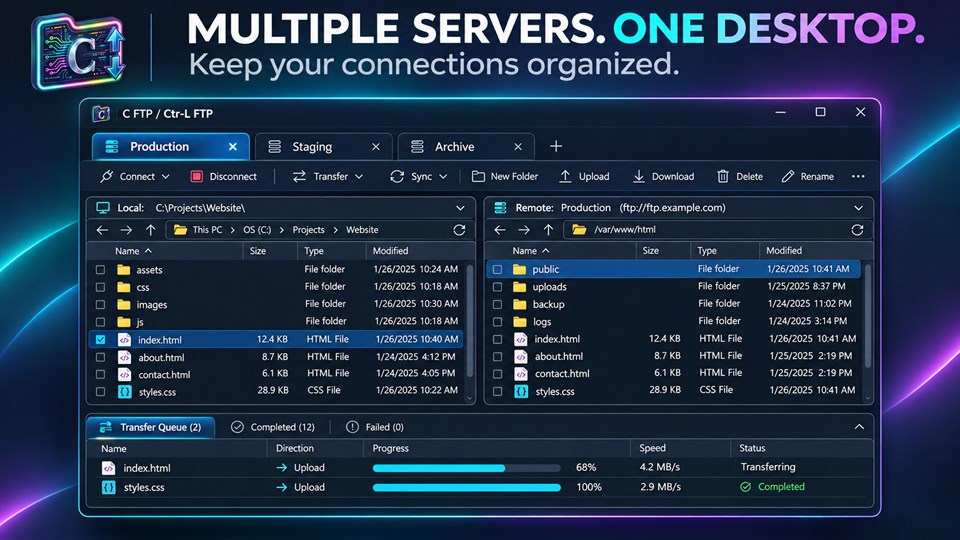
Take control of your files, servers, and cloud storage with C FTP, a modern file transfer and management application for Windows.
Whether you manage websites, upload project files, maintain remote servers, or organize files across different locations, C FTP gives you the tools you need in one clean, efficient workspace.
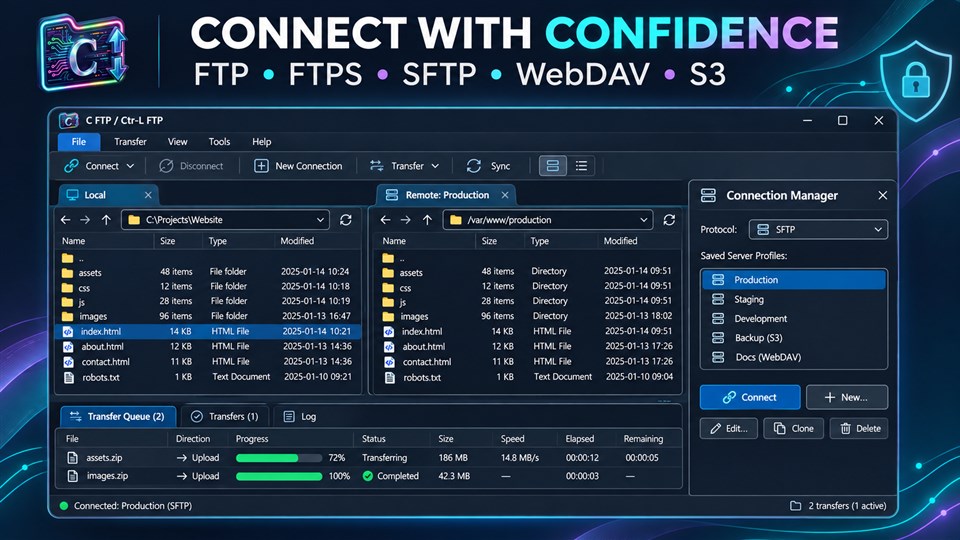
ONE APP. MULTIPLE CONNECTIONS.
Connect to your files using popular transfer protocols:
• FTP — Standard file transfer connections.
• FTPS — Secure FTP with explicit or implicit TLS.
• SFTP — Secure file transfers over SSH.
• WebDAV — Access compatible remote storage over HTTPS.
• S3 — Work with compatible object storage services.
Choose the connection type that fits your server and manage your files from a single desktop application.
A BETTER WAY TO MANAGE FILES
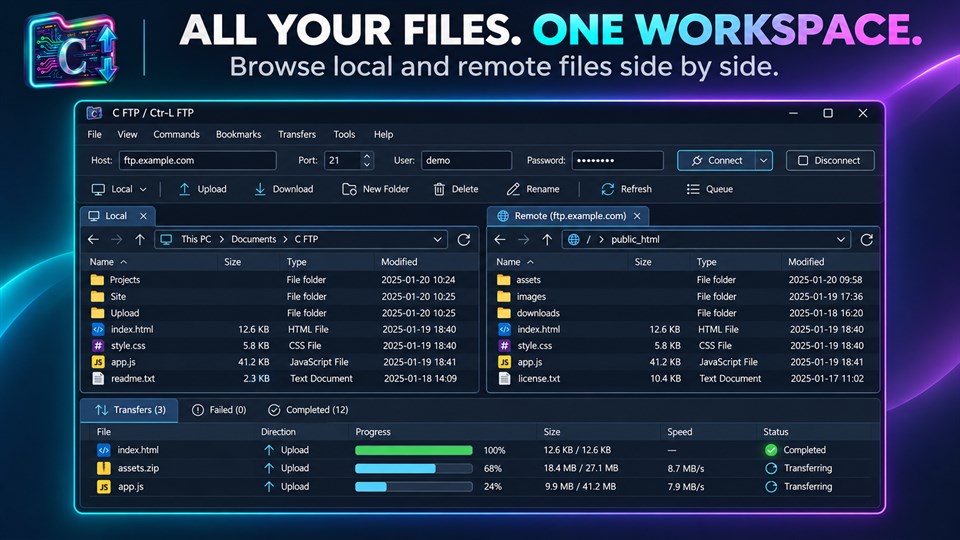
The dual-pane file manager puts your local and remote files side by side, making everyday tasks faster and easier.
Browse folders, upload and download files, create directories, rename items, move files, and organize remote content without constantly switching between windows.
Drag-and-drop support helps simplify transfers, while multiple connection tabs let you work with different servers from one place.
STAY IN CONTROL OF EVERY TRANSFER
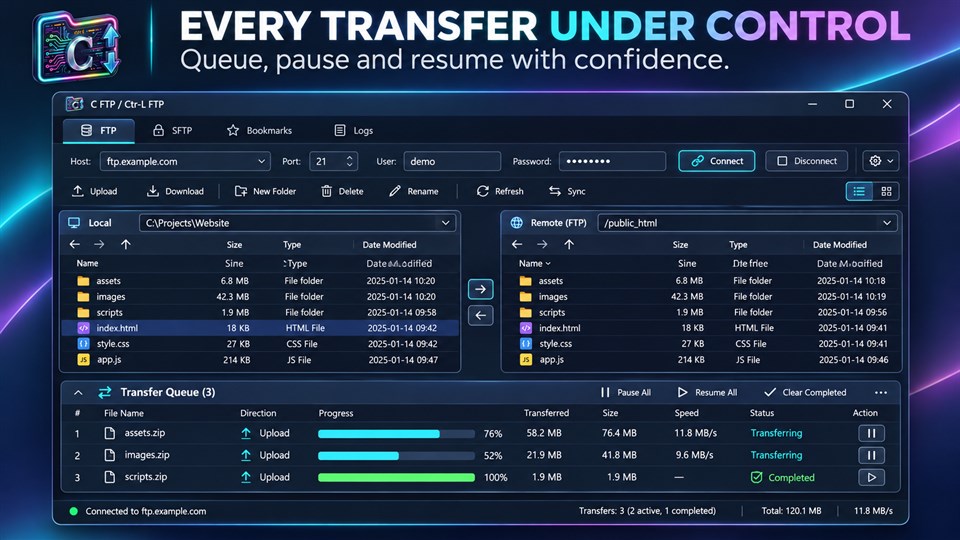
C FTP provides practical tools for managing file transfers:
• Transfer queue with progress information.
• Pause and resume controls for supported operations.
• File conflict handling when destination files already exist.
• Options to overwrite, resume, rename, or skip conflicting transfers.
• Transfer speed controls.
• Support for multiple server connections.
From everyday file uploads to more demanding transfer workflows, C FTP is designed to keep your work organized and manageable.
YOUR CONNECTIONS, READY WHEN YOU ARE
Save server profiles and bookmarks for quicker access to frequently used locations.
Import supported connection configurations from FileZilla, WinSCP, Cyberduck, and OpenSSH to simplify moving to C FTP.
Secure connection options help you choose an appropriate protocol for your server. Supported Windows credential storage helps protect saved authentication details.
DESIGNED FOR EVERYDAY PRODUCTIVITY
C FTP combines essential file management tools with a clean, modern Windows interface.
• Convenient local and remote folder navigation.
• Multiple connection tabs.
• Directory comparison tools.
• File and folder management.
• Flexible transfer controls.
• Multilingual interface.
• A workspace designed for efficient daily use.
FREE TO GET STARTED. PRO WHEN YOU NEED MORE.
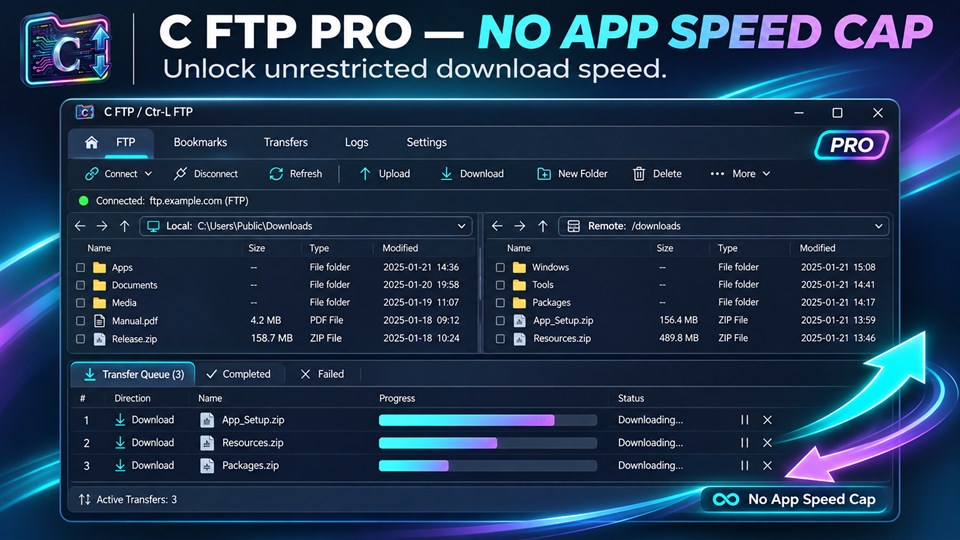
Download C FTP for free and access its file management features with BASIC.
For transfers without an application-imposed download speed limit, choose the optional C FTP PRO annual subscription.
PRO removes the BASIC download speed cap while your subscription remains active. Actual transfer speeds depend on your internet connection, server, and network conditions.
C FTP gives you the flexibility to start free and upgrade when you need faster transfers.
C FTP — Your files. Your servers. Your workspace.
개발자 소식
개발자이신가요?
페이지 맨 위에 소식을 올리면 팔로워에게 이메일로 전달됩니다. YouTube 동영상을 추가하면 “동영상” 블록 맨 앞에 표시됩니다.
목록 0
-
 C Ftp
포인트 0
-

- +1 포인트

순위 0
-
- 내 평점
새로운 기능
- 버전: PC
- 마지막 업데이트:
추가 정보
- 출시일:
- 카테고리:
Windows 앱›개발자 도구 - 운영체제:
PC - 크기:
113 Mb - 지원되는 언어:
한국어,구자라트어,그리스어,네덜란드어,노르웨이어,덴마크어,독일어,라트비아어,러시아어,루마니아어,리투아니아어,마라티어,마케도니아어,말라얄람어,말레이어,베트남어,벵골어,불가리아어,세르비아어,스와힐리어,스웨덴어,스페인어,슬로바키아어,슬로베니아어,아랍어,아르메니아어,아이슬란드어,알바니아어,에스토니아어,영어,우르두어,우크라이나어,이탈리아어,인도네시아어,일본어,조지아어,중국어,체코어,칸나다어,크로아티아어,타밀어,태국어,텔루구어,튀르키예어,펀자브어,페르시아어,포르투갈어,폴란드어,프랑스어,핀란드어,필리핀어,헝가리어,히브리어,힌디어 - 콘텐츠 등급:
EVERYONE - Windows Store 평점: ¡
0 - 웹사이트:
 https://ctr-l.com/
AppAgg 점수
830
AppAgg 예상 점수:
C Ftp
개발자: Ctr-L
830 실버
점수가 높을수록 대체로 AppAgg의 여러 지표에서 좋은 결과를 보인다는 뜻입니다.
기준: 인기 · 사용자 평점 · 최신성 · 할인 · 스토어 데이터 · 커뮤니티 활동
최신 AppAgg 데이터를 바탕으로 매일 다시 계산됩니다.
웹사이트용 배지:  복사됨!
댓글 0 ¡
가장 먼저 댓글을 남겨주세요
공유하기
C Ftp 단축 URL: 복사됨!- Windows Store


