
Bladwijzers
| Ontwikkelaar: | Ctr-L (11) | ||
| Prijs: | * Gratis Nieuw | ||
| Score: | 830 Zilver | ||
| Ranglijsten: | 0 | ||
| Reacties: | 0 Plaats reactie | ||
| Lijsten: | 0 0 | ||
| Punten: | 0 | ||
| +1 Punt | |||
Samenvatting
C Ftp is een app van Ctr-L in de categorie “Ontwikkelhulpprogramma's”.
Gloednieuw, pas uitgekomen. Ruikt nog naar verse code.
De toegang is gratis, maar binnen is de winkel open.
De Microsoft Store zit ingebouwd in Windows, dus installeren doe je in een paar klikken.
De AppAgg-score is 830. Zilver, en dat is helemaal niet slecht.
Leeftijdsclassificatie “EVERYONE”, dus ook prima voor kinderen.
Spreekt 54 talen, Nederlands inbegrepen.
Gebruikt? Jouw recensie zou hier de eerste zijn.
De ontwikkelaar heeft nog 10 andere apps op AppAgg. Neem gerust een kijkje.
Trouwens, deze ontwikkelaar heeft nu 3 aanbiedingen.
Wil je als eerste horen over updates en nieuwe apps? Volg de ontwikkelaar of abonneer je op de RSS-feed. Pushmeldingen komen binnen via de app AppAgg Alerts voor Android en iOS.
Andere platforms 0
Prijsgeschiedenis 0
- Huidige prijs: Gratis
- Minimum: Gratis
- Maximum: Gratis
Je eigen feed op de startpagina
Screenshots 5
Beschrijving

Take control of your files, servers, and cloud storage with C FTP, a modern file transfer and management application for Windows.
Whether you manage websites, upload project files, maintain remote servers, or organize files across different locations, C FTP gives you the tools you need in one clean, efficient workspace.
ONE APP. MULTIPLE CONNECTIONS.
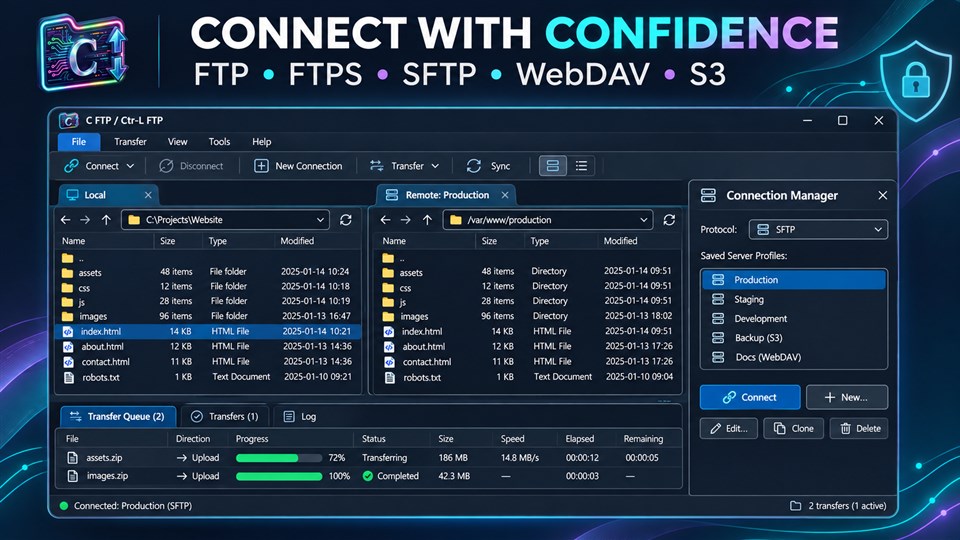
Connect to your files using popular transfer protocols:
• FTP — Standard file transfer connections.
• FTPS — Secure FTP with explicit or implicit TLS.
• SFTP — Secure file transfers over SSH.
• WebDAV — Access compatible remote storage over HTTPS.
• S3 — Work with compatible object storage services.
Choose the connection type that fits your server and manage your files from a single desktop application.
A BETTER WAY TO MANAGE FILES
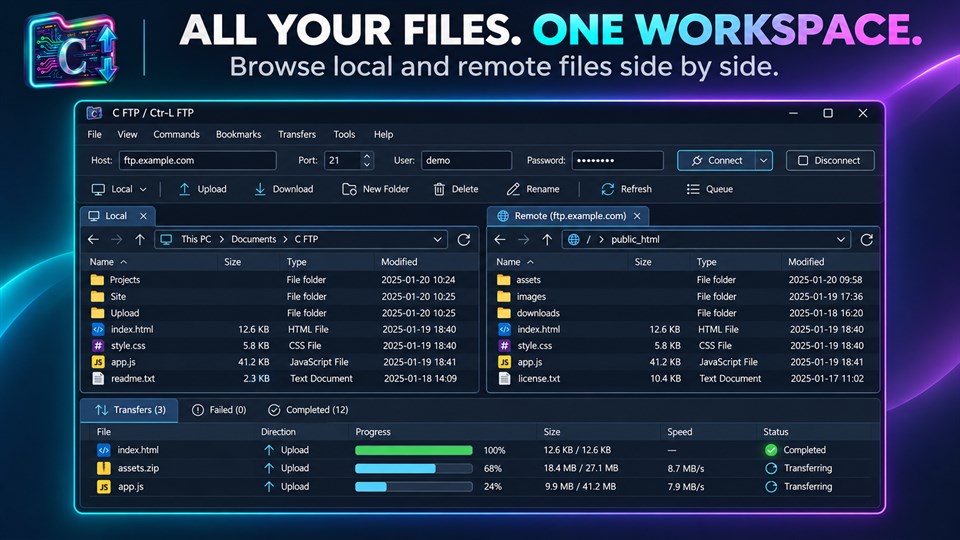
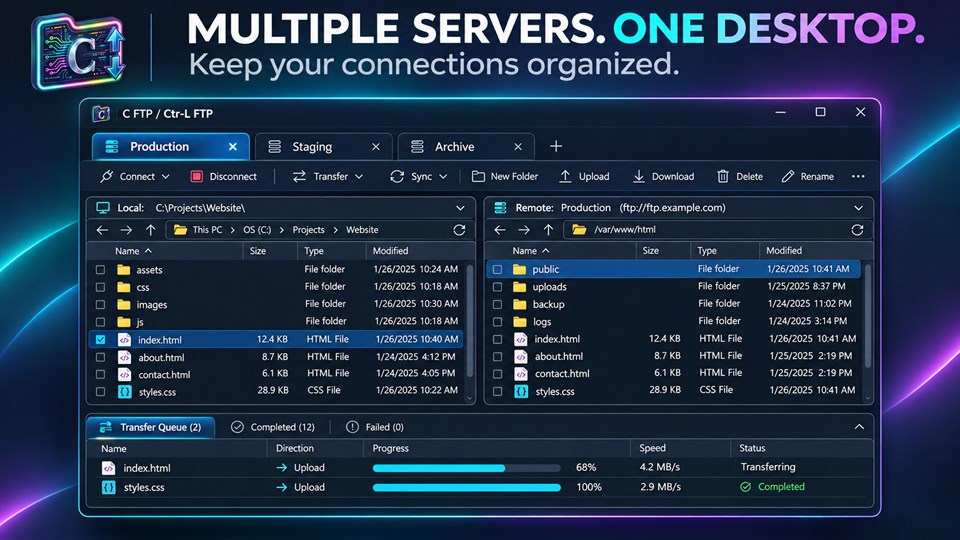
The dual-pane file manager puts your local and remote files side by side, making everyday tasks faster and easier.
Browse folders, upload and download files, create directories, rename items, move files, and organize remote content without constantly switching between windows.
Drag-and-drop support helps simplify transfers, while multiple connection tabs let you work with different servers from one place.
STAY IN CONTROL OF EVERY TRANSFER
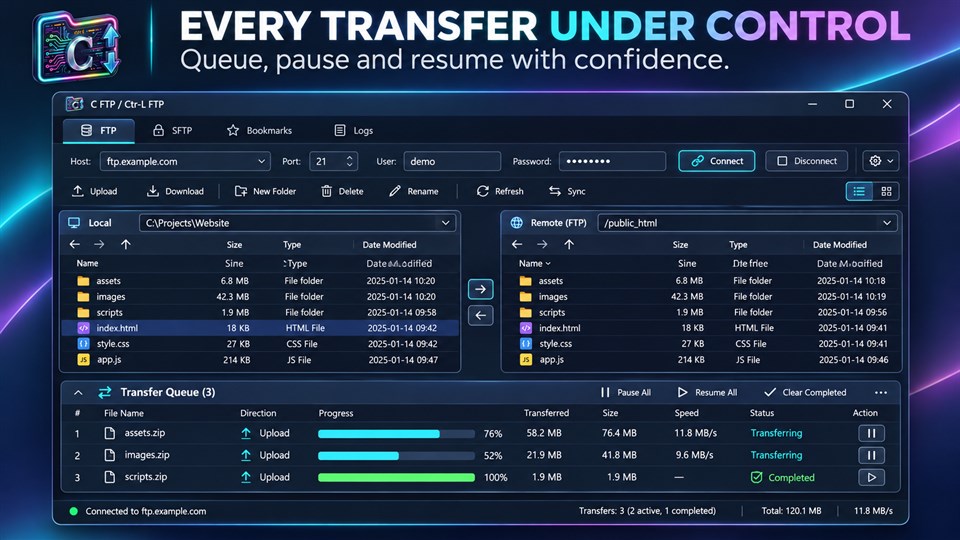
C FTP provides practical tools for managing file transfers:
• Transfer queue with progress information.
• Pause and resume controls for supported operations.
• File conflict handling when destination files already exist.
• Options to overwrite, resume, rename, or skip conflicting transfers.
• Transfer speed controls.
• Support for multiple server connections.
From everyday file uploads to more demanding transfer workflows, C FTP is designed to keep your work organized and manageable.
YOUR CONNECTIONS, READY WHEN YOU ARE
Save server profiles and bookmarks for quicker access to frequently used locations.
Import supported connection configurations from FileZilla, WinSCP, Cyberduck, and OpenSSH to simplify moving to C FTP.
Secure connection options help you choose an appropriate protocol for your server. Supported Windows credential storage helps protect saved authentication details.
DESIGNED FOR EVERYDAY PRODUCTIVITY
C FTP combines essential file management tools with a clean, modern Windows interface.
• Convenient local and remote folder navigation.
• Multiple connection tabs.
• Directory comparison tools.
• File and folder management.
• Flexible transfer controls.
• Multilingual interface.
• A workspace designed for efficient daily use.
FREE TO GET STARTED. PRO WHEN YOU NEED MORE.
Download C FTP for free and access its file management features with BASIC.
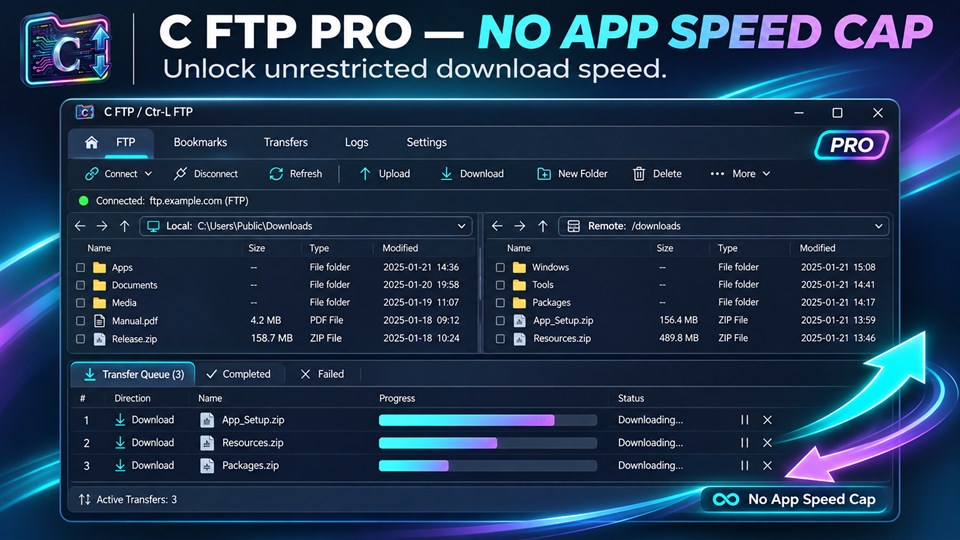
For transfers without an application-imposed download speed limit, choose the optional C FTP PRO annual subscription.
PRO removes the BASIC download speed cap while your subscription remains active. Actual transfer speeds depend on your internet connection, server, and network conditions.
C FTP gives you the flexibility to start free and upgrade when you need faster transfers.
C FTP — Your files. Your servers. Your workspace.
Van de ontwikkelaar
Lijsten 0
-
 C Ftp
Punten 0
-

- +1 Punt

Ranglijsten 0
-
- Jouw beoordeling
Ontwikkelaar 11
- Ctr-L
- Volgers: 0
- Platforms: Windows Apps (11)
- Aanbiedingen: 3
- Lijsten: 0 0
- Punten: 0
- Ranglijsten: 0
- Reacties: 0
- Video’s: 1
- RSS: Abonneren
Wat is er nieuw?
- Versie: PC
- Laatst bijgewerkt:
Aanvullende informatie
- Releasedatum:
- Categorie:
Windows-apps›Ontwikkelhulpprogramma's - Besturingssysteem:
PC - Grootte:
113 Mb - Ondersteunde talen:
Nederlands,Albanees,Arabisch,Armeens,Bengaals,Bulgaars,Chinees,Deens,Duits,Engels,Estisch,Filipijns,Fins,Frans,Georgisch,Grieks,Gujarati,Hebreeuws,Hindi,Hongaars,IJslands,Indonesisch,Italiaans,Japans,Kannada,Koreaans,Kroatisch,Lets,Litouws,Macedonisch,Malayalam,Maleis,Marathi,Noors,Oekraïens,Perzisch,Pools,Portugees,Punjabi,Roemeens,Russisch,Servisch,Sloveens,Slowaaks,Spaans,Swahili,Tamil,Telugu,Thai,Tsjechisch,Turks,Urdu,Vietnamees,Zweeds - Inhoudsclassificatie:
EVERYONE - Windows Store Beoordeling: ¡
0 - Website:
 https://ctr-l.com/
AppAgg-score
Geschatte AppAgg-score voor
C Ftp
Ontwikkelaar: Ctr-L
Een hogere score betekent meestal betere resultaten voor de factoren die AppAgg beoordeelt.
Gebaseerd op: populariteit · gebruikersbeoordelingen · actualiteit · aanbiedingen · winkelgegevens · community-activiteit
Wordt dagelijks opnieuw berekend met actuele AppAgg-gegevens.
Reacties 0 ¡
Delen
C Ftp Korte URL: Gekopieerd!- Windows Store

