
Dấu trang
| Nhà phát triển: | Ctr-L (11) | ||
| Giá: | * Miễn phí Mới | ||
| Điểm tổng hợp: | 830 Bạc | ||
| Bảng xếp hạng: | 0 | ||
| Bình luận: | 0 Đăng bình luận | ||
| Danh sách: | 0 0 | ||
| Điểm: | 0 | ||
| +1 Điểm | |||
Tóm tắt
C Ftp là ứng dụng thuộc danh mục Công cụ cho nhà phát triển của Ctr-L.
Mới toanh, ra mắt . Vẫn còn thơm mùi code mới.
Vào cửa miễn phí, nhưng cửa hàng bên trong vẫn mở.
Microsoft Store có sẵn trong Windows, nên cài chỉ mất vài cú nhấp.
Điểm tổng hợp AppAgg là 830. Hạng Bạc, vậy là không tệ chút nào.
Xếp hạng độ tuổi “EVERYONE”, nên trẻ em cũng dùng được.
Biết 54 thứ tiếng, trong đó có tiếng Việt.
Đã dùng rồi? Bài đánh giá của bạn sẽ là bài đầu tiên ở đây.
Nhà phát triển còn 10 ứng dụng khác trên AppAgg. Đáng xem đấy.
Nhân tiện, nhà phát triển này đang có 3 ưu đãi giảm giá.
Muốn biết sớm nhất về cập nhật và ứng dụng mới? Hãy theo dõi nhà phát triển hoặc đăng ký nguồn RSS. Thông báo đẩy được gửi qua ứng dụng AppAgg Alerts cho Android và iOS.
Nền tảng khác 0
Lịch sử giá 0
- Giá hiện tại: Miễn phí
- Tối thiểu: Miễn phí
- Tối đa: Miễn phí
Bảng tin riêng của bạn trên trang chủ
Ảnh chụp màn hình 5
Mô tả

Take control of your files, servers, and cloud storage with C FTP, a modern file transfer and management application for Windows.
Whether you manage websites, upload project files, maintain remote servers, or organize files across different locations, C FTP gives you the tools you need in one clean, efficient workspace.
ONE APP. MULTIPLE CONNECTIONS.
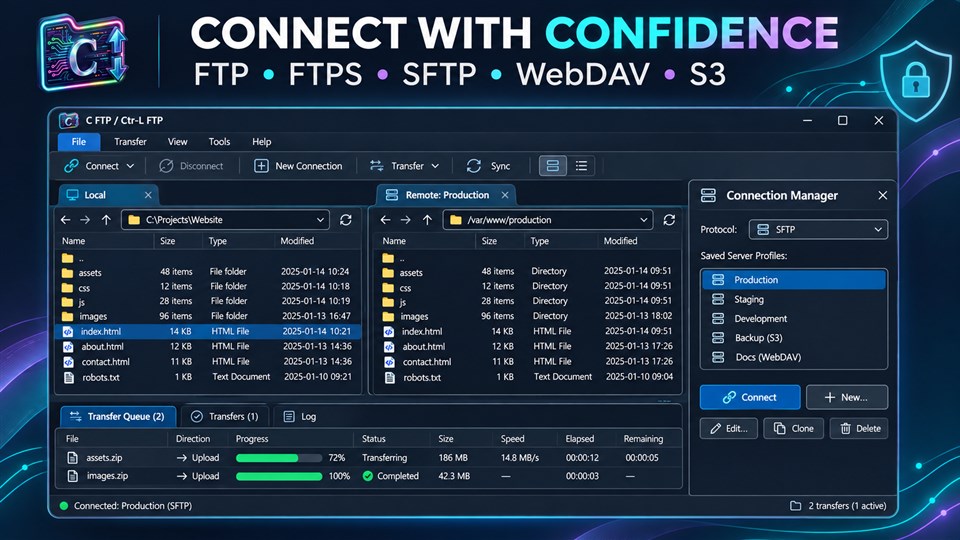
Connect to your files using popular transfer protocols:
• FTP — Standard file transfer connections.
• FTPS — Secure FTP with explicit or implicit TLS.
• SFTP — Secure file transfers over SSH.
• WebDAV — Access compatible remote storage over HTTPS.
• S3 — Work with compatible object storage services.
Choose the connection type that fits your server and manage your files from a single desktop application.
A BETTER WAY TO MANAGE FILES
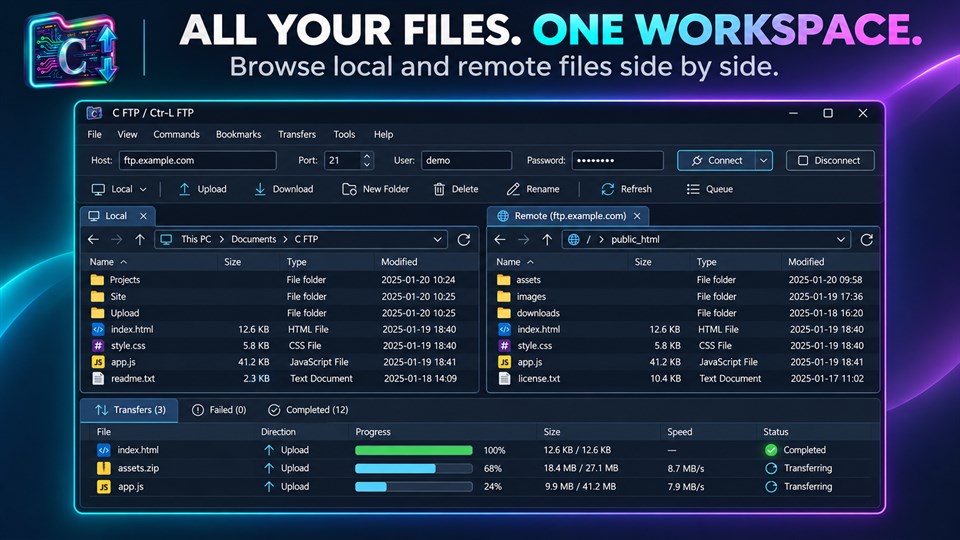
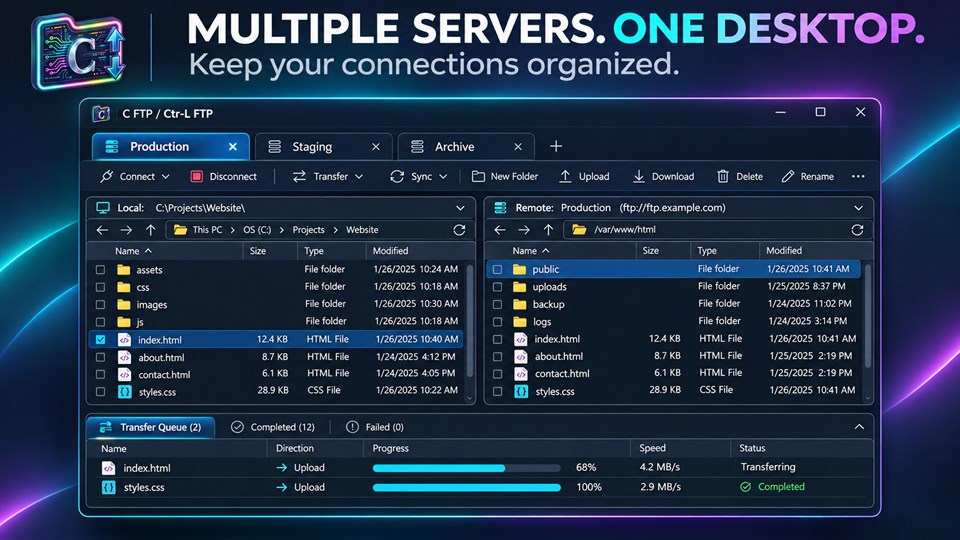
The dual-pane file manager puts your local and remote files side by side, making everyday tasks faster and easier.
Browse folders, upload and download files, create directories, rename items, move files, and organize remote content without constantly switching between windows.
Drag-and-drop support helps simplify transfers, while multiple connection tabs let you work with different servers from one place.
STAY IN CONTROL OF EVERY TRANSFER
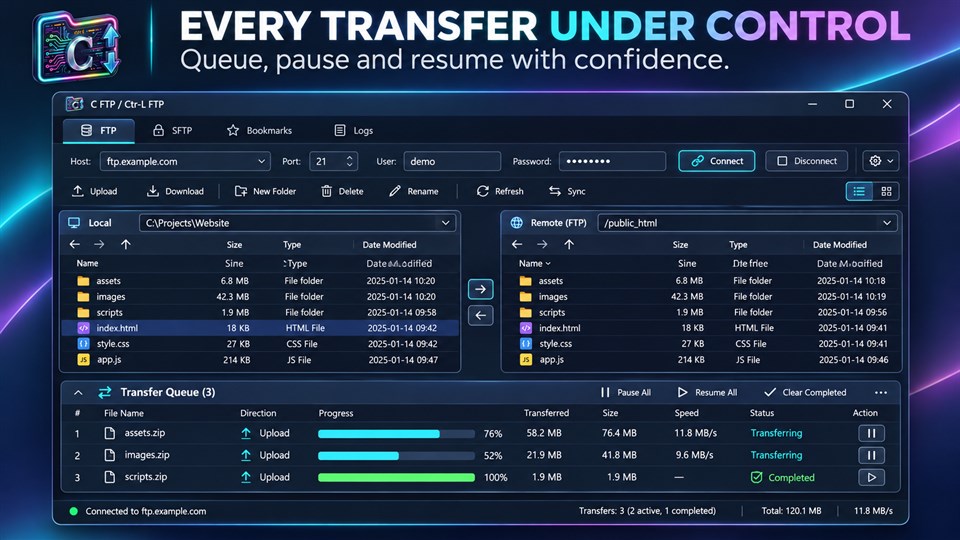
C FTP provides practical tools for managing file transfers:
• Transfer queue with progress information.
• Pause and resume controls for supported operations.
• File conflict handling when destination files already exist.
• Options to overwrite, resume, rename, or skip conflicting transfers.
• Transfer speed controls.
• Support for multiple server connections.
From everyday file uploads to more demanding transfer workflows, C FTP is designed to keep your work organized and manageable.
YOUR CONNECTIONS, READY WHEN YOU ARE
Save server profiles and bookmarks for quicker access to frequently used locations.
Import supported connection configurations from FileZilla, WinSCP, Cyberduck, and OpenSSH to simplify moving to C FTP.
Secure connection options help you choose an appropriate protocol for your server. Supported Windows credential storage helps protect saved authentication details.
DESIGNED FOR EVERYDAY PRODUCTIVITY
C FTP combines essential file management tools with a clean, modern Windows interface.
• Convenient local and remote folder navigation.
• Multiple connection tabs.
• Directory comparison tools.
• File and folder management.
• Flexible transfer controls.
• Multilingual interface.
• A workspace designed for efficient daily use.
FREE TO GET STARTED. PRO WHEN YOU NEED MORE.
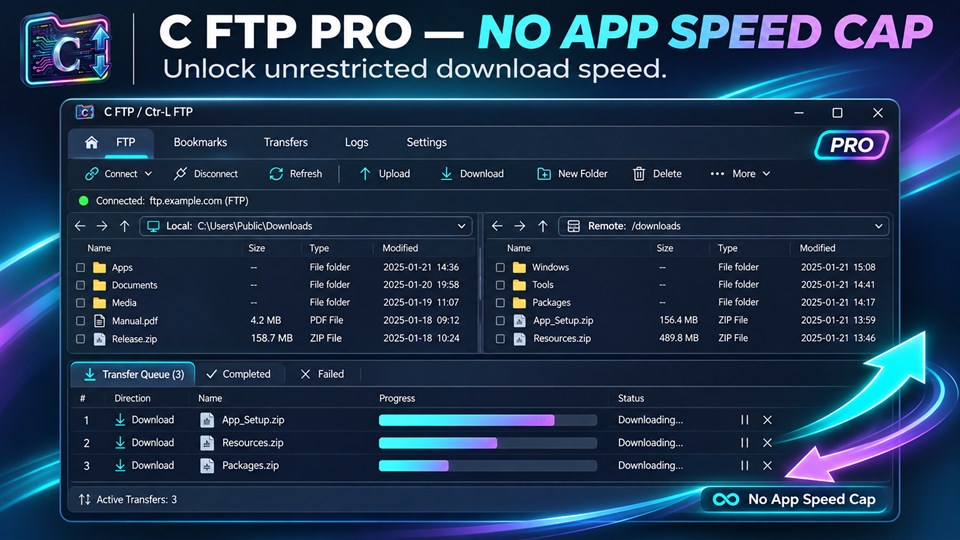
Download C FTP for free and access its file management features with BASIC.
For transfers without an application-imposed download speed limit, choose the optional C FTP PRO annual subscription.
PRO removes the BASIC download speed cap while your subscription remains active. Actual transfer speeds depend on your internet connection, server, and network conditions.
C FTP gives you the flexibility to start free and upgrade when you need faster transfers.
C FTP — Your files. Your servers. Your workspace.
Từ nhà phát triển
Danh sách 0
-
 C Ftp
Điểm 0
-

- +1 Điểm

Bảng xếp hạng 0
-
- Điểm bạn chấm
Nhà phát triển 11
- Ctr-L
- Người theo dõi: 0
- Nền tảng: Windows Ứng dụng (11)
- Giảm giá: 3
- Danh sách: 0 0
- Điểm: 0
- Bảng xếp hạng: 0
- Bình luận: 0
- Video: 1
- RSS: Đăng ký
Tính năng mới
- Phiên bản: PC
- Cập nhật lần cuối:
Thông tin bổ sung
- Ngày phát hành:
- Danh mục:
Ứng dụng cho Windows›Công cụ cho nhà phát triển - HĐH:
PC - Kích thước:
113 Mb - Ngôn ngữ được hỗ trợ:
Tiếng Việt,Tiếng Albania,Tiếng Anh,Tiếng Armenia,Tiếng Ba Lan,Tiếng Ba Tư,Tiếng Bangla,Tiếng Bulgaria,Tiếng Bồ Đào Nha,Tiếng Croatia,Tiếng Do Thái,Tiếng Estonia,Tiếng Georgia,Tiếng Gujarati,Tiếng Hindi,Tiếng Hungary,Tiếng Hy Lạp,Tiếng Hà Lan,Tiếng Hàn,Tiếng Iceland,Tiếng Indonesia,Tiếng Italy,Tiếng Kannada,Tiếng Latvia,Tiếng Litva,Tiếng Macedonia,Tiếng Malayalam,Tiếng Marathi,Tiếng Mã Lai,Tiếng Na Uy,Tiếng Nga,Tiếng Nhật,Tiếng Philippines,Tiếng Pháp,Tiếng Phần Lan,Tiếng Punjab,Tiếng Romania,Tiếng Serbia,Tiếng Slovak,Tiếng Slovenia,Tiếng Swahili,Tiếng Séc,Tiếng Tamil,Tiếng Telugu,Tiếng Thái,Tiếng Thổ Nhĩ Kỳ,Tiếng Thụy Điển,Tiếng Trung,Tiếng Tây Ban Nha,Tiếng Ukraina,Tiếng Urdu,Tiếng Đan Mạch,Tiếng Đức,Tiếng Ả Rập - Xếp hạng nội dung:
EVERYONE - Windows Store Điểm đánh giá: ¡
0 - Trang web:
 https://ctr-l.com/
Điểm tổng hợp AppAgg
Điểm tổng hợp AppAgg ước tính cho
C Ftp
Nhà phát triển: Ctr-L
Điểm cao hơn thường cho thấy các chỉ số trên AppAgg tốt hơn.
Dựa trên: độ phổ biến · đánh giá của người dùng · độ mới · ưu đãi · dữ liệu cửa hàng · hoạt động cộng đồng
Được tính lại hằng ngày từ dữ liệu AppAgg mới nhất.
Bình luận 0 ¡
Chia sẻ
C Ftp URL ngắn: Đã sao chép!- Windows Store

