
Marque-pages
| Développeur: | Catbee (1) | ||
| Prix: | Gratuit | ||
| Score: | 1 190 Argent | ||
| Classements: | 0 | ||
| Commentaires: | 0 Publier un commentaire | ||
| Listes: | 0 0 | ||
| Points: | 0 | ||
| +1 Point | |||
Résumé
Découvrez Catbee Container Studio, une application signée Catbee dans la catégorie « Outils de développement ».
Sortie , elle est encore toute fraîche.
Gratuite : ni pub, ni achats intégrés. Juste vous et l’application.
Le Microsoft Store est intégré à Windows, ça s’installe en deux clics.
Son Score AppAgg est de 1 190. Niveau Argent, et c’est déjà pas mal du tout.
Classification « EVERYONE » : ça convient aussi aux enfants.
Ne parle qu’une seule langue, et ce n’est pas le français.
Silence radio pour l’instant (ni notes, ni commentaires). À vous de briser la glace.
C’est la seule application de ce développeur sur AppAgg. Pour l’instant.
Envie de connaître les mises à jour et les nouvelles apps avant tout le monde ? Suivez le développeur ou abonnez-vous au Flux RSS. Les notifications push arrivent via l’app AppAgg Alerts pour Android et iOS.
Autres plateformes 0
 | Catbee Container StudioWindows Store1K ArgentWindows | Gratuit |
Pour l’instant, uniquement dans cette boutique.
Historique des prix 0
- Prix actuel : Gratuit
- Minimum: Gratuit
- Maximum: Gratuit
Votre propre fil sur la page d’accueil
Captures d'écran 10
Description
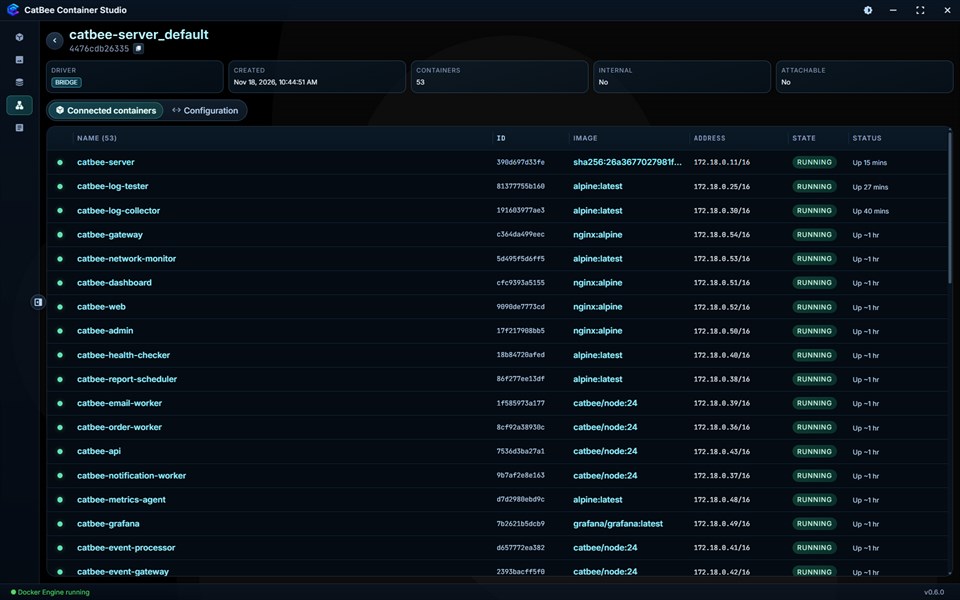
View and manage Docker containers, images, volumes, networks, logs, and files through a focused graphical interface without relying exclusively on the command line.
PREREQUISITES
• Requires Docker Desktop or Docker Engine installed and running locally on Windows.
• Requires Docker Compose CLI for Compose-based project recreation.
KEY CAPABILITIES
Container & Compose Management
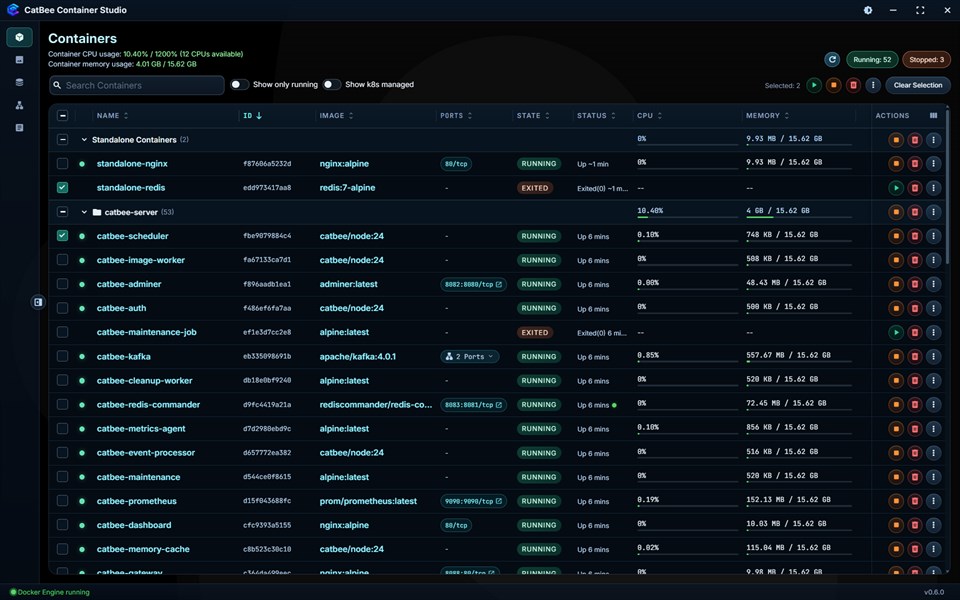
• View, start, stop, restart, pause, unpause, and delete containers individually or in bulk
• Force recreate individual containers, multi-selected containers, or entire Docker Compose projects
• Automatically group containers by Docker Compose project with collective status summaries
• Perform bulk lifecycle actions across entire Compose projects
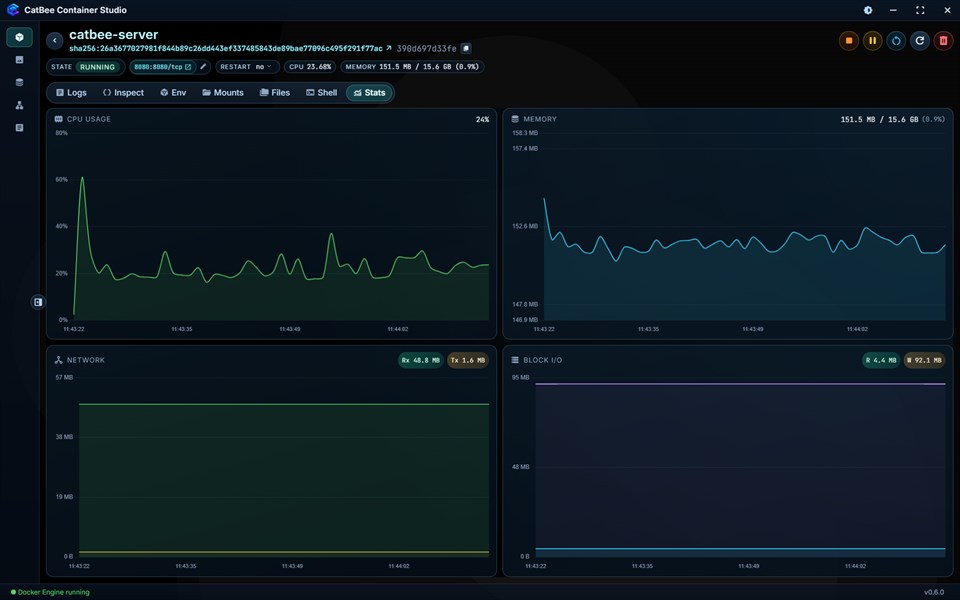
• Monitor aggregate real-time CPU, memory, disk I/O, and network I/O metrics across Compose groups
• Filter containers by name, ID, or image, with quick toggles for running state and Kubernetes-managed containers
• Inspect container health, state, published ports, entrypoints, and raw configuration JSON
Live Reconfiguration & Editing
• Edit environment variables on existing containers with direct .env file paste support
• Add, modify, or remove port mappings with instant duplicate and port-range validation
• Edit container mounts (host paths and volume bindings)
• Modify container restart policies directly from the container overview
• Safely apply configuration edits with automatic container recreation and rollback protection
• One-click launch to open published container ports directly in your default web browser
Files Browser & Interactive Terminal
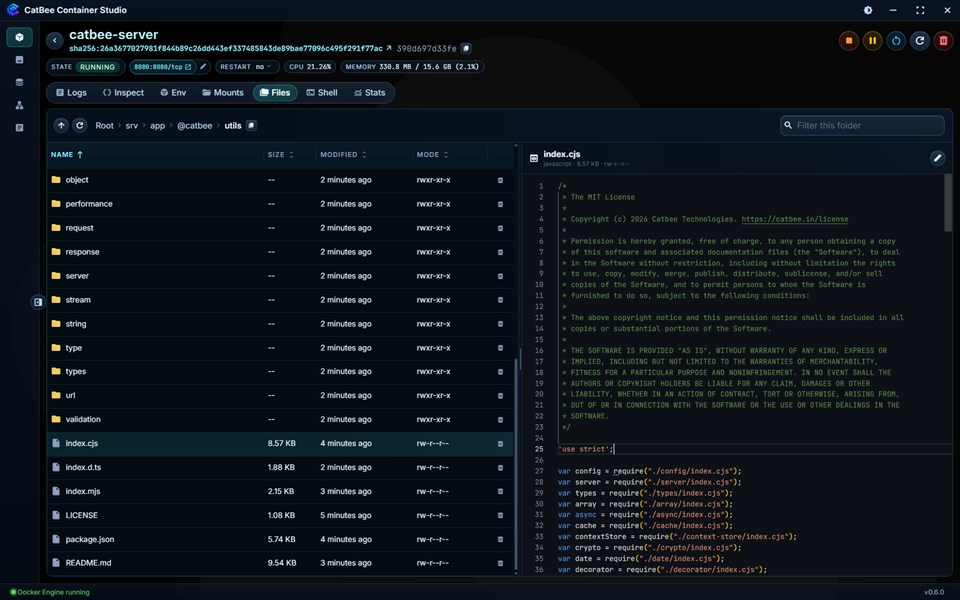
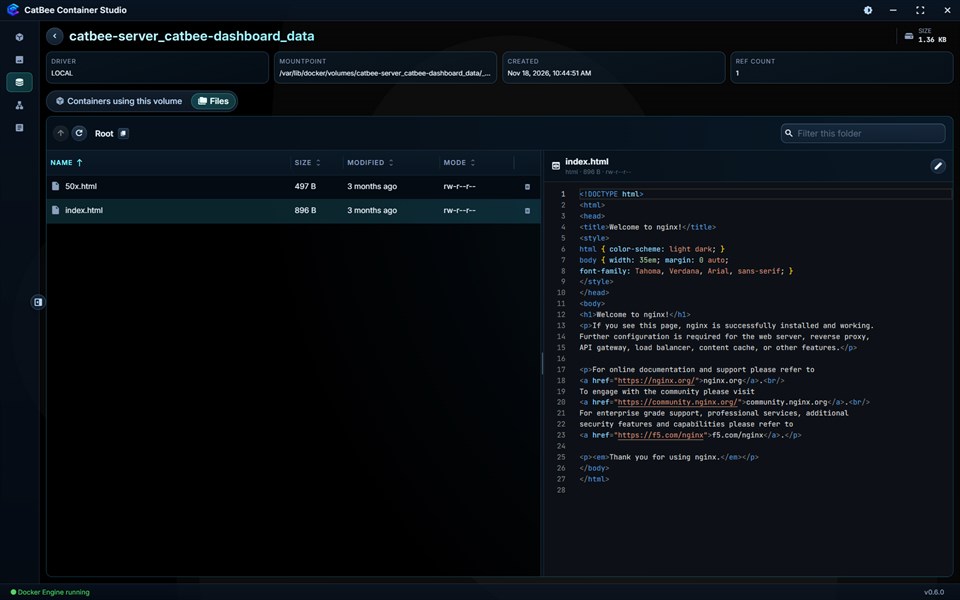
• Browse container and volume filesystems with path breadcrumbs
• View, edit, and save files inside containers and volumes using the integrated Monaco Editor
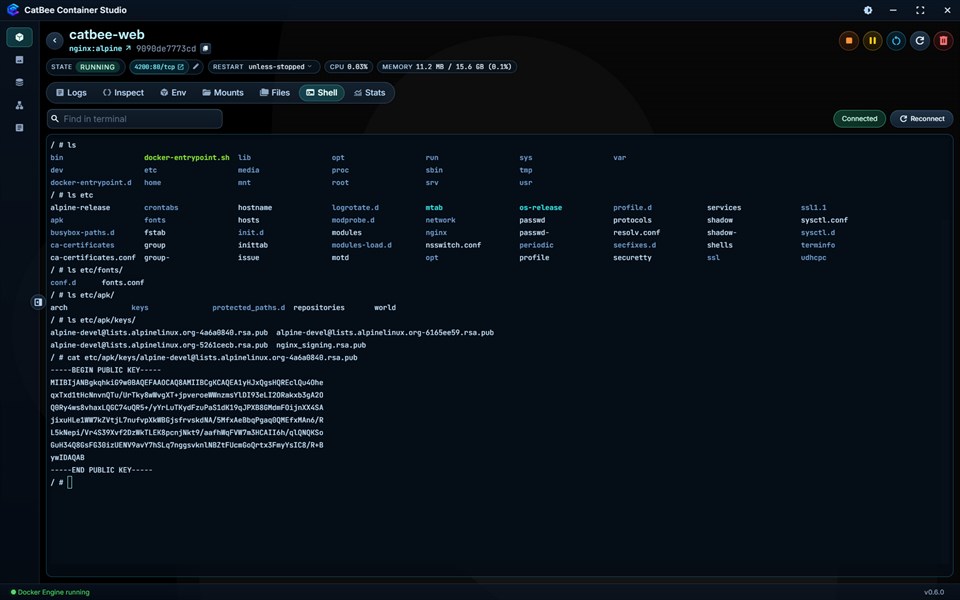
• Built-in interactive shell terminal powered by xterm.js with search and full TTY emulation
• Safely delete files and directories inside containers and volumes
Images, Volumes & Networks
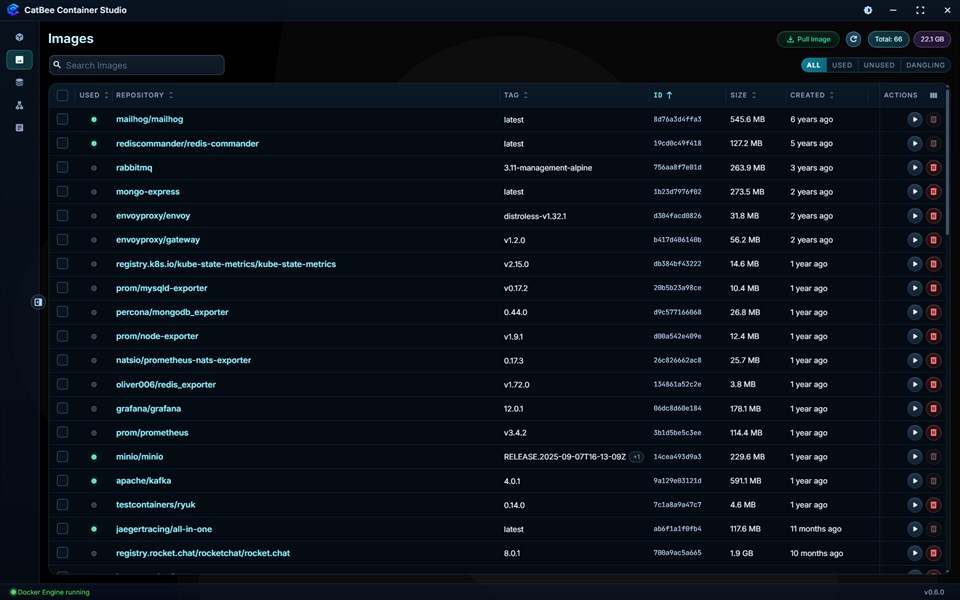
• Browse, pull, inspect, and bulk-delete Docker images
• Inspect image layers, command history, and active containers in use
• Prune dangling images, unused volumes, and unused networks
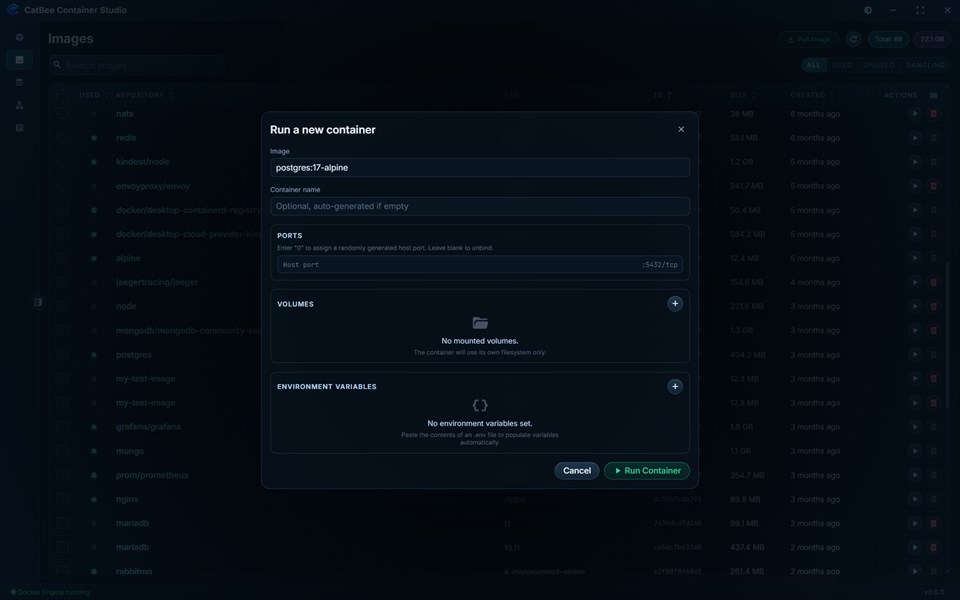
• Create and run new containers directly from Docker images with port, volume, and env configuration
• Create named Docker volumes with custom drivers and optional host directory binding
• Calculate and view total volume disk usage
• Create and inspect custom Docker networks, IPAM configurations, and connected container IP/MAC addresses
Logs Hub & Monitoring
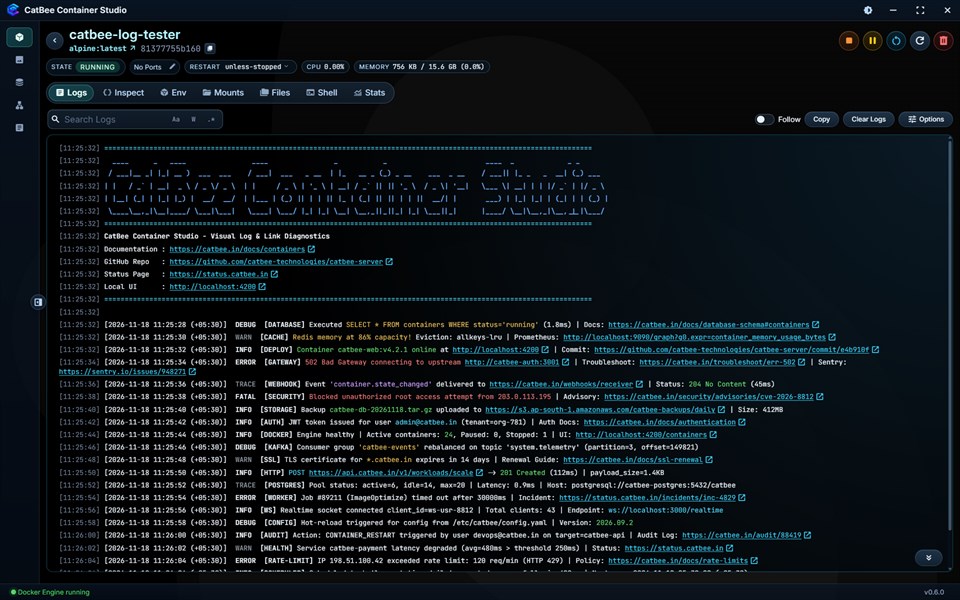
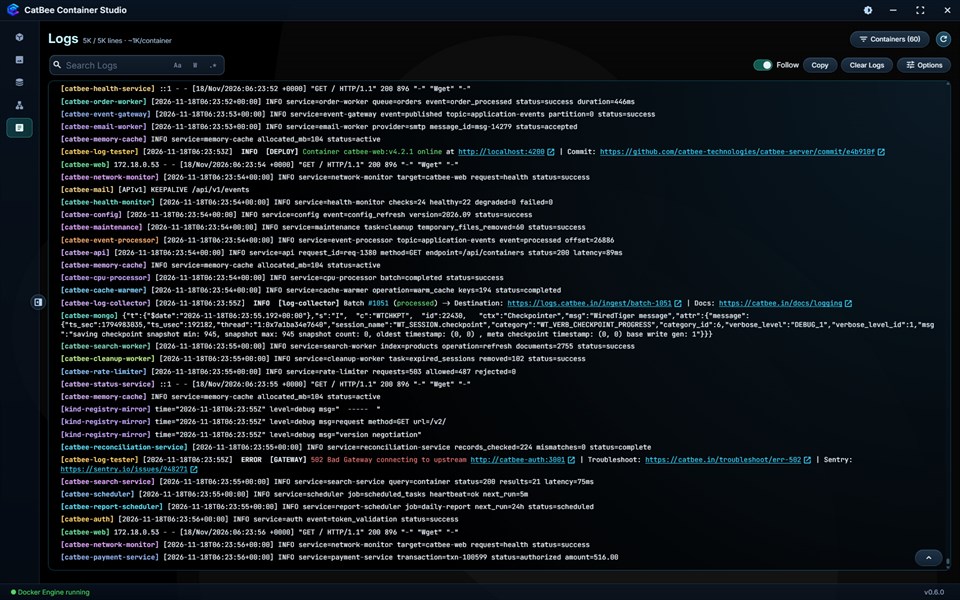
• Centralized multi-container Logs Hub to stream and compare logs concurrently
• High-performance virtualized log scrolling capable of handling heavy output buffers
• Advanced log search with regex, case matching, whole-word matching, and timestamps toggle
• Real-time streaming charts for CPU, memory limits, network I/O, and block I/O
Native Desktop Experience
• 100% local: connects directly to your local Docker daemon without third-party cloud accounts or tracking
• Curated dark and light themes with instant switching
• Resizable table columns with state persistence and shift-click multi-selection
• Draft protection to prevent accidental loss of unsaved changes
CatBee Container Studio makes everyday Docker management effortless while keeping the workflow familiar, fast, and transparent to developers.
Du développeur
Listes 0
-
 Catbee Container Studio
Points 0
-

- +1 Point

Classements 0
-
- Votre note
Développeur 1
- Catbee
- Abonnés: 0
- Plateformes: Windows Applications (1)
- Promotions: 0
- Listes: 0 0
- Points: 0
- Classements: 0
- Commentaires: 0
- Vidéos: 0
- RSS: S'abonner
Nouveautés
- Version: PC
- Dernière mise à jour:
- We regularly update CatBee Container Studio to bring you new features, improvements, and performance enhancements.
For detailed release notes and source code, visit: https://github.com/catbee-technologies/catbee-container-studio/releases
- This release brings improved container management, clearer resource monitoring, and a smoother desktop experience.
• Added aggregated CPU, memory, disk, and network metrics for container groups
• Improved container lifecycle controls with synchronized Start, Stop, Pause, and Unpause states
• Improved handling of partially started and partially paused container groups and bulk selections
• Added container deletion directly from Container Details
• Improved container status display with compact durations and health indicators
• Enhanced tab navigation with a sliding indicator
• Improved input fields and buttons throughout the application
• Enhanced tables with frozen action columns and improved group actions
• Improved global log clearing feedback
• Fixed edge-hover jitter on buttons
Informations supplémentaires
- Date de sortie:
- Catégorie:
Applications pour Windows›Outils de développement - Systèmes d'exploitation:
PC - Taille:
159 Mb - Langues prises en charge:
Anglais - Classification du contenu:
EVERYONE - Windows Store Note: ¡
0
 https://catbee.in/catbee-container-studio
Score AppAgg
Score AppAgg estimé pour
Catbee Container Studio
Développeur: Catbee
Un score plus élevé reflète généralement de meilleurs résultats selon les indicateurs d’AppAgg.
Basé sur : popularité · notes des utilisateurs · actualité · promos · données des boutiques · activité de la communauté
Recalculé chaque jour à partir des données AppAgg les plus récentes.
Commentaires 0 ¡
Partager
Catbee Container Studio URL courte: Copié!- Windows Store

